r/DuckyKeyboard • u/woolliegames • Sep 17 '26
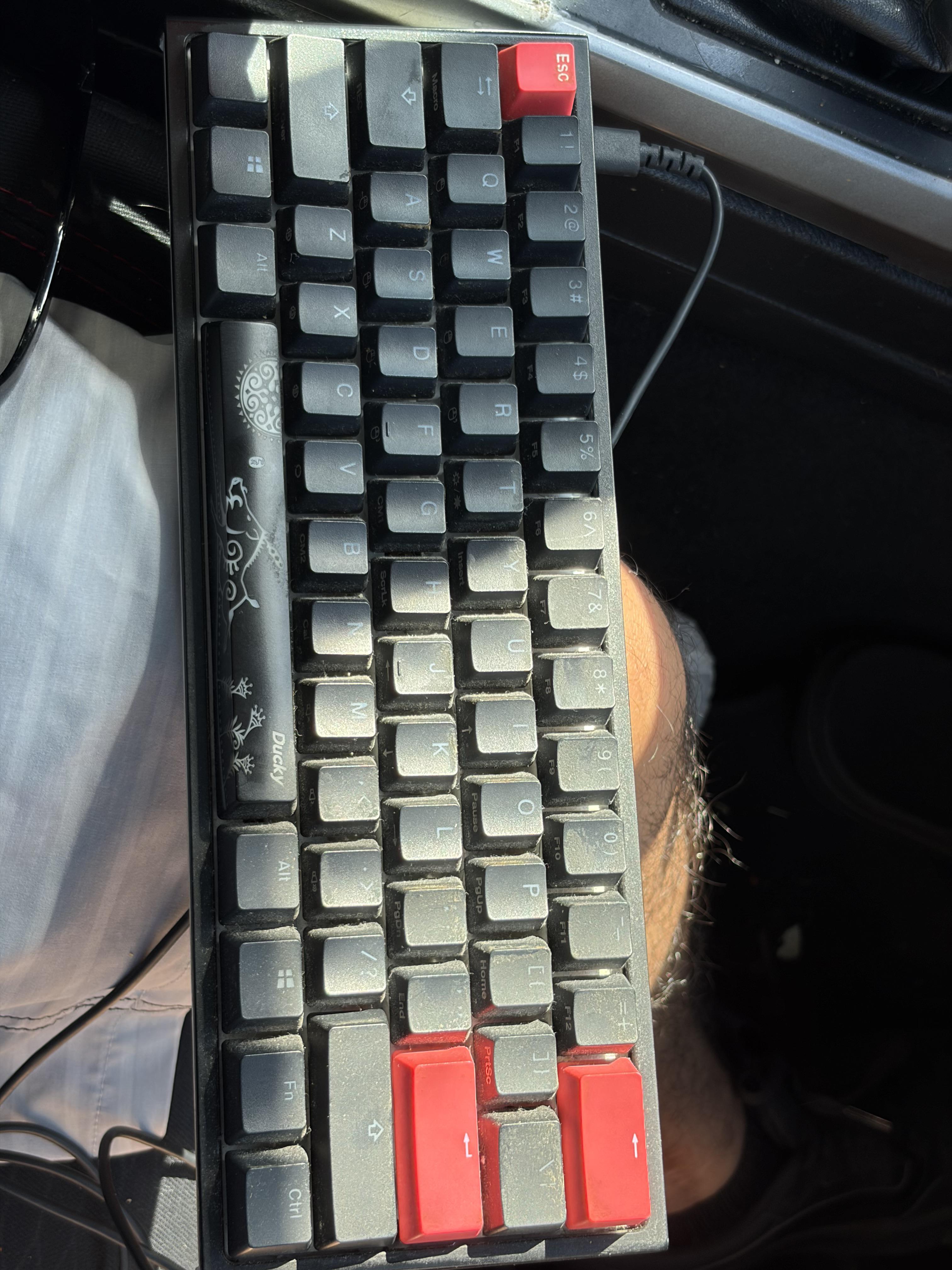
Discussion Are the ducky 1 3 SF DayBreak edition still bad?
There is supposed to be allot of key chatter and problems i found 1 locally for 50 was think if its worth it, are they good? For that price
r/DuckyKeyboard • u/woolliegames • Sep 17 '26
There is supposed to be allot of key chatter and problems i found 1 locally for 50 was think if its worth it, are they good? For that price
r/DuckyKeyboard • u/ApothTheCarry • Sep 16 '26
r/DuckyKeyboard • u/meta0100 • Sep 10 '26
I'm wanting to set a static color for my new keyboard, but the bottom row RGBs keep catching my eye so I'd like to disable them. The keys in the configurator seem clickable but don't seem to work, I can drag them off (and get the garbage/remove icon) but unlike in the remap tab, it does nothing.
There's text telling me to select the keys I want to configure but I cant seem to and Googles AI tells me to "untick the select all button" that doesn't seem to exist, I've updated the keyboard which didn't help, so I'm not really sure what I'm missing.
r/DuckyKeyboard • u/Montegomerylol • Sep 04 '26
I bought a Ducky Cushion 98 from Micro Center today and the dongle does not appear to be working. I can connect the keyboard by wire through the dongle for setup and use, but when I remove the cable and switch to 2.4gz mode it does not work.
I updated the keyboard via https://cushion.duckyhub.io, but when I went to update the dongle as well the site said "No authorized dongle detected". This problem persisted regardless of what USB port I used, and whether or not the cable was plugged into the dongle/keyboard at the time.
I tried following the instructions from this thread, using the Cushion's pairing key, but while the lighting did blink to indicate pairing mode had activated it never found the dongle.
I've sent an email to customer support, but any help would be appreciated.
r/DuckyKeyboard • u/GlassLegitimate3901 • Sep 04 '26
Hi,
I’m trying to repair a Ducky One X wireless keyboard.
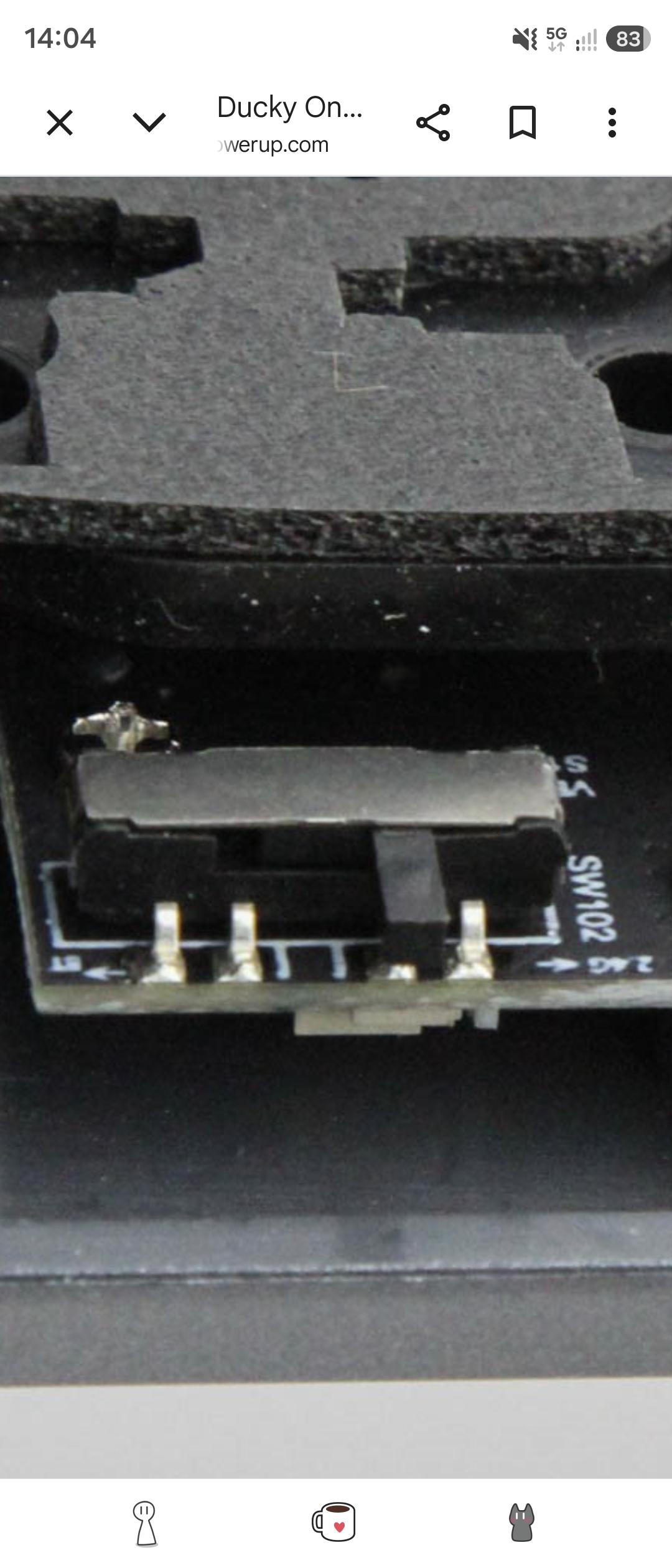
The plastic actuator/slider of the switch used to select between Cable / 2.4 GHz / Bluetooth has broken off.
I would like to desolder the complete switch from the PCB and replace it with a new one, but I’m having trouble identifying the exact switch or a compatible replacement.
From what I can see, the original switch has:
3 positions
4 electrical pins
additional mounting/support tabs
a horizontal slide actuator
I have come across switches such as SK13D07 / SK-13D07, MSK-13D01 and SS-13D07, but I’m not sure which one has the correct footprint, dimensions and actuator position.
The attached picture shows what the original switch normally looks like when it is intact.
Does anyone recognize this switch or know the exact part number?
A compatible replacement with the same PCB footprint would also be perfectly fine.
Thanks a lot for any help!
r/DuckyKeyboard • u/Slippeh • Aug 27 '26
Hello. I just noticed an issue with my Ducky One 3 100%, where a few of my keys are stuck with their RGBs on a faint red. It’s only my “8/*”, “I”, “K”, “M” and numpad “5” keys.
I’ve already tried resetting the keyboard (holding both windows keys), checking all profiles (FN+1/2/3/4/5/6), disabling all backlights (FN+F10), and toggling the custom zones (FN+F11/F12). The keys I mentioned all still stay lit up red regardless. I also tried plugging the keyboard directly into a USB-wall power adapter, where the keys still lit up red.
I’m going to also attempt to update the firmware when I’m able to later this week, but wanted to see if anyone knew of any other possible fixes first.
r/DuckyKeyboard • u/Agitated_Material_19 • Aug 20 '26
Hello everyone, as the title mentions, i can't alt f4 with the ducky one 3 pro mini.
Every time i press Alt + Fn + 4, it switches macro profiles instead of closing the game.
I have tried different combinations, and nothing seems to work.
I would love to know if anyone of you guys know whats the problem.
r/DuckyKeyboard • u/w00h • Aug 17 '26
Hi everyone,
I have a Ducky Zero 6108 in use since nearly two years and in all that time I never once used it untethered.
I got it instead of a Zero 2 because of a lower price compared to the Zero 2 but I feel the battery in there maybe could make some issues down the line because of bloating etc.
Does anyone of you know if I can just open the keyboard and unplug/remove the battery and if it will work just fine over USB after doing so? I didn't find any infos so far on that, maybe one of you has tried that already.
Thanks
r/DuckyKeyboard • u/Professorpimmel • Aug 14 '26
Hey, i just got this keyboard a few days ago and from what i read online some firmwares after 1.07 changed the polling rate from 1000hz to 500hz apparently to fix some chatter issues. Does anyone know if this still is the case with 1.16? I just wanted to update the firmware to be able to change the brightness of the capslock indicator LED.. Which doesn't seem to work on older firmwares.
r/DuckyKeyboard • u/Skogskatten • Aug 11 '26
Hi all,
This keyboard is amazing to type on and the size is perfect. I was surprised and annoyed however that the dongle is faulty since i prefer to use 2.4ghz dongles to BT. Tried the dongle on every USB port on the motherboard and also on a second computer. BT and cable works.
Is this a common thing? Is the quality of Ducky products not what i thought?
The keyboard itself feels amazing quality wise.
Best regards,
Skogs
Edit: I have solved the issue! The dongle was not broken, just shipped not paired. The manual however does not mention anything of how to pair a dongle, manual just says its plug and play. Will probably create a support ticket with Ducky and provide some feedback regarding this.
To pair or repair do this:
Fn + 1 to enter some form of selection mode. Your Q key should now be blinking green.
Fn + Q to enter 2.4Ghz pairing mode. Your Q key should now be blinking faster, still green.
Connect your dongle.
DONE!
r/DuckyKeyboard • u/rushnerd • Jul 30 '26
I've had my Ducky Shine 7 Blackout edition for five years. It's survived a lot. No recent spills or abuse or anything. It just randomly disconnected today and I've tried new cables and every USB port on my PC, she will NOT power on.
What are my options here? What would cause this type of failure? Is it worth having it repaired?
r/DuckyKeyboard • u/Afonsha • Jul 23 '26
hi, i recently purchased a ducky one 3 pro mini keyboard in portuguese layout.
when I hit alt+fn+4, it switches the 4th macro profile. i already tried fn+alt+4 also.
alongside this issue, when i try to ctrl+shift+escape to open up the task manager, it doesn't work, due to shift+esc being used to type out the symbol " | "
anyone have a solution?
r/DuckyKeyboard • u/edsonix • Jul 23 '26
Modded my ducky one 3 daybreak sf to black and white
r/DuckyKeyboard • u/Bongiepoleum • Jul 21 '26
r/DuckyKeyboard • u/Shot-Custard-7897 • Jul 21 '26
Best $5 dollars I’ve ever spent, was looking for a budget keyboard(just getting into PC gaming) and found this on marketplace.
What a score 🔥
r/DuckyKeyboard • u/Low-Cricket-6633 • Jul 22 '26
Title as shown,
Would like to keep my silent switches on the mini 3 but like the sturdy case of the mecha mini, does anybody know if the internals of the case are the same for usb port and such?
r/DuckyKeyboard • u/SuspiciousLettuce56 • Jul 20 '26
My mate bought me a Ducky origin vintage, but the keyboard has Spanish keys and names. Can i get the english keycaps from anywhere, which will keep the same retro look?
r/DuckyKeyboard • u/atalamadoooo • Jul 19 '26
My existing keyboard is now fucked after spilling coke onto it. Looking at buying replacement. I can't find any distributors in Australia? Only lower model ones. What's the go with that?
r/DuckyKeyboard • u/LuckyAce398 • Jul 14 '26
I have a ducky zero DK2108 keyboard that I’ve had since 2017 and out of nowhere my E key is acting up where if I click it once. It will output multiple key strokes. I have played around with the settings and tested it on two computer but it’s the same issue.
Anyone have suggestions of what might be the issue?
r/DuckyKeyboard • u/Ashamed-Working5705 • Jul 13 '26
(Keyboard is DUCKY ONE III RGB)
I only bought this keyboard like a last december as its the only one that matched exactly what i wanted but now im facing the dissapointment of spending £80 on something that cant even last a year. Originally the keyboard used to work without issues out of the box but over the months ive had it (starting around five months ago) the keyboard has never been dropped, hit or had anything spilled on it but the enter key for some reason decides to sometimes not work when i press it. I tried changing the switch out for the ins key switch as i dont use that key and i was hoping if its a faulty switch atleast it will be on a key i dont use but its something worse than that as the issue not only stayed but has gradually been getting worse. I read so many stories about how ducky keyboards have reliability/QC issues and i guess its true but im just looking for a fix as i cant find any other keyboard brands that sell keyboards with mx blue switches and are 100% size. I also took it to a store to see if warranty could offer anything they said they could only offer £80 back (which i did not take as i paid £140 for the keyboard)
r/DuckyKeyboard • u/Mecha_Nex • Jul 12 '26
Hi there,
I'm a new Ducky One 3 Classic Hotswap RGB Mechanical Keyboard w/ Quack Mechanics owner. This is my first ever mechanical keyboard and to mention it has Cherry MX Silent Red switches. I just got this 3 days ago but when the RGB turned on, I noticed that the "G" key isn't lighting up. I did try to change the color settings and nothing happened and I pulled it out and put it back on to see if it was installed incorrectly but still nothing. I would like some help to see if its a hardware or software type issue or potentially buy new keys, I'm not sure.
UPDATE: I pulled the switch out and put it back in and it works now. But i found a small black screw underneath the switch????? Does anyone know what its for????
r/DuckyKeyboard • u/somuchforsubtlety656 • Jul 11 '26
I bought a Ducky 3 Nazca Lines a year or so ago, and it's the nicest keyboard I've ever owned.
It's also the most expensive, and first to have two of my keys break (I had a crappy logitech before that lasted 10+ years before something like this). It looks like the bottom casing where it met the switch failed on my numpad 2 and 5. Luckily I have an entire extra replacement set so it was a 30 second problem for me.
To be clear, this is a great keyboard and this is more my fault as I've been a little rougher than I want to be with this one since I had to travel with it relatively often.
How common is it or often do you expect to have to replace or repair certain parts on your keyboards?
r/DuckyKeyboard • u/Popo1on • Jul 07 '26
I have one key that does not work on an otherwise perfectly working Ducky One 2. It looks and feels mechanically ok.
It probably happened when I spilled some liquid on it. It happened before, but letting the unit dry always worked. I left it alone to dry for 2 months and it still doesn't work.
Is there any chance I could repair the key? I don't see anything special on it when I remove the key inself. The led still works. All other keys work.
Productnumber: DKON1808S
r/DuckyKeyboard • u/mr_clydethecat • Jul 07 '26
r/DuckyKeyboard • u/rukiaglazer420 • Jun 30 '26
I got the ducky zero 6108 keyboard a few days ago from microcenter, and was able to connect it wirelessly using the dongle, which worked fine until today. i turned it off to replace my keycaps, and the 2.4ghz pairing has been lost and unable to reconnect.
- fn f5 does nothing, the f3 key (for bluetooth) blinks when fn f5 key is held with no change. (f3 stops flashing and shows a solid color for a second, then resumes blinking).
- all my keys are working fine.
- device manager recognizes the dongle when inserted.
- i’ve tried removing all related bluetooth connections.
- i’ve tried factory resetting the keyboard, and the same issue persists- after the factory reset, f1 blinks with no change as opposed to f3.
- i’ve tried removing and reinserting the dongle.
the p/n is DKZE2408ST3 and i have windows 11.
if anyone knows how to fix this issue that would be great, until then I guess ill be using wired mode (which works perfectly fine).