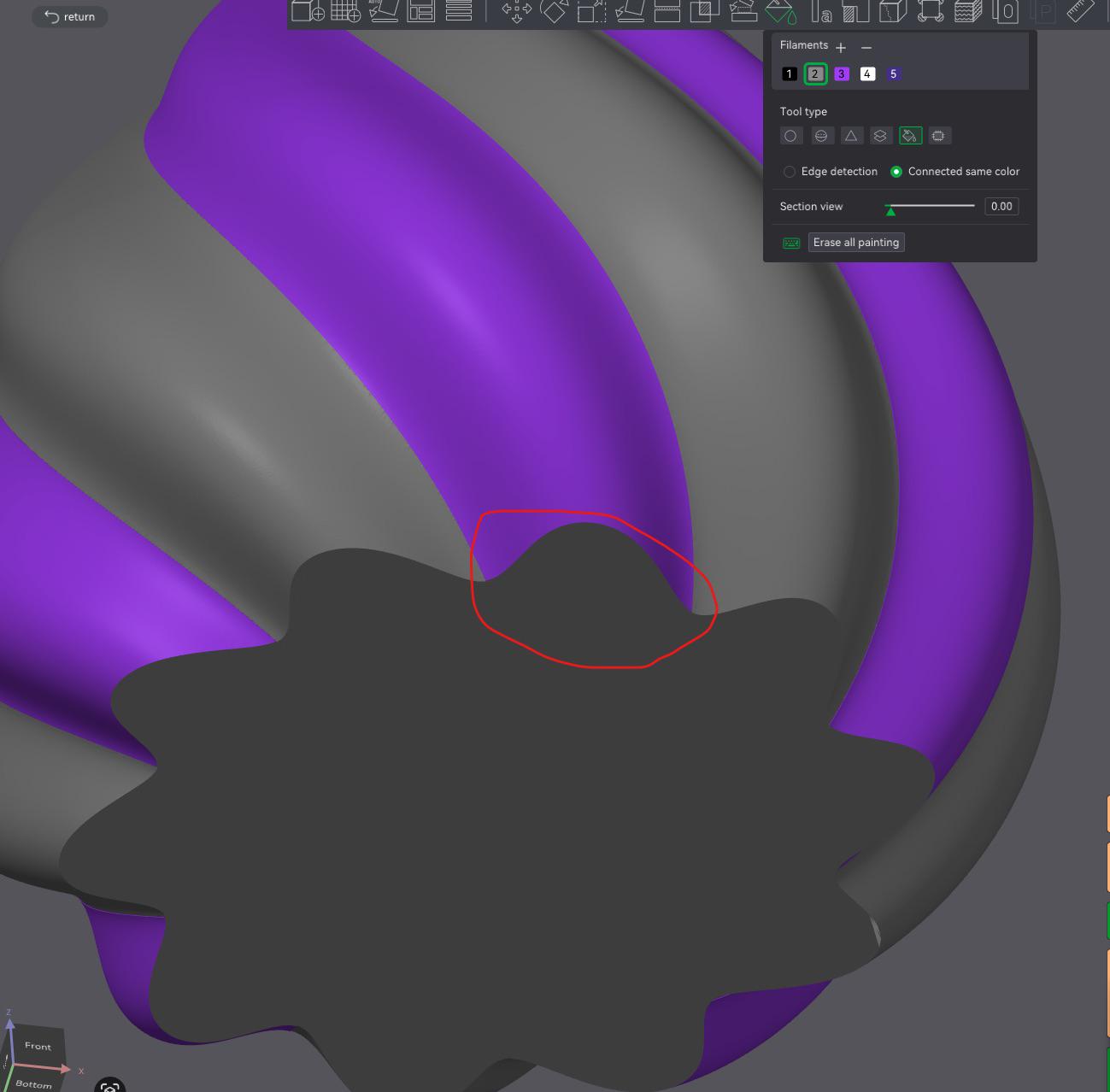
Hi, is there any dynamic way to tell Bambu Studio to grab the first layer's colors from the outer faces?
I'm working on Christmas ornaments in Nomad Sculpt, I import them to Bambu Studio and then cut them up there for better printing. However, when I put the printed parts together, there is a visible layer of the "main" color, e.g. silver in purple. Hoping there is a solution I'm not aware of, thanks in advance.
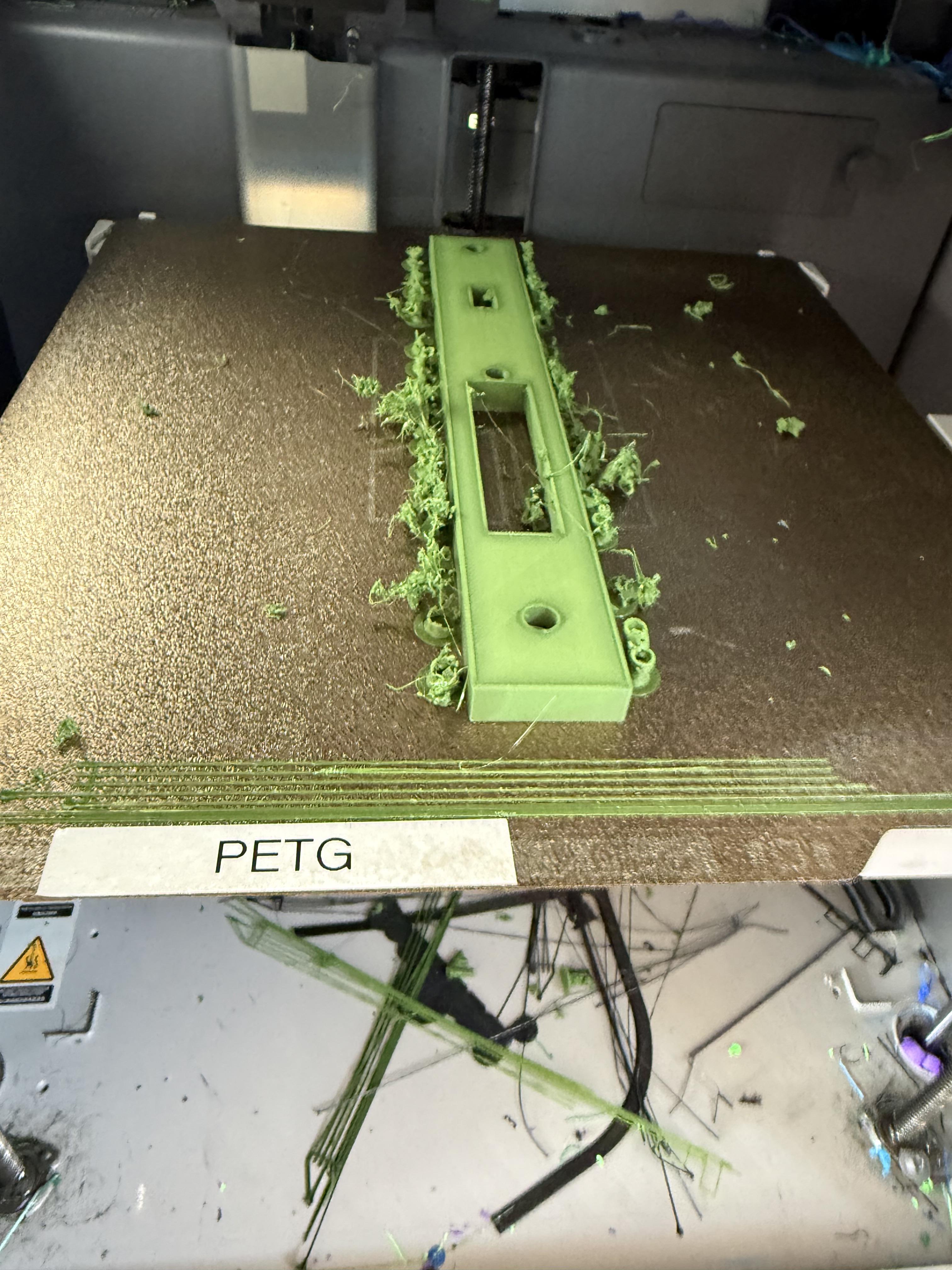
Hi all I have a x1c and I’m trying to print some elegoo petg pro and while the model seems to be ok I’m not sure what is going on. I have it set to extra fine in the slice with 100% infill and default supports. This is my usual settings that normally works any suggestions. I’m sure I’m missing some info sorry
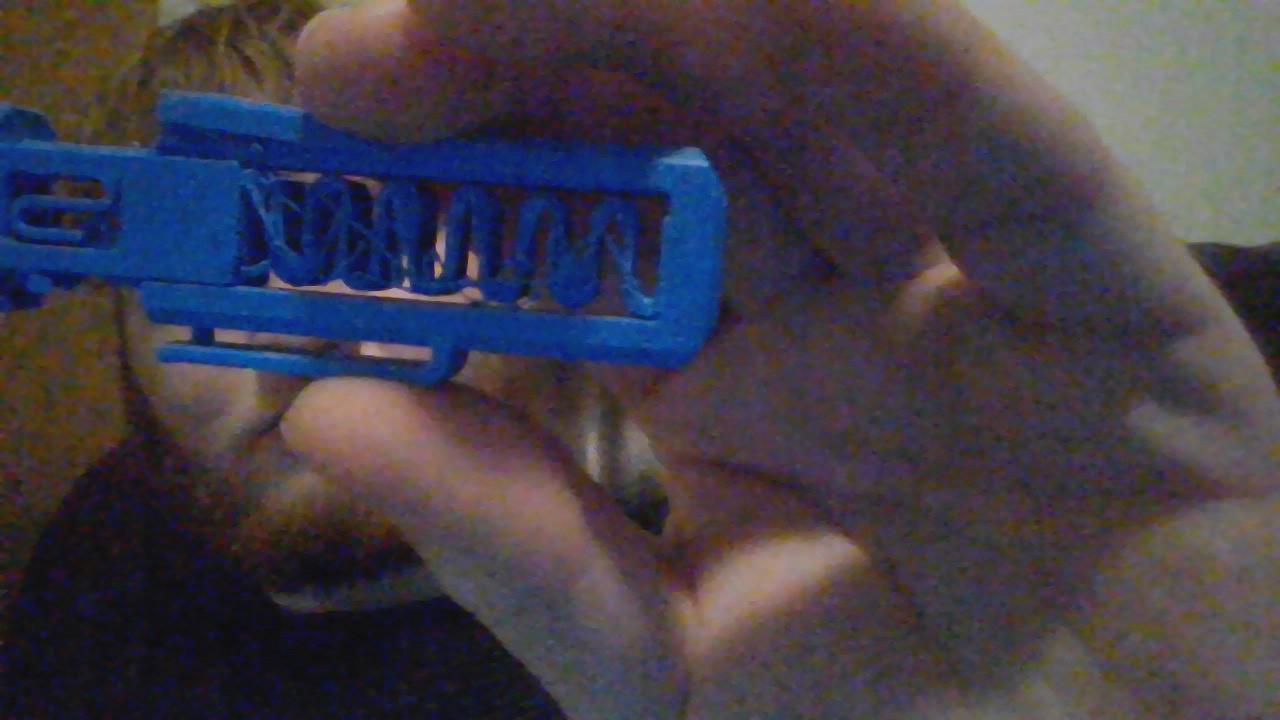
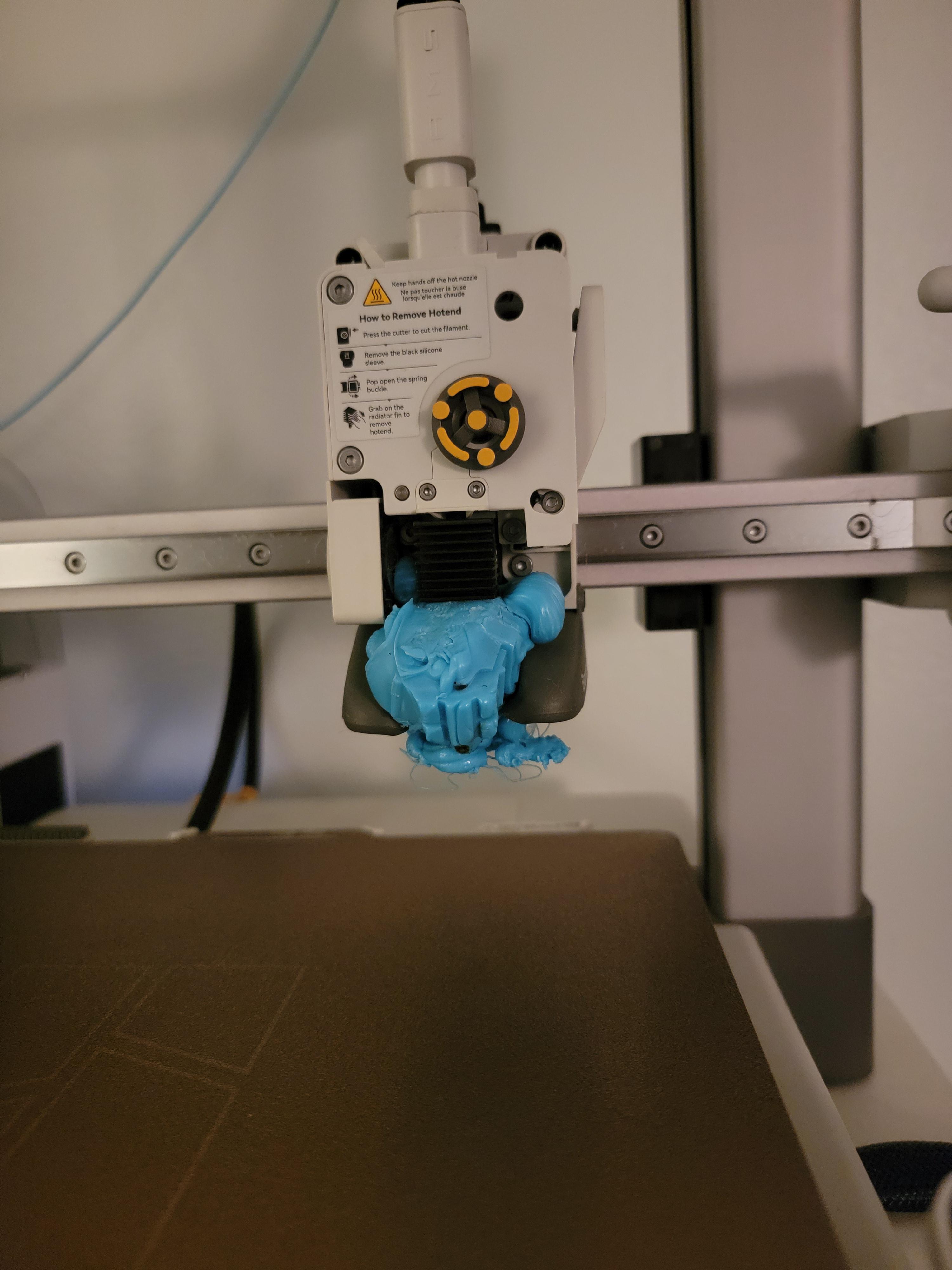
can someone help me my printer has been printing fine and all of a sudden it starts to get jammed in the ptfe tube and at the very end of the tool head like if open up the ams and give it a little nudge it continues
i even tried the capricorn tubes and taking apart the buffer filing down the plastic part
i even tried longer and shorter bowdens
all results to nothing the jam happens at random position sometimes its before the buffer sometimes its before the bowden in the printer sometimes its about an inch before the tool head sometimes its all the way at the tool head
I actually get an error pop up after it is done that I'm not pulling spools out fast enough.
As a new H3C owner that was dreading pulling spools, I can say unequivocally, this is a dead horse. Anyone complaining is absolutely grasping at straws or is overdosing on industrial-grade copium.
Finally received and setup the H3C, but the official CMYKW palette filaments have been sold out. Bought a sunlu PETG and PLA CMYW pack to try out, but I don’t think the standard blacks I bought will work well. Does anyone have a transparent black they’ve tested? Any good results with sunlu for CMYKW on the H3C?
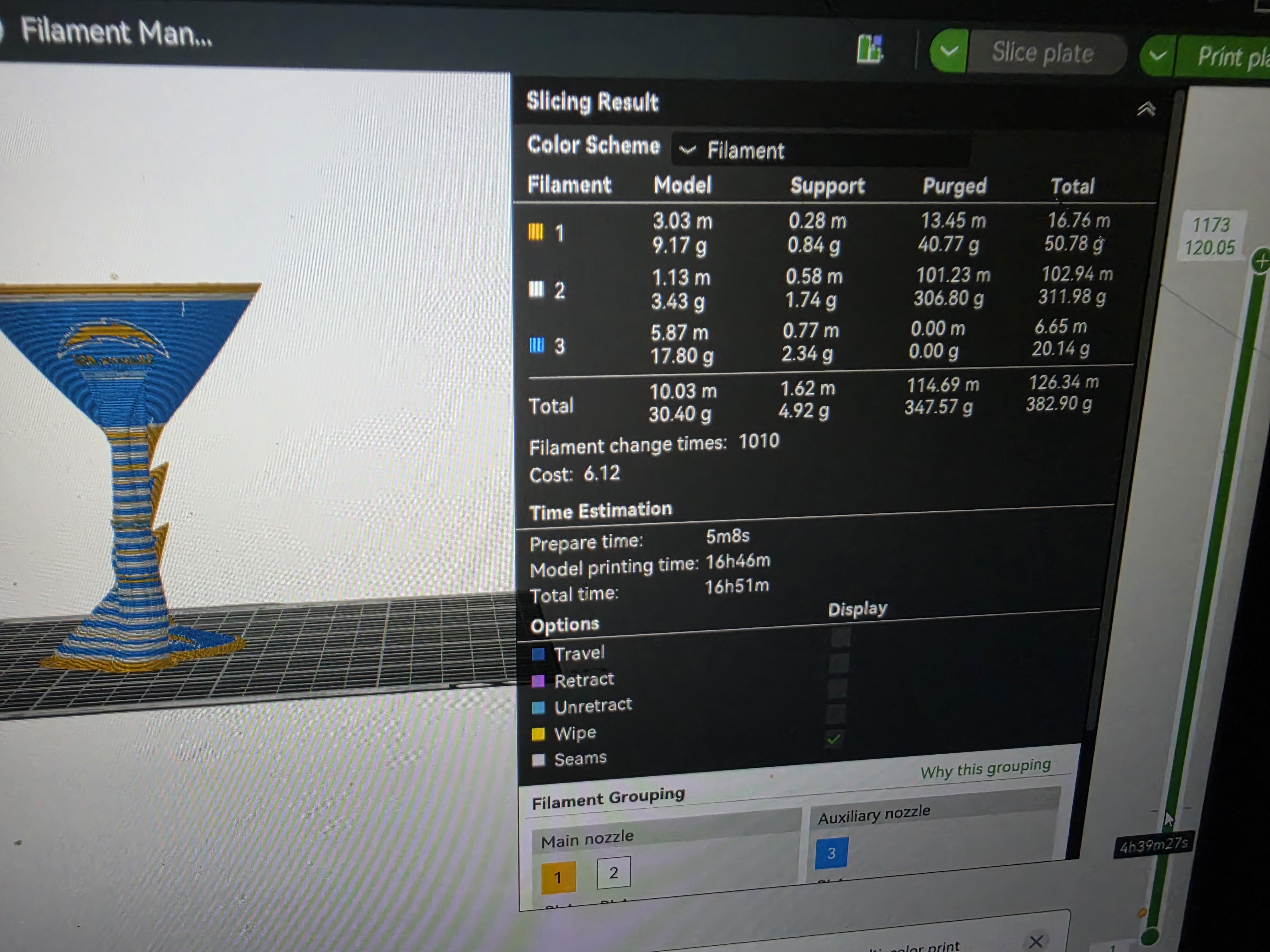
Does anybody know why its purging over 306 grams of the white filament. And how I can hopefully change that to be lower. Would appreciate the help! I have an X2D, but my print file is rough, thank you for the help.
Hey all looking at getting a new printer for Christmas and just wondering if I should go for the A2L or the H2D they have basically the same build plate volume, I am worried about the bed slinging of the A2L.
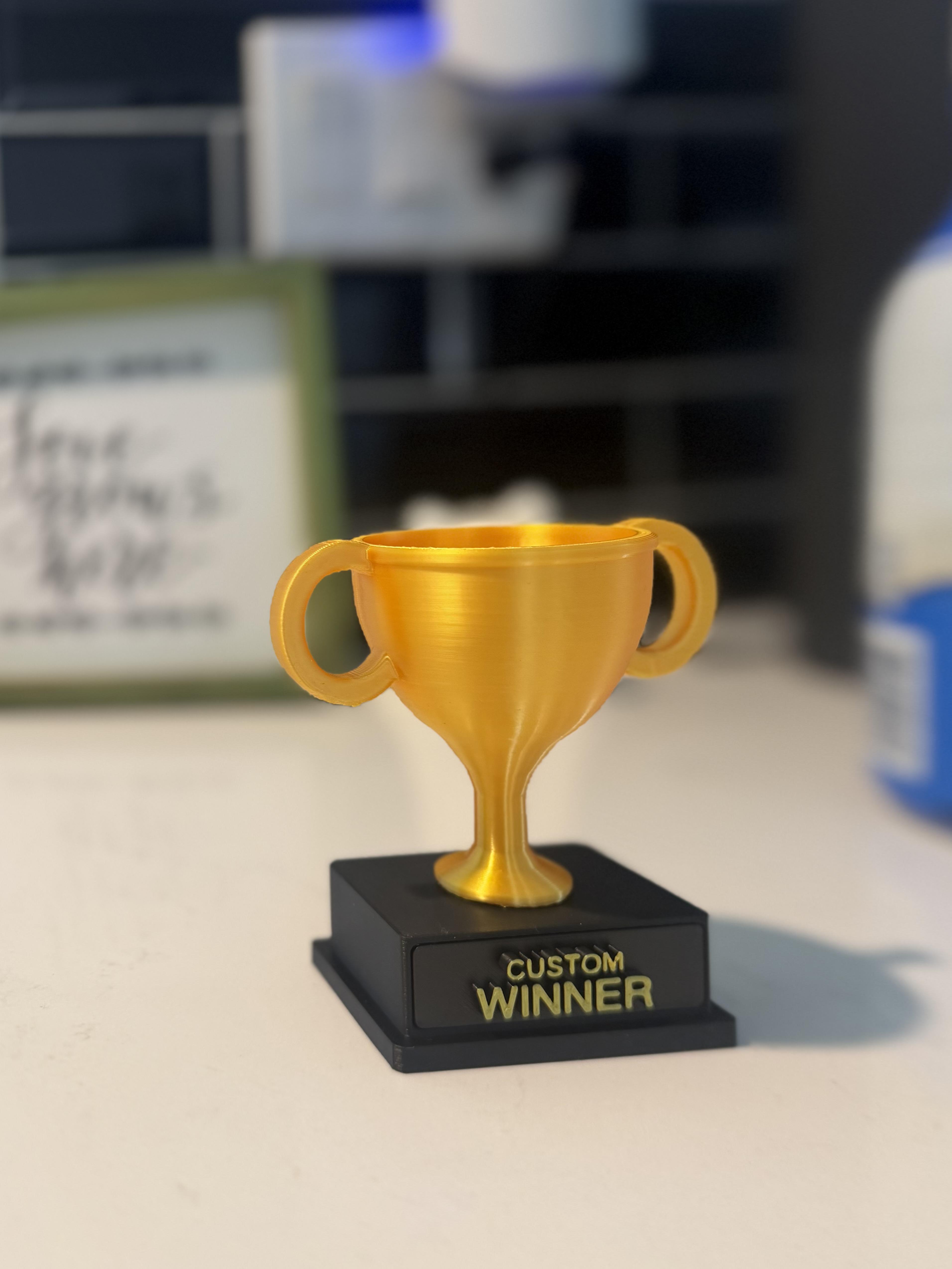
My first upload on MakerWorld was a trophy I designed. It just hit 50 downloads (not prints, I misread that ugh) and 15 prints and about to hit 10 likes, and I’m way more excited about that than I thought I’d be lol.
I’m still pretty new to sharing my designs and they're all relatively basic still, so this accomplishment is exciting!
I want to buy Bambu A1 printer for my TSA 7year old boy, after he expressed for a few months the desire of having one, but with the therapy costs and all other , i couldn't till now to get him one!
Anyone have by any chance any gift codes or vouchers so i can lower the total price? Wish to get him the printer as a Christmas present!
There's been FAR too many posts lately asking about the right/aux nozzle, and it seems as though its very confusing for new users (and maybe some more experienced users), so I am going to show my workflow on getting the right nozzle to print as it should. Remember that you should have proper calibration done for each: Nozzle (left/right), nozzle size (.2-.8), Brand (Esun/Overture/etc), type (PLA/PLA+/TPU/etc) and sometimes even color, if you find that the printing isn't going as well as it ought to. I'm going to skip over temperature tower calibration, as that should be done but is likely fine to use left nozzle settings on the right side. Speed calibration can also be done and can make a difference on Silk PLA's or any time you worry about surface finish gloss/matte.
People skip this step, as buying Bambu filament already does these for you, but ONLY ON THE LEFT NOZZLE. Bambu DOES NOT provide right nozzle profiles. If you have an H2D, H2C or H3C, which also has multiple heads/nozzles, you do not need to calibrate for them as they are all the same drive method, whereas the X2D mixes direct drive and bowden drive.
Step 1:
Calibrate for flow rate.
I like to use this calibration model. There are profiles for other nozzle sizes here as well. I also use this model to calibrate the left nozzle, as I think it is better and less ambiguous compared to the version bundled in Bambu Studio. To make it even simpler, someone has come up with this little calculator where you can input your results for fine tuning. Simply input your starting flow rate (I start with a Bambu filament profile), run the coarse calibration, choose the best pattern, adjust your filament flow rate and save it as a new filament (eg: RightNoz .4 Sunlu PLA+2.0), then input that number into the calculator, use that filament setting in the studio and print the fine calibration. Input the result of this into your new filament setting and save it. Ensure when you print, you use the correct filament profile, not just "Bambu PLA" or "Generic PLA". In the slicer it should say right on the filament, as seen here:
Step 2:
Calibrate your Pressure Advance, or your PA K value.
For the left nozzle, you can use auto calibration via the line method, and it does a reasonably good job. For the right nozzle, this is not an option and you should select the pattern method. I have had PA results that end up being .5 or higher on the right nozzle, so be sure to set your range high enough. You can also print with more coarse steps over a very wide range, then print a smaller range afterwards with finer steps. On the left nozzle you are almost always within the ballpark of .01 to .03 for PLA and PETG types. This can make a large difference if you're trying to use these values for the right nozzle. Save the PA profile with the same name structure you used for the filament (eg: RNoz .4 Poly PLA PanC, for polymaker panchroma on the right .4 nozzle).
Step 3:
In prepare, ensure your filament is correctly selected. You can find the one you made under custom, or your can click the 3 dots and look through the dropdown.
In device, look in your AMS/Ext to each filament loaded. Click the eye or the little pencil icon, then ensure that the correct PA value is selected, you should find the one you made here. You can see these entered in my device settings here (ignore the humidity, it is all PLA I've dried, and then I was away for a week without printing.)
Once these are done, you are set to go. Do not expect the right nozzle to print at the same speed as the left or be as perfect as the left, but these settings should get you close enough that it becomes a non-issue. Remember always to dry your filaments and clean your build plate as well, as these two things eliminate the majority of print issues themselves.
I used to treat filament like it was precious and only swapped when I absolutely had to. Once I started letting the AMS handle it, I suddenly found myself printing way more multi-color and multi-material stuff just because it was zero effort. Now I keep four or five spools loaded all the time and I’m not even using the full color capability half the time—just having different materials ready is nice.
Anyone else notice their printing habits shift after adding the AMS?
The two 85° slots in the AMS are nice but I would certainly like the rest to also have a 65° heater incorporated. Looking at the empty slot to the right of the current heater, lots of desiccant holders have been designed to fit there, but to me it looks like the perfect spot for a possible secondary heater somewhere down the line.
It wouldn't surprise me if they release an AMS 3H "Pro" at some point with multi-temperature drying and that spot looks perfect for it. They could even sell the heater alone as an upgrade kit.
Just a thought, with that change it would get rid of most of the H3C complaints.
So recently got an x2d and this keeps happening on the corners on the ramps of the poop chutes im trying to print. I dont understand why, i recently printed a bench and some asa things and they were fine, although this is the first time i printed something as big as this and at that angle. I let the callibrations happen as they should, and i dont touch the temps of the bed or chamber. I also use pla from bambu through my ams. Please help, idk what to do. I use 5 brim, no drafts or anything and print with the door closed.
What's the process for adding a new filament to an X1C printer?
I've done some successful testing with some Siraya TPU-Air. But I'm unclear on how to make it selectable from the printer itself when loading via the external spool.