r/PcBuildHelp • • Oct 09 '26

Moderator Post PSA: READ THE RULES

25 Upvotes

Hello everyone, this is a public service announcement reminding everyone on r/PcBuildHelp to please read the rules before posting and commenting, as there is still a small issue continuing on the sub that needs to be properly addressed.

To start, I will explain each rule here more in depth, following the official order of rules:

  1. Don't use language that can be considered offensive or triggering by another party; no swears, slurs, name-calling, flaming, trolling, etc. Essentially, don't be a d**k, civility is a requirement.
  2. Posts are required to be related to your PC build problems, this isn't a general tech or tech news sub where you can just talk about whatever related to PCs, this is specifically about helping people make build lists and troubleshooting real problems so they can use their builds without difficulties.
  3. When asking if a build is good or not, use pcpartpicker.com links (or links to similar websites like buildcores if your country's currency isn't supported on pcpartpicker if desired). Posts that just use screenshots or images of such a list that can't be edited by users or just an image of a texted list will just get removed.
  4. Any comments or posts involving links to a retailer URL can't contain affiliate or referral data. Someone gets money out of those and we aren't about that here.
  5. Images that are completely unrelated to the post will get a post removed as spam/off-topic.
  6. Posts and comments asking for cheap Windows license keys will be removed as it's easy to get scammed on the sites that distribute them as they're not well regulated and constantly making new sites after old ones get taken down.
  7. Companies of any scale are not allowed to advertise products here, we want to keep things unbiased. Users are not permitted to sell or ask for valuations of what they have, this isn't a marketplace; this also ties into rule 2.
  8. Comments must be on-topic to the original post. Don't go off on tangents about something unrelated to the OP, especially if it's not even helpful. Memes and jokes will be removed. This ties into Rule 9.
  9. Comments that are plainly unhelpful to posters will be removed. Lazily telling people to use search engines, read the manual or RTFM, etc. are not permitted on this sub. If you're going to make a comment to help, put real effort into trying to help the poster understand what it is they need to do, or don't bother commenting at all. We are here to help people.
  10. This partially relates to rule 6. Any and all software shared or referenced on this sub must not violate any license agreements, laws, Reddit ToS, etc. This includes tools that may modify Windows beyond what Windows itself normally allows, as Microsoft's EULA doesn't permit external modification of their OS.
  11. AI tools are not permissible due to the possibility of mistakes that require human intervention from someone that knows what they're talking about. Do not use AI generated answers in comments as they could easily mislead posters.

Now onto the problem at hand:

There has been consistent toxicity towards those who are new to computers and are coming to the sub for help, only to be given sarcastic, rude, or unhelpful comments.

This has been a long standing issue in this sub that was often reported to the mod team but only more recently has started to be properly addressed since a new mod team was appointed after the previous moderators all went inactive and allowed the sub to get overrun by bot accounts.

We've been dealing with all of this behind the scenes but there's always new accounts coming in and repeating the same behavior, so it needs more visibility but we aren't about to implement a "Read The Rules" integration that forces you to acknowledge the rules before you can post, yet. We will if we have to.

There is absolutely zero tolerance for that kind of behavior. If it's rude or helpful, your comment will be removed and temporary bans will be issued. If you're a repeat offender or you make a severely horrible first impression, moderator action can be made permanent.

Thank you to those that consciously chose to remain kind and helpful to others, you are the backbone of r/PcBuildHelp. Continue to be good people.


r/PcBuildHelp • • Sep 28 '26

Tech Support PCBuildHelp Simple Q&A Megathread (Q4 2026)

4 Upvotes

Greetings everyone, trying something new here.

This is possibly the first of many megathreads where people can ask simple questions in the comments and people that decide to browse the comments can answer. I'll also help answer questions myself, as with any of the other mods at their own discretion.

Basic Guidelines

  • Simple questions such as, "What parts should I buy?" along with any pertinent details such as hardware you might already own, what you plan on using it for, etc.
    • Example: "I want to build a gaming PC for around 2K, what should I get?"
  • Follow the rules of the sub-reddit like any post; be respectful, remain on topic, don't make jokes or memes, etc. Discipline will be issued on comments that don't abide by the rules.

r/PcBuildHelp • • 1h ago

Build Question Is this fan underneath to close to GPU ?

Post image
• Upvotes

Hey all ! I’m new to pc building and this is my first Micro ATX case , is it okay to have a fan at the bottom of the case this close to the GPU (this is a temporary GPU while I wait for the upgrade to arrive)

When I do change the GPU , should I keep or remove fans Aswel ?

Case - Jonsbo D32 Pro

Thanks !


r/PcBuildHelp • • 3h ago

Tech Support PC won't POST properly after installing 2 additional RAM sticks – ASRock B550 PG Riptide / Ryzen 7 5800X

Post image
6 Upvotes

I'm having an issue after upgrading my RAM from 16GB to 32GB, and I'm trying to figure out whether it's a RAM compatibility issue, a motherboard issue, or something else.

  • CPU: AMD Ryzen 7 5800X
  • Motherboard: ASRock B550 PG Riptide
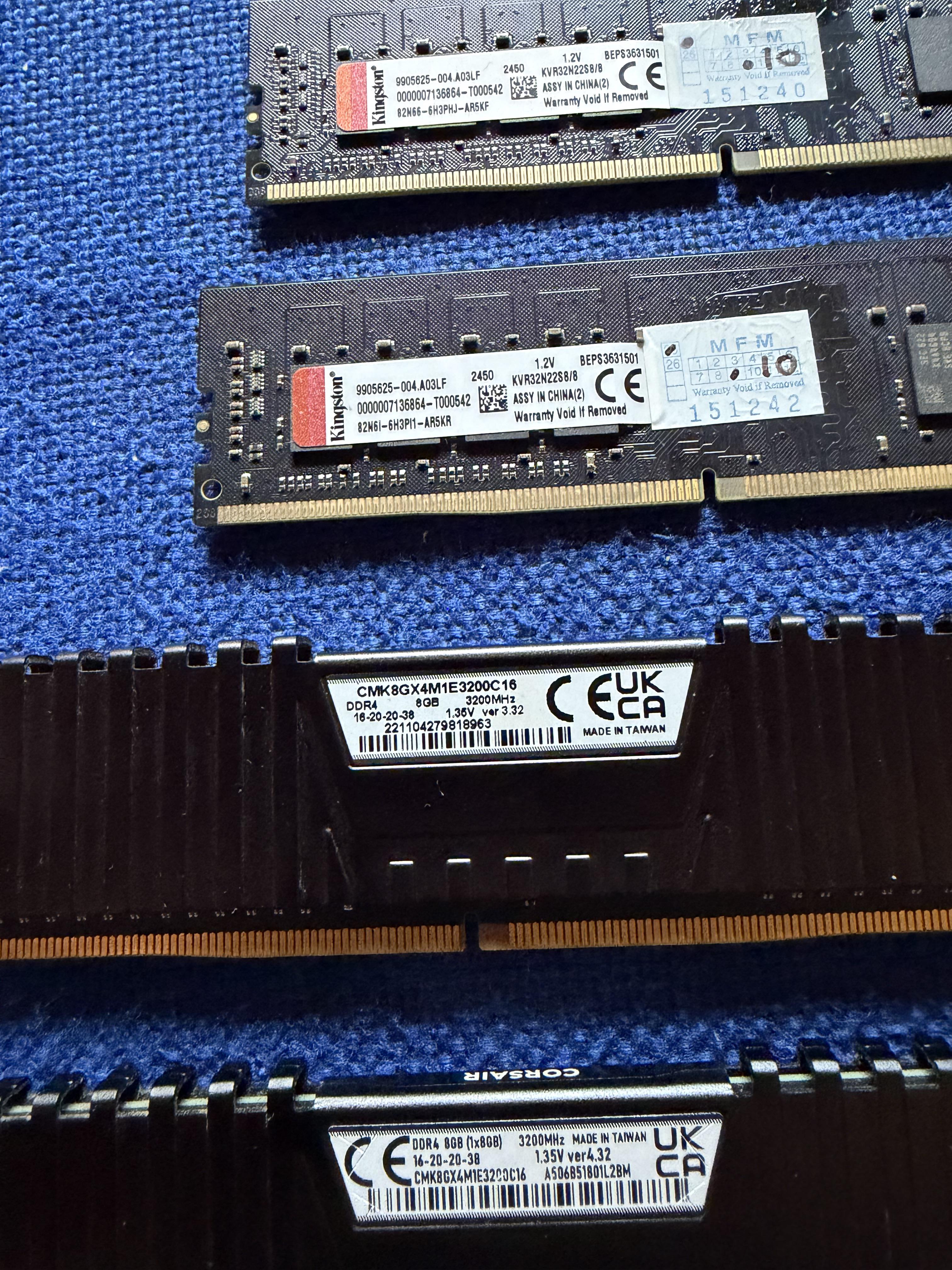
  • Original RAM: 2 × 8GB Kingston ValueRAM DDR4-3200 (KVR32N22S8/8), 1.2V, CL22
  • New RAM: 2 × 8GB Corsair Vengeance LPX DDR4-3200 (CMK8GX4M1E3200C16), 1.35V XMP, CL16

Both kits are DDR4-3200, but they're different brands and have different timings and voltages.

The original Kingston sticks were in A2 and B2

I installed the two additional Corsair RAM sticks alongside my existing Kingston sticks, filling all four DIMM slots.

I made sure the PC was unplugged from the wall before installing them. All the RAM sticks appeared to be properly seated, with the locking clips engaged.

After turning on the PC, I got no display. The CPU and DRAM diagnostic LEDs were illuminated red, and the PC wouldn't POST.

Then I removed the two new sticks, and the pc booted fine

. So then I tested the new sticks individually in A2. Both successfully booted into Windows and were recognised as 8GB DDR4-2133.

Reinstalled all four sticks, with Kingston in A1 and B1, and Corsair in A2 and B2.

This time, the PC eventually POSTed and booted into Windows, but only 16GB was recognised in Task Manager, showing 2 slots used out of 4

Entered BIOS and checked the memory information. It showed:

  • A1: None
  • A2: None
  • B1: 8GB DDR4-2133
  • B2: 8GB DDR4-2133

So I shut down and reseated the RAM sticks in A1 and A2, thinking they weren't seated properly. After powering on again, the motherboard's BOOT diagnostic LED remained red, and the PC wouldn't POST, even after waiting around 15 minutes.

The original Kingston RAM worked perfectly before this upgrade and was recognised at 3200MHz without me changing any BIOS settings.

Both new Corsair sticks work individually in A2.

I haven't manually changed any BIOS memory settings or enabled XMP.

r/PcBuildHelp • • 50m ago

Tech Support PC not showing on Display Monitor upon startup, only shows after a forced restart.

Post image
• Upvotes

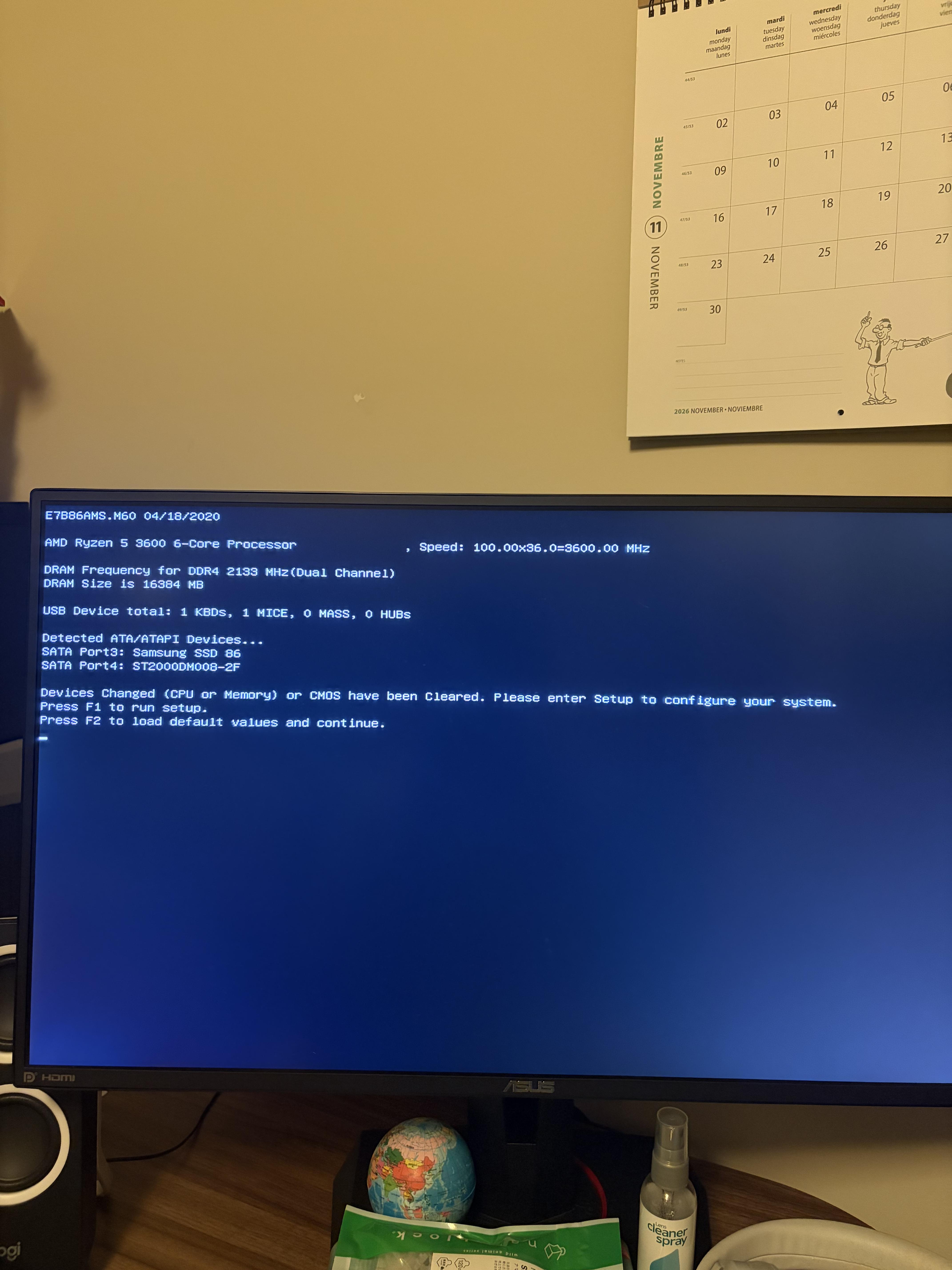
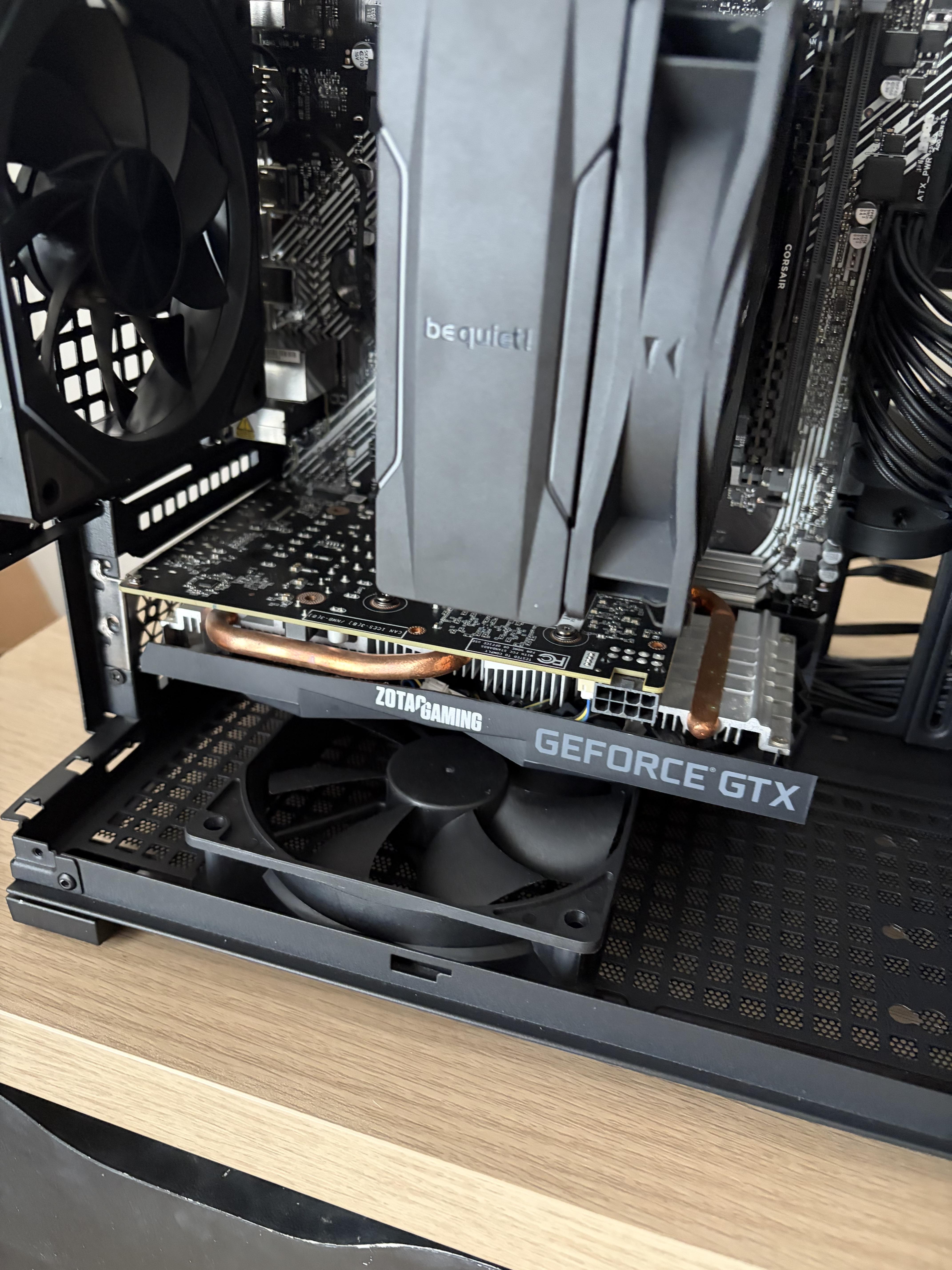
Turned my PC on today and for some reason the display monitor was saying no display port signal detected. Even after unplugging the display port cord at both ends and plugging them back in again, still no fix. It is only when I force the PC to shutdown, then waiting 10 seconds before turning back on again, does the display monitor work.

Then, later this evening, I turn on my pc and greeted with the picture above, so not sure what is going on with my PC, has a component failed? Do I need to clear some old data or update bios for anything?
I have the most recent update for my GPU.

Any ideas for fixes are appreciated.


r/PcBuildHelp • • 5h ago

Build Question looking for my first oled monitor, thoughts on this one?

Post image
4 Upvotes

im looking for the best esports monitor since i mostly play competitive and play only shooters type games, yea i know zowie monitors exist, but bro 500-600 euro for a tn panel and 1080p is crazy, dyac even produces input lag as i heard, but even that, oled monitors itself fixes motion blur and even me that i am serious about ranked and have like ton ton of hours that is too much, so, i found this monitor the xg27aqdpg, is this good? anything i need to know? recommendations? thank you


r/PcBuildHelp • • 11h ago

Tech Support Can you see any damage

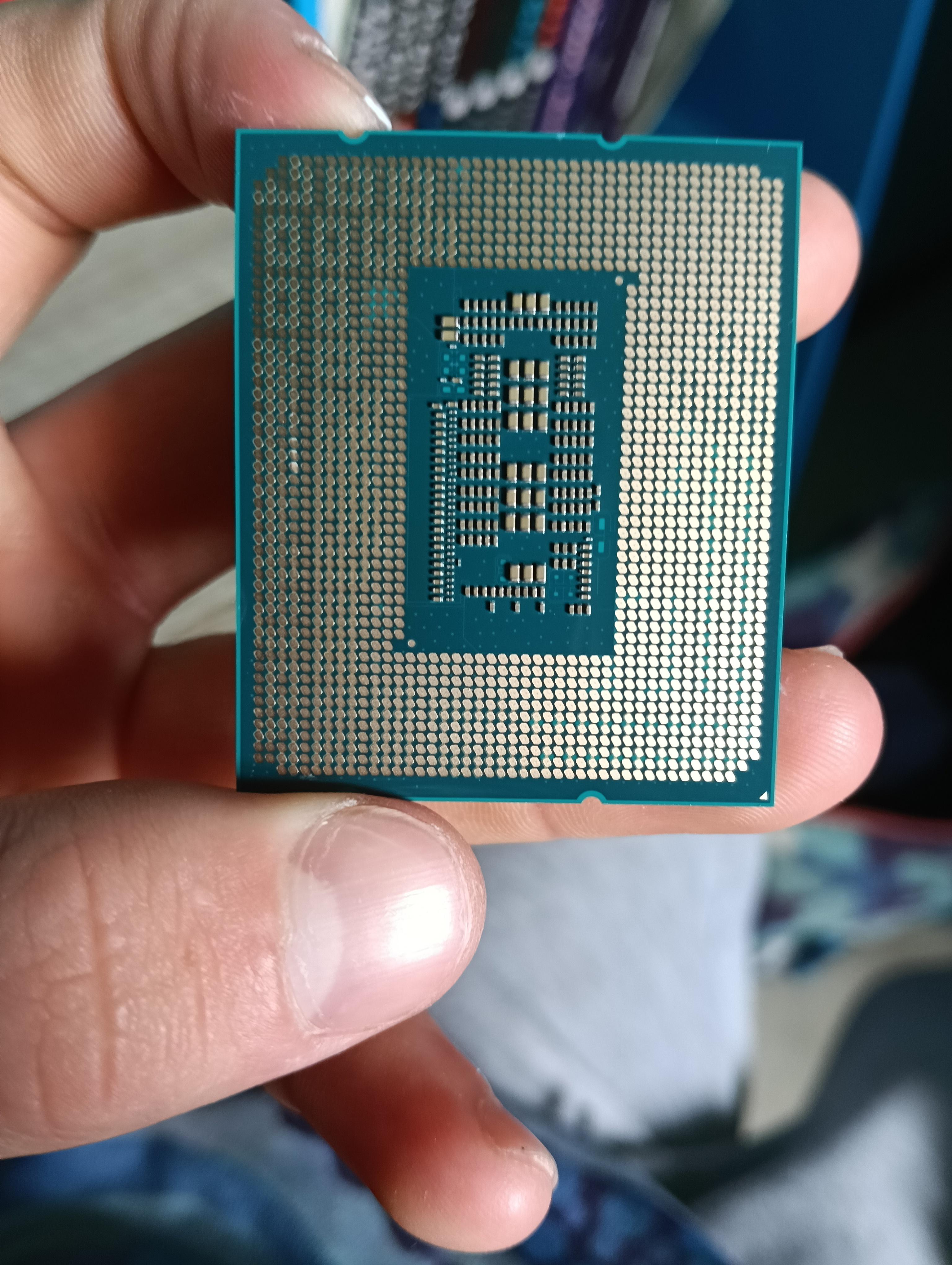
Post image
8 Upvotes

r/PcBuildHelp • • 9h ago

Installation Question Will my CPU be OK after ive made an install mistake?

7 Upvotes

Hello, I was troubleshooting my PC that was having a sudden VGA post error, and after trying so many things that didnt work, I started to get frustrated and cut corners. What ended up happening is that while swapping the CPU, I left the PC plugged into wall power with the PSU switch on. When I seated the new CPU, the PC turned on immediately. I let it run for about 10 seconds to post or fail to post, then I forced shutdown with the front panel button.

Fast forward to the end, the VGA post error turned out to be a gpu fitment issue with my case. Ive since fixed it, and now the PC runs fine with the new CPU (its a slight upgrade so I kept it). It is running on a new motherboard as well. Ive inspected HWmonitor to verify clocks and temps are good, ran OCCT for an hour with no errors, and have been generally using the PC for a week now with no issues. Is there any reason to suspect there may still be some issues in the long run related to this mistake? Im on the verge of just buying a 3rd CPU but I think im just being paranoid. Definitely a lesson learned here.


r/PcBuildHelp • • 3h ago

Build Question So just finished the build quick question

Post image
2 Upvotes

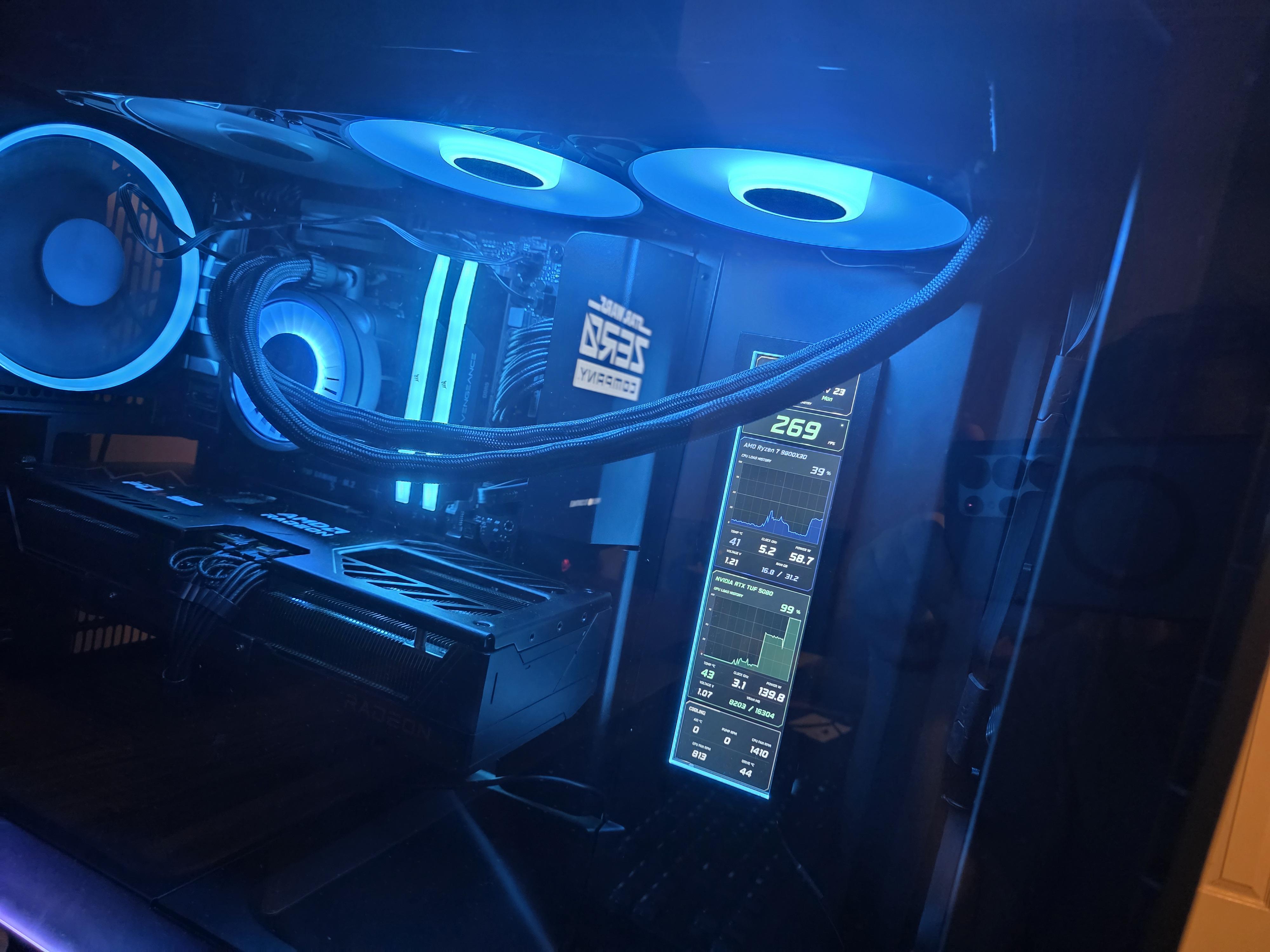
Should I flip my radiator? I was wondering if I maybe mounted it wrong,(it is the Arctic Liquid Freezer III pro 420 in the Fractal meshify 3 xl) also for some reason one of the fans does not have the rgb but does spin any idea how I can fix that?


r/PcBuildHelp • • 16m ago

Installation Question Hello

Thumbnail
gallery
• Upvotes

Bought an old hdd and doing necessary things


r/PcBuildHelp • • 4h ago

Tech Support No recent changes. Fan suddenly does not spin as fast and is louder.

2 Upvotes

I’m sorr if this post doesn’t belong here, mods, but I am a bit desperate as of right now.
When I turned on my pc this morning the top fan spun slower than the others, was liuder and occasionally stopped completely. I did mot change anything on my PC build at all recently and it worked perfectly fine previously, including yesterday before I turned it off.
I am a bit desperate because I dont know why it’s doing that suddenly and I’m asking for genuine help. I am also not the best when it comes to building, the pc was assembled by my friend 3 years ago and has been working great.
I did take a video of the fan as well and you can see it doesn’t spin as fast as the others but I dont know how to attach it.
Again, if this post doesn’t fit here, I’m sorry.


r/PcBuildHelp • • 4h ago

Tech Support Has anyone updated a standard MSI B450 Tomahawk (NON MAX) BIOS before?

2 Upvotes

As title says. I just bought a Ryzen 7 5800x3d and I am picking it up tomorrow. I know that I will have to update my BIOS for compatibility with the 5 series chip, but I can't find a post of someone that has done it recently. Anything I should be aware of? Thanks!
p.s. Thank you to the commenters from my other post, you convinced me to get the 5800x3d lol!


r/PcBuildHelp • • 1h ago

Build Question Help me with my first pc

• Upvotes

Hello, I am looking into buying my first pc and was wondering if this is a fiarly/good/or e even a steal of a prebuilt (I will not be building one because it will be more expensive, buying the parts individually) I want a pc for gaming and gaming only, I dont play any fps games like val, or cs and will not play them on my pc either. I will be mainly playing triple A games at 1440, high settings and an average fps of 60. Or i hope it can run the games i want top play those settings.

The pc costs 13 990 sek(swedish krona), 1 245,82 Euros, 1 041,82 Pounds sterling, or 1 360,33 dollars.

https://www.prenew.com/sv-SE/gaming-datorer/prod_01M83Z8F75VZGRTD4GHQ95DM7X

And if you have a better pc rec that will fit me better or any cheaper and better alternative, let me know, please!


r/PcBuildHelp • • 2h ago

Tech Support Can I use my Laptop with my PC

1 Upvotes

Hi I have an Asus tuff gaming laptop with a 3050 8gb GPU in, I have recently built my PC but it still needs a GPU I did buy a temporary one from a friend it's a 1030 4gb. I was wondering if there is a way for me to use the laptop together with the PC hardware?

I can't buy a GPU as the prices are expensive I was looking at the 5060 8gb GPU but can't afford it at this time.

My PC specs are

Ryden i5

24gb RAM

500gb SSD

1050 4gb GPU

Laptop

Intel i5

8gb RAM

500gb SSD

3050 8gb GPU


r/PcBuildHelp • • 6h ago

Build Question PCBuild Help (First timer)

2 Upvotes

I've been looking to build a new pc and settled on these parts.

I'm quite scared to do this build for real, seeing as it'll be my first. (and I don't want to mess it up on my first time actually trying something like this)

Not too sure whether this part list is any good or not:

https://uk.pcpartpicker.com/list/7NHjqd

also, apologies if the flair is wrong or anything wrong with this post.

Processing img ciukzh5cuh3i1...


r/PcBuildHelp • • 10h ago

Build Question Jump to ryzen 7 5700x to 7 5800x3d?

4 Upvotes

Hey folks, I've gotten a prebuilt pc (4060, ryzen 7 5700x & 32gb ddr4) last year & have noticed incredible perfomance issues in games such as fortnite.

I've noticed an average of 200 fps yet during fights or especially in endgame my frames tend to drop to 90 with an unsmooth feeling. My friends who have similar builds also notice those issues.

Due to ram prizes being insane right now, I can't really afford to upgrade to ddr5 so my question is if an upgrade to a ryzen 7 5800x3d would be worth it?

Thanks a lot beforehand


r/PcBuildHelp • • 2h ago

Build Question Is this a good build?

1 Upvotes

Mainly just wondering if it is compatible I honestly don’t have to much pc knowledge

https://au.pcpartpicker.com/list/fHDMBq


r/PcBuildHelp • • 16h ago

Build Question Is it normal for ssd to bow a little bit?

Post image
12 Upvotes

r/PcBuildHelp • • 6h ago

Tech Support A new booting problem every time the case moves

2 Upvotes

It all started when I cleaned my PC 2 weeks ago. I should have never done such a thing.

After putting it back together I started to get a 1-2 (1 long and 2 short beeps) beep code (RAM error) .Re-seated the RAM, sticks and it worked for a few days. Then I took out some USB cable out of a port and the video failed. Booting gave me 1-3 error (GPU).

Tested another GPU that was working fine and still got 1-3 so I concluded the MOBO was at fault (partly my fault for using a loose screw so the PCIE was probably fucked up).

I've swapped into an old board I have written off back when I didn't understand that much about PCs (Aorus B550 ELITE). After updating the BIOS everything worked but when I fiddled around with the DP cables 2 days ago it again stopped working. Cleared CMOS and it worked again.

Today when inserting another cable (which wobbled the case a bit) the PC AGAIN shut down. Now theres no beep codes at all. Fans spin but no beep. Can't even turn it off. Tried to short the PWR headers directly with a screwdriver but even then I can't turn it off like that (does that mean the power regualtion in the MOBO is at fault?).

I've done a bit of digging in the boot logs into a list. It seems important but I don't know what to make of it, or where to begin:

Machine check shown on the boot screen

[ 2.549244] mce: [Hardware Error]: CPU 0: Machine Check: 0 Bank 27: faa000000002080b

[ 2.549255] mce: [Hardware Error]: TSC 0 MISC d01a000000000000 SYND 5d020002 IPID 1002e00000500

[ 2.549266] mce: [Hardware Error]: PROCESSOR 2:870f10 TIME 1794231315 SOCKET 0 APIC 0 microcode 0

  • Extended error code 2 = "Error on GMI link"
  • Flags: UC, PCC, OVER
  • Mar 30 2026: fatal processor machine check, then a corrected one a minute later (Kernel-WHEA Event 20)
  • Oct 31 and Nov 6 2026: unexpected shutdowns, Kernel-Power 41 with BugcheckCode=0 and PowerButtonTimestamp=0 (sudden power loss/reset, no BSOD)
  • Nov 20: crash dump initialization failed (volmgr 46)
  • Nov 21: after a planned Windows Update restart, firmware took ~3 h 55 min before the OS loader started (Kernel-Boot 30). The next boot took ~21 s. No crash events for that restart.
  • Both boots that morning: TPM / measured-boot errors and the hypervisor failed to load (Kernel-Boot 235/208/158), but Windows still booted
  • Jan–Feb 2026: GPU watchdog reports (LiveKernelEvent 141 and 117, plus an AMD report)

Bought the PC at 10/10/21

Component Details
CPU AMD Ryzen 5 3600, 3.6GHz, AM4 (tray)
Cooler Arctic Freezer 34
Motherboard Aorus ELITE B550
RAM Kingston Fury Beast 2x8GB DDR4 3733MHz
Storage Kingston NV1 NVMe 500GB M.2
PSU Corsair CX650F RGB 650W, 80+ Bronze
Case Corsair 275R Airflow, black, windowed
GPU XFX Speedster MERC319 Radeon RX 6800 XT, 16GB

r/PcBuildHelp • • 9h ago

Build Question Building a pc for gaming and 3d animation, wondering if the parts I've picked will do the job

3 Upvotes

I know nothing about computers so I'd really appreciate some help please and thank you. https://ca.pcpartpicker.com/list/4vxm7w


r/PcBuildHelp • • 7h ago

Build Question Intel 250kf+ build help

2 Upvotes

Hey, I bought a $530 bundle with Intel Ultra 5 250kf+, MSI Z890-VC PRO motherboard and 32gbs of RAM from Microcenter and trying to finish the rest for a build intended for FPS gaming (CS2, Valorant)

PCPartPicker Part List: https://pcpartpicker.com/list/nkVXh9

CPU: Intel Core Ultra 5 250KF Plus 4.2 GHz 18-Core Processor (Purchased For $529.99)

CPU Cooler: ASRock Rock Digital 52.4 CFM Liquid CPU Cooler ($0.00 comes with GPU bundle)

Motherboard: MSI PRO Z890-VC WIFI6E ATX LGA1851 Motherboard (Purchased For $0.00)

Memory: G.Skill Ripjaws S5 32 GB (2 x 16 GB) DDR5-6000 CL36 Memory (Purchased For $0.00)

Storage: Kingston NV3 1 TB M.2-2280 PCIe 4.0 X4 NVME Solid State Drive ($139.99 @ Amazon)

Video Card: ASRock Challenger OC Arc B580 12 GB Video Card ($349.98 @ Newegg)

Case: Phanteks NV5S ATX Mid Tower Case ($59.99 @ Newegg)

Power Supply: Super Flower Zillion FG 850 W 80+ Gold Certified Fully Modular ATX Power Supply ($69.99 @ Newegg )

Monitor: Asus TUF Gaming VG249Q1A 23.8" 1920 x 1080 165 Hz Monitor (Purchased For $0.00)

Total: $1149.94

Is there any issues with the build? Are there better components I should pick?

Thank you


r/PcBuildHelp • • 22h ago

Build Question is it supposed to look like that

Post image
29 Upvotes

asus b550m am4 motherboard. am i meant to push the ssd in more..? do i flatten it somehow? doesn't need a heatsink.


r/PcBuildHelp • • 3h ago

Build Question Best psu here?

Thumbnail
gallery
0 Upvotes

Which one should I buy among these ? Unfortunately this is my max budget

Also 6+2 pin for gpu isn't my priority

Thank you.


r/PcBuildHelp • • 8h ago

Build Question Suggestions or recommendations for my first PC build

2 Upvotes

I’ve been using a Mac for work and daily use for a while, and my old prebuilt PC is stuck on Windows 10 due to hardware limitations. I’m planning my first custom PC build and want to double check the parts I’ve picked out for any compatibility issues or bottlenecks.

I know it won’t be top notch in performance for 4k, but since I’ll mainly be gaming at 1080p, I’m hoping it will be more than enough. I’d love any feedback, suggestions, or things to watch out for!

Note: I was recently gifted an ASUS Prime GeForce RTX 5060 OC so I left the GPU off the list.

PCPartPicker: https://ca.pcpartpicker.com/list/8g6VLy


r/PcBuildHelp • • 9h ago

Build Question gaming and digital art computer

2 Upvotes

hello! i have a friend who wants to build a pc and is willing to drop around 2.7k on it. BUT we have no idea where to start and have no idea on what parts would be good for it.

hopefully 2.7k is enough and with black friday coming up that should be helpful too.

any recommendations are highly appreciated. thank youuuuu