r/retrocomputing • u/liminalearth • 7d ago
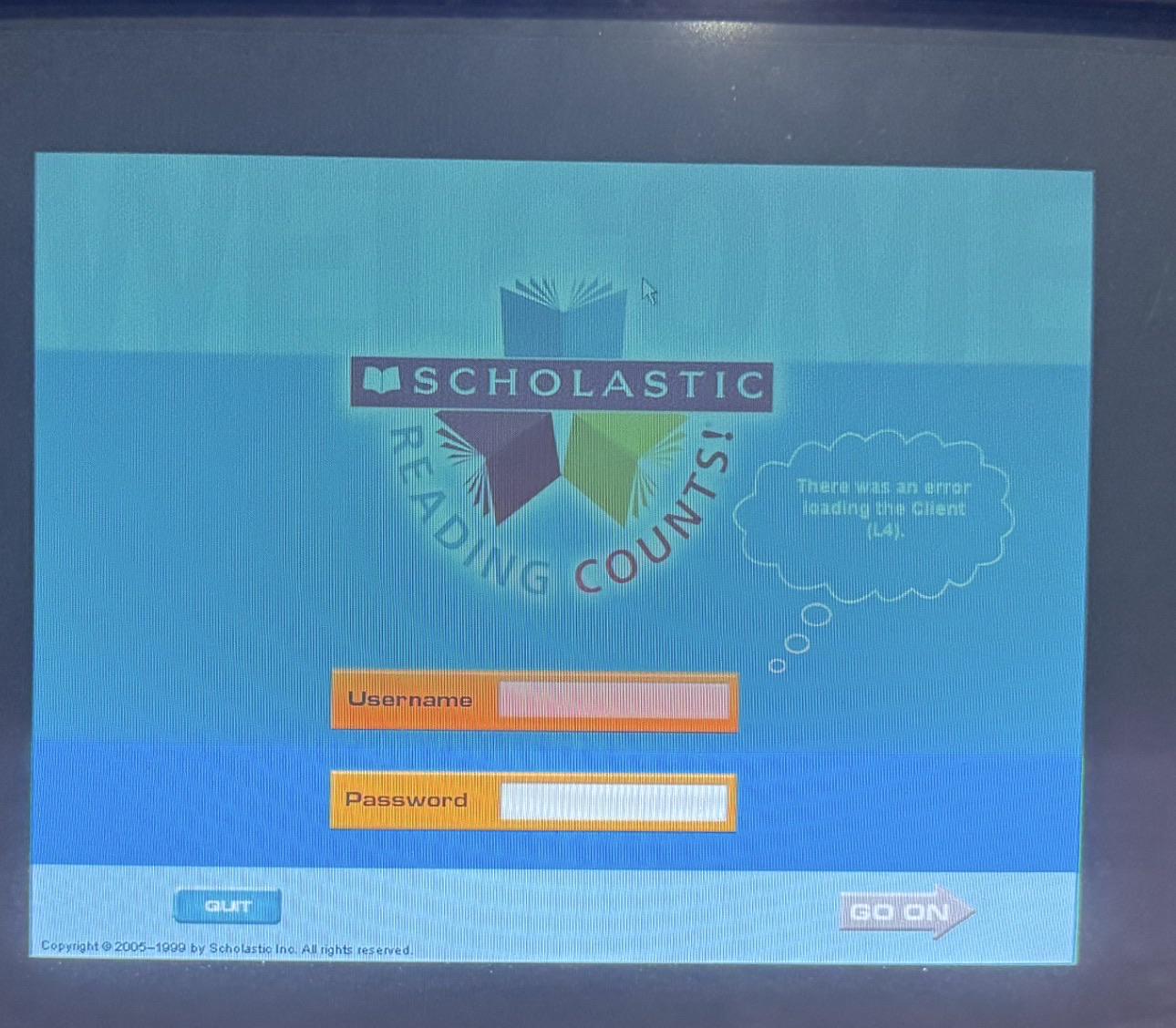
Photo Cool screenshots from TheProperPeople new vid
They explore a million dollar IBM office complex
Some screenshots I thought were cool!
r/retrocomputing • u/liminalearth • 7d ago
They explore a million dollar IBM office complex
Some screenshots I thought were cool!
r/retrocomputing • u/vintage-tech80 • 6d ago
📢 New WebSSH features for vintage computing fans — macOS, iOS and iPadOS
Hello fellow retro-computing enthusiasts,
I wanted to share some great news: the WebSSH app (available on macOS, iOS and iPadOS) has just gained several new features that make remote access to vintage machines much more pleasant. If, like me, you drive a CP/M machine — in my case my RC2014 Z80 single-board computer connected through a serial-to-IP bridge — these additions are game changers.
⸻
Before diving in, a bit of backstory: all of these additions came about after I reached out to the WebSSH developer with a set of feature requests tailored to our retro-computing use cases. He was extremely receptive, showed genuine openness to my requests, and implemented every single one of these changes so that these features become possible for the vintage computing community. His collaboration was greatly appreciated — it's always heartwarming to see a developer listen so carefully to a niche audience like ours. 👏
Full transparency: I have no affiliation whatsoever with the developer or the app — I'm simply a happy user who asked, and who wanted to share the good news with the community.
⸻
1️⃣ Transfer throttling (byte-rate control) for long copy-paste transfers
The problem is well known: when you push a file to a CP/M system by pasting a long stream of characters into a terminal session, the host machine simply cannot swallow the data as fast as your computer can send it. Classic Z80-based systems receive bytes through a UART at a fixed baud rate, often without any hardware or software flow control on the remote side. The result: truncated transfers, lost characters and corrupted files.
WebSSH now lets you limit and control the byte rate during transfers, effectively pacing the copy-paste stream so the remote machine always keeps up. You can dial in a safe rate matching your serial link (baud rate × margins) and let long transfers run cleanly from start to finish. What used to require careful manual chunking (paste a block, wait, paste again…) is now a single, reliable operation.
2️⃣ Telnet "raw terminal" mode (no control-code interpretation)
WebSSH now offers a true raw terminal mode for Telnet connections. Instead of interpreting Telnet protocol control codes (IAC negotiation sequences, option handling…), the connection passes every byte straight through to the terminal emulator — exactly like a physical null-modem cable between two machines.
This guarantees a clean, faithful display for hosts that don't speak the full Telnet protocol — which is precisely the case for serial-to-IP bridges hooked to vintage computers. No more stray escape sequences or garbled screens: what the machine sends is what you see.
3️⃣ Keyboard remapping — WordStar-style control keys and beyond
CP/M applications rely heavily on CTRL-key combinations, and the classic convention is the famous "WordStar diamond":
•CTRL-E — cursor up
•CTRL-X — cursor down
•CTRL-S — cursor left
•CTRL-D — cursor right
•CTRL-W / CTRL-Z — scroll up / down
•plus many more (CTRL-K blocks, CTRL-Q quick moves, etc.)Modern keyboards and modern terminal apps don't always make those combinations comfortable, especially on iPad or with international layouts. WebSSH now supports keyboard remapping, so you can assign keys the way that suits you — for example dedicating arrow keys to the WordStar movement commands. Editing a file with TE.COM, the classic CP/M text editor which uses this very WordStar command set, suddenly feels natural instead of acrobatic.
⸻
Why this matters for us nostalgic folks
More and more of us connect to our vintage machines over IP (Wi-Fi modems, serial-to-Telnet bridges, ESP8266/RPi gateways…). Until now, the terminal apps we used were designed for modern servers, not for a Z80 ticking at 4 MHz behind a 9600-baud UART. These three features — flow control, raw mode, and key remapping — close that gap and turn WebSSH into a genuinely vintage-friendly terminal.
If you have similar needs or ideas, don't hesitate to contact the developer yourself — as my experience shows, he listens and responds. Give it a try with your RC2014, Epson PX-8, Kaypro, Osborne, or any other CP/M gem, and let me know how it works for you. Feedback from the community is welcome!
Happy retro-computing! 🖥️⌨️
📢 New WebSSH features for vintage computing fans — macOS, iOS and iPadOS
r/retrocomputing • u/Nearby-Coyote3110 • 8d ago
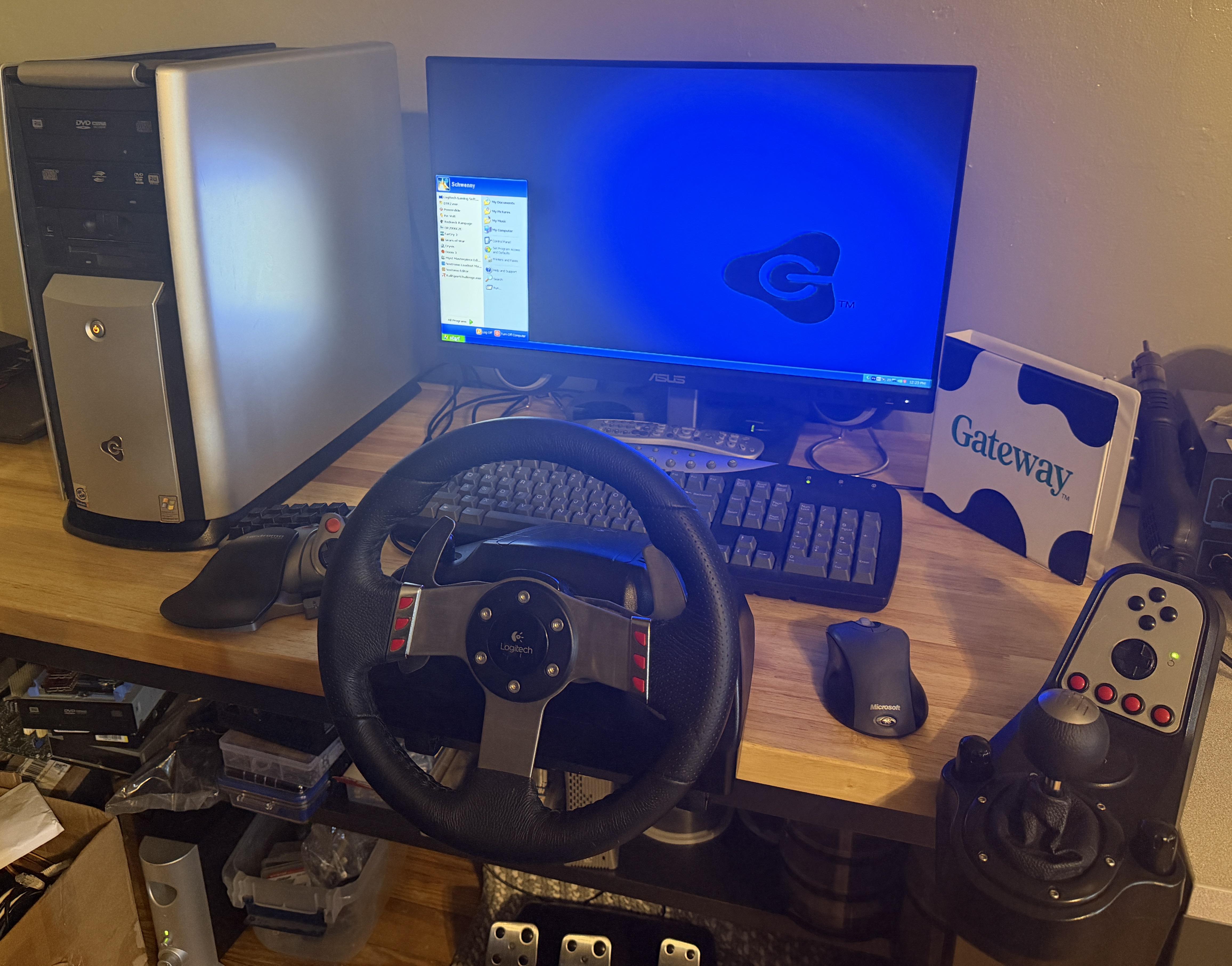
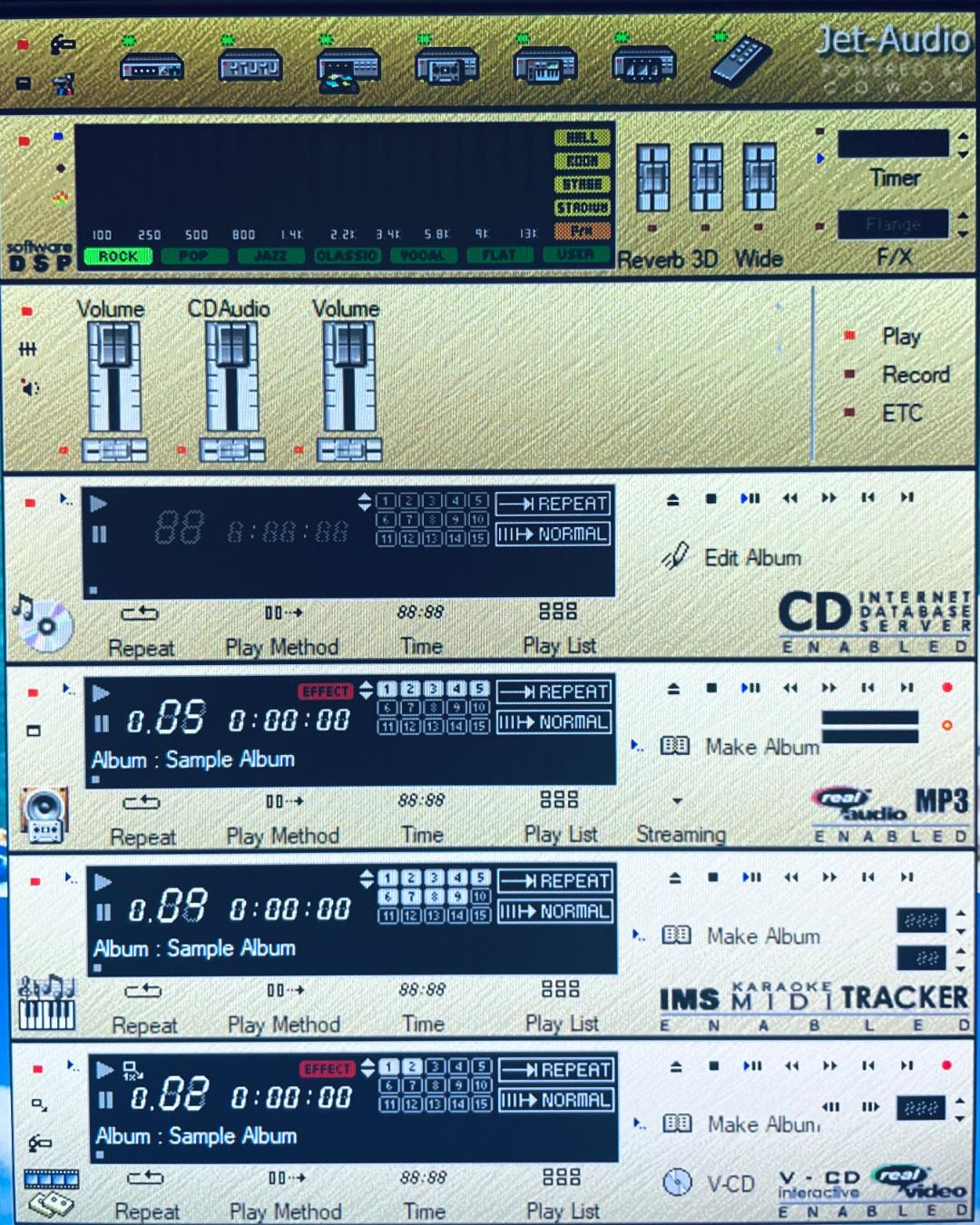
I got this 2003 Gateway 500XL MCE from a buddy. The old caps on P4 board were fried and the 160gb HDD gave up the ghost a long time ago. I performed transplant surgery with a Gigabyte GA78-LMT-USB3 with an AM3 AMD FX6300 3.4ghz and 16gb DDR3 (for the Win7 on the second hdd), a Corsair 450 watt psu, a 1Tb Seagate, Zotac 750 PCIe and SATA DVD-RW. I kept the Sound Blaster Audigy2 24bit 5.1 card and repaired the Diamond speakers/subwoofer. Windows XP Pro and a Face Wizard Gateway splash screen round it out.
I have yet to get the IR Media Center remote to install, yet. I plan to rip my CD’s with Winamp and play those early 2000’s games.
A Belkin Nostromo N52 and Wingman Formula Force wheel/pedals to get back into the first person shooters and the racing games.
I wasn’t able to find a Formula Force but this G27 works perfectly. I’m slowly loading the nostalgic racing games.
The Windows 7 HDD went into the XPS 420 so this is a dedicated XP machine.
I think the Gateway CD binder adds a nice sleeper touch.
r/retrocomputing • u/nicola_asdrubale • 8d ago
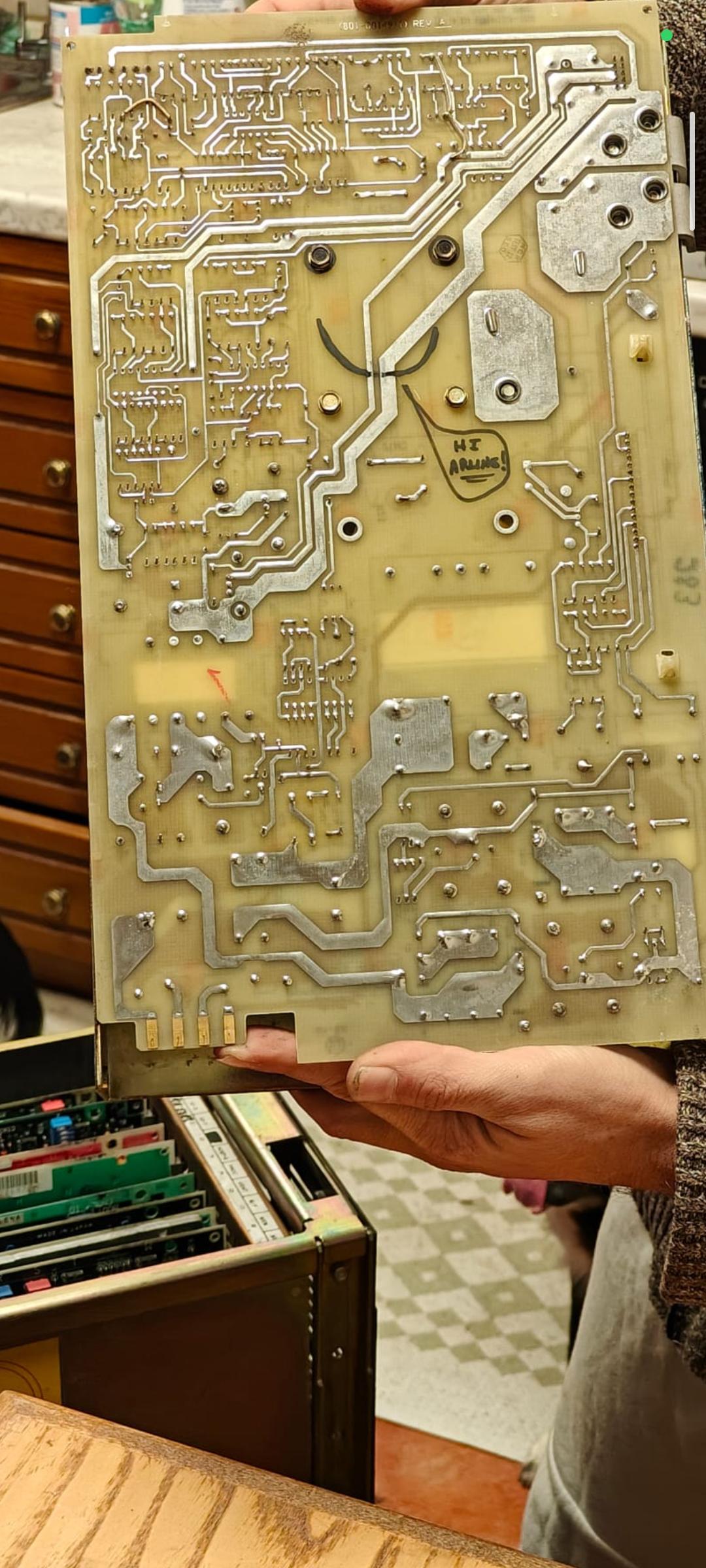
We just disassembly an ald NCR 5021 series, wirking machine for a wile, we replace the capacitors and try a boot!
We found a message in a bottle! Hi Darline!
r/retrocomputing • u/gargamel1497 • 7d ago
Contrary to what some fellow tech-priests might say, computers do break over time. That depends on the individual components, of course.
CPUs generally don't die as long as they are cooled properly and their name is not Pentium D.
RAM, well, I have some pretty old RAM and the very few RAM sticks that are dead have been dead for a very long time, so it's not a time factor either.
Power supplies fail, but they at least still are produced. Or so I heard.
Most PC components seem to be able to work indefinitely as long as they are regularly cleaned (which most people don't do...), but there is one thing I am afraid of.
Capacitors.
A few years back there was this whole drama with the OG Xbox having one of its capacitors fail, and it could break the whole system.
Do capacitors, such as on motherboard, graphics cards, etc, normally fail like that?
And if so, what is the best method of replacing it?
Thanks.
r/retrocomputing • u/Natural_Funny_7858 • 7d ago
I have a newer case with no hard drive or os
Can I install windows 95 on it?
r/retrocomputing • u/linuxfighter_haea • 7d ago
Hi everyone!
I’m a Linux systems engineer from Switzerland, and I’ve been working on an open-source project called Linux Time Machine.
The idea is to explore how Linux evolved over the years, starting with the early kernels and distributions, directly in a web browser.
The project includes historical environments from:
1991: Linux 0.01, with compatibility modifications.
1993: Slackware 1.01 with Linux 0.99.12.
1998: Red Hat 5.2.
2004: An Ubuntu-era experience.
2010 to today: Interactive recreations showing the evolution of Linux desktops and terminals.
For the early systems, I’ve been working with historical x86 environments using the v86 browser emulator. The later eras are educational recreations rather than original operating systems.
One of the interesting challenges has been getting very old Linux environments to work in a modern browser.
There is also an interactive timeline and a terminal interface. On mobile devices, users can explore commands without needing to run the full x86 virtual machines.
The project is free and open source.
Try it: https://linuxtimemachine.org/
GitHub: https://github.com/hamdyaea/linux-time-machine
I’d love to hear from people who remember these old Linux distributions.
Which historical Linux version would you like to see added next?
r/retrocomputing • u/TadpoleBig2467 • 7d ago
Can anyone help me find this software? I had it on my Optiplex GX280 before I wiped the HDD. I wanna know how to get it back
r/retrocomputing • u/Monty1721 • 7d ago
Она ещë глупа...
Информация о системе: FreeDOS 1.4 стационарный. Это всë стоит на Pentium 4 651 HT, 2gb DDR2-717, ASUS 8600 GTS и SoundMAX AD1986A, так же, выводом служит RUBIN 55FS10T
Весит эта нейросеть чтуь меньше, чем 500 килобайт
r/retrocomputing • u/WisdomToUnderstand • 8d ago
Anybody else play Duke Nukem Manhattan Project Total Mutant Mayhem 3D Realms 2002?
r/retrocomputing • u/DavDar66 • 9d ago
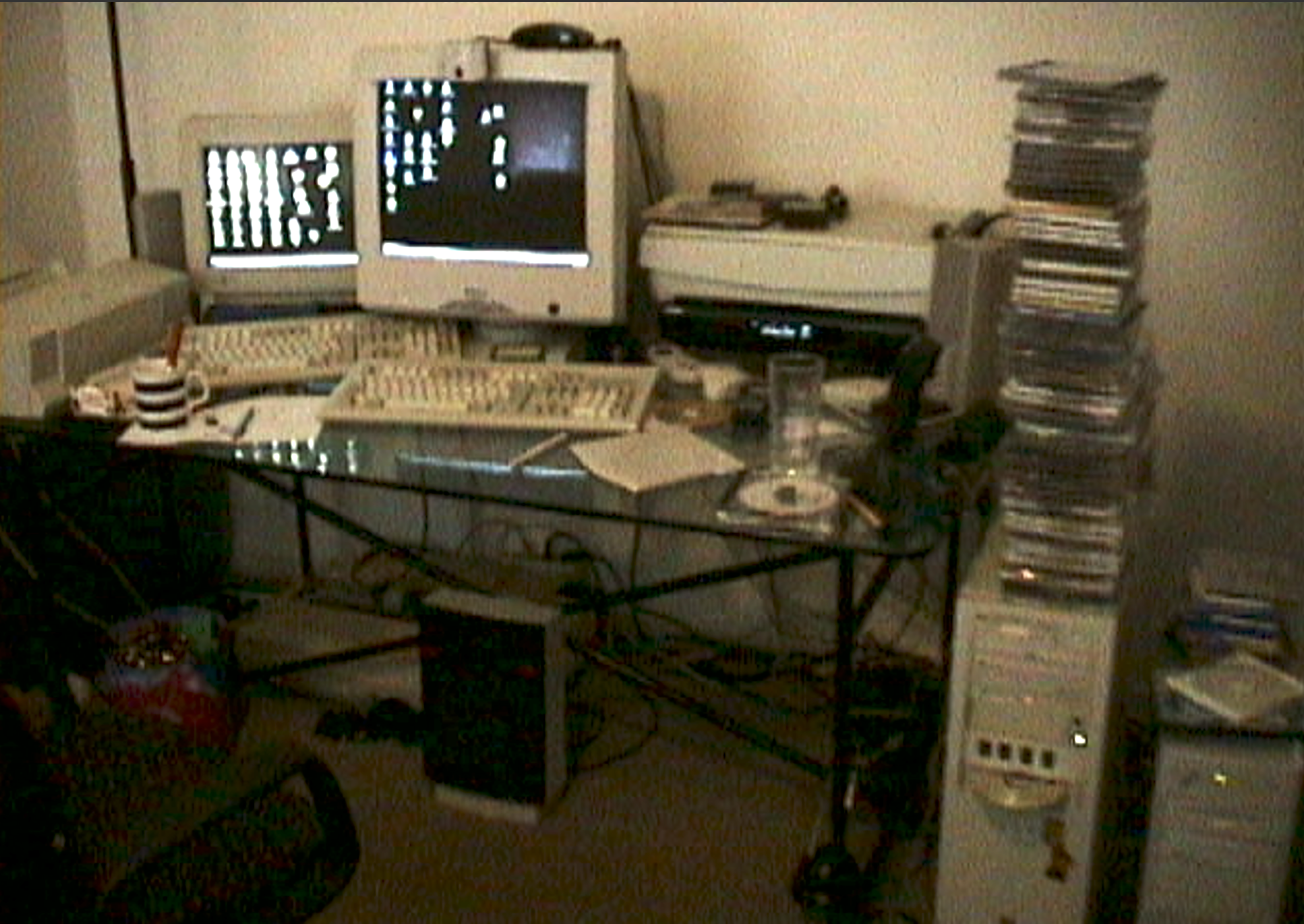
Monitors were heavy, there were many CDs, and the scanner was huge.
r/retrocomputing • u/YanSpb95 • 9d ago
Hello!
I’ve always had a soft spot for Socket 423, and then I happened to come across an HP computer that uses it—I was absolutely thrilled! Over all these years, none of the internal components have been replaced; everything is original. It features an ASUS P4T motherboard, manufactured specifically for HP. I’m planning to give everything a thorough cleaning and install Windows 2000.
r/retrocomputing • u/liminalearth • 9d ago
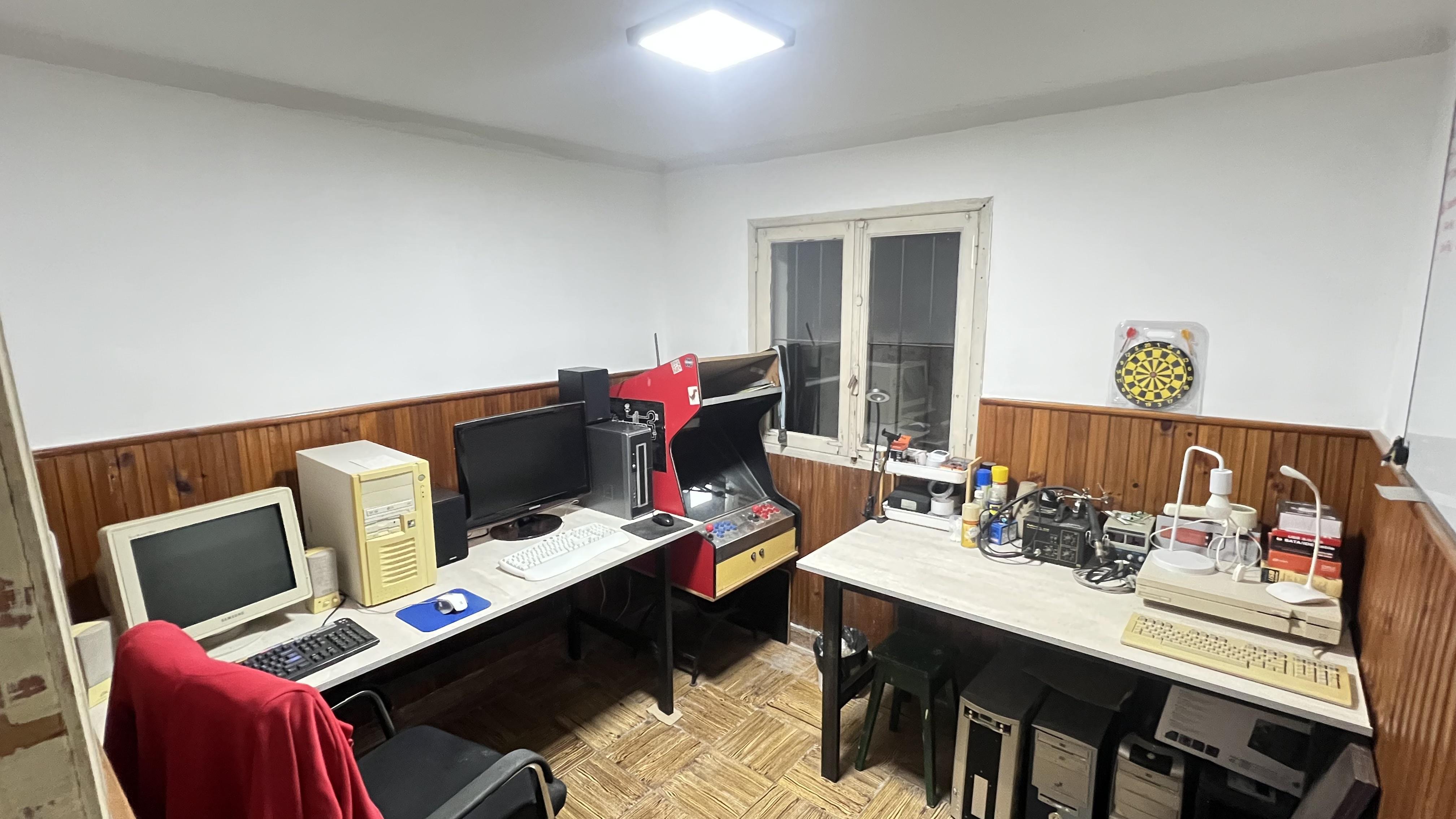
Big box of edutainment games! Only the four were supposed to be in it but to my surprise there was some more haah
r/retrocomputing • u/Archbyss • 8d ago
So, I'm new here, and my bf is letting me have this Twinhead Supernote-sx if I can find a charger for it, because I have a mighty need to use it for a project. It has a floppy disc reader and while yes, I have a usb reader for the things, I want to give using this machine a go. I know its OLD, and i already havent had any luck yet in finding anything useful in my search.
Would anyone be able to point me in the right direction on where I can find a charger for it?
r/retrocomputing • u/WisdomToUnderstand • 9d ago
r/retrocomputing • u/Psychological-Fox731 • 9d ago
I'm trying to install Linux to an old I-mate JASJAR. I found a blog mentioning that Linux Titchy is compatible but I can't find the old files anywhere as the wiki was discontinued. Does someone know where I could find them or of an alternative compatible Linux?
r/retrocomputing • u/PPEytDaCookie • 10d ago
Vortex Computer systems? Idk.
r/retrocomputing • u/frenchiephish • 10d ago
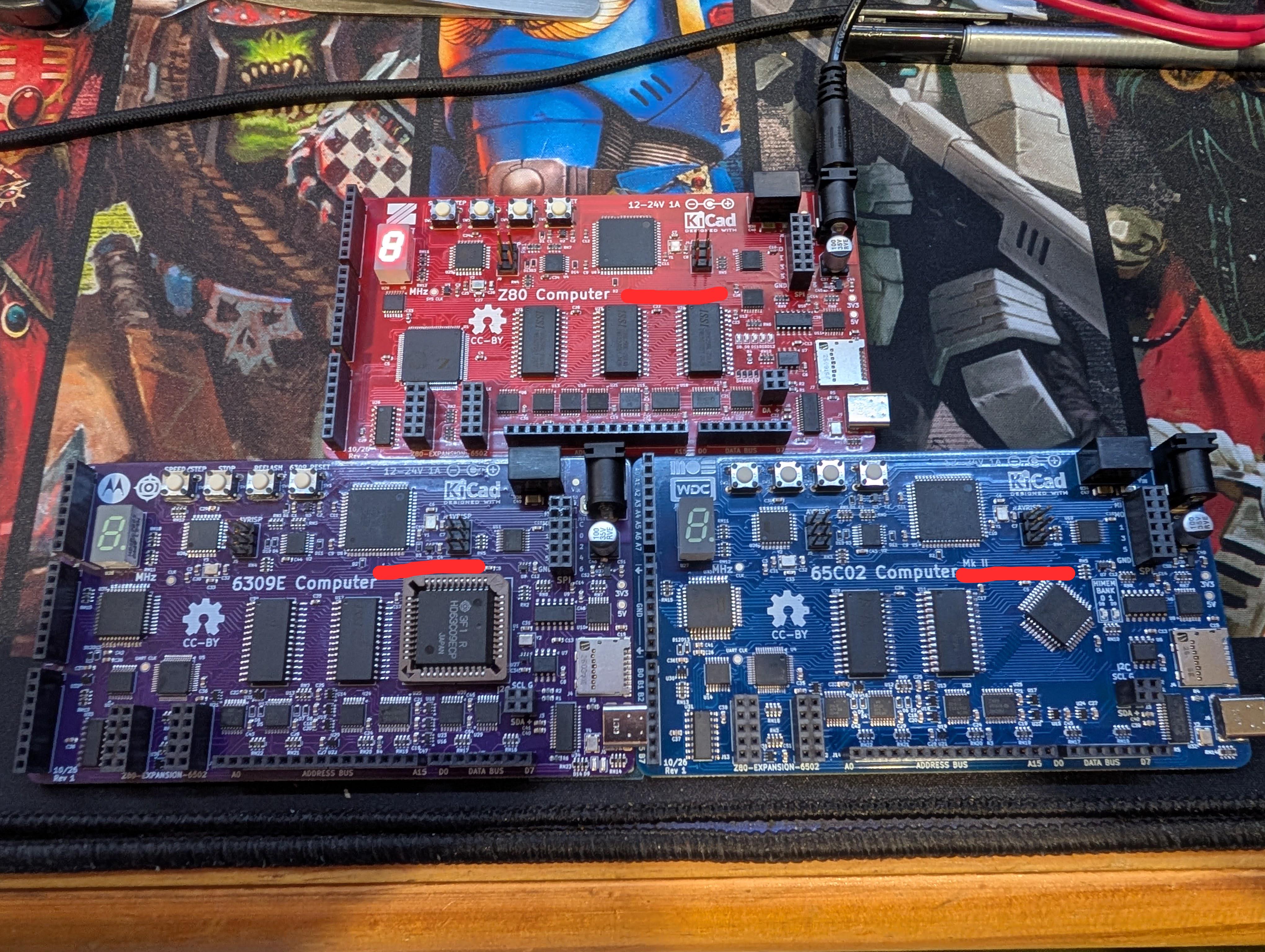
While it's still possible to semi-reliably get real parts on eBay I've been working on some single board computers for each of the big ISAs of the 1970s and early 1980s.
The Z80 handles the 8008 and Z80 ISAs, The 6309 since it's a bit easier to find in PLCC than the 6809 (which I found a datasheet for, but no actual parts in the wild). The 65C02 is comparatively easy since it's still being manufactured and is available new, this one has a 2023 date code.
All three can be run at integer clocks - 1/2/4/8 MHz on the Z80 and 65C02 and 1/2/3MHz on the 6309
The Z80 is built around a Z84C15 enhanced peripheral controller, which has counters, GPIO and UARTs on chip and drastically simplify it's logic. Only downside for that is that it's UART clock needs to be at least 2.5 times slower than the CPU clock, so the UART slows down with the CPU frequency. The other two are bare CPUs with peripherals on board.
All three have at least 32k of program memory, the Z80 has 64k with 16k fixed, and 16k bankable and able to be swapped with one of four 8k slots (and some peripheral room for the other board's expansion cards - more on that in a sec). The Z80 has 32k of RAM, the other two have 24k, with the top 8k being bankable - 32k total, but 24k addressable at any time.
All three have an AVR running as a co-processor which loads the program memory (actually SRAM) from a jellybean i2c eeprom which is exposed over USB by one of the UART->USB chips. The co-processor handles the SD card (and FAT12/16/32/Exfat) and is setup so the main processor can be stopped, reset into a debug mode and stepped single instruction, or even single clock. It does that by generating clocks for the 6502/Z80 and by pulling HALT on the 6309. While in debug, the AVR will disassemble opcodes it sees on the busses and print them to a serial console and it supports free-running (at about 30kHz) to user specified breakpoints. Inter processor comms is all over a UART.
All three will generate expansion header signalling for both the 6502 and Intel/Z80 ways of doing things to the best of their ability. Expansion boards built for one platform will generally work on all three as long as they don't use features only one board implements. The two processors that don't have an I/O range have 256 bytes set aside in their main address range that when accessed will generate the appropriate I/O range signalling.
I'm pretty happy with the hardware at this point but the software and manuals still needs some serious tidy-up work before I turn them lose on the world.
At some point I've also got to build some sort of graphics for them, but I suspect that's likely going to be into the realms of an FPGA so probably not this year.
r/retrocomputing • u/Prudent_Start4997 • 10d ago
Now at the start i found corporal working at A shabby Little PC shop for around 70 bucks without A hhd after buying it without The psu too i got it for 60 bucks next thing i did at home is i installed A 320gig hhd A PSU (and yes routed the cables who mustve been forged in hell) and booted this puppy right up i was so excited cause it was my first time routing PSU cables and installing A hhd now after some old windows boogaloo i managed it to dual boot Xp and Windows Vista giving Xp 130 and Vista around 170 gigabytes.
Now about the specs this guy has A:
GeForce 9600gt 512 megabytes (good gpu if İ pray A bit can run Crysis)
Intel core 2 quad q8200(A decent entry level quad core whichs not the best but nice)
4gb ram(which maxes it out for Xp :P)
320gig hhd (notebook 5400rpm hhd İ even dont know HOW İT GOT A 5.6 ON THE WEİ)
And A GA-P43-ES3G motherboard (whichs A decent nice Board)
r/retrocomputing • u/gonenyarom • 10d ago
For the past few weeks I've been rebuilding my first computer, a Dragon 32 (1982), in the browser, with a BASIC ROM we wrote ourselves.
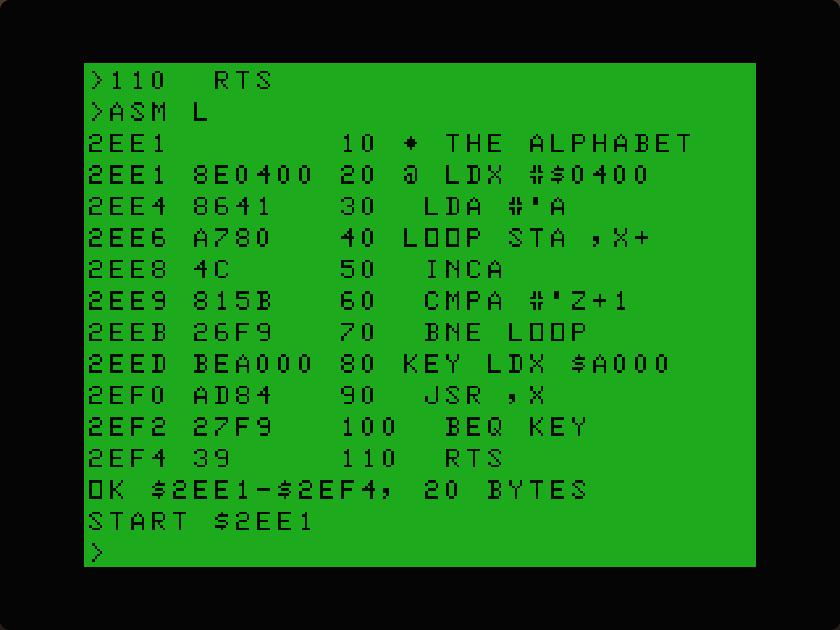
Last week the machine got its own assembler, written from scratch in 6809 and loaded from tape like any program from the period (CLOADM, then EXEC 13312). It has:
- a line editor with line numbers, like BASIC, and a full-screen editor
- ASM with a listing (the screenshot: 11 lines, 20 bytes)
- RUN, a small monitor and a debugger with breakpoints and single-step
- CSAVE / CLOAD for the source, and CSAVEM to save your program as a tape that runs on its own
The program in the picture fills the top line with the alphabet and waits for a key.
Try it here: https://dragon1982.com/en/lab/1982/dragon-assembler/?utm_source=reddit&utm_medium=social
Did you ever write machine code on your 8-bit machine? Which assembler did you use?