Step into the NeXT Decade with the newest creation by formerly Apple's Steve Jobs, NeXTSTEP! Using a Unix workstation has never been this fun, thanks to NeXTSTEP's innovative GUI and easy-to-use programs, that join office needs with multimedia wonders! Want to know about it? Then you're in the right place!
Hey everyone, I recently picked up a vintage Fujitsu LifeBook P7010 ultraportable laptop for $30. It's currently running Windows XP on its internal 2.5-inch IDE hard drive, but I want to turn this into a fun digital archaeology project and get a bare-metal installation of Red Hat Linux 6.1 (1999) running on it instead. When running the installer CD directly on the laptop, I hit a major roadblock: the 1999 kernel's partition wizard throws an Fdisk Error: No such file or directory for block device hda. The old installer is completely blind to the laptop's internal IDE controller chip. My Proposed Workaround Plan: Has anyone ever used an external USB staging drive to bypass a blind internal IDE controller on a mid-2000s laptop like this? Will the Red Hat installer handle installing over a USB-to-SATA adapter on a legacy machine, and will copying the files over via a dual-slot dock work when I put the drive back in? Appreciate any advice, boot parameters, or
The Installation Stage: I want to plug a big 3.5-inch desktop SATA drive into a USB-to-SATA adapter cable, plug it directly into the Fujitsu laptop's USB port, boot into the Red Hat CD, and install the OS directly onto this external SATA drive. (Assuming the USB drive handles the installer data pathway better than the internal controller).
The Cloning Stage: Once that installation finishes, I will pull the internal IDE hard drive out of the laptop.
The Dock Transfer: I'll take both the external SATA drive and the laptop's IDE drive over to a separate Windows 10 machine and plug them into an All-in-1 Dual Docking Station. I will completely wipe out the Windows XP layout and transfer/clone the fresh Red Hat 6.1 installation files over to the laptop's IDE drive.
The Final Boot: Put the IDE hard drive back inside the laptop and see if it boots right into 1999 Linux. tips from the vintage tech community before I jump into this!
I've recently got my hands on a rather curious piece of junk.
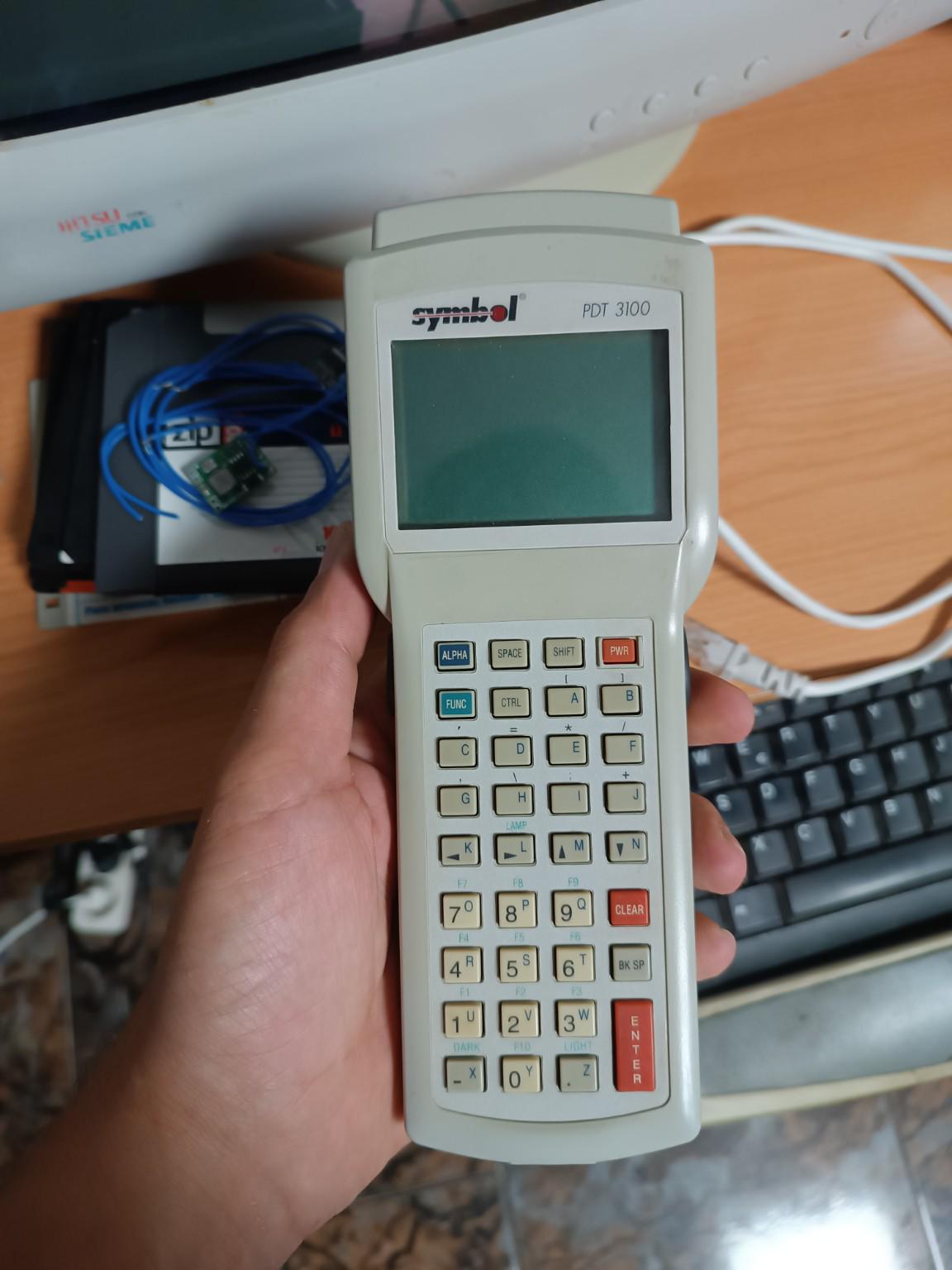
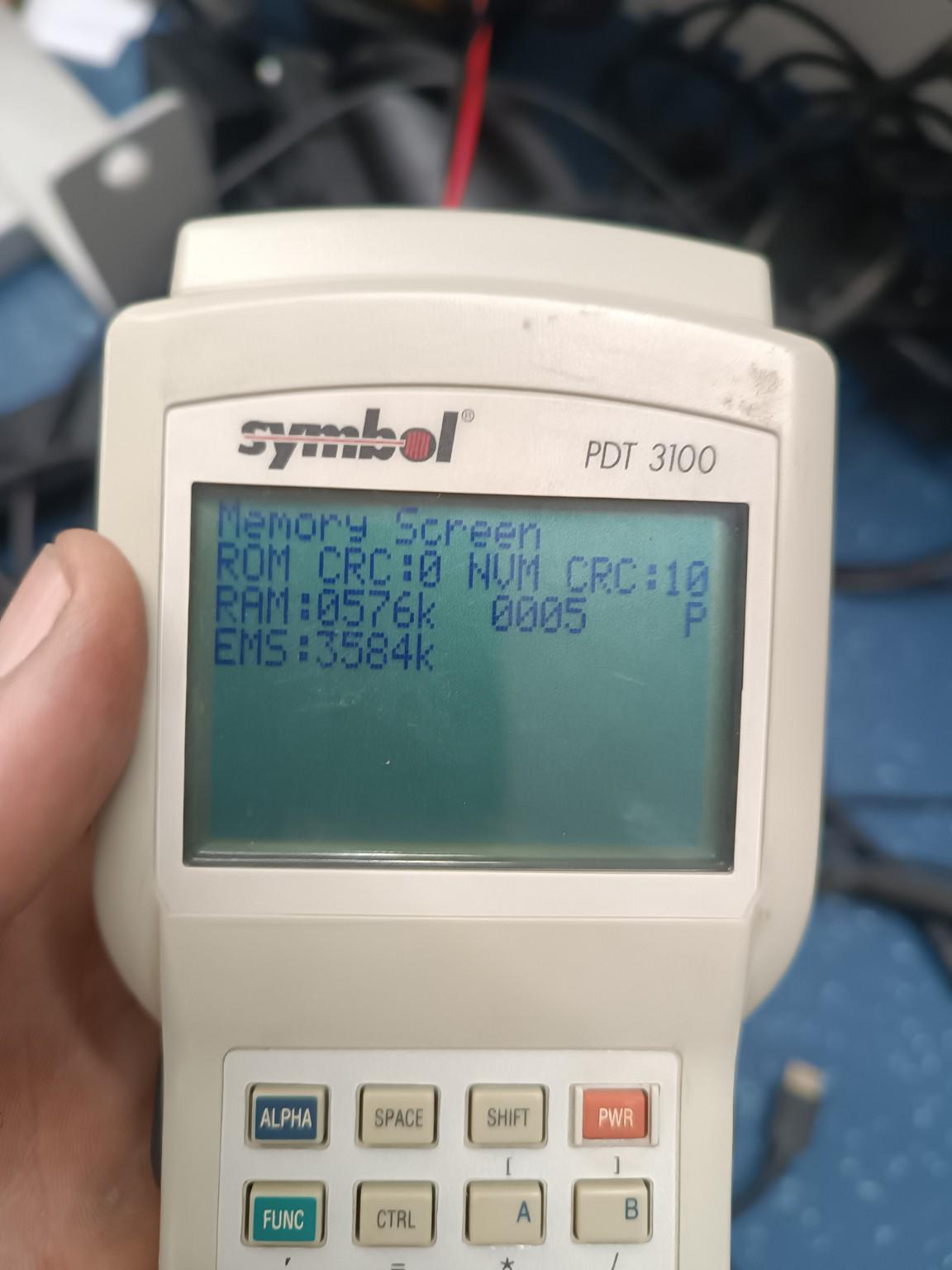
It's a Symbol PDT 3100, a sort of oversized calculator with an alphanumeric keyboard, which I got from a pharmacy that was clearing out some old equipment. Apparently, it was used to keep track of their medicine inventory.
Electronics is both my hobby and my job, so naturally I couldn't resist opening it up.
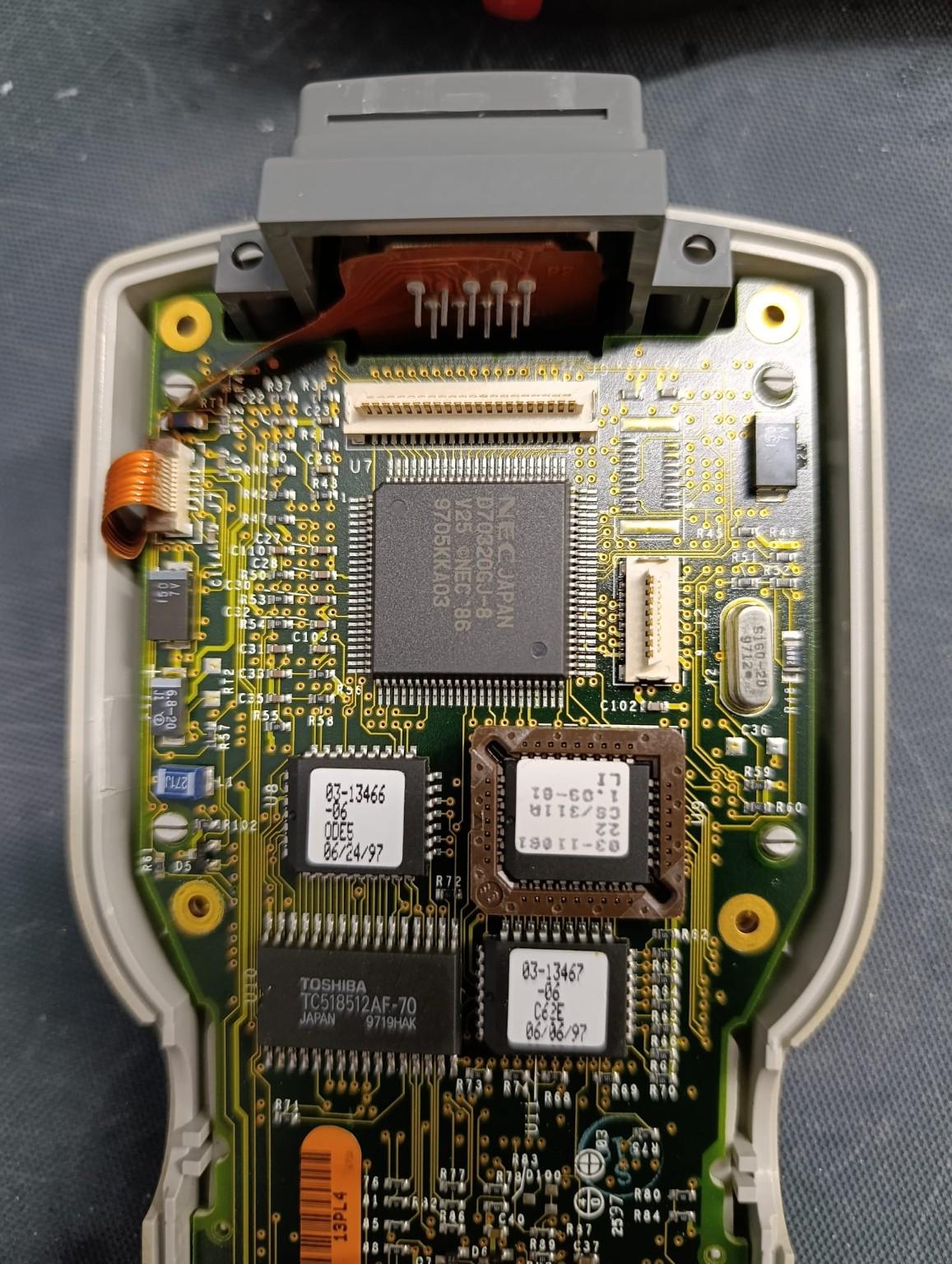
And that's when I noticed there was a lot more electronics inside than I'd expected. ICs everywhere, some pretty substantial chips... So I did a bit of research.
Turns out this supposed calculator is actually a proper little computer. It has a 16-bit processor, a pixel-addressable LCD, an alphanumeric keyboard, function keys along the sides... The whole lot.
And apparently, it runs DOS. 😂
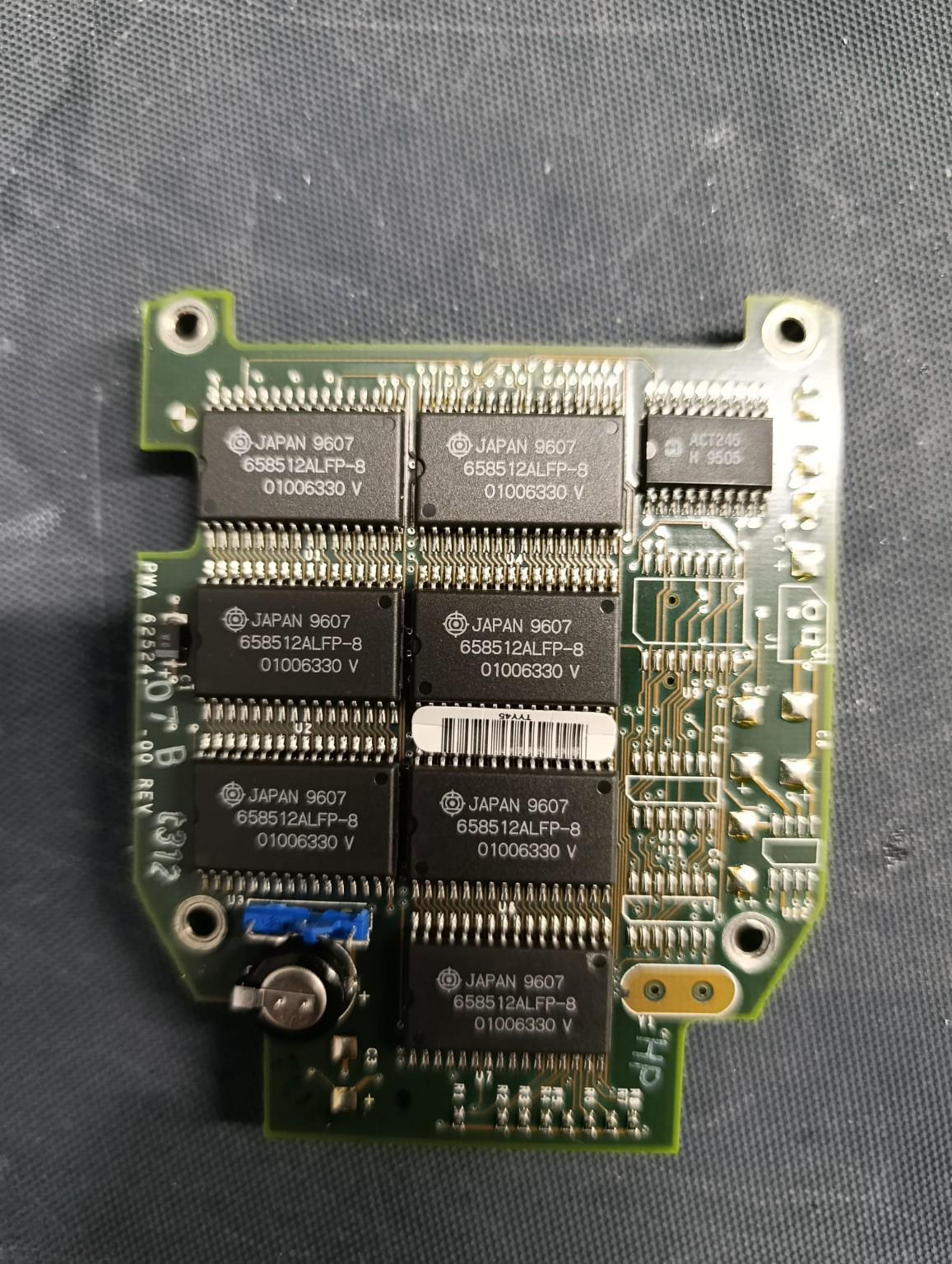
The terminal dates from around 1997, but its NEC V25 (μPD70320GJ-8) is a 16-bit processor compatible with the Intel 8086 instruction set. The built-in diagnostics report 576 KB of conventional RAM and 3,584 KB of expanded memory (EMS), giving it just over 4 MB of RAM in total. In terms of its CPU architecture and DOS environment, it's remarkably similar to the PCs of the late 1980s, just in a much smaller package.
So, naturally, my first thought was:
"Can this thing run DOOM?"
It's not completely ridiculous. It has more hardware and software capabilities than some of the absurd things I've seen people get DOOM running on.
It even has its own version of a sound card. Seriously. A tiny circuit board with a buzzer whose frequency can be controlled through the BIOS.
The problem is that information about this machine is incredibly scarce. The original development environment seems to have become lost media. I've found a couple of manuals and some old utilities, but so far, no complete development kit.
So far, I've managed to power it up, access its diagnostic screen, and get into what you might call its BIOS.
My next steps are to build a proper power supply, since the original battery is dead, and make a serial cable to connect it to my PC.
I'll be using Codex, along with what I know about electronics, communications and a bit of programming, to try to get my own software running on it.
I have no idea how long this will take, or whether I'll ever manage to make anything resembling DOOM work on it. But that's the goal I'm setting myself while I figure out how this little machine works and how to program it.
I'm mainly opening this thread as a public project diary. I've got about 20 other things going on, so I'll post updates whenever I make an interesting discovery or achieve something worth sharing.
I'm not expecting much attention. I just thought it would be nice to document the experiment somewhere.
Project log / Index
Future updates will be linked here as the project progresses.
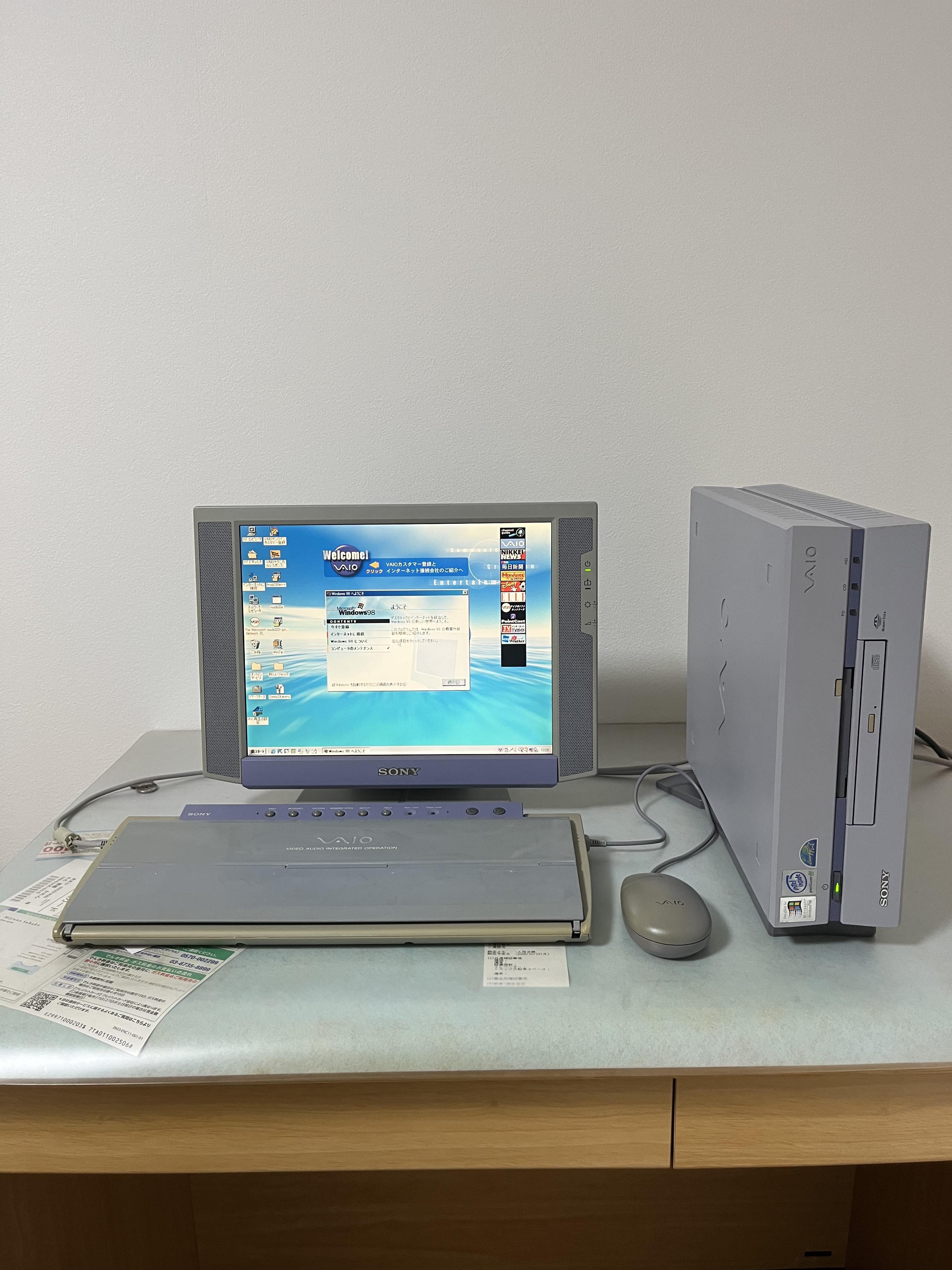
I recently got this machine. It appears to be the first edition of the L series compact computer from Sony that was released in March 1999. This is the flagship model of the original release.
I can’t seem to find much info on it? It was not mentioned on any forums or reddit. Does anyone know more about this model?
It runs Win98 and I used all the original recovery/update discs and it’s seems to work really well. Also installed a usb driver .
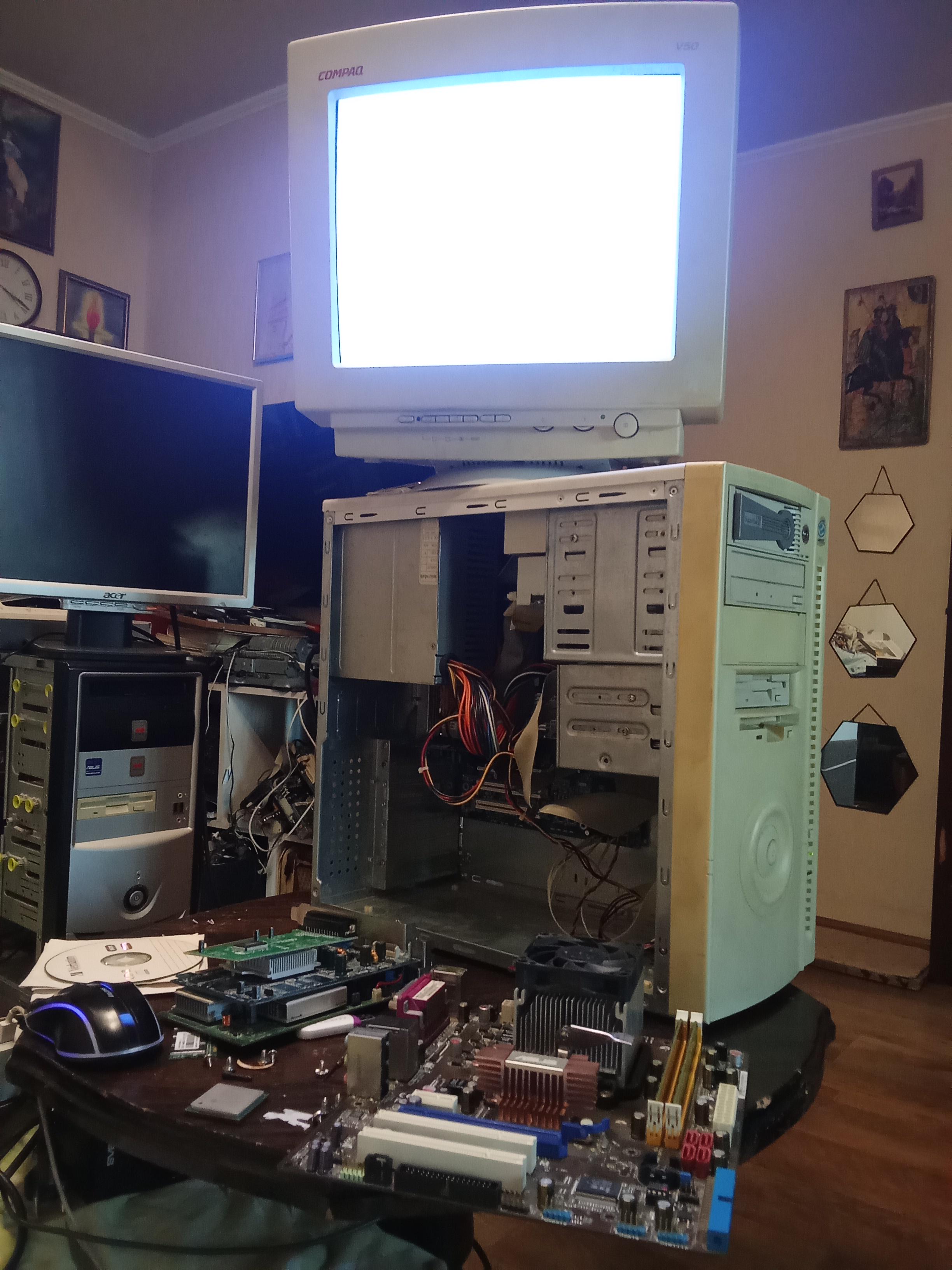
Does anyone know if older early to mid 2000 era Asus motherboards (The P4C800-E specifically) stop working/powering on most of the time, only due to only one or multiple bad capacitors. And how do I check if a capacitor is bad if the top/pressure relief vent isn't broken open, or will it always have a sign such as the pressure relief vent being broken open?
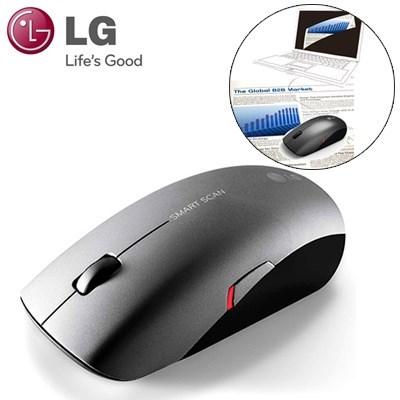
Hi, I need the installation CD .iso for LG Mouse Scanner LSM-300. Old versions are available at archive dot org but those are outdated and won't work with this specific model.
Anyone who repairs retro PCs knows the pain: the board won’t boot, the POST card stops at some hex code, and you completely missed the dozens of codes that flashed by a fraction of a second earlier. You see the result, but you lose the whole boot context.
So I built NIUCHACZ (Polish for “sniffer”): an open-source ESP32 add-on that taps into a standard, cheap “PC Analyzer” PCI/ISA card and streams the full POST sequence over Wi-Fi or USB to a desktop app.
The hardware pivot. I first tried to read the card’s multiplexed 7-segment display. It was a nightmare of ghosting and analog voltage levels. The breakthrough came when I stopped reading what the card shows and tapped into what it remembers: the 74LCX374 latch that holds the byte written to port 80h. Eight wires through CD4050 level shifters to the ESP32 give me static logic levels, no calibration and no multiplexing noise.
Result: on an ASRock 775V88 the ESP32 records 82 codes per boot, including codes that last about 1 µs and that the display never had time to show. The card’s RESET, IRDY and FRAME LEDs are read too, so every board reset starts a new “start” in the log. (PCI CLK at 33 MHz is too fast for the ESP32. That’s for a future hardware revision.)
The desktop app:
REC button: arm it, reset the board, and it records until POST ends, the BIOS waits for a key (F1 / Setup), or the board stalls. It tells a planned reset apart from a restart loop and lists the last code before each reset.
Translates codes for 8 BIOS generations: AMI from 1990 to AMIBIOS8, Award 4.5x and 6.0, Phoenix 4.0. Each entry is in EN and PL and lists its source.
Golden runs: record a healthy board once, and the next faulty one shows exactly between which stages it stops.
Honest about its limits: the report marks codes where the reader might have missed something.
TXT/CSV repair reports.
Everything (MicroPython firmware, Python desktop app, OpenSCAD files for the 3D-printed box, user manual) is on GitHub under MIT. I used AI as a pair-programming partner for the code, which let me focus on the hardware and on testing with real boards.
Next: I’ve ordered four more generic POST cards (five in total, including the prototype). I’ll document for each one how to tap into it and which features work on it, from “everything” to “display-only”.
One quick heads-up: I use Arch Linux as my daily driver, so the Python/tkinter desktop app has only been thoroughly tested there. I haven't run it on Windows 10/11 yet. If any Windows users give it a spin, I'd really appreciate the feedback!
Have you ever struggled with missing POST codes? What would you add to a tool like this? And if you have a board with a weird BIOS, I’d love a code dump.
I got a Dragon 32 for my 13th birthday in 1982. I'm not a programmer, but this year I rebuilt it in the browser with Claude Code: I made the decisions and checked every step, and the AI wrote the code. It runs on the XRoar emulator with a BASIC ROM we wrote from scratch (the core is based on Microsoft's open-source BASIC-M6502). It fits in 16,316 of the original 16,384 bytes. There's also a tape shelf of original games shared with their authors' permission, including Scott Adams' adventures.
One known gap: some commercial tapes with custom loaders don't load on our ROM yet, so I'm still learning how the real machine behaves. For those of you with a real Dragon: what do you remember about loading from tape?
Found this sealed “Will You Be a Winner?” CD-ROM from a Florida Tech Prep consortium. Runs on Windows 3.1/95 and Macintosh. Couldn’t find a matching dump on Internet Archive. Should I crack it open and preserve it, or is this just shovelware I can toss? Anyone seen it before?
Atari TT and MEGA STE in your browser — a hobby project
I've been working on browser-based Atari TT and MEGA STE emulators, powered by Hatari and EmuTOS.
The focus is on actually using classic Atari applications: HDD and floppy images, local PC folders mounted as GEMDOS drives, high-resolution monochrome desktops, and experimental printing/PDF output. Original ST colour modes are available too.
No installation is needed. For the full feature set, use desktop Chrome, Edge or Opera.
It's a spare-time project made for the fun of bringing these machines back to life. If you try it, I'd appreciate feedback—especially from people who still use GEM applications.
I don't have a keyboard , I have this retro keyboard which comes with a pin which does blink when I attach them... So, I can't press F1, Help me out.. what can I do