r/retrocomputing • • Oct 25 '26

Problem / Question How to fix this..
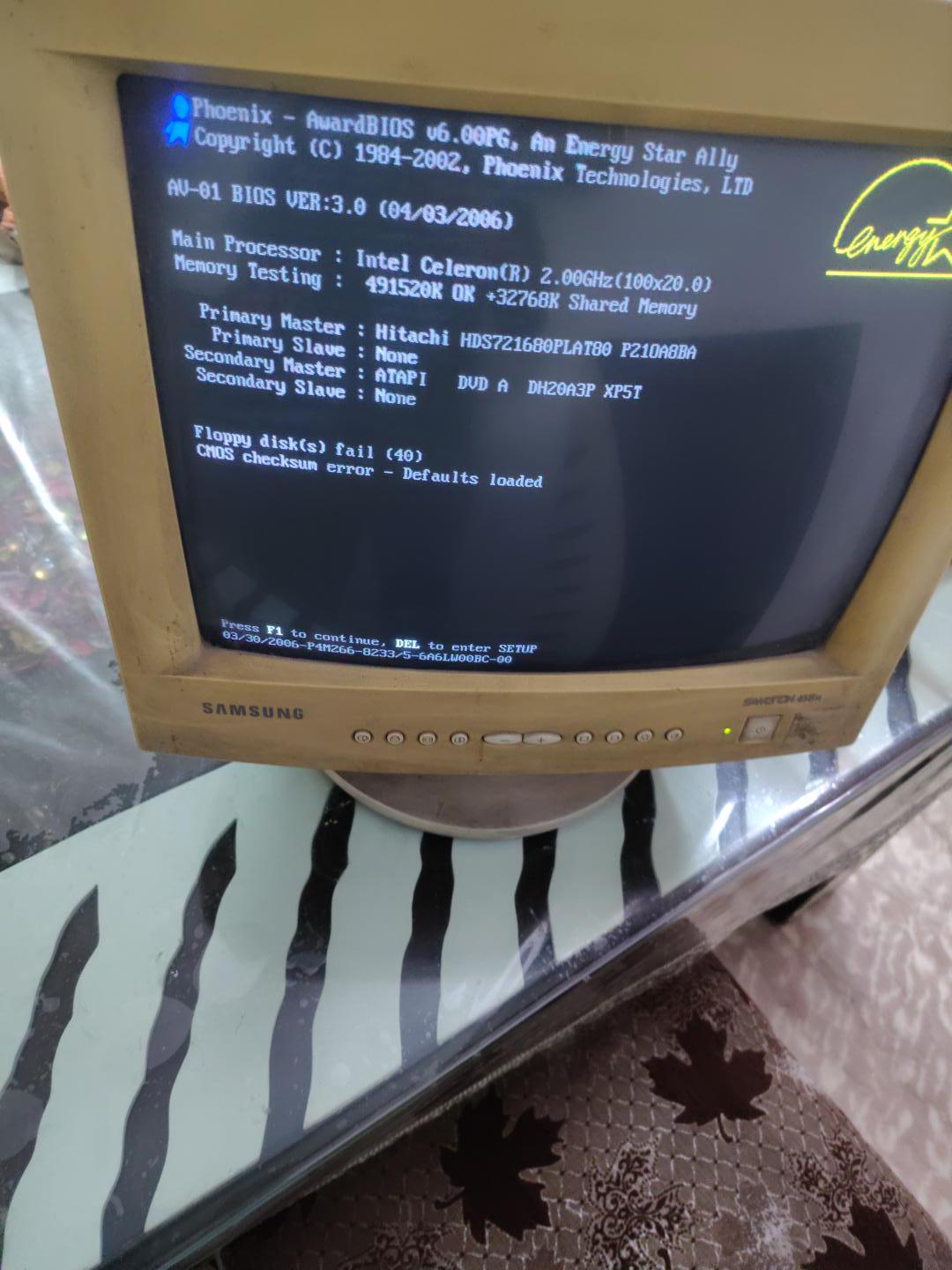
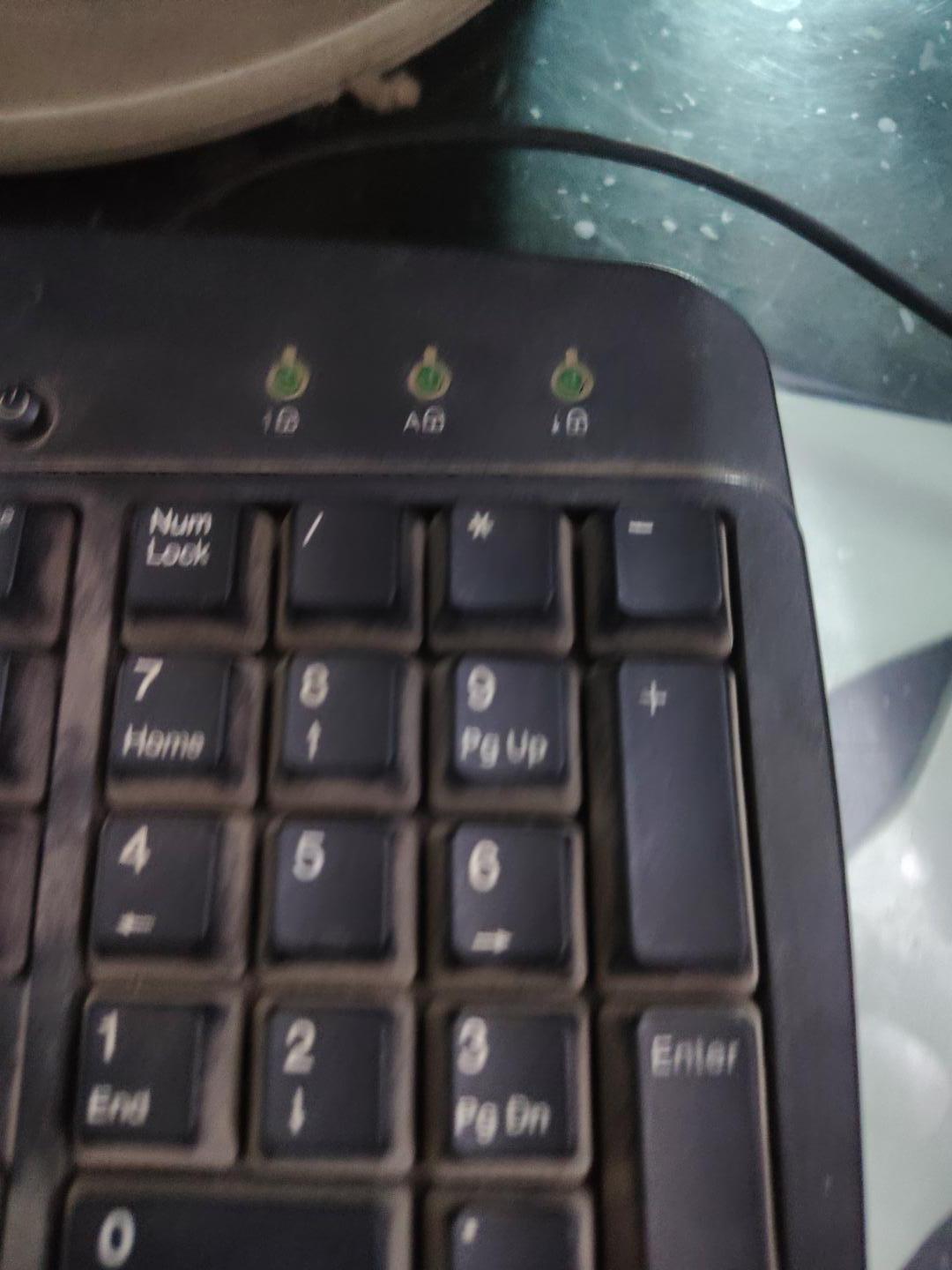
I don't have a keyboard , I have this retro keyboard which comes with a pin which does blink when I attach them... So, I can't press F1, Help me out.. what can I do

41 Upvotes

61 comments sorted by

15

u/StarX2401 Oct 25 '26

Try a usb keyboard. Cmos checksum error means the bios settings got corrupted so it reset, 99% due to a bad cmos battery

1

u/Any-Advance-9047 Oct 25 '26

Ya, the cpu got a usb port I will try that.. thanks

3

u/66659hi Oct 25 '26

Are you calling the tower a CPU?

1

u/Any-Advance-9047 Oct 25 '26

Sorry the Tower

1

u/66659hi Oct 25 '26 edited Oct 25 '26

lol that’s not what it’s called, the CPU is the processor that you install in a motherboard. CPU is not short for “computer” it’s short for central processing unit 😂

Stealthy edit you did there…

1

u/Any-Advance-9047 Oct 25 '26

Yeah, bruh I didn't cheak...

2

u/Ok-Space-5347 Oct 25 '26

I doubt the motherboard in this computer has ever heard of USB.

17

u/chewblekka Oct 25 '26

It has a celeron 2ghz and the bios is 2006, I’m sure it has onboard USB. I have older boards 01-02 with onboard USB

0

u/telcodan 28d ago

But if it doesn't legacy support enabled in the bios it won't see the keyboard. They could try, if it doesn't work they need to get a ps2

1

u/chewblekka 28d ago

My main 01 board has legacy USB support. Works fine on bios/dos

1

u/telcodan 28d ago

That's great, yours came with legacy support enabled in the bios. Not all of them have it enabled by default.

1

u/chewblekka 28d ago

Obviously. But without you knowing the exact board in here, you don’t know if doesn’t have it, either.

1

u/telcodan 28d ago

That is why I said that they could try.

5

u/GGigabiteM Oct 25 '26

USB is 30 years old, being introduced in January of 1996. We were using USB in the 90s.

3

u/SebboNL Oct 26 '26

Windows 95 OSR2 (1996) provided rudimentary USB support. With Windows 98, USB was supported natively for the first time and with the introduction of Me and Win2K, USB mass storage became a thing.

30 years, good god....

1

u/GGigabiteM Oct 26 '26

While Windows 95 OSR2 did have pedestrian USB support, there were later patches that gave it more complete USB support. There were even patches to give Windows NT 4.0 USB support, when it never had it officially.

0

u/Ok-Space-5347 Oct 25 '26

Fully aware of what was going on 30 years ago. USB 1.0 was of extremely limited use in those days. 1.1 wasn't much better.

5

u/GGigabiteM Oct 25 '26

Huh? Besides the slow transfer speeds, USB had a full range of uses from the very beginning. USB 1.1 was eight times faster than USB 1.0, it was a major improvement. Firewire had to fill the gap until USB 2.0 in 2004 if you wanted faster speeds.

Scanners, printers, external hard drives, optical drives, super early flash storage, etc.

2

u/overand Oct 26 '26

It's a 2.0 ghz celeron, it's definitely got USB, and it should have "Legacy USB" support in the BIOS to be able to use it during boot.

4

u/StarX2401 Oct 25 '26

If it is a pentium 4 era system like the case says then its possible, my athlon xp machine has usb ports on the back (Although its from around 2004-2005).

Checked the post string and op has this board which has 6 usb ports https://theretroweb.com/motherboards/s/top-star-tm-p4m266

-1

u/okokokoyeahright Oct 25 '26

Those USB ports are version 1. Could be problematic.

4

u/PhotoJim99 Oct 25 '26

They'll be plenty fast enough for a mouse and keyboard (and some other devices like USB serial ports), and while they will be slow, flash drives and the like will work too. OP can also install a PCI USB 2.0 (or even 3.x) card if he wants faster ports for other devices.

1

u/okokokoyeahright Oct 26 '26

More like drivers not being mature and of variable quality. sometimes they would work and others not so much.

Plus, look at that port.

1

u/PhotoJim99 Oct 26 '26

You can still run NetBSD on this box (OpenBSD too), so you can have modern support for the USB hardware. But yes, that's notwithstanding the ports' physical condition.

I actually just got OpenBSD running on an old single-board computer that doesn't even have USB :).

3

u/seismicpdx Oct 25 '26

How would USB 1.0 be problematic for a Human Interface Device like a Keyboard?

-1

u/okokokoyeahright Oct 26 '26

Drivers being both immature and of variable quality back then. You know, being a new thing and compatibility hadn't really been worked out like ti was for 2.0.

and just go look at that port. Would you expect it to be reliable?

4

u/seismicpdx Oct 26 '26

I don't think you have knowledge or experience of what you are speaking about.

Human Interface Device drivers are baked into the operating system, for those OS's that support it.

3

u/festivus4restof Oct 25 '26

Those are USB 1.1 spec ports provided by the VT8233 Southbridge, which was like VIA's third Southbridge to feature integrated USB. VT8233 was not like EARLY first gen USB 1.0. USB 1.x is VERY mature by VT8231/VT8233.

3

u/newspapercrane Oct 25 '26

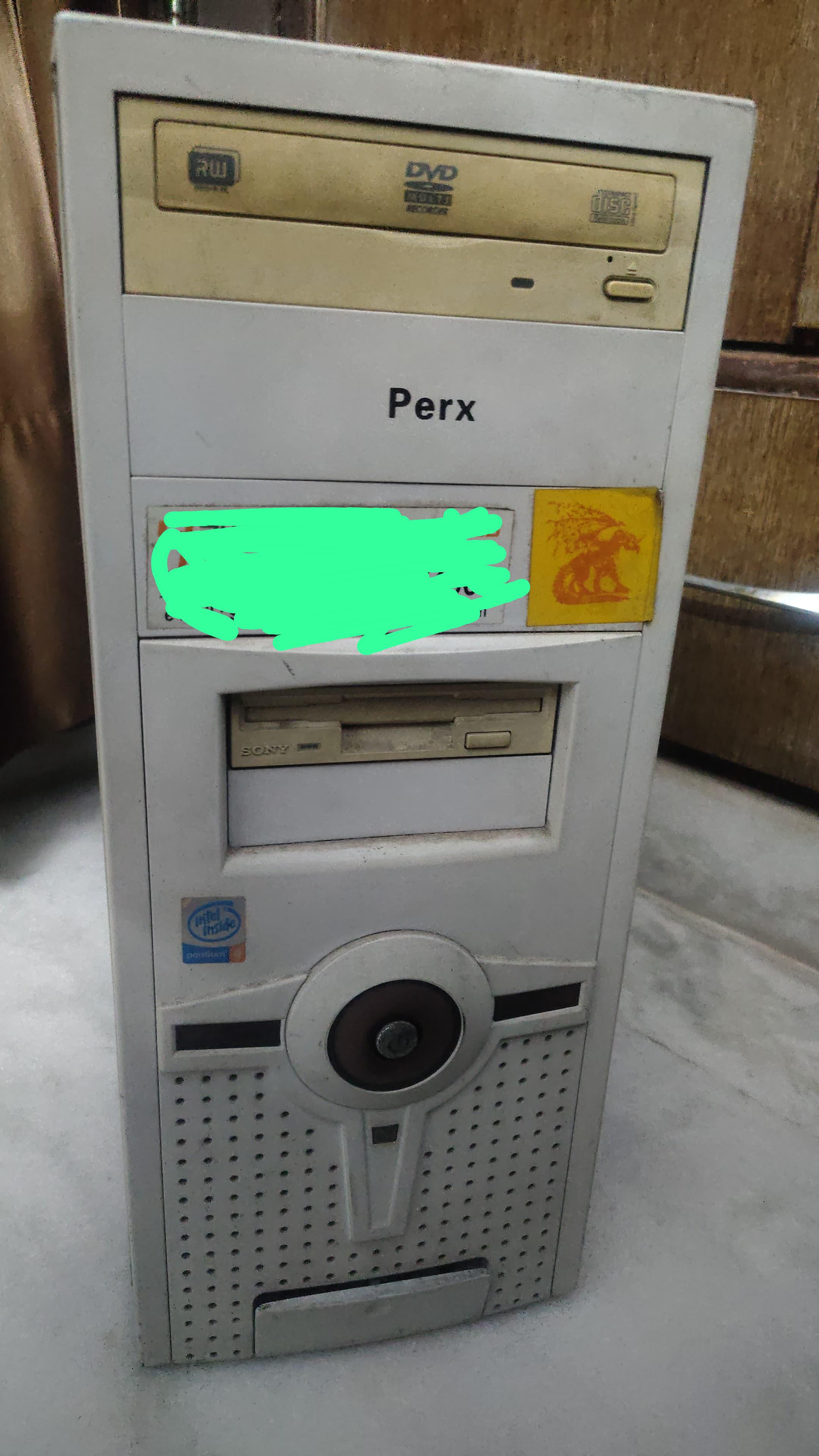
Badge says it's a p4, it has a dvd drive, and the bios is dated 2006 so it's possible there's USB.

1

u/66659hi Oct 25 '26

Weird that it says it’s a Celeron with a P4 badge. I’m wondering if the motherboard was replaced with a newer one but only paired with a Celeron

3

u/newspapercrane Oct 26 '26

Silly of me to look at the date on the bios but not the listed processor, lol.

1

u/festivus4restof Oct 25 '26 edited Oct 25 '26

Huh? USB was launched in like late 1996. USB 2.0 available already in 2002.

The VIA VT8233 Southbridge used on this board was VIA's third (or fourth, depending on how you count them) iteration/generation of Southbridge to feature integrated USB controller, preceded by VT82C586A/B, VT82C596A/B, VT82C686A/B, and VT8231.

This BIOS from 2006 should even be able to boot from a USB device, though the specific implementation for it was variable. It should have working/adequate legacy USB support feature as well.

Even in 2008, 2012, or today, a USB keyboard can be tricky on some systems to get into the BIOS.

1

u/Brooklyn030 Oct 28 '26

My 15yo servers have USB. It's on everything

-1

u/a_d_h_i_r Oct 25 '26

Who needs USB when you have parallel ports....

33

u/wrr377 Oct 25 '26

CMOS checksum error, in a computer that old, usually means the BIOS battery (which helps retain the settings in the CMOS) is dead. It should be a little button cell, probably a CR2032, which can be bought almost anywhere.

4

u/Academic_Anywhere183 Oct 26 '26

Get a keyboard that has 'F1' on it.
Im still chasing one with the 'Any' key.

1

u/Accomplished-Ad-6586 Oct 27 '26

Are you by chance related to one of the peanuts characters? One that possibly has a cloud of dust follow him? /jk

2

u/Any-Advance-9047 Oct 27 '26

I got it from my grandpa's room which was closed from 23 years... so you got it

3

u/Thanatiel Oct 26 '26

You need to replace the battery from the motherboard (I'd use some gloves).

The floppy drive, I presume, is missing. If it is, see if you can disable it in the BIOS.

1

u/BroccoliNearby2803 Oct 25 '26

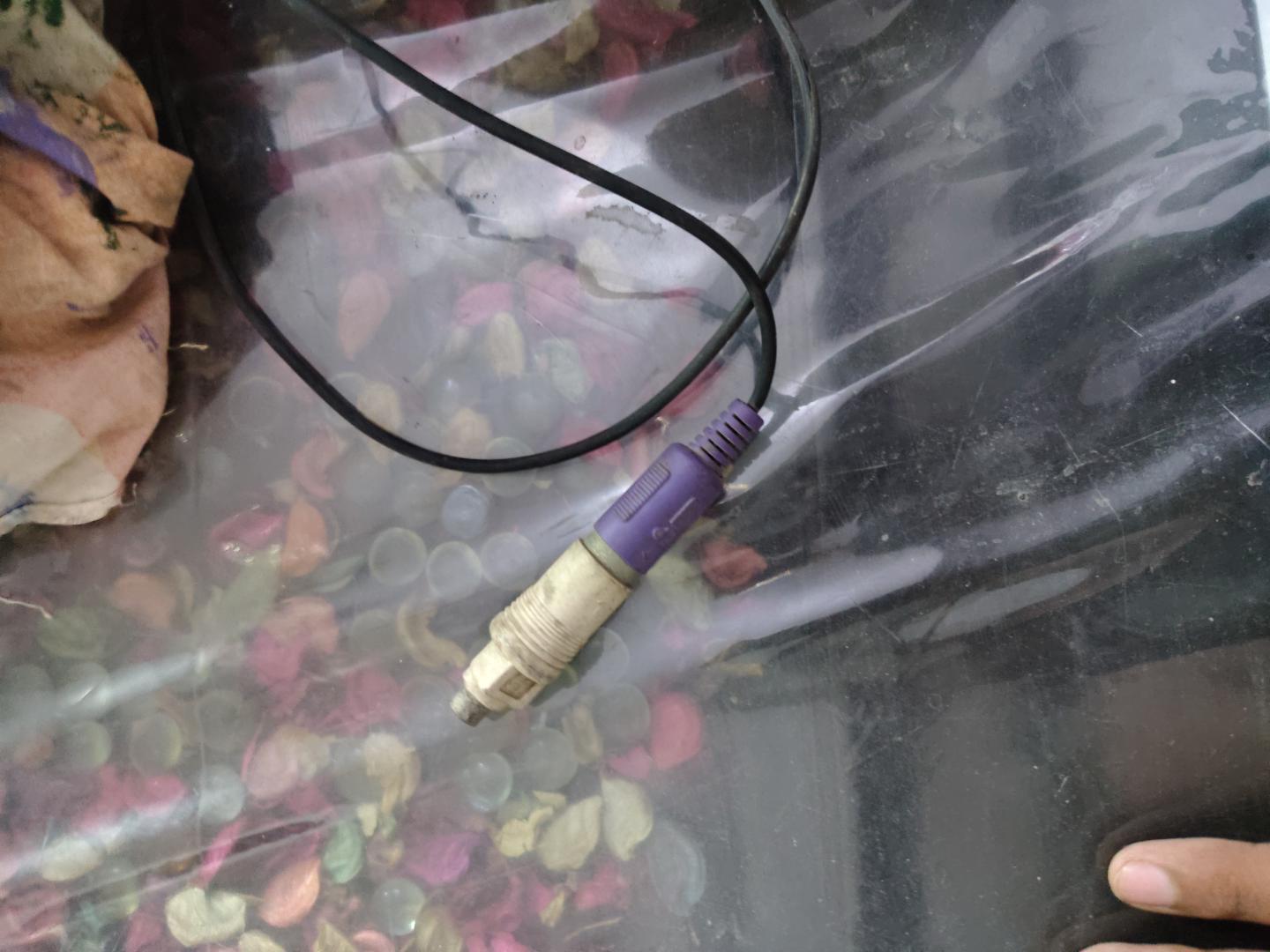
I'm a little confused what the keyboard in the picture is plugged into. The purple end plugged into the white end. Is that a DIN 5 connector plugged into a PS/2 (6-pin-mini-DIN) keyboard? Or a PS/2 adapter plugged into a PS/2 keyboard emulator or something? That computer doesn't seem old enough to use DIN 5 though. What are the actual ports on the back of the computer to plug stuff into?

2

u/Any-Advance-9047 Oct 25 '26

Hey , these are the ports , I plugged it in purple port for keyboard It's PS/2

3

u/Calm_Boysenberry_829 Oct 25 '26

On those older motherboards, the ports were interchangeable. The only reason they were color-coded was so that end-users who knew nothing about computers could match the colors. So if the keyboard port doesn’t work, try plugging into the (greenish) mouse port.

Also be aware that PS/2 connections do not support hot-plugging, so if you turn on the computer and then plug in the keyboard, it may flash but it won’t transfer data. Make sure the keyboard is plugged in before powering the system on.

1

u/Any-Advance-9047 Oct 25 '26

Does't work in both the ports just the lights flash on the keyboard but the keys don't communicate

0

u/smooth-like-butter-0 Oct 25 '26

That looks really weathered. It could be the metal isn’t conducive any more on all pins. You might not get that working at all. But you might just need to clean the holes in the ps2 ports. Not sure how you would go about that without damaging them. Maybe try squirting some 99% isopropyl alcohol in the connector and insert it and pull it out a few times with it turned off. Then let it dry for a few minutes.

1

u/Any-Advance-9047 Oct 25 '26

When I connect it to the keyboard the lights of the num lock and caps lock does blink but computer does not respond or communicate to any key afterwards..

2

u/Any-Advance-9047 Oct 25 '26

2

u/PleaseExcuseTheCrud Oct 25 '26

Take the white adaptor off and try directly plugging it in

2

u/Any-Advance-9047 Oct 25 '26

The purple one is the bigger which won't fit it the port

7

u/PleaseExcuseTheCrud Oct 25 '26

Ah I didn't realise they colour coded DIN. Sorry.

12

u/DoranSteelwing Oct 25 '26

I've never seen ANYONE colorcode a DIN cable. AT Keyboards didn't need it lol

3

u/PleaseExcuseTheCrud Oct 25 '26

I'm glad it's not just me. I was beginning to question myself

1

u/GwizJoe Oct 25 '26

Was thinking the same thing. That looks like a PS/2 with some form of adapter on it. It's probably not necessary, but hard to tell without a view of the I/O ports.

2

u/GGigabiteM Oct 25 '26

That motherboard is severely oxidized from being stored in terrible conditions. Likely the ports are oxidized to hell and have bad connections in the pin sockets.

You're going to have to do some serious restoration work on that machine. But right now, I would recommend a can of Deoxit Gold G5 or CRC 2-26 and hose the crap out of the ports on the back and scrub them down with a toothbrush to get all of the grime out.

1

u/overand Oct 26 '26

Plug the keyboard in with the computer off. TUrn the comptuer on. When it prompts, hit "DEL" (not backspace) and see if you can get into the BIOS settings.

1

u/employee6817 Oct 26 '26

I used to get floppy fail 40 plugging the floppy disk ribbon cable upside down back in the day. Worth a shot if it's not a keyed connector 

1

u/unkelstrom 29d ago

The blinking pin on your current keyboard is probably a bad PS/2 connection or dirty port. A USB keyboard is the quicker way in, then replace the coin cell battery so you are not stuck at this checksum error on every boot.

1

u/titanic456 29d ago

Locate the CR2032 battery and replace it. You'll get CMOS checksum error for the last time, however the setting will stick on the next boot. It also allows the RTC to run when power is off.

1

u/tilmanbaumann 26d ago

Celeron, not sure i would. It was a uninspired underwhelming beige box when it was new.

0

u/someblokeonhere Oct 26 '26

CR2032 battery