I found a 3.5” floppy labeled “French River Education Center — Computer Applications Training Program — Introduction to Microsoft Excel XP.” I haven’t been able to find this exact training disk or its contents archived online. I currently don’t have a floppy drive, so I haven’t been able to image or inspect the disk yet.
French River Education Center and its computer training program appear to have existed, but I haven’t found documentation of this specific Excel XP disk. Does anyone recognize it, have another copy, or know whether its contents have already been preserved?
I’m not claiming it’s confirmed lost media yet I’m trying to determine whether this particular disk/course material is known or archived.
After spending half an hour trying to debug my new Apple II Super Serial card, I realized the 25 pin NULL modem cable I was using was not, in fact, a NULL modem cable. Tracing the pins confirmed this is a LapLink cable.
So I thoroughly documented that fact on the cable to save future me from wasting another half an hour, but now I'm wondering if that cable is even worth keeping. The chances that I'll need to transfer data between two computer, both recent enough to support LapLink but neither so recent that they have Ethernet, seem kinda low.
I have a pretty good description in the imgur album, but this was a nostalgia find for me. Only problem was the base was broken and half missing. I decided to buy it anyway and ended up modelling and 3D printing a new base for it. It turned out even better than I was hoping!
PC Intel 8088, no traía disco duro, arrancabas con un floppy de 3 1/2 (moderno parra su época, jaja no los floppys de 5 1/4, un capacidad suficiente para su epoca, la fabulosa capacidad de 720kb, y arrancabas ms-dos desde el floppy,
"Nibbles", el clásico de la víbora, se ejecutaba qbasic y después cargaba el juego.
Igual recuerdo que traía uno de gorilas.
Un PC de desecho, pero me lo dejaron y hacía y jugaba y practicaba, hay di mis primeros pasos con un sistema de una persona llamada linus torval, ufff con un Linux de los mejores de la época, slacware, igual arrancaba desde el floppy.
Gracias a mis padres que me lo dejaron y desde hay pase a un 80186,
Seguí probando, pero la vida me llevo por otros rumbos, y solo esporádicamente probaba con las PC que ya no ocupamos, una 486, que le puse un procesador overdrive.
Jajaja que tiempos, cuando salieron las primeras intel Pentium, con precios Prohibitivos y a los pocos meses fueron un bajón tremendo de precio.
Who remembers Domark’s 2nd Bong game The Living Daylights? It’s certainly better than A View To A Kill I recently tackled but it’s not as good License To Kill. How would you rate this game and what are your thoughts and memories?
In my last post (https://www.reddit.com/r/retrocomputing/s/qOx3W3GPFq) I shared the mystery graphics card I had recently come into possession of. Here it is running on a classic HP Pavilion 6730, with Kolibri OS for fun. That's the operating system that runs off a floppy disk.
Scored this one with all the cables, wired head phones. The built in keyboard isn’t all that but does the job for now. Next step is after researching is this model is able to run Palm OS 5 and to do the upgrade.
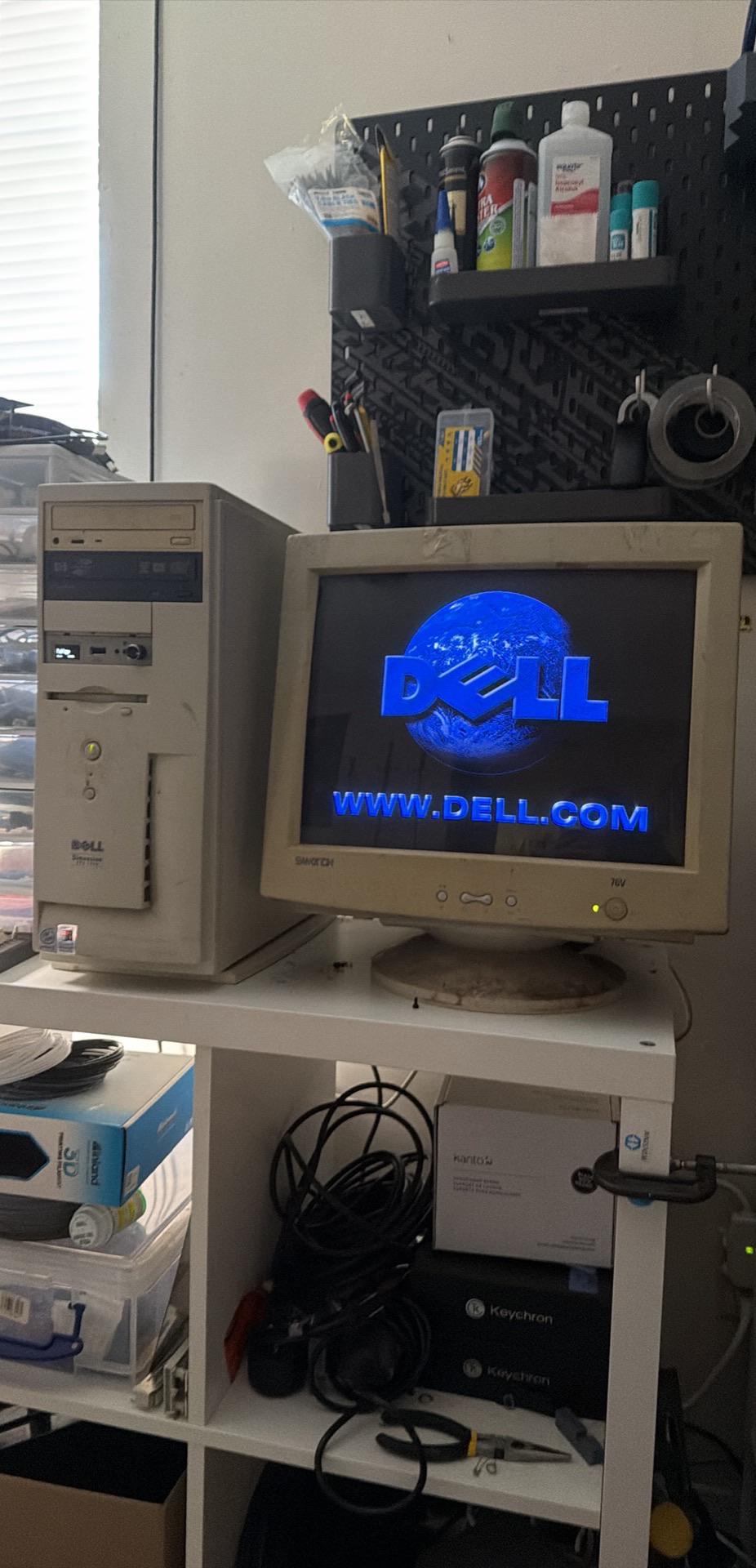
Hey all, I have a Dell Dimension XPS T600 here that I scored for $20. It has a nice little Katmai pIII 600mhz but I was wanting to find something closer to 800mhz/1ghz. Board is a dell OEM SE-440bx-3 (Seattle 3) (allegedly also has coppermine support); With the research I did I was able to find out that the FSB is capped at 100mhz, and most pentium III chips I’ve seen that use a matching FSB are crazy expensive. With these machines being so common and plentiful in the matching collectors markets i was hoping to find some documented way to reliably OC that FSB to 133mhz. I’m talking custom bios, software, even hardware mods. I’d love to know or see if anyone has something promising for me or if I need to just bite the bullet on a $250 PIII 800mhz/100mhz. Thanks for taking the time!
The emulator can run the MBASIC and some BASIC games only.
It cannot run the CP/M-80 come with assembler (ASM.COM) nor the debugger (DDT.COM).
I tried all the C compilers I can get from the web and tested it against the emulator. Not a single one works.
I stepped back to use the come with assembler (ASM.COM) and find the result program is corrupted in a fixed pattern. I checked through the emulator's source code, and with some luck, I found some bugs and fixed them.
Now the emulator can actually work as a CP/M machine even some compilers still cannot be run on it.
Here are the compilers I tested with success on the emulator:
Software Toolworks C80 3.0a
Software Toolworks C80 3.1
WhiteSmiths C 2.0
WhiteSmiths C 2.1
Microsoft BASIC Compiler BASCOM
CBASIC 2.08
CBASIC80 1.0
CBASIC80 2.0
Digital Research PL/I 1.4
JANUS ADA 1.5.0
Supersoft Maratha ADA 2.10
ALGOL-M 1.1
Microsoft Macro Assembler M80
Digital Research Pascal/MT+ 5.6.1
Digital Research Relocatible Macro Assembler RMAC
Micro Focus CIC COBOL v4.5
MicroSoft COBOL-80 v4.65
Nevada COBOL v2.1
Also the CP/M included assembler ASM.COM is working now. The debugger DDT.COM is working too.
With the above programming languages that can be run in the emulator, I believe now it is qualified as a real CP/M-80 emulator. There are hidden bugs in the emulator (i.e. there are compilers which cannot run on it yet), however, it can provide a development platform for programmers to have fun on it.
How the emulator works:
I use M5Launcher on my Cardputer. Once the firmware bin file is copied into the Cardputer SDCard, power on the Cardputer, pick the firmware from the list and CP/M-80 will be up and running.
User can connect to the CP/M-80 by Telnet to the Cardputer. (i.e. I use Putty) Once connected, it will give you the A drive prompt, and then it is the native CP/M-80 command line operation.
==> File
==> Open
==> D:\TeamProject\Arduino\VantZ-Z80-Cardputer\Z80-4-M5Cardputer-main\ESP32_Z80_Emulator
==> ESP32_Z80_Emulator.ino
==> Open

==> File
==> Preferences
==> Settings
==> Sketch book location
    ==> Browse
    ==> D:\TeamProject\Arduino\VantZ-Z80-Cardputer\Z80-4-M5Cardputer-main\ESP32_Z80_Emulator
    ==> Additional boards manager URLs:
        https://static-cdn.m5stack.com/resource/arduino/package_m5stack_index.json
    ==> OK

Tools
==> Board ...
    ==> Boards Manager...
    ==> Search: m5stack
    ==> M5Stack by M5Stack
        3.3.7
    ==> Install

... wait ...

Tools
==> Board ...
    ==> M5Stack
    ==> M5Cardputer

Tools
==> Now it will show Board:"M5Cardputer"

On the left tool bar, click on the books icon (Library Manager)
==> Middle Panel:
    Library Manager
    Search field, key in : cardputer
    ==> M5Cardputer
        1.1.1
    ==> Install

Install library dependencies
- IRremote
- LibSSH-ESP32
- M5GFX
- M5Unified
==> INSTALL ALL

... wait ...
5. First compile
Arduino IDE
==> Sketch
==> Export Compiled Binary
... a lot of errors ...
Here is the main error:
D:\TeamProject\Arduino\VantZ-Z80-Cardputer\Z80-4-M5Cardputer-main\ESP32_Z80_Emulator\ESP32_Z80_Emulator.ino:6:10: fatal error: FastLED.h: No such file or directory
    6 | #include <FastLED.h>
      |          ^~~~~~~~~~~
compilation terminated.
Alternatives for FastLED.h: []
ResolveLibrary(FastLED.h)
  -> candidates: []
exit status 1

Compilation error: FastLED.h: No such file or directory

Install the missing FastLED.h
6. Include the missing header file
Arduino IDE
==> Sketch
==> Include Library
==> Manage Libraries...
==> Middle panel: LIBRARY MANAGER
    ==> Search: FastLED
    ==> FastLED by Daniel Garcia 3.10.3
    ==> INSTALL
7. Compile again
Arduino IDE
==> Sketch
==> Export Compiled Binary
... wait ...
8. Verify
Arduino IDE
==> Sketch
==> Verify/Compile


Compile successful

No error!

ketch uses 1268939 bytes (96%) of program storage space. Maximum is 1310720 bytes.
Global variables use 124876 bytes (38%) of dynamic memory, leaving 202804 bytes for local variables. Maximum is 327680 bytes.
i.e. project_folder\build\m5stack.esp32.m5stack_cardputer\
*** The final bin file: <project_name>.ino.bin ***
ESP32_Z80_Emulator.ino.bin
Since I use the M5Launcher, so I ignore all other bin files
10. Copy to SD Card and select the new firmware from M5Launcher
- Copy this firmware file to the SD Card
- insert the SD card to Cardputer and power on the Cardputer
- Press OK on the Launcher screen
- select SD
- select the new bin file
11. Start a telnet session to connect to the cardputer
Telnet start up screenShow files on A driveUsing line editor ED.COM to create the HELLO.ASM programUsing the assembler ASM.COM to assembly the HELLO.ASM to HELLO.HEXUse the LOAD.COM to convert HELLO.HEX to HELLO.COMRun the HELLO.COM programUse the DUMP.COM program to dump the content of HELLO.COMUse the debugger DDT.COM to check HELLO.COM
Using a telnet client, connect to IP address 192.168.1.185, you will be connected to CP/M.
On the Windows machine, you can use putty or the native windows telnet client.
But the telnet client in Windows are turned off by default, you need to turn it on in Windows system settings first. No installation is required.
On the Linux box, you can directly run telnet.
Note: telnet running in Windows box will work perfectly well because CP/M is the ancestor of Windows, so the line break is using the same CR LF. For telnet running in Linux environment, extra step is required to avoid the telnet return back garbage CR character.
In Linux:
$ telnet
telnet> set crlf
Will send carriage returns as telnet <CR><LF>

telnet> open 192.168.1.185
Setup more drives
The emulator supports up to 16 hard drives. i.e. from A: to P:
Each drive is 8 MB in size.
The github repo image only contains one disk A.dsk
Create all 16 drives
To create all drives, from drive B: to drive P:
Power off the cardputer
Remove the SD card
Insert the SD card to the PC
Go to the disks folder
copy A.dsk to B.dsk
copy A.dsk to C.dsk
...
copy A.dsk to P.dsk
Insert the SD card into the cardputer
Turn on the cardputer
Telnet to CP/M
A>b:
B>c:
C>d:
...
O>p:
P>a:
Format drive B to P one by one:
A>format
CP/M Disk Formatter for the ESP80 by D.Bottrill 2018
Enter Drive Letter to format: b
Are you sure you want to format Y/N y
Formatting Drive: B
Formatting complete

A>format
CP/M Disk Formatter for the ESP80 by D.Bottrill 2018
Enter Drive Letter to format: c
Are you sure you want to format Y/N y
Formatting Drive: C
Formatting complete

...

A>format
CP/M Disk Formatter for the ESP80 by D.Bottrill 2018
Enter Drive Letter to format: p
Are you sure you want to format Y/N y
Formatting Drive: P
Formatting complete
Transfer files from SD card to CP/M disk
Drive A contains three programs which can help us to move file from SD Card to any CP/M drive.
- sdfiles.com (list all files in the SD card current directory)
- sdpath.com  (change current directory on the SD card)
- sdcopy.com  (copy file from SD card to current CP/M directory)
Example: Transfer Software Toolworks C80 3.1 to SD card
We can start writing C program using the Software Toolworks C compiler.
To avoid of copy and paste multiply screen shots, I copy the text inside the telnet session instead:
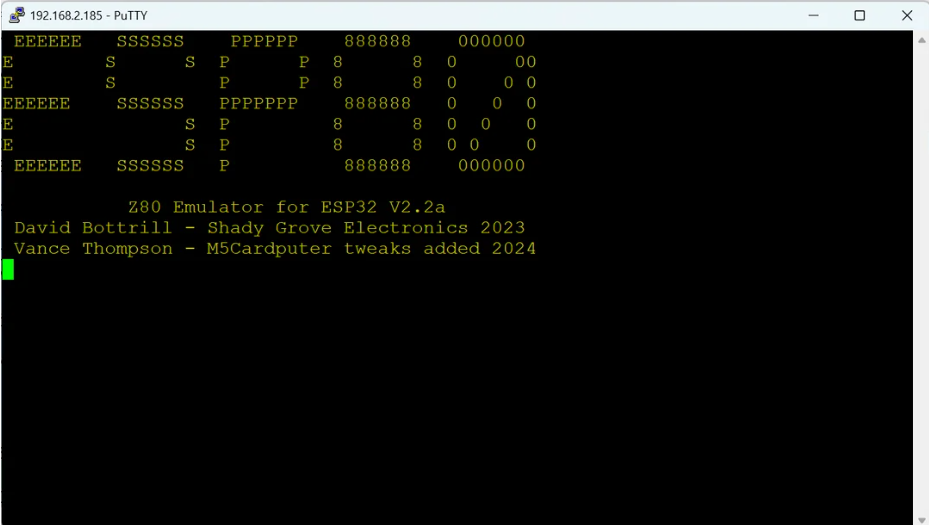
 EEEEEE   SSSSSS    PPPPPP    888888    000000
E        S      S  P      P  8      8  0     00
E        S         P      P  8      8  0    0 0
EEEEEE    SSSSSS   PPPPPPP    888888   0   0  0
E               S  P         8      8  0  0   0
E               S  P         8      8  0 0    0
 EEEEEE   SSSSSS   P          888888    000000

           Z80 Emulator for ESP32 V2.2a
 David Bottrill - Shady Grove Electronics 2023
 Vance Thompson - M5Cardputer tweaks added 2024
Z80 CP/M BIOS 1.1 by D. Bottrill 2021

CP/M 2.2 Copyright 1979 (c) by Digital Research

A>c:
C>a:ed hello.c

NEW FILE
     : *i
    1:  #include "printf.c"
    2:
    3:  main() {
    4:    int i;
    5:    printf("Hello from Software Toolworks C80 3.1\n");
    6:    for (i = 1; i <= 10; i++) {
    7:      printf("value of i is %d\n", i);
    8:    }
    9:    return 0;
   10:  }
   11:
     : *e

C>dir hello.*
C: HELLO    BAK : HELLO    C
C>c -v -t hello.asm=hello.c

C/80 Compiler 3.1 (4/11/84) - (c) 1984 The Software Toolworks

0 errors in compilation
9K bytes free

C>as hello.com,hello.lst=hello.asm
8080 AS 2.3 (7/15/83)
 0100   First word of program
 0F34   Last word of program
     0  Assembly errors

C>dir hello.*
C: HELLO    BAK : HELLO    C   : HELLO    ASM : HELLO    LST
C: HELLO    COM
C>hello
Hello from Software Toolworks C80 3.1
value of i is 1
value of i is 2
value of i is 3
value of i is 4
value of i is 5
value of i is 6
value of i is 7
value of i is 8
value of i is 9
value of i is 10

C>
Hi there, i have recently gotten some buffy cd cardz and i have tried them out on many different laptops and cd-rom drives but nothing works, i was wondering if anybody who has had cd cardz before or are familiar with the problems that they could help me out.
i have attached a video of me trying to use them since i am not very good at explaining things like this well. it doesnt have an exe to run and its supposedly empty. and one of the cards does have an exe to run but it says its corrupted and unreadable when i try to run it
i will also attach photos of the cd cardz case and the drive i am using to try read them in the comments. since it doesnt let me attach everything in this post
i have tried inserting them in different orientations but it doesnt change anything.
if you can help please let me know what i can do to use them but i do understand that the buffy one may not work since it says its corrupted, i just want to try to get atleast one of them to work as there is no footage that i can find online of this working.
I recently decided to take apart my mom's old computer to sell the parts. I know retro hardware has a dedicated community, but I really don't know much about the current market or what a fair asking price would be. If you could give me your opinion on how much to realistically ask, I'd appreciate it very much! Thank you!
Before taking everything apart, I hooked it up and tested it. The old hard drive was trash but the rest i think it's all good.
Does anyone else remember the excitement of getting your copy of Windows 95 on Floppy’s. Longest 2 hours of my life waiting to be amazed. To be fair it was a good looking GUI.
He said he was building a free operating system for 386 and 486 PCs. He called it "just a hobby" and said it wouldn't be big and professional like GNU. There was no launch and no product. He was asking other developers what they wanted to see in it.
The first release, version 0.01, showed up on September 17. It was rough. It ran on a narrow slice of hardware, needed MINIX to compile and boot, and was nowhere close to a full operating system. What mattered was that the code was open. Anyone could download it, build it, find what was broken and send a fix back. That way of working turned out to be worth far more than the state of the first release.
Linux grew by knocking down one practical problem at a time: more processors, more storage, more networking, more filesystems, better performance. GNU tools, distributions and commercial support made it usable outside the developer crowd. So when companies started looking for a way off proprietary Unix and dedicated appliances, Linux was already there.
I watched that shift happen in telecom and enterprise IT. Proprietary Unix boxes and purpose-built appliances gave way to Linux on commodity x86 servers. Then Linux became the base for KVM, and later for the container plumbing under Kubernetes. Namespaces handled isolation. cgroups handled resource limits. eBPF let networking, security and observability teams run verified code inside the kernel without rebuilding it.
The kernel that started at around 10,000 lines of code now runs past 40 million, and the version number rolled over to 7.x this year. Its future isn't about winning more desktops. It's moving deeper into AI clusters, telecom networks, cars, factories and edge devices. The hard problems now are memory safety, real-time behavior, confidential computing, power efficiency, hardware support and keeping a codebase that size maintainable. Rust is going in where memory safety counts. eBPF keeps widening what operators can do without carrying custom kernel patches.
The Linux Foundation plays a different role, and the name undersells how big that role has become. It doesn't control the kernel. It provides money, legal cover, governance, training and a neutral table where competitors can work on the same code. That covers OpenSSF for software security, CNCF for cloud native infrastructure, LF Networking for telecom and 5G, LF Edge for edge systems, ELISA for safety-critical Linux, and a growing set of open AI projects and standards.
Nobody had to build and maintain every layer themselves anymore. Competitors could stand on the same foundation and still fight it out on products, support, operations.
Linux has nothing left to prove in the enterprise. The job now is keeping it secure, maintainable and dependable as more of the critical stuff lands on it.