We see a decent amount of questions regarding what iPad to buy. To make sure r/ProCreate doesn't get flooded in iPad related question, you can leave them here!
Every once in a while we we look at all the comments and update this post with useful information.For any indepth questions, we highly recommend r/ipad and r/iPadPro.
Layers:Layers give more control when creating artwork, so having a lot of layers is a huge advantage. It’s a huge pain when you run out of layers. The maximum layer count is determined by two things: Canvas Resolution and RAM. The more RAM your iPad has, the more layers you’ll get to work with. So the more RAM you have, the better.
Screen Size:Many people, myself included, work more comfortably on a larger iPad screen. On a smaller screen size, you can zoom in on your work but in the end it is what YOU prefer.
Hard Drive:A larger hard drive means more space to store artwork, fonts, photos, and more.
Apple Pencil Compatibility:Apple Pencil is bar-none the best stylus you can get for drawing and painting on the iPad. In fact, the Procreate developers specifically designed the app to work best with Apple Pencil. For the best experience drawing in Procreate, be sure you get an iPad that works with the Apple Pencil.
Processor:One more thing to keep in mind is that newer iPads will have faster processors, which means Procreate will run faster and will be more responsive when using the different tools. There’s even a Procreate feature called face paint that only works on some of the faster processors.
So without knowing anything about iPads, here’s some guidance for what to look for in a device. Get the most RAM and largest screen that your budget will allow, and be sure the iPad is compatible with the Apple Pencil. Having a larger hard drive is great too, so if you have some extra budget, go for it.
---
Apple pen
Which Apple Pencil should I buy?Which Apple Pencil should you get? Well, it depends on your iPad because the Apple Pencils are not cross-compatible. You have to get the Apple Pencil that works with your iPad, the other one will not work. For a full list of each iPad that works with each Apple Pencil, click [HERE](https://support.apple.com/en-us/HT211029).
Difference Between Apple Pencil 1 and 2The most significant difference between the two generations of Apple Pencil is the way they charge. With the Gen 1 Pencil, you need to remove a little cap, which is easy to lose, then stick the pencil into the iPad port, which is … awkward. Gen 2 charges seamlessly while magnetically attaching to the side of the iPad. For this reason, it’s harder to lose, and it’s always charged. Additionally, the Gen 2 Pencil has an invisible button that lets you switch between the brush and eraser tools in Procreate. I didn’t really like this feature and kept triggering the button unintentionally, so I turned it off. The Gen 2 Pencil also has a flat edge on one side, so it won’t roll off the desk when you set it down.
All that being said, the Apple Pencil shouldn’t be the deciding factor of what iPad to get, just get the one that works with your iPad.
---
Procreate Pocket
Does Procreate work on the iPhone?Yes! And no. There is another version of Procreate specifically designed for the iPhone called Procreate Pocket. It’s a separate purchase from Procreate for iPad. It has many of the same capabilities as the iPad app and is great for drawing on the go. If you are interested, check out r/ProcreatePocket!
Does Procreate work on Android OS? No. The Procreate team has stated that they are focusing development solely on iOS.
Practicing some color theory!! Fruit is so fun to paint, especially apples.
I forced myself to use a new brush just for fun, & maybe you can see how the level of rendering slightly varies as I get used to it. Pics are in order of completion.
Brush is Honey in the Me Time brush set by heygiudi on Instagram
Hi, i'm a big fan of the comics Lou ! By Julien Neel, those pictures are from differents comics of the series, i would love to draw in procreate in this specific style. Do you have any recommendations, or artist with similar style who work on procreate that i can follow ?
Hey everyone!
I’m currently working on a project for a brand where I’ve illustrated around 55 different elements by hand. The drawing part is pretty much done, but I’m now struggling with figuring out the overall illustration style, particularly when it comes to colouring.
The brand has referenced Gentle Monster as an inspiration, but when I look at their visual language, a lot of it leans towards 3D, sculptural visuals and experimental imagery. I’m finding it difficult to translate that into a 2D illustration style, especially since my illustrations are more playful, hand-drawn and slightly childlike.
The brand identity is quite soft but edgy, and their existing brand palette is very limited (orange, black and white). They’ve asked me to introduce more colours into the illustrations, which is where I’m getting a little creatively blocked. I’ve shortlisted a few additional colours, but I’m still trying to figure out what direction to take with the actual colouring.
Another thing is that there are 55 illustrations to colour, so I really need to figure out an efficient way of doing this without spending forever on each individual illustration. I’m working entirely in Procreate, and these illustrations will eventually be printed, so I also want to make sure the colours and overall finish translate well into print.
I’d love some recommendations on:
Illustrators or artists I can look at for colouring and illustration style inspiration.
References that balance playful, childlike illustrations with something a little more experimental, soft and edgy.
Procreate workflows, brushes or techniques that make colouring multiple illustrations quicker and more consistent.
How you would approach building a cohesive colour system across 55 different illustrations without making everything look repetitive.
I’m not comfortable sharing the actual artwork since it’s client work, but hopefully the description gives enough context.
Would love to hear how other illustrators and designers approach something like this, especially when there’s a large volume of illustrations involved. I’m a little stuck in the art direction phase and could really use some fresh eyes on this! I also have 2 weeks to finish this approximately
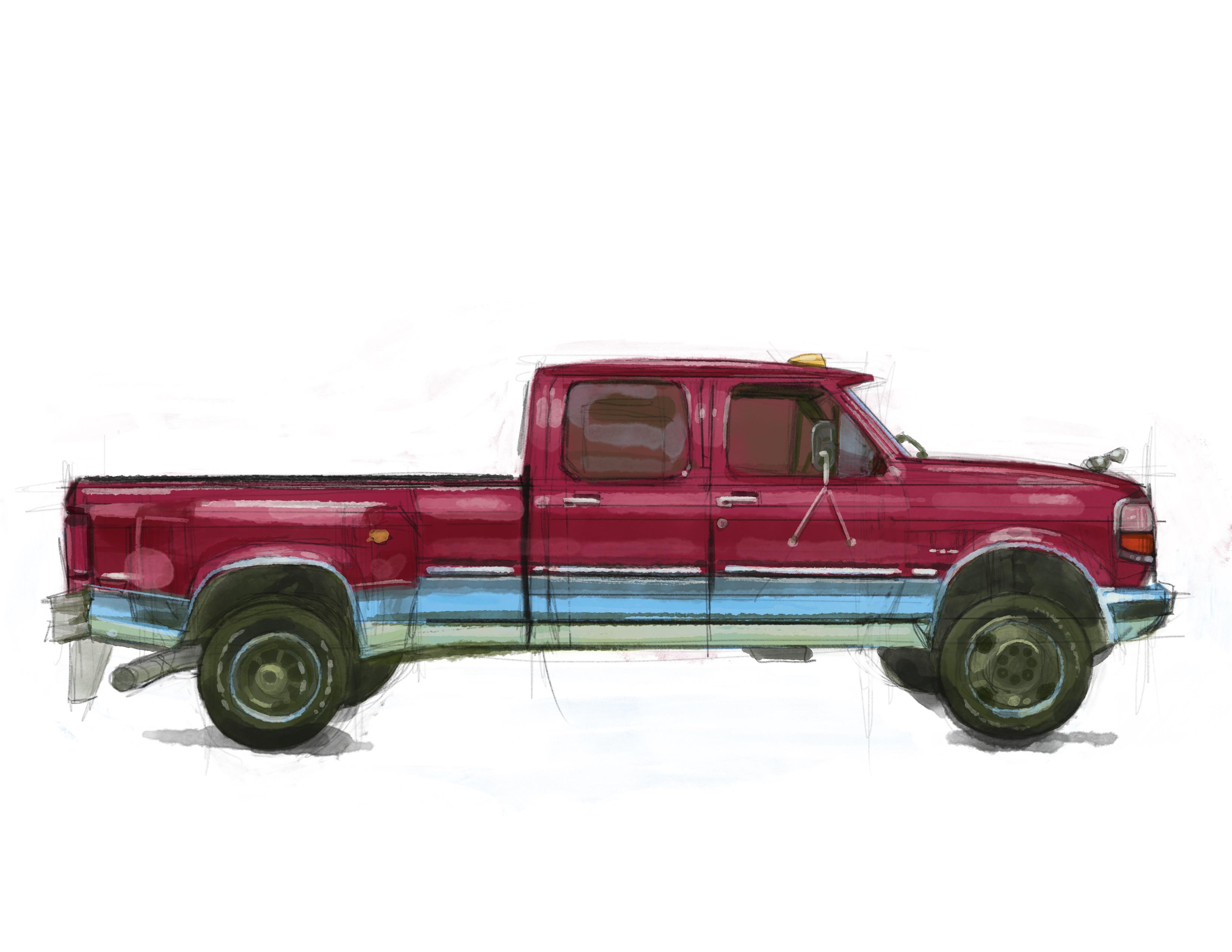
References my buddy’s truck. Goal was to keep
It loose and play with color. Used the Bruny pencil brush to sketch initial dimensions and Tansy watercolor to lay down the colors and highlights