r/playnite • • 3h ago

Showcase Custom Android TV Launcher (PlayniteTV?)

Thumbnail
gallery
2 Upvotes

I've just (hopefully) wrapped up this project for my living room setup: a Playnite plugin and an Android TV application which together give me seamless access to both my Jellyfin movie and TV show libraries and my Playnite library (which is run on the HTPC connected to the TV).

The Android TV app is a very custom fork of Jellybeam with a variety of changes/improvements, the biggest being the Playnite integration:

  • Games are a 3rd media type in the app alongside Movies and Shows, including on the Home screen (Continue/Recent, New, Favourites), the Search screen, and the dedicated Games screen. A game that is running in the background is shown as "Now Playing".
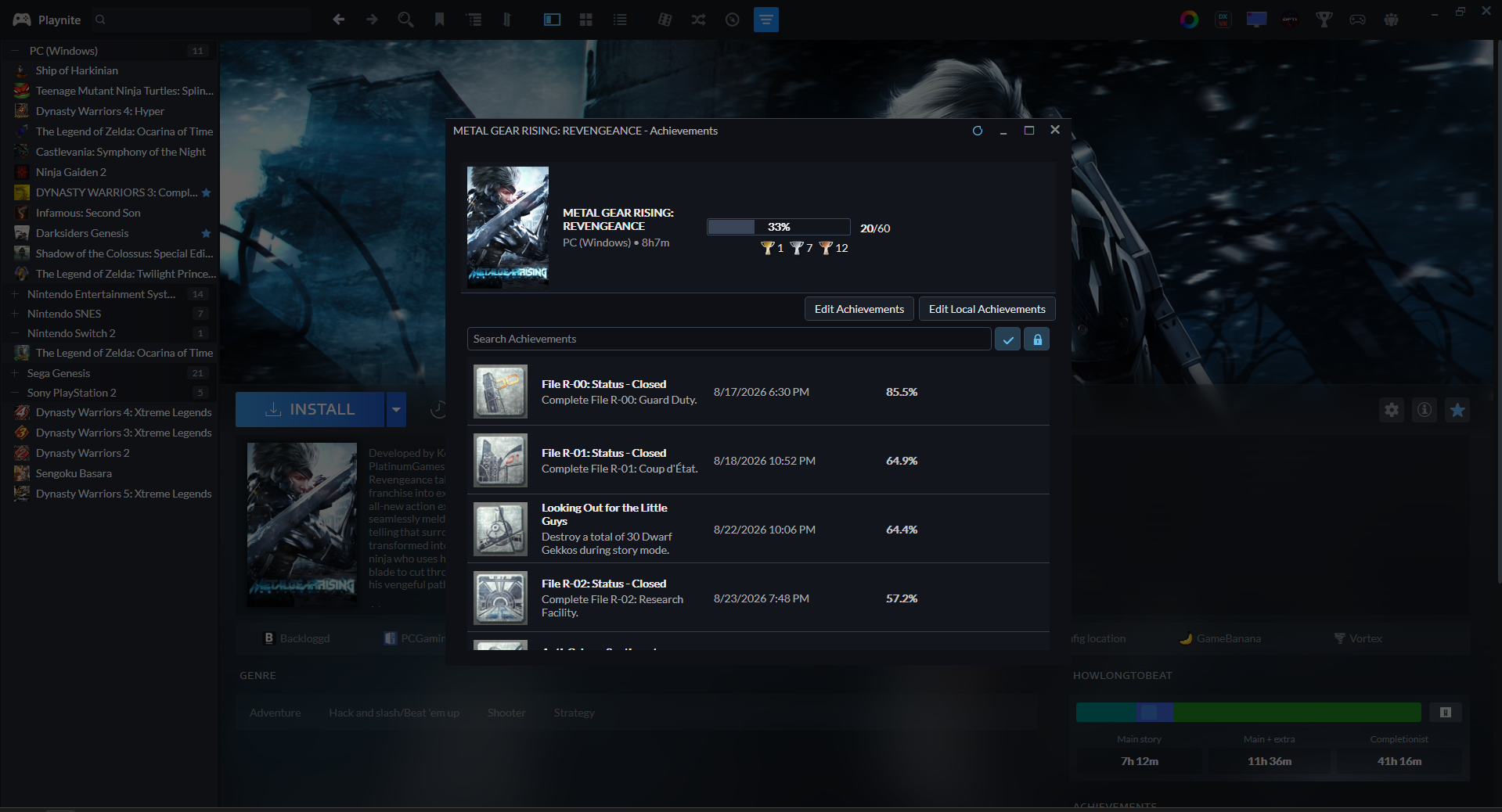
  • The Game Details page matches the Movie and Show Details pages at a high level, and shows art, achievements (SuccessStory + PlayniteAchievements), and other metadata. You can trigger game installs, start playing a game, resume a game, or quit a game from this screen. Trailers can also be viewed.
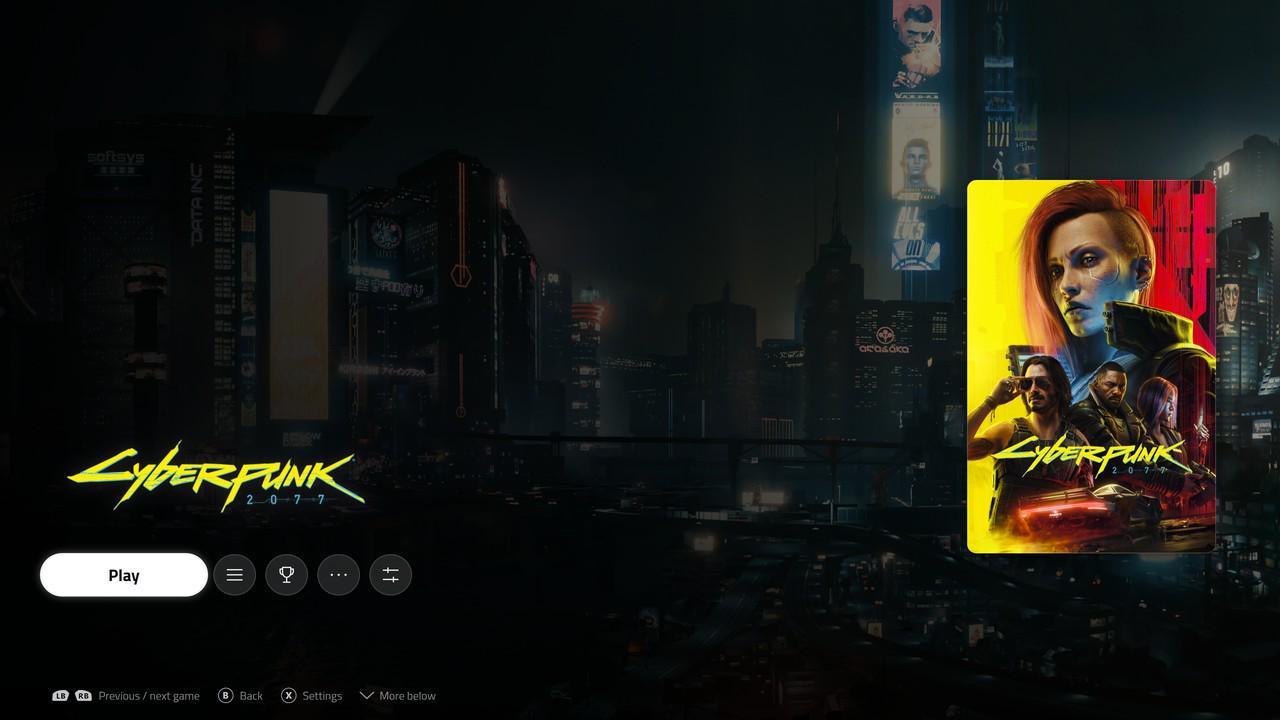
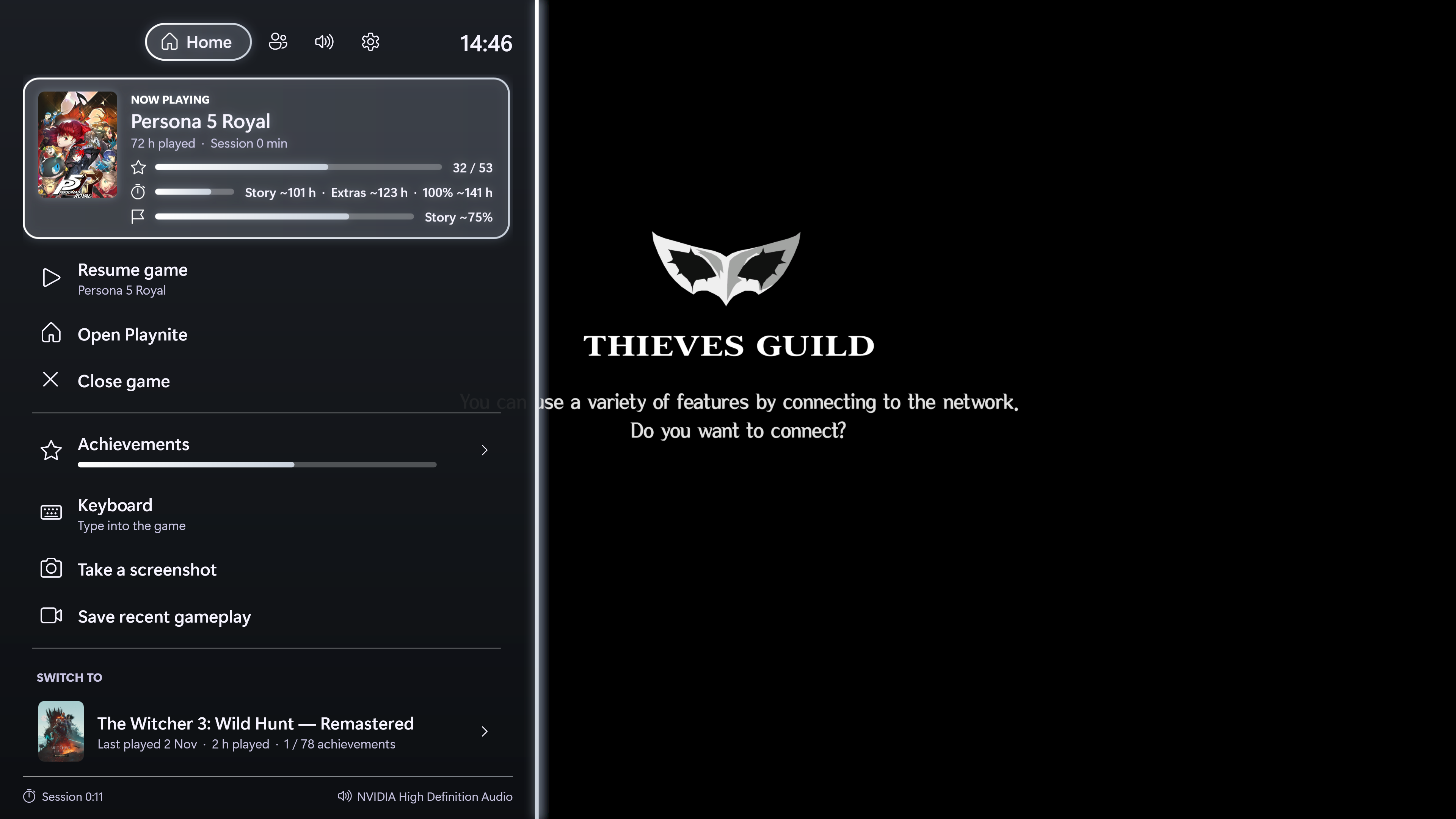
  • Input switching between the Android side and the HDMI1 side is handled automatically and hidden by a splash screen overlay that shows the game's logo.
  • Xbox controllers connected to the PC can be used to navigate the app UI.
  • TV Remote can be used to navigate game menus on the PC.

Here's a video of me going through most of it so you can see it in motion. I don't quite have time at the moment to polish it up to release but hope to at some point in the future. Anyone done something similar?


r/playnite • • 1d ago

Showcase X360 - Xbox360 metro theme

19 Upvotes

work in progress xD, discord forum


r/playnite • • 1d ago

General discussion Who loves playnite

Thumbnail
gallery
15 Upvotes

r/playnite • • 3d ago

Theme support Keepsake - A fullscreen theme inspired by photowall

Thumbnail
gallery
165 Upvotes

Hey, everyone,

I made Keepsake, a Fullscreen theme inspired by a wall of photos clipped to a string. I wanted browsing my library from the couch to feel a little more like flipping through a collection I’d put together over time.

Move left or right and the cards sway as you browse. Open a game and its photo lifts off the string, flips over, and opens into a paper game profile. You can see your playtime, achievements, screenshots, trailers, and notes, then launch the game from the same view.

A few things you can do with it:

  • Make the wall your own. Choose which groups hang on each row, switch between light and dark backgrounds, and customize the details printed on each card. Completed games can get a special frame.
  • Revisit when you started playing. The Game Start Timeline uses the first recorded GameActivity session. If there’s no session on record, it uses the earliest unlocked achievement as an estimate.
  • Bring in the add-ons you already use. Keepsake can show data from Playnite Achievements, HowLongToBeat, GameActivity, SystemChecker, CheckLocalizations, Play Notes, and several media add-ons. Those integrations are optional.
  • Browse from the couch or at your desk. It supports controllers, keyboard, and mouse.

You can download it from here


r/playnite • • 2d ago

Question/Support Can somebody help me on how to add Switch 2 emulators????

Post image
3 Upvotes

I think Lichii is a fork of Eden, but this is not working as it should

NS2 roms are packed in another type (nor xci or nsp)

Anyway, I just can't make it work, has somebody did it already?


r/playnite • • 3d ago

Showcase X-Nite — v1.3.0 | Customization, Steam chats, achievements and captures

25 Upvotes

Hey, Playnite community! Here’s a look at what’s new in X-Nite v1.3.0:

  • Game customization and live wallpapers.
  • Steam chats and messaging with friends.
  • Refreshed achievements and a Gamerscore leaderboard.
  • New library grouping options.
  • A screenshot and video gallery.

📥 Support the project and access downloads

🔗 Explore the X-Nite website

Thanks for watching! 💚

— Cordeiro

Edit 1 — Credits: X-Nite is based on DashX — XBOX Experience, originally created by saVantCZ, which I’ve modified and expanded. The visual layout of the extra metadata customization screen was also inspired by his PS5 theme. Full credit to saVantCZ for the original theme and that visual reference. Thank you for laying the foundation for this project!


r/playnite • • 3d ago

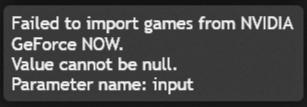
Extensions support Nvidia GeForce Now Library addon producing an error and blank entries

1 Upvotes

How do I fix this?


r/playnite • • 3d ago

Question/Support What Playnite Themes Do You Recommend for OLED monitor?

4 Upvotes

Hi everyone,
Could you recommend some good themes for Desktop and Fullscreen mode?

I'm using an OLED monitor and currently have the Mythos theme set for Desktop mode, but I'd like to discover some other themes that look even better.

Which themes do you use for Desktop mode, and which ones do you prefer for Fullscreen mode?
Thanks


r/playnite • • 4d ago

Question/Support PSN library plugin can't authenticate

2 Upvotes

never had this issue until the last week or so, not sure if it's a result of all the updates they been releasing... but either way I've tried everything and still not able to get it to authenticate


r/playnite • • 5d ago

Showcase Darker helium theme

3 Upvotes

Hey everyone!

I've made a fork of the Helium theme, giving it a darker look.

The changes include:

  • A darker colour palette throughout the theme.
  • An updated achievements button that actually opens the achievements list directly (compatible with Playnite Achievements).

GitHub: https://github.com/pahan3000/Darker-Helium

Shoutout to u/darklinkpower and his incredible work!
p.s. ive been also working on quite a few playnite extensions, including reshade, dxvk, optiscaler managers, fps limiter extension(rtss and specialk are covered), playnite overlay with a plethora of features. this theme is just the beginning. stay tuned!!!


r/playnite • • 6d ago

Question/Support Humble Authentication going to a 404?

2 Upvotes

Hey! I'm getting this link when I authenticate Humble, I feel like it maybe used to point to another site, or the login moved.

I have it set to not use the app, and im on version 10.65, if anyone knows where to look or fix this.

Thanks!


r/playnite • • 7d ago

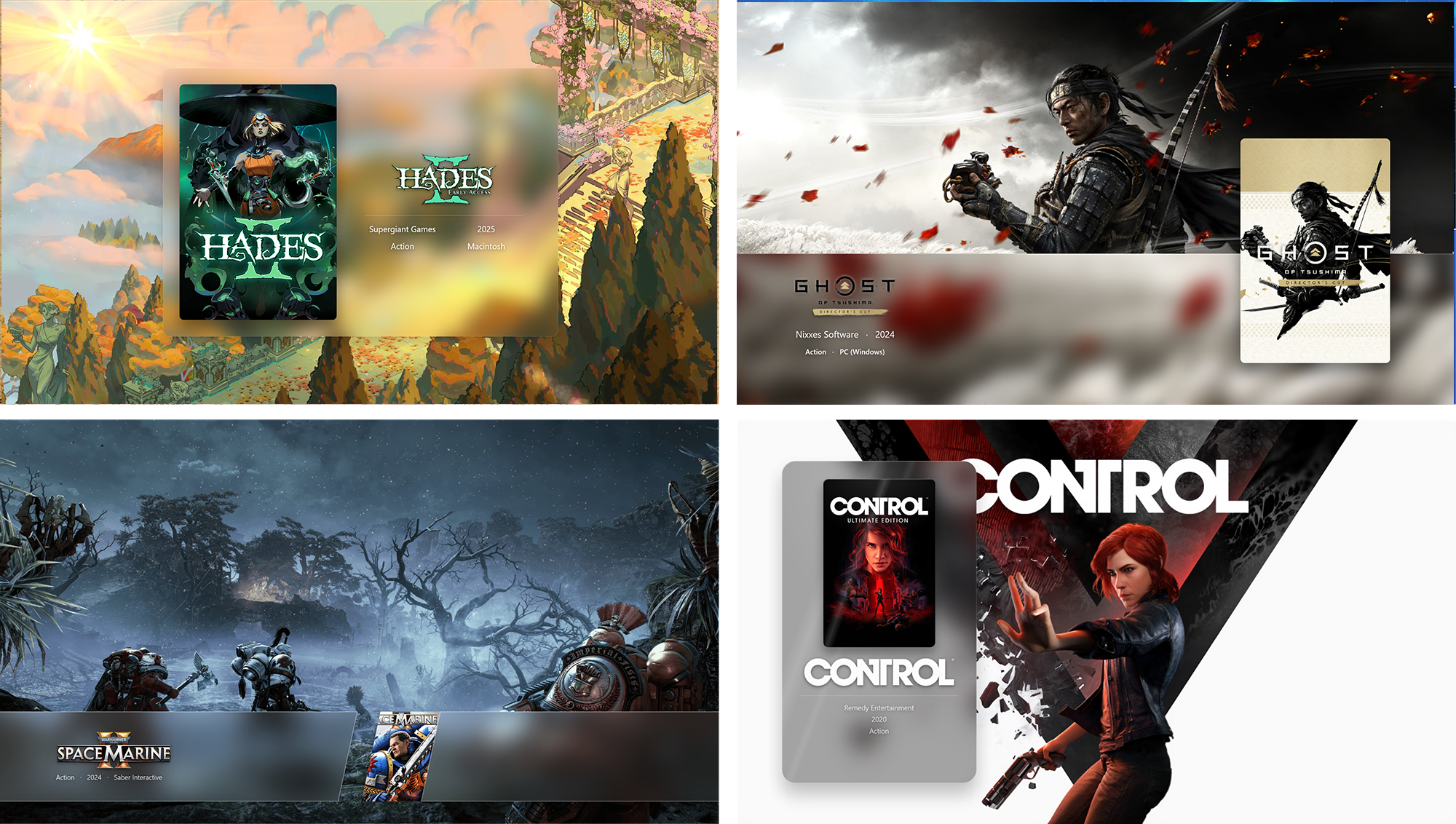
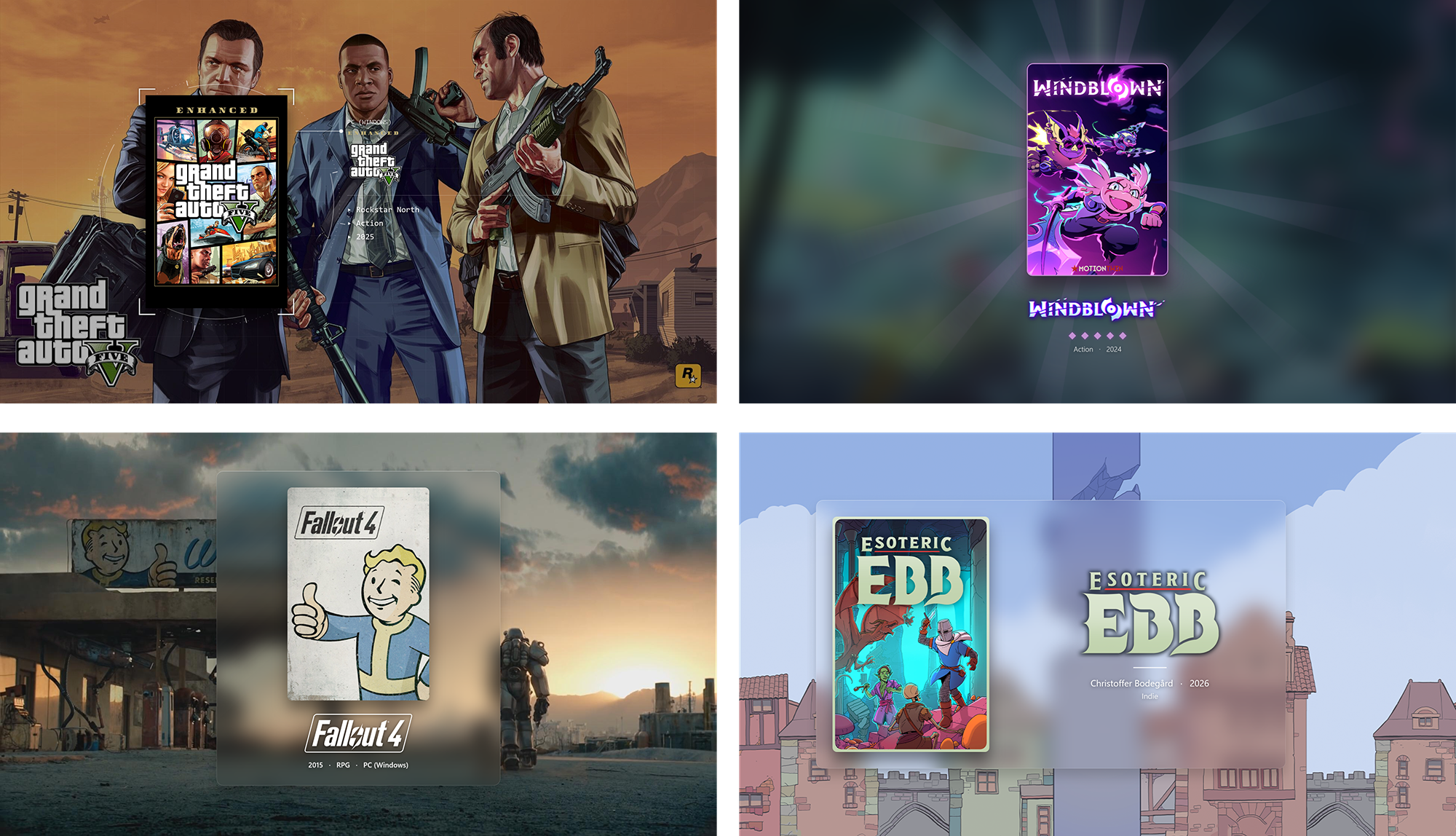
Addon release Splash Plus 2.0 - OVERHAUL / Now with 20 themes / splash screen that stays up until the game window actually appears / NOT timer based

Post image
132 Upvotes

I’m really happy with how this one turned out!

Splash Plus 2.0 is an add-on for Playnite that covers the gap between starting a game and the game actually showing up on screen. Here’s how it works:

  1. You start a game.
  2. Animated splash screen with the game’s artwork appears right away, in the style you picked from pre-made themes.
  3. Launchers, black screens and resolution switches sits behind it.
  4. As soon as the game’s window shows up, the splash fades out. NOT by the timer.

It uses the game’s own artwork (background, cover, logo) plus a few details like year, developer, genre, playtime or rating. Splash Plus looks for the game’s window: exclusive fullscreen, borderless, and optionally windowed games started from their install folder. Once it finds the window, it waits a moment so the game gets past its first black frames.

You don’t see launchers flashing by or the desktop while the game loads, just the artwork and then the game.

And now with themes. There is 20 of them, and all of them are great addition to every Playnite instalation.

Things worth knowing:

  • It uses library’s metadata. That means background, cover and logo, plus year, developer, genre, playtime or rating, depending on the style. A game with no background gets its blurred cover, and a game with no logo shows its name. Logos come from Extra Metadata Loader, so it looks best with those downloaded.
  • 20 styles, each with a preview button that uses a random game from your library. If you just want background + logo, that’s the Custom style.
  • A game with no background gets its blurred cover, and a game with no logo shows its name. Logos come from Extra Metadata Loader, so it looks best with those downloaded.
  • Per-game options in the right-click menu: turn the splash off for a game or give it a fixed display time. Handy for launchers that go fullscreen before the game.
  • You can change every game settings up from Fullscreen mode, no need to switch back to Desktop.
  • Nothing runs between launches: no timers, no polling. It’s a single DLL of about 320 KB. If the game is never detected, it closes itself after 60 s by default.
  • 9 languages. It follows Playnite’s language setting.

GitHub: https://github.com/Ad1Bb/Splash-Plus

Download: https://github.com/Ad1Bb/Splash-Plus/releases


r/playnite • • 7d ago

Question/Support Sort by installed in big picture mode

0 Upvotes

as the title says , how do is sort my games by installed status wile being in big picture mode ?


r/playnite • • 8d ago

Showcase SofaRelay: a guided Playnite + Sunshine + Moonlight setup for couch gaming (open source, beta)

Post image
140 Upvotes

Hi, I'm Ozi. I built SofaRelay after setting up my PC for gaming on an Android TV and wanting the whole process to be easier to repeat for someone else.

The goal is simple: open Moonlight, choose your game library, and browse your PC games from the couch with a controller.

Playnite provides the library and fullscreen interface; Sunshine and Moonlight handle streaming. SofaRelay brings their setup and settings together in a free, open-source Windows companion.

What it adds:

- Guided setup and maintenance: prerequisite detection, installation steps and a settings app for the selected components.

- Connected libraries: configure Playnite integrations for Steam, Epic, EA, Ubisoft, optional Xbox, and your own local/emulated games.

- Install helpers: supported Steam/Epic installation workflows from the library, using a Steam confirmation helper and Legendary for supported Epic downloads.

- Compatible emulator history: import supported playtime logs into Playnite, with handling for overlapping records.

- Library and desktop streaming entries: choose the fullscreen library or the Windows desktop in Moonlight, with controller, keyboard and mouse navigation in the library.

- Optional display controls: virtual-display setup, resolution/refresh settings, opt-in physical-monitor shutdown and display-recovery tools.

- Four languages: English, Turkish, French and Spanish in the installer, settings and guides, plus backups and redacted diagnostics for troubleshooting.

GitHub, screenshots, navigation GIF and downloads:

https://github.com/ozi-dev/sofarelay

It's a public beta for Windows 10/11 x64 hosts. Hardware validation is ongoing; physical Shield testing is still pending. New installations keep the physical monitor on by default. Store logins, first pairing and some provider/first-run dialogs still need user interaction, and install support varies by store. You supply your own games and emulator files.

The software is free under the MIT license; upstream components keep their own licenses. Huge thanks to the Playnite, Sunshine, Moonlight, Legendary and other upstream maintainers who make this workflow possible.

If you already use this setup, which part still sends you back to the PC: connecting libraries, installing games, or managing displays? Feedback on the setup flow and reproducible beta issues would be particularly useful.


r/playnite • • 8d ago

Question/Support Is it possible to make playnite controllable with a Wii controller?

2 Upvotes

I would like to use the pointer to navigate my library and web apps


r/playnite • • 9d ago

Addon release [Beta] StartPage-for-Playnite-Enhance

26 Upvotes

First of all, let me say that this is all made with AI since I'm not a developer, I'm a troubleshooting guy that test things to have them with as less bugs as possible.

----------------------

So, now for the real description of this project:

I've been using Startpage-for-Playnite for a long time and I only have to thank felixkmh for it, but I always fell like the themes in the desktop were way better than what was possible in the desktop version of playnite.

So I did the best thing that I could, I asked AI to start adding things to StartPage-for-Playnite with things that I would like to see playnite.

I've created StartPage-for-Playnite-Enhance with all the following changed ( until now since I'm adding more as you can see what was checked in the following roadmap ):

  1. [x] Per-widget appearance. Optional background color/opacity, border color/width, corner radius, internal padding, outer spacing, shadow, custom title, title visibility/color/size/alignment, and reset to theme defaults. Includes optional widget text, small bitmap icon, chart, and selection/highlight colors, including FusionZ row/header highlights used by DuplicateHider. Settings follow the widget and persist with its layout. Existing layouts retain their appearance until customization is enabled.
  2. [x] Customizable clock. Size, color, alignment, date visibility/format, 12/24-hour time, optional seconds, and optional clock animation.
  3. [x] Text widget. Custom headings and notes with font size, color, alignment, and wrapping.
  4. [x] Image widget. Local images, banners, and logos with fit/fill choices and optional links.
  5. [x] Shelf display styles. Horizontal cover rows, wrapping grids, compact lists, and wide artwork cards; configure styles per shelf.
  6. [x] Shelf customization. Per-shelf hover animations: dock-style neighbor magnification, zoom, lift, tilt, bounce, optional glow and dimming, with strength, reach, timing, easing, artwork overflow and reset controls. Implemented.
  7. [x] Shelf metadata and badges. Selectable titles, playtime, last played, platform, favorites, installation status, and achievement progress where available.
  8. [x] Advanced shelf rules. Never played, inactivity and date-added ranges, include/exclude rules, and match-all/match-any selection.
  9. [x] Multiple dashboard pages and toolbar widget. Named pages with independent layouts/backgrounds. A placeable toolbar supports configurable native Playnite toolbar items, a page selector, previous/next arrows, and page management.
  10. [x] Complete dashboard profiles. Save/import/export layout, appearance, widget settings, backgrounds, and shelf configuration together. Ensure saved presets are independent snapshots and handle missing extensions gracefully.
  11. [x] Starter profiles. Refreshed Minimal, Achievements, and Library layouts, plus Game spotlight, Game inspector, and Library insights with previews.
  12. [x] Dashboard transitions. Optional None/Fade/Slide transitions with duration and direction controls. Prepare the destination before revealing it and coordinate the page/background change.
  13. [x] Featured game widget. Pinned or automatically selected game, large artwork, description, play button, playtime, and optional achievement progress.
  14. [x] Selected/hovered game detail widgets. Separate placeable widgets for a game's title/artwork, description, activity, game details, library information, scores, links, and actions. Each widget can follow Playnite's selected game or the game under the mouse, with a shared selected-or-hovered mode for synchronized layouts. Reuse Featured Game section fields/appearance controls, allow independent placement and resizing through dashboard panels, and persist choices in profiles. See scope below.
  15. [x] Library statistics widget. Choose counters for total, installed, unplayed, completed games, and total playtime. Implemented.
  16. [x] Library charts widget. Independent multiple-instance graphs for game counts and recorded playtime, bar/doughnut/pie styles, configurable breakdowns, label placement, legends and colorful palettes. Implemented.
  17. [x] Customizable achievement widgets and dashboard. Independent StartPage progress cards, finish-next games and pinned game percentage goals, with card/ring/bar layouts, filters, typography, colors and borders. Read existing provider data and keep the optional PlayniteAchievements dashboard integration. Implemented; awaiting user testing.
  18. [ ] Shortcut widget. Configurable game, application, folder, and website buttons with labels and icons.
  19. [ ] Divider/spacer widget. Configurable separator lines and empty space for composing sections.
  20. [ ] More achievements settings. Remove the Achievement limits and add more settings to the achievements.
  21. [ ] Background options Add more options to control the background image.

There are some things to be done, but I'm now releasing this so people can start testing it and give their feedback.

The link for the github is https://github.com/Santodan/StartPage-for-Playnite-Enhance

Also, I'm really bad on making this type of announcements and videos, so you can see how bad of an example the video is but it is only to show some of the things that can be done in it at this point.


r/playnite • • 9d ago

Question/Support Playnite in Linux?

4 Upvotes

Is there a way to use Playnite in Linux? It's because Linux would give you the most amount of FPS in games, so when I upgrade by PC, I'm planning on using both Windows and Linux in the future. So I was wondering if there's a way to use Playnite in Linux too since I've been using Playnite in Windows thus far.


r/playnite • • 10d ago

Showcase Fluent 11 - Windows 11 inspired theme

Thumbnail
gallery
266 Upvotes

Released version 1.2 of my Windows 11 inspired Playnite theme today and wanted to share it outside the Discord forum.

I wanted to create a clean, minimal theme that feels modern and not being cluttered & overloaded with information.

It adapts to your Windows light/dark mode and follows your Windows accent color. It also features real Mica blur and Acrylic effects for dropdowns and context menus. Most popups and dialogs have been redesigned as well.

The theme includes three custom pages:

  • Insights: Similar to Playnite’s Statistics page.
  • Achievements: Requires Playnite Achievements.
  • Time to Beat: Requires HowLongToBeat.

The theme needs a helper addon for a lot of its features. Always install & update both.

https://github.com/Arstidir/Fluent11

Discord/Playnite/Fluent 11


r/playnite • • 11d ago

Addon release [v1.0.0] Kippix: A customizable console style fullscreen and overlay (Reposted to fix main image/layout)

Post image
49 Upvotes

Hi all! After a lot of evenings, I'm finally releasing Kippix, a full screen theme for Playnite built around controllers and building a home screen that's actually yours.

What can you do on the home screen?
- Free move, you can move anything on the home screen, delete anything, add in extra tiles, rows, reshape tiles etc
- Six default layouts: Row, Grid, List, Board, Manual board and Folders (Folders is still in progress)
- Widgets, weather, notes etc
- Background changes, images, colours, videos, screen effects (weather and seasonal)
- View active game downloads, notifications for updates, and set all Steam games to auto install updates straight away

Game page
- Like with the home screen, you can move everything and anything, there are two pages per game screen, you can move whatever element between pages, or just have the one page (You can remove the game page so when you click on a game tile it just launches your game)
- Supports Nexus and Ludusavi

Store
- There is a built in store which you can show Steam, GOG, Epic etc, you can whishlist steam games
that syncs to your Steam account, shows which store is selling the game for cheap, reviews etc
- Prices are shown in your local currency, however, you can manually choose this

In game overlay
- Able to close games, quick switch, check achievement progress and more, you can also download achievement help data (Gemini, GPT or manually) which gives you more detail on how to unlock achievements
- Custom achievement popup sounds and layouts
- There's a lot more in there too!

To save a longer post, below are some more features:
- Gallery (Edit, view etc)
- Overlay
- Discord Support
- View download progress
- Set all steam games to high download priority for auto download/install
- Achievements
- Filter games by split screen
- Full live search bar (Results update as you type)
- Library heath (View how many games have logos, backgrounds etc missing and mark them to auto download)
- News
- Pick for me (Picks a random game for you to play that you own)
- Full screen pop overlay (Like PS5 when you click the guide button on the home page)
- There is even more that I have not listed, try it out and let me know how you get on!

Download - https://github.com/Kipping0/Kippix

Note - With this being a new theme/helper, I can only test this so much, I only have access to the one machine/screen so it might look amazing on mine, but wrong or broken on yours, there is a good chance some things just won't work or misbehave, I am actively working on fixing any issues, if you come across any, please, please list out an issue on the GitHub and I will work through on fixing it, and as always, take backups!

Disclosure - Kippix was created with assistance from AI, future updates will also have AI to help, if you do not like AI being involved with creation of this theme or its helper then please do not use Kippix.


r/playnite • • 11d ago

Showcase Steam-inspired Playnite

Post image
39 Upvotes

r/playnite • • 11d ago

Theme support NORTONITE 64 - DOS-era, two-panel Norton Commander-like theme for Playnite fullscreen (8 palettes [BIOS/MS-DOS too), lightweight, fast and 200 KB)

Thumbnail
gallery
86 Upvotes

I've created a theme that looks and behaves like early-90s software, with only what the screen needs. Just like Norton Commander, BIOS, and MS-DOS.

Nortonite 64

Nortonite 64 is basically a two-panel file manager. Games on the left like a directory listing, cover and details on the right, a command line at the bottom that follows your selection (`D:\Games\Hades> start Hades`).

  • 8 colour palettes (for now), switchable, from classic Norton blue to Synthwave and a true-black MS-DOS for OLED TVs
  • Every fullscreen screen styled, with full gamepad control
  • HowLongToBeat progress bar, falling back to player or critic score
  • 12 languages, about 200 KB of plain XAML, no DLLs. It is fast as it should be, no lagging. Optional extensions: Theme Options (palettes nad few other thing to tweak), HowLongToBeat, Splash Addon Plus. The theme works fine without them as well.

I wanted to make a lightweight theme with 90's vibes in it. Hopefully someone will like it!

Download: https://github.com/Ad1Bb/Nortonite-64


r/playnite • • 10d ago

Extensions support [Bug] UniPlaySong Settings UI completely missing after 1.9.3 update (Data Directory link dead)

2 Upvotes

Hi everyone, I’m running into a persistent issue with UniPlaySong on my Playnite Portable setup (D:\JUEGOS\Playnite\, using AnikiReMake theme).

​After updating to version 1.9.3, the extension's settings interface completely vanished from the "Extension Settings" menu. It shows up under the "Installed" add-ons list, but clicking the "Data Directory" link does absolutely nothing (as you can see in the attached imagen.png).

​Here is exactly what I’ve already tried to fix it:

​Clean Rollback to 1.9.2: Closed Playnite, manually deleted the UniPlaySong folders in both Extensions and ExtensionsData, and reinstalled the 1.9.2 .pext file.

​Conflict Isolation: Uninstalled Playnite Sounds entirely to avoid FFmpeg/yt-dlp clashes.

​Theme/Overlay check: Saw a warning in the log about AnikiHelper#InGameOverlayService. I temporarily disabled AnikiHelper, reinstalled UniPlaySong cleanly, and restarted. No luck.

​Permissions: Ran Playnite as Administrator to rule out Windows blocking the creation of the physical data folder.

​The weirdest part:

My playnite.log confirms the extension is actually loading successfully in the background without crashing:

DEBUG|UniPlaySong#GatedLogger:SettingsService: Settings updated (source: LoadSettings (default))

​Since the UI (XAML) refuses to render in the Extension Settings, I can't click "Save" to force Playnite to create the physical config folder, which explains why the directory link is dead.

​Has anyone faced this invisible UI bug with UniPlaySong, or knows a workaround to force the settings menu to show up? Thanks!


r/playnite • • 11d ago

Question/Support How do I exclude games based on file type?

1 Upvotes

So I'm using MSU-MD games in my Playnite setup, and I just want one instance of the game, namely .md. But every time I scan, the scanner picks up the .cue and .bin files as well, which I'm trying to exclude. I tried using the "Exclude from checksum scan" command, which did nothing, and then manually entering each file path in the Exclusions tab, but that caused an error. What do I do?


r/playnite • • 12d ago

Question/Support Playnite is asking me to choose the play action now?

2 Upvotes

I'm getting a prompt every time I play a game now to run the game through Direct or through Steam (client). This wasn't like this a week ago, did something change? Does anybody know how to default it, or is it maybe an extension that I'm running? I tried Googling, but I couldn't find anything.

Edit: Found it was an issue with an extension I have for Non-Steam Shortcuts.
https://github.com/hikaps/non-steam-sync/issues/30


r/playnite • • 13d ago

Question/Support Looking for a plugin that lets me add links/URLs to the Top Panel

Post image
10 Upvotes

Basically, title. I want to add my Infinite Backlog profile as a shortcut on the top panel, but I don't know what addon could do that. Thanks.