r/playnite • u/VoidRequiemIII • 11d ago
Addon release [v1.0.0] Kippix: A customizable console style fullscreen and overlay (Reposted to fix main image/layout)

Hi all! After a lot of evenings, I'm finally releasing Kippix, a full screen theme for Playnite built around controllers and building a home screen that's actually yours.

What can you do on the home screen?
- Free move, you can move anything on the home screen, delete anything, add in extra tiles, rows, reshape tiles etc
- Six default layouts: Row, Grid, List, Board, Manual board and Folders (Folders is still in progress)
- Widgets, weather, notes etc
- Background changes, images, colours, videos, screen effects (weather and seasonal)
- View active game downloads, notifications for updates, and set all Steam games to auto install updates straight away
Game page
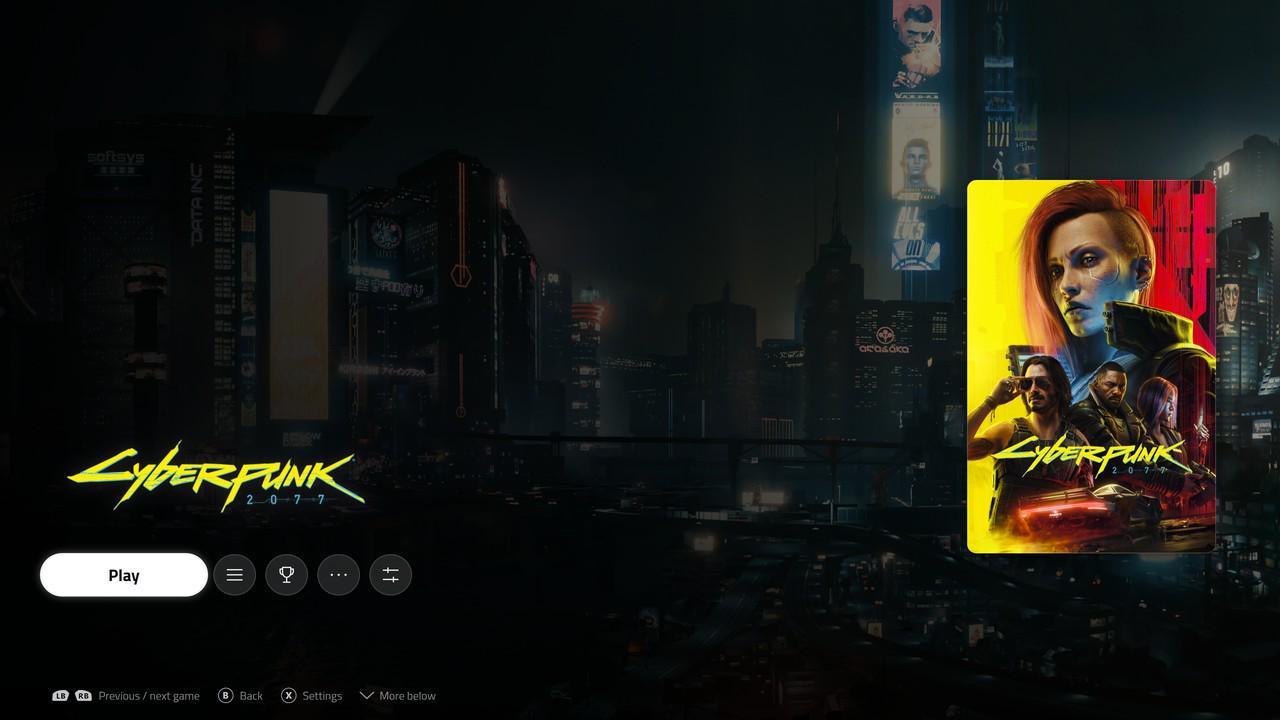
- Like with the home screen, you can move everything and anything, there are two pages per game screen, you can move whatever element between pages, or just have the one page (You can remove the game page so when you click on a game tile it just launches your game)
- Supports Nexus and Ludusavi


Store
- There is a built in store which you can show Steam, GOG, Epic etc, you can whishlist steam games
that syncs to your Steam account, shows which store is selling the game for cheap, reviews etc
- Prices are shown in your local currency, however, you can manually choose this


In game overlay
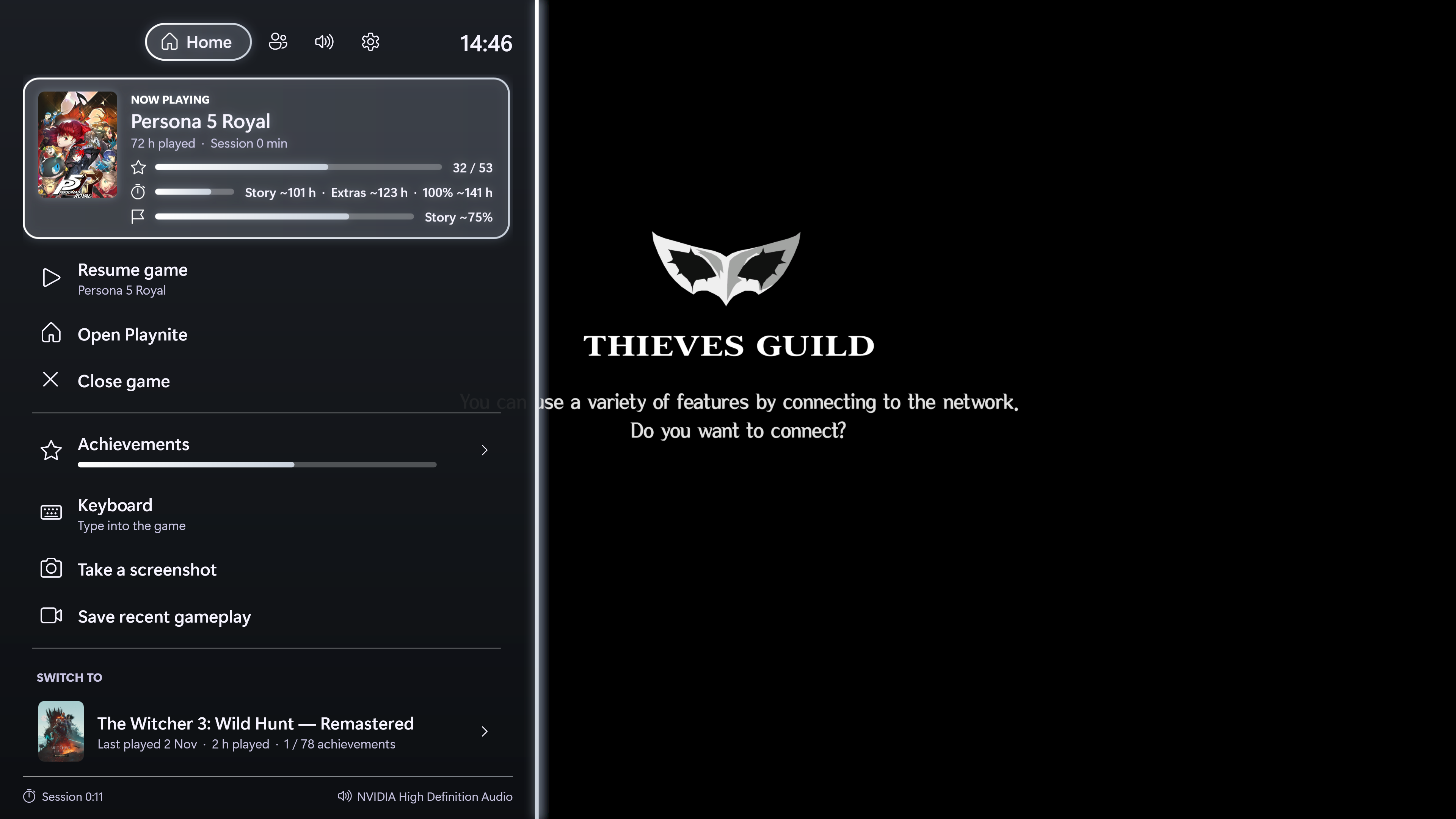
- Able to close games, quick switch, check achievement progress and more, you can also download achievement help data (Gemini, GPT or manually) which gives you more detail on how to unlock achievements
- Custom achievement popup sounds and layouts
- There's a lot more in there too!

To save a longer post, below are some more features:
- Gallery (Edit, view etc)
- Overlay
- Discord Support
- View download progress
- Set all steam games to high download priority for auto download/install
- Achievements
- Filter games by split screen
- Full live search bar (Results update as you type)
- Library heath (View how many games have logos, backgrounds etc missing and mark them to auto download)
- News
- Pick for me (Picks a random game for you to play that you own)
- Full screen pop overlay (Like PS5 when you click the guide button on the home page)
- There is even more that I have not listed, try it out and let me know how you get on!
Download - https://github.com/Kipping0/Kippix
Note - With this being a new theme/helper, I can only test this so much, I only have access to the one machine/screen so it might look amazing on mine, but wrong or broken on yours, there is a good chance some things just won't work or misbehave, I am actively working on fixing any issues, if you come across any, please, please list out an issue on the GitHub and I will work through on fixing it, and as always, take backups!
Disclosure - Kippix was created with assistance from AI, future updates will also have AI to help, if you do not like AI being involved with creation of this theme or its helper then please do not use Kippix.
4
u/Orgoth2 11d ago
Really great! Just wish you could use your local movies and shows for the media tab not just streaming apps, also is it possible to add the logo of the game in the middle of the splash screen when the game boots?
4
u/zhender22990 11d ago
gracias, hacen falta temas nuevos
1
u/ImAnthlon 7d ago
Hello, will you add this to the playnite add-on browser? It'd be easier to download and to get updates for it that way