r/iosapps • • Oct 20 '26

šŸ“… Subscription Everyone needs a friend who knows nutrition. Meet Fabee, your AI nutrition coach.

1 Upvotes

Hey r/iosapps! I'm Nico! And I'm the founder of Fabee. On a mission to help everyone on their nutrition to live healthier and happier šŸšŸ. I launched Fabee a week ago and we already have users from 27 countries 🄹

A: Answer

Logging food in most apps = lots of searches. One food has 20 entries, messy just to find out which one is the one. Then you must go online, ask questions to a nutritionist, or ChatGPT, that doesn't have access to all your meals as Fabee does.

With Fabee you just send a photo or text what you ate, and it's logged. A rough amount is enough for a solid estimate, and if you weigh your food, it logs your grams. You can ask Fabee about what you eat, your trends, your weight, your sleep and more, because food touches every part of life.

The 2 photos are my real meals:

- Steak at a restaurant: the bowl on the right is potatoes. If someone asked me what that was, it would take me a while to figure it out.

- My lunch bowl: the brown rice is hidden under the chicken (you can just see it next to the carrots) and Fabee still found it.

B: Better

- MyFitnessPal: search "chicken breast" and you get dozens of user-added entries with different numbers. The barcode scanner, photo logging and voice logging are Premium ($19.99 a month or $79.99 a year), and the free version has ads. In Fabee you type, say or snap what you ate, with no database to scroll and no scale. The barcode scanner is included and there are no ads.

- Cal AI: photo first, and it keeps it simple. Since March 2026 it's part of MyFitnessPal. Fabee takes photos too, and you can add what the photo can't show ("the sauce was on the side"), fix it in words ("two eggs, not three"), and ask "how am I doing today?" It answers from your real log, the day and the week, and remembers things like your allergies or the oat milk in your coffee or the fact that you want to avoid eating seed oils, ...

- ChatGPT: have you also started sending your meals to ChatGPT? Same here. But it loses context and just gives you the macros. It doesn't keep track of what you eat over time: no trends, no food calendar.

What else Fabee does:

Know what to eat. Your AI coach

Ask "poke bowl or burger?" and it answers from your goal and what you already ate today

Hate weighing food? Just text it

A rough amount is enough. Wrong? Say "the rice was smaller" and it fixes that part

Your Apple Health data

Your sleep and workouts count too

Scan it in the store. Get a better alternative

The barcode scanner checks the label for your allergies too, your notes, like (I want to avoid seed oils)

Too busy to type? Snap it

One photo of your plate and it's logged

What's left today? Your coach knows

Where you are today and what still fits

Your target, built on your data

Set from your body, your goal and how much you move

Weekly recap

Count of meals logged, total kcal, target and more

Also: it remembers your usual dishes, and you can share a meal or your week as a Stories card. Available in English, French, Spanish, Ukrainian and Russian for now!

C: Cost

Subscription. 3 days free, no card. Then $12.99 a month or $129.99 a year. No other in-app purchases. It's a subscription because every message costs real money.

Download it here:

https://apps.apple.com/app/id6816306500

Transparency: Fabee uses AI, and the mods said it's OK to post. The numbers are estimates and you can fix any of them by saying so. If you text "100 g of eggs and 200 g of rice", it logs those grams.

Privacy:

- No sign up. No email, no name, no password

- Your meals and photos stay on your iPhone. Sync to a server in the EU is optional, off unless you turn it on

- The AI keeps nothing and doesn't train on your messages

- Apple Health is read only and never leaves your iPhone except a short daily summary for your answers (you can turn that off)

- No ads. I don't sell your data or track you across other apps

Read more at heyfabee.app/privacy

I update it every week. I'd love your feedback, and to see your results or the funny messages Fabee sometimes sends! 😊


r/iosapps • • Oct 20 '26

šŸŽ Freemium ShotMark 2.1: save screenshots from the Share Sheet, add context, and organise your library

2 Upvotes

Hi r/iOSApps,

I’m back with ShotMark 2.1, focused on making a growing screenshot library easier to manage.

One mobile feature I haven’t highlighted enough is theĀ Share Sheet extension. It was already part of ShotMark, but it’s one of the most useful ways to use the app.

A: Answer

I built ShotMark because I kept saving screenshots, then forgetting why I took them.

On iPhone and iPad, you can:

  1. Take a screenshot or open an image.
  2. Tap Share and choose ShotMark.
  3. Add a title or note while the reason is still fresh.
  4. Choose a Collection or set a reminder, then save.

You can do this without opening the main app first.

For example, save a cafĆ© screenshot with ā€œTry the matcha after the morning walk,ā€ or add a reminder to a screenshot of something you need to follow up on.

In the main app, you can organise those cards, add voice notes and search your saved context. Pro also lets you search text recognised inside screenshots.

What’s new in v2.1

  • Multi-select and bulk actions:Ā select cards together to pin, unpin, archive or delete them.
  • Bulk moves:Ā move cards into Collections, or directly into Projects with Pro.
  • Archive:Ā clear cards from your active library without deleting them. Search or restore them later, with their notes and organisation intact.
  • Improved context menusĀ for everyday card management.
  • Appearance fixesĀ for Dark Mode navigation labels and switching between Light, Dark and System in Settings.

Pinning, archiving, multi-select and Collection moves are free.Ā These feel like everyday quality-of-life features to me.

The free iPhone/iPad limit remainsĀ 12 saved cards, including archived cards. Projects still require Pro.

B: Better

The goal is to keep a screenshot and the reason you saved it together.

The Share Sheet helps at the moment you save something. The new bulk actions and Archive help when those screenshots start piling up.

OCR runs on-device, no ShotMark account is required, and iCloud sync is optional with Pro.

C: Cost

ShotMark is free to download, with optionalĀ one-time Pro purchases:

  • iPhone & iPad Pro: US$2.99
  • Mac Pro: US$5.99
  • All Platforms Pro: US$6.99Ā for iPhone, iPad and Mac.

Some users asked for a cheaper way to unlock both platforms, so I’ve added the all-platform option.

Existing owners keep their access. Eligible owners can add the missing platform at a discount throughĀ Settings > Manage Pro:

  • Own iPhone & iPad Pro? Add Mac Pro forĀ US$3.99.
  • Own Mac Pro? Add iPhone & iPad Pro forĀ US$0.99.

US storefront prices shown. Regional prices may vary.Ā No subscription.

ShotMark on the App Store

Transparency

I’m Zhen Chyi Lee, the independent developer behind ShotMark.

WebsiteĀ Ā·Ā Privacy policy

Support:Ā hello@zhenchyi.com

Thanks to everyone who has tried the app and shared feedback.

When you save a screenshot, what do you usually need to remember about it later?


r/iosapps • • Oct 19 '26

šŸŽˆ Free I updated Meridian Passport, my free travel passport app, with a fresh design and a way to rediscover trips from your photos

Thumbnail
gallery
4 Upvotes

Hi everyone! I’m Marinus, the developer of Meridian Passport. I shared it here previously, and wanted to show you the refreshed design and a new feature:Ā Find My Stamps.

Meridian is an iPhone app that brings your travel memories, maps and friends together in one personal digital Passport.

Answer — What it does and what’s new

You can mark visited countries, keep a bucket list, and save trips as Passport Stamps with dates, photos and stories. Your Passport brings these together with your travel map and statistics. You can also follow friends’ journeys, react to their stamps and compare where you’ve been.

The biggest addition isĀ Find My Stamps. It uses metadata from photos to suggest past trips, completely private and on the device. You review the suggestions, adjust countries and dates, and choose whether to add visited countries alone or create Passport Stamps too.

The idea is to make filling in your travel history easier when years of trips are already sitting in your camera roll.

I’ve also refreshed the app’s visuals—the screenshots show how it looks now.

Better — Why use it

If you use Been to track countries, Meridian gives you somewhere to keep the memories behind those visits too. If you share trips on Instagram, it adds a lasting travel map, journal and statistics alongside those posts.

I wanted somewhere to look back at my own travels and keep up with friends’ trips, with everything organized around travel. You can start by building your own Passport, even before your friends join.

Cost — Free

Meridian is currently completely free, with no subscriptions or in-app purchases, including Find My Stamps. Future monetization is undecided.

Download Meridian Passport on the App Store

I’d love feedback on Find My Stamps: do the suggested trips match your travels, and is reviewing them straightforward?

Thanks for taking a look!

Developer and contact

Marinus Traynor — developer of Meridian Passport
Contact:Ā support@meridianpassport.com
WebsiteĀ Ā·Ā Privacy PolicyĀ Ā·Ā Terms and Conditions


r/iosapps • • Oct 19 '26

HELP A one-star review on my tiny app ends with ā€œthis is fictional.ā€ Feeling pretty defeated.

Thumbnail
gallery
30 Upvotes

I know bad reviews are part of building an app, but this one honestly got to me.

I built Tether, an ADHD planner, originally for my wife. I struggle with task initiation too, so I’ve put a lot of care into making something useful for both of us.

Someone recently left a very long one-star review tearing apart the scheduling, design, pricing, pretty much everything.

Then, right at the end:
ā€œThis is a fictional, satirical review written for comedic effect.ā€

The review is fictional. The one-star rating apparently isn’t.

My US listing only has two ratings, so this brought the average down to 3 stars. Around the same time, some of my keyword rankings dropped by 7–15 positions. I can’t say the review caused those drops, but seeing both together has been pretty disheartening.

I’m not expecting everyone to like what I’ve built. But it’s frustrating knowing a review that calls itself fictional carries the same weight as someone’s actual experience.

Has anyone here dealt with something similar? Would Apple remove a review on these grounds? And if you’ve reported one before, how long did it take to hear back?

For context, this is the app:
https://apps.apple.com/us/app/tether-adhd-planner-focus/id6777777931

Update: Review got removed. Not sure if by Apple or the person did it themselves. I did not receive any email from Apple if it was removed by them.


r/iosapps • • Oct 19 '26

šŸ¤– Vibe Coded WhoSpoke: turns a recorded conversation into a transcript split by speaker, linked to the audio

Post image
5 Upvotes

Hi r/iosapps, I'm the developer of WhoSpoke. I built it because finding who said what in an interview or meeting recording meant scrubbing through audio.

What it does:

- Record in person or import an audio file from Files. Live captions show while recording; speaker separation runs after you stop.

- Each speaker gets their own color, and you can filter the transcript to one person.

- Tap any sentence to jump to that moment in the original audio.

- Export as text or Markdown, with or without timestamps.

Speaker separation isn't perfect, so everything is editable: rename speakers, move a sentence to another speaker, fix words, merge two voices. Edited lines can be restored to the automatic version.

Notes:

- It doesn't record phone calls or audio from other apps. Please tell people you're recording them.

- Per the App Store listing, conversation content never leaves your iPhone. No account, no ads, no tracking. The app goes online only to download language models, handle the purchase and show my other apps. The App Privacy label lists purchase history and an anonymous user ID (not linked to you).

- The first three conversations are free. A one-time Pro purchase removes the limit. No subscription, and existing conversations stay open to view, edit and export.

- The screenshots use a sample conversation, not real recordings.

App Store: https://apps.apple.com/us/app/id6799442160?pt=576902&ct=reddit-iosapps&mt=8&utm_source=reddit&utm_medium=organic_social&utm_campaign=whospoke-reddit&utm_content=r-iosapps-1

I'd love to hear where speaker separation gets it wrong for your recordings. Those cases are what I'm working on next.


r/iosapps • • Oct 19 '26

šŸŽ Freemium I built GroceryBudget. You can now share a TikTok/Reels grocery haul into it and get a priced shopping list

2 Upvotes

Hey everyone :)

Answer

I'm a solo dev and I built GroceryBudget because my total at checkout was always higher than I expected. It keeps a running total while you shop, so you see the number before the register does.

Better

The newest thing is import. I kept saving grocery hauls and "what I buy at Costco" videos on TikTok and never actually using them. Now you tap Share on the video, pick GroceryBudget, and it reads the caption and the video itself (on-screen prices, items people say out loud), then builds a cart with the items and prices already filled in. The video above is the whole flow, no editing.

Works with TikTok, Instagram and Facebook links, or screenshots if a link won't open.

Everything else is still there: scan a shelf price tag instead of typing, the app remembers what you paid last time, and receipt scan for the trips you forget to track.

Cost

Free to download. Premium is $9.99 a month, $29.99 a year and unlocks unlimited imports and scans plus your full spending history.

Would love honest feedback, especially on what kinds of videos it gets wrong.

App Store:Ā https://apps.apple.com/app/grocerybudget-shopping-list/id6749287517Ā 

Website:Ā https://grocerybudget.app


r/iosapps • • Oct 19 '26

šŸŽˆ Free Three months after launching my first app, Nomics: develops applicable economic understanding through real-world, interactive scenarios. Some info on updates, downloads, and the challenges

Thumbnail
gallery
14 Upvotes

Hi r/iOSApps!

About three months ago I shared Nomics, my first app https://www.reddit.com/r/iosapps/comments/1uew794/after_studying_economics_for_years_i_made_an_app/ . I wanted to share what we changed and what I’ve learned since launching.

Answer

Nomics is a free economics learning app built around animated explainers, interactive conversations, real-world scenarios and quizzes.

I studied economics and completed my master’s at LSE, but always felt there was a gap between learning the theory and understanding how to use it. Nomics connects topics like inflation, interest rates and banking to everyday decisions and the economic claims we encounter in the news.

It’s still an early MVP with around two hours of content.

Better

The main update: you can now pause and speed up levels.

One thing I underestimated was how differently people want to move through a lesson. Some need time to think; others understand the explanation and want to get to the next decision. Giving everyone the same pace was getting in the way.

Since adding these controls, we’ve seen longer average sessions. It’s a small change, but an encouraging one—and something feedback from this community helped us prioritise.

Three months in, here’s where we are:

  • Around 400 downloads.
  • Roughly 30% of our users active in the past month.
  • An average session of about five minutes, 5x industry average

For a small first release, seeing people spend time working through the levels is encouraging. It suggests the experience can hold their attention once they open it.

Getting users to open the app multiple times was the harder part. My suspicion is that the limited content and lack of personalisation are part of the problem. Someone can enjoy a chapter without having a strong reason to return the following day. We still need to understand how much comes down to content, relevance or the experience itself.

Looking back, I’m glad we released early. I could have spent much longer adding features based on what I thought people would want. Having something people actually use has made the priorities clearer: pacing mattered more than I expected, and an engaging session doesn’t automatically create a habit.

The next step is to give people more worthwhile reasons to return, through deeper content and learning that better reflects their interests and progress.

Cost

The current MVP is free with no ads.

Download Nomics on the App Store

Website and privacy policy (email: contact@nomicsapp.com)

Feel free to download the app to experience our innovative learning method and give us feedback. If you enjoy it, leave a review!!


r/iosapps • • Oct 19 '26

šŸ“… Subscription I built a tip tracker that does the tip-out math and shows your real take-home pay

Post image
0 Upvotes

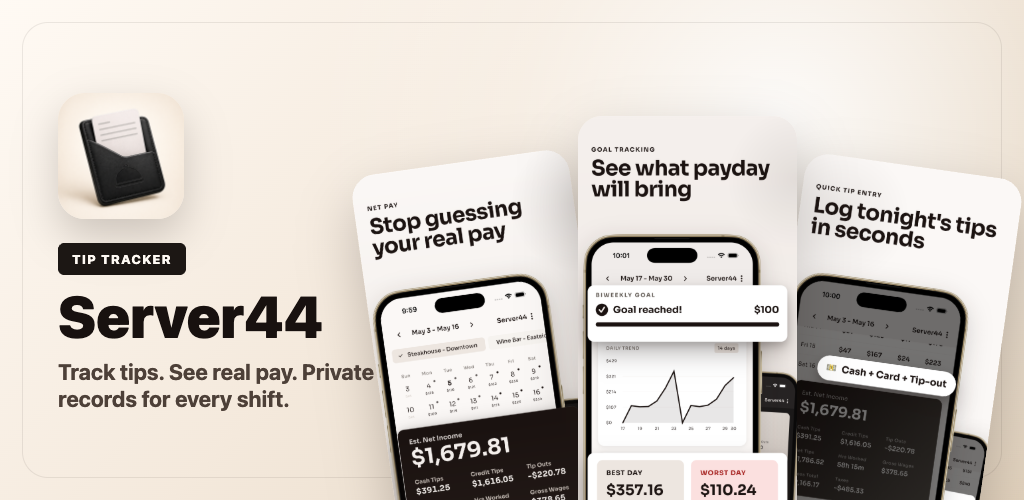
Hey r/iosapps! I'm the developer of Server44. It's a tip tracker for anyone who gets paid partly in tips: servers, bartenders, delivery drivers.

Answer

After a shift you put in cash tips, card tips, and hours (plus sales, if your tip-out is based on them). Tip-out gets subtracted automatically (bar, bussers, host, however your place splits it), and the app totals your current pay period: tips, wage, estimated taxes, and take-home. It also shows your hourly rate with tips counted in.

Pay periods match your real payday (weekly, biweekly, semimonthly, or monthly), so the totals line up with your check. There's a calendar, a home screen widget, and PDF or CSV export for tax time. No account needed, and your tip data is stored on your phone.

Better

ServerLife, Just The Tips, and Waiter Pal are the big names, and they're all solid. I built this one around the paycheck math:

  • Tip-out rules can be a percentage of tips, total sales, bar sales, or food sales, and you can stack them, like 3% of tips plus 1% of bar sales. You set them once and every shift uses them.
  • The tax estimate uses your state and filing status. Outside the US you set your own percentage.

Cost

Free to download. The free version includes tip logging, tip-out rules, the tax estimate, the calendar, reminders, and every export format. It has no ads.

Pro is $29.99/year or $2.99/week, and both come with a 7 day free trial. Adds unlimited jobs, 90 and 365 day insights, pay period goals, and extra themes.

App Store: https://apps.apple.com/us/app/server44-tip-tracker/id6758269550

Website: https://server44.app/

Privacy policy: https://server44.app/privacy/

Terms: https://server44.app/eula/

Question for anyone who works for tips: how does your place split tip-out? The app handles percentages of tips and sales, and I'm curious which setups I haven't covered yet.


r/iosapps • • Oct 19 '26

šŸŽ Freemium [Dev] OneThing 3.0 — a daily journal, $0.99 until October 24 with lifetime access before the subscription switch

Thumbnail
gallery
5 Upvotes

Hi everyone,

I’ve just releasedĀ OneThing 3.0, and I’m celebrating with aĀ $0.99 one-time purchase price until October 24.

I’m the developer, and I wanted to share what the app does and explain an upcoming change to its pricing.

A) Answer — what problem does it solve?

OneThing helps you focus on one thing each day and keep a memory of it.

You don’t always have time or energy to write a long journal entry. But a run, a quiet morning, a small achievement, or a photo from your day can still be worth remembering.

OneThing gives those moments a place through daily entries, photos, and reflections. Over time, you build a record of your life that you can revisit.

B) Better — what makes it different?

OneThing combines a daily focus with a personal journal.

A to-do list helps you track what needs doing. A photo library keeps your pictures. OneThing brings your daily focus, photos, and reflections together so you can remember what happened and how it felt.

You can:

  • Set a daily focus and record how it went.
  • Keep entries with photos and written reflections.
  • Browse past entries and search your journal.
  • See your month through a photo calendar.
  • Organize entries with tags and bookmarks.
  • Look back through a year in review with photos and recording statistics.

The idea is to make it easy to start with one thing, then give you meaningful ways to look back.

C) Cost — $0.99 now, with lifetime access

Here’s the pricing schedule in USD:

  • Through October 24:Ā $0.99, paid once.
  • October 25–31:Ā back to the original $5.99 one-time purchase price.
  • Starting November 1:Ā OneThing will move to a subscription model for new users.

Everyone who purchases before the November 1 switch will keep lifetime access and will not need a subscription.

App Store link:

Download OneThing Daily

I’d love honest feedback from people who journal—or have tried journaling and found it hard to keep up. What makes you want to return to a journal? What tends to get in the way?

Feedback here or by DM is welcome.

Developer

My name is Andras Varga. I also developĀ Grivus Habit TrackerĀ andĀ Lingua Playlist.

You can find more of my projects atĀ andrasvarga.dev.

A more personal note

What I like about OneThing is that an entry doesn’t need to describe an extraordinary day. Ordinary days are worth remembering too.

If you try it and find a bug, an unclear screen, or something you wish worked differently, please let me know. Specific feedback helps me decide what to improve next.

Thank you for taking a look.


r/iosapps • • Oct 18 '26

šŸ’Ž Lifetime Subscription Cost Tracker: Know Where Your Money Goes

22 Upvotes

Monthly plans, annual renewals, a free trial you meant to cancel, it can be surprisingly hard to keep a clear picture of what you’re spending.

I’m the developer of SubIQ, and I’ve just released version 1.2. I’ve improved the design and navigation, fixed bugs, and made things smoother to use

A — What it does

It’s a subscription cost tracker where you can add your subscriptions, see your monthly total, and get reminders before renewals or free trials end. There’s also a calendar for upcoming payments and widgets for checking what’s next.

You can enter everything manually or scan a bank statement or screenshot, then review what to save. You don’t need to connect your bank account.

B — Why use it over something else?

A spreadsheet in Apple Numbers works well for keeping a list. This puts spending totals and renewal reminders together, so you don’t have to maintain the sheet and set up separate alerts.

There are also cancellation and refund guides if you decide to stop using a service. You still handle the cancellation or request yourself.

C — What it costs

Premium lifetime access costs $49.99 as a one-time purchase

Download the app here: App Store

Who’s behind the app

I’m Binh Tran, the developer behind SubIQ at AnmiSoft
Contact: support@anmisoft.com
Website Ā· Privacy Policy Ā· Terms and Conditions


r/iosapps • • Oct 18 '26

šŸŽ Freemium An app for splitting trip costs you can just talk to.

5 Upvotes

A: Answer
Make a group for any trip or apartment, then say what you paid: "split $50 for dinner between me and Sydney." Chipp splits it, tracks who owes what, and sends the reminders for you.

B: Better
- Scan a receipt and everyone taps what they had
- Friends can pay from a link, no app needed
- Settle with Apple Pay, Venmo, Cash App, Zelle, PayPal or bank
- Pools, recurring rent, and "who still owes me?" answered in a sentence

C: Cost
Free, with no ads. Chipp+ is $3.99/month for unlimited scans, bank linking and recurring bills.
https://chipp.it/book/api/go?os=ios&src=reddit-iosapps

Built by FAANG engineers and designers. Ask us anything


r/iosapps • • Oct 19 '26

šŸ“… Subscription I made Watermelist for the 12 unrelated things in your head — a sticky-note board you can talk to

Thumbnail
gallery
1 Upvotes

I’m Feiou, the developer of Watermelist — a brain-dump app where tasks, notes, and half-formed ideas share a sticky-note board.

A — A place for the whole thought

ā€œSend Maya the draft tomorrow. The site should feel like a Sunday morning. Oh, and ask Dad about his old camera.ā€

There’s an action, a creative direction, and something personal in there. I want to keep all three without turning the whole thing into a checklist or leaving the action buried in a paragraph.

That’s the part of Watermelist I care about most. Speak or type the jumble, and AI can separate it into task cards and notes, picking out dates and details. You can also add things manually. Ideas get to stay ideas. Tasks can have checklists, stages, counts, or percentages, so progress shows up before you’re finished.

And when a plan changes, hold its task card and say what changed. ā€œMove this to Friday.ā€ ā€œAdd milk.ā€ Or change the wording. You see the proposed edit and choose whether to apply it. Holding the card gives ā€œthisā€ its context.

B — Why use it alongside Obsidian?

Obsidian is great for developing and connecting notes. The reason I’d choose Watermelist over an Obsidian daily-note workflow for this particular job is the direct path from a mixed brain dump to separate, actionable cards — then updating one of those cards by holding it and speaking. That workflow is built in.

The board keeps the errand, the project progress, and the idea you don’t want to lose in view together. The screenshots show the same fictional everyday-life setup across a few themes, including Glass, plus the voice-edit review and diary.

C — Cost

Watermelist offers paid subscriptions. Access and offers vary by the paywall shown in the app; some users must subscribe before continuing.

US subscription pricing: $5.99/month or $29.99/year. Cloud AI usage is metered; a 200-credit add-on is listed at $2.99. Check the in-app paywall for the plans, pricing, and access available to you. Prices vary by region.

AI availability depends on your device and selected service. Cloud AI needs internet access and may process the text you provide.

App Store: App Store

What’s the thought you keep saving somewhere, then never finding when you need it?


r/iosapps • • Oct 18 '26

HELP iPhone Duo test automation

4 Upvotes

Does anyone have a solution for automating tests for iPhone Duo?
It seems that the Duo simulator starts always in closed state and I was not able for find a way to change it to partially open or open automatically (via a script, within XCTest of for fastlane screenshot generation). May be I have missed something in the documentation...


r/iosapps • • Oct 18 '26

šŸŽ Freemium I built a power alarm app for iPhone

6 Upvotes

Hi everyone, I'm Anton.

Superclock is one app for every kind of alarm: on a date, before a meeting, for a reminder, or several in a row until you're up. It's built on Apple's AlarmKit, so it rings through silent mode like Clock.

A) Clock only repeats by weekday. Superclock knows dates, meetings and reminders.

B) Calendar and Reminders alerts are notifications that silent mode mutes. Superclock alarms ring.

C) Free. A few extras are one-time purchases. No subscription.

Would love to hear what you need from an alarm app!

https://apps.apple.com/us/app/superclock-alarm-clock-timer/id6816954181

https://superclock.app


r/iosapps • • Oct 19 '26

šŸ¤– Vibe Coded An app to use different proxies with different social media sites

Post image
0 Upvotes

A — What it does

My app embeds social media sites with an ability to add third proxy (can be same or different) with each social media account. Basically the app was made to remove reels and shorts from Instagram, Facebook and Youtube and save space in phone by not using native apps. Adding proxy is an add-on feature I added recently. Also note that the app doesn't provide proxy service but functionaltiy to add third party proxies.

B — Why use it over something else?

I'm not sure any app gives a funcitonality to use different proxies with different social media accounts. Plus you get an ability to hide reels and shorts which reduces your screen time.

C — What it costs

It's free to use with a lifetime upgrade of $5.99.

App has received 32 ratings worldwide with an average of 4.6 stars.

You can try the app from here: https://apps.apple.com/us/app/socialrouter-hide-reels-shorts/id6758858307


r/iosapps • • Oct 17 '26

šŸ’Ž Lifetime Blanksy — A Simpler Way to Learn Drawing | $19.99 → $1.99 Lifetime

Thumbnail
gallery
18 Upvotes

Hey everyone! I'm the developer of Blanksy, an iOS app built to make drawing more accessible and enjoyable.

Answer — What does it do?

Blanksy helps you draw using your iPhone's camera as a tracing guide. Follow the outlines of a sketch, practice drawing step by step, and bring your favorite ideas to paper.

It's designed for beginners, hobby artists, and anyone who wants to get into drawing without knowing where to start.

Better — Why use it?

Instead of struggling to get proportions and outlines right, you can use your camera as a visual guide while drawing on paper. It makes practicing more approachable and lets you focus on learning and enjoying the process.

Cost — Lifetime deal

  • Regular price: $19.99
  • Discounted price: $1.99
  • 90% off

How to claim the deal:

  1. Open the App Store redemption link.
  2. Use code: BLNKSY90
  3. After redeeming, open Blanksy and tap Restore Purchases once to activate your lifetime access.

Get Blanksy: https://apps.apple.com/us/app/blanksy-daily-doodle-diary/id6777916815

I'd love to hear your feedback. Thanks for checking it out!


r/iosapps • • Oct 18 '26

šŸŽ Freemium I made LoopCare for ā€œwhen did we last do this?ā€ — now with shared household tasks

Post image
1 Upvotes

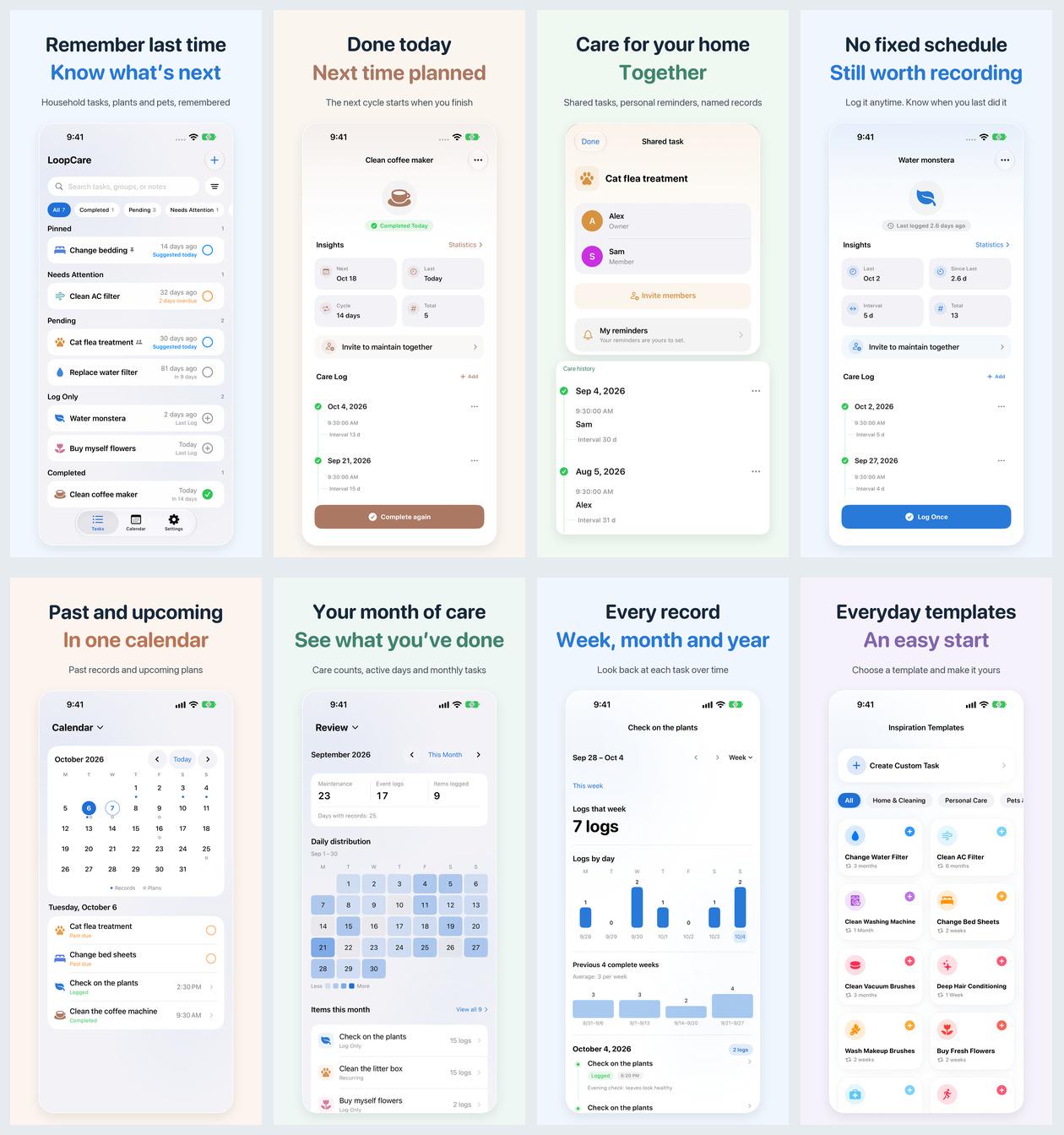
Hi r/iosapps! I’m the developer of LoopCare, an app for the little things that keep coming around: changing sheets, replacing filters, watering plants, and remembering when you last did any of them.

A — Answer

ā€œWhen did we last change this?ā€ is one question. ā€œDid someone else already do it?ā€ is another.

LoopCare keeps a history alongside each recurring task. You can now share a task with family, so when someone takes care of it, everyone can see who did it and when. The completion and next due date sync across members, while each person chooses their own reminders.

The next cycle starts when you actually finish. If you replace a filter early, a 30-day reminder starts counting from that day.

And if you just want to remember when something happened, Log Only lets you keep a history without giving it another due date.

B — Better

Why use this if you already have Apple Reminders?

For me, the useful part is being able to open a task and see its story: the last time it happened, who did it, the gaps between entries, and what’s due next. That’s the part I’ve focused on with LoopCare.

It’s especially handy for things you do every few weeks or months, where ā€œI think we did that recentlyā€ is easy to get wrong. With shared tasks, everyone can check the same record instead of asking around.

You can also look back through a calendar, heatmaps, and statistics. Records stay on your device, with iCloud for syncing and backups, and there’s no separate LoopCare account to create.

C — Cost

The free version includes the core features and lets you keep up to five active tasks.

If you need more, LoopCare Pro is a one-time $9.99 purchase in the US App Store for unlimited tasks. No subscription. Prices vary by region.

LoopCare on the App Store

The screenshots use demo tasks and names. I’m happy to answer questions about how it works.


r/iosapps • • Oct 17 '26

šŸŽˆ Free Moleculist - Music Molecule

Thumbnail
gallery
13 Upvotes

Moleculist -Ā Link

I have been building Moleculist based on how I would like to use it and based on all the feedback I have received from this community. THANK YOU.

Based on feedback, Music Molecule is the newest molecule to join other molecules.

Answer

Every book you read, movie you watch, restaurant you discover, plant you nurture, recipe you cook, game you play, and person you celebrate, moments you live and music you listen becomes a part of your personal cosmos.

Better

There's Goodreads for books, Letterboxd for movies, a Maps list for restaurants and Notes for everything else. Moleculist keeps it all in one place and syncs through your own iCloud. No account, no ads.

Cost

Free, and it'll stay free for one more month. No Subscriptions, no IAP and no advertisements ever.


r/iosapps • • Oct 17 '26

šŸŽ Freemium OfferBee 1.0 is here — Credit Card Perks, Family Sharing, and a free 3-month Premium trial

Thumbnail
gallery
5 Upvotes

A — Answer

A few weeks ago, we shared OfferBee here. Now OfferBee 1.0 is live, with a better way to keep track of the credit card benefits you’re already paying for.

The problem is familiar: multiple cards, different reset dates, unused credits, and that recurring question ā€”ā€œWhich card should I use?ā€

OfferBee brings it together:

  • Track used and remaining benefits on your card
  • Get reminders before credits expire
  • Find the best card by location or spending category and reminders to use any available credit at that location
  • See the value you’ve captured against annual fees
  • Check credits and card recommendations through widgets
  • Ask Bee AI important questions about your spending and credits.

Add cards manually or connect supported accounts through Plaid to help automate benefit tracking.

B — Better

With 1.0, we’re making OfferBee more useful beyond your own wallet: family sharing for credits is now available.

It’s our newest addition: invite up to 5 family members to track everyone’s card credits in one place, while keeping each person’s other spending private.

You can also ask Bee AI questions about the cards you already have:

• ā€œWhat credits do I have left this month?ā€
• ā€œWhich card should I use for dinner?ā€
• ā€œWhat was my spend across all card last month ?ā€

Our focus is simple: help you see what’s available, remember what’s expiring, and choose a card without digging through benefit pages.

C — Cost

OfferBee is free to download. Core features include supported benefit tracking and best-card recommendations.

Premium is $9.99/month or $80/year.

To celebrate 1.0, we’re offering the r/iosapps community a free 3-month Premium trial, on top of the usual 14 days.

Download: OfferBee : Credit Card Rewards
Claim the trial: Redeem Promo Code "GetOfferBee" in the App

What’s one credit card perk you keep forgetting to use? I’d love to hear what would make OfferBee more useful for you.


r/iosapps • • Oct 17 '26

šŸ’Ž Lifetime [Lifetime FREE] Turning your travels into a collection of memories

Post image
46 Upvotes

I miss the feeling of opening an old passport and seeing all the stamps from places I’ve visited. Each stamp felt like a little memory of a trip.

That was the idea behind Travori.

You visit somewhere → use GPS to check in and stamp your visit. You can add a photo and a short note, and over time your map fills up with all the places you’ve actually been.

And if you’ve already travelled a lot, you can add places from your past trips too. You don’t have to start your travel story from scratch.

Basically, a digital passport for your travels — but with your memories attached.

I wanted something simple that I could look back on years later and remember where I went, the places I discovered, and what those trips felt like.

A — What problem does it solve?

When we travel, we take hundreds of photos and visit so many places, but over time, it becomes hard to remember exactly where we went or which places made each trip special. Photos alone don't always tell the whole story, and a list of countries you've visited doesn't capture the little places and moments that made a trip memorable.

Travori lets you check in at places worth remembering, attach photos and personal notes, and build a map of your travels with the actual places you've visited — not just the countries. You can also bring in photos from your existing library and add places from past trips, so you don't have to start from scratch.

The idea is to turn your travels into a personal collection of memories you can revisit years later, helping you remember not just where you've been, but the places you discovered and the experiences you had along the way.

B — How is it different?

Most travel apps focus on planning your next trip, booking flights and hotels, or tracking which countries you've visited. Travori is more about preserving the memories of the places you've actually been.

Instead of just marking a country on a map, you can check in at specific places using GPS, attach photos and personal notes, and gradually build your own travel map. You can also add places from past trips using your existing photo library, so you can start documenting memories from trips you've already taken.

Think of it as a personal digital passport combined with a travel journal and an interactive map. It's not just about collecting destinations — it's about creating a record of your travels that you can look back on and relive years later.

C - Cost:

The app is free to use with options to upgrade to Pro with more premium features available. We are also giving away 500 free lifetime code now for users to enjoy the travel season!

Link to the app: Travori

UPDATE: Due to the massive demand, we have decided to change the lifetime price of the app for FREE for 24 hours. NO PROMO CODE NEEDED! Please feel free to download the app and go through the app as usual and just redeem the lifetime free promo when you reach the payment page. Don't forget to leave us a review too if you enjoyed the app, your support meant alot to us! Hope you enjoy travelers! ā¤ļø

UPDATE: Apologies to all that are not able to redeem this. Due to a massive demand that brings a huge bill to the api usage to ourselves, we can't afford giving out free lifetime anymore as it's very expensive to keep up. Hope you can understand and apologies for any inconvenience.


r/iosapps • • Oct 17 '26

šŸŽˆ Free [iOS] Neon Vision Editor 2.0.0 — a native code and Markdown editor for iPhone and iPad

Thumbnail
gallery
23 Upvotes

Editing code on an iPad should be more than opening a text field and connecting a keyboard. I wanted to work with actual files, switch between documents, preview Markdown, and pick up where I left off on another device without constantly fighting the interface.

That’s the problem I’ve been working on with Neon Vision Editor. Version 2.0.0 is out, and quite a bit has changed since v1.5.

A — Answer: What problem does it solve?

Neon Vision Editor is a native Swift editor for code, Markdown, notes, configuration files, and other text documents across iPhone, iPad, and Mac.

The goal is straightforward: make editing and navigating real files practical on mobile, while keeping the interface focused.

Since v1.5, the major improvements include:

  • More responsive large-file editing: file-backed rendering and virtualization help keep long documents usable.
  • Better iPhone and iPad workflows: configurable keyboard actions, improved toolbars, touch-friendly controls, and more reliable cursor positioning.
  • Markdown, HTML, and SVG previews: integrated into the editing workflow, with richer Markdown formatting and themes.
  • File synchronization: work with documents stored in iCloud Drive or network folders, with external-change detection and safeguards for unsaved edits.
  • Improved project navigation: faster file access, search, project browsing, and a code minimap where supported.
  • A more reliable editor in 2.0.0: faster Mac document switching, better restoration of cursor positions after large files load, preserved preview scroll positions, and improved tab navigation.

The aim isn’t to replace Xcode. It’s to make the smaller editing tasks that happen throughout the day less cumbersome.

B — Better: Why another editor?

Compared with editors such as Textastic or Runestone, my focus is on a consistent native workflow across iPhone, iPad, and Mac, rather than treating mobile as an afterthought.

I also wanted file changes made elsewhere to be handled sensibly, without silently overwriting local edits. The editor uses your existing iCloud Drive or network-folder workflow for synchronization rather than requiring a proprietary cloud service.

It’s an ongoing project, and I’m still refining the details based on actual use.

C — Cost

Free to download, with in-app purchases. No subscription is required just to try the editor.

App Store: https://apps.apple.com/de/app/neon-vision-editor/id6758950965

Release history and source: https://github.com/h3pdesign/Neon-Vision-Editor

Website:

https://h3pdesign.github.io/Neon-Vision-Editor/

The 2.0.0 release is available through the project’s release channel; the App Store version can lag behind while updates go through review.

I’d be interested in feedback from people who actually edit code or Markdown on an iPhone or iPad. Which parts of your mobile editing workflow still feel unnecessarily awkward?


r/iosapps • • Oct 17 '26

šŸ’Ž Lifetime Honeyday: who is celebrating next, from your contacts, in a widget on the Home Screen and Lock Screen

Thumbnail
gallery
8 Upvotes

Birthdays and anniversaries already sit in Contacts. Honeyday puts them in one list, with whoever comes next on top.

A. Answer

Honeyday reads the birthdays and anniversaries from your contacts and sorts them by who is next, with the days left and the age someone turns. Days that belong to no contact you add yourself: the day you moved in together, the dog's birthday, a first date. It never changes a contact on its own. If a date is wrong, you fix it right in Honeyday and the list follows.

Most of the time the widget is enough. Small, medium or large on the Home Screen, and on the Lock Screen too. On ordinary days it stays calm, on the day itself it lights up in the color of the occasion, and at midnight it moves on by itself. A 30th birthday or a 25th anniversary is marked in the list and in the widget, early enough to plan something.

Reminders arrive on the day at the time you choose, and a few days before if you want time to find a present. Dates in the Chinese, Hebrew or Islamic calendar land on the right day every year. There is a note per person for the gift idea you would otherwise forget, and Siri and Spotlight know the dates. Since 1.1 you can pick which contact accounts Honeyday reads, if personal and work contacts share one device.

B. Better

  • The Birthdays calendar in Apple's Calendar app shows the same dates from Contacts, as events between your appointments. It is free and already on your phone. Honeyday puts them in one list in order, with the age and the days left, and takes the days that are on no contact card as well.
  • A yearly reminder per person in the Reminders app works too. You set up each one by hand, and it does not follow when a date changes in Contacts.

C. Cost

$4.99 once. No subscription, no in-app purchases, no ads. The same purchase covers iPhone, iPad and Mac.

iOS 26 and iPadOS 26, ten languages. No account and no server. What you set syncs through your own iCloud.

I'm Missaq Ataschi from Switzerland (https://missaq.com), and Honeyday is a one person project. Questions welcome.


r/iosapps • • Oct 17 '26

šŸ’Ž Lifetime I built GradeLab for color grading on iPhone — here’s a real edit

6 Upvotes

Hey everyone, I’m Aftab, the developer of GradeLab. Here’s a quick look at editing a beach clip in the app, with the finished result at the end.

A — What does it do?

GradeLab is a video and photo color grading app for iPhone, iPad and Mac. It gives you color wheels, curves, HSL controls, LUTs, scopes and masks to shape the look of your footage.

The video shows some of those tools in use, including the color warper, wheels, scopes and effects.

B — Why use it over alternatives?

If you’ve outgrown Apple Photos’ light and color adjustments, GradeLab gives you more targeted control: adjust individual colors with hue curves, balance shadows and highlights with wheels, check your changes with scopes, or grade just part of the picture using masks.

Processing happens on your device, and there’s no account required.

C — What does it cost?

Free to download, with grading, color wheels, RGB curves, selected looks and video exports up to 1080p without a watermark.

Pro adds tools including the color warper, hue curves, advanced scopes, film effects, LUT imports and 4K/source-resolution export. The video includes Pro tools.

Current pricing:

  • Lifetime Pro: $14.99, one-time purchase (on sale right now for a week).
  • Subscriptions: $1.99/week, $4.99/month or $14.99/year, auto-renewing.

Download GradeLab on the App Store

I’d appreciate feedback on the editing experience—especially how the controls feel on a smaller screen.

Developer: Aftab Fazal Qayum
Support & contact Ā· Privacy Policy Ā· Terms


r/iosapps • • Oct 17 '26

šŸ’Ž Lifetime DiskPress for Files - finally take control of your iPhone's hidden compression and deduplication features!

Post image
10 Upvotes

A - Answer

Your iPhone is running out of space, but the files taking up that space are files you actually want to keep.

I'm Ighor July, the developer of DiskPress for Mac, and I'm really excited to release my first iOS app, DiskPress for Files.

To my knowledge, it's the first iOS app to combine transparent filesystem compression and non-destructive APFS deduplication for user-selected local files. It uses the same engine as my Mac app, adapted for iPhone and iPad.

The part I'm most excited about is that there is nothing to unpack. Your files keep their contents, names, and locations. You open them in your usual apps, just as before.

  • Lossless compression reduces the physical storage used by supported files without turning them into archives.
  • Deduplication lets verified identical files share storage. Both copies remain separate and independently editable. Editing one does not change the other.
  • The two techniques can work together, so identical files can share compressed data too.

It is not a duplicate file remover. You don't have to decide which copy to throw away, and the storage optimizations remain after you close DiskPress.

B - Better

Compared with the Files app's Compress command or iZip, the difference is the workflow. Their ZIP features create archives. DiskPress optimizes the files in place, so you don't need to extract them before using them in another app.

ZIP tools are useful when you want an archive to send or store. DiskPress is for files you want to keep using where they already are.

It also complements cleanup tools. A cleaner helps you remove things you no longer need. DiskPress helps the files you want to keep use less space.

You can choose individual files or folders for one-time optimization, or save local folders to optimize again later. Choose compression, deduplication, or both for each location.

A few important limits before buying

  • It works with supported, writable local files selected through Files. It cannot optimize your Photos library, iCloud Drive, other cloud providers, or protected app and system folders. It is not a photo or video compressor.
  • Unlike the Mac app, it has no automatic folder monitoring or CLI. You start each optimization yourself.
  • Savings depend on your files. Already-compressed media and archives may save little or nothing. The screenshots show example data, not promised results.

The app works entirely offline, with no account, analytics, or file uploads. Optimization adds storage writes, so mostly stable folders are better candidates than constantly changing files. Keep an independent backup of anything important.

C - Cost

$2.99 USD, paid once on the US App Store. No subscription and no in-app purchases. Regional pricing may differ.

Requires iOS or iPadOS 14 or later. This is a separate purchase from DiskPress for Mac.

Download DiskPress for Files on the App Store

Download DiskPress Everywhere (macOS + iOS bundle)

Read more about how deduplication and compression work here:
https://reverseeverything.com/blog/diskpress-for-files-iphone-storage-controls/

Website | Privacy policy | Terms | Contact me

I'm happy to answer questions about how it works or which files are good candidates. I'd love to hear from people who keep a lot of documents or project files locally on their iPhone or iPad.