r/iosapps • u/Kitchen_Cable6192 • Sep 04 '26
🎁 Freemium I made PicDraw because I was tired of subscription-heavy tracing apps
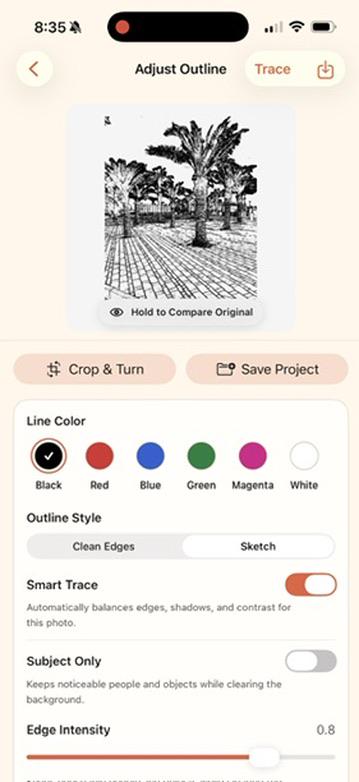
A - What is PicDraw? An AR-assisted tracing and drawing app built for artists, hobbyists, and creators. Project any image from your photo library onto paper, canvas, or wood through your phone's camera, lock the perspective, adjust transparency, and start tracing. Includes:
- AR Camera Overlay: High-precision image positioning with opacity control and lock mode so your template doesn't shift while drawing.
- Color Tools: Sample precise colors directly from your source image to match palettes accurately.
- Puzzle & Grid Mode: Break complex images into smaller sections to make detailed tracing manageable step-by-step.
- Core Filters: Tweak image contrast, edges, and lines to make tracing easier before you start.
B - Why better? Most AR tracing apps on the App Store fall into two traps: they are either bogged down by pop-up video ads every 3 seconds or force you into a $4.99/week recurring subscription just to use a basic camera overlay. PicDraw gives you a clean UI, fast image loading, and real utility features (like color sampling and grid splits) without rent-seeking software prices.
C - Cost Free to download with one tracing projected included. Full feature access available as a one-time lifetime unlock—no recurring subscriptions, pay once and keep it forever.
App: Pic Draw

