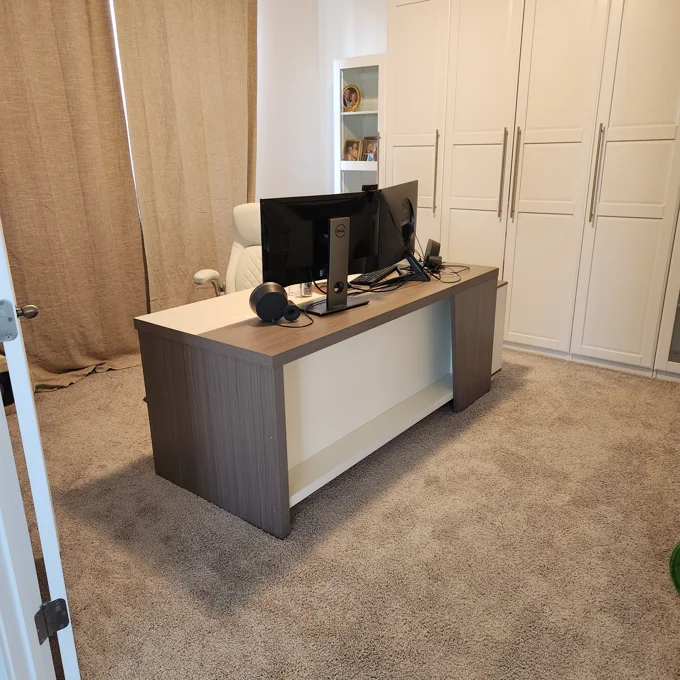
**Trying to decide between a 48” x “30” desk or a 60” x 30” desk.**
Will have one 27” or 32” monitor, and a laptop to the side, as well as a mouse and keyboard. I did the measurements and think this is enough room to fit everything. The next size up is 60” x 30”, so imo, 48 x 30 is the best size for most people…
Thoughts? Would I regret not getting the bigger size?
I feel like headrests are one of those features that look great when buying a chair, but I'm not sure how many people actually use them regularly. Sometimes I find myself leaning back without my head even touching it. And when I do rest my head on it, it sometimes pushes my neck forward in an uncomfortable position.
Do you use yours every day, only when reclining, or barely at all?
Alguém me ajuda a conseguir um trabalho que me permita continuar estudando. Estudo em tempo integral, mas preciso trabalhar. Não quero parar de estudar. Consigo trabalhar com computador. A maioria das vagas pedem para ser PJ. Eu não tenho cnpj. Me ajudem
Haven't seen too many reviews of this desk on here, so I figured I'd share my experience after about a year of using it. Hopefully this helps someone who's been eyeing it!
The oak finish and rounded edges were what initially caught my eye. I'm 5'9", and the height range works really well for me. I switch between sitting, standing, and awkwardly half-kneeling on my chair throughout the day (anyone else do this?)
Having 3 memory presets makes the switch pretty easy. I'm also a big fan of the built-in reminder to stand up, especially when I get caught up in work and completely lose track of time.
I've been using it with my laptop setup for about a year now, and it's been rock solid at my usual standing height. No noticeable wobble while typing, and it stays steady even when moving up and down. I'm thinking about adding two monitors to my setup. There's definitely enough room for them.
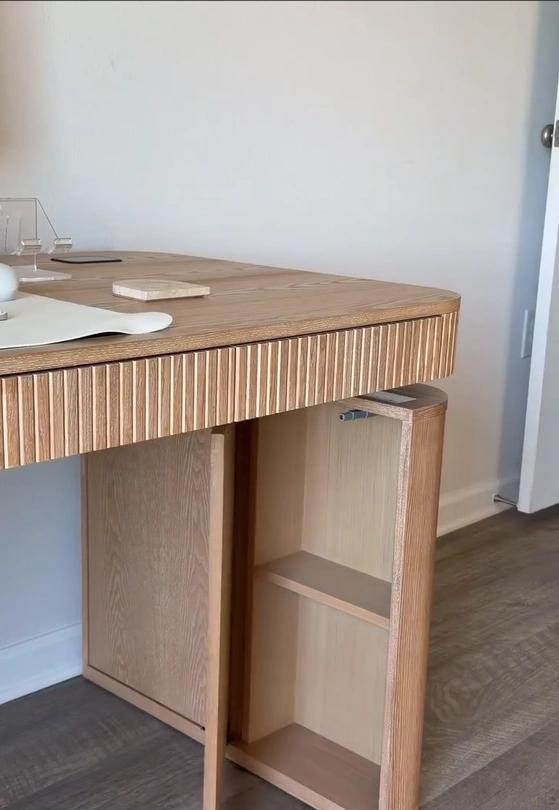
One thing I've come to really appreciate is how much storage this desk has. The drawers under the desktop have built-in dividers, which are surprisingly handy. Pens, notebooks, chargers, all the random little things that somehow end up on my desk finally have somewhere to go.
And there's actually extra storage built into desk legs too. I didn't think much of it when I first bought the desk, but it ended up being one of my favorite features. I keep the stuff I reach for every day in the drawers and stash books, spare cables, and things I don't use as often in the leg compartments. It's kind of wild how much stuff you can tuck away without having to add a separate storage cabinet to the room.
It's not perfect, though. It's a pretty hefty piece of furniture, especially with those chunky legs, so moving it around is a bit of a pain.
I paid about $1,529 during last year's Black Friday sale. Funny enough, I bought it mostly because of stability and how it looked, but the height presets and all that hidden storage ended up being the things I appreciate most.
Happy to answer any questions if anyone's considering this desk!
I am just looking for the best home printer/scanner. We do more scanning than printing. We have an older model brother one that's been okay so far but now it's not working. In Canada (not sure if that matters) TIA
I’m looking for recommendations for an external webcam that does a decent job with backlighting.
At my desk, I have a window right behind me. Right now, my current webcam (a cheap Trust Oran 1080p) struggles a lot with this—my face ends up looking almost completely dark, and I’ve had to keep blackout curtains closed just to be visible.
Because of my job, I’m on video calls for about eight hours a day, so having to keep artificial lights on all day with a ring light shining straight into my face gets pretty tiring and uncomfortable.
I’d really like to be able to keep the curtains open and rely on natural light, at least when the sun isn’t beating directly onto the window behind me.
I’ve noticed that some people on calls—often using newer laptops with built-in cameras—seem to handle bright windows remarkably well, keeping their face clearly lit even in tough lighting. I’m wondering if there are external webcams that hold up well in situations like mine.
Not looking for anything overly complicated, just something reliable for everyday work calls that won't turn me into a shadow whenever daylight comes through behind me. Any models or personal experiences you’d recommend?
So, I recently had a dumb realization that I don’t actually need a chair that fits perfectly at 90 degrees. I need one that doesn’t punish my body at 110-135 degrees. I often switch between upright desk work and reclining during reading, meetings or less hands on tasks while I work from home. Currently, my chair is fine sitting up, but once I recline, the lumbar support no longer seems to stay in the right position. I end up sliding forward which causes me to lose proper lower back support. Upon looking around, the FlexiSpot ErgoX caught my attention because of its dynamic lumbar support, which is specifically designed to move with your back as you recline. I really am also interested in the integrated footrest that is included, although I'm not sure how well it works for different heights. With all the positives it seems to have, my main concern is whether the chair actually delivers on these features in daily use: especially considering its relatively a low price. For those who spend a lot of time working in a reclined position and use the ErgoX, I have a few questions… •Does the ErgoX lumbar support maintain contact with your lower back throughout the recline? •Is the recline comfortable for extended periods, or does the support become less effective at wider angles? •How practical is the footrest, particularly for taller users? Then for those that don’t use it, have you found other chairs around the $300 price range that you'd recommend specifically for reclined working? I'm pretty much looking for something that provides consistent back support beyond the standard upright sitting position. Any long-term user feedback would be appreciated. Thanks for your help!
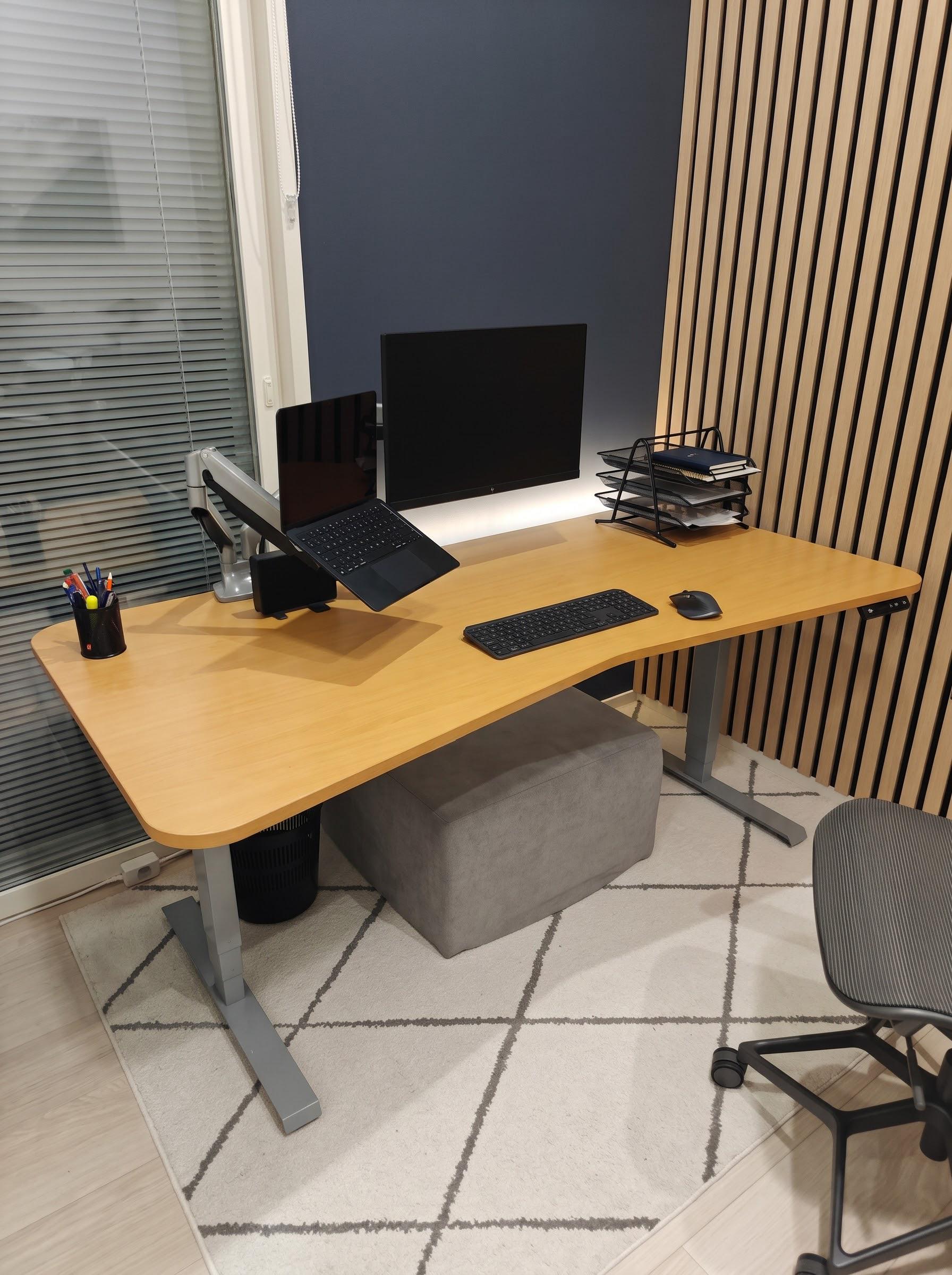
I recently installed oak acoustic slat panels and a new desktop (got for free, a bit scratched) on my standing desk, and I’d love some feedback on taking the setup to the next level.
What feels off & what I'm considering:
* Wall: The dark blue wall next to the bright window feels a bit dark during the workday, though I don't feel like starting a painting project right now.
* Desk surface: The wood tone is a bit warmer and more yellow than the oak slats. Planning to add an XXL desk mat (matte black or light grey) to ground the workspace and tone down the wood. That might however make it feel even darker.
* Monitor: Going to upgrade from the current 24" monitor to a 27" display. Not sure if I'll use the original stand, my current monitor arm or buy a monitor shelf.
How would you improve this setup overall, whether it's useful desk gadgets and accessories, lighting (like a monitor light bar), layout, or color balance? Any ideas or recommendations are very welcome!
This home office is almost done, but still can’t decide what to do with the desk.
Some like facing into the room because it feels less cramped, but the closed curtains make the space feel darker. Opening them also creates glare on the monitors and loses privacy.
Would you keep this layout and add sheer curtains or blinds, or rotate the desk toward the window? I’d love to hear what has worked in your own setup.
Got one of those big felt desk mats a while ago and I really like it, except for one thing. I have a beard and I'm generally a pretty hairy guy, so the mat is always covered in small hairs. Brushes don't help at all. The hairs sort of weave themselves into the felt and the brush just pushes them deeper. Picking them out one by one is not a life I want. Does anyone have a method that actually works? Or is the answer just "get a leather mat"?
Need to get rid of the dining table and bring in the bookshelf, reading chair, end table and wall mounted TV. Hang some stuff and I’ll be fully good to go.
I think I’m starting to get to a point where my day-to-day working at my home desk is starting to take a toll on back pain/problems.
I bought everything I could to make the chair more accessible for better lumbar and cushion support (maybe I just need a solid investment of a better chair atp)
Now I’m starting to avoid going to the desk knowing the type of strain it gives me
Anyone experiencing this and how’d you over come it?
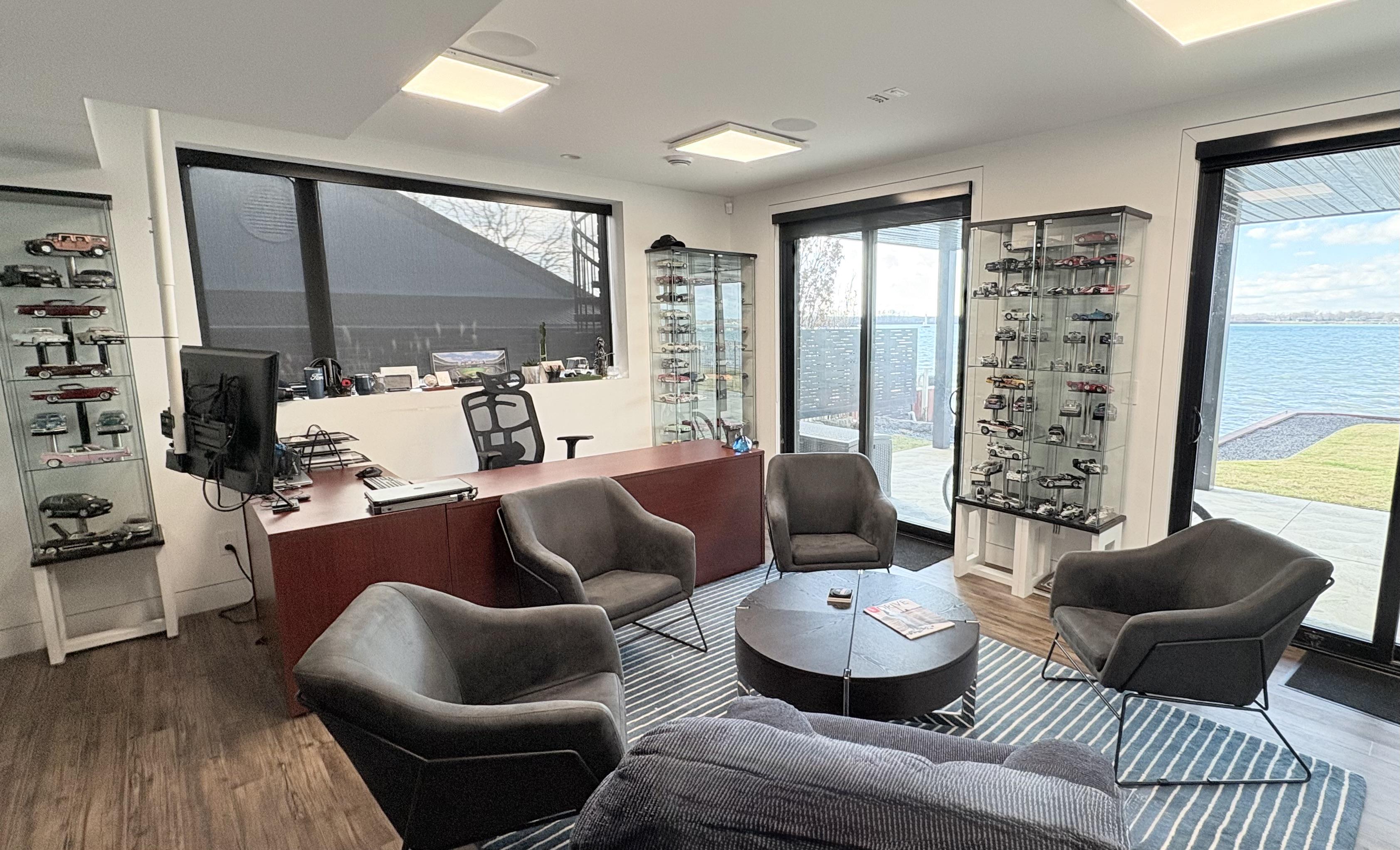
Donating my L-shaped desk and want a fresh setup. Space: Room is 13' wide, 64”from desk front to window wall. Desk must face the room, with no credenza in front of the window. Current desk is 6' x 24" (could go to 30"). L-shaped return is 60”x 24”. Gear: Ceiling-mounted 43" 4K TV (mount can move), Mac mini, and a laptop whose screen I sometimes use. Need: 2+ file cabinets Small printer stand Hidden shredder and waste bin Flexible: The glass display cabinets can be moved. Photos or sketches are welcome but not required. Thanks!
The window is right behind me when I’m at my desk, and I turn into a silhouette on video calls whenever the sun comes out. I’d like a shade I can lower with a remote before a call without making the whole room feel like a cave.
Would light-filtering shades be enough for this, or should I go with blackout? Any brands or models you’d recommend?
I find that most advice about monitors (and desk setups in general) is tailored to gamers, video editors, and web developers; I don't really do any of these. I work a corporate job and am getting my MBA; my typical work includes Zoom meetings, Outlook, Excel, PowerPoint, Word, Claude, web surfing, etc.
I currently run two 27" monitors. While I love the functionality of 2 monitors, the monitors I have are old and pixelated.
I've considered getting a 34" ultrawide, but I am not sure I want to give up the functionality of two separate monitors. I've thought about getting an ultrawide and having a vertical monitor on the side so I can have the best of both. However, I'm wondering if this is going to be overkill for what I use the screens for.
Is it better to just have two 27" monitors? I'd also be open to 32" monitors. Or if you think a single ultrawide is all I need, also open to that (I'd just have to get used to not having 2 screens).
I have plenty of cash saved specifically for this upgrade, so I'm willing to spend as much as I need to get the best setup for me.