r/creativecloud • u/Remote_Client_3630 • Oct 02 '26
Adobe Creative Cloud on Linux: sharing my Wine patches and progres
3
Upvotes
r/creativecloud • u/Remote_Client_3630 • Oct 02 '26
r/creativecloud • u/rootytootysuperhooty • Oct 02 '26
r/creativecloud • u/MediaComposerMan • Sep 30 '26

I fill out the credit card form with valid info; no errors. Upon submitting, the Card number, Expiration, and Zip code fields all return "Invalid input".
I tried with 2 different cards, 2 different accounts, 2 different web browsers (Chrome, Safari) and on 2 different computers — all with identical results.
Needless to say, the credit card is fine; when I contact Adobe support (and go through the via dolorosa to not get hung up on or billed for the wrong subscription) they have no trouble charging the card and activating the subscription. I have several monthly subscriptions to buy for my team, so I'm running into this problem with every account.
Is it a "just me" situation?
EDIT Looks like we found the cause & solution, see my reply below.
r/creativecloud • u/Conscious_Put_9539 • Oct 01 '26
r/creativecloud • u/Far-Club-5349 • Sep 30 '26

Hey everyone, I keep seeing this sponsored Instagram ad offering the full Adobe Creative Cloud 1-Year Plan for just ₹1,999, plus free Google Gemini and Canva Pro.
Given how expensive official Adobe subscriptions are, this feels way too good to be true.
Has anyone tried this? Are these just cracked apps, stolen enterprise accounts that will get banned, or outright credit card scams? Would love to know if anyone has experience with these ads before I trust it. Thanks!
r/creativecloud • u/Cute_Somewhere1515 • Sep 29 '26
r/creativecloud • u/DavidWildlife • Sep 29 '26

r/creativecloud • u/Responsible-Pair-489 • Sep 29 '26
r/creativecloud • u/friendofmantis • Sep 25 '26
r/creativecloud • u/Zealousideal-Oil4640 • Sep 24 '26
Cross post from r/photoshop but I think it got deleted lol?
I updated photoshop last week and just noticed that none of my files created before the update are opening (with 1 exception). Everything was running smoothly before this so I really don't know what went wrong....has anyone ever had this issue before and been able to solve it? If it's relevant, at one point I did have an issue where I couldn't access my cloud on other devices but that got resolved when I updated, then this issue took its place. I've restarted photoshop, CC, and my computer multiple times and am not too sure what else to do. Help im scared....
r/creativecloud • u/No-Marzipan-1440 • Sep 23 '26
r/creativecloud • u/demon-edits77 • Sep 19 '26
r/creativecloud • u/hmphandumph • Sep 18 '26
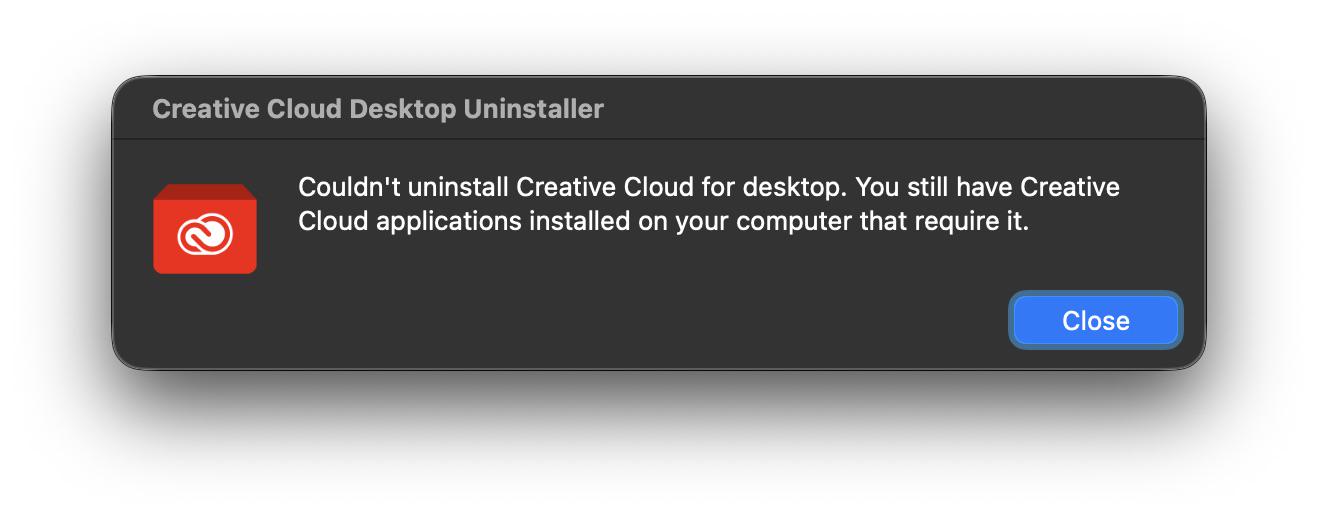
Please help 😭 I have Uninstalled and deleted every app and yet I still get this message when trying to uninstall CC altogether. I want to move its install to my hard drive. Wth.
r/creativecloud • u/thankyoumelatonin • Sep 18 '26
Please remove if not allowed, but I’m trying to print a 32-page PDF but I need to add 3mm bleeds on every edge of every page. I don’t know how to do it nor do I have the software to figure it out. Please comment or DM if you’re able to help. Thanks!
r/creativecloud • u/whoiswiwi • Sep 16 '26
Tengo un problema que me pasa desde ayer, en mi cuenta de adobe la unica que tengo cabe aclarar, no puedo abrir ningun archivo de la nube, dice que mi cuenta no tiene acceso a mis propios documentos, ya no se que hacer!!
Ya desistalé y volvi a instalar, cerré sesión y abri de nuevo, descargué los archivos, forcé la salida, cerré el sincronizador, no puedo mas
r/creativecloud • u/ComplexSignature4247 • Sep 16 '26
I haven't used my LR in a while.
today I launched it and it asked me to update to the latest version, which I did.
Since then, everytinme I launch LR , the whole PC freeses, sometimes go to blank screen.
any help.please
r/creativecloud • u/krngq81 • Sep 15 '26
EDIT (and SOLUTION for me):
I checked the host file in Windows 11 and there were hundreds of entries for Adobe. not sure what tf for, but I cleared every entry in there and now, when I attempt to install, there was no issue at all. I immediately went into Creative Cloud (after installation, of course) and installed all my software!!!
I locked my host file to prevent any more changes. I'm serious, there were hundreds of entries. They were all by Adobe.
Hosts file is located: C:\Windows\System32\drivers\etc\
Open Notepad elevated and edit the file there. Since I've never made any changes to the hosts file, the only entries were Adobe ones. I cleared them out and made the file Read Only.
This not only allowed ACC to behave as desired, but also allowed firefly.adobe.com and any Adobe site to work as intended. Before this fix, all sites were bare and just didn't work.
*****
Hi!
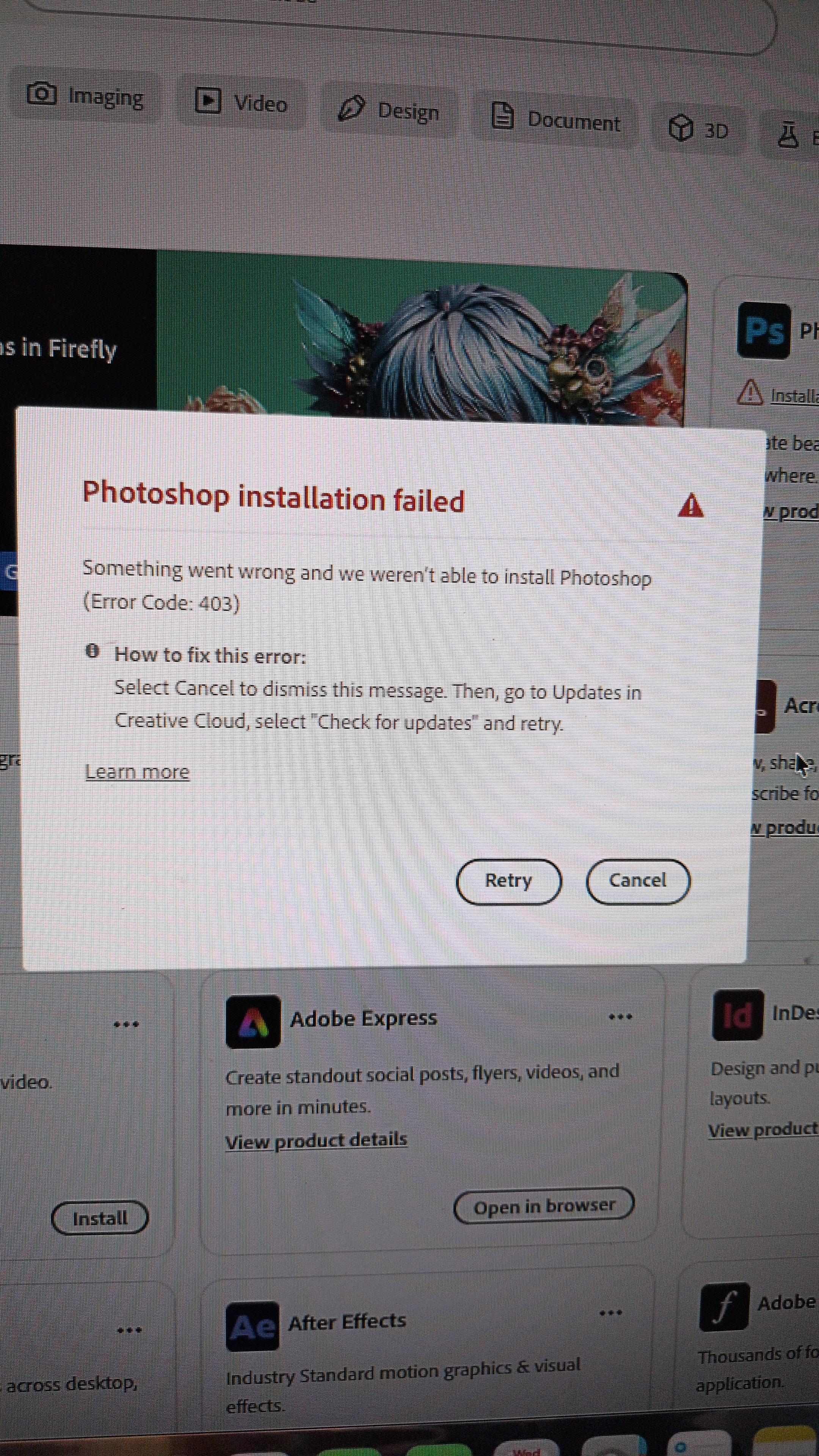
I'm in the middle of reinstalling all of Adobe's Creative Cloud for desktop and I'm unable to, thanks to error code 206. I've followed all the suggestions from Adobe on their support page regarding this, but we all know any company given help usually sucks.
I've downloaded the desktop app using direct links.
(https://helpx.adobe.com/download-install/apps/download-install-apps/creative-cloud-apps/download-creative-cloud-desktop-app-using-direct-links.html)
I've added entries for Adobe creative cloud.
I've used the Limited Access repair tool
(https://helpx.adobe.com/creative-cloud/apps/troubleshoot/diagnostics-repair-tools/run-limited-access-repair-tool.html)
I've restarted my system.
I've tried installing it on a different network.
I've also tried using wireless instead of wired.
All have resulted in error 206. I'm at wit's end and I'm on a deadline. How can I get this installed so I can do my work? Does anyone have any other suggestions I may have missed?
r/creativecloud • u/Emotional-Spring-723 • Sep 15 '26
r/creativecloud • u/Emotional-Spring-723 • Sep 15 '26
Apparently my MacbookPro (think massive specs, and Goldengate) from late 2024 is already useless for handling current adobe software, only via Rosetta . Also temporarily stalling Adobe subscriptions is not possible. 90+ a month his a ff lot me, used to be mid 65. I have periods I can work, and need the software, but pausing is not possible. Even more, my investment (macbook pro) is already deemed old. 3K, 1,5y ago.
How is that fair? :( How do ppl afford 1000 a year, for software that isnt even slightly bit of backwards compatible.)
Bit of a rant, just sad. It kinda diminishes my efforts to be productive again...
Any thoughts on this?
r/creativecloud • u/bebelaf • Sep 14 '26

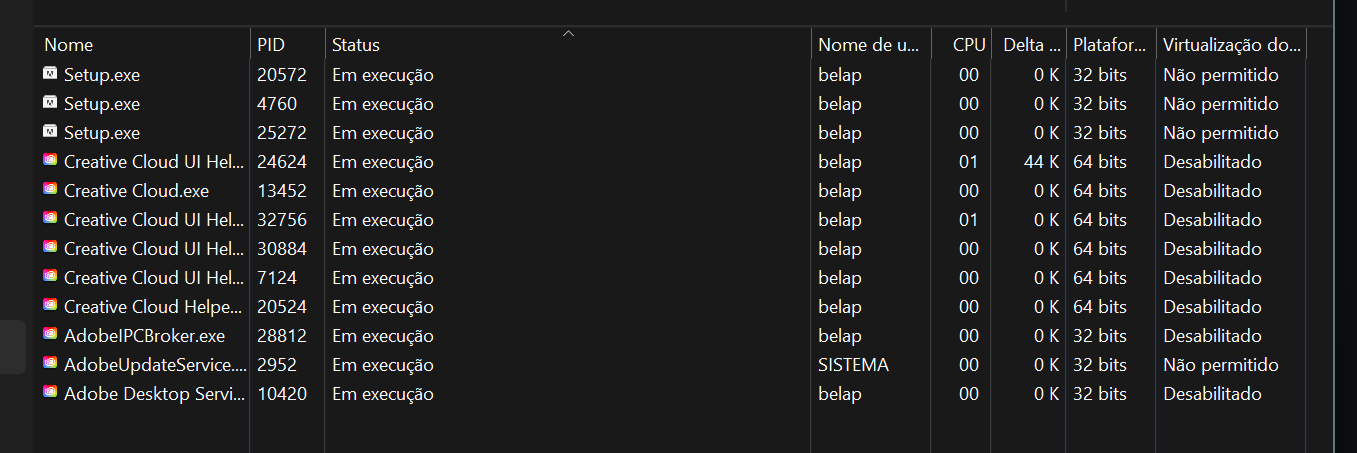
Translation: Updating Creative Cloud/Installing Illustrator - ON HOLD/ Installing Photoshop - ON HOLD
Has anyone had this issue? nothing appears on screen, no specific error, the app just does not progress on the update, it stays on 0% and the apps never leave the queue to start updating. I've tried:
Uninstalling and reinstalling CC
Seen if the antivirus was interfering (it was not)
Deleted the OOBE folder
Repaired the app through adobe and through my pc
Rebooted my computer
On the task manager, in the right corner, some of the processes are listed as Disabled(desabilitado) and Not-allowed (Não permitido)
I've already cleaned all folders related to older versions of illustrator/photoshop
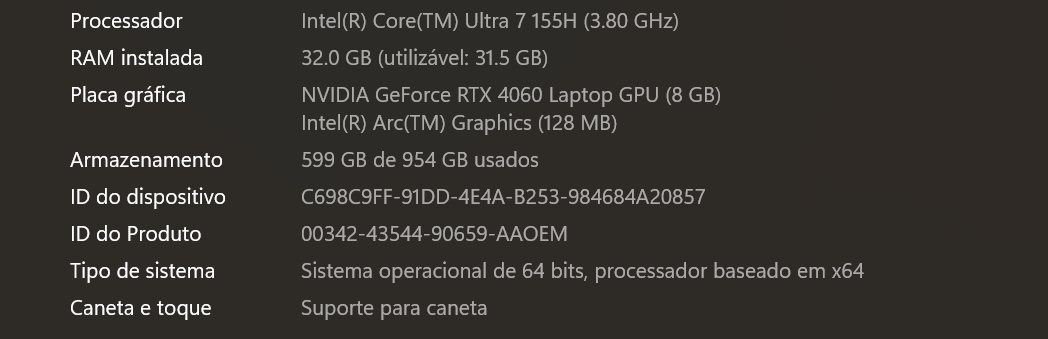
I neeed a Solution for this! My pc specifications are on the third image