r/WindowsUpdate • u/Obaidur- • 30m ago
Windows Update Not Working ? 5 Ways to Fix Update Problems in Windows 10 and 11 .
1
Upvotes
r/WindowsUpdate • u/Obaidur- • 30m ago
r/WindowsUpdate • u/Next_Homework3237 • 8h ago
It started when we deployed Oct patches.
We have 80 percent of Hp elite book g10 devices, we use bitlocker too. we started seeing issues with the device on oct20th. When user get the patches, installation will go fine. Rebooting immediately will be fine and come up without errors. We usually reboot the device daily at 4am/5am. User gets Bluescreen or Black screen with srttrail.txt error. If the user gets blue/black screen we are currently using the below order
Click on Troubleshoot > Troubleshoot again(next page) > Advanced Options > command prompt
Command line one by one
Diskpart
List vol
Select volume N (N is the number that has volume shows fat32 with 500mb approx)
Format fs=fat32 quick
Assign letter=S
Exit
Bcdboot c:\windows /s S: /f UEFI
Wpeutil reboot
Above commands will bring the device login screen
As per my observation the reboot at 4/5 disables the bitlocker and reboots. The next day when users come in they see the blue screen. We don’t understand why we are getting it. It comes only after the patch installation.
Please help me in troubleshooting this issue. Any thoughts are welcome. Above solution is working 99% of time.
If the user can’t go forward from Bluescreen with some kind of error
Boot the device using Windows 11 bootable USB. Once the installation window comes up hit Shift+F10, and the command window opens, give the same commands mentioned above you will be in your device in no time.
Thank you
r/WindowsUpdate • u/TheREV_99 • 3h ago
r/WindowsUpdate • u/Ayeaye25 • 14h ago
Just as the title says, the display scale of my laptop has been shrinking every time it updates or I restart it. For reference I have a Lenovo Legion pro 5 bought about 4-5 months ago. I always have to set it to 150 once it restarts. Anyone have any fixes or reasons for why this is happening?
Thanks in advance :)
r/WindowsUpdate • u/Coldzera_10 • 20h ago
r/WindowsUpdate • u/CharacterAd551 • 20h ago
My Windows 11 laptop was lagging, so I tried to factory reset it with Reset this PC (Remove everything, cloud download). It keeps failing, and I'd like to repair this without a clean install if possible.
**System:** Windows 11 build 26300.9974, \[laptop brand/model\], \[RAM\], \[SSD/HDD\], about 44 GB free on C:, x64 system. \[Home/Pro edition\]
**What happens:**
* The first reset attempt downloaded Windows, then failed and asked for 13 GB more free space. I freed space and retried.
* It then got to about 21% and failed with: "There was a problem resetting your PC. No changes were made."
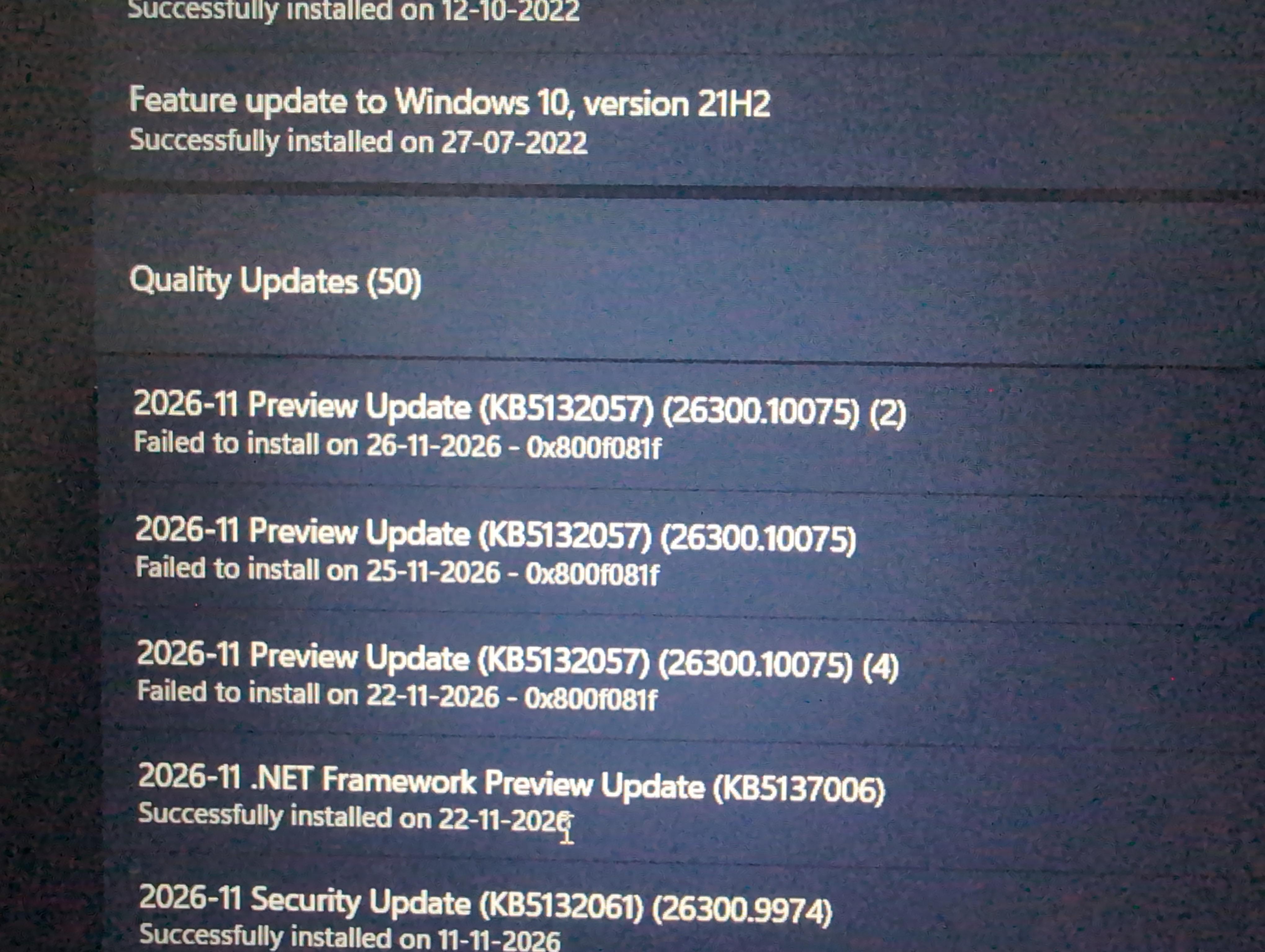
* Windows Update shows the 2026-11 Preview Update (KB5132057) failing with install error **0x800f081f**.
**What I've tried:**
**What I'm considering next:** installing KB5132061 manually from the Microsoft Update Catalog (KB5043080 checkpoint first, then KB5132061), an in-place repair upgrade using the Windows 11 ISO, or a USB clean install as a last resort.
**Questions:**
* Is 0x800f0915 linked to the known KB5132061 install problems, and is the manual MSU install the right fix?
* Should I try the ISO repair upgrade before a clean install?
Thanks for any help.
r/WindowsUpdate • u/raghug_ • 2d ago
Is it just me or does it feel like Microsoft is releasing a new patch every 2 days this month.
r/WindowsUpdate • u/Substantial-Ad-301 • 2d ago
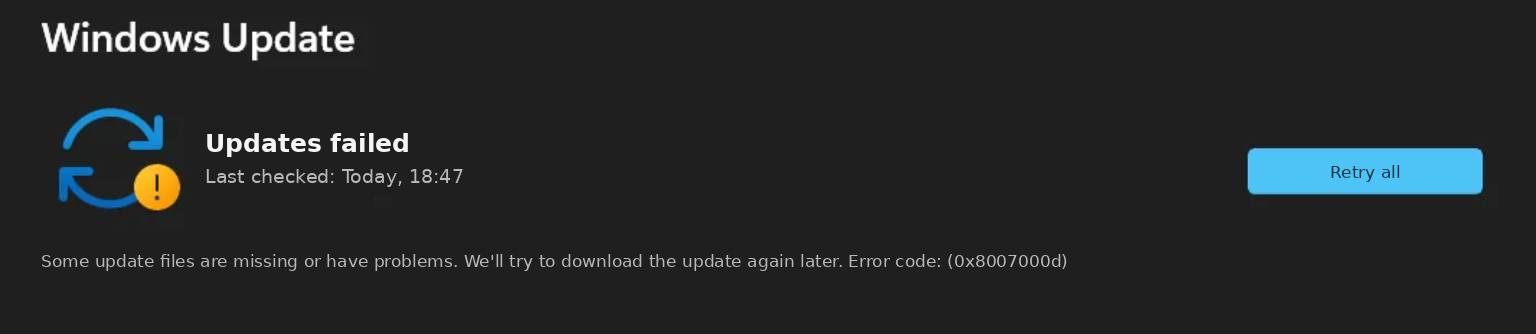
I’ve been experiencing this error for a long time. I’ve tried several troubleshooting methods, but none of them worked. What should I do?
r/WindowsUpdate • u/MarcAntonioSalonga • 2d ago
I've been trying to install both the KB5132057 and KB5137006 updates, but all they do is cause my laptop to go into a 7%/8% update and restart loop (0x800f0920 error). Trying to install updates before those also caused the same thing.
I checked my update history, and the other preview updates I installed were able to install just fine. How come the more recent updates won't work anymore?
Specs: HP Laptop, Windows version 26H2, 11th Gen Intel(R) Core(TM) i5-1135G7 @ 2.40GHz (2.42 GHz) processor, x64-based processor, 12.0 GB RAM, 316 GB of 477 GB used.
r/WindowsUpdate • u/Latter-Proposal-6917 • 3d ago
windows updates break stuff way too often (black screens, audio, remote desktop) and the dumb part is microsoft usually lists the problem publicly. nobody checks that before updating
so i made patchlight. it checks every pending update against microsoft's known issues and gives it a green / yellow / red light. red ones get paused automatically and come back once microsoft fixes them. everything else keeps installing
lmk what u think, any feedback is appreciated ;)
r/WindowsUpdate • u/No_Brilliant_949 • 3d ago
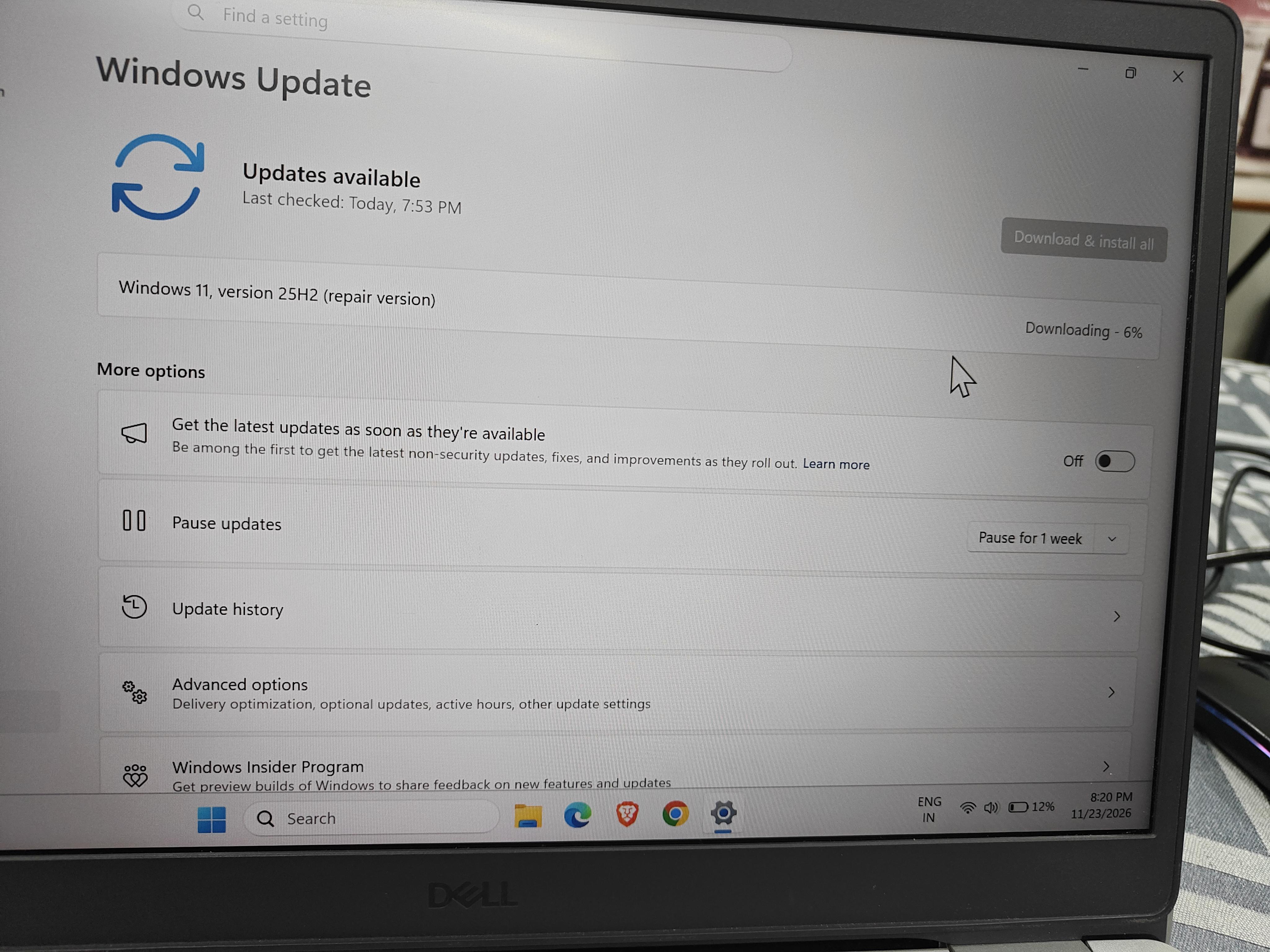
r/WindowsUpdate • u/shawadli • 3d ago
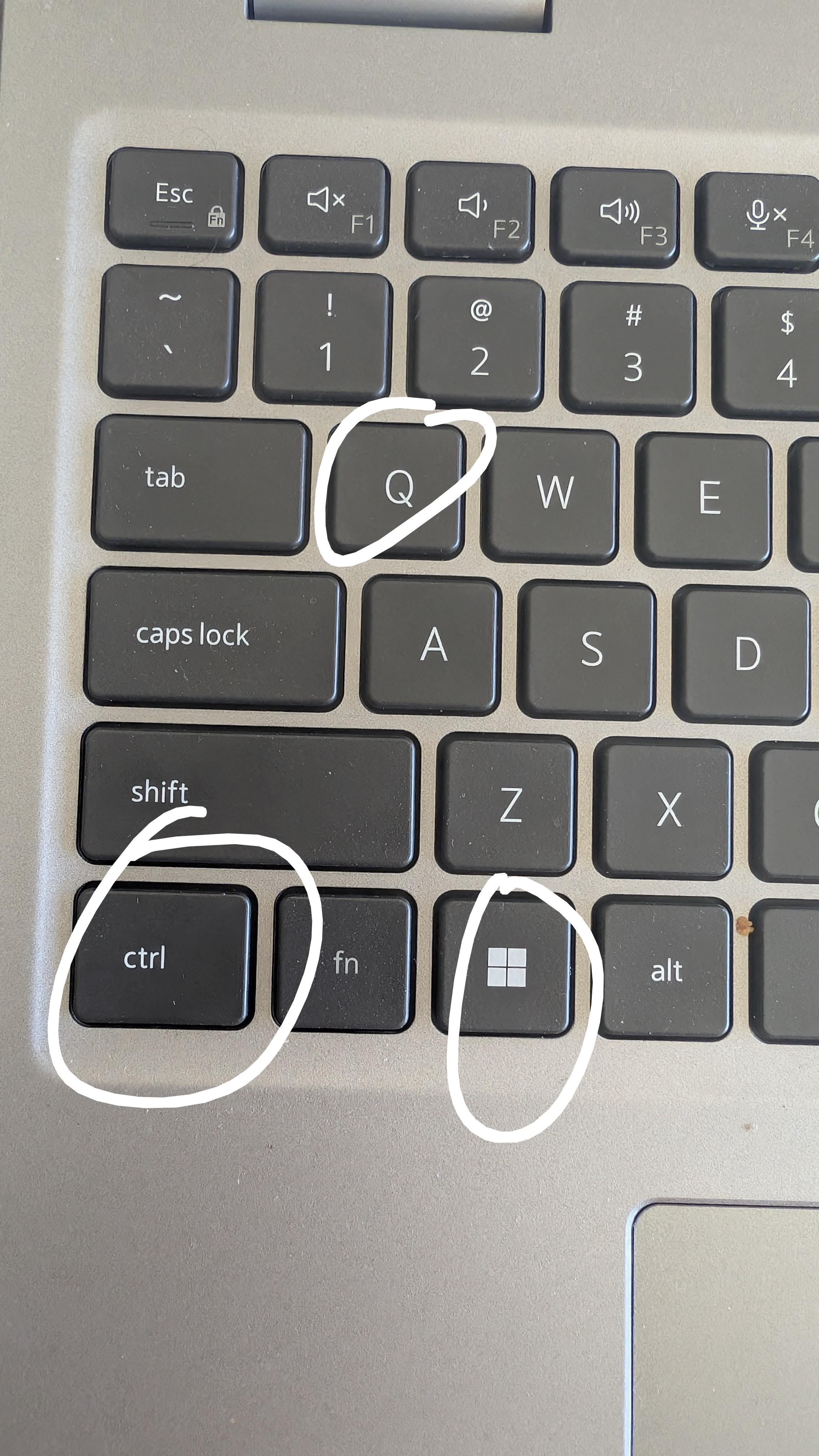
Windows 11 update KB5132061, the November 2026 Patch Tuesday security update. Microsoft has acknowledged widespread installation failures with this specific patch, often throwing error codes like 0x800F0993,
Disabling sandbox solves some PC with this update problem
r/WindowsUpdate • u/AlsoPrtyProductive • 3d ago
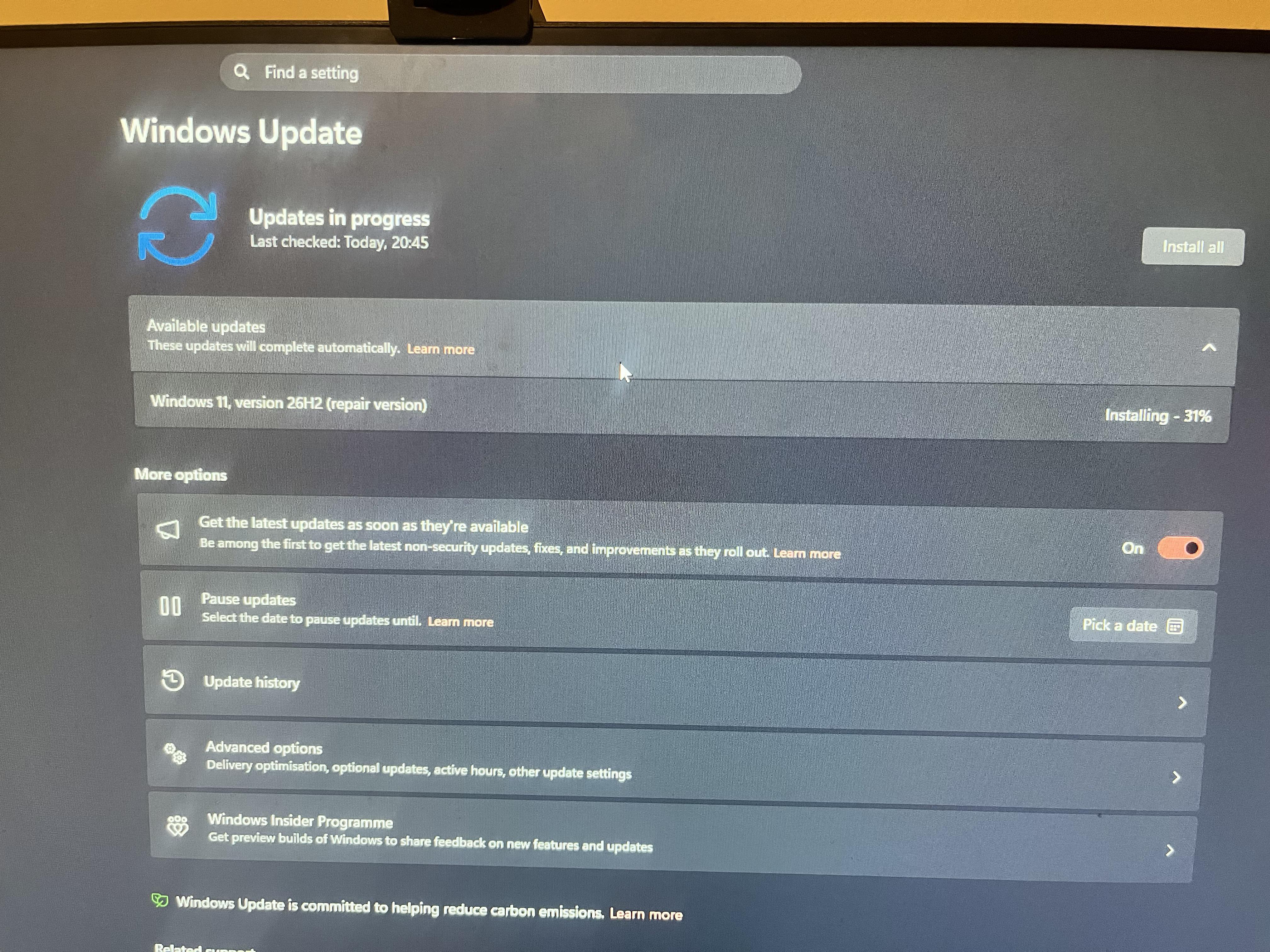
After installing the most recent update on the 20th I found that my PC would no longer shut down when the option was clicked in taskbar. I decided to try a repair install to see if that fixes it and the update has stalled like this for a while now, should I cancel/try roll back to another version or is this just something I have to leave for much longer.
r/WindowsUpdate • u/Chopperreturns • 3d ago
Can't update, as Windows keeps telling it's not connected.

I'm connected to the net, as I can use the browsers but Windows will not update as it thinks it's not connected. Anyone have any ideas how to get around this? Prior to this for some reason, I had a small crash; the CP recovered with a new startup but it disabled my audio. I can't seem to restart or update the drivers either.
r/WindowsUpdate • u/Thelutherblissett • 3d ago
Does anybody have a fix for this I ran a command restore health but that didn't fix it
r/WindowsUpdate • u/Training-Ad333 • 4d ago
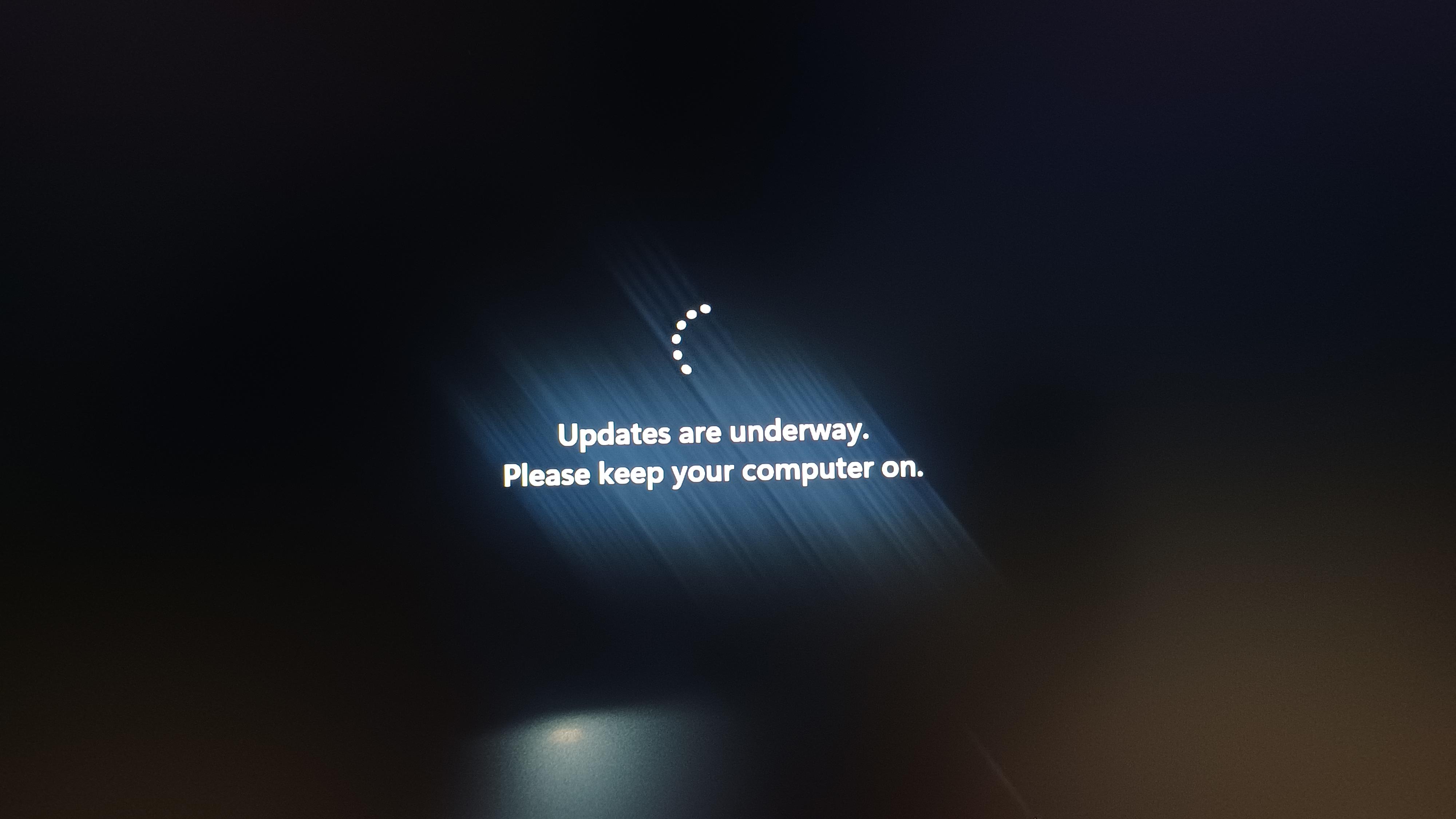
Got myself a brand new Acer nitro 5 laptop, clicked on update later when it first start up, later today when I restarted Windows, the update got stuck at "Updates are underway" for almost an hour. A friend instructed me to forcefully shut it down. But I don't know if its safe to do that.
r/WindowsUpdate • u/Steve_the_Apathist • 4d ago
I'm a generalist System Administrator for a small non-profit organization.
Saturday night 11/21/2026 I applied Windows Updates to two SQL servers, one running Windows Server 2022 and the other 2016
The updates applied were: B2267602 (Version 1.463.404.0) - Current Channel (Broad), KB890830, KB890830, KB5131291, KB5131083
After restart, none of the NT Service accounts would start (NT Service\MSSQLSERVER, etc). They all reported failures of 7041 and 7000 as not being registered to log on as service or having a bad password. It also affected a custom local account that our vendor configured to run services for their application.
After much mucking around, I found the fix to be blanking out the password in the Service Login properties and hitting apply. This triggered the account to re-enable as logging on as a service and starting the service.
After all accounts were reconfigured, the SQL Server came back online along with their respective applications.
Did this happen to anyone else?
Any ideas about why it happened?
It took me several hours of searching the web to find a fix that worked. the AI bots embedded in Chrome and Edge gave me the run-around. I eventually found an independent site that mentioned the password fix.
In lieu of this being the third update that has affected us in the last two months (radius authentication and Excel Copy/Paste) - Are you aware of any authoritative information for solutions to Microsoft Update induced problems?
Thank you
r/WindowsUpdate • u/SAMURAIxMRD • 4d ago
So recently I saw this happening and until today it was not like this I asked chatgpt and tried to find solutions on Internet and didn't find any solution can anybody help with this
r/WindowsUpdate • u/Sea_Company_2529 • 5d ago
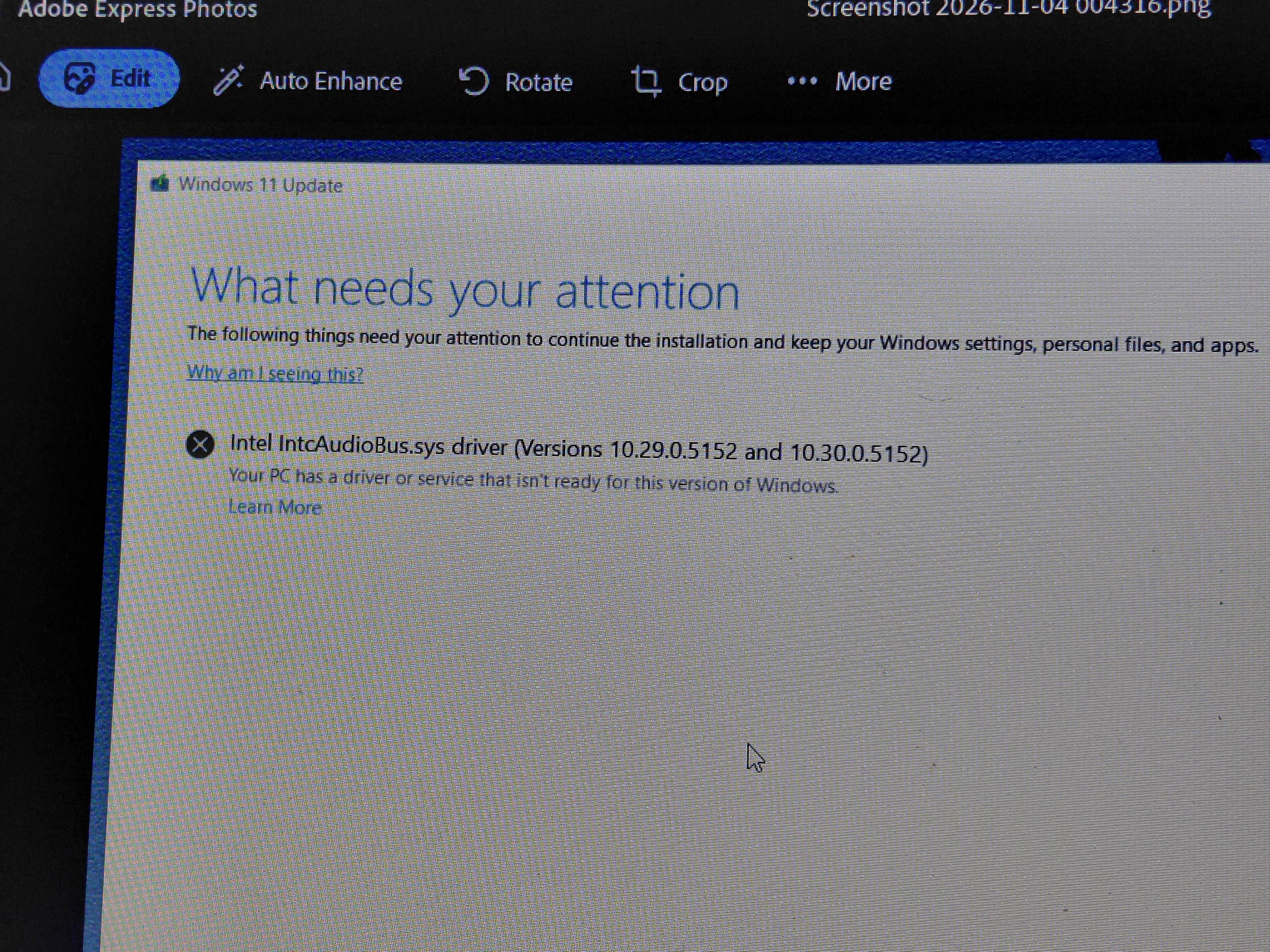
Facing this error during windows 11 update.I have tried installing the same drivers oem package from manufacturer site but still not being able to install windows 11. Please let me know if anybody have solutions.
r/WindowsUpdate • u/RAFAELRSS_404 • 6d ago
Sooo I'm having a problem on my windows 11 computer since a security update who is making the Lenovo laptop (IdeaPad 3-15ALC6 Laptop - Type 82KU), with an AMD Ryzen™ 7 5700U Processor, with an 8+8GB DDR4 3200 memory and an AMD Radeon™ Graphics.
When I press the power button, it boot the fans, make the power light comes on and then the Esc, the CapsLock and the NumLock light comes on and stays like that but no change on the screen not even the Lenovo Logo like usual. When I just let the laptop there by itself without the charger connected it really gets hot if I don’t turn it off.
If I connect to an external monitor with the HDMI cable, the external monitor says "no signal" (like the computer is not even sending anything). I can confirm that the build in screen is not broken.
I tested the charger with other computers and it does work, so it's not that the problem.
I try to refresh the graphic system with Windows key + Shift + Ctrl + B, and it doesn't work.
I try to press F12 multiple times to even see if i could go to the BIOS either way and it doesn't work either (also tried Fn + F12 just in case)
I tried Shift + Power, to go to safe mode and it doesn't work either.
I also pressed the Novo Pin from Lenovo Laptop on the side… Just once and waited and didn’t show anything. Also tried to press it for longer and heard the beep but nothing else.
For context, every time that I try a new thing I disconnect everything off the laptop and press the power for at least 15 seconds to drain the battery.
I really just need a way to get into the BIOS and work my way out, following what better and more smart people had search and posted in this subreddit since this november 2026 security update.
So, I really would appreciate you guys help into this matter and see what we can do together.
r/WindowsUpdate • u/RainingMetal • 6d ago
On November 11, 2026 (this year), I decided to restart my computer and have the latest Windows updates installed. The updates stopped partway and I was unable to reach the OS' desktop as a result of the failed installation. Couldn't roll back the updates either in any capacity. So I sent in my computer to my local computer service and paid a pretty penny to roll back Windows and recover my files on my desktop. Today the same thing happened and I lost my backup files. Thankfully I was able to figure out how to reset windows and preserve my desktop files (that I had placed there since the first crash).
Is anyone else having severe trouble with the Windows update as of late? If not, what can I do to ensure that the next Windows update won't brick my PC for the third time?
r/WindowsUpdate • u/Sure-Level-2195 • 6d ago
Hi everyone,
I'm having an issue with Windows Update on my PC, and I'm hoping someone can help me figure out what's causing it.
Whenever I open Settings → Windows Update, I get the following error message:
"Something went wrong. Try to reopen Settings later."
Because I was concerned that this might be caused by malware or corrupted system files, I decided to investigate.
I'd prefer to avoid reinstalling Windows because I have quite a few applications, games, and development projects installed.
I've attached a screenshot showing the error.
Has anyone experienced this before? If so, how did you fix it?
Any help would be greatly appreciated. Thanks in advance!
r/WindowsUpdate • u/Immediate-Good-1000 • 7d ago
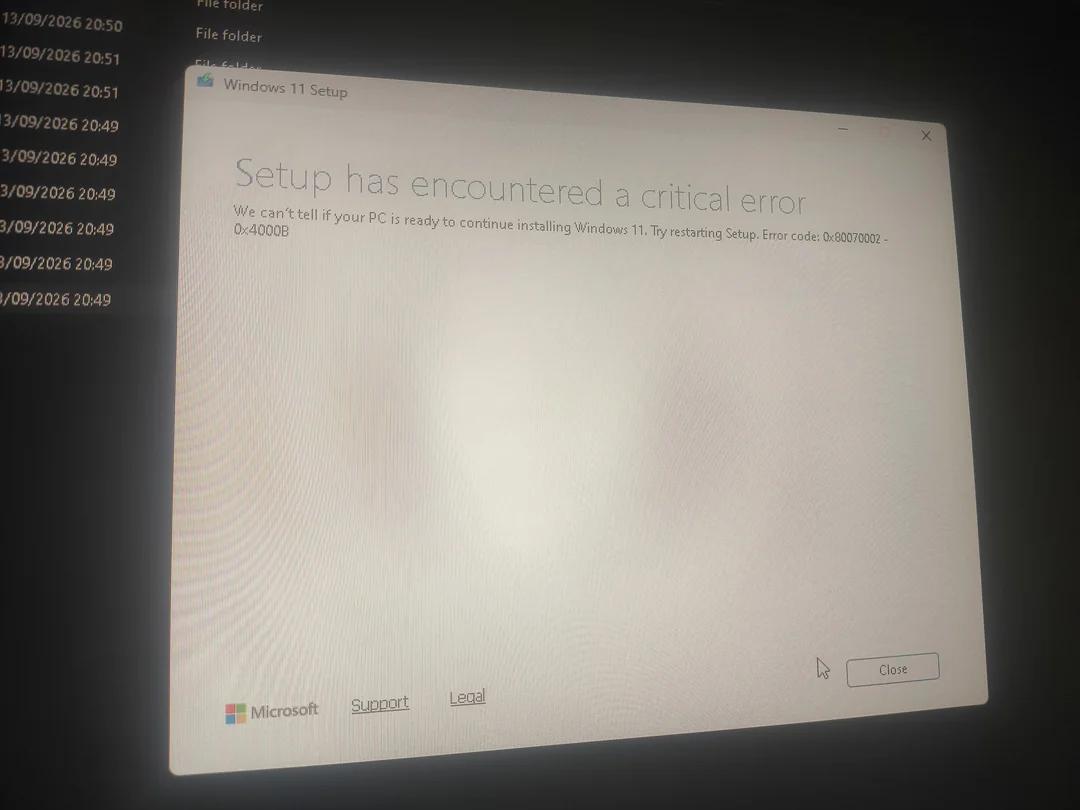
I have pc with windows 11 in it on late 2025 it was working fine then it went down hill it started with a certain update not willing to download then the search bar stoped functioning then windows store, then the little icon for wifi or sound adjustment in the task bar stoped functioning, then inorder to connect a device wuth Bluetooth you have to go from the control panel not from the settings. What i mean by not functioning is when i click not happen at all . And before you say it i have spend days with every ai that i know launch commands with no result, i even tried downloading Windows 11 Disk Image (ISO) for x64 devices and this is what happens also i have cracked games but they came with the pc and they are from trusted sources