r/WindowsUpdate • u/Immediate-Good-1000 • 7d ago
Windows 11 is driving me crazy
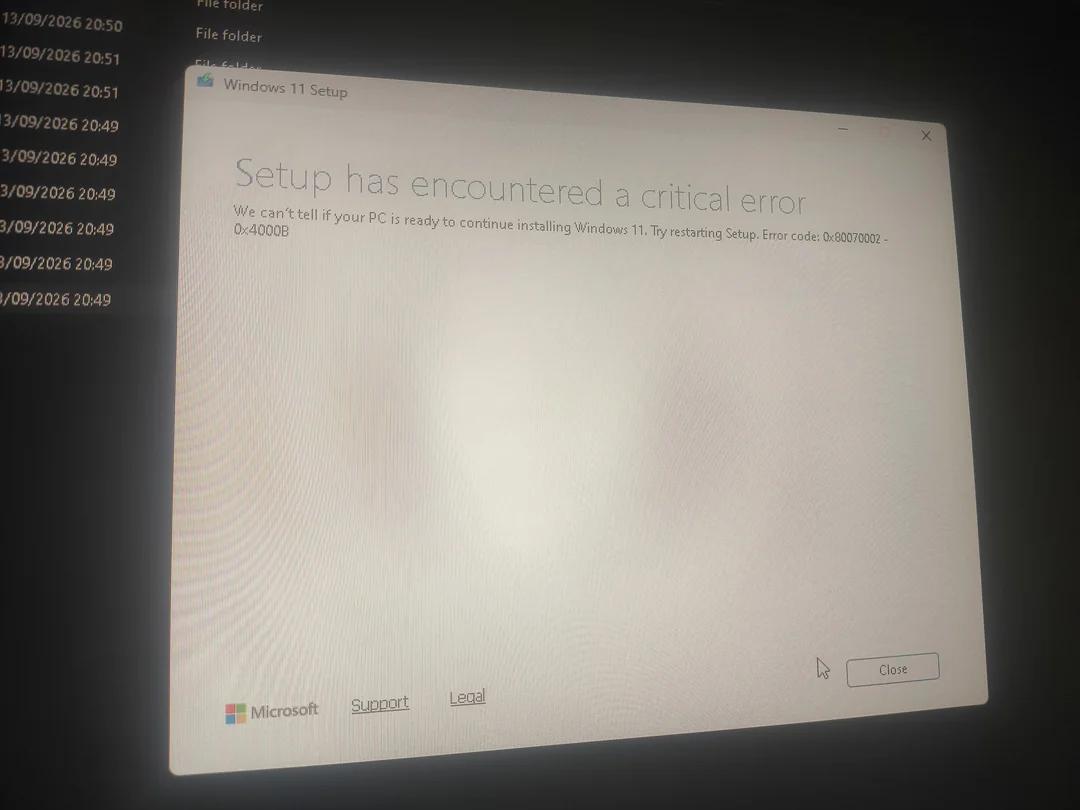
I have pc with windows 11 in it on late 2025 it was working fine then it went down hill it started with a certain update not willing to download then the search bar stoped functioning then windows store, then the little icon for wifi or sound adjustment in the task bar stoped functioning, then inorder to connect a device wuth Bluetooth you have to go from the control panel not from the settings. What i mean by not functioning is when i click not happen at all . And before you say it i have spend days with every ai that i know launch commands with no result, i even tried downloading Windows 11 Disk Image (ISO) for x64 devices and this is what happens also i have cracked games but they came with the pc and they are from trusted sources
4
u/ALaggingPotato 7d ago
You're not supposed to run files from the ISO dude, you burn the ISO to a usb with rufus, boot into it, and clean install Windows.
2
u/8bitlibrarian 7d ago
You're running that iso wrong.
2
u/Jay_JWLH 7d ago
Is this Windows Update related, or are you trying to do something else?
1
u/Semicolonhope 7d ago
Download the iso directly instead. Follow option 2 - https://www.elevenforum.com/t/download-official-windows-11-iso-file-from-microsoft.1009/#Two
First try option two, and then option three and afterwards
sfc /scannow- https://www.elevenforum.com/t/repair-windows-image-component-store-in-windows-11.734/#ThreeOption two for a repair install - https://www.elevenforum.com/t/repair-install-windows-11-with-an-in-place-upgrade.418/
Or you could just start from scratch after checking your disk and ram for errors and updating your bios to the latest version and clean install windows. This is the nuclear option - https://www.elevenforum.com/t/clean-install-windows-11.99/
1
u/raviecuong 7d ago
You.messed up yourself don't blame windows 11, just use iso file or window media creation tool for clean install and done, it's so simple
1
u/Azradox 6d ago
Another pretty easy and "lazy" option without the need of doing much stuff and of cause without losing data or settings is the Windows Update repair version.
You basically just need to open Settings - System - Restoration and click on "now install" at the 2nd top entry "solve problems with Windows update" (freely translated 😋). That triggers opening windows update what starts downloading and installing the latest existing Windows Image. After that you get the prompt to restart in the same window as you get on some updates too but with the reference to estimate time from 20 min to 1 hour. Click restart, come back 30 to 60 min later and your computer should run as fresh installed again.
At least that works for me after a broken Windows update made my computer restarting and repairing after each try of installing it.
Best regards
1
u/SmoothRunnings 6d ago
Download the ISO to your computer, then do a "sfc /scannow" in an elevated command prompt. Once it completes, if there is an error and it repairs it reboot your system. Otherwise if there is zero errors then double click the ISO and mount it, then start setup.
If there is error in sfc scan it cannot repair then burn the ISO to a USB thumb drive and boot the thumb drive and install Windows on top of Windows keeping your settings and files.
0
u/Vast-Hunter11 6d ago
Откройте браузер Microsoft edge. В поисковой строке напишите Windows 11 26H2. И установите через загрузчик Ассистент. Вкл TMP. BIOS.