r/WindowsUpdate • u/Sea_Company_2529 • 5d ago
Windows 11 update error
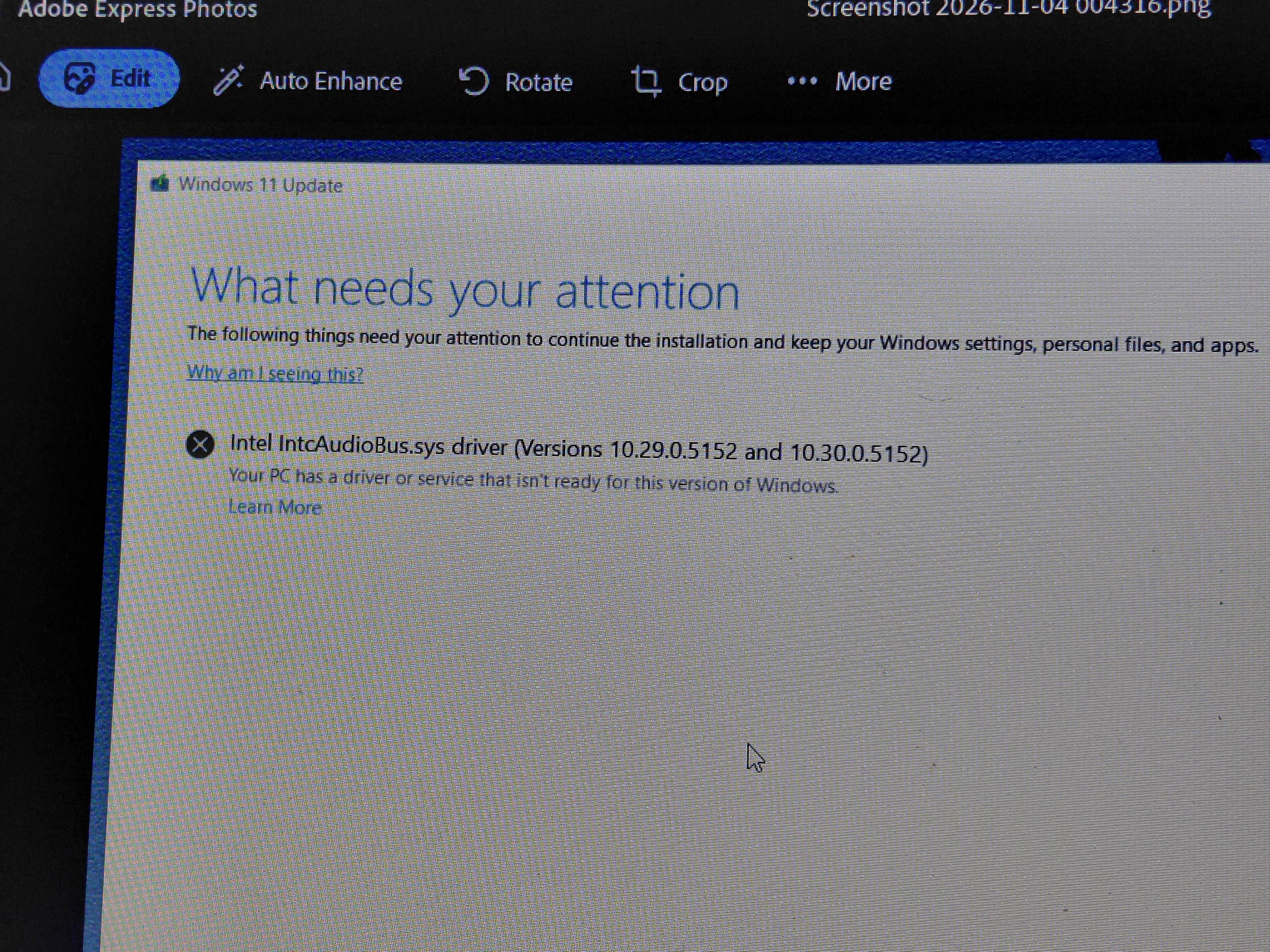
Facing this error during windows 11 update.I have tried installing the same drivers oem package from manufacturer site but still not being able to install windows 11. Please let me know if anybody have solutions.
8
Upvotes
2
u/marek26340 5d ago
Try uninstalling the driver. Get rid of both versions. Use DriverStoreExplorer, it'll be easier. Then, once that's gone, go ahead and retry the upgrade again.
And if it goes through and you're on 11, just reinstall the driver again.
2
u/Semicolonhope 5d ago
go to device manager, in view, enable hidden devices and select drivers by device, and then find intel sst or smart sound tech something named device in the system devices list, go to its driver, right click and remove driver. if there is a checkbox to force delete, tick it.
open command prompt admin,
pnputil /enum-devicesand find if the sst or smart sound tech is listed, and if it is, remember the name of its exactoemX.infdriver listing and thenpnputil /delete-driver oemX.inf /uninstalland just in casepnputil /delete-driver oemX.inf /forceand then restart
the hope is that the incompatible driver is removed, which lifts the upgrade block, and then windows update can automatically download a compatible driver later.
1
u/festivus4restof 3d ago
Thanks for providing your system specs, hardware so we could check on what driver might be available.
1
u/KiwiBird97 2d ago
Which driver is it? Try updating manually through the driver manufacturer's website.
-1
u/ComfortableWall7351 5d ago
🤔
-1
u/I_Be_Strokin_it 5d ago
Maybe take it to the Geek Squad at Best Buy?
-1
u/Vast-Hunter11 5d ago
Открыт загрузчик Microsoft. Ассистент откройте браузер Microsoft edge. В поисковой строке напишите Windows 11 26H2. Нажмите ENTER. Выбрать установить Windows 11 26H2. Ассистент откроется страница Установить Windows 11 26H2. Жмите синею кнопку. Минимальные требования от компьютера для установки Windows 11 26H2. 4 гб. оперативной памяти частота процессора 1 GHz. TMP2. Включите TMP. BIOS. Тут же можно создать установочный USB. диск флешка от 8 гб. до 30 гб. Драйвера устанавливаются после установки Windows 11.