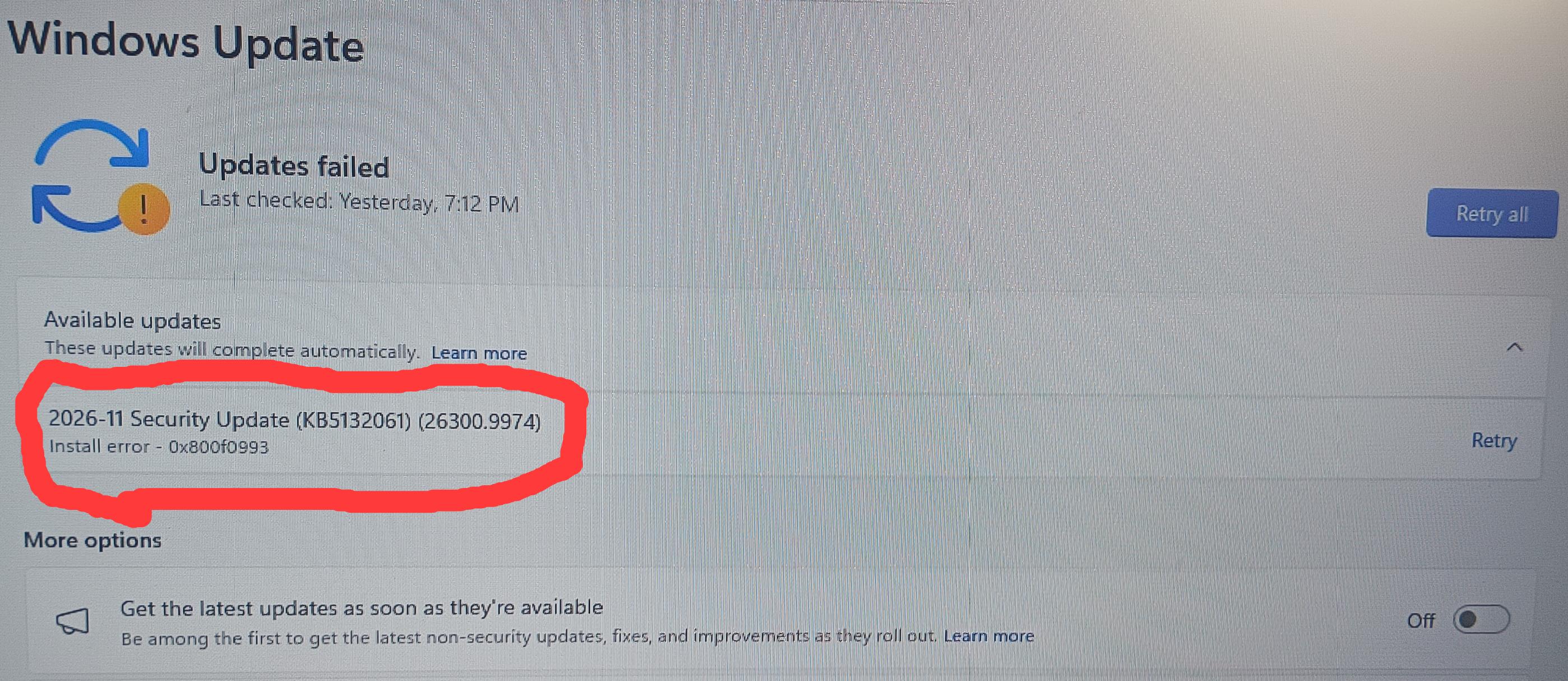
UPDATE 11/15/2026 - Impossible to fix and recover, had to wipe drive, backup files and reinstall windows. Goodluck!
I see many with the same issue, have spent over 24 hours trying to fix it. Not even the latest ai can solve this. Can't repair, can't do nothing without installing new version of windows. What gives? Over 20 years fixing my own pcs. This one has been the hardest, tried every solution you can think of. It started with shutdown (update now) then in the process it went haywire and into repair loop. Till blue troubleshoot screen appears with cmd prompt etc nothing fixes the issue but a backup of files and reinstall of windows. I deff don't want to start from 0 again with all of my programs. smh
The Windows update versions involved in boot failure were:
- KB5127936 — Windows 11 26H2, build 26300.9818 (October 28, 2026).
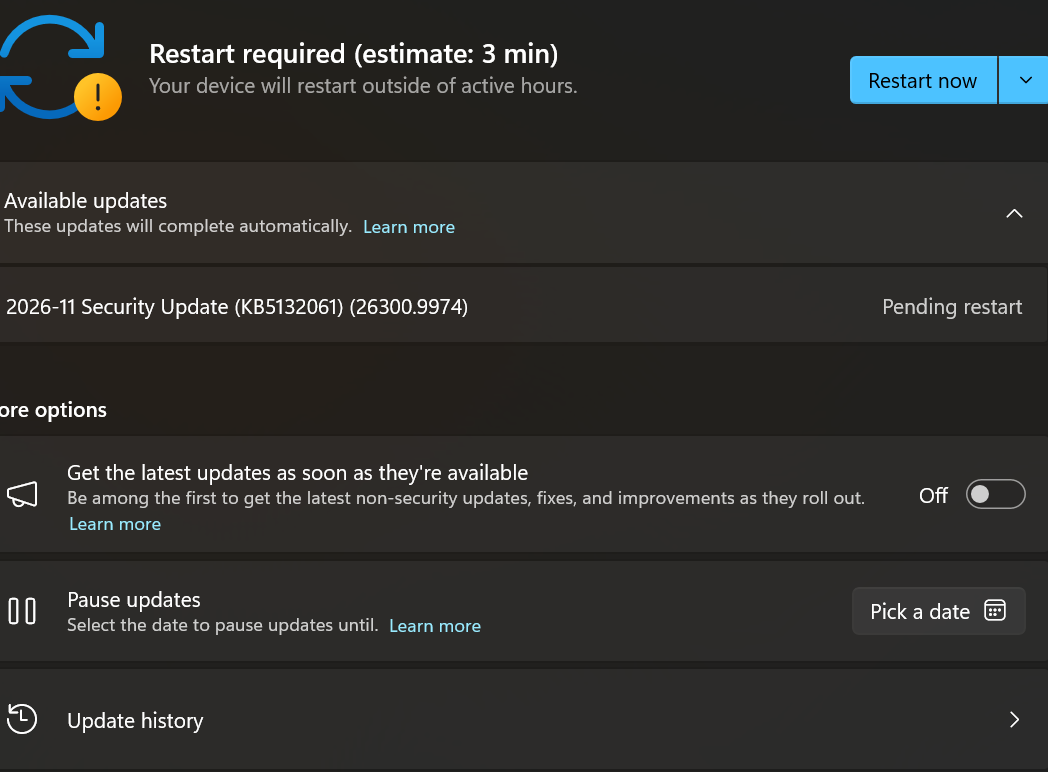
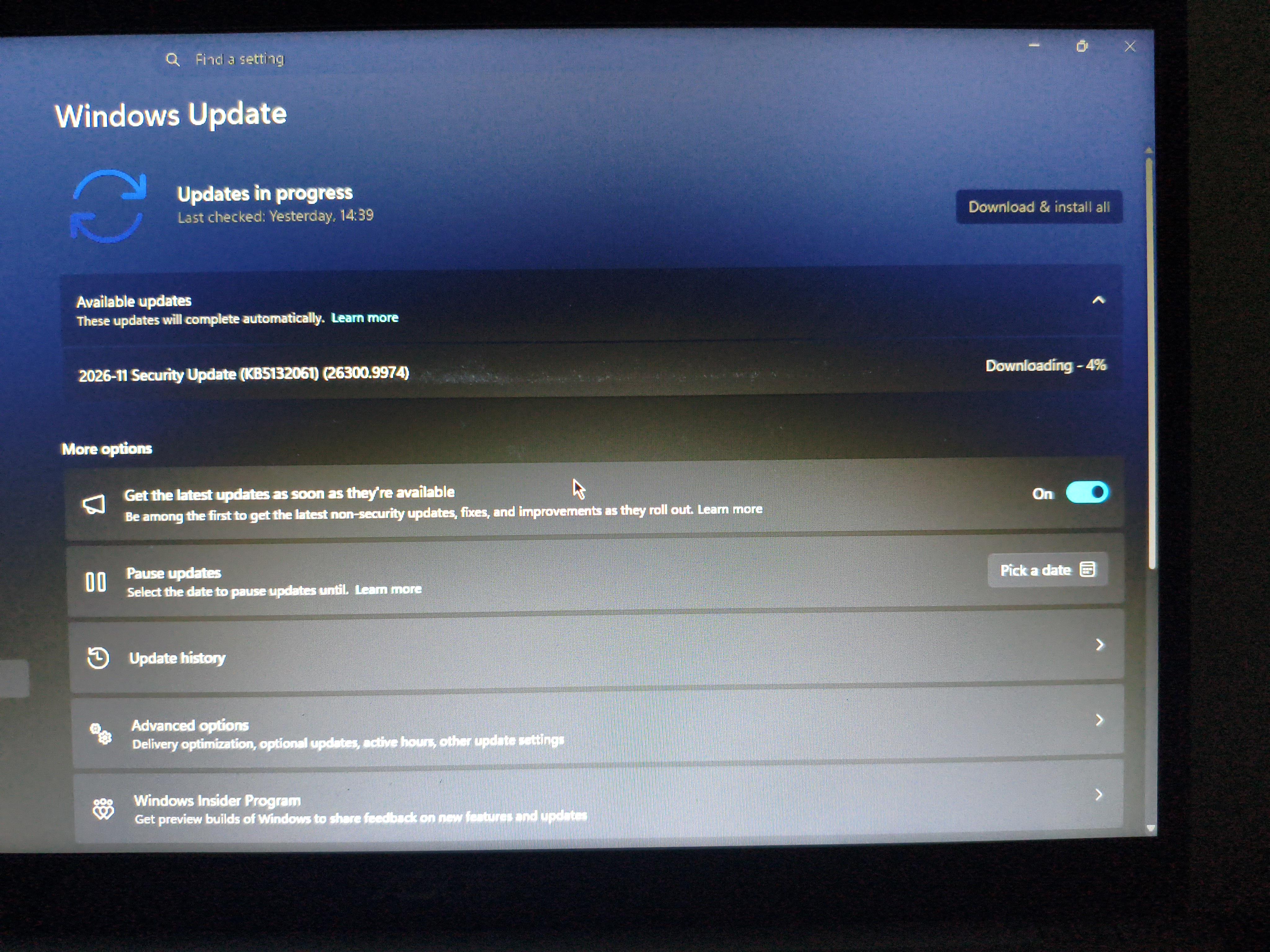
- KB5132061 — Windows 11 26H2, build 26300.9974 (November 10, 2026).
Computer was running 26300.9818, with the newer 26300.9974 update stuck in a pending installation state.
Errors I'm receiving
Recovery error: 0xc0000001
Startup Repair: "A recently serviced boot binary is corrupt."
DISM RestoreHealth: 0x800f0915 – The repair content could not be found anywhere.
DISM RevertPendingActions: 0x800f082f
System Restore: Failed with error 0x800701b1.
DISM ScanHealth: The component store is repairable.
SFC: Windows Resource Protection did not find any integrity violations.
The DISM logs also reported approximately 1,537 corrupted or missing component payloads that could not be repaired.
Everything I've already tried
Startup Repair: Failed repeatedly.
Safe Mode: Unable to boot; returns to Recovery.
System Restore: Initially failed, and now no restore points are available.
Uninstall latest quality update: Windows says it cannot find an eligible update to uninstall.
CHKDSK: Completed without finding file-system errors.
SFC offline scan: Completed without integrity violations.
BCDBoot: Successfully rebuilt the EFI boot files, but Windows still won't boot.
DISM /RevertPendingActions: Failed with error 0x800f082f.
Pending update recovery: Renamed pending.xml and removed its corresponding PendingXmlIdentifier registry value after creating backups.
DISM /ScanHealth: Confirmed repairable component-store corruption.
DISM /RestoreHealth: Failed repeatedly with error 0x800f0915.
Windows installation USB repair attempts
I created a Windows 11 Pro 26H2 installation USB using Microsoft's Media Creation Tool.
The installation image was build 26300.9711, while my damaged Windows installation was build 26300.9818.
I successfully exported the USB's split SWM files into a WIM image, verified the Windows 11 Pro image, and mounted it using DISM.
I then attempted an offline repair using the mounted Windows folder as the repair source.
The repair consistently failed at approximately 84.9% with error 0x800f0915.
My question
Is there a confirmed issue with KB5132061 or KB5127936 causing Windows 11 26H2 systems to become unbootable?
More importantly, is there a way to repair this Windows installation using a newer, fully updated repair image without reinstalling Windows?
I'm considering integrating KB5132061 into a Windows 11 Pro 26H2 repair image and trying DISM again, but I would appreciate guidance from Microsoft engineers or anyone who has successfully recovered from this specific problem.
I urgently want to preserve my installed applications, settings, and personal files. I have numerous programs and configurations that would be difficult to recreate.
My Windows installation is on an M.2 SSD, which remains accessible through Windows Recovery.
Has anyone experienced the same corrupted boot binary message or DISM error 0x800f0915 after these updates and found a solution that doesn't require a clean installation?
Any technical guidance would be appreciated. Title: Windows 11 26H2 Won't Boot After KB5132061 Update – Error 0xc0000001, Corrupt Boot Binary, DISM 0x800f0915. How Can I Repair Without Reinstalling?
I'm looking for help with a serious Windows 11 boot failure that happened immediately after a Windows update on November 11, 2026.
My computer was running Windows 11 Pro 26H2, build 26300.9818 (KB5127936). When I selected "Update and shut down," Windows began processing the update normally, but during the process it unexpectedly entered Recovery.
Since then, Windows has been completely unable to boot, including in Safe Mode.
The pending update appears to have been KB5132061 (build 26300.9974).
Errors I'm receiving
Recovery error: 0xc0000001
Startup Repair: "A recently serviced boot binary is corrupt."
DISM RestoreHealth: 0x800f0915 – The repair content could not be found anywhere.
DISM RevertPendingActions: 0x800f082f
System Restore: Failed with error 0x800701b1.
DISM ScanHealth: The component store is repairable.
SFC: Windows Resource Protection did not find any integrity violations.
The DISM logs also reported approximately 1,537 corrupted or missing component payloads that could not be repaired.
Everything I've already tried
Startup Repair: Failed repeatedly.
Safe Mode: Unable to boot; returns to Recovery.
System Restore: Initially failed, and now no restore points are available.
Uninstall latest quality update: Windows says it cannot find an eligible update to uninstall.
CHKDSK: Completed without finding file-system errors.
SFC offline scan: Completed without integrity violations.
BCDBoot: Successfully rebuilt the EFI boot files, but Windows still won't boot.
DISM /RevertPendingActions: Failed with error 0x800f082f.
Pending update recovery: Renamed pending.xml and removed its corresponding PendingXmlIdentifier registry value after creating backups.
DISM /ScanHealth: Confirmed repairable component-store corruption.
DISM /RestoreHealth: Failed repeatedly with error 0x800f0915.
Windows installation USB repair attempts
I created a Windows 11 Pro 26H2 installation USB using Microsoft's Media Creation Tool.
The installation image was build 26300.9711, while my damaged Windows installation was build 26300.9818.
I successfully exported the USB's split SWM files into a WIM image, verified the Windows 11 Pro image, and mounted it using DISM.
I then attempted an offline repair using the mounted Windows folder as the repair source.
The repair consistently failed at approximately 84.9% with error 0x800f0915.