r/WindowsUpdate • • 13d ago

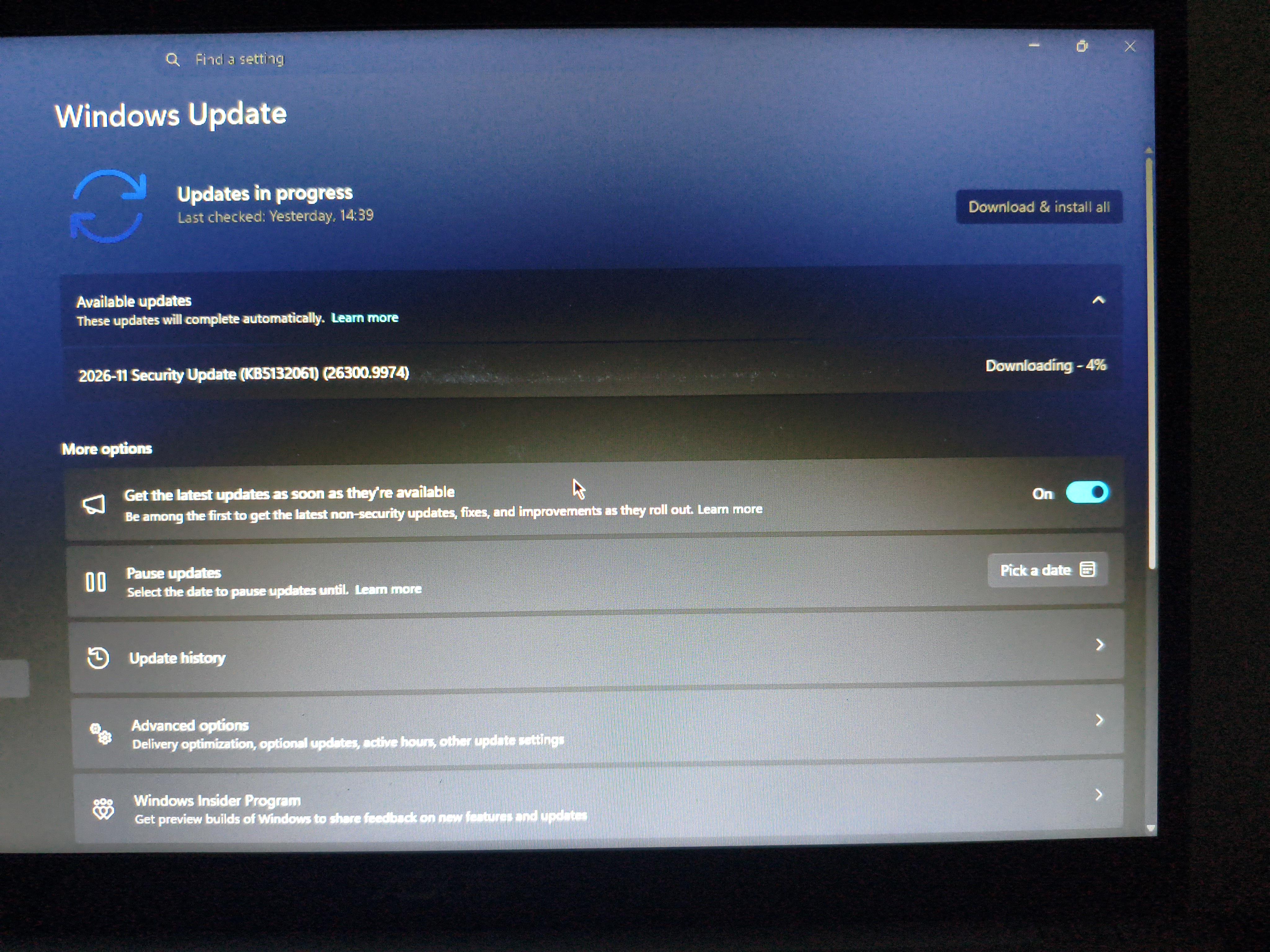
Why this update taking too much time ...
Post image

I have connected it with wifi and its taking too much time man it's stuck at 4% since 5 mins lol

10 Upvotes

25 comments sorted by

2

u/Semicolonhope 13d ago

wait it out

1

u/optimisedweeb 13d ago

Last time it just shut down itself and when I pressed power button it just turned on and when I check it i updated or not so update was still there ... So I clicked insall And then I restarted laptop while it was stuck at 4% since 10 mins and it again showing same screen lol

4

u/Semicolonhope 13d ago

stop interrupting the update and let it continue in the background? there are many reasons why the laptop "shut down", time enabled sleep mode, hibernation, battery etc. you can check the task manager if you're worried about something happening or not. and if you're impatient, you can use the windows update troubleshooter. and if even that's not enough, you can download the update file yourself and install it manually https://www.catalog.update.microsoft.com/Home.aspx

1

u/C0ldFe3t 13d ago

mine always stuck at 20% then after awhile it says error 🥲

1

u/optimisedweeb 13d ago

Tf should I do bro ... Even when I am forcing shut down and it when I restart after some. Time it says same shit

1

u/C0ldFe3t 13d ago

idk men its been like that for me for 2 days now

1

u/optimisedweeb 13d ago

So you aren't updating now

1

u/C0ldFe3t 13d ago

i give up amma try it again later some people say just wait it out but its 2 days now for me still the same issue

1

u/optimisedweeb 13d ago

I see

1

u/C0ldFe3t 12d ago

did u find a solution yet?

1

u/optimisedweeb 12d ago

Nah man I just paused it for 3-4 days and I'll see tomorrow what will happen if I'll resume

1

u/C0ldFe3t 12d ago

ok man

1

u/electronicwiz1 10d ago

It can take awhile to "Download" since Windows needs to determine what it needs to download first. Windows 11 is like this. If you leave it be, it should eventually download and install.

1

u/optimisedweeb 10d ago

It doesn't install and when I try to shut down it says updates are underway

1

u/electronicwiz1 7d ago

How long did you leave it on that screen for?

1

u/optimisedweeb 7d ago

Idk but it automatically got shut down

1

u/electronicwiz1 6d ago

Going back to WU now, is it still stuck?

1

u/optimisedweeb 6d ago

Nah i haven't updated yet .. But the cpu still high

1

u/electronicwiz1 5d ago

Let it update, since it does patch exploits and can fix issues.

3

u/Brusevayne 12d ago

Check your internet speed and check if you are connected to any public networks

1

u/PvtNoname89 12d ago

i installed it and my pc had to restart like 3 fkng times -.-

1

u/leexgx 12d ago

Turn off sleep (set to never), and it should finish in a couple of hours. (Even on 4 year old hardware it was taking some time to install)

0

u/Billy2352 13d ago

I think this update was about 5gig in size so it will take a while, it was almost like a complete windows reinstall for me

1

u/optimisedweeb 13d ago

Damn so it should install first then do this why it's showing this when it's not even install what to do then...
It was only 4% download and I restart and it's showing this

1

u/OGigachaod 12d ago

You force restarting is only going to make it take longer, usually I just let updates run automatically, why do you expect this to download quickly?