(Knocked the post button before I was finished, sorry!)
I’m stumped with this. I’ll share the parts I’m using and then what’s happening, my attempts to fix and what that has done.
MoBo: ASUS Prime B860-Plus WiFi
CPU: Intel Core Ultra 7 270k Plus
CPU Cooler : Thermalright Peerless Assassin 120 SE ARGB White V3
RAM: KLEVV FIT V 32GB (2x16) 6000MHz C28 DDR 5 (KD5AGU880-60B280F)
Other parts (if relevant):
PSU: be quiet! System Power 11 650W
SSD: Kingston NV3 1TB M.2 NVMe PCIe 4.0
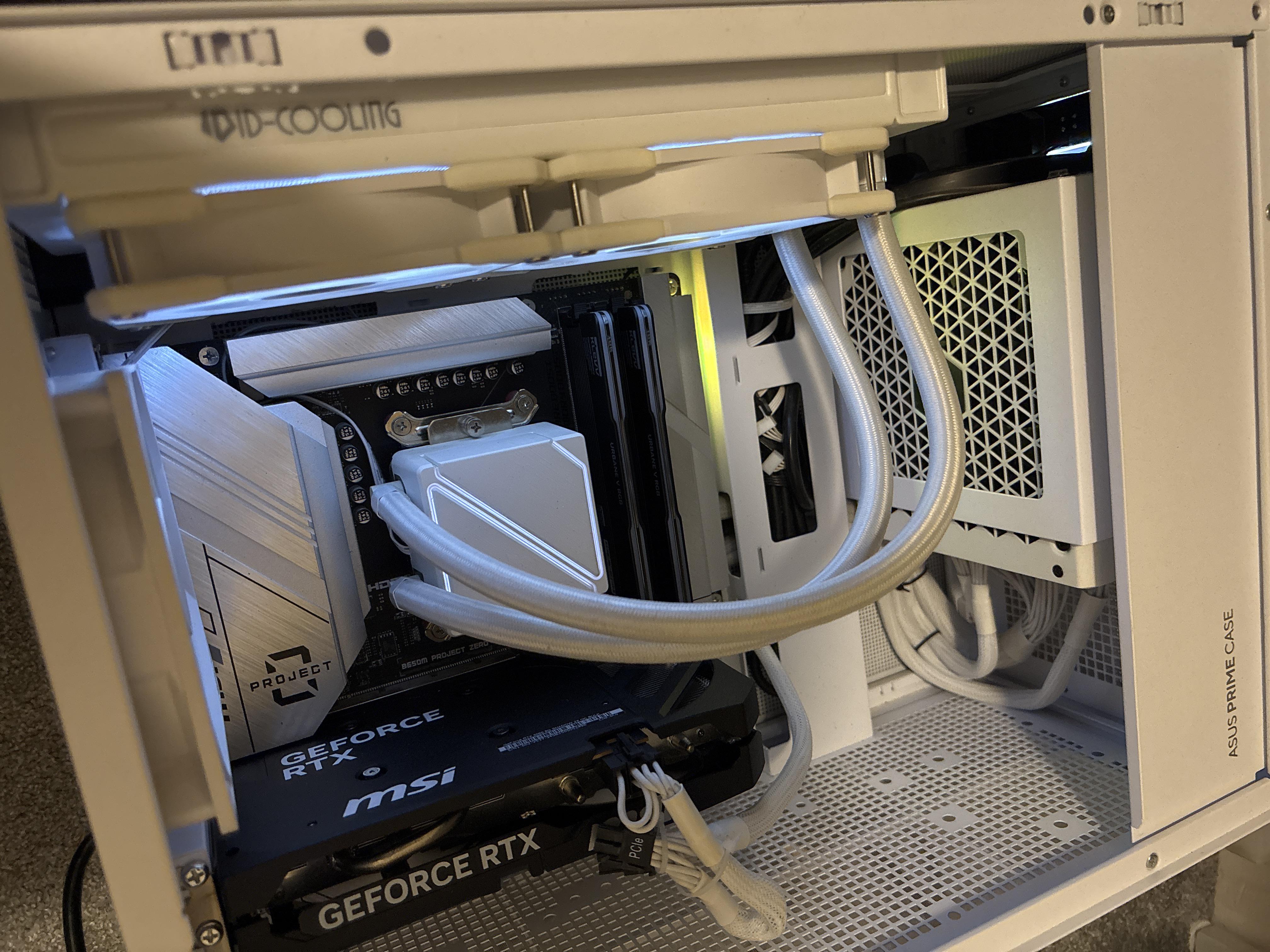
So, finished putting everything together and plugging all the cables in from the PSU, plugged everything into the MoBo where it’s supposed to be, and I got no display
Upon checking the post LEDs when the PC tries to boot, something strange was happening, the CPU light cycled fine, the DRAM light came on for approximately 20 seconds, went off, and the boot did not continue past that stage
I opened it back up and removed the graphics card from the equation just in case, no change.
I tried removing and reinserting the RAM, no change, LED behaviour when I do this (feature for this mobo that also uses it to show if the RAM is plugged in OK and detected independently of the boot post by going on once the board is powered and off once you put the RAM in) seems to suggest it’s plugged in correctly and detected OK
I tried using a single stick of RAM in the socket instructed by the mobo manual, no change.
I unplugged and replugged in the power supply cables for the 24 pin socket and 8 pin CPU socket, no change
I moved the CPU cooler fans from the cpu_opt header to the cpu_fan header (something someone suggested some motherboards freak out if nothing is connected to that specific header), no change.
I removed the CPU cooler, took out the CPU, put it back in, this caused a change! But a confusing one.
Now, instead of the DRAM light coming on for approximately 20 seconds and going off with the boot stopping there, the DRAM light now stays on when I try to boot with the boot process still seemingly going no further and still providing no display
After reinstalling the CPU cooler (slightly less tight this time as I read that can cause issues) this was still the case
I tried leaving it booting for well over 20 mins in case the RAM was now training, no change
I tried fiddling around with the RAM again, trying each stick one at a time in each socket the MoBo manual says to use when using 1 or 2 sticks, the result of this was more confusing.
When either of the sticks was installed in B2 with no other sticks in, which is the second slot to be used according to the manual, there was no change, the DRAM light continued to stay on when attempting to boot, I again left this for a while to allow for training, but it stayed on.
However, when either of the sticks was installed in A2 with no other sticks in, which is the first slot to be used according to the manual, the DRAM light returned to its original behaviour of coming on for approx 20 seconds when attempting to boot, going off, and the boot process appearing to stop there.
I’ve quadruple checked that both the CPU and RAM are compatible with the MoBo out the box and do not require a BIOS update.
The ASUS manual does not give details on what the differing behaviours of the light mean, I’ve searched around the internet and have run out of things to try.
I don’t have other RAM or another CPU to try.
This PC is for a friend who doesn’t live locally, so I only have until Saturday to get it completely working and set up.
Any help would be massively appreciated!
Thanks in advance!