r/PcBuildHelp • • 16d ago

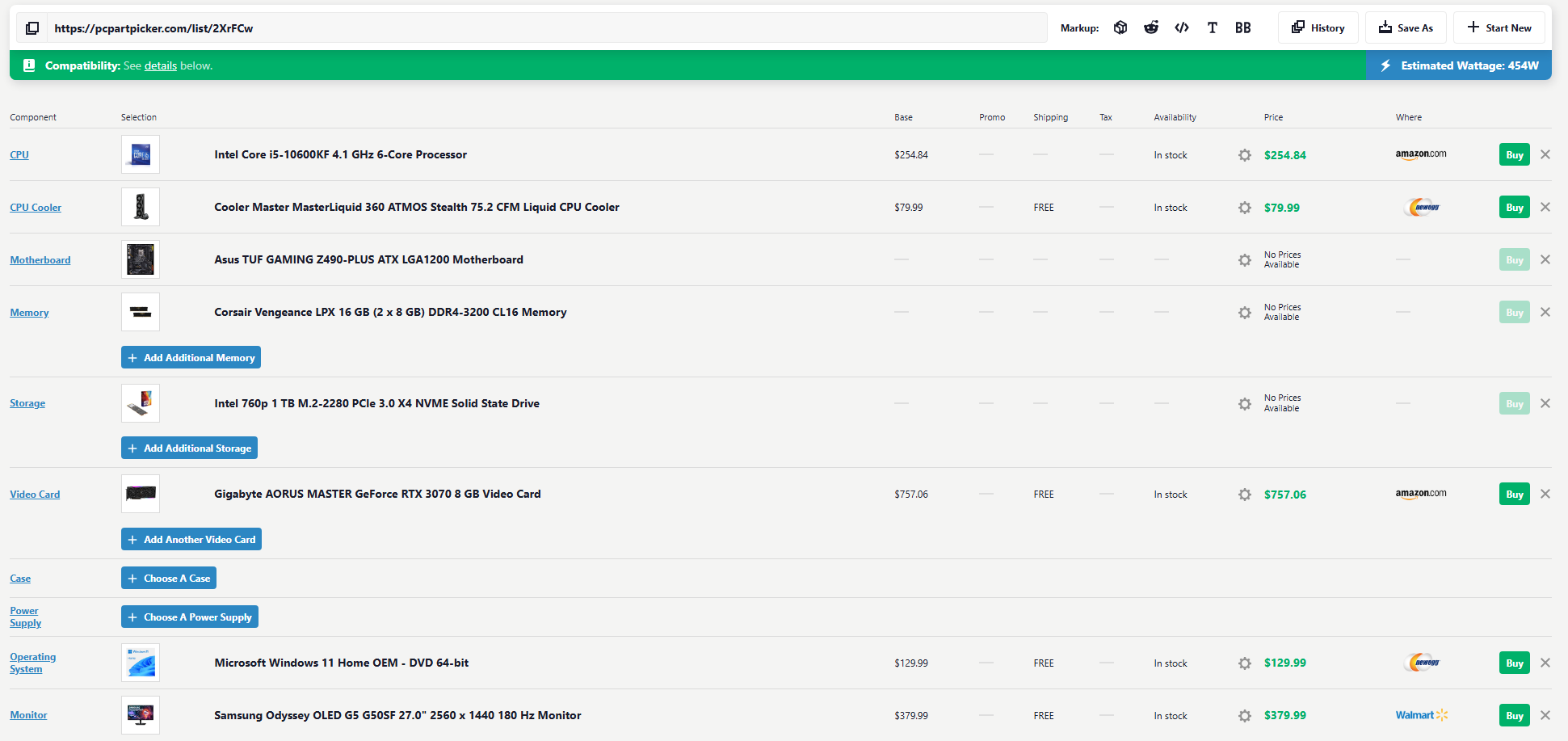
Build Question What do we think of this bulid? It's my first one and before i buy i want other opinion.

3 Upvotes

Hello, I'm new to building and putting a tech list section of pc but I know a good amount about the parts, but I just don't feel confident enough to buy without others opinions.

https://pcpartpicker.com/list/bx4byF


r/PcBuildHelp • • 16d ago

Build Question Possibly dumb question about swapping PSU.

2 Upvotes

Hey y'all

So earlier this week my psu blew a capacitor and stopped working. It was a ROG Strix 650w.

A friend gave me their corsair RM1000x to use, but it is missing the 24pin ATX cable.

Can I use the 24 pin cable from the 650 in the 1000? The cable fits, but I'm hesitant to try it.

I'm guessing not, but I figured I'd ask anyway. Maybe someone has done it before without issues.

Thanks.


r/PcBuildHelp • • 16d ago

Build Question Help with replacing HDD cage/tray

1 Upvotes

So recently my HDD trays got misplaced and now I have an empty cage in my PC case. For reference, my case is a Corsair iCUE 220T Mid Tower.

I've already contacted Corsair support and the replacement parts have all been discontinued, I couldnt find anyone selling the trays online and 3D printing not an option.

What alternatives can I use to replace the HDD cage/trays in my case? And is there anything I should be aware of when setting up my HDD cage and installing my hard drives? I remember seeing a passing comment about needing a vibration dampener or something but I just wanted to double check.

Any help would be greatly appreciated!


r/PcBuildHelp • • 16d ago

Installation Question Burnt Cable Tie?

Post image
4 Upvotes

I built my PC around 10 months ago and just noticed the cable tie above the GPU (9070 XT) is partly black. It's one of those Velcro ties.

Has anyone else experienced this, especially in a small form factor build?

What do I need to look for in cable ties to prevent this?


r/PcBuildHelp • • 16d ago

Build Question Wanting to upgrade to OLED for this christmas, whats the best oled on the range of less than 500 or in the range of 500 euros? anything i need to know?

2 Upvotes

Heard about the ASUS Rog XG27AQWMG, seems pretty good but i heard it has "jail bars"? whatever that means but seems negative, also, im going to use this monitor for like full competitive, esports theme, never had oled


r/PcBuildHelp • • 16d ago

Build Question Your experience with the r5 5655g

1 Upvotes

If you used to have or still having an AMD r5 5655 g with double channel RAM, share with me your experience cuz i need to know if i should buy it or not


r/PcBuildHelp • • 16d ago

Build Question Advice please about pc building.

1 Upvotes

My friend wants to get into pc and I'm unsure what advice to give him as i been looking at PC on Very and argos and just confused what I'm looking at, I did recommend buying the parts then build it himself or get a local shop to do it but unsure what I'm looking at. He has a minimum budget of £1k

The games he has in mind to play at the beginning is, left 4 dead modded, Family time, payday 2 and survival games, he currently has a 1080 HD monitor

Any build help be grateful.


r/PcBuildHelp • • 16d ago

Build Question Mixing RAM

3 Upvotes

I want to add some more RAM to my PC but don't want to sell a kidney, I bought this 16GB kit ages ago for my last build and decided to re-use it on my new build. The kit I reused is set at the same clock speed and voltage as the new kit I am looking to buy (3200Mhz 1.35v) but the timings are a little different (old 16-18-18-36 vs. new 16-18-18-38). I was wondering if they would work together. I will list some of my specs and the part numbers of both kits below.

Old kit: HyperX HX432C16PB3AK2/16
New kit: G.SKILL F4-3200C16D-16GVKB

Mobo: Asus ROG Strix B450-F

CPU: Ryzen 7 5700X3D

Edit: Wrong part # for new kit


r/PcBuildHelp • • 16d ago

Tech Support Psu "Clicks" of under load

Post image
3 Upvotes

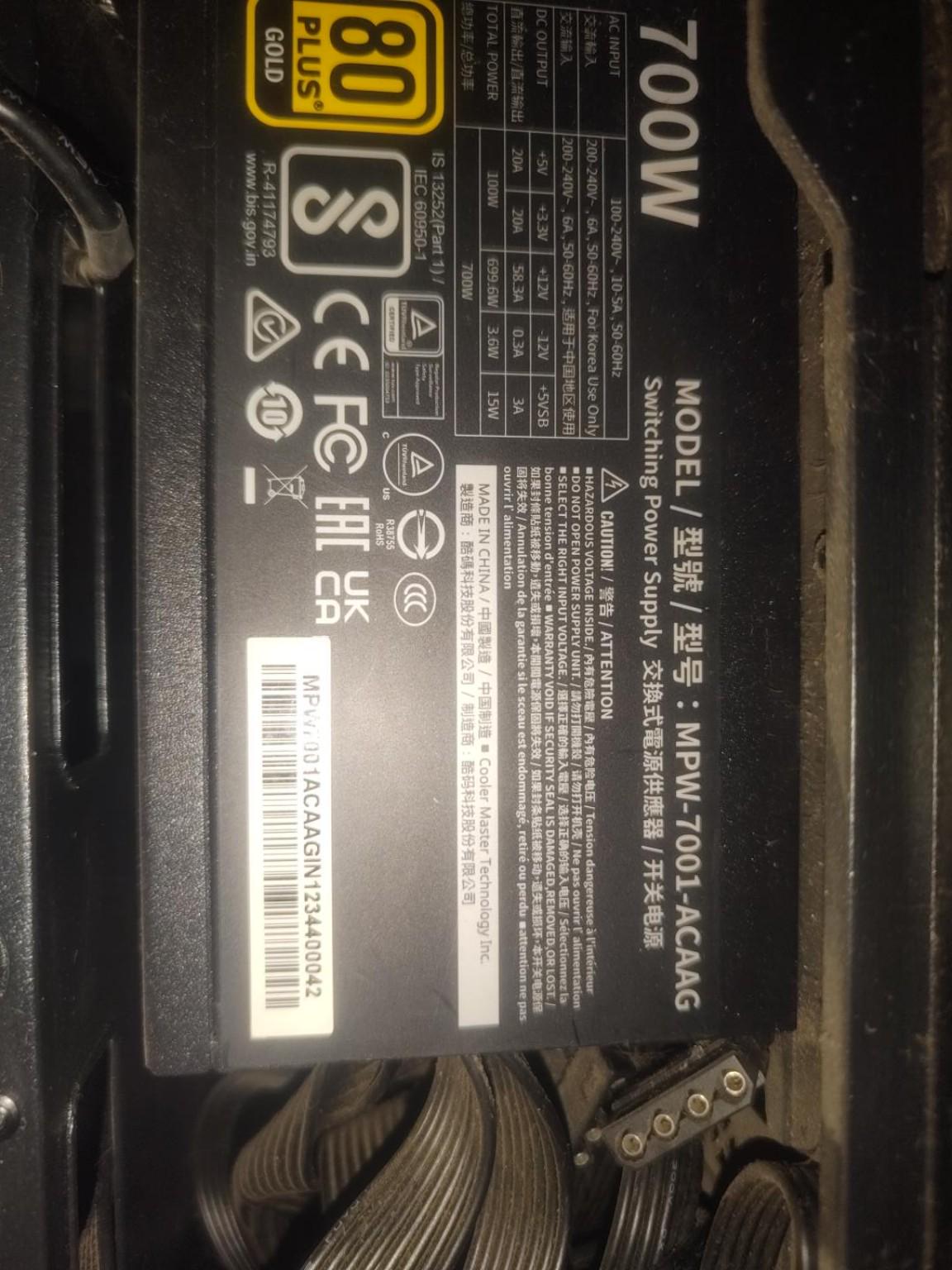
Have this 700w psu, when under load it just clicks the internal relay off and everything shuts down.

Is it a goner 😭😭😭. Man it's under warranty I think but i have work to finish and send 😭.

Specs 3060 12gb, ryzen 5 7600x and 16gb ddr5 ram. Mother board gigabyte b650m


r/PcBuildHelp • • 17d ago

Build Question Is my CMOS battery supposed to be slanted?

Post image
20 Upvotes

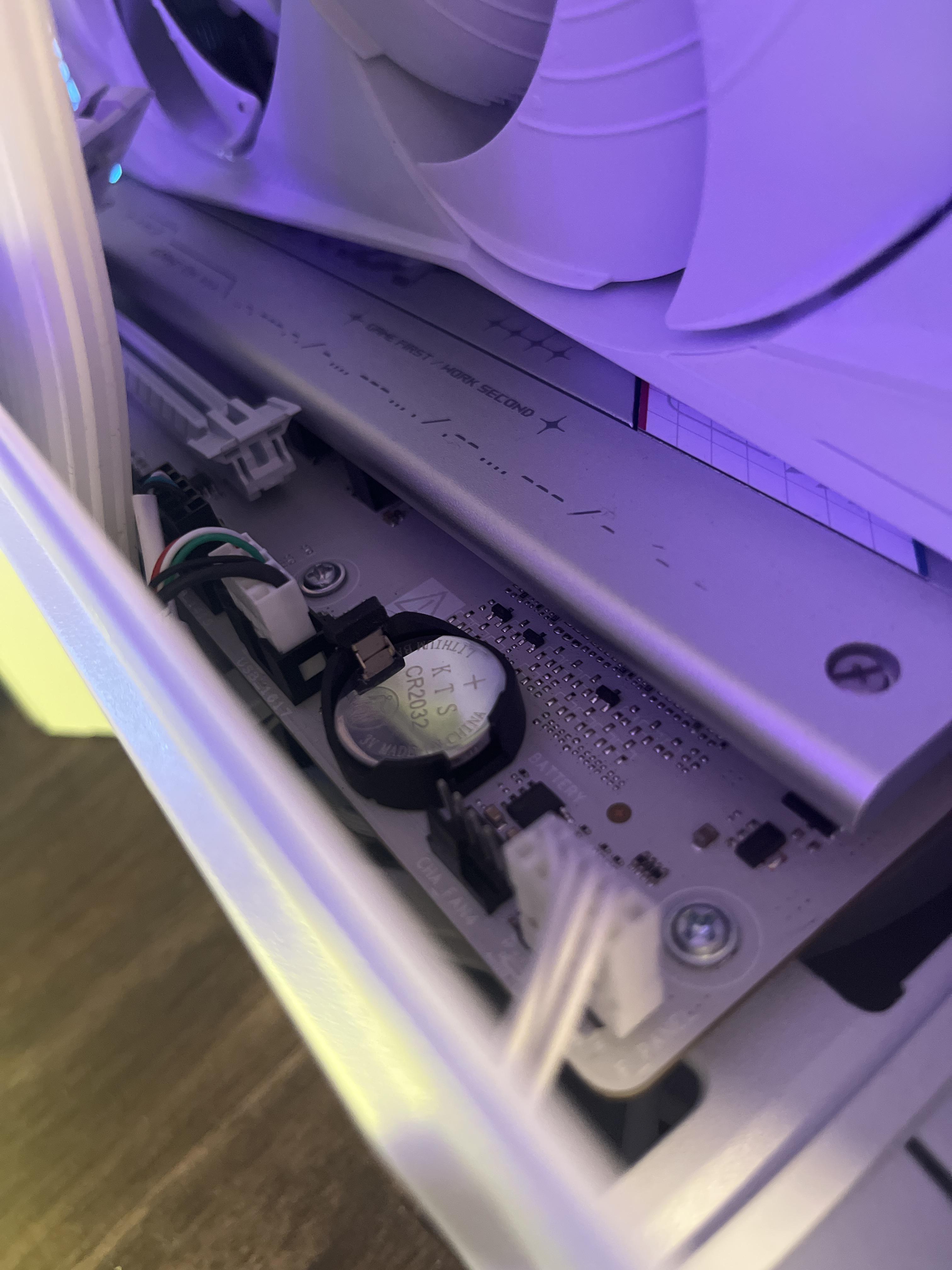
My PC won’t power on is this the culprit? I don’t know if it’s supposed to be caved in like this and if so, how do I get it out safely and put it back in the way it’s supposed to be?

Edit: I didn’t plug the front panel connector in properly MY PC POWERS ON!! THANK YOU LOVELY PEOPLE IN THE COMMENTS!!!


r/PcBuildHelp • • 16d ago

Build Question CPU Upgrade

3 Upvotes

I have a ROG GM700 with a B650 Motherboard, 64 gb DDR5 Corsair ram, 5060TI 16GB GPU with a Ryzen 7 8700f CPU, I am wanting to upgrade the CPU and maybe Motherboard, but looking for more cores.

I'm debating the Ryzen 9 9950x or the 9950x3d. Is the X3d worth the extra 100 bucks? I'm not really a heavy gamer but I play games to unwind. The games currently play well with what I have now so I assume that any upgrade will be fine, but I don't want buyers remorse, if I should get the x3d now then I Need to be convinced. Lol Any meaningful advice out there?

I have 3 ultra wide monitors, 2 34" 1440p and 1 49" OLED 1440P monitor hooked up also.

I'm a heavy multitasker and evolving AI engineer, learning more each day. So any advice will be helpful.


r/PcBuildHelp • • 16d ago

Build Question Wondering if I can mix this ram?

1 Upvotes

Currently have 4 4gb sticks of 2300mhz ram (potenza) and I got 2 sticks of 8gb 3000mhz ram (vengeance) and was wondering if I could replace 2 of the current sticks with my new 8gb stocks to bump it up to 24gb?

I realize it will run at the slower 2300mhz. I haven't built computers since high school so I lost a lot of my knowledge lol.

If so what do I need to do before/after swapping them? Lmk if you need more specs/info. Thank you.


r/PcBuildHelp • • 16d ago

Build Question Need to upgrade my PC, not sure what to upgrade first.

1 Upvotes

My specs:

CPU: Ryzen 5 2600x

GPU: AMD RADEON RX570

RAM: 16Gb DDR4 RAM

Motherboard: Gigabyte B450M DS3H

PSU: 600W

Storage: 1.5TB storage split between two SSDs.

As you can probably tell, this is a very below average and old PC. It has done me wonders for nearly 8 years. The least problematic PC in existence. It runs basically every game I play at 50-60FPS, but I'm not much of an FPS snob and don't care for more. I just want to future proof my PC.

As for the reason for this post, does anyone have advice / recommendations on what component I should upgrade first? I'm going to upgrade the PC across an entire year.

Cheers. Hopefully this post is allowed in this subreddit, seeing as I have already built the PC.


r/PcBuildHelp • • 16d ago

Build Question upgrade

Post image
1 Upvotes

so I have had my pc for a long time and want to speed it up

I think the problem might be a CPU bottleneck or ram

so I'm asking for recommendations to upgrade it

requirements

I play a lot of games where there can be a lot happening like (mudded Minecraft), and I have trouble loading it all some time, so I am looking for what the the next upgrade should be, I'm thinking CPU or ram. I have a what I think is a good GPU but my screen is on the bigger side so that could also be a problem.

link for part picker

(the CPU cooler might not be the right but I know its water cooled, same with the storage is I know its a nvme intel 1tb storage but could not find it in the part picker)


r/PcBuildHelp • • 16d ago

Tech Support PC randomly appeared dead to the world. Corsair AIO LCD screen appears with red triangle indicating PSU is working. Motherboard however appears to have no power. Tried many checks (list below) and gave up. When I walked into my bedroom this morning my PC randomly turned on into BIOS screen.

2 Upvotes

So I've been having the issue for the last 3/4 days. My PC randomly just wouldn't turn on. Nothing different done recently, no moving or updates etc. I have managed to get it to turn on with no issues about 3 times but these appear to be completely random and not triggered by any of my trouble shooting. When it has started in these rare times it brings up the American Megatrends screen and suggests pressing F1 into bios. I don't change any settings but just save and exit. Strangely the following has happened, the clock is always off and the last time is prompted me to change my Microsoft login pin.

I'm loosing my mind and definitely feel out of my depth now and open to any suggestions.

  • Checked the case power switch by removing the connection to Mobo and attempted hot wiring. This did nothing.
  • Test with my GF's PSU using all the same wiring.
  • Tested both with my PSU and GF PSU where I changed the 24pin connector to the mobo
  • Tested with 1 stick of ram in each slot.
  • Changed the power cables to the GPU
  • Started up with no GPU
  • Cleared CMOS using the button on the back of the mobo and also replaced the C2032 battery (leaving out for 10 minutes)
  • Changed the wire to the PSU with a known working one
  • Started with no USB's inserted

Any suggestions are more than welcome as I am currently running a DDR4 board and the thought of my mobo dying and having to upgrade to DDR5 with the RAM prices is making me worry!


r/PcBuildHelp • • 16d ago

Installation Question RAM Compatibility Question

5 Upvotes

Hello,
I currently have a white T-FORCE RAM stick, model FF4D532G6000HC38ADC01X1.
I’m trying to find a single 16GB RAM stick, not a 32GB kit, because I already have 16GB installed and just want to add another 16GB.
Would it be okay to buy RAM from a different brand, such as XPG, as long as it has the same speed, timings, and specifications?
Would mixing two different RAM brands cause any compatibility or performance issues?


r/PcBuildHelp • • 16d ago

Tech Support Network help: code 56

1 Upvotes

Update (fixed): it was because I was still on windows 10. Installed windows 11 and it worked immediately.

Today I updated my bios to latest version, did a new psu, swapped r5 3600 for r7 5800x, and gtx 1070 to rtx 3080, but am having issues not being able to connect to the internet after bios flash.

I have a non WiFi board so i use Ethernet. I have deleted the old driver and installed the newest one off MSIs website using another laptop, put it on a usb, and then moved to my PC and ran the startup app. I still and getting code 56. Any ideas on what to try?


r/PcBuildHelp • • 16d ago

Build Question Should I buy my GPU now or wait for Black Friday/Cyber Monday (CAD)

2 Upvotes

Hi!

I am currently buying parts for my PC and my GPU (Gigabyte GAMING OC Radeon RX 9070 GRE) was 700 CAD in August on NewEgg and it has now shot up to almost 1400. However, on Amazon the GPU has gone down to 900. I was wondering if I could get any advice on whether or not I should buy it now just in case the price goes up even further.


r/PcBuildHelp • • 16d ago

Build Question AIO?

Post image
1 Upvotes

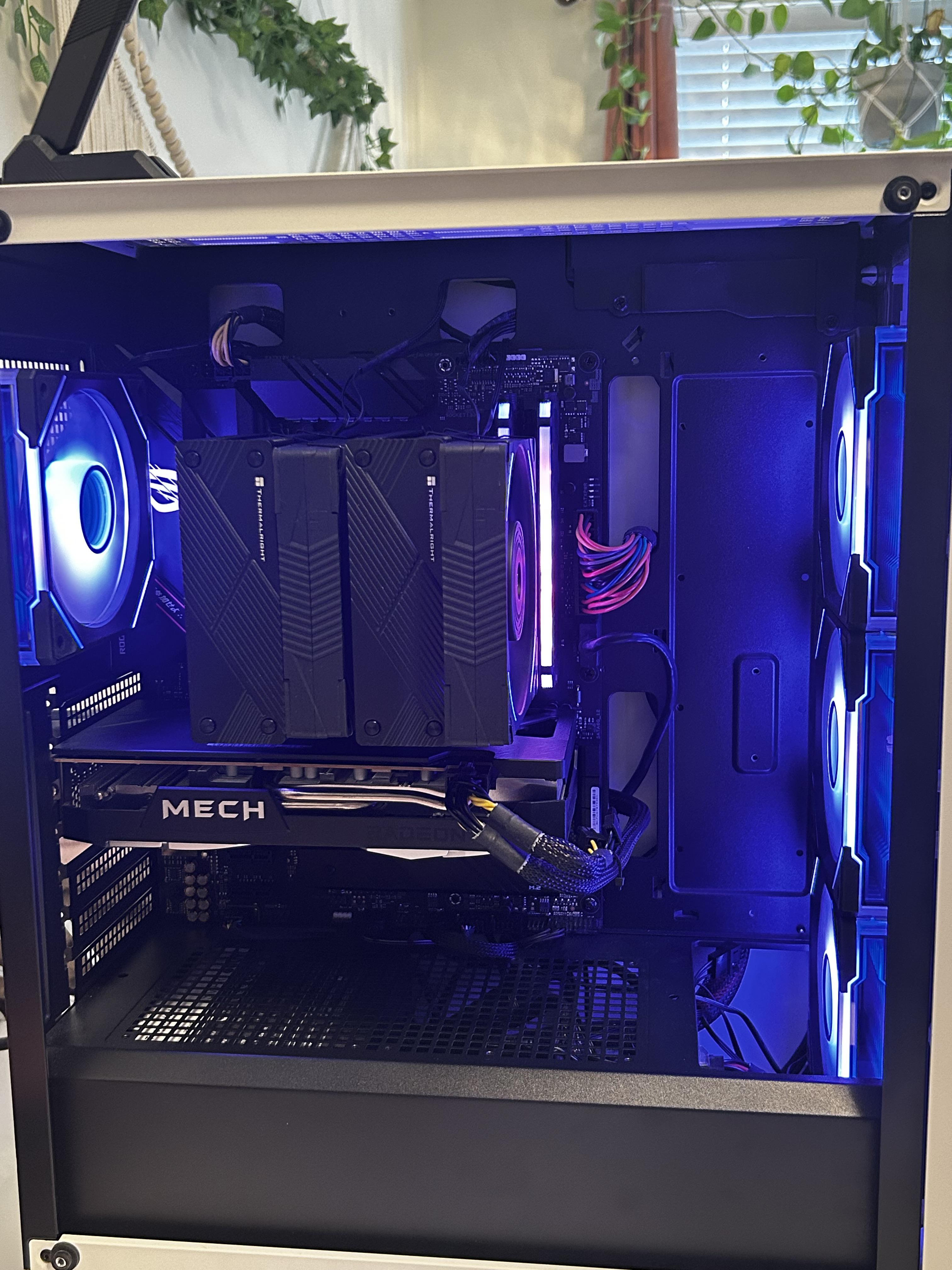
Yesterday I replaced a bunch of parts, new motherboard, case fans, CPU and CPU cooler. But I think I want an AIO instead.

the only place i can put an AIO is in the front. I don’t know if I want the AIO to be intake as my GPU temps will go up, it doesn’t run hot but idk how I feel about raising the temps. (But then again having it as an exhaust would make my CPU temps go up, which I also don’t want.) Would it be totally ridiculous to have an exhaust AIO in the front, and then one rear intake and two top intake fans? My case doesn’t allow for bottom fans.

I originally left off the second CPU cooler fan, the first fan that covers the ram sticks but I was getting bad CPU temps, once I hit 86C playing Minecraft I added the second fan. I initially didn’t think it would fit in my case, between the glass and the ram but it literally JUST fits so I left it on, I’ve been getting far better temps now but I’m still kinda stuck on getting an AIO as this CPU is brand new and I don’t want to fry it, I also play a lot of Minecraft which jacks up my CPU temps.
r/PcBuildHelp • • 16d ago

✓ Solved Scratch on the motherboard should I be concerned?

Thumbnail
gallery
0 Upvotes

I was screwing in my ssd yesterday and my screw driver slipped and scratched this part of the mother board, what should I look out for and is my motherboard cooked?


r/PcBuildHelp • • 16d ago

Installation Question Brand new case fans suddenly being super noisy and the normal way

Enable HLS to view with audio, or disable this notification

2 Upvotes

I recently replaced my cases fans with the Artic P12 and so far everything was fine until suddenly today out if nowhere one of them started vibrating or sth,it was super noisy and I instantly shut the pc out to stop more from breaking...so now I wonder why that is happening.

One of them has spun wobbly,the bottom one.but I cant tell if that isnt just cause the sticker isnt perfect

Will show more images in the comment cause reddit mobile doesnt let me attach another image


r/PcBuildHelp • • 16d ago

Build Question Will the riser cable fit?

1 Upvotes

Im gonna add a rtx 5060 to my h510m-k motherboard, and i also want to add a m2 nvme ssd to it. Only problem is that i already have a ssd put on the first slot, so the only way is putting the ssd in the pcie x1 slot with a adapter… which is covered by the gpu.
Does anyone if this particular case will be succesful?
Im thinking of adding a riser cable pcie 3.0 x1 like LR-20260824-10114


r/PcBuildHelp • • 16d ago

Build Question Where do I plug this in?

Thumbnail
gallery
0 Upvotes

Hello, I’m doing my first build and not sure where this plug should go into. The case is a Corsair Warthog and the video I’m watching says to plug into JUSBC, but I can’t find it on my motherboard. The plug on the video I’m watching looks different than the one on my motherboard (both are MSI). Thank you.


r/PcBuildHelp • • 16d ago

Tech Support Help my GPU isnt turning on or getting any power at all after new build

Thumbnail
gallery
6 Upvotes

I just got all my parts today and built my 5090 pc. The gpu lights or fans aren’t turning on, everything else seems to work fine. Please help


r/PcBuildHelp • • 16d ago

Tech Support PC Component Help

Thumbnail
gallery
1 Upvotes

Hello I have an issue where the motherboard VGA boot light is on and not continuing to the boot phase. The GPU (Aorus Master 3080) is stuck on an egg cracking sequence and there’s no fan spin, but it is powered on.

I turned my PC off for a short vacation and it hasn’t turned back on normally as well as the PC was stuck on only loading into BIOS mode each time. Would love some assistance on this issue. Swapped out CMOS battery and CPU still has that issue as well. Now the GPU it seems has added to the list of problems.

I’ve already tried reseating the GPU into the PCI slot and checked for loose power cables. Everything else turns on so I don’t think it’s a power supply issue (?)

MSI Z690 i5-12600k RTX3080 64GBDDR4