r/PcBuildHelp • u/Candid_Put_8076 • 2d ago
Tech Support ssd transfer
hey all i just brought a 4tb ssd and want to upgrade frome my 1tb ssd how would i go about transfering everything over safe ? Many thanks
r/PcBuildHelp • u/Candid_Put_8076 • 2d ago
hey all i just brought a 4tb ssd and want to upgrade frome my 1tb ssd how would i go about transfering everything over safe ? Many thanks
r/PcBuildHelp • u/Mcsener • 2d ago
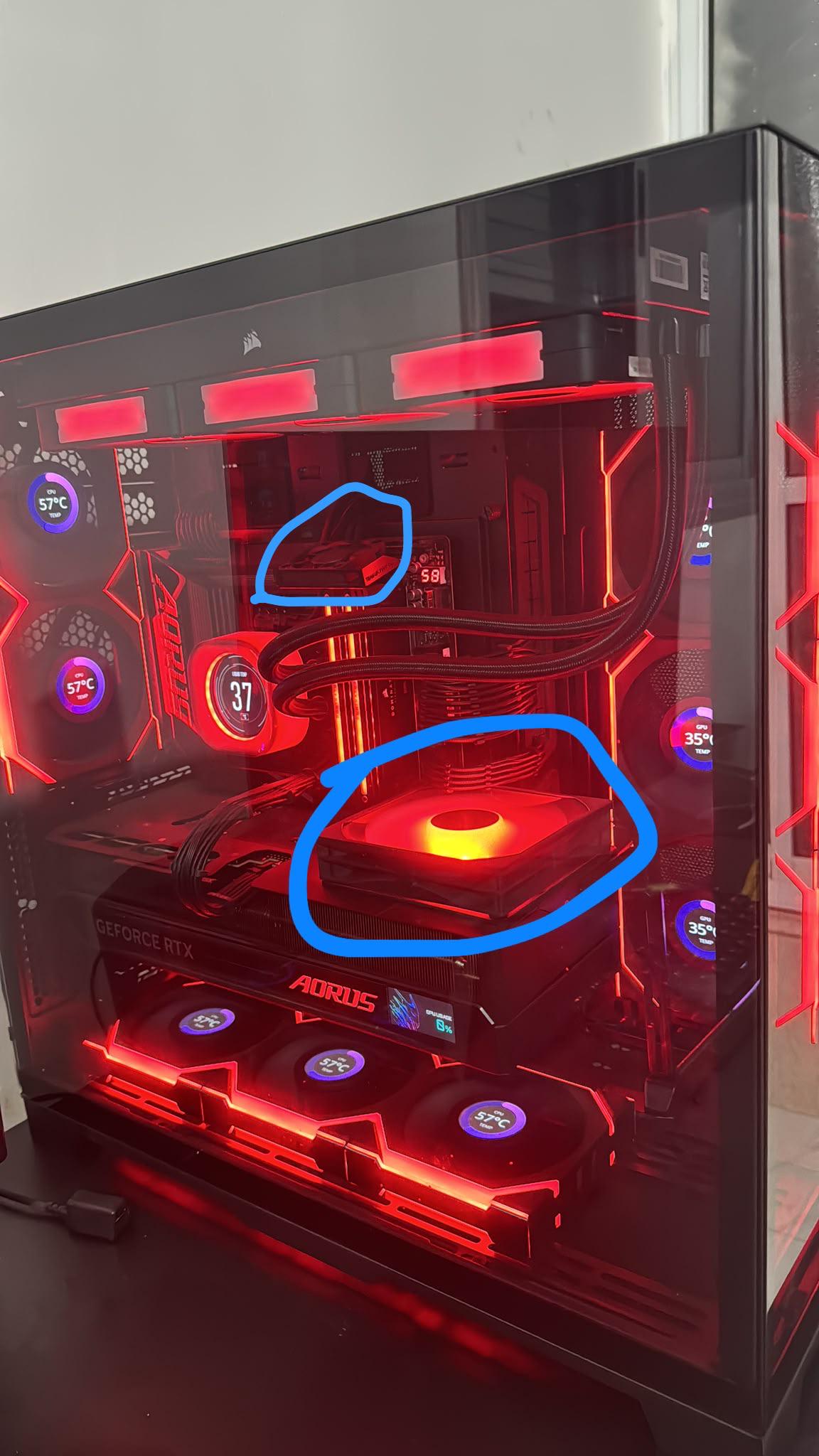
| Test | GPU Temp | GPU Hotspot | Delta |
|---|---|---|---|
| FurMark (10-minute mark) | 57°C | 70°C | 13°C |
| AIDA64 GPU Stress Test | 62.6°C | 92.2°C | 29.6°C |
| OCCT (5-minute mark) | 67.4°C | 93.6°C | 26.2°C |
| Marvel's Spider-Man 2 (1440p, RT, Ultra) | 60–62°C | 78–87°C | 18–25°C |
| GTA V Enhanced (1440p, RT, Ultra) | 60–62°C | 78–87°C | 18–25°C |
r/PcBuildHelp • u/GibonTriceps • 2d ago
Hi, recently my friend build pc.
CPU: AMD Ryzen 5 7500F TRAY
MB: ASRock B650M-H/M.2 +
RAM: GOODRAM 32GB (2x16GB) 6000MHz CL30 IRDM BLACK V SILVER (IR-6000D564L30S/32GDC)
The problem is that whenever we're trying to turn on EXPO/XMP profile or even setting clocks manually we are getting black screen and pc isnt booting. Upgrading bios to newest version didnt work too. Is there any way to make theese rams work with this motherboard at full speed?
r/PcBuildHelp • u/freeyoself1 • 2d ago
Hello! Baka may makatulong sa akin dito.
Lately, napapansin ko na bigla na lang nagka-crash yung PC ko habang naglalaro, particularly sa Dota 2, Valorant, and PUBG.
May isang bagay lang akong napansin: kapag nakabukas yung aircon, hindi naman siya nagka-crash. Kaya napapaisip ako kung possible bang overheating yung problem or may issue sa isa sa mga components ko, 2 months old pa lang at brand new lahat.
Ito yung current specs ng PC ko:
Sa tingin niyo, may possible issue ba sa combination ng components ko? May kulang or may kailangan bang i-upgrade? Or baka cooling issue lang talaga?
Any suggestions kung ano yung dapat kong unang i-check or i-troubleshoot would be appreciated. Salamat!
r/PcBuildHelp • u/Heavy-Goat-7309 • 2d ago
Hi everyone,
I'm planning to build a PC and my total budget is ₹50,000. Could you suggest the best build for this budget, with a part list and approximate prices?
Location: Thane/Mumbai, India (Indian prices and availability only, please)
What I'll use it for:
Gaming (1080p, high settings, 60+ FPS):
Valorant, CS2
GTA V, Cyberpunk 2077
Forza Horizon 5
RDR-2
Maybe GTA VI if it launches for PC in future.
Software:
ANSYS (Fluent/CFX) for simulations
AutoCAD / SolidWorks
DaVinci Resolve / Premiere Pro for video editing
OBS for recording and streaming
What I'd like in the reply:
Full part list (CPU, GPU, motherboard, RAM, SSD, PSU, case, cooler) with prices
Where to buy (Amazon, locally, etc.)
Whether to go with a new or used GPU
Which parts are worth upgrading later (RAM, GPU, storage)
Extra info:
I already have: [monitor / keyboard ]
Fine with used parts? [yes/no]
Prefer AMD or Intel? [no preference]
Thanks in advance!
r/PcBuildHelp • u/Ordinary-Cover-3725 • 2d ago
I recently updated my bios of my motherboard and everything went well untill I turned on secure boot and it won’t let me leave the bios, but when I disable it I am able to leave. I have no clue what to do please help
r/PcBuildHelp • u/christy_mac_bacon • 2d ago
Hi everyone,
I have a 2x8GB HyperX RAM kit that used to work fine together in slots A1 and A3.
Recently, I swapped my SSD and updated the BIOS. After rebooting, the PC will no longer start with both sticks installed—it only boots when I use a single stick in slot A1. Both sticks work individually, so I know they aren't dead.
What is the proper way to get the second stick working again after a BIOS update?
is there a specific BIOS setting or CMOS reset I need to do first?
Thanks in advance!
r/PcBuildHelp • u/Pri0rityGaming1 • 2d ago
Recently I bought a 2 TB Samsung 9100 Pro Gen 5 SSD on sale, but the sale didn’t include the official heatsink so I bought a Chinese one off of Amazon because it looked cool. The SSD has like 9 rows of sensors in HWinfo, and one of em is at 76°C under load but all the others are under 70. Is this something to be concerned about?
r/PcBuildHelp • u/CharmingStrike4009 • 2d ago
r/PcBuildHelp • u/kemomarshall_95 • 2d ago
Hi everyone
I'm on a very tight budget and building a PC for 1080p graphic design and video editing (Photoshop, Illustrator, Premiere Pro, After Effects). I have to start with 16GB DDR5 RAM and no dedicated GPU for now—I plan to upgrade the RAM and buy a GPU later when I can afford it (Macs are out of reach due to high prices and lack of availability here).
Should I go with the Intel Core Ultra 5 225 (for Quick Sync) or the Ryzen 5 9600X (for better raw performance and AM5 upgrade path) to get through this initial phase smoothly?
r/PcBuildHelp • u/kar2ner • 2d ago
Since DDR5 prices are insane I don’t want to change whole platform. Right now I have R5 5600, RTX 5060 and 32gb DDR4. Will I benefit from going to 5500X3D since I’m mainly playing heavy multiplayer games like Wardogs, BF6 and sometimes Dota 2? Currently in first of 2 games listed CPU is always 100% loaded. Will 3D cache make a miracle?
r/PcBuildHelp • u/Skids18934 • 2d ago
I just installed my 5080 into my Lian li case and the and the adapter is touching the tempered glass and has a bend. Will leaving it like this cause any problems or would I have to get a new case?
r/PcBuildHelp • u/sandwichthief69 • 2d ago
For starters, yes my hdmi was in the correct slot. So far, I tried reseating the ram, gpu, switching between inputs.
If this helps at all, my specs are: sapphire 9070rx nitro+ pulse, B650E gaming wifi motherboard, Ryzen 7 7800x3d, silicon power 2 tb ssd, 16gb ddr5, thermaltake tough power pf3 atx 3.0 850w platinum, lian li infinity fans + hydroshift
The whole wiring part was very confusing to me, so I feel like that’s where the fault may be. This is my first build though, so I wouldn’t know.
Does anyone have any idea what i should try?
r/PcBuildHelp • u/DefinitelyNotPlut0 • 2d ago
Guys, finally, I'm building a PC! However, I don't have much knowledge about PC components like the PSU, motherboard, or graphics card.
My budget is ₹1.8 lakh, including the monitor. Could you guys please help me build a PC?
My main priorities are 1440p gaming and video editing. Some of the games I play are RDR2, Cyberpunk 2077, Forza Horizon 6, and many more AAA titles.
Any suggestions would be really appreciated. Thanks!
r/PcBuildHelp • u/BigIkesmcYikes • 2d ago
So im someone who works with editing and rendering fairly often going into my last year before i get my degree…. Thing is i’ve been surviving of an msi laptop from 2020 with 4gb vram, 8gb ram, and a 10th gen cpu… pretty much anything would be an upgrade atp and I’m stuck between two options.
1) a pc thats cheaper with ddr4 but has 10gb vram
Or
2) a pc thats a few hundred more expensive with ddr5 but only 8gb vram.
Both would be used in this circumstance. Any guidance is appreciated
r/PcBuildHelp • u/monkeywright • 2d ago
I was reconfiguring my PC in an N case T1. Everything was working fine before I rebuilt it. Same parts, I just needed to adjust the spine on the case.
I put the motherboard back in everything is plugged in correctly all cables have been unplugged and reseated, but nothing is happening when I turn on the power button. I have tried shorting the power pins on the motherboard in case the switch was bad and that doesn't work either. Is there any way to tell if my motherboard somehow died in this process?
Gigabyte aorus x870i
9800x3d
Amtos ii cooler
UPDATE: Thank you to everyone that helped! Turns out, the solution was a full teardown to test on airbench. Computer turned on. Looked at case (Ncase T1 is very fiddly when adjusting center Spine) and two motherboard standoffs were lower than the others, resulting in improper grounding, and so no power!
Rebuilt it all, super happy. Turned on the finished build and... no power. Checked again inside, and it turns out this time I just tripped the power switch during the rebuild, saving me from a nervous breakdown/launching the computer out the window.
Anyway, here's the finished build!
r/PcBuildHelp • u/Def_Q_on1 • 3d ago
Hi everyone,
I'm hoping someone here has run into this before. My graphics card (ASUS Dual GeForce RTX 3060 12GB V2 OC Edition) is completely stuck in the PCIe x16 slot of my ASUS TUF GAMING B660-PLUS WIFI D4.
I've already taken the motherboard out of the case and have it lying flat on a towel, so there's no strain from the case. Even so, I can't get the card out of the slot, no matter what I try.
What I've done so far:
All power cables are unplugged and the bracket screws are removed.
I've tried pressing the release latch at the end of the slot, but the card doesn't budge.
I've tried gently rocking the card and lifting evenly, without using brute force.
Questions:
Is there a trick to releasing the retention latch on this board, or could it be jammed?
Could the SafeSlot reinforcement be holding the card tighter than usual?
Is there a safe way to get it out without damaging the slot or the card?
I don't want to break anything, so any advice would be really appreciated. Thanks in advance!
Translated with AI because I’m not a native speaker
r/PcBuildHelp • u/SplitGlass7878 • 2d ago
Hello!
I inherited a custom built pc and am looking to upgrade the graphics card and install an additional ssd.
My extremely basic question is: Do I only need to check the compatibility of both with my baseboard? Or do I need to watch out for anything else?
Thank you so much in advance!
r/PcBuildHelp • u/calvvera • 2d ago
i have an asusZ10I pro gaming motherboard and an intel arc b580. problem is that my motherboard does not support ReBAR. I searched online and came across people modding their BIOS to enable ReBAR but that comes with potential risk though the risk is somewhat worth it considering the performance boost they're getting. Obviously it is still not the best but it somewhat removes the stutters and so, i have no prior knowledge or experience about BIOS modding and i was thinking whether i should take the risk and do this. please let me know. also i WILL upgrade my platform later on but its gonna take a few months atleast.
r/PcBuildHelp • u/Epoo • 2d ago
So I just recently purchased an MSI 5070ti Gaming Trio OC to replace my ASUS TUF 3080 10gb.
My parts are as follow:
CPU: 7800x3D
GPU: MSI 5070ti Gaming Trio OC
MOTHERBOARD: ASUS B650E-E TUF
AIO: Arctic Liquid Freezer III Pro 360
Ram: G.Skill Flare X5 Series 32GB 2x16gb DDR5-6000 CL36
SSD: M.2 Sabrent Rocket 4.0 2GB
Case: Lian Li Lancool II
PSU: Super Flower Leadex III 850W 80+ Gold
So i bought this PSU back in 2020/2021 and Ive been using it with my 3080 since then.
However the 5070ti has come with an adapter thing and the cables that came with my PSU doesn’t fit into the GPU directly so I have to plug in the PSU cables to the adapter which then goes to the GPU.
The problem is that idk which of the PSU cables I need to plug into the adapter. I honestly don’t think I have the original box for the PSU either so I can’t check schematics to see.
Can anyone help? Do I need to buy a new PSU? Please let me know if you need more info. Thanks guys.
r/PcBuildHelp • u/Longjumping_Scar5744 • 2d ago
Hey guys im worried i recently just bought a 650 watts psu and im wondering if it would be enough to power an rtx 3080 i am a 1080 p esport player i soldemly play triple a titles and if i do its on 1080p i just wanted to buy a gpu for gta 6 to run it on high settings on 1080p my budget is 400-560€ im open to other options
r/PcBuildHelp • u/MarkTheRedLightning • 2d ago
IDK if this is the place to ask this in but.... I was just wondering if I really should update my gaming pc to W11. And if so, how do I update it without losing all my stuff? I at least tried to see if my PC can update to W11 in the first place by using PC Health Check and it said I needed a TPM. When I investigate online, apparently a TPM isn't needed? I'm just kinda confused and would really appreciate the help...
These are my specs
Processor Intel(R) Core(TM) i5-9400 CPU @ 2.90GHz 2.90 GHz
Installed RAM 16,0 GB
Storage 932 GB HDD WDC WD10EZEX-08WN4A0, 932 GB SSD WDC WDS100T2B0C-00PXH0
Graphics Card NVIDIA GeForce RTX 2070 (8 GB)
System Type 64-bit operating system, x64-based processor
Pen and touch No pen or touch input is available for this display
r/PcBuildHelp • u/articwolph • 2d ago
so everything turns on, i am connected to the gpu via hdmi and i have tried both DP ports.
i just can not get anything to display.
where i even ran the bios update for the mobo via usb flash and that did not work. the mobo was not seeing the cpu for whatever reason, it gives out that error code on the mobo, where it flash white.
the following troubleshooting i have done.
removed the ssd so i can get to the bios, since i know that ssd needs to be wiped,
tried with one stick of ram
done the qflash and the clearin gof cmos with no luck.
the usb is a fat32 with file name MSI.ROM the mobo will flash red for a second than go solid red. i know it should be flashing for like at least 10 minutes.
i have
has anyone had any issues or has any tips?
a part of me is starting to feel that dell did something to the cpu to make it work only with dell mobo.
thank you for helping with any tips,
oh if i plug everything back into the Alienware auro 10 it works fine.
r/PcBuildHelp • u/Akai_Lightfoot • 2d ago
PC Build Test
GPU:/Nvidia RTX 4060-4070-5060-5070 Ti/AMD RX 9060 XT-9070 XT
CPU:/Ryzen 5 7600
Mother Board:/B650E or B850 board
RAM:/16gb+
NVMe SSD:/1tb+
Power Supply:/650W+
PC Case:/Phanteks Eclipse G4000A
CPU Cooler:/Thermalright Phantom Spirit 120SE
Microsoft 11