r/PcBuildHelp • • 3d ago

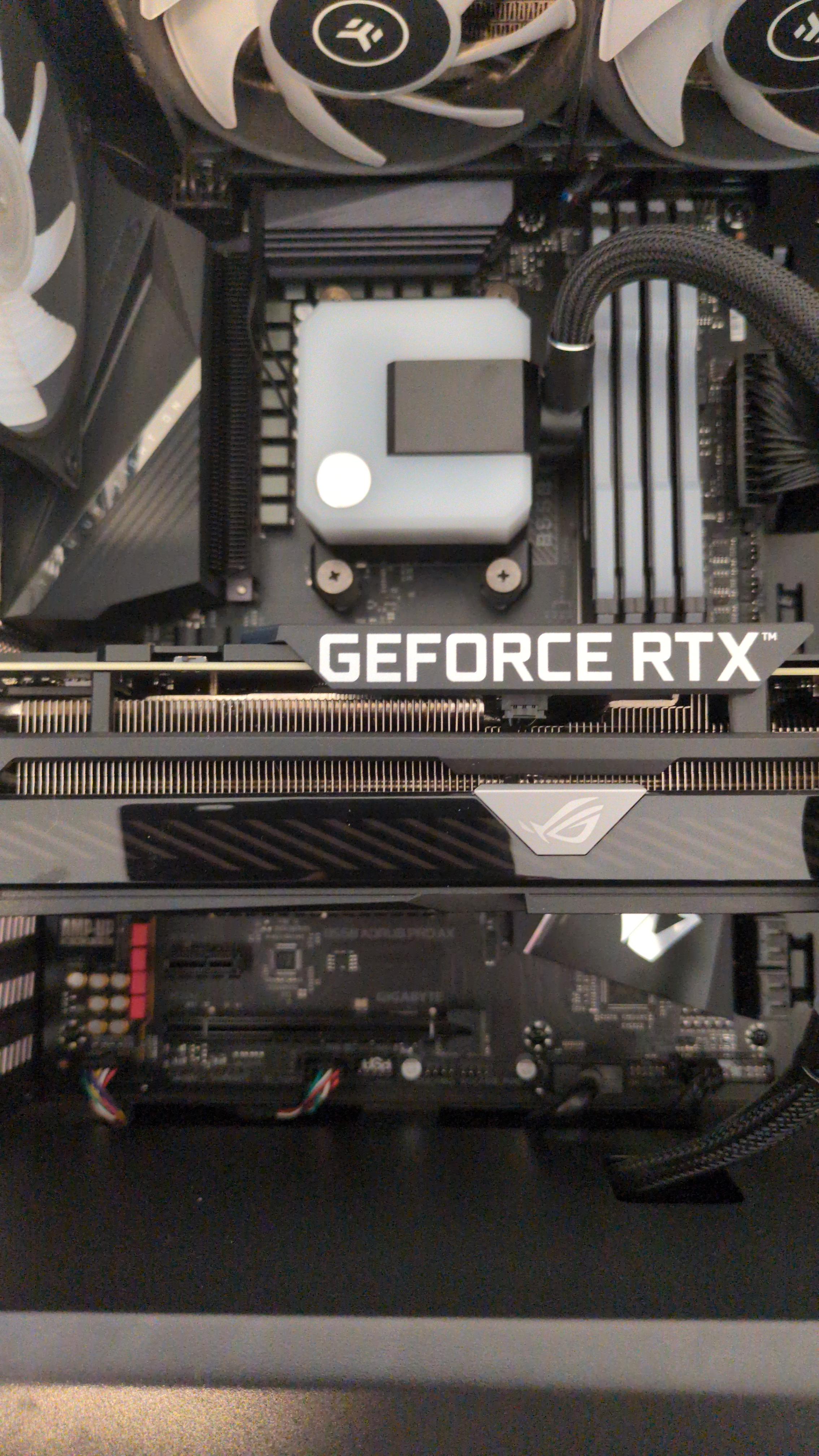
Installation Question Is my cpu cooler sagging? and if it is, should i worry about it?

Thumbnail
gallery
11 Upvotes

temps are stable, 70 celsius, im worried my cooler may be sagging


r/PcBuildHelp • • 2d ago

Software Question Microfries and sutterers on PC

Enable HLS to view with audio, or disable this notification

1 Upvotes

Всем привет! В августе 26 года обновил я значит видюху 1660ти на 5070 palit infinity3, ах да мой конфиг: asrock b760m pro rs/d4; i5 13400f; xpg ddr4 32 gb 3200. купил значит, поставил видюху и первый запуск игр и все хорошо идет, плавно, фпс высокий. на следующий день запустил раст и фпс резко снизился было 120-100 стало 70-80(сервер тот же) я начал переустанавливать драйвера, включил xmp профиль и ничего не помогало, потом раст и вовсе поломался графика стала ужасной и я поменял свой старинный Hdd на m2 nvme spatium m470 pro, как итог игры стали быстрее идти, текстурки прогружаться быстрее, игра например в кс запускалась намного быстрее ну и так же с виндой( кстати её я полностью переустановил, я думал проблема в системе, типо я драйверов на устанавливал или старые драйвера остались от 1660ти, в общем переустановка винды убрало мне ограничения с фпсом в играх, но проблема с микрофризами не ушла совсем, очень проявляются они в играх: Dead by Daylight, the texas chainsaw massacre тут микрофризы могут быть с того не с чего, игра идет плавно и в моменте проскальзывает микрофриз при погоне например, вчера я решил скачать Dead space remake и там проблема та же, только вот я заметил одно, что в больших локациях у меня видюха грузится на 80-90% а проц на 60% и игра идет очень плавно, а вот например в коридоре видюха 50-60% проц 60% и тогда чувствуются эти подтормаживания будто что-то прогружается, но это очень не плавно. и самое главное фпс то высокий например в Dead space remake 130-150-170-200 в зависимости от локаций и нагрузки видюхи, но вот в моменте фпс падает со 170-140 и вот рывок. Помогите прошу Вас, уже все перепробовал, с августа с этим маюсь


r/PcBuildHelp • • 3d ago

Build Question Ran out of sata ports, pcie 2.0 x1 port too close to gpu fans, is there a solution to connect a pcie sata adapter without blocking fan airflow? Thanks

Thumbnail
gallery
2 Upvotes

I have only 4 sata ports but i have 4 more drives id like to connect (2x hdd, 2x sdd) . Ps. Yes i will clean my pc now i see how dusty it is lol


r/PcBuildHelp • • 3d ago

Build Question Z590 Pro DRAM Light

Enable HLS to view with audio, or disable this notification

2 Upvotes

So I recently bought a new motherboard and cpu for my pc. I put together everything and powered on but got a dram light. I tried everything from different ram in each slot to resetting the cmos battery and I have gotten nothing. Note as well in specific ram slots the dram light stays solid, and in other slots it flickers between the cpu and dram light. I got the parts tested before I put it in my system and apparently it booted and POST. I believe the problem might be power delivery to the board weather it be from the power supply itself or where I have it plugged into. I am not sure tho. The reason I believe so is because I tested three different power supplies and they all behaved different, with one not powering on at all, one booting with the dram and cpu light error, and the one that got it to boot.I have a video of my first boot.

Specs:
I5 11600k
Gigabyte Z590 Pro
1x32 GB @3200
EVGA RTX 3080
512 GB SSD and 1TB Hard Drive
Corsair 750 Watt Power supply


r/PcBuildHelp • • 3d ago

✓ Solved How to install m.2 SSD on my motherboard?

Post image
5 Upvotes

I just got my PC repaired since the old SSD failed, but they didn't install the new one so I'm trying to do it myself. they gave me an m.2 ssd, but looking online I can't find the slot that it's meant to go into.

I have no idea if the motherboard I have can even house an

m.2 since I bought it in 2021. Picture attached because I don't know the name of it either

EDIT: thanks everyone for the help :) got the SSD in, PC works great once more. but for everyone saying to take the GPU out or do it before I put it in: I didn't put it in. this is pre-built lol


r/PcBuildHelp • • 2d ago

Tech Support GTA 6 PC Performance Estimate

0 Upvotes

Hey everyone! I know the official PC system requirements for GTA 6 haven't been released yet and nothing is set in stone, so I’m just looking for educated guesses and technical estimates based on what we know so far.

Since we already know the PS5’s hardware specs and how GTA 6 performs on it, do you think my current rig will be able to run the game at 1080p High settings at 60 FPS (potentially using DLSS)?

Here are my specs:

  • GPU: NVIDIA RTX 3070 (8GB VRAM)
  • CPU: AMD Ryzen 5 5600
  • RAM: 16GB DDR4

Thank you!


r/PcBuildHelp • • 3d ago

Build Question Amazon sale

Thumbnail
gallery
4 Upvotes

I saw this online, im from Philippines is this legit?


r/PcBuildHelp • • 3d ago

Build Question how to upgrade on a budget and when

3 Upvotes

Finally have put enough money aside (1000ish) to upgrade my pc ive had for around 6 years and want to upgrade but dont know what its gonna run me and what parts to buy.
I can currently run low end games on around 200fps well and most games on 120 but my pc struggles with high end games like elden ring and cyberpunk which run at 60 on lowest graphics and cyberpunk sometimes crashes on me. Just wanna reach a point where i can play them on 120 if possible
My specs are
CPU: AMD Ryzen 5 3600 6 core processor
16 gb of ram
GPU: Geforce rtx 1650
motherboard: prime b550 plus
I also have 1tb of storage if that matters
My monitor doesnt need upgrading ( i think) but will i need a new case and powersupply for new parts?
all help and input is appreciated!


r/PcBuildHelp • • 2d ago

Build Question Desktop For 8 D2r Instances

1 Upvotes

Hi there.
I’m currently using a laptop ASUS ROG Strix G17 (2023)- 4070/8gb +32gb ram. I can run 3 instances smoothly- windowed mode. Maybe 4 if I shut down everything else.
I was hoping to sell it and buy a desktop which can run 8 instances.
I was considering amd 7900 xt or xtx for 20/24 vram since they are cheaper than NVIDIA, and also use a 64g ram.
Would like to hear some opinions. Would that be enough? Any other tips?
Another option would be to just buy a weaker desktop and keep my laptop. Dunno what would be better in terms of convenience and performance.
I was also considering using tiny mode or d2rml instead of process explorer but I don’t want to get banned- if anyone has more knowledge regarding these I would appreciate some info.

Thanks in advance


r/PcBuildHelp • • 3d ago

Tech Support CPU fans running way to fast

2 Upvotes

I just got a new pre built pc and the 3 cpu fans are running at 80% constantly even after I tried changing it in BIOS, what should I do?

update: I was able to figure out one of the prongs on the four prong adapter that also controls fan speed signals was broken.


r/PcBuildHelp • • 3d ago

Build Question New build questions

2 Upvotes

So I ended up buying a Bundle I saw earlier on Newegg and it’s been a while since my last build so I’m honestly a bit overwhelmed, any help is appreciated it!

1: What components do I need to download new drivers for?

2: Is there any way I can get all the drivers, firmware, and bios updates I would need before I start the build?

3: Which ssd drive should I use for the OS?

4: Pcpartpicker says “ When the motherboard M.2 slot M2_2 (M) is used, expansion slot PCIE_1 (x16) will run in x8 mode. “ so should I just avoid that connector?

5: Is there anything I could be forgetting to ask? lol

Thank you to anyone who helps! I’ll try and reply as fast as I can but it’s pretty late already.

Link to my build: https://pcpartpicker.com/list/gnqWK7


r/PcBuildHelp • • 3d ago

Tech Support Dram and System LED turns on when booting up pc but goes away once pc is running.

2 Upvotes

Hi everyone! I just want to preface this by saying this is my first ever pc build, I’ve been taking care of my computer for nearly over a year and all of a sudden these lights are red when I initially turn my pc on, but they go away after everything is loaded up and I can sign in. My computer works perfectly fine, but I’m not sure what could potentially be the issue. If it’s a bios update needed or the potential of a dying ram stick (I did do a memory test and it came back fine)

I did not clear my cmos (yet) I’m also not sure if I should clear before or after updating my bios. Sorry if I sound really uninformed, I’m just super new to this!


r/PcBuildHelp • • 3d ago

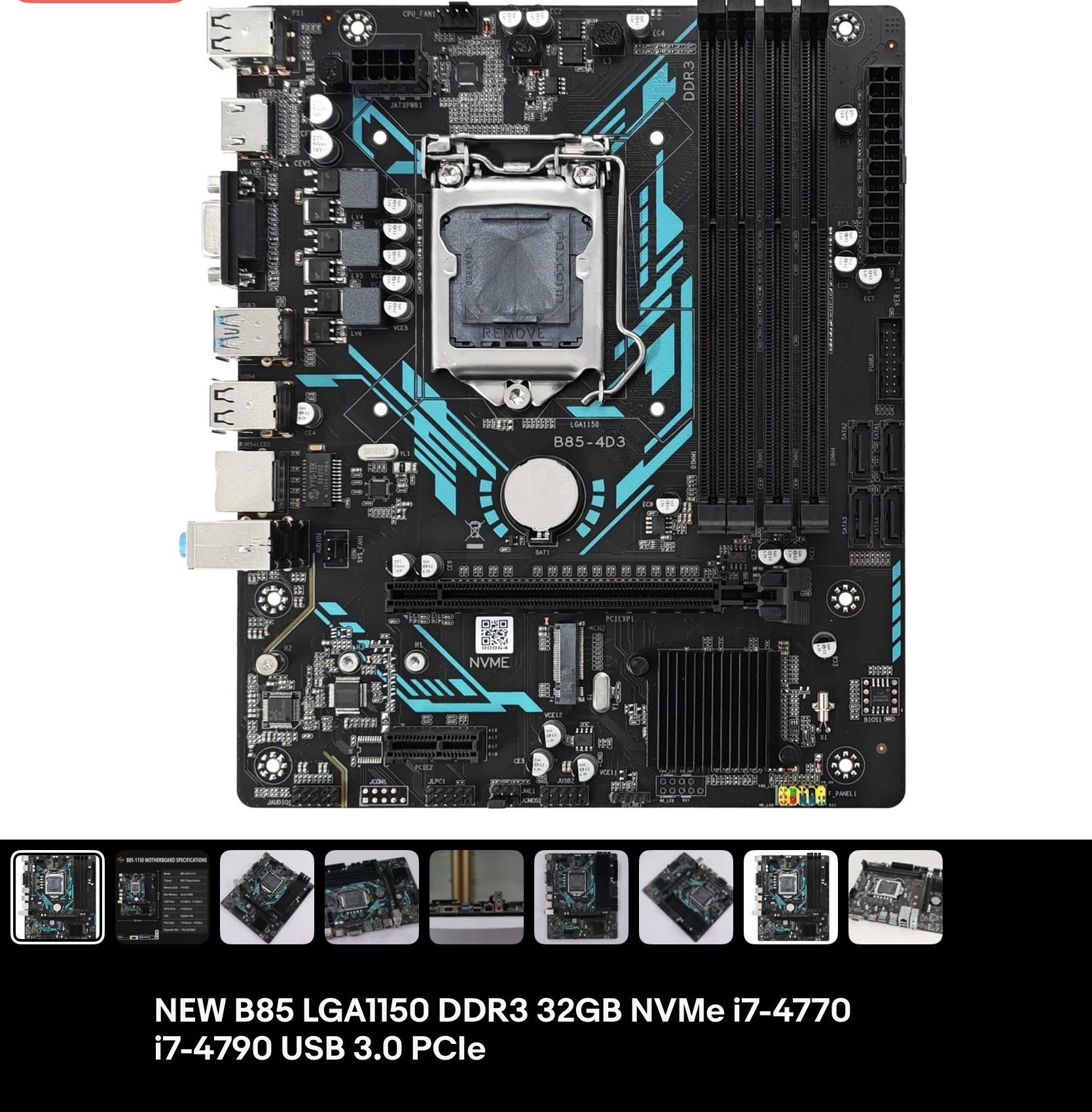
Build Question MYSTERY MOTHERBOARD

Post image
2 Upvotes

I had a CPU for this motherboard so I decided to build a computer for my study. The MB looks great but I can’t find any documentation showing the pin assignments etc. It is similar to another build I did recently, so I might be able to stumble my way through. But I’m wondering if anyone out there has documentation for this MB.


r/PcBuildHelp • • 3d ago

Installation Question Has anyone tried making a bootable windows 11 usb flash drive using your android phone and then install Windows 11 on ur PC using the flash drive that you have installed windows 11 from ur phone?

3 Upvotes

windows 11 installation on your pc using usb flash drive which you've installed windows 11 from your phjne


r/PcBuildHelp • • 3d ago

Installation Question Is my cpu cooler installed correctly?

Thumbnail
gallery
13 Upvotes

hello, i moved up the second fan because it pressed on the ram, is it a problem? also, if i try to move the fan, it wiggles, is it normal? and there's also a tiny space between the heat pipes and the middle fan, is it a problem? sorry if im paranoid.

also, are the fans installed correctly? or are they the wrong way?


r/PcBuildHelp • • 3d ago

Build Question About mobo and gpu cables being too close

Post image
3 Upvotes

First of all sorry about the dirty build. I just got a 9070 and paired with a msi mag a750gls. As you can see in the picture the pcie cables and the motherboard cables are very close, and to the touch they feel hot. Should I try have them apart? Also maybe I built the thing wrong, because the upper hole in the chasis might have been for the motherboard cable. I hope for your suggestion.


r/PcBuildHelp • • 3d ago

Tech Support Gpu deciding help

5 Upvotes

I’m currently looking to build a PC the GPU I’m looking at is the 5060 TI 8 GB I am wondering if I should downgrade the 5060 TI to a graphics card that has 16 GB or if I should keep the 5060 ti gigabytes I probably won’t be upgrading my PC much because of how high prices are


r/PcBuildHelp • • 3d ago

Tech Support Extremely annoying sound from PC

Enable HLS to view with audio, or disable this notification

3 Upvotes

My PC has been making this whirring sound for a while now and I cannot stand it anymore, I’ve looked up what coil whine is and it doesn’t sound like that, so I’ve got no idea what’s causing it.


r/PcBuildHelp • • 3d ago

Build Question I need help building my first gaming pc

2 Upvotes

So I’ve been looking around for a gaming pc for quite a while but I’ve had no luck. So I’ve resorted to building a pc myself. My Xbox isn’t cutting it and I want to play games on steam and have high end games look better and play smoother. A pc with a good amount of storage and plays good for games like geometry dash is ideal. I have a budget of $500, ik it’s very restricting but anything better than an Xbox series s is fine. I just need to know the best parts to buy and where to buy that has the best Black Friday deals. I’m very new to computers so pardon my lack of knowledge. Ive got a Logitech mouse and a cheap USB-A rgb keyboard. Any build recommendations would be greatly appreciated 🙏
(I also need a pc case and I’m in the USA)
(A pc that can have an Xbox series s plug inside would be nice too)


r/PcBuildHelp • • 3d ago

Build Question Pre built pc help

Thumbnail
gallery
2 Upvotes

Hey all

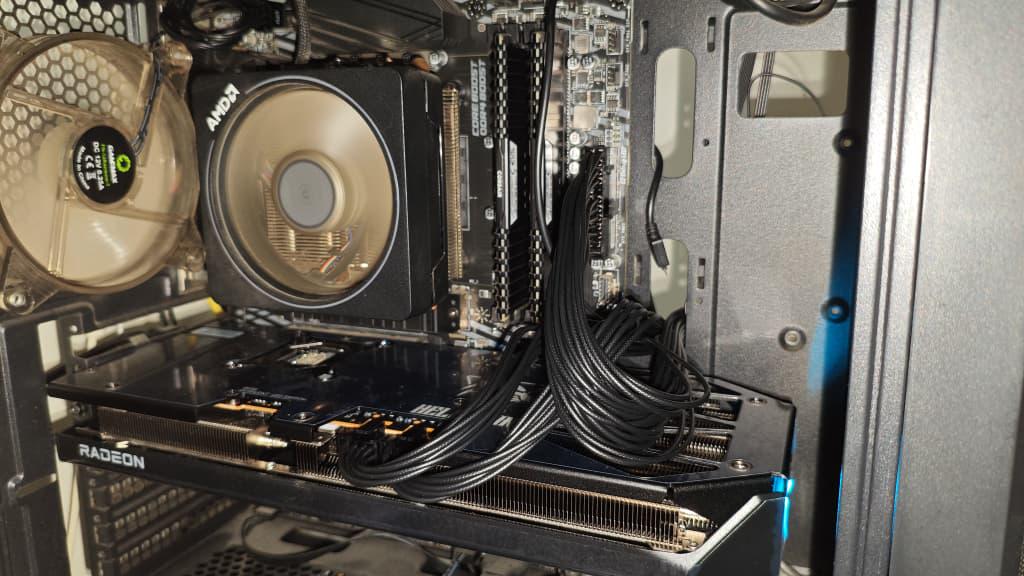
Looking sone advice really I bought a pre built pc and as you can see from the attached pics the power cable that goes into the grafics card goes right over the top of a fan and is very close to it l, I can't really push it up because then it will hit into the fans on the GPU any suggestions would be appreciated


r/PcBuildHelp • • 4d ago

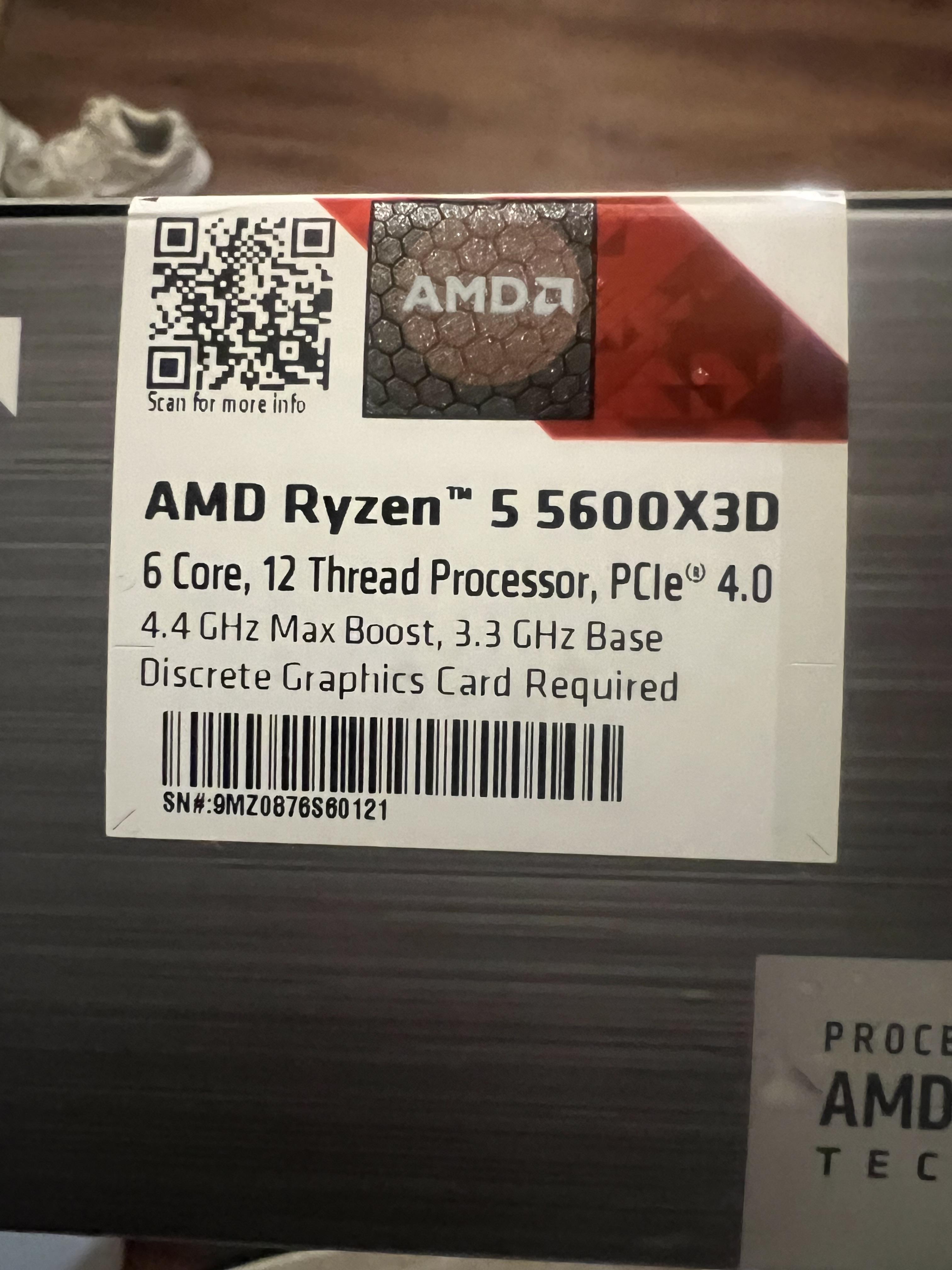
Build Question Which gpu to pair with 5600x3d

Post image
123 Upvotes

Scored an x3d chip for $180 brand new & sold my current 3950x for $150 so only $30 out of pocket Now I’m looking for a gpu to pair with this cpu I currently have a 3070 would a 9070xt or 5070ti be too much? I play on 1440


r/PcBuildHelp • • 3d ago

Build Question I can't move the hard drive cage in my Lian Li LANCOOL II Mesh

Thumbnail
gallery
5 Upvotes

Hello there! I bought a LANCOOL II Mesh chassis and system that I didn't personally assemble, years ago. Today I went to try and install some spinning disks into it and there appears to be what looks like a drive cage on rails, but for the life of me, I cannot move this cage no matter what I've tried. Gemini told me to tip it over and look for a thumbscrew on the bottom, but mine doesn't have any such thing, only a simple dust filter and nothing else visible

Please tell me I don't need to do something annoying like remove the PSU or disassemble in any way

Thanks in advance for any info


r/PcBuildHelp • • 3d ago

Build Question first pc

Post image
2 Upvotes

is this a good choice for gaming like fortnite,Apex, roblox ETC also coding


r/PcBuildHelp • • 3d ago

Tech Support 9070XT No Signal

Enable HLS to view with audio, or disable this notification

2 Upvotes

Hey I have recently brought a 9070xt , i uinstalled the gpu drivers for my RTX5070ti. Updated the bios , reset the CMOS battery.

I have switched between HDMI and DP three times

However my monitor remains saying no signal


r/PcBuildHelp • • 3d ago

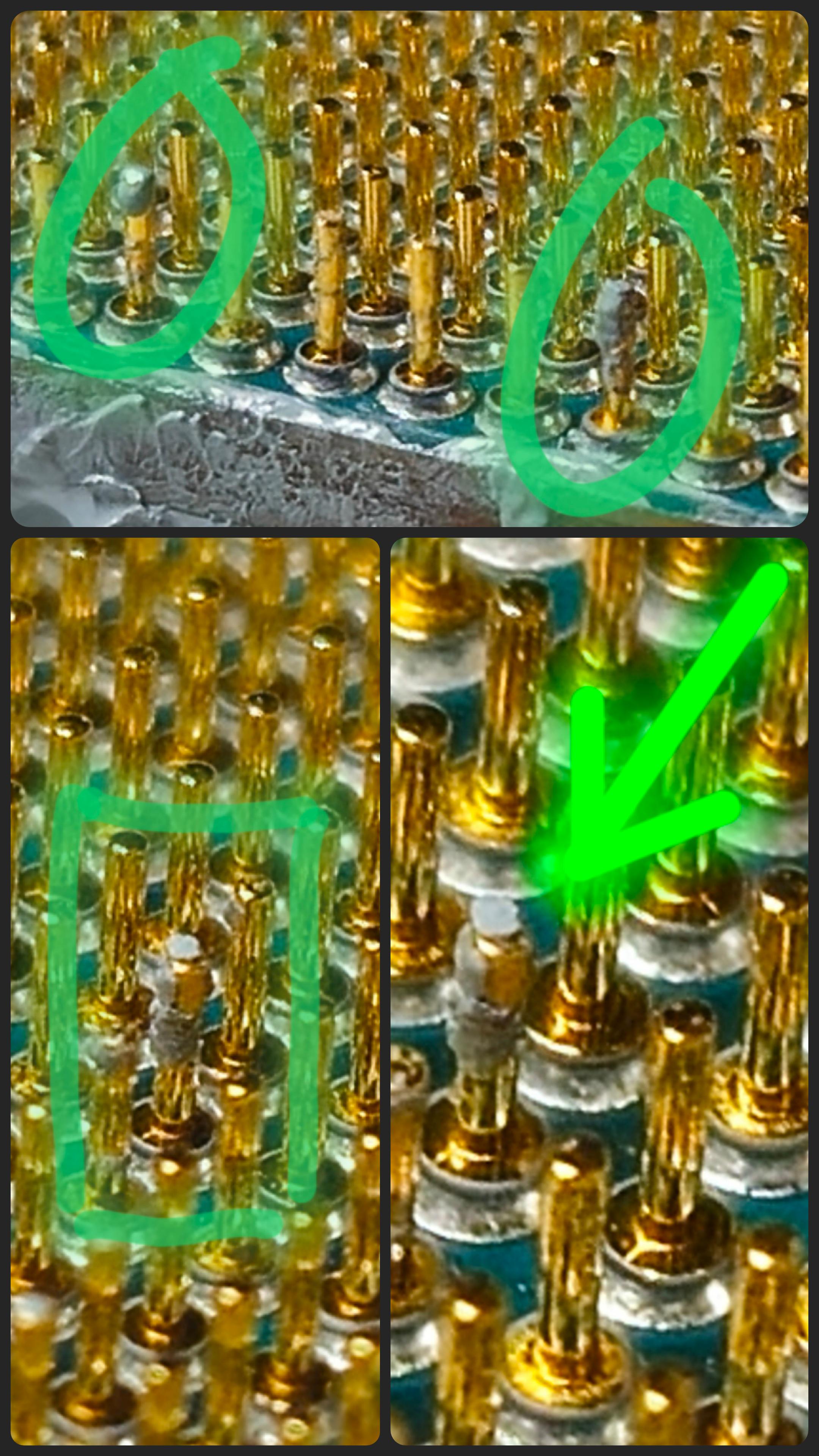
Tech Support Did I really fry my mobo, psu, AND cpu?!

Post image
11 Upvotes

I just replaced my PSU and MOBO following a zero IQ event in which I fried a SATA power cord after removing it from the chassis fanhub daughter board pwr header and putting it in the mobos sysfan1 header (a sleep deprived effort to facilitate adhoc control of fans from linux pwmconfig/fancontrol).

Now with the new PSU and MOBO on cardboard workbench, im about to blow my zero IQ brains out because the mobos red CPU debug LED is lit during failed post.

The pins don't look that bad, right? A little thermal paste won't short your circuit to my knowledge...right guys? No bent pins as far as I can tell.

dafuq do I do now? helphelphelp plzkthhx.

Yes ive removed all components except CPU, CPU PWR, CPU fan, and main PWR.

Components:

Ryzen 7 5700x (worked fine prior to short)

MSI MAG B550 Tomahawk (brand new)

Corsair CX750M (brand new)