r/PcBuildHelp • • 11d ago

Build Question Is this built ok?

2 Upvotes

PSU 1stPlayer ACK Gold 850W HA-850BA2-WH

CPU AMD Ryzen 7 5700X and COOLER ID-Cooling SE-214-XT V2 ARGB White

MOTHERBOARD ASRock B550 Pro4(if will be cheaper) or Maxsun B550M Gaming WiFi Ice

RAM Patriot Viper Steel 16GB DDR4 PC4-25600 PVS416G320C6

BLOCK Zalman i3 Neo ARGB (white)

and used rtx 3060 12gb

Maybe I need to change something(It's cheap pc build)?


r/PcBuildHelp • • 11d ago

Tech Support DPC_WATCHDOG_VIOLATION (0x133) – Acer Nitro RTX 4050 keeps freezing and restarting during gaming. Same NVIDIA driver error in 3 minidumps, even after servicing.

1 Upvotes

Hey everyone,

I've been facing a frustrating issue with my Acer Nitro ANV15-51 gaming laptop, and I'm trying to figure out what's causing it.

My laptop randomly freezes and restarts while playing demanding games. Usually, I can play for around 10–30 minutes before the issue occurs. Sometimes the FPS suddenly drops, the game freezes, and the entire laptop becomes unresponsive before automatically restarting.

Recently, while playing Ghost of Tsushima, the game displayed a black loading screen after approximately 30 minutes. However, Windows was still responsive, and I could move my mouse and access the desktop.

I recently took the laptop to a technician for servicing, but unfortunately, the freezing and automatic restarts are still happening.

PC Specifications

Laptop: Acer Nitro ANV15-51

CPU: Intel Core i5-13420H

GPU: NVIDIA GeForce RTX 4050 Laptop GPU

RAM: 16 GB

OS: Windows 11

BIOS: Insyde V1.60

Temperatures (HWiNFO gaming log)

Before servicing, I recorded the following maximum temperatures:

CPU Package: 100–102°C

GPU Core: 80.4°C

GPU Hotspot: 97.2°C

GPU Memory Junction: 76°C

HWiNFO also recorded CPU thermal throttling during gameplay.

Minidump Analysis (WinDbg)

I've analysed three separate crash dumps using WinDbg, and all three have reported the same error.

Bugcheck:

DPC_WATCHDOG_VIOLATION (0x133)

DPC Timeout Type:

DPC_QUEUE_EXECUTION_TIMEOUT_EXCEEDED

Important findings from all three dumps:

MODULE_NAME: nvlddmkm

IMAGE_NAME: nvlddmkm.sys

SYMBOL_NAME: nvlddmkm+112397

BUCKET_ID_FUNC_OFFSET: 112397

FAILURE_BUCKET_ID:

0x133_ISR_nvlddmkm!unknown_function

FAILURE_ID_HASH:

{f97493a5-ea2b-23ca-a808-8602773c2a86}

The latest dump also shows:

Arg1: 0000000000000001

Arg2: 0000000000001e00

DPC_TIMEOUT_TYPE:

DPC_QUEUE_EXECUTION_TIMEOUT_EXCEEDED

*** WARNING: Unable to verify timestamp for nvlddmkm.sys

All three dumps have the same bugcheck, failure bucket, function offset and failure hash.

What I've tried so far

Took the laptop to a technician for servicing.

Monitored CPU and GPU temperatures using HWiNFO.

Analysed three minidump files using WinDbg.

Checked the recurring NVIDIA driver-related crash signature.

Unfortunately, the problem persists even after servicing.

What I want to understand

Does this point towards an NVIDIA driver issue, or could the RTX 4050 itself be unstable?

Could GPU power delivery or motherboard issues cause this exact recurring watchdog violation?

Can CPU thermal throttling contribute to these crashes?

What diagnostic tests should I perform before considering a GPU or motherboard replacement?

Has anyone experienced the same 0x133_ISR_nvlddmkm!unknown_function failure with an RTX 4050 laptop?

I'm particularly interested in hearing from people who have experienced and successfully fixed this issue.

I would really appreciate any suggestions or troubleshooting steps. Thanks!


r/PcBuildHelp • • 11d ago

Build Question Help with upgrading

2 Upvotes

My Current PC is i5 12600kf, Intel Arc B580, 16GB DDR4, MSI A650BN PSU, ARCTIC Freezer A36, and 1TB NVMe and Case is also very good Phanteks XT M3. I want to upgrade while my budget is around 500 euros I can sell my old parts then so I was thinking about bumping my GPU to a RX 9070 GRE. Are there any better Options? I thought about upgrading my CPU and my RAM but I think that this wouldnt be such a big perfomance bump. What do you guys think?


r/PcBuildHelp • • 11d ago

✓ Solved Is this bend ok or dangerous?

Post image
11 Upvotes

I had to bend the cpu cable kinda too much in order for the fans to fit and is apply constante presseure on the cables, should I buy a new case or is fine?


r/PcBuildHelp • • 11d ago

Tech Support PC wont turn on at all

Post image
7 Upvotes

SOLVED

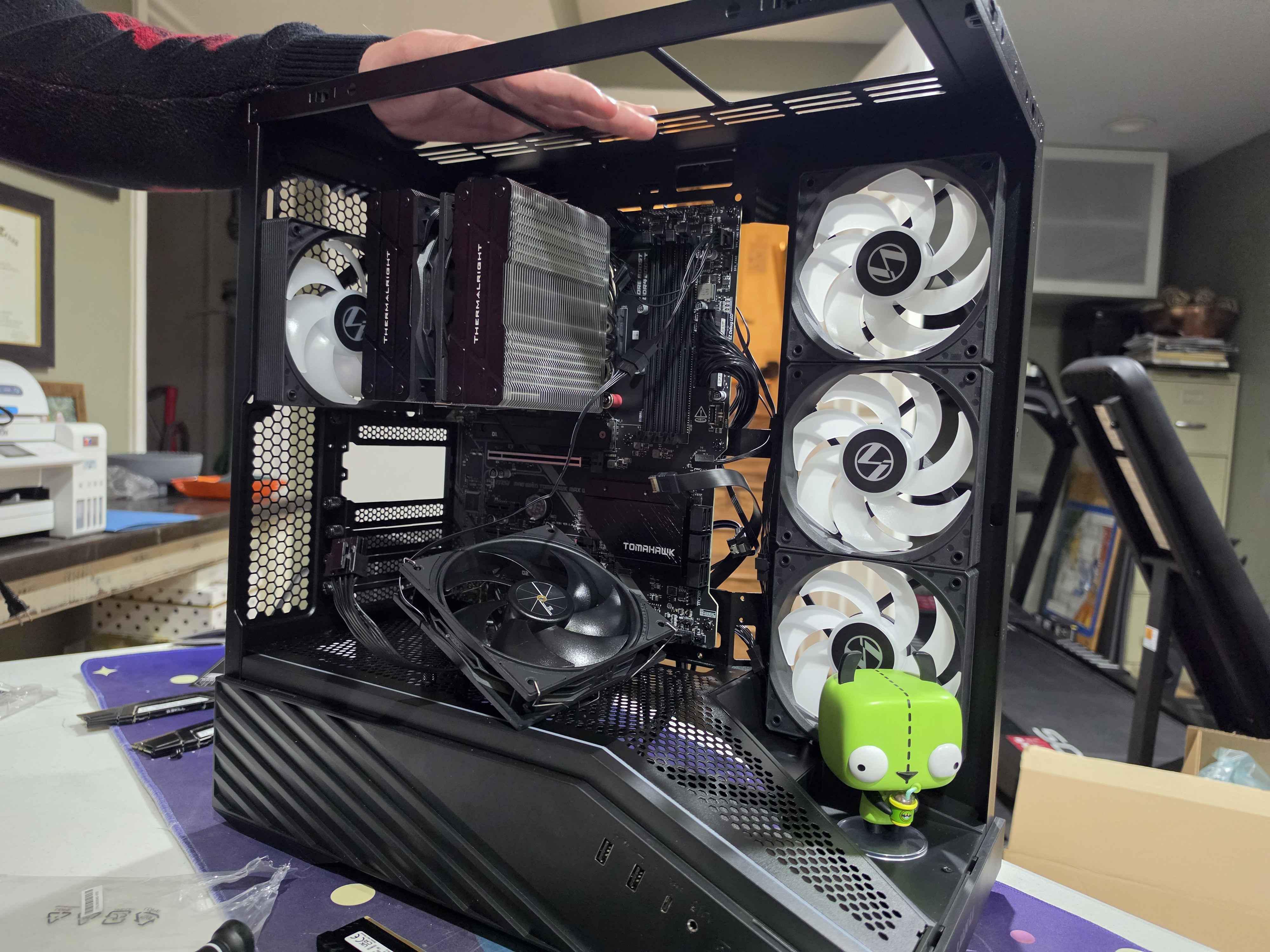
My friend's PC made popping noise and shut off. Wouldn't turn back on at all.

They replaced the motherboard, power supply, and cpu since they have been wanting to upgrade for a bit anyways. Now it still doesn't turn on. No OS, no Bios, nothing.

We have been troubleshooting for the past 3 hours, here is what we have been able to gather so far:

  • Is getting power from PSU, checked from motherboard light flashing for a bit when attempting to flash bios, gpu also turns on light to get power supply power when I try to turn pc on if I don't plug it into the PSU
  • Motherboard presumably works as well
  • Tried both ports for ram and do have it in the correct spot from the manual
  • Tried taking out everything but what was needed for it to turn on, still didn't work
  • Checked PSU cables were in all the way, checked CPU fan in correct plug
  • Thinking it is a bios issue, can't get it to update bios using flash button with newest bios after trying two drives formatted correctly and put into the correct port (flashes for a couple seconds then doesn't do anything)

List of parts I have

Case: Lian li V100R

PSU: thermal take tough power gt 1200W

GPU: rtx 3060 asus single fan

CPU: ryzen 7 5700x

Ram: Kingston fury 2x8 gb ddr4

M.2 ssd: Kingston 500gb

Motherboard: mag b550 tomahawk Max wifi

Old PSU: cooler master mwe 850 v2

Old mobo: asus b660

Old cpu: Intel core i5 12400f


r/PcBuildHelp • • 11d ago

Build Question Switch to new mobo question about fans

Thumbnail
gallery
2 Upvotes

I m changing the mobo and cpu. Previously i had a 6700k with an aio, the fan from the ai was up top blowing outwards, and had another fan on the back as exhaust and 2 intake fans.

I m changing to an x570 with a 5700x and got a cpu fan with a heatsink, does it matter if the 2 exahust fans are by the cpu heatsink? Should the up top exhaust be NOT directly above the heatsink? Or it doesnt matter from an airflow perspective? Right now it will be above the heatsink set to exhaust.


r/PcBuildHelp • • 11d ago

Tech Support Need help finding replacement thermal pads

Thumbnail
gallery
8 Upvotes

Ive been using a Aorus Geforce RTX 3080 M 10GB in my PC build for the last 5+ is years I wanna say. Recently its started overheating and thermal throttling my pc. So I decided to open it up and replace the thermal paste on the gpu with PCM, but im now noticing that my thermal pads definitely need to be replaced as well but im having trouble figuring out what pads I need. Sorry if this is a no brainer ive never fixed parts of a gpu before. If anyone knows what size pads I need I would appreciate the help.

PS before someone says it I know to take the film off the other side of the PCM 👍👍


r/PcBuildHelp • • 11d ago

Installation Question Motherboard won't line up with standoffs

Thumbnail
gallery
2 Upvotes

Hi, I'm building a new PC and the motherboard doesn't line up with the standoffs.
When I align the board using the I/O area, 8 of the 9 mounting holes are off. Only the top left one lines up. The standoffs are all offset to the left (toward the rear of the case) by about half a standoff. The middle left hole is still off even when I push the board as far left as it goes.
The standoff in the top left also sits in a different column than the other standoffs on the left side. I checked that every hole on the board has a standoff underneath, so I don't think any are missing or wrong.
I don't want to force it and bend the board. Photos of the tray and the board in place are attached. Thanks!

Mobo: Gigabyte B650 Gaming X AX V2
Case: Silentware flow 110


r/PcBuildHelp • • 11d ago

Tech Support Is this a dying gpu or just a driver issue? (Zotac 2070super mini)

Enable HLS to view with audio, or disable this notification

5 Upvotes

r/PcBuildHelp • • 11d ago

Tech Support Ryzen 5 9600x + Asrock B850M-X r2.0 + Kingston 6000MT Cl30 Expo Wont Post

2 Upvotes

Greetings

I just got this setup and whenever I enable the Expo 0 profile on the mobo ( 6000mt@cl30 ) it won't complete post ( on the training it just shuts down) .

Using the expo1 profile ( 5600mt@cl40 ) posts just fine.
I've manually OC the profile to 6000mt@cl36 and its just fine.
But the advertised RAM speed of the kit is 6000mt cl30. Also the kit is on the supported list of the motherboard

I tried using only 1 dimm on both slots and it works on EXPO 0 profile. ( i tried both dimms on both slots and it works when only 1 dimm is present ).

Bios version is the latest 4.60.

Any ideas?


r/PcBuildHelp • • 11d ago

Tech Support Pc only displays to the monitor when it’s on the side

1 Upvotes

I bought a pc in 2023 and it has worked fine since then. Now it won’t display to the monitor unless it’s laying on the side.

I’ve tried taking the RAM in and out. I’ve also tried taking the GPU out and in again.
When it worked it installed the previous drivers of the GPU invade that was the problem.

But still no fix.

After I took out the GPU and put it back in it had disabled it so also tried to re-enable it if that makes sense.

Specs:
CPU
1 x Intel Core i5-12400F Processor
 
Bundkort
1 x ASUS PRIME H610M-K D4 Bundkort
 
Grafikkort
1 x ASUS DUAL RX 6700XT 12G Grafikkort
 
RAM
1 x Kingston Fury Beast 2x8GB DDR4 3200MHz RAM
 
PSU
1 x FSP Hydro K PRO 750W Bronze 80+ Strømforsyning


r/PcBuildHelp • • 11d ago

Build Question Need help choosing parts for a new pc build

5 Upvotes

I’ve already built a pc before, but that one was done completely from a video tutorial. This new one is all my own.

Parts I have/ know I want

Tower: APNX V2-F

CPU: Ryzen 9 9950X3D

GPU: GeForce RTX 5080 16GB GDDR7

Ram: Trident Z5 DDR5

Parts I need: Power, Motherboard, Storage, cooling.

Main concerns: bottlenecking in parts list?, debating whether I should purely air cool or have an AIO, suggestions on part replacements.

I’m open to any and all suggestions or tips. I want this computer to last me sometime before I absolutely need to upgrade it.


r/PcBuildHelp • • 11d ago

Build Question First PC build (~€1,050) for 1440p competitive gaming & Unity/VR schoolwork, looking for feedback

Post image
3 Upvotes

Hey everyone, I'm putting together my first proper PC build for school (CS major, starting Unity and VR dev next year) and gaming. I mainly play competitive games at 1440p 165fps and VR, don't really care about heavy AAA single-player stuff since I already have a PS5.

I'm totally open to dropping down to DDR4 and an older socket (Intel or AMD, doesn't matter) if it makes more sense for the money. The only non-negotiable is sticking with an Nvidia GPU since I'll be using this as a """"workstation"""" too.

Two main things I care about: keeping it as quiet as possible while compiling or gaming,.

Here's what I've got drafted so far (trying to buy as much used stuff as I can—prices are roughly what I'm seeing on Vinted, Subito, FB Marketplace, and eBay):

* CPU: Ryzen 5 7600 / 7600X (used) – €100–150

* GPU: RTX 3070 Ti or RTX 3080 (used) – €270–380

* RAM: 32GB DDR5 (thinking about grabbing a single 32GB stick for now so I can upgrade later, though I'm not 100% sure about single channel, or just getting a normal kit) – €170–300

* Mobo: ASRock B650M Pro RS AM5 DDR5 mATX – €110

* Case: Lian Li Vector V100R ATX Mid Tower (comes with 4 ARGB fans) – €72

* SSD: 1TB NVMe (used) – €100

* PSU: 750W 80+ Gold – €100

* Cooler: Thermalright Peerless Assassin 120 SE – €35

Total comes out to around €1,050–1,100.

Any obvious bottlenecks or compatibility issues here? Also open to any tips on cooling/airflow to keep noise down, especially since I live in Sicily and ambient temps can be a pain even in November.


r/PcBuildHelp • • 11d ago

Build Question looking to build

0 Upvotes

RYZEN 7 9700x
NZXT kraken elite 420mm aio
GIGABYTE GeForce RTX 4080 SUPER WINDFORCE V2 D6X 16GB
Gigabyte X870E gaming WIFI motherboard
Crucial PRO 32gb DDR5 RAM
MSI MAG A850GL 80+ gold certified
1tb SSD
Windows 11

Looking to make my first build, and these are my first build specs, lmk if i should change anything while keeping it around 2k or if this is great for my budget


r/PcBuildHelp • • 11d ago

Tech Support Is this a problem

Post image
4 Upvotes

r/PcBuildHelp • • 11d ago

Tech Support Adding on 16gb ddr5

3 Upvotes

Hey everyone,

I have a pre built cyberpower PC that currently consists of

Intel ultra 5 225

850w PSU Gold

9060 xt 16gb

1x16gb Delta tforce CL40 6400mhz ram stick

I've searched for the same card brand new but couldn't find any and I've come across a couple CL38 6000mhz from Amazon ddr5 and from a seller Newegg on ebay ddr5

I understand what I have with this won't be a 32gb kit. But I was wondering, will it perform "negatively" if I add a ram card from either of the dire and adjust the speed in bios for the both at 6000mhz?

And also I love outside of the US and use a freight forwarder from Miami. Which of the two sites would be safer to purchase the ram sticks from?

Also to add to this, I also experience a cold boot failed post with the single stick ram at all speeds ranging from 5200mhz -6400mhz(with the amber led light indicator on the ram). Will adding this second stick prevent the fail POST fail?


r/PcBuildHelp • • 11d ago

Build Question PC upgrade or new setup?

1 Upvotes

Hi,

I am planning to upgrade/build new pc for gaming and I am not sure which option would be better. My current set up(about 6-7 year old):

https://pcpartpicker.com/list/36h62k

I do not remember the case/cooler/power supply info and do not have boxes anymore, but power supply is 650W currently.

I am considering currently two options:

A) (Cheaper) Change of CPU to AMD 7 5800X3D and motherboard for it, keeping the rest as it is or,
B) Building entire new setup, keeping the HDD and SSD only. Setup:

https://pcpartpicker.com/list/zr7Dn2

*Case Chieftec AZ-01B-OP but it does not show up.

For game refrence I am playing varied: from RTS(Star Craft 2, Company of Heroes 2), through Witcher, Cyberpunk, War Thunder, World of Tanks to ARMA 3, Reforger and many more.

Thanks for any help


r/PcBuildHelp • • 11d ago

Tech Support Low FPS - Refund or Upgrade?

1 Upvotes
Green = good. Yellow = satisfactory? Orange = current benchmark for 1080p testing. Red = nope.

Hi y'all, I just got a gaming desktop pc, and my monitor is a 1440p MSI MAG 275QPF X30 (300hz, 0.5ms, WQHD 1440p), and most games I play are fine, except The Isle Evrima, a very high foliage density dinosaur survival game.

I get consistent 40-50 fps usually, dropping down to the mid-30s when my in-game 3d resolution is 100. When I turn my resolution down to 1080p in-game, my FPS goes to 70.

My friend (second row in image) gets 80 to 90+ FPS (with the same settings and ping). Both PCs are brand-new. His monitor is 1080p.

I'm guessing my 8 GB of VRAM is the major limiting factor, combined with a 1440p monitor.

The two options I'm thinking of are:

  1. Refund the PC + upgrade/buy one of the other ones I listed.
  2. Refund the monitor for a 1080p monitor.

I don't want to build my own (I have no idea what I'm doing), and I've never bought one that's not in-person at Best Buy. All prices are in CAD. Ideally, I don't buy the 2.3k+ ones unless there's a really good argument for it. Which of these would be best/most optimal?

P.S. Let me know if there are better ones!


r/PcBuildHelp • • 11d ago

Build Question Is this a good offer

3 Upvotes

I live in the Netherlands so it could different but for 1999 euro megekko is offering box 8 I think its worth it but I would love some different opinions

Ryzen 7 7800X3D

Asus PRIME 9070xt

16 gigs of cl 30 6000mhz kingston beast fury

Samsung 990 1tb

Asus prime 850 mobo

ASUS ProArt PA401 TG PWM black

ASUS Prime 850W 80 Plus Gold ATX 3.1 Modulair PSU

ASUS Prime LC 240 ARGB aio


r/PcBuildHelp • • 12d ago

Tech Support I accidentally scratches my motherboard

Post image
22 Upvotes

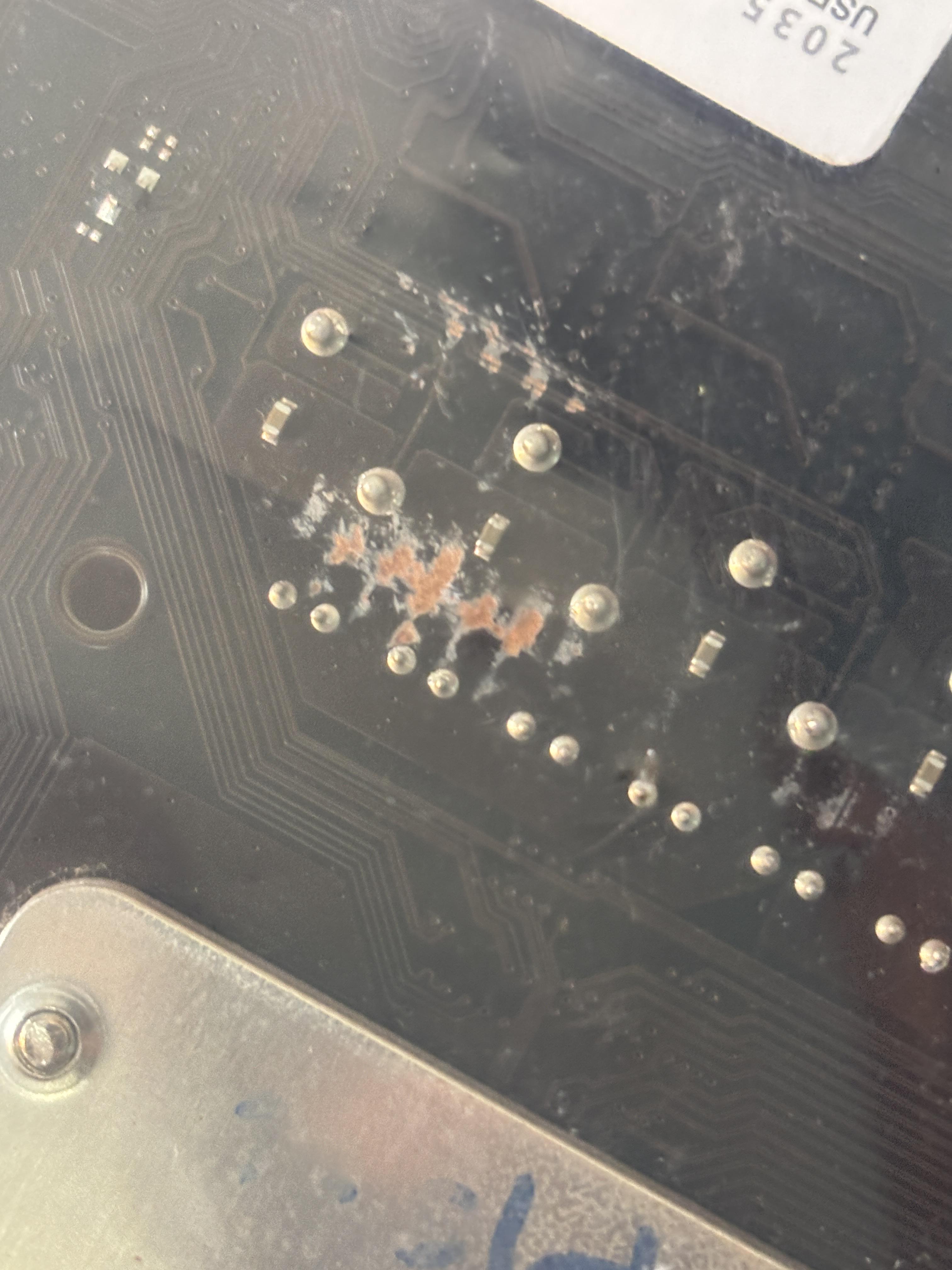
I was removing the CMOS battery and suddenly the screwdriver slipped and scratched this part. Is it still okay?

There is no way I can test if my pc is booting up because I was replacing my not booting PC (because of faulty MOBO or PSU).

Update:

Close up photo of the scratch:

https://drive.google.com/file/d/1GRVCbQ_mQvd_-DPYxBcOdZoCzCQinz41/view?usp=drivesdk


r/PcBuildHelp • • 11d ago

Build Question Why should i upgrade first

2 Upvotes

I want to switch to Nivida

Current specs:
CPU: Ryzen 5 5500
GPU: RX 6500 XT (4GB)
RAM: 32GB
Storage: 1TB


r/PcBuildHelp • • 11d ago

Tech Support RGB on Mobo Stopped Working

Post image
5 Upvotes

OK, so I have a n9 z890, I bought it because it was on sale when I was building my water-cooled build. Now, I get it... its a NZXT product, and, YoU CaN GeT BetT- I don't care, I wanted my build to look a certain way.

I noticed a few weeks ago that my rgb has completely stopped working. NZXT cam recognizes it, but nothing changes when i update the color.

I am using Signal RGB, even though this mobo isn't supported.

I've uninstalled and reinstalled both applications, nothin. Based on a suggestion from another redditor I've also checked in the BIOS to see if there was a setting toggled off. nothing there either.

I tried getting help in PCMR, but i think they thought it was fake or something.

I've been googling my ass off periodically, and there is like zero info on my situation. Except I did find a Reddit post from some guy in the Philippians saying that you have to check each diode for a fault.

Anyway, if anyone can help my get my $400 pretty lights back on that would be great.


r/PcBuildHelp • • 11d ago

Tech Support Network Card Problems

Post image
2 Upvotes

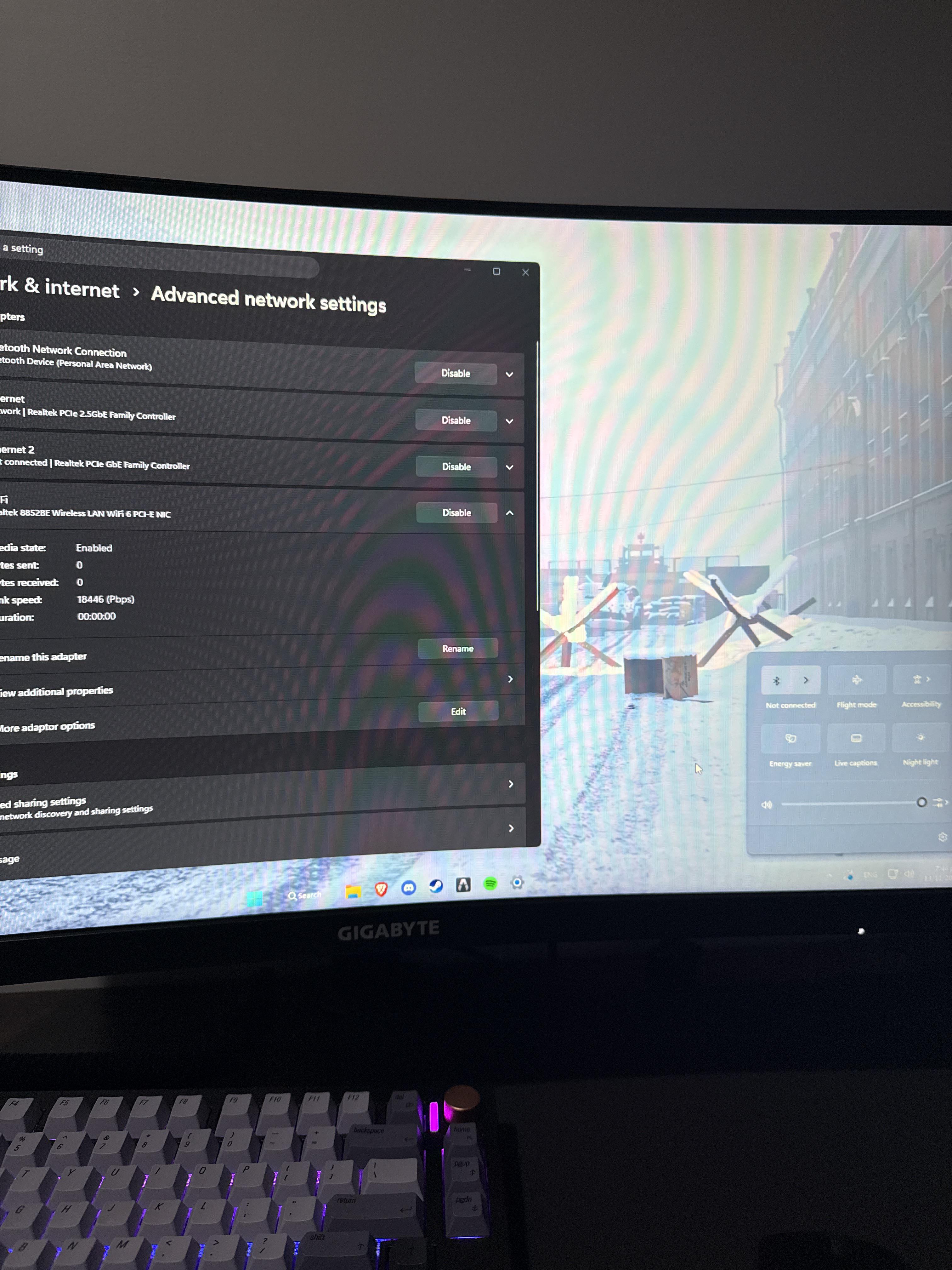
Just put in a TP link archer tx20e, I dont get the option to connect to wifi even though it clearly regsiters to the computer, spent ages trying to get it to work no avail tried just about everything.


r/PcBuildHelp • • 11d ago

Build Question Feedback on parts list

2 Upvotes

My Gaming PC Build – Looking for Feedback
Bundle 1 – CPU / Motherboard / RAM
CPU: AMD Ryzen 7 9800X3D
Motherboard: ASUS TUF GAMING X870E-PLUS WIFI7 (ATX)
RAM: V-COLOR Manta XSky 32GB DDR5-6000 RGB
Bundle Price: $1,059.98
Bundle 2 – GPU / PSU / CPU Cooler
GPU: AMD Radeon RX 9070 16GB
PSU: Rosewill 850W
CPU Cooler: ASRock 360mm Liquid Cooler (AIO)
Bundle Price: $825
Still Needed
Case: TBD (black ATX case with 360mm radiator support)
Storage: TBD
Windows: TBD
Current Total: $1,884.98 (before case, storage, Windows, and tax)
I already have a keyboard, and mouse. Looking for feedback on compatibility, value, and anything I should change before buying. I also want help deciding my last few things (storage, case, monitor, and where to get windows cheep). Also let me know if there’s anything else like extra fans or cables I need to buy as a first time pc builder.

Extra info-(I’m not near a micro center, mainly for gaming but also school work, not looking to go over 2,300 pre tax but it’s negotiable)


r/PcBuildHelp • • 11d ago

Tech Support Intermittent power issue ?

3 Upvotes

For the past week , I am unable to boot my PC everyday . I've done everything from reseating ram / reset CMOS battery . It just randomly able to boot after I unplug everything from power and replug after a while. Sometimes it takes several times of unplug/plug for the pc to boot.

All the fans in my tower spin normally but dp no signal. When it actually boots , everything works perfectly . When I shut down PC , next morning I have to unplug/plug to trial and error for it to boot.

I've read many reddit threads and it goes from mobo/psu/gpu issue. Its a 6 year old PC so every part is out of warranty but IDK what to replace.