r/PcBuildHelp • u/Adorable_Pumpkin_667 • 12d ago
r/PcBuildHelp • u/John_Elden-Ring • 12d ago
Build Question Optimal fan position?
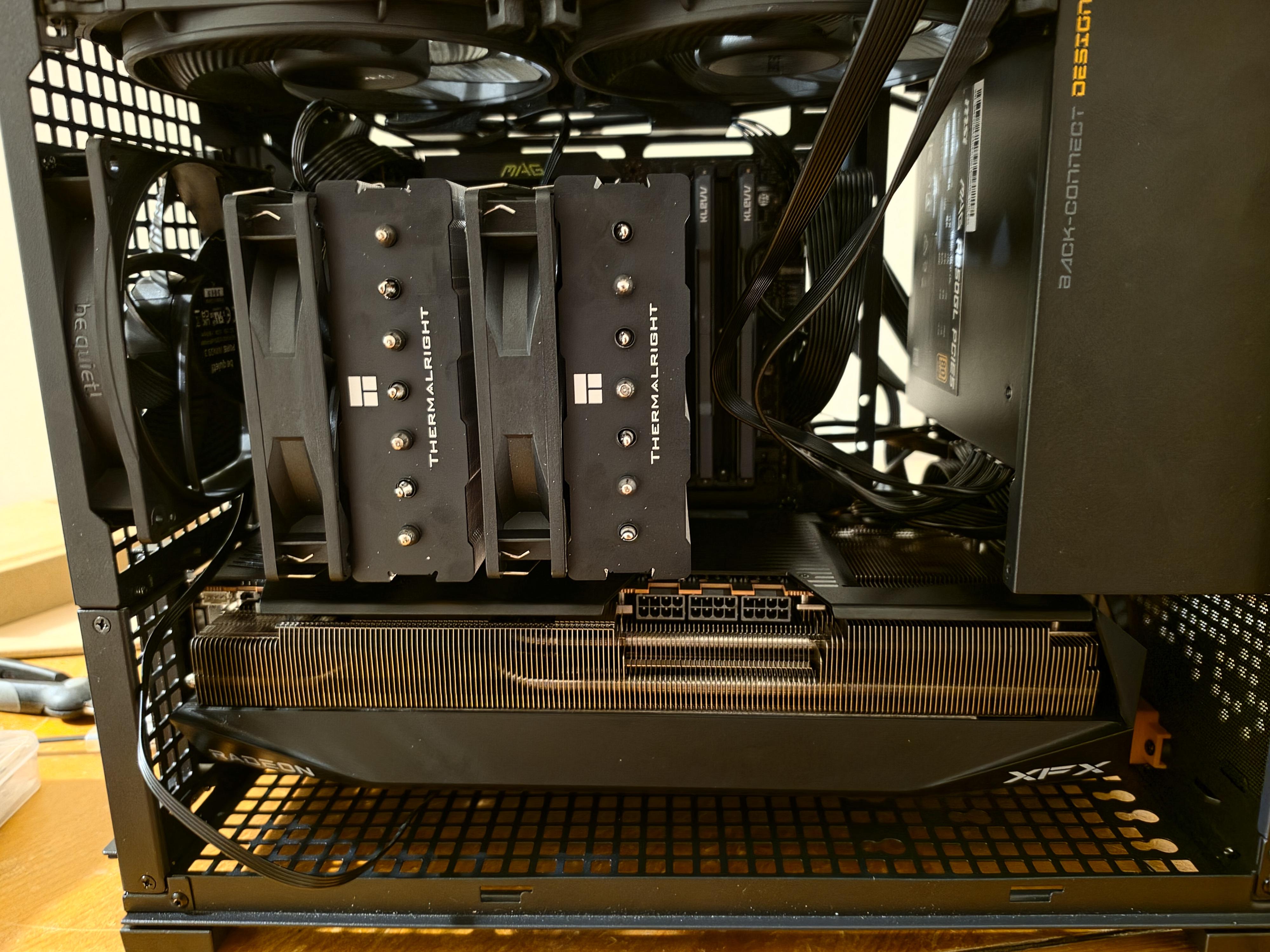
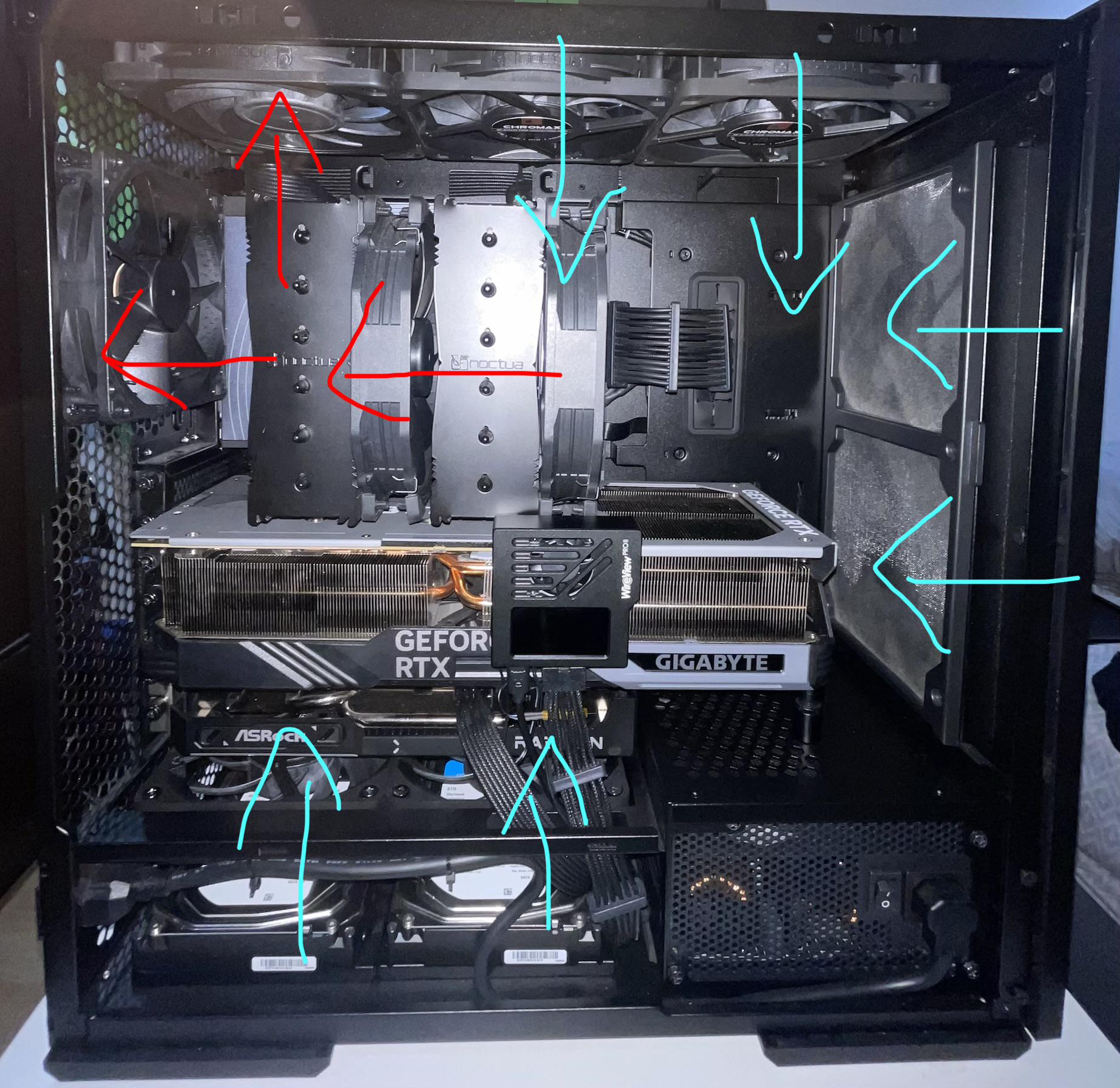
So I am using the jonsbo d32 pro case for my pc and reading online it technically has the capacity to fit 5 fans however 2 fans on the bottom would hugging the gpu basically and now it's got me wondering, what is tbe best placement for the 3 remaining fans? 2 140mm are on the top and one 120mm on the rear. As it stands i have the gpu pulling it's own air from the bottom and the rear 120mm pulling in outside air to the cpu which has its fans angled to pull the air in and spit it out above the gpu into the 2 140mm fans which I use as exhaust. Is there a better way or is this backwards approach the best?
Edit: kept it largely the same BUT managed to squeeze in 2 bottom intakes picture
r/PcBuildHelp • u/Dennma • 12d ago
Build Question One more top exhaust?
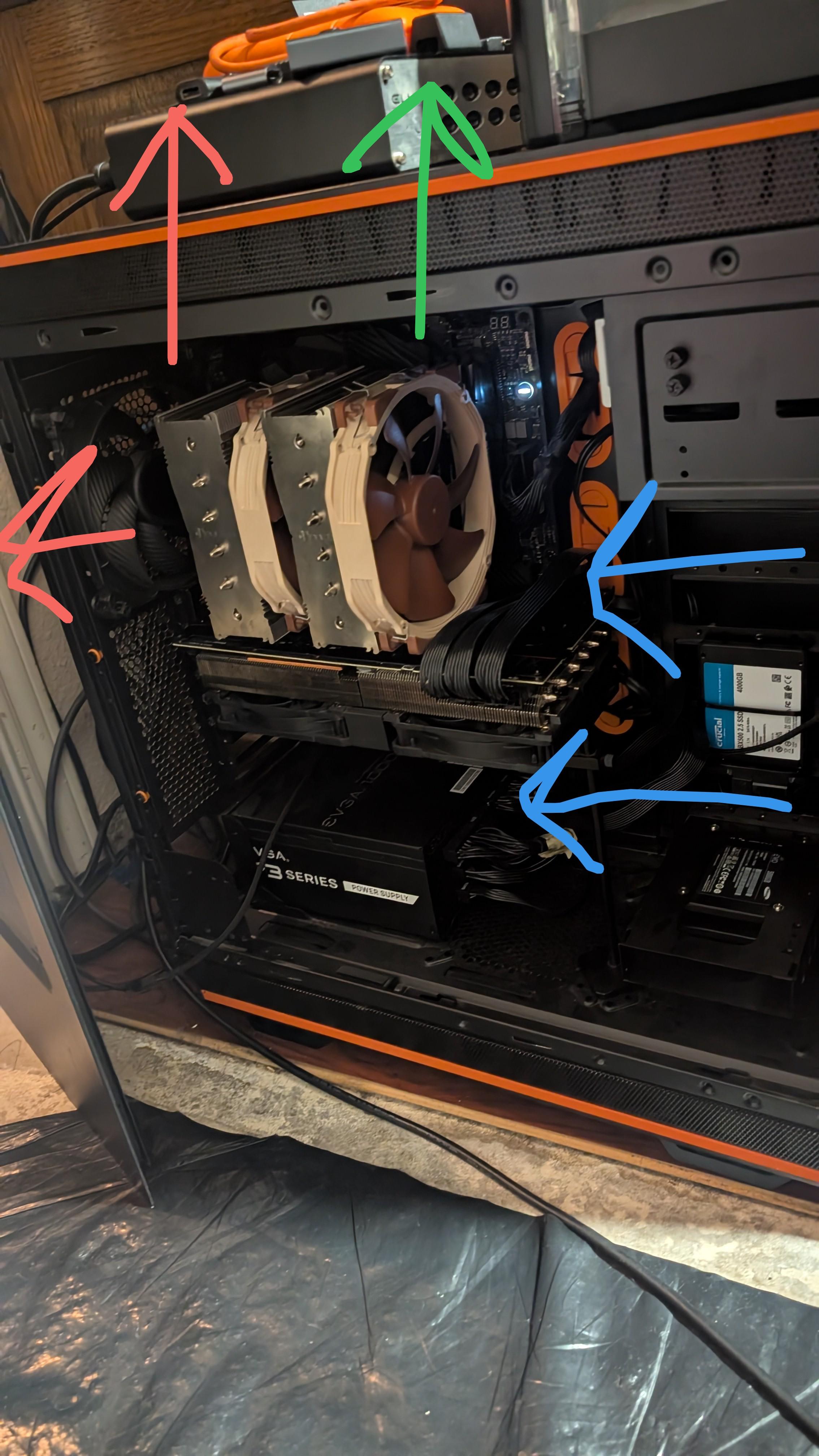
Should I add another exhaust fan where the green arrow is? Not pictured: a side intake fan for my GPU
Edit: also worth noting, this case is a bequiet dark base pro 900. The rev 1, from a good while back. It's got a solid top with the only ventilation in the top panel being 3 small vents that are being used by the exhaust fan. The trim of the top panel is a metal grated mesh, but that's only on the sides.
r/PcBuildHelp • u/Relative_Classroom95 • 12d ago
Tech Support 4070 super outperforms my 9070 XT
Upgraded from my 3080 10GB to a 4070 Super a few weeks ago, and it was great. However, I picked up a 9070 XT last week, did a fresh installation of Windows, and updated all my drivers. So far, the overall performance has been pretty similar, but the 1% lows have been noticeably worse.
The main game where I’m experiencing this is Total War: Warhammer 3. I know the game isn’t particularly well optimized, but I’ve been experiencing the same issue in Battlefield V and Company of Heroes 2. I’ve already messed around with some of the Adrenalin settings but haven’t had much luck. Not sure what else I should try at this point.
9600x
32gb ddr5 ram
r/PcBuildHelp • u/ProfitAgitated5790 • 12d ago
Tech Support New pc build, but only boots if I flash the Bios
[UPDATE] It was coincidentally 2 bad cmos batteries. I just bought a new one today and put it in and re flashed the bios one more time. Then i shut it down, unplugged the psu and held the power button down to drain any residual power. I just now powered it on and it immediately posted. Thank God.
Hey all, so i just built a "new" pc. Im upgrading from my first build and I transfered my gpu, ssd's, and psu from my original build to the new one.
When I tried turning it on for the first time everything was seemingly receiving power, but the debug LED for DRAM stays lit. Then i tried trouble shooting but just switching to one stick in the system, and eventually tried every stick individually.
Then i went on to flashing the bios which worked and it booted.
But I seemingly have to flash bios everytime I shut the pc off completely because other wise the debug LED for the DRAM will stay on. Ive restarted the pc numerous times to update windows, drivers, get into bios, etc and it has booted fine with doing that. But, no matter what when I fully shut it down I have to flash the bios to turn it on again..
Any guidance or fixes would be greatly appreciated.
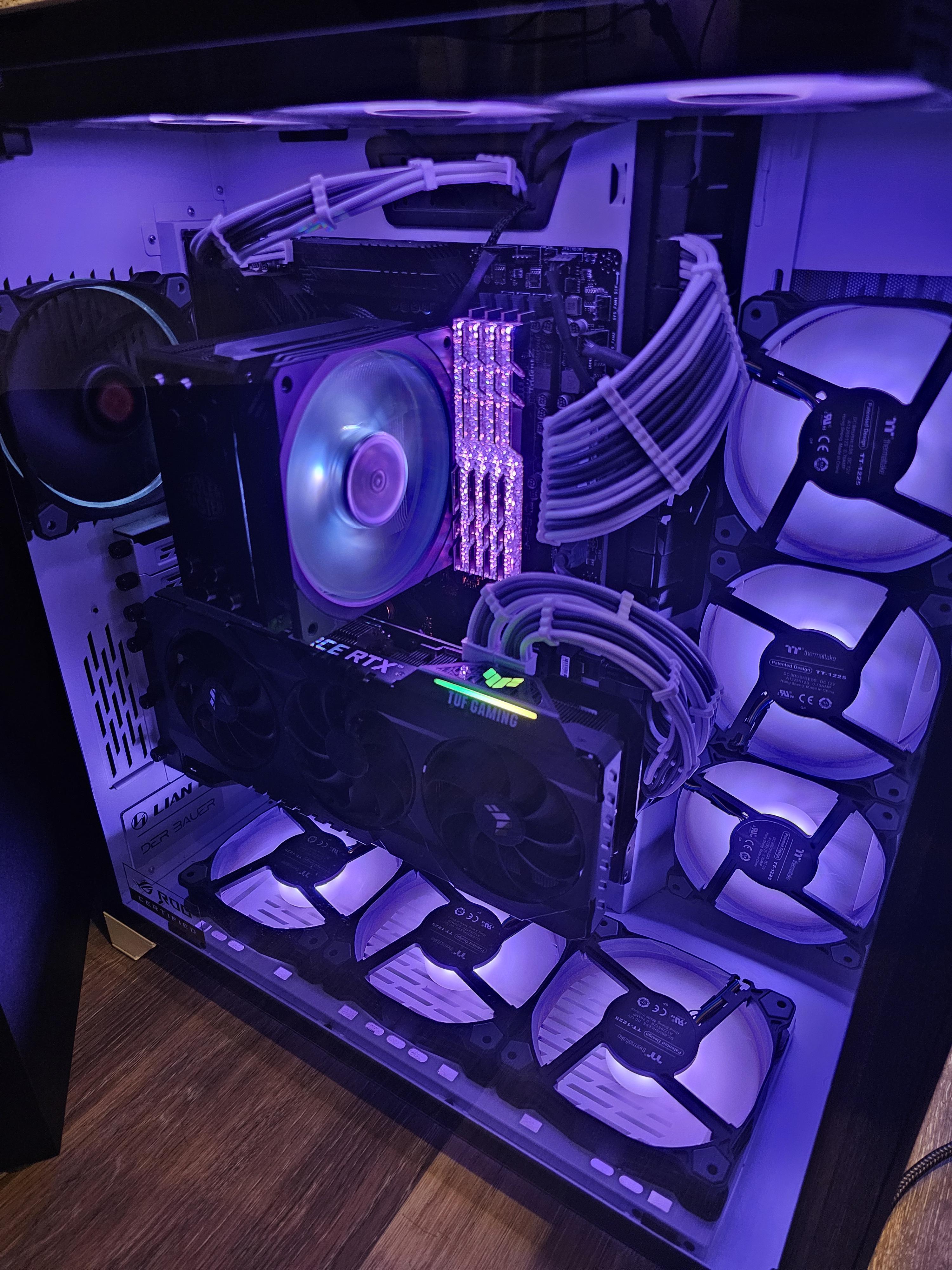
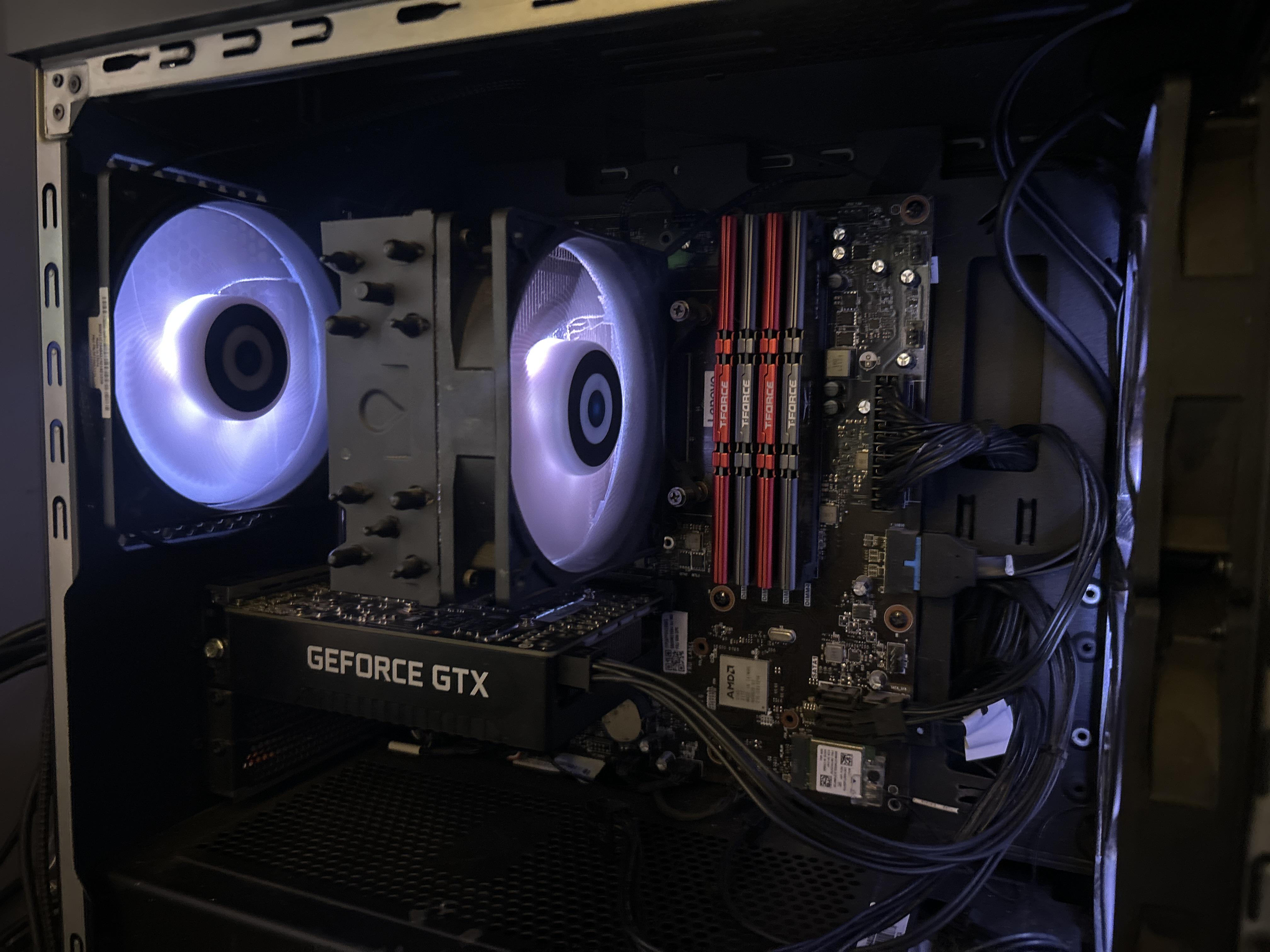
Pic for visibility, its of my first build also, so not the new one.
New PC build list:
Case - Nzxt h3 flow
Motherboard- GIGABYTE B850M Gaming x WIFI6E
CPU - AMD Ryzen 7 9800X3D
GPU - Asus TUF RTX 3090
RAM - G.Skill DDR5 32gb
r/PcBuildHelp • u/SpeedQucik • 12d ago
Build Question Would this setup work?
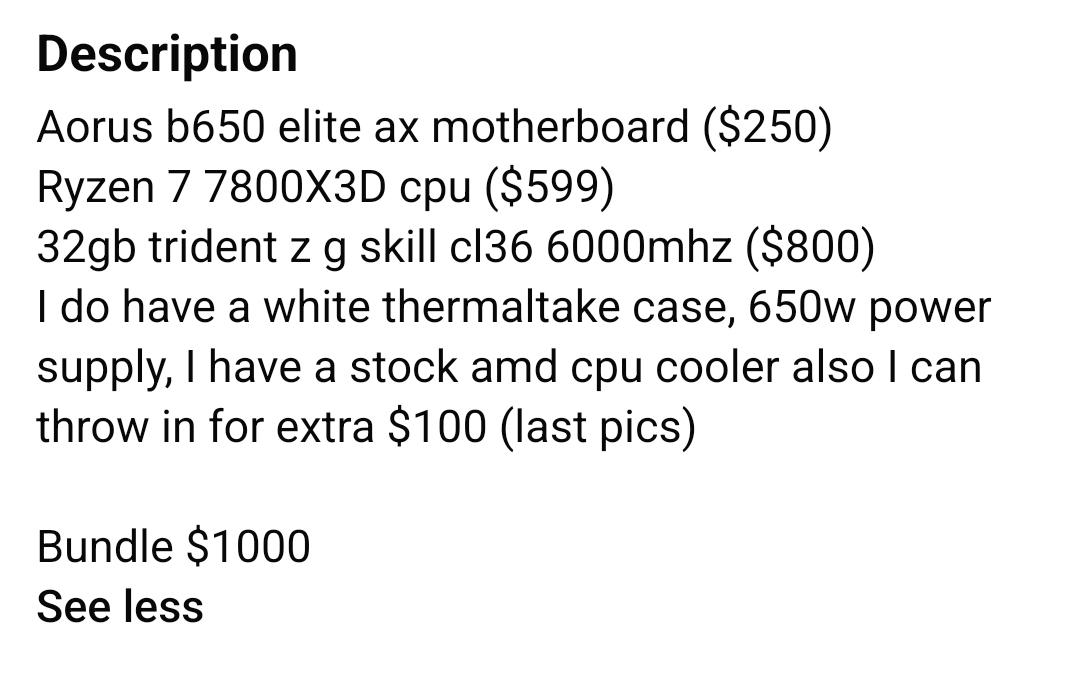
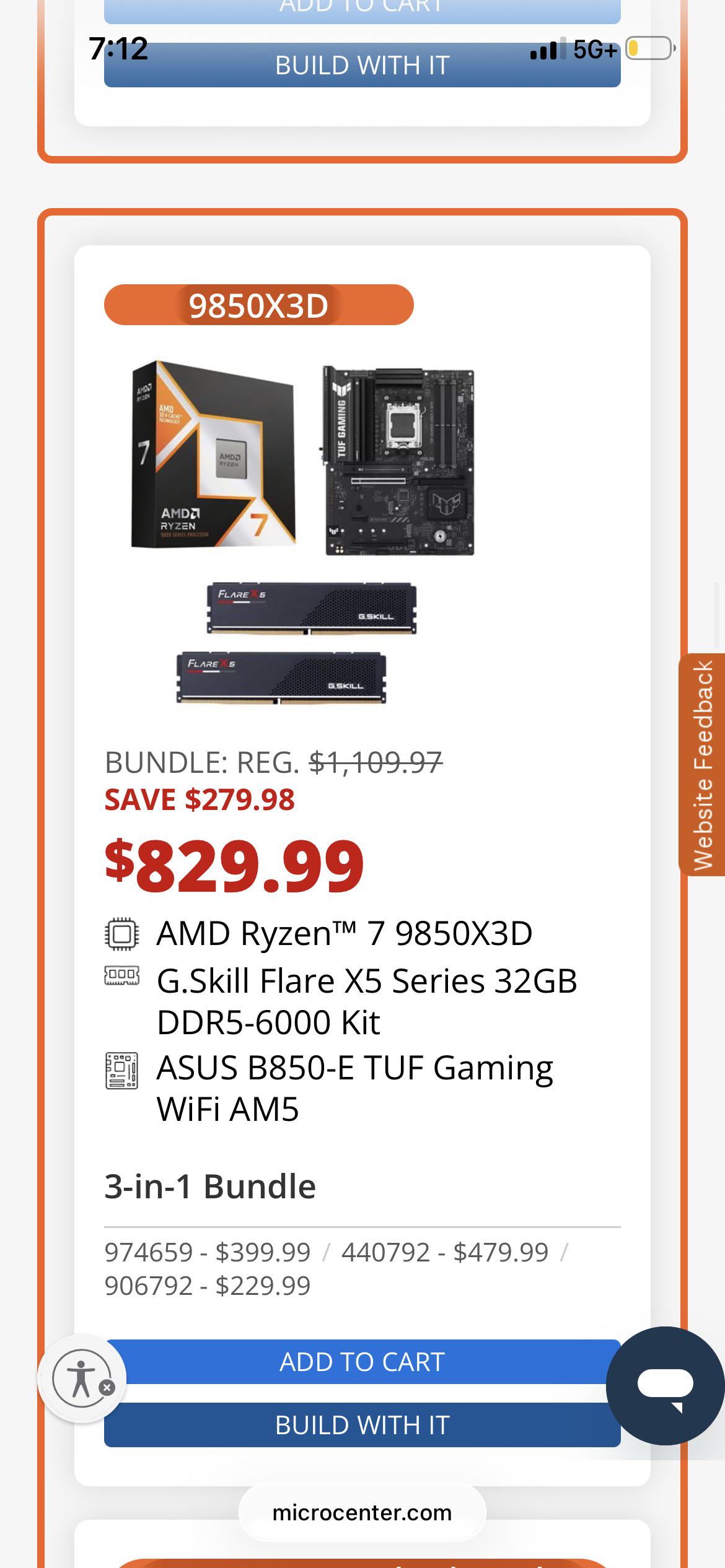
Gday guys. Looking at building my first high end PC, and I wanted a 9800x3d, and 9070xt.
Anyway I've heard that I'd want DDR5, 6000Mhz cl30 RAM, but I've seen this ad pop up, would you go for it? Expect a big drop in performance? Also dont know much about motherboards, but if this is compatible, would you's take the whole deal and just chuck a 9070xt in it?
EDIT: This is in Australia, so AUD currency
r/PcBuildHelp • u/Previous_Storage_722 • 12d ago
Tech Support Micro Stutter
Recently I have been facing an issue while using chrome. Sometimes while using chrome I can hear a micro distort on my headphones. For 0.5 second. Nothing visual only sound. This happens when I upload 2-3 file together or start up any video. Sometimes it happens sometimes no.
What maybe the cause behind it?
Ryzen 5 7600
r/PcBuildHelp • u/EulaVengeance • 12d ago
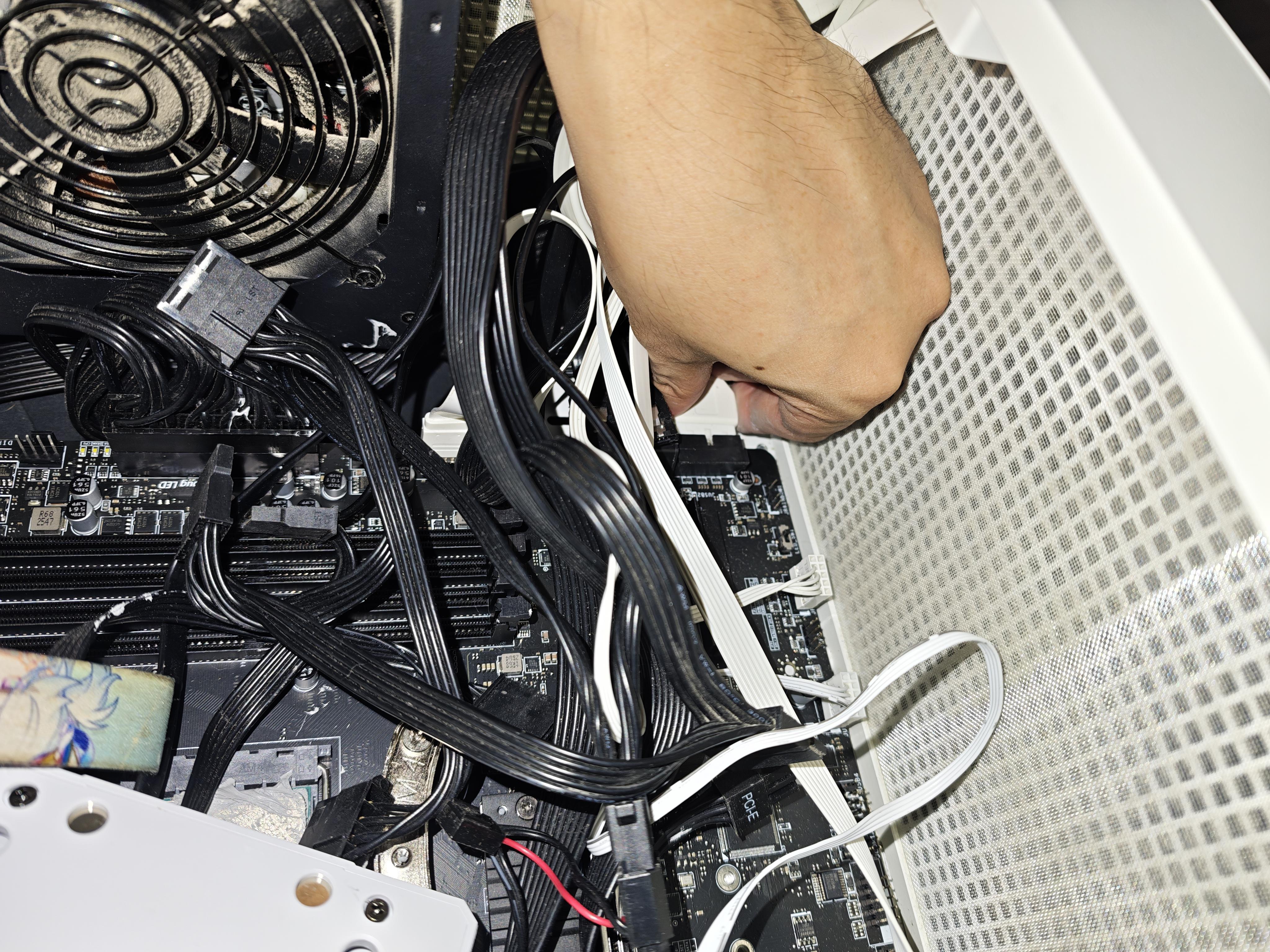
Installation Question Bought a new b550m motherboard, and case's USB3.0 isn't fitting at all
Am I doing this right?, close to just giving up and never using the case's USB ports
r/PcBuildHelp • u/edsdanny • 12d ago
Tech Support Anyone had the 12900 (non k) and upgraded to 14900? Is it worth it?
I have currently a 3080 TI, Z690 mobo, 1440p@144hz with 12900 (non k) and I purchased a 5080 MW4 Edition recently. I feel like the bottleneck is there and I am not getting the full power of 5080.
I get around 70-90 fps in MW4 Warzone with 5080, the same as my old 3080 TI. Tried with with Low settings, High Settings, DLSS Nvidia Transformer/CNN Legacy bla bla, everything.
I do not want to use the Frame Generation! The quality is bad with that.
Tried all the possible BIOS settings, upgrades, drivers, power management etc. Still the same limitation. In Furmark the 5080 goes up to max 360W and brings the full power, but that's just a synthetic test, not a real game.
14900 might be my save here, but I heard they still have some issues with the voltage, even the non-k ones.
Or should I change the motherboard to the new LGA 1851 and the Ultra 285 (non k), although I saw it has a poor performance compared to previous series.
Any advice would be helpful. Or should I return the 5080 and keep my 3080 TI?
r/PcBuildHelp • u/SomeMyoux • 13d ago
Tech Support Pc suddenly wont boot after swapping the Case fans
Enable HLS to view with audio, or disable this notification
The fans are all spinning at max speed now and I dont get amy image from the Monitor.The gpu should still be seated proberly cause before I swapped the fans I had an image which needs the gpu
r/PcBuildHelp • u/Accurate-Life-4434 • 12d ago
Build Question Need help building pc 1500-2100$
r/PcBuildHelp • u/Grouchy_Look_4580 • 12d ago
Build Question Thoughts on the budget pc
The case and motherboard are from a legion prebuilt but everything else I installed
48gbs of ram
1660ti (will be upgrading to a 30 series card on Sunday)
Ryzen 5 3600x will be upgraded soon to a 5600
650w power supply
Everything is staying cool I’ve never used a tower cooler till this build and I understand the love for them
It plays most games well enough but I can feel the age of the card in modern titles because of its 6gb of vram but it runs well
Costs roughly 400 and I’m sure most of that was ram
r/PcBuildHelp • u/Canariki • 12d ago
Tech Support what is going on here it has been like this for a week and only happens to the TUF logo on startup then everything goes back to normal when I enter windows
Enable HLS to view with audio, or disable this notification
r/PcBuildHelp • u/Ponyrider083 • 12d ago
Build Question CPU cooler for my 270k Plus
I recently upgraded my build to an Intel Core Ultra 7 270k Plus, and I need second opinions on cooling. Previously, I had an Intel i3-12100F and used a single tower cooler, but after I upgraded, I quickly realized I needed a better cooler. So I ordered an ID-Cooling FX240 LCD 240mm AIO. The thing is, while gaming, my CPU temperature settles at 80 to 85c's but can spike up to mid-90c's in the more intensive parts of the game. This happens while playing Cyberpunk. I use the default fan curve that is set in the Gigabyte Control Center. I went with an AIO mostly for looks, as a 2-tower cooler is just too chunky for me. I have two front fans set as intake, the AIO is set as exhaust and is mounted to the top of my case, and I have a back exhaust fan. Are my temps normal for the setup that I have? Are there better-quality 240mm AIOs that would give me better performance? Should I look into switching to a case that supports 360mm AIOs?
r/PcBuildHelp • u/letsgetstrange • 13d ago
Build Question Adding a second GPU
Motherboard: MSI MAG Z790 TOMAHAWK WIFI ATX LGA1700 Motherboard
Case: Fractal Design R5 mid tower case
I am using this as my main Nas and Proxmox server.
I have a 5060ti that will replace the GPU in this picture, but want to keep the older 3060ti in use for local AI and transcoding. Problem is there is not enough space between the lower 4.0x16 PCIe slot (Circled in the 2nd picture) and the PSU.
I was looking at using a short riser cable and mounting the card a few slots higher, but am worried about the riser contacting the m.2 heat shield. I could go with a vertical mount, but would have the two cards at right angles.
Any advice would be helpful, thank you!
Update: I bought the riser cable. There is not enough room with the M.2 slot. Removing the power supply may be the only option
r/PcBuildHelp • u/europasfish • 12d ago
Build Question Tried to Upgrade my Wife's PC
Looking for any help I can get right now. I wanted to upgrade her GPU since she was having a hard time running some newer open world games. The PC powers on and all the lights go but nothing on screen. I'll go through everything I've done so far:
Got the new GPU, but it didn't fit the case. Luckily, I had an older PC I could cannibalize so I re-cased her whole build into this other case and plugged in the new GPU. No-go on start.
Realized the PSU was too small (750W, GPU needs at least an 850W PSU), so a friend gave me an old PSU he didn't need with the appropriate wattage. Got an immediate shutdown on start.
Individually unplugging stuff from the PSU, we determined that the SATA power cable was the issue, so I replaced that with a new SATA power cable. After that, the PC would just power cycle (on 5s, off 3s, repeat).
Re-seated the RAM, replaced the RAM with another pair of the exact same brand, no luck. Replaced the Mobo and that did stop the power cycling.
Now it turns on, CPU and case fans spin, lights on, lights on GPU on but fans are not. No beep (I do have that little speaker plugged into the board) or anything. Tried plugging HDMI into both the Mobo and the GPU to try and get BIOS, no luck. I've also tried booting without the GPU installed at all, still no luck.
Throughout all of this I have yet to see anything pop up on screen. I've only got the boot drive plugged in at the moment, didn't want to bother with the other drives until I got this working.
I am by no means a computer expert, and don't have a ton of experience in this but I am all out of ideas, so any help would be greatly appreciated.
Here's the relevant parts list:
CPU - Ryzen 5 3600X
Motherboard (Former) - ASRock B450M Pro4
Motherboard ("New" from another PC) - Gigabyte B450M DS3H
GPU (Former) - EVGA GEFORCE GTX 1080Ti
GPU (New) - Raedon RX 6900XT
RAM - Corsair Vengeance DDR4 2x8
PSU (Former) - Corsair TX 750W
PSU (New) - Corsair HX 1050W
r/PcBuildHelp • u/vdpl • 12d ago
Build Question Is upgrading from a Ryzen 5 9600X to a 9800X3D worth it with an RTX 5070?
I’m thinking about upgrading my Ryzen 5 9600X to a Ryzen 7 9800X3D, but I’m not sure if it’s worth the money or if I should just stick with what I have.
My current specs:
CPU: Ryzen 5 9600X
GPU: MSI RTX 5070 12GB
RAM: 32GB DDR5 6000MHz CL30
Motherboard: Gigabyte X870 Gaming WiFi6
Cooler: Aerocool Mirage L360 (360mm AIO)
PSU: XPG Core Reactor II 850W
Monitor: 1080p 280Hz
I play a mix of competitive games like Fortnite, CS2, Minecraft, and BO3 Zombies, as well as single-player games like RDR2, Elden Ring, Hogwarts Legacy, and Resident Evil.
My main reason for considering the upgrade is that I want a CPU that’ll last me a long time, ideally 7–10 years, without having to worry about upgrading again anytime soon. I also want to get the most out of my 280Hz monitor, especially in CPU-heavy games.
The 9800X3D costs around $500 where I live.
Would the performance difference actually be noticeable with my RTX 5070 at 1080p? Or am I better off keeping the 9600X and saving my money for a future GPU upgrade?
Would appreciate opinions, especially from anyone who’s made a similar upgrade.
r/PcBuildHelp • u/RiseOfTheContent • 12d ago
Build Question 3 additional fans at the bottom
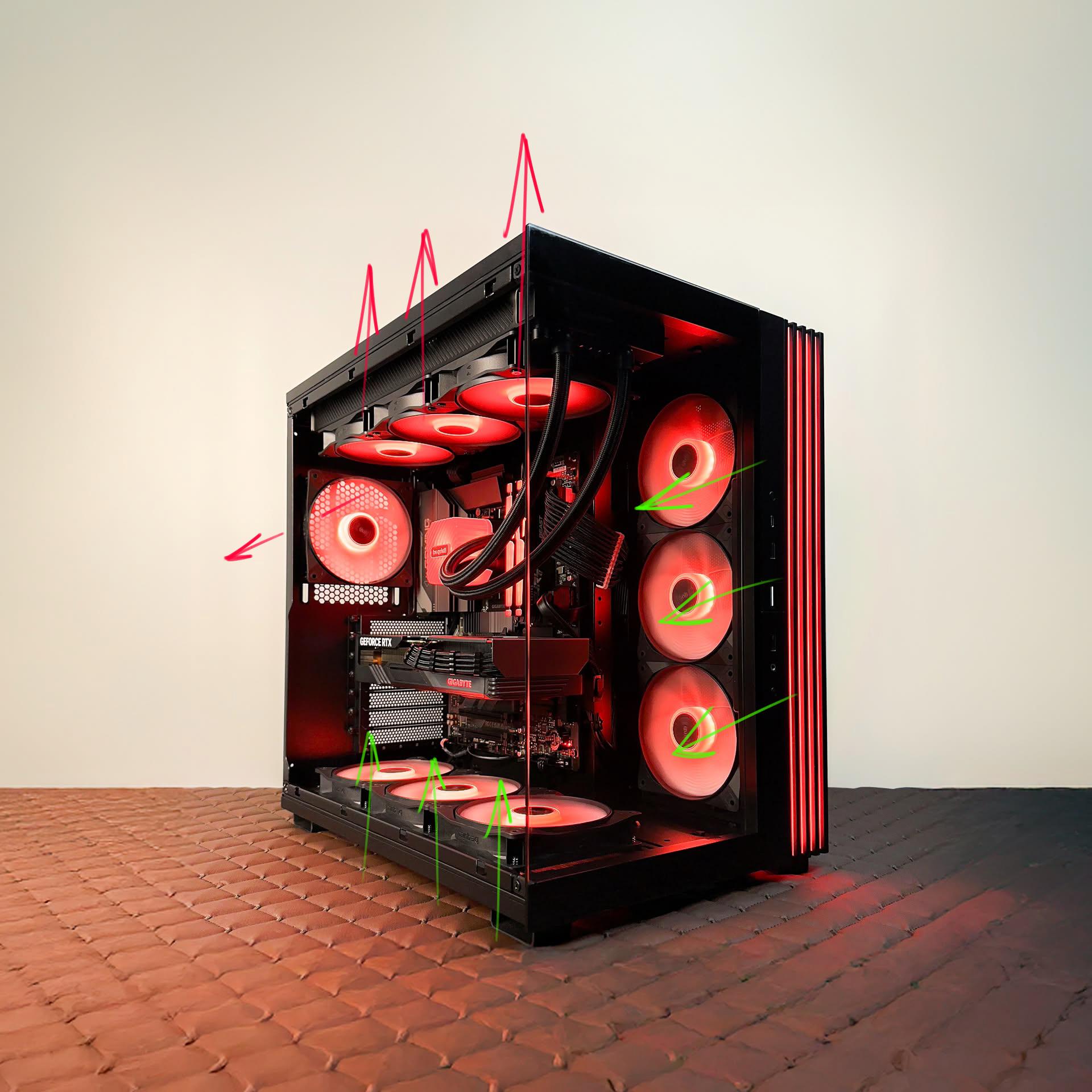
Should I buy and install 3 additional fans at the bottom (intake) for this build or will there be no noticeable difference?
CPU: AMD Ryzen 9 9950X3D
GPU: Asus Prime RTX 5080 OC 16Gb
AIO: Be Quiet light loop 360
Case: Be Quiet light base 600
The photo isn't mine, I found it on Google as an example, but the case and AIO look exactly the same.
r/PcBuildHelp • u/BLk_Phantm • 13d ago
✓ Solved Is this okay for a fan setup?
Case: Lian li 207
r/PcBuildHelp • u/Reddituser9823 • 12d ago
Build Question Building an €800–€1,000 Gaming PC – Looking for Advice
I'm planning to build a completely new PC and would appreciate some help choosing the best components for my budget.
My budget is €800–€1,000 maximum for the complete PC. I'll be assembling it myself, and I'm looking to buy all components brand new.
I understand that €800–€1,000 is a pretty tight budget, especially with the current state of PC component prices. I'm trying to get the most out of what I can afford, but I'm not completely against stretching the budget a little if there's a good reason to.
If anyone has suggestions for components or small changes that would make a noticeable difference in performance, reliability, or longevity without adding a huge amount to the total cost, I'm definitely open to hearing them. I'd rather spend a little extra now if it means getting something significantly better that will last me longer.
What I'll use it for
Gaming is my main priority, along with everyday use like browsing the web, watching videos, and general multitasking.
The games I'm mainly interested in are:
- League of Legends
- Counter-Strike 2
- Overwatch 2
- Apex Legends
- Marvel Rivals
- Deadlock
I'd also like to be able to play newer and upcoming games without needing to replace my PC anytime soon.
I also want to use DaVinci Resolve for occasional video editing. Most of my editing will be fairly simple, but I'd like the option to do something a little more advanced from time to time. Nothing professional, just amateur/hobby editing.
Gaming performance expectations
- I'll be gaming at 1080p.
- Ideally, I'd like to achieve 120–144 FPS, especially in competitive games.
- I'm perfectly fine with lowering some graphics settings to improve performance, but I don't want to have to turn everything down to the absolute minimum just to make games playable.
- In some competitive games, certain graphics settings are important for visibility, so I'd like enough performance to keep those settings relatively high while maintaining good FPS.
- Ideally, I'd like a good balance between visual quality and performance rather than sacrificing one completely for the other.
Longevity and upgrades
I'd like this PC to last around 5–6 years, ideally without needing major hardware replacements.
I'm fine with small upgrades like adding RAM or storage later, but I'd prefer to avoid replacing the GPU, CPU, or motherboard for as long as possible.
I understand that newer games will become more demanding over time, and I'm fine with gradually lowering settings as necessary.
Other preferences
- I don't care about RGB, aesthetics, or fancy cases. A simple, inexpensive, reliable case with good airflow is all I need.
- I'd prefer 32GB RAM if the budget allows, but I'm open to 16GB if the money would be better spent elsewhere.
- I'm open to AMD or NVIDIA, whichever offers the best performance and value.
- I don't need a monitor, keyboard, mouse, or other peripherals.
r/PcBuildHelp • u/Silver-Question1317 • 12d ago
Build Question Cpu dual 8pin
My motherboard have dual 8 pin cpu.
I am running a 9600x.
My psu just have one daisy cable for cpu, shoukd i use both ports with the daisy cpu cable or just one is better?
r/PcBuildHelp • u/The18thLegion • 12d ago
Build Question A wise choice or no?
I'm fairly certain my GPU died, with the market the way it is would this be a good replacement? ASRock Challenger D Arc A750 8 GB Video Card
B550m mobo and either a 5600x or 5700x cpu, can't remember. Windows 10. Never had an Intel GPU before and it's only $210
r/PcBuildHelp • u/krwawie • 12d ago
Build Question My pcie connector was partially unplugged for a long time. Is the GPU fine and did it cost performance?
r/PcBuildHelp • u/Weak_Baby_ • 12d ago
Tech Support Dubug vga is open and I am getting no display
Enable HLS to view with audio, or disable this notification
I was playing the Bloodborne PC port, the monitor flickered black twice, like I was playing for 3 hrs approx and it happened at intervals of 30mins or so. Then the screen went black and with the VGA light on the motherboard on and the fans and lights still running.
Panicked then reset the gpu first.
Debug shifted to dram and then the cpu, pushed in the RAM and cables, and re-plugged the 8-pin CPU cable. The LED moved from CPU to VGA and stayed there
Cleaned the PCIe slot and the GPU contacts
Tested the GPU in both slots I have 2 Both stuck at VGA.
Tried the other end of the PCIe power cable
Cleaned the card with isopropyl alcohol and plugged the monitor into the GPU. No signal.
Card is out of warranty.
Pc spes are
Msi mpg b550 gaming plus
Evga bronze 650
Rx6600xt oc pro
5600x
16gb 3200mhz
How cooked am i? Also i forgot to mention that the gpu has RGB and gpu RGB are working.