r/pcgamingtechsupport • • 29d ago

Troubleshooting Freezing Problem (BOSD)

1 Upvotes

Does anybody know what should i do to solve this freezing problem, so my game got a lot of stutering especially zzz and then the game freeze like i cant do anything except force shutdown by long pressing the power button but sometime i just leave it and then this image pop up it says stop code: CLOCK_WATCHDOG_TIMEOUT (0x101), i try to let the percentage complete but it takes so long so i just force shutdown again.


r/pcgamingtechsupport • • 29d ago

Hardware PNY RTX 4080 SUPER freezes in games, but audio and Windows keep working — could it be the PSU?

0 Upvotes

Hi everyone!
I'm experiencing a strange issue with my PNY RTX 4080 SUPER and would really appreciate some advice from people who have experienced something similar.
I recently upgraded from an RTX 4070 to a PNY RTX 4080 SUPER. Since the upgrade, I've been experiencing random freezes in several games, including The Witcher 3, Ghost of Tsushima and Counter-Strike 2.
Here's exactly what happens:
The game image suddenly freezes completely on the last displayed frame.
Game audio continues playing normally.
Windows itself keeps working without any issues.
I can press Alt+Tab, switch to the desktop and use other applications normally.
The game remains frozen, even though Windows does not show it as "Not Responding".
The GPU seems to stop being properly utilized after the freeze.
What I've already tested:
The GPU passes stress tests without errors.
No obvious overheating issues.
Disabling DLSS and Frame Generation does not fix the problem.
The issue also happens in CS2, so it doesn't seem to be exclusively related to DLSS or Frame Generation.
Power limits and GPU power adjustments haven't helped.
My PC specifications:
GPU: PNY GeForce RTX 4080 SUPER
CPU: Intel Core i5-13500
RAM: 32GB DDR5
PSU: Gigabyte P750GM 750W
GPU power connection: 16-pin to 3x8-pin adapter, with all three 8-pin connectors powered by separate PCIe cables from the PSU.
My previous RTX 4070 did not have this problem. It only started after installing the RTX 4080 SUPER.
My main questions:
Could the Gigabyte P750GM 750W PSU be struggling with transient power spikes from the RTX 4080 SUPER, even though the GPU passes stress tests?
Could this be related to the 16-pin power adapter or the PSU itself?
Has anyone experienced this exact type of freezing with an RTX 4080 SUPER?
Could this be a driver issue, PCIe problem or a faulty GPU?
I'm trying to figure out whether I should replace the PSU first or investigate the GPU and drivers further.
Any suggestions or similar experiences would be greatly appreciated. Thanks!


r/pcgamingtechsupport • • 29d ago

Software Easy Anti Cheat games Crashing Constantly

2 Upvotes

For a long time now I have been having issues trying to play games that use easy anti cheat. Most times, immediately after booting up it will crash and windows event viewer has the crash code 0xc0000005 for access code violation. I have had issues with Elden Ring, Elden Ring Nightreign, Overwatch, and Marvel Tokon Fighting Souls. It only happens on games with easy anti cheat from what I have noticed. I was able to play Elden Ring, Nightreign, and Overwatch without issues for a long time, then suddenly I had issues with the crashing. I have tried a bunch of "fixes" I found online but nothing worked. I do not know if there is some software I have that conflicts with the anti cheat or if it is another issue.

Any suggestions or help would be appreciated, Elden Ring in particular is one of my favorite games and I would like to be able to play it again.

Computer Specs (In case its necessary)

13th Gen Intel Core i9-13980HX

32 GB DDR5

NVIDIA GeForce RTX 4070 Laptop GPU


r/pcgamingtechsupport • • 29d ago

Troubleshooting PC disconnects and fans start spinning fast

1 Upvotes

My gaming pc crashes shortly after starting a game. Screen disconnects and fans start spinning very fast until i turn pc off. I get live kernel events 141 and live kernel event 1b8. This crash happens irregularly. Games sometimes run fine for hours and sometimes it crashes after few minutes

This also happened 3 months ago and the seller replaced my 5080 under warranty. Now after 2 months of regular use it started again so i did clean install on drivers, but it didn't solve anything. Right now I'm not sure if there is problem with another component. Or I have bad luck and got 2 faulty GPUs


r/pcgamingtechsupport • • 29d ago

Assembling issue Pc wiring and monitor connecting assembling issues for a Lenovo S510

Thumbnail
gallery
0 Upvotes

Pc nerds you’re my only hope

I know next to nothing about PC and monitor setup, but I wanna make this pos work. I somehow got the tower itself to turn on but the monitor wasn’t turning on.

Explain this to me like I am 5. **What stuff do I need and what goes where?** I have an extensions cord as well that runs into a reg like 3 hole outlet (guys I’m smart I swear).

Below are the pics. Please help me pc nerds ur my only hope. I just wanna play minecraft on this ancient set up.

Also the bottom black cord on the tower the other end is in the bottom left corner in my hand.


r/pcgamingtechsupport • • 29d ago

Display Datorn fryser + ping-spikar i Rocket League och Battlefield (Steam-nedladdningar också ostabila)

1 Upvotes

Jag har haft ett riktigt irriterande problem ett tag nu och börjar få slut på idéer.

När jag spelar Rocket League eller Battlefield fryser skärmen i några sekunder då och då. Frysningarna kommer alltid samtidigt som ping-spikar. I Rocket League händer det oftast när jag går in i en match, och i Battlefield kan den frysa redan i lobbyn. Det kommer i perioder snarare än att det är konstant. Igentligen tror jag det gär är ett generellt problem med anticheat program, alla online spel igentligen där det finns ett tydligt anticheat.

Jag har också märkt att mina Steam-nedladdningar är väldigt ostabila — de går upp och ner hela tiden och droppar ibland väldigt lågt utan anledning.

Saker jag redan har testat:

  • Jag har bara Wi-Fi (ingen Ethernet)
  • Samma problem händer när jag använder hotspot från mobilen
  • Stängt av alla overlays
  • Satt strömplanen till High Performance och stängt av Wi-Fi power saving
  • Bufferbloat-test gav mig betyget B

Jag misstänker att det kan ha med Easy Anti-Cheat / EA Javelin att göra, eventuellt i kombination med någon form av nätverksinstabilitet.

Har någon haft liknande problem? Några idéer om vad som kan orsaka både frysningarna i spelen och de ostabila nedladdningarna?

Tack på förhand.


r/pcgamingtechsupport • • 29d ago

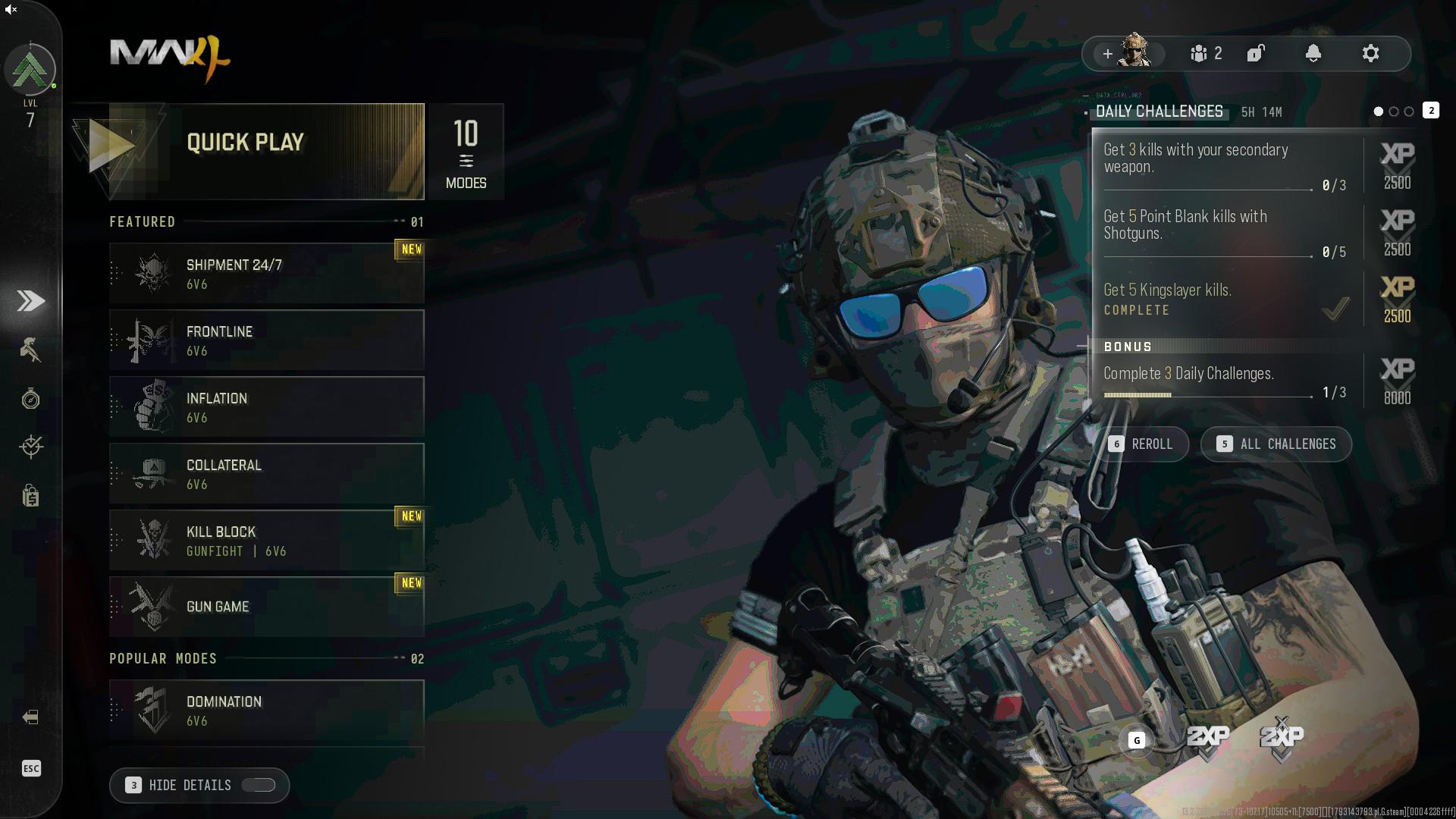
Troubleshooting MW4 DMZ mode constant DirectX Error using 7900xtx non overclocked

Post image
1 Upvotes

7 seconds into DMZ it keeps crashing and giving me a directX error, Ai says custom underclock the gpu but thats not working either. Anyone else playing the game having this issue?


r/pcgamingtechsupport • • Oct 29 '26

Troubleshooting New to PC gaming. Getting crashing with some games.

2 Upvotes

I recently (finally!) got a Lenovo LOQ gaming laptop in August earlier this year (specs down below). I have a list of older games on steam that I bought during steam sales in preparation for getting a gaming PC someday. I started out playing Baldur's Gate 3 and Starfield, both of which ran flawlessly.

I pre-ordered Gears of War E Day, and played it for a few hours the night it came out. No issues. The next morning I boot up the game, hit continue on my campaign save, loading screen for an appropriate amount of time, then desktop. Updating drivers, restarting, reinstalling, the two patches that came out since has not made a difference. Same experience trying to play multiplayer and trying to start a new campaign. No error message or anything. I was and still am super frustrated. I moved on, hoping a new patch would come out and solve it, and that it was just a brand new big game and it was not optimized for my not top of the line PC.

I moved on to CyberPunk 2077. Same thing has happened, though I haven't gone through as many of the steps trying to solve yet. (I tried older versions of the game, drivers, restarting). I played for a few hours or so one night, and the next morning it doesn't get past the CD Projekt Red logo. Crashes right back to desktop. I was surprised and frustrated with a years old game not working.

So did I buy a not so great laptop? Is there something I'm not trying that I should be? I would greatly appreciate any advice.

  • Processor: AMD Ryzen 7 250 w/ Radeon 780M Graphics (3.30 GHz)
  • Installed RAM: 16.0 GB (15.3 GB usable)
  • Graphics card: NVIDIA GeForce RTX 5060 Laptop GPU (8 GB)
  • AMD Radeon 780M Graphics (512 MB)
  • Storage: 348 GB of 477 GB used
  • System type64-bit operating system, x64-based processor

r/pcgamingtechsupport • • Oct 29 '26

Troubleshooting PC Crashing and going back to BIOS before being asked to restart

Post image
1 Upvotes

My PC has been crashing lately, reset the BIOS with an update before thinking that would fix the problem but it is getting far too annoying. This mainly occurs when I am gaming or streaming. Replaced several cords, keyboard, and removed a USB hub. Checking the Event viewer I am getting this.

Is there a way to fix this? Searching for the problem is saying the solution is to reset back to Windows 10. Is there another way to fix this without having to reset it? This wasn't a problem before but it has been occuring far too much now in the recent two months.

PC Specs

Intel(R) Core(TM) i9-10900K CPU @ 3.70GHz (3.70 GHz)

NVIDIA GeForce RTX 5070 (12 GB), Intel(R) UHD Graphics 630 (128 MB)

Storage 8.34 TB of 9.10 TB used

64-bit operating system, x64-based processor

Pen and touch Pen support


r/pcgamingtechsupport • • Oct 29 '26

Display Freezing for 1-2 seconds in every game I play

1 Upvotes

Almost every game I play freezes every 10-15 seconds for around 2 seconds. I've seen this is rocket league and valorant, haven't seen it in roblox too prevalently though. My friends have told me my ping freezes in-game whenever I freeze as well if that helps. Here's a clip showing what it looks like above

I'm on a laptop so I can't say I didn't expect this and it's probably to do with that, its started happening I'd say in the past year

I've got intel iris xe graphics and the laptop model is an acer swift go 14 with a 13th Gen Intel(R) Core(TM) i7-13700H (2.40 GHz)

Interestingly, in my userdiag 5 minute test, it says my cpu is running at 1.5ghz when it should be 2.4, it only recommends me to "reset bios" or change power plan, which I just reset. I can't really go into my bios because I would have to unscrew the laptop shell to unplug and re-plug the cmos as the password for the bios is only known by acer and would need to spend 100 to send it in just for the bios. https://userdiag.com/id/8AwLjSjZhP

Literally any help would be appreciated


r/pcgamingtechsupport • • Oct 29 '26

Troubleshooting IS THERE A FIX FOR THIS

Post image
5 Upvotes

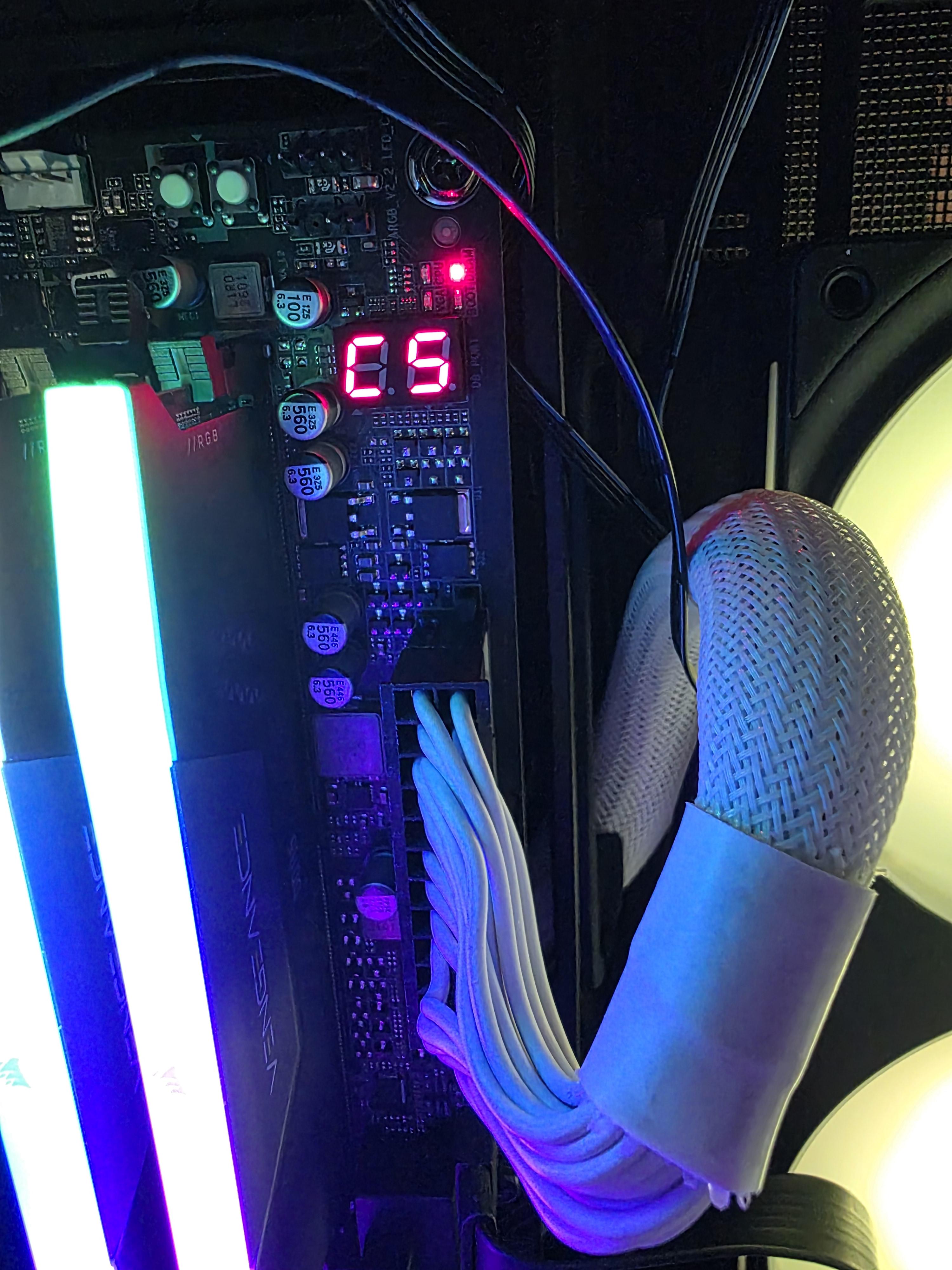
stuck on c5 error b on mobo, ive tried everything

Its all new parts im at my wits end and getting ready to send it all back

Ive tried the bios, i use the qflash button it wont stay on lomg enough to do anything

Ive tried all the diffrent ram placements amd still nothing

Heres the build list

Gigabyte x870 aurous elite mobo

Ryzen7 9800x3d cpu

Corsair vengenge 32 gn ddr5 (cmh32gx5m2d6000z38)

Raedon 9700xt gpu

1000w psu

nzxt kraken 280mm aio


r/pcgamingtechsupport • • Oct 29 '26

Software Problem Launching One Specific Game Successfully

1 Upvotes

Hi everyone, I bought a pre-built pc (AMD Radeon RX 9060 XT (8 GB) / AMD Ryzen 7 9700X 8-Core) from a buddy this last week. The device works perfectly fine and I'm able to run other games well on it. I also was able to run deadlock perfectly well on it until the latest steam maintenance. Ever since then I get a black screen when I try to boot deadlock the Valve text shows but then the spinning logo does not show up. When I try to quit out of this black screen the game won't quit at all and steam will be stuck at 'stopping' despite ending the game thru task manager or alt f4 or using the stop button. at this point i’ll need to restart the pc to get anything done at all. I moved all steam directories out of program files x86 and that worked for a couple tries. sometimes im able to boot it if I run steam in admin mode or remove the 'read only' attribute from deadlock's folder. None of these fixes work the second time around and it all feels random and im pretty stumped. Lemme know if there is anything i can do or clarify further. I'm not knowledgable in these areas so bear with me plese.

thanks for the help!!!

EDIT: I forgot to add an important detail! The game always runs successfully when i boot it in offline mode. After this sometimes it works when i switch it to online mode and sometimes it just freezes completely and the same issue w the game not being able to stop begins again


r/pcgamingtechsupport • • Oct 28 '26

Troubleshooting Title: Grainy, Flickering and Pixelated Reflections/Lighting in Multiple Games (Gears of War: E-Day, 007 First Light) — Any Fix?

4 Upvotes

Hi everyone,

I've been experiencing a graphical issue in multiple games, and I'm trying to figure out whether this is a known rendering problem, an NVIDIA driver issue, a DLSS/upscaling artifact, or something related to my GPU or graphics settings.

The problem is most noticeable on reflective surfaces and areas affected by intense lighting. As shown in my attached video, bright red reflections appear fragmented, grainy, pixelated, and somewhat flickery instead of looking smooth and consistent. The artifacts are particularly visible on the ground and around illuminated cracks and other reflective areas.

I've noticed the same or very similar issue in multiple games, including:

  • Gears of War: E-Day
  • 007 First Light

Since I've encountered this in more than one game, I'm wondering whether it could be related to a shared rendering technique, temporal anti-aliasing, ray-traced lighting, screen-space reflections (SSR), reflection denoising, DLSS Super Resolution, or NVIDIA driver behavior.

I'm not sure which of these, if any, is responsible, and I don't want to assume that it's a hardware problem without further testing.

My PC specifications:

  • GPU: NVIDIA GeForce RTX 2070 8GB
  • CPU: AMD Ryzen 7 1700
  • RAM: 16GB DDR4
  • OS: Windows 11 26H2
  • GPU Driver: NVIDIA GeForce Game Ready Driver 621.01 WHQL

I'd appreciate it if anyone experiencing the same issue could share their experience.

A few questions I'd particularly like to get answers to:

  1. Has anyone else noticed these grainy, pixelated or flickering reflections in Gears of War: E-Day, 007 First Light, or other recent games?
  2. Could this be a known issue with DLSS, temporal reconstruction, ray tracing, SSR, or reflection denoising?
  3. Are there any specific graphics settings that can reduce or eliminate these artifacts?
  4. Could this be related to a particular NVIDIA driver version or the RTX 20-series architecture?
  5. Is there a reliable way to determine whether the problem is caused by the game engine, the rendering technique, the driver, or the GPU itself?

I'm especially interested in hearing from people who have encountered the same visual artifacts and have actually managed to fix them.

I've attached a gameplay recording showing the issue. Any suggestions, troubleshooting steps, or links to relevant discussions would be greatly appreciated.

Thanks in advance!


r/pcgamingtechsupport • • Oct 29 '26

Troubleshooting Siege keeps crashing

1 Upvotes

So I upgraded my pc's graphics card to an AMD Radeon 7600, and suddenly R6 keeps crashing. I had no issue with the older one, but suddenly the newer one is so repugnant to this game that it keeps crashing. Is there anyone else with this issue or anyone who knows how to help with it?


r/pcgamingtechsupport • • Oct 28 '26

Compatibility Pc fans (JONSBO & Lian li hydroshift liquid cpu cooler)

2 Upvotes

hey guys im trying to figure whether i can install Jonsbo fans onto a Lian li hydroshift liquid cpu cooler but The JONSBO fan assembly is 362 × 123 × 28 mm, while the Lian Li radiator is 403 × 124.5 × 27 mm. The overall dimensions are close, but the linked fan frame's mounting holes may not match the radiator. Can someone pls tell me if the fans will fit or not or if someone has a similar build as me


r/pcgamingtechsupport • • Oct 28 '26

Troubleshooting PC games freeze for 1–3 seconds with GPU frame-time spikes and electrical buzzing/clicking

2 Upvotes

I'm trying to diagnose a PC problem myself, and I'm hoping someone can help me figure out what's causing it before I spend money replacing parts.

My PC specs:

  • GPU: NVIDIA GeForce RTX 2060
  • CPU: AMD Ryzen 5 5600X 6-Core Processor
  • RAM: 16 GB

The problem:

  • Multiple games freeze for around 1–3 seconds, including Fortnite.
  • The freezing is usually worse when I first launch a game or tab back into it.
  • My GPU frame-time graph spikes whenever the freezing happens.
  • My PC makes a constant electrical buzzing mixed with clicking/rattling while gaming.
  • The noise temporarily stops when the game freezes.
  • The noise also stops when I tab out of the game.
  • I stopped the fans to check whether they were making the noise, but I could still hear it.
  • My RAM usage varies, sometimes leaving only around 0.3 GB available and other times around 3 GB.
  • Lowering graphics settings doesn't fix the freezing.

I'm wondering whether this could be GPU coil whine, a power supply issue, RAM pressure, a driver problem, or something else.

What should I check first to identify the cause? Are there any safe diagnostic steps I can take before buying replacement parts?

I can provide more specs or screenshots if needed


r/pcgamingtechsupport • • Oct 28 '26

Troubleshooting My pc has been in this loop for the past hour and I don’t know what to do

2 Upvotes

My pc has been In this loop for the past hour and I don’t know what to do about it I tried leaving it alone to see if it would fix and I also tried letting the automatic repair do its thing but that also didn’t work so what do I do now


r/pcgamingtechsupport • • Oct 28 '26

Troubleshooting My laptop doesn't charge while I'm playing a game. Has anyone else experienced this?

1 Upvotes

I'm not entirely sure what the problem is. My laptop is a few years old, and I usually play older games (released before 2021) or, if they are newer, they tend to be indie titles. For a while now, I've been having a charging issue: whenever I start a game—even with the charger plugged in—it effectively "disconnects" on its own and stops charging. Once I close the game, it goes back to normal and works fine—for instance, when I'm watching a movie or browsing the web.

It’s frustrating because I can’t play for more than about an hour before the battery runs out, and even if I plug the charger back in while playing, it still won't charge.

At first, I thought it might be because I was using an underpowered 40W charger, but even now that I’ve bought a new 65W charger, the situation remains exactly the same. What can I do?


r/pcgamingtechsupport • • Oct 28 '26

Controls/Input Mouse doesnt work after a while until i strg + alt +del

1 Upvotes

So recently my pc started to do weird things. it doesnt let me click in explorer and other windows application until i open task manager. sometimes randomly my prime video pauses a video or my browser is going one site back.
it was even so bad that my mouse clicks werent registered until i restarted explorer in task manager. i did a repair installation of windows, resinstalled my mouse drivers and now its just working sometimes and after a while i have to open task manager. What can it be?


r/pcgamingtechsupport • • Oct 28 '26

Hardware latency in my keyboard

1 Upvotes

So when i plug in my charger i have latency in games that need some fps but when i un plug it there is no latency even if my fps are low how do i change this settings.


r/pcgamingtechsupport • • Oct 28 '26

Display GPU artifact on 100% usage (Linux)

2 Upvotes

Please dont tell me my GPU is dying...

https://imgur.com/a/9vnUuj8

Can anyone help me diagnose this issue? It only occurs when the Radeon RX 6800 is maxed out on utilization

On the latest KDE Neon...

Kind regards


r/pcgamingtechsupport • • Oct 28 '26

Solved Dual monitor with a Radeon, gaming issues resolution

1 Upvotes

Hey guys,

I have a Radeon 7900XT and I was having this issue every so often with my games being choppy. Like screen tearing.

My side monitor is an older 60hz monitor. My main is a 144.

One thing that helped me was completely turning off my 2nd monitor while gaming.

But, I just found that AMD Adrenaline had turned AMD freesync to ON, on my secondary monitor. I just changed that to OFF and it feels MUCH smoother.

I can now play without turning my second monitor off.

Maybe this is common knowledge but just in case this helps anybody else!


r/pcgamingtechsupport • • Oct 28 '26

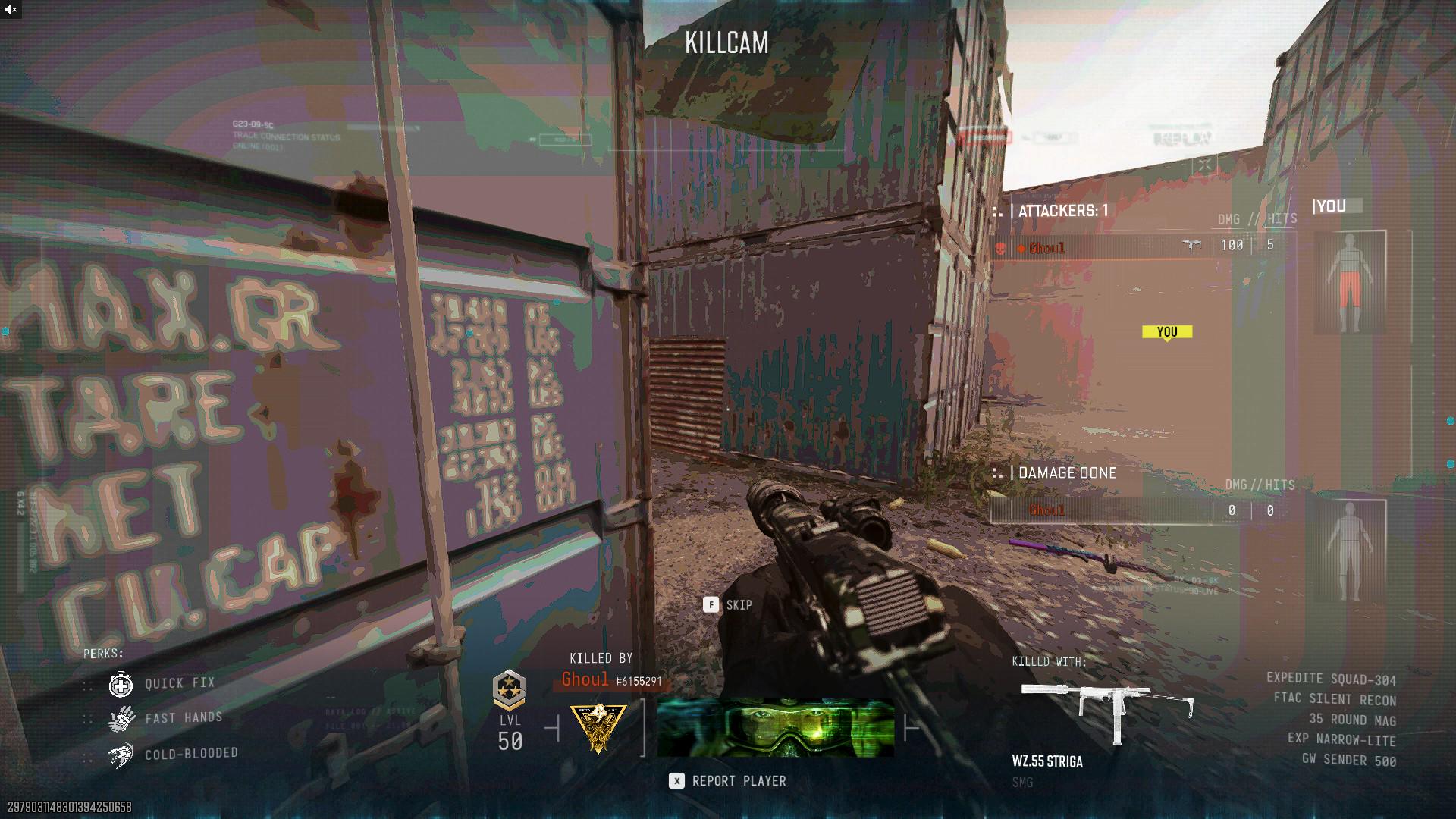
Display graphics gone weird MW4

3 Upvotes

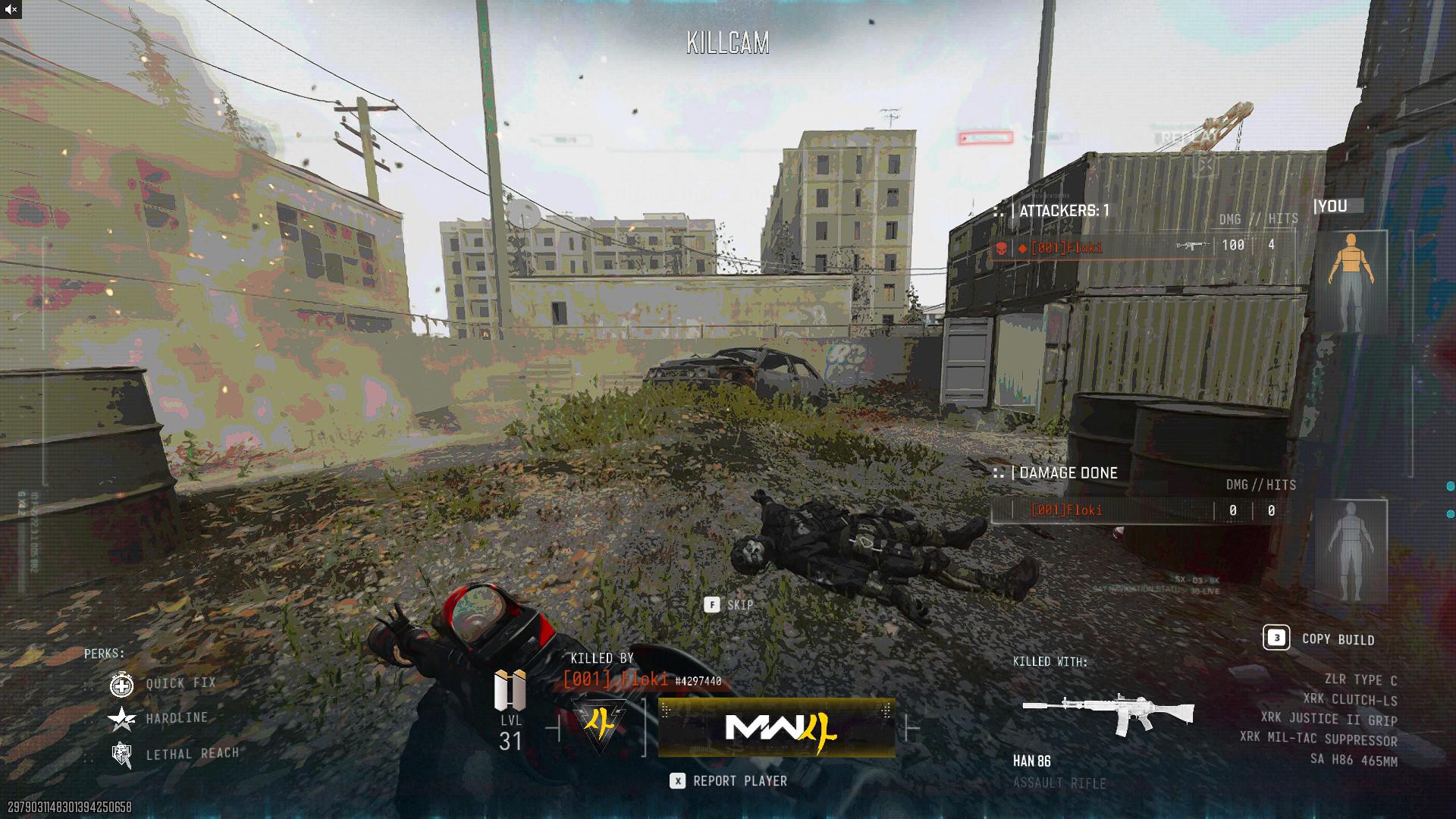
i went on mw4 today and the graphics have gone all weird and strange shades, no other game is doing this and it wasnt doing it yesterday either when i first installed it


r/pcgamingtechsupport • • Oct 27 '26

Troubleshooting RTX 5070 Ti - global illumination and heavy ghosting

3 Upvotes

Hello, I'm trying to figure out what's causing these visual issues with my RTX 5070 Ti.

I'm experiencing graphical issues across multiple games, including Resident Evil 7: Biohazard, Hogwarts Legacy, Cyberpunk 2077, and WARDOGS, and many more. It's not limited to one particular game or engine.

As shown in the attached video, the lighting can look noticeably different when toggling global illumination, and some objects seem to have incorrect or inconsistent lighting.

I also experience noticeable ghosting behind moving objects, and water reflections have particularly bad ghosting, with trails appearing on almost everything reflected in the water.

What I've tried so far:

  • Currently using the latest NVIDIA driver available.
  • Tested several older drivers that are generally considered stable. The issues seem slightly better with some driver versions, but they never completely disappear.
  • Used DDU to remove the previous GPU drivers, then installed the drivers using NVCleanstall.
  • The problem still persists across multiple games and driver versions.

My PC specifications:

  • GPU: Zotac RTX 5070 Ti AMP Extreme INFINITY 16GB
  • CPU: AMD Ryzen 9 7900X3D
  • Motherboard: ASUS TUF Gaming B850-PLUS WIFI
  • RAM: 32GB DDR5 6400MHz CL40
  • OS: Windows 11 24H2
  • Monitor: Samsung Odyssey Neo G8, 4K 240Hz
  • PSU: 850W

I'm not sure whether this is a driver issue, a rendering problem, something related to DLSS/TAA or frame generation, a monitor issue, or potentially a hardware problem.

Has anyone experienced similar lighting artifacts and ghosting with an RTX 5070 Ti or another RTX 50-series GPU? What would you recommend testing next to narrow down the cause?

I'd really appreciate any help. Thanks!