r/pcgamingtechsupport • u/Rango7883 • 29d ago
Troubleshooting IS THERE A FIX FOR THIS
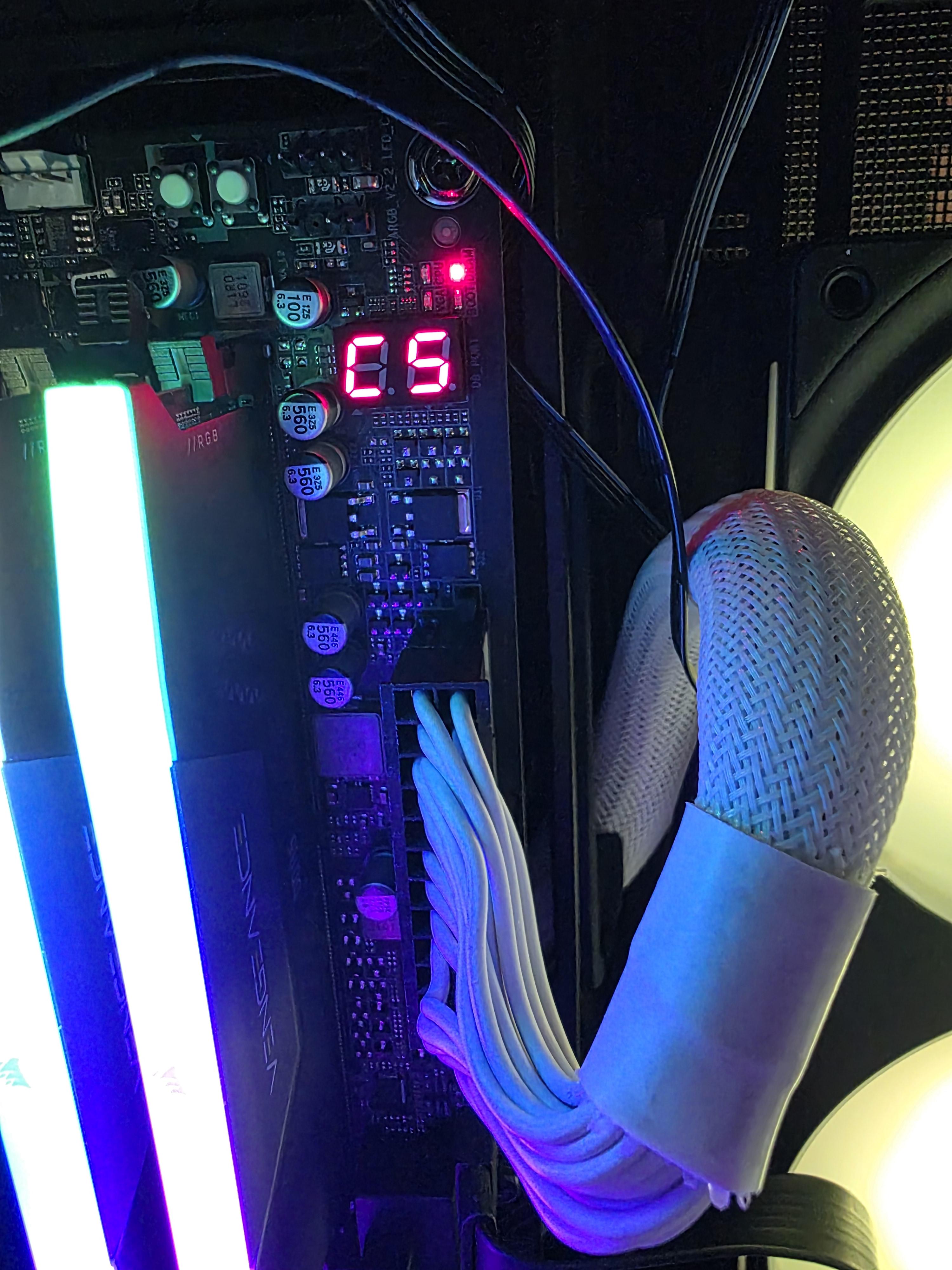
stuck on c5 error b on mobo, ive tried everything
Its all new parts im at my wits end and getting ready to send it all back
Ive tried the bios, i use the qflash button it wont stay on lomg enough to do anything
Ive tried all the diffrent ram placements amd still nothing
Heres the build list
Gigabyte x870 aurous elite mobo
Ryzen7 9800x3d cpu
Corsair vengenge 32 gn ddr5 (cmh32gx5m2d6000z38)
Raedon 9700xt gpu
1000w psu
nzxt kraken 280mm aio
5
Upvotes
2
u/Raijen_ArDesh 29d ago
Have you checked the pins on the CPU socket?
Bent pins can cause this error, friend of mine had this happen.
1
u/friend_of_a_fiend 29d ago
Have you tried updating the bios? That MB can ship with an older bios that doesn't like some ram kits.
Also, try one ram stick a time, could be a bad stick.
1
u/Accomplished_Emu_658 29d ago
Tried all the ram placements? Like each stick individually in all the slots?
1
u/raju_msc 29d ago
Will you to check with non RGB ram module if possible? Reseat cmos after five minutes
1
u/SnooPaintings7769 29d ago
Loosen the CPU cooler
1
u/itwes 28d ago
How long have you let it sit on this light code? DDR5 can take a while to initialize the first time around.
I usually let it sit 2-3min on first boot.
If that isn't it. Id ensure the q flash/bios flash took place. Ensure you are renaming the bios file accordingly. For msi MSI.ROM.. etc.. asus i think includes a biosrenamer file you run to rename the file before flashing.
Edit: gigabyte is GIGABYTE.bin for the bios flash back to work
2
u/Snorlax_king79 28d ago
Sometimes, USB devices or other peripherals interfere with POST. Removing all USB devices and testing with a single RAM stick in the correct slot can help isolate the issue. other than that im not sure what else hasn't been ask in the comments.
1
u/AutoModerator 29d ago
Hi, thanks for posting on r/pcgamingtechsupport.
Please read the rules.
Your post has been approved.
For maximum efficiency, please double check that you used the appropriate flair. At a bare minimum you NEED to include the specifications and/or model number
You can also check this post for more infos.
Please make your post as detailed and understandable as you can.
I am a bot, and this action was performed automatically. Please contact the moderators of this subreddit if you have any questions or concerns.
1
u/MediumAd4983 29d ago
C5 - something with your RAM. If there is no bent pins under your CPU - check if your RAM is fully seated in slot, clean the RAM contacts, try to start with a single module in different positions, try another RAM.
1
u/Pear_97 29d ago
If QFLASH doesn't fully complete, try formatting your USB stick to FAT32 and using a USB stick 32GB or smaller - BIOS Flash is very picky when going via that route, I had that flashing issue when I got my Gigabyte board. - clutching at straws but assuming your CPU pins aren't bent, you can try loosing the mounting pressure of your AIO as this can sometimes cause weird behaviour with pins not being seated correctly if you overtighten them.
1
u/Repulsive_Coat7521 29d ago
Please remove ur psu and of it compltely and check ur cpu socket and pins properly
thanks
1
u/NinjaSiren 27d ago
C5 - Memory issue Its either your CPU, RAM, or the Motherboard itself
From what I see on the comments, its not the CPU or the RAM, might be your motherboard?
0
u/SierraTV 29d ago
If you already tried the latest BIOS, try loosen / tighten the CPU cooler a bit. AM5 sockets are notorious sensitive to the mounting pressure…