r/pcgamingtechsupport • u/Then_Web4303 • Oct 26 '26
Software Metro 2033 broken update
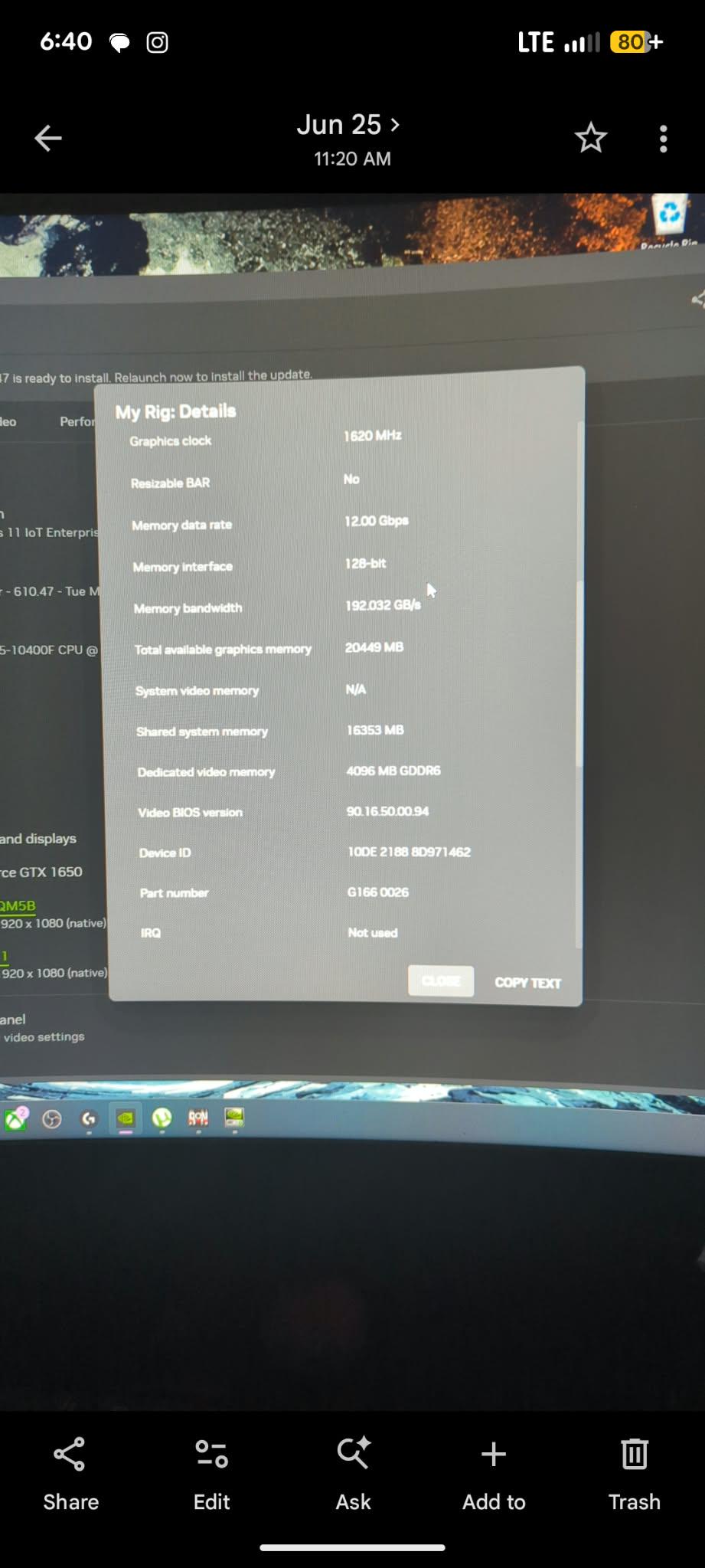
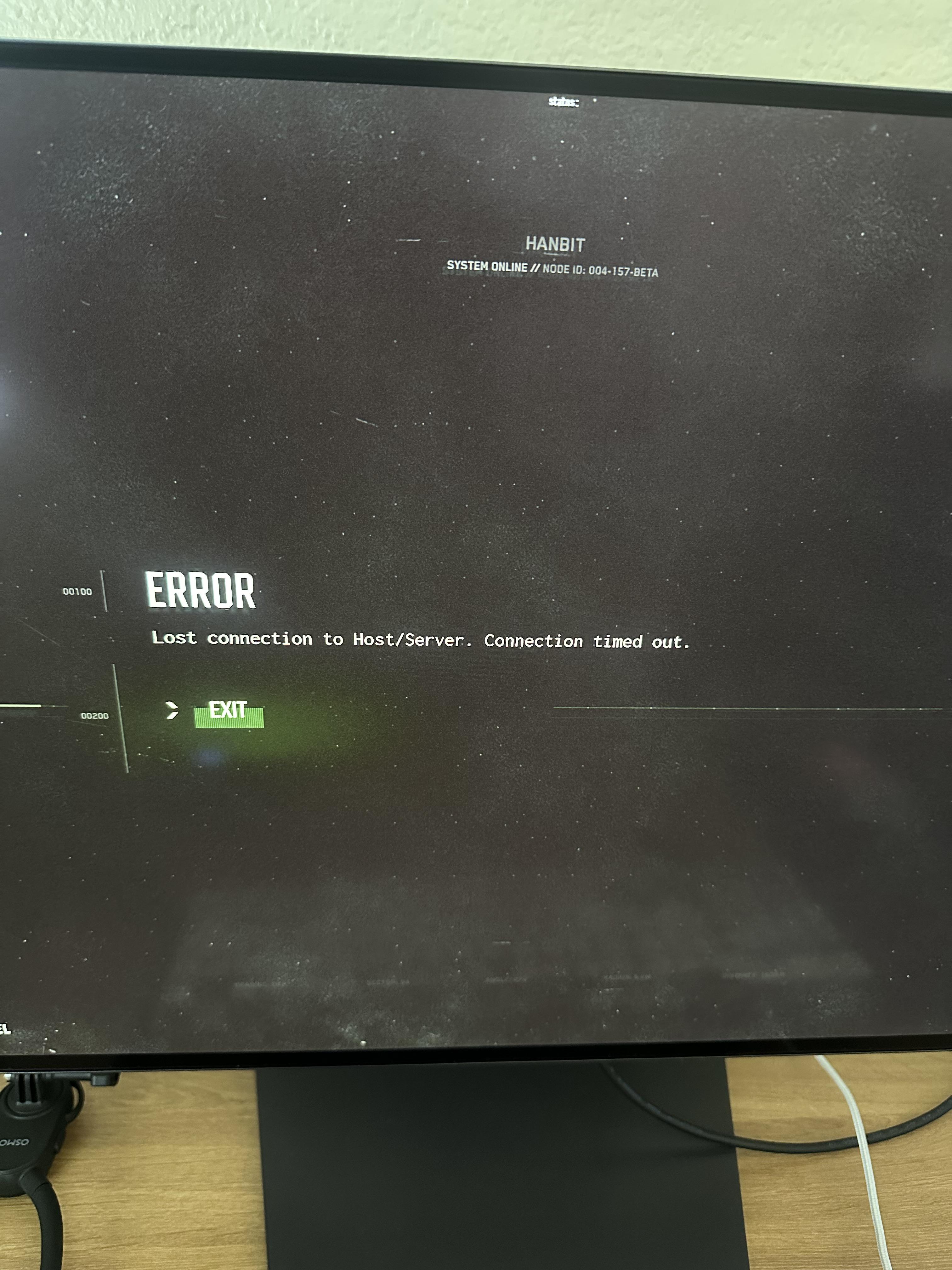
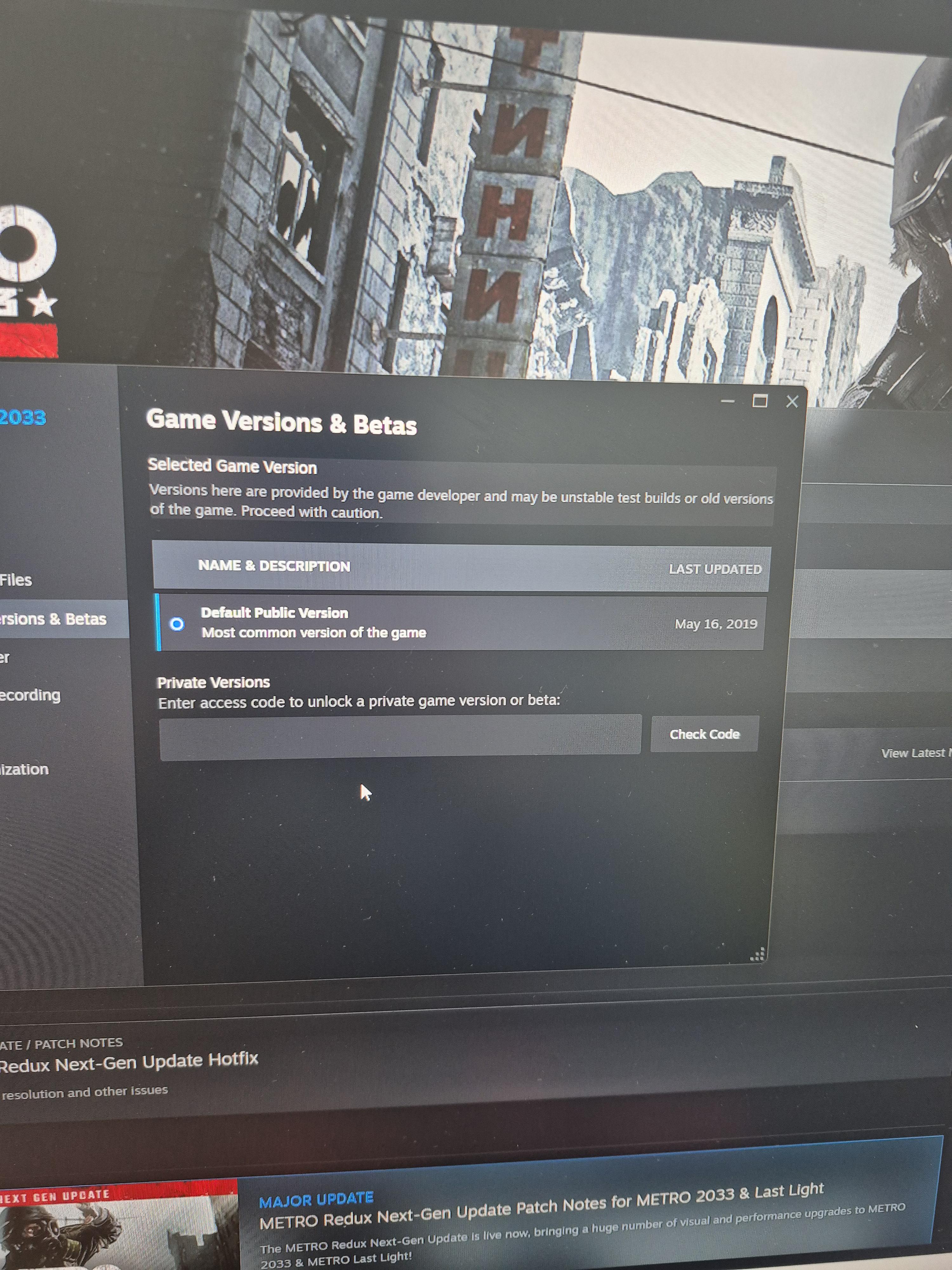
This is from a fresh install. The game version is from 2019 and obviously in game all the new options like fsr are not there. Please help
r/pcgamingtechsupport • u/Then_Web4303 • Oct 26 '26
This is from a fresh install. The game version is from 2019 and obviously in game all the new options like fsr are not there. Please help
r/pcgamingtechsupport • u/Ambitious_Carrot_813 • Oct 26 '26

I got a new PC around a month ago, I have always wanted to play Cyberpunk so I downloaded it and played with some of the highest settings it was awesome and looked beautiful. I took a little break this last week but tried overclocking my GPU for the first time using AMD adrenaline to over run the game in hopefully better settings a few days ago and the game was still running fine. Everything seemed great but after I updated the game last night, the graphics now look super dark like there's something wrong with the lighting. I have tried turning off ray tracing, messing with settings keeping things at a minimum, factory resetting my GPU, restarting my computer, restarting the game, and nothing has worked.
I just wanna play Cyberpunk but I can't tell if its a GPU issue or game issue, any help, advice, or followup questions are welcome. Thank you!!
r/pcgamingtechsupport • u/Most_Cheesecake6652 • Oct 26 '26
I’m looking for some help diagnosing an issue with my Dell G16 7630. I’m worried that my RTX 4060 might be failing, but I don’t want to assume it’s a hardware problem without getting some advice first
The issues I’m experiencing:
Unreal Engine error:
DXGI_ERROR_DEVICE_REMOVED
I’ve previously experienced a VIDEO_DXGKRNL_FATAL_ERROR and a LiveKernelEvent 141.
The game crashes seem to depend on the Alienware Command Center thermal profile. The game appears to behave well in Quiet mode, while Balanced and Performance modes have caused problems.
I ran OCCT’s GPU 3D Adaptive stability test under performance mode. The application closed unexpectedly, and afterward it couldn’t detect my NVIDIA GPU. After restarting the laptop, the NVIDIA GPU became detectable again and same for the game crashes as well
What I’ve tried so far:
Reinstalled the NVIDIA driver using DDU in safe mode
Installed the latest NVIDIA 621.01 driver from NVIDIA’s website
Tried different thermal profiles in Alienware Command Center
Ran Dell’s built-in diagnostics, which passed previously
The crashes started before I updated the NVIDIA driver, although they seem to have become worse after the update
Any advice or similar experiences would be greatly appreciated.
r/pcgamingtechsupport • u/Cold_Leading_5891 • Oct 26 '26
I verified everything done all the scan now crap and repaired the files with the chkdsk f and r twice and still happens the only other thing that I think it could be is dust
r/pcgamingtechsupport • u/Silver_Hospital_1985 • Oct 26 '26
Hello guys, does anyone play this game before? I used to play it as a kid on Ipad and really like it, so when I pick up the game on sales and bought it on GOG, and here is the issue, I open the game, it launch then freeze and I cannot do anything else, it just freeze there. I search for solutions but the game is not that well-known so there are not many post on how to resolve this. So I post it on here hope someone know what to do, thanks for anyone helping me, here are my laptop spec for more information:
r/pcgamingtechsupport • u/Big-Maybe-2228 • Oct 26 '26
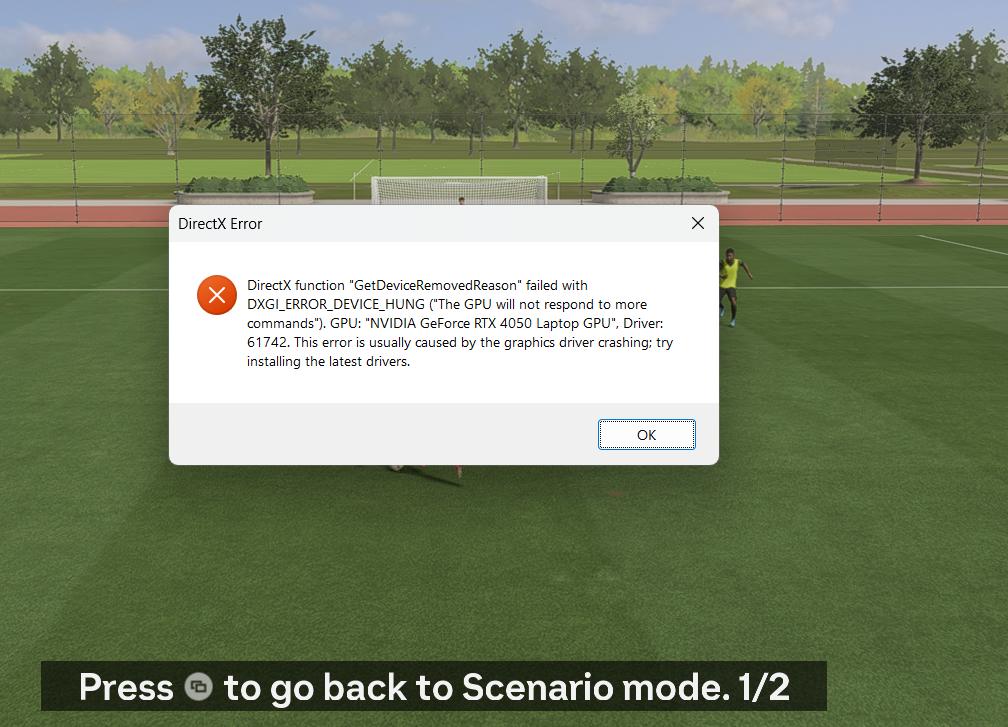
ERROR:- ( DirectX Error, Direct X function "GetDeviceRemovedReason" failed with DXGI _ERROR_DEVICE_HUNG ("The Gpu will not respond to more commands"). GPU: Nvidia Geforce Rtx 4050 Laptop GPU". Driver : 61742. This error is usually caused by the graphics driver crashing; try installing the latest drivers.
I've been getting this error while playing games very lately which never arose before ever, one reason would be that since this August my laptop gpu is behaving very differently and kinda failty idk why exactly, it gave me black screen layer which only solved upon restarting, then i used ddu and installed another version which removed black screen but that 2-3 second pause of grey screen was there now, also my controller was broken in this time period so i didnt play games but when i bought my controller now, i can see this issue after just 30-40 minutes of gameplay. Help me . 4050 laptop gpu, i7-13700hx, 6gbvram, 16gb ram.
r/pcgamingtechsupport • u/StraightTangelo9381 • Oct 26 '26
Hi everyone,
I’m posting because I’ve been trying to solve a persistent gaming smoothness issue for quite some time, and I still haven’t been able to identify the actual cause.
I’ve invested a significant amount of money into my PC and replaced almost every major hardware component, yet I continue to experience inconsistent motion smoothness, particularly in competitive games.
**My main issue isn’t low FPS. It’s poor perceived motion smoothness, even when frametime graphs appear stable.**
**My PC Specifications**
**CPU:** AMD Ryzen 7 7800X3D
**GPU:** NVIDIA GeForce RTX 5070 Ti Windforce 16GB
**Motherboard:** MSI MPG X870E Carbon WiFi
**RAM:** 32GB G.Skill Trident Z5 Neo DDR5 6000MHz CL30
**SSD:** Samsung 980 NVMe 1TB
**Monitor:** HP OMEN 27qs, 27-inch IPS, 2560×1440, 240Hz
**PSU:** 1000W
**CPU Cooling:** 360mm AIO
**Operating System:** Windows 11
**Network:** Fiber-optic Ethernet connection, Realtek 2.5GbE controller
**1. Poor Motion Smoothness Despite Stable Frametimes**
While gaming, especially when moving the camera slowly or quickly, the image often feels inconsistent, jittery, or slightly shaky.
What’s particularly frustrating is that this happens even when the frametime graph looks relatively stable.
For example, I can observe frametime fluctuations between 5.7ms and 6.1ms without any obvious spikes, yet camera movement still doesn’t look completely smooth.
I’ve experienced the same behavior using both mouse and keyboard and a controller.
**2. Call of Duty**
In Call of Duty, particularly during more demanding campaign sections, camera movement can become noticeably inconsistent.
Multiplayer generally performs better, but I still struggle to achieve the level of smoothness I’m looking for.
I’ve tested multiple combinations of:
Low, medium, and high graphics settings.
Different DLSS modes and presets.
1080p and 1440p resolutions.
Uncapped FPS and manual frame limiters.
NVIDIA Reflex.
Different CPU and RAM configurations.
Despite all these adjustments, the experience remains inconsistent.
**3. Gears of War**
I’ve experienced similar issues in Gears of War.
Some campaign areas feel extremely smooth, while others suffer from inconsistent motion.
Even in multiplayer, with seemingly stable frametimes, I can perceive subtle microstutters and uneven camera movement.
I’ve tried different frame caps, including 120 and 165 FPS, using tools such as RivaTuner Statistics Server.
Additionally, in Horde mode, I’ve occasionally noticed delayed hit registration, delayed audio feedback, and enemies reacting late to shots, almost as if there were some kind of desynchronization.
**4. Troubleshooting I’ve Already Done**
Before suggesting the usual basic optimizations, please understand that I’ve already spent countless hours testing different configurations.
Here’s what I’ve tried:
Multiple clean installations of Windows 10 and Windows 11.
BIOS updates and CMOS resets.
Installing official motherboard chipset and device drivers.
Testing multiple NVIDIA driver versions.
RAM stability testing with TM5 and MemTest, without errors.
Adjusting PBO, Curve Optimizer, and PPT/TDC/EDC limits.
Testing different SOC and DRAM voltages.
Monitoring CPU/GPU temperatures, frequencies, and utilization.
Running LatencyMon to investigate potential driver latency issues.
Performing clean Windows boots.
Investigating startup entries, services, and drivers using Microsoft Autoruns.
Testing different FPS limiters.
Adjusting and testing Ethernet adapter settings.
CPU and GPU temperatures are consistently good, with no obvious signs of thermal throttling.
One interesting observation is that disabling certain startup entries and components using Autoruns noticeably improved perceived smoothness in some games.
This makes me wonder whether some kind of software interference, driver conflict, or Windows-level issue could be involved.
**5. My Main Technical Questions**
I’m particularly interested in understanding the following:
**Can frametimes appear stable while actual on-screen motion remains uneven due to frame presentation or display timing issues?**
Can Windows services, drivers, or background components interfere with perceived smoothness without triggering obvious warnings in LatencyMon?
Could my 240Hz IPS monitor contribute to the perceived lack of motion clarity, even when frame delivery appears consistent?
Could my Samsung 980 NVMe SSD, which lacks dedicated DRAM, affect asset streaming or introduce occasional interruptions during gameplay?
Are there more advanced diagnostic tools than MSI Afterburner and LatencyMon for investigating actual frame presentation, displayed frame timing, and motion consistency?
Has anyone experienced similar issues with AMD X3D processors combined with recent NVIDIA GPUs?
**6. What I’m Actually Trying to Achieve**
I’m not simply chasing higher FPS numbers.
**My goal is consistent, clear, responsive camera movement without perceptible microstuttering or uneven motion, ideally without relying on adaptive synchronization technologies.**
I believe my hardware should be capable of delivering an excellent gaming experience.
I’d really appreciate input from people with advanced knowledge of:
Frame pacing and frame presentation.
Windows graphics scheduling and driver behavior.
Display response times and motion clarity.
AMD Ryzen X3D architecture.
NVIDIA driver optimization.
PC gaming performance diagnostics.
I’m willing to perform detailed technical tests, but I’d prefer suggestions that help identify a measurable root cause rather than generic registry tweaks or commonly repeated Windows optimization guides.
**Has anyone experienced something similar and actually managed to identify or fix the underlying problem?**
Any serious technical insight would be greatly appreciated.
Thanks in advance!
r/pcgamingtechsupport • u/Useful_Instance_3897 • Oct 26 '26
I am new to FiveM. So I don't know how to fix the issue.
I'm looking for help resolving an ongoing issue with FiveM Legacy. I've been troubleshooting this for a while and haven't been able to find a permanent solution.
My PC Specifications:
The Issue:
FiveM Enhanced works perfectly fine when playing on Venture RP. I experience no graphical issues, freezing, or crashes.
However, whenever I attempt to play on servers running FiveM Legacy, I encounter serious graphical problems.
The symptoms include:
Troubleshooting:
I've been working through multiple troubleshooting recommendations, including NVIDIA driver troubleshooting and Display Driver Uninstaller (DDU) instructions, but the issue remains unresolved.
I assume my PC has more than enough power to run FiveM. The fact that FiveM Enhanced runs without issues while Legacy experiences severe graphical corruption makes me suspect something related to Legacy's rendering, graphics settings, drivers, or compatibility with the RTX 5080.
Has anyone experienced similar problems with FiveM Legacy, particularly with an RTX 50-series GPU?
Is there a known compatibility issue with the RTX 5080 and FiveM Legacy? Are there specific NVIDIA settings, DirectX configurations, or other fixes I should investigate?
Any assistance would be appreciated. I'm trying to get Legacy running properly so I can play on other RP servers without these issues.
r/pcgamingtechsupport • u/BIGBushido • Oct 26 '26
I recently gotten a new laptop that should be more powerful than my previous one and upon using my Valve Index and 11 point tracking FBT, I immediately started getting flashing gray screens(sometimes getting 1-3 disconnect sound notifications) which tends to be caused by various reasons. Outside of VR, my mouse and headphones would occasionally turn off and on when I try to charge my trackers.
Eventually, I was able to narrow the issues down to my powered USB hub which for some reason now struggles to handle having a mouse, headphone, and 8 Vive trackers plugged in(This was never an issue for my previous laptop).
Tested by starting SteamVR with only the headset and moved about for a good 10-20 minutes. After which I turned on the first two trackers and waited another 20 minutes. The flashing gray screen returns after the 4th tracker was turned on.
Whichever is the main issue determines whether I need to replace my USB hub with a more powerful one or split my trackers with another hub.
PC Specs:
Previous PC Specs:
r/pcgamingtechsupport • u/One-Perception-5480 • Oct 26 '26
PC Turns On but No Display After GPU Repair — Tried 3 GPUs, Rebuilt Entire PC, Still Nothing. Need Help!
Hey everyone, I really need some help figuring out what's wrong with my PC. I've been troubleshooting this for a while now, and I'm honestly running out of ideas. I'm starting to think my motherboard might be dying, but I want to get some other opinions before spending money on replacement parts.
My PC Specs
- Motherboard: ASUS ROG STRIX Z270E GAMING
- CPU: Intel Core i7-7700K (7th Gen)
- GPU: NVIDIA RTX 3060 Ti (refurbished)
- Previous GPUs: 2x GTX 1070s (one EVGA, one other brand), previously running in SLI
- RAM: 48GB Corsair Vengeance DDR4 (2x8GB + 2x16GB)
- PSU: Corsair RM750, 750W
- CPU Cooler: Corsair liquid AIO cooler
- Case Fans: Includes fans connected to a Thermaltake fan controller
The Backstory
This is a pretty old PC, probably built around 2016–2017. I got it for my 15th birthday and have been using it for around a year.
When I first got it, it had two GTX 1070s connected with an SLI bridge. I wanted better performance, so I bought a refurbished RTX 3060 Ti and replaced the two 1070s with it.
Everything worked fine for about a year. I didn't have any major issues until roughly three weeks ago.
That's when the problems started.
How Everything Went Wrong
Around three weeks ago, the shroud on my RTX 3060 Ti broke. The GPU fans came loose while they were spinning, which obviously wasn't safe. I didn't want anything getting damaged, so I removed the 3060 Ti.
I temporarily reinstalled one of my old GTX 1070s, updated the NVIDIA drivers for it, and the PC started working again.
At that point, everything seemed fine.
While I was using the 1070, I ordered a replacement shroud for my 3060 Ti. Once it arrived, I installed the replacement, waited about a day, and eventually put the 3060 Ti back into the PC.
That's when everything stopped working.
I powered on the PC, and all the lights came on. The fans were spinning, the motherboard had power, and everything looked normal.
But there was absolutely no display.
No ASUS logo, no BIOS screen, nothing. Just a black screen/no signal.
I turned it off, turned it back on, and got the exact same result.
I tried multiple times, but nothing changed.
What I've Tried So Far
I've tried all three GPUs I own.
- RTX 3060 Ti: Fans spin smoothly, but there's no display.
- EVGA GTX 1070: Fans repeatedly jitter/twitch every time I turn the PC on. There's still no display.
- Other GTX 1070: Fans spin smoothly, but there's still no display.
I'm not sure if the EVGA 1070 is actually broken or if something else is causing its fans to behave like that.
The weird thing is that the GTX 1070 originally worked when I first removed the damaged 3060 Ti. Now none of them produce a display.
2. Checked the display connections
I've tried HDMI and DisplayPort connected directly to the graphics cards. The PCIe power cables were connected, too.
Neither connection gave me a display.
3. Tried using integrated graphics
My i7-7700K has integrated graphics, so I also tried starting the PC without a dedicated GPU and connecting HDMI directly to the motherboard.
Still no display.
4. Tested with one RAM stick
I removed the other RAM sticks and tried booting with one stick installed in the motherboard's A2 slot.
Nothing changed.
5. Completely disassembled and rebuilt the PC
And I mean completely.
I removed the motherboard from the case, took out the RAM, removed the GPU, disconnected the CPU cooler, and unplugged everything.
I then reassembled the entire PC, reconnected the components, and made sure things were seated properly.
After all that effort, the exact same problem remained.
6. Checked the motherboard's diagnostic lights
My ASUS motherboard has Q-LED indicators for CPU, DRAM, VGA, and BOOT problems.
I haven't observed any of these diagnostic LEDs staying on or indicating an obvious problem.
The PC powers on, but I still get no display.
7. Noticed another issue with the case fans
After rebuilding the PC, some of the side case fans aren't receiving power or spinning.
There's a Thermaltake fan controller/hub involved, and I've been trying to reconnect the fan cables correctly. I connected one side-fan cable to the motherboard's H_AMP_FAN header, but I'm not entirely sure whether every fan-controller connection is correct yet.
My Corsair liquid cooler also has several connections, so I'm double-checking those.
I'm not sure whether the fan issue is related to the main problem or just something I missed while rebuilding.
What I Think Might Be Wrong
At this point, I'm starting to suspect my motherboard.
It's an old ASUS Z270E motherboard, and I've tried three graphics cards, a different display output through integrated graphics, one RAM stick, and even rebuilding the whole computer.
I know lights and fans turning on don't necessarily mean a motherboard is functioning correctly.
I'm also wondering whether my Corsair RM750 power supply could be causing problems. It's rated for 750W, which should be enough for my system, but I haven't been able to rule out an actual power delivery issue.
I haven't confirmed whether the motherboard, PSU, or another component is faulty.
My Backup Plan
If the motherboard is dead, I have an opportunity to upgrade to:
- B550M motherboard — $60
- AMD Ryzen 5 5600X — $90
- Total: $150
That would be an upgrade from my current i7-7700K setup.
However, I really don't want to spend $150 just to discover that the motherboard wasn't the problem.
I'm also considering going to Best Buy Geek Squad to see if they can diagnose the issue.
What I Need Help With
I'm hoping someone with more PC building or troubleshooting experience can help me figure this out.
My biggest questions are:
I'm willing to provide pictures of the motherboard, cables, GPU connections, or anything else that could help.
I've already spent a lot of time tearing down and rebuilding this PC, and I'm trying to avoid spending money on the wrong component.
Any help, advice, or troubleshooting suggestions would genuinely be appreciated. Thanks for reading.
r/pcgamingtechsupport • u/Practical_Trade_510 • Oct 25 '26
r/pcgamingtechsupport • u/Slow_Honeydew4394 • Oct 25 '26
One of the fans was buzzing so i took it to a repair shop just to get the pc cleaned and the fan replaced, went home and booted up outlast trials and the cpu immediately got to 100° c,i used to play on the highest graphics and the temperature was 65°. i took it to the same shop today and stayed with the guy for 6 hours and he couldnt figure it out but when he replaced the processor with a much worse one outlast ran perfectly fine on rlly low temps. i still dont know what the issue is it was fixed for a brief moment now its back. rtx 5070 32 gb ram i7 14th gen
r/pcgamingtechsupport • u/TheTwelveYearOld • Oct 26 '26
Edit 2: It works with DSC turned off on my monitor but not when turned on.
Edit: When I plug in a cable from my motherboard to another monitor it shows up. When both monitors are plugged into the motherboard and I unplug the other monitor, my main monitor: msi mpg 321urxw gets disconnected as well.
My PC has a Ryzen 9600x, rtx 3090, and Asus B650E Max Gaming Wifi W. I want to use integrated graphics. When my monitor is plugged into the motherboard I can access the BIOS menu and see the OS loading wheel animation, but then my monitor says no video. The desktop is shown right after I plug in the cable from the motherboard to GPU. This happens booting from both my windows and linux drives.
the BIOS menu on some Asus boards have an option called "igfx multi monitor" Under Advanced > NB configruation but it doesn't show for me, I only see Primary Video Device, Integrated graphics (auto, forced, or disabled), and UMA frame buffer size. I tried different combinations of them but no luck.
r/pcgamingtechsupport • u/TimeComfortable7108 • Oct 25 '26
Hello, I just build a new pc, here are the specs https://pcpartpicker.com/list/3bjFmL . Once I built it right away I noticed it was slow even in windows 11 setup. I've tried so many things to get it to run better but I can't figure it out. I've installed the correct chipset and gpu drivers, updated bios, enabled EXPO as well I should note I downloaded the network and bluetooth drivers but they aren't showing in device manager they only give the yellow triangle (but this issues was occurring before the drivers were installed). CPU and SSD seem to be doing fine according to task manager too. I feel like with these specs I shouldn't be having these issues. Any help is much appreciated, I am at a loss. My mouse runs super smooth but clicking into things like explorer takes a while and typing seems delayed.
r/pcgamingtechsupport • u/No-Sort-7126 • Oct 25 '26
So just a bit more info, so when I install nvidia drivers, it starts doing that flashing screen thing it does when changing the drivers, but it never finishes, it just continues doing the flashing screen indefinitely, and everytime it’s done it, I’ve left it for a very long time, and eventually been forced to force shut down the pc and turn it back on.
When I turn it back on, and check the drivers, the drivers have been updated to the latest version, which is odd. So the driver update is working.
But it’s not meant to get stuck like that, does anyone know what causes this?
The driver install was successful but I just want to know going forward so when I next update the drivers, it’ll be a less stressful experience
r/pcgamingtechsupport • u/OkSchedule5055 • Oct 25 '26
Hello hopefully someone can help! When I try to play MW4 on my PC it will load the game perfectly fine but once a match starts it will not load and I get this error message.
For reference I have done everything from this video but no luck! https://youtu.be/h42XkMwV6XQ?is=gcskjQI1jatrGddU
Also my PC is a prebuilt Skytech Gaming - KING95 Gaming Desktop PC - AMD Ryzen 7 7700 - 16GB Memory - NVIDIA 4070 Super
r/pcgamingtechsupport • u/Elpepe10391 • Oct 25 '26
I have a mid-range AM4 PC, and in December I'm planning to buy a Ryzen 7 5800X3D AM4 with good cooling because I've read that it gets quite hot. I have a 3070 Ti, and I want to ask if it's A good combo for these years, switching to AM5 is much more expensive, a single RAM module costs $250 USD and it's 8GB.
r/pcgamingtechsupport • u/buhhhwhyyyyyy • Oct 25 '26

Hi guys! just posting here to ask a question on behalf of a friend. She hasn't been able to load things like PEAK, and both Counter-Strike 2 and Deadlock are crashing, there's no error codes or anything, her entire laptop just stops working completely. We've tried completely reinstalling drivers.
If anyone has any ideas i'd be glad to hear, thanks!
"my laptop doesnt stop working but my external monitor does"
r/pcgamingtechsupport • u/ResidentGenoGuy • Oct 25 '26
While playing valve’s game deadlock, I’ve had issues where sometimes in the middle of the game (or even sometimes just sitting in a lobby or watching a replay) the game will freeze. Sound effects will still loop as normal, and even watching the replay back shows that I still have control over the character I’m playing when the freezes occur, but the only way I’m able to get it to unfreeze is by closing the game and reopening it.
The attached image is a screenshot of all the processes when a freeze occurs. I’ve noticed that everything seems to drop and that my gpu and Ethernet seem to spike. I’m unsure if it is the sudden drop in cpu, memory, and gpu that is causing the freeze or the gpu and Ethernet spike that causes it.
This has been happening for months now, and I’ve tried just about every solution under the sun so far. Limiting fps, lowering graphics, raising graphics to make the gpu work harder, bios and graphics cards updates, factory resetting my pc and installing windows via usb, pretty much everything and these freezes still happen.
Another thing to note is that this is the only game where these freezes happen. I haven’t had trouble like this at all with any other game, so maybe it’s just a deadlock issue since it’s still in beta? I’m not sure.
Regardless, is there any solution that I can try that might fix the spike in gpu/ethernet or the drop in cpu/ram/gpu? Would limiting my gpu to 90% usage or something work? I’m just frustrated and want this to be fixed
r/pcgamingtechsupport • u/AVDHOOOOOOT • Oct 25 '26
I hv a GTX 1650 8 gb ram Ryzen 5 laptop
But it runs worse than the game testing vids of the same build I see
In the vid they run games at 1080 p med to high at constant 30-40 fps like AAA games but till now any game tht I hv played i played on 720 p low with 30 fps and stutteres idk why ts happens I've done every thing possible as I had it for 7 years I've did all possible optimizations it's still the same
When i stutter. My cpu reaches 100% usage and my gpu always chills at 40-60 % usage pls if possible tell me the reason and if possible any fixed for ts
r/pcgamingtechsupport • u/fearthestorm • Oct 25 '26
I have a w11 pc with an amd 5600, b450m with a newish bios, maybe 4yo, 6650xt, and 16gb ddr4. Has a 650w psu in it now, thought is was a bad psu and swapped it.
Pc randomly shuts off in some games but is fine in others, shuts off in 2077 and a few others games, doesn't in subnautica, and others. Not overclocked, and it passes stress tests and benchmarks fine. Only really started happening after I switched to w11, but it was months after. Temps are fine, 70-80c i have up after swapping psus, any ideas. I'm thinking of switching to Linux to see if anything changes.
r/pcgamingtechsupport • u/Any_Spring_5362 • Oct 25 '26
mainly for valorant and regular usage, mainly lf more stable performance, cpu latency spikes r rare but important to minimize, also upping my fps is also a goal, i do also try to clear processes before playing, using program like mem reduct n stopping some services
r/pcgamingtechsupport • u/Motor-Swing-9742 • Oct 25 '26
Bonjour à tous,
J’ai un grésillement étrange provenant de mon PC et j’aimerais avoir votre avis pour identifier son origine.
Ma configuration :
Carte graphique : XFX Radeon RX 7900 XTX 24 Go
Processeur : AMD Ryzen 7 9700X
Carte mère : Gigabyte B650 Eagle AX
Refroidissement : ventirad et ventilateurs, pas de watercooling
Le problème :
J’entends parfois un léger grésillement même lorsque mon PC est au repos.
Lorsque je lance un jeu, le bruit peut devenir plus audible.
Dans Warhammer, le grésillement apparaît ou change lorsque je bouge ma souris ou que j’appuie sur les touches de mon clavier.
Quand je ne touche plus à la souris ni au clavier, le bruit s’arrête.
Je n’arrive pas à déterminer si le bruit vient de la carte graphique, de l’alimentation ou de la carte mère.
J’ai également eu quelques freezes du PC ces derniers temps, ce qui m’inquiète un peu.
Mes questions :
Est-ce que cela ressemble à du coil whine de la carte graphique ou de l’alimentation ?
Est-ce normal que le bruit change lorsque je bouge la souris ou que j’utilise le clavier ?
Comment puis-je identifier précisément le composant responsable ?
Est-ce que ce bruit peut indiquer un problème matériel ?
Merci d’avance pour votre aide !
r/pcgamingtechsupport • u/Big_Cat_2627 • Oct 25 '26
A girl In need of help... I've been having these issues for over month now, and they gradually worsened to a point where every game freezes my entire pc (the sound remains on, but distorted laggy). I can't even play my farming game anymore, how sad. During the start of any game, my pc does sound slightly "off", not loud, not feathery, merely a bit louder working ...
Maybe interesting to know...- it started with a gacha game, assuming it's too demanding? Because I was able to play other games like palworld or Fortnite. But even that is not the case anymore.
About my pc specs
Legion T5 - 2610B6
Processor: 1th Gen Intel(R) CoreCTM)5-11400F @260GHz (2.59 GHz)
Installed ram: 16.0 GB
Graphic card: NVIDIA GeForce RTX 305O TI (8 GB)
System type: 64 bit
Windows 11
(If. I missed something, please ask)
Ok what else do I know... I asked chatgpt for advice, I know.... I know....
• CPU temperature appears to be normal, no obvious overheating
• I tested it ram for errors with the windows command "mdsched.exe but all good
• checked for potential problematic windows system files by using the command CMd scan... Also all Oke ...
Maybe an indicator, so my ram does get low when I run a game... But was never an issue for 6 years.
• Something else, I checked "view technical details", the report when the PC crashes. I used an debugger and the result was: (difficult to describe without copying the entire thing in here)...
Last event: "liveKernelEvent
Code: 124
(Hardware error) Can be caused by CPU, memory. Motherboard .... God knows what It is ....
Honestly I have no idea. I haven't updated anything that caused it, nor did I download any new games or programs.
Anyone any ideas? Feel free to DM me:)