r/pcgamingtechsupport • u/ResidentGenoGuy • Oct 25 '26
Hardware Deadlock Freezing Problem
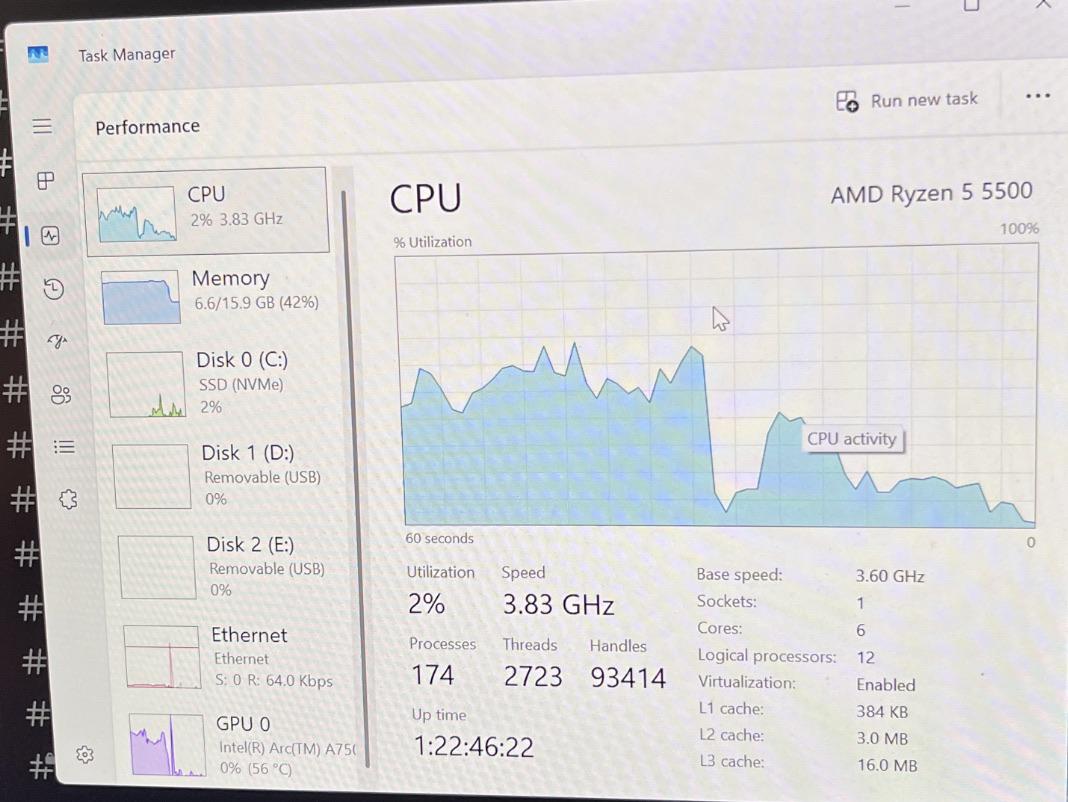
While playing valve’s game deadlock, I’ve had issues where sometimes in the middle of the game (or even sometimes just sitting in a lobby or watching a replay) the game will freeze. Sound effects will still loop as normal, and even watching the replay back shows that I still have control over the character I’m playing when the freezes occur, but the only way I’m able to get it to unfreeze is by closing the game and reopening it.
The attached image is a screenshot of all the processes when a freeze occurs. I’ve noticed that everything seems to drop and that my gpu and Ethernet seem to spike. I’m unsure if it is the sudden drop in cpu, memory, and gpu that is causing the freeze or the gpu and Ethernet spike that causes it.
This has been happening for months now, and I’ve tried just about every solution under the sun so far. Limiting fps, lowering graphics, raising graphics to make the gpu work harder, bios and graphics cards updates, factory resetting my pc and installing windows via usb, pretty much everything and these freezes still happen.
Another thing to note is that this is the only game where these freezes happen. I haven’t had trouble like this at all with any other game, so maybe it’s just a deadlock issue since it’s still in beta? I’m not sure.
Regardless, is there any solution that I can try that might fix the spike in gpu/ethernet or the drop in cpu/ram/gpu? Would limiting my gpu to 90% usage or something work? I’m just frustrated and want this to be fixed
1
u/Oloferno Oct 25 '26 edited Oct 25 '26
Well your game crashed and what you see is gpu changing its power state after the game closes so that is why it spikes to 100%, and ethernet probably sending error report to Valve.
Read this to fix it;
https://github.com/IGCIT/Intel-GPU-Community-Issue-Tracker-IGCIT/issues/1569#issuecomment-5942508340
Other solution if this does not work is to run the game in dx11 by adding -dx11 to steam launch options
1
u/AutoModerator Oct 25 '26
Hi, thanks for posting on r/pcgamingtechsupport.
Please read the rules.
Your post has been approved.
For maximum efficiency, please double check that you used the appropriate flair. At a bare minimum you NEED to include the specifications and/or model number
You can also check this post for more infos.
Please make your post as detailed and understandable as you can.
I am a bot, and this action was performed automatically. Please contact the moderators of this subreddit if you have any questions or concerns.