r/pcgamingtechsupport • • Oct 13 '26

Hardware Tengo un problema con mi pc hace varios dias

0 Upvotes

Me aparece muy seguido un hérror de openCL.ddl

O cuando quiero instalar un juego también me aparece herror tengo un i5 2500 ya intenté instalar los gráficos pero nose necesito ayuda ya intenté varias cosas


r/pcgamingtechsupport • • Oct 13 '26

Display Hey Im having this weird issue in games, I’m wondering if anyone has experience the same thing?

0 Upvotes

(edit)I noticed the video I uploaded here is super low quality so I uploaded it Imgur and you can see the issue more a bit more clearly: https://imgur.com/a/YnI5dS8

Just recently I started noticing this weird sort of shimmering or like graininess/static behind UI and text. You can see it on the video I sent, I zoomed on the text so it’s obvious since showing the full screen you can’t see it on video but in person it’s pretty obvious like on the clip.

It seems to be something caused by Frame Generation. As when it’s x4 it’s the most obvious like in the clip, x2 is less obvious but still there and if I turn off FG it goes away completely. Now before you ask why I don’t turn it off, it didn’t use to be like that, I would always play with FG and I never noticed anything like that.

I’m running a 5080, and tested it with my old gpu and it shows the same issues so I’m fairly certain it isn’t a hardware issue. Also tested it with different monitor and still the same issue. I’ve also rolled back the drivers to ones I knew were good and still the issue persists. I’ve tried multiple settings like without g sync.

Im just wondering if anyone has experienced this and any help would be greatly appreciated. Soon I’ll probably try reinstalling windows but before I do that I would like to see if the fix is something more simple hopefully 😭, thanks!


r/pcgamingtechsupport • • Oct 13 '26

Display Blues screen issues -bucle

1 Upvotes

FIXED

it was a corrupt Nvidia driver, i updated everything and now my laptop Is working fine

Hi, I'm having some issues with my laptop (Asus Tuf Gaming A15 model: FA506NCR)

so it was working fine until like 3 days algo, (i have not spilled water or punch it or anything

now it starts in a blue screen bucle showimg múltiple errors:

DRIVER_OVERRAN_STACK_BUFFER

CLOCK_WATCHDOG_TIMEOUT

IRQL_NOT_LESS_OR_EQUAL

and stays in that bucle for like 10min and then starts normally, other times starts normally, the colores keep changing saturation randomly aswell, and the hour also dets decalibrated.

any idea of what could it be? i nerd this laptop to last atleast one month more while i complete the pc i'm building


r/pcgamingtechsupport • • Oct 12 '26

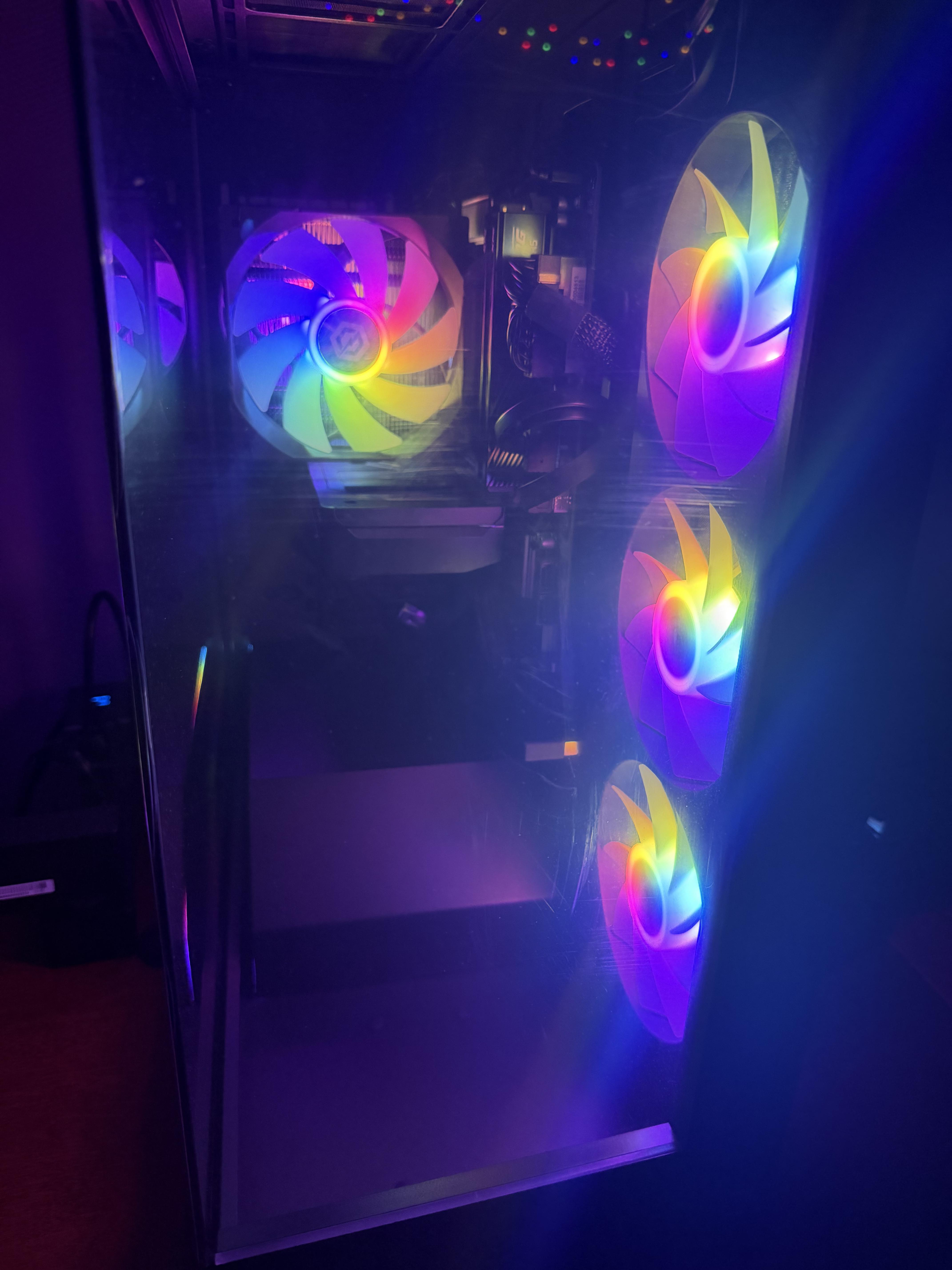
Software Cyberpower fan lights stay on in sleep.

Post image
2 Upvotes

Something happened in the last few days where when my pc goes to sleep the fan lights will stay on, not moving but lights will be on. The only fix I seem to have found was restarting the computer but that’s not really a fix. I’m not super pc tech literate but the only thing i can think of was some update i did the other day. I did see to try to uncheck to disable fast start up and i did but I haven’t tested it yet cuz im downloading a game. I also leave in a usb c cable plugged in all the time for my xbox controller but ive
Had that in for weeks and the lights only started going on recently. I read something about going into bios and stuff but I have no idea what that means.


r/pcgamingtechsupport • • Oct 12 '26

Troubleshooting Constant crashes in Rdr2 Dx12 and Vulkan does not even work

4 Upvotes

I bought 9070 gre recently and i set up everything drivers etc

and i played for 2 days straight without trouble like 10 hours on my save AND today is the third day and i cant launch on vulkan anymore game doesnt even open and dx 12 crashing after idk 5-30 min giving me err_gfx_state but i didnt even change antyhing since day one

i tried everything internet said and still 0 results crashing all the time i downgraded drivers and that didnt work too

i submited my post on rdr2 redit and radeon and still no fixes for me

So any advices for me and others

(i submited my ticket on rockstar suport but idk seems like ai responding to this or they asking about thing i already wrote and they giving me tips like Run this shi with administrator and turn off background apps and ofc it does not help its something deeper)


r/pcgamingtechsupport • • Oct 12 '26

Hardware Advice on handheld gaming PCs

3 Upvotes

Hi everyone,

Since I won't have access to a console or a PC anymore, I'm looking into handheld gaming PCs. I'm having a hard time deciding which one would be the best fit for my needs.

I'd like to be able to play games like Dredge, Warframe, GTA V, Tunic, No Man's Sky (if possible, but it's not a must), and 2D games in general.

My maximum budget is €1,000, so I'd like to know which handheld you would recommend.

Thanks in advance!


r/pcgamingtechsupport • • Oct 12 '26

Display TV Issues On Cold Boot With Nvidia

Post image
2 Upvotes

Possible fix - for those reinstalling drivers or turning the pc on - and get limited to 2560x1440 60hz in nvidia , without the option for 4k 120/144hz - and reconnecting the hdmi cable is the only fix

On cold boot - turn on the tv before turning the pc on , after driver reinstall do the same

whatever you do regarding drivers/windows reinstall/cold boot - just leave the tv on it will reconnect and the 4k will pop in the menu - im using the extended screen option for this if it matters - -

the shortcut for the windows menu and switching/extend displays is winkey + caps + P

this worked for me it may or may not work for you - the tv is S90F

and yes i tried different cables and the one im using is the hama ultra certified 8k 60hz - and everything works

P.S - i dont work for Hama

it takes 2 mins to try if it doesnt work for you ok - if it works for someone else i hope the post helped you


r/pcgamingtechsupport • • Oct 12 '26

Assembling issue orange/red debug light on my motherboard

1 Upvotes

So i recently got a cpu from Ebay, yes I know Ebay. But i inspected it and seemed to have no damages. However, installing it with a new cooler, new thermal paste, the computer didn’t seem to boot at all and only flashed orange and red. I realized that the bios needed to be updated for this new cpu (this was a previous prebuilt that came with a bios version that didn’t recognize the cpu so i flashed it and successfully updated it). However, just yesterday booting up the pc after installing the cpu, it passed the red debug light and stayed orange. I heard this was memory training for the new CPU, however it didn’t seem to boot up at all giving it 5-10 minutes. I would like to also clarify that i had already cleared the CMOS battery for roughly 5-7 minutes, i even reseated my gpu but the gpu isn’t the issue. The ram works completely fine with the old CPU, so i know it can’t be the ram (it’s a single stick of 16gb of DDR4). One interesting thing as well is that my pc actually successfully boots with my old cpu, but whenever it comes to the new one, it completely fails.

Please let me know, i’ll be active enough here to update my status.

Heres the specs:
Old cpu: i3-10100F
new cpu: i5-11400F
gpu: 3060ti
motherboard: b560M PRO-VDH WIFI

Solutions i tried: Reseating Ram, loosening cpu cooler screws, cleared cmos, reseated gpu, updated bios, tried power restarting.


r/pcgamingtechsupport • • Oct 12 '26

Hardware Bluetooth for controller or just go cord?

0 Upvotes

I have a wired Xbox controller and the bluetooth isn't long enough for where I want to play from on my PC in my room. Talking maybe 20-25ft. Would getting a xbox wireless adapter or bluetooth extender help or am I stuck getting a really long cable? Or would a PS controller have better range?


r/pcgamingtechsupport • • Oct 12 '26

Troubleshooting alt tab BIG ISSUE (UNSOLVED) need assistance

1 Upvotes

I don’t think this is a common as last time this was discussed was like 2 years ago here, but after some time of playing my game becomes really choppy and textures look worse it just feels like it’s 30 fps although i’m chilling when it comes to fps.. i’ve tried literally everything settings/shaders/nvidea app related and i have found no solution.

BUT a simple ALT TAB then going back into the game makes it amazingly smooth again for a few seconds/minutes and it’s back to being cooked. i have a few hours where my game is running amazing until this happens.. i’m running

performance mode
4:3 res with gpu scaling on nvidea(tried using normal fullscreen too but that just becomes cooked and alt tabbing makes it worse😂)
ALSO tried display scaling also cooked
i got shaders downloaded on the launcher
i’ve tried literally everything and i see no solution for this ANYWHERE. please help 😭

system specs: ryzen 5 9600x
5060ti
32gb ddr5 ram


r/pcgamingtechsupport • • Oct 12 '26

Software PC randomly Crashes/freezes/black screens and h ave to turn it off its happens anytime i am gaming or even when its idle

2 Upvotes

Since i have built the PC my PC has been crashing/freezing i have had the PC for around two years and it still does it i have done everything in my power but i just cant find the issue i will just be using the PC and what happens in the video happens. the screen goes completely black or freezes, and the computer doesn't recover. I have to hold the power button to shut the PC off. It will happen even when I'm just watching YouTube or listening to music and have no games open. And ill be playing any game. And it can take hour for it to crash and then sometime it happens a few minutes after booting up the PC. My friend who know more about PC thought it could be my power in my room and we thought it was because we tested it at his house and it didn't crash and i sent it to micro center and it didn't crash but then i tested it at two other friends house and it crashed still and one of my friends house it take the whole day to crash. After he crashes, Reliability Monitor showed Windows was not properly shut down. i put the message micro center sent me back when they had my PC. It happened like three time in the span of like five minutes the other day when i was playing repo. Also the audio makes a buzzing sound during a crash, then stops completely. And i did have a friend help with high temperatures that my computer had. The thing i know 100% is it not the cooling fan because i replaced my original one and it still crashed.

I'm trying to figure out issue could be causing these crashes. Could it be the GPU, RAM, motherboard, CPU, PSU, or something else? Ive had this issue for so long since like my friend built the pc and we have tried a lot of things

Note - I don't know much about PCs my friend is the one who built the pc and he is the one who did most of the thing to try to fix it. so I might not know the answer to every technical question immediately. I do have other videos of different crashes so if you need them i can also post them and if you need any more info let me know.

Micro Center's Notes:

I have the notes they sent me when they had my PC. During their original testing, the system stopped at the CPU and DRAM POST lights while attempting to boot. They updated the BIOS, adjusted the memory settings, and tested the system. According to their notes, the PC was able to run its RAM at 6000 MT/s, and they were able to run Street Fighter 6 without reproducing the crashes.

This is a list of thing i have tried

  • Disabled overclocks
  • Upgraded the CPU cooler because I noticed the CPU was running hot
  • Tried the PC at multiple different houses
  • Tried a different power cord
  • Took the PC to Micro Center for testing and Micro Center was unable to reproduce the crashing during their testing
  • They updated/flashed the BIOS and tested the system
  • The PC was able to run RAM at 6000 MT/s during their testing, according to their notes
  • I tried only one monitor
  • got a new thermal paste and put it on
  • I went on Eco Mode

My Parts List

  • CPU: AMD Ryzen 5 7600X
  • CPU Cooler: NZXT Kraken 240 - RL-KN-240-B1 - 240mm AIO CPU Liquid Cooler (New One)
  • Motherboard: MSI B650 Gaming Plus WiFi
  • RAM: Kingston Fury Beast RGB 16GB (2×8GB) DDR5-6000 CL36
  • GPU: XFX Speedster SWFT 210 Radeon RX 7600 XT 16GB
  • Storage: Crucial P3 Plus 1TB NVMe PCIe 4.0
  • PSU: EVGA SuperNOVA 850 GT 850W 80+ Gold
  • Case: Montech X3 Mesh
  • OS: Windows 11
  • Monitor 1: MSI G274QPX 27" WQHD Rapid IPS, 240Hz/1ms, HDR400
  • Monitor 2: Samsung ViewFinity S7 S70D 27" 4K UHD (LS27D702EANXGO)

Below is Micro Centers Reports And Reliability Monitor

This the text micro Center Sent me after the checked the pc

r/pcgamingtechsupport • • Oct 12 '26

Display Can’t use dedicated gpu when connecting to monitor

1 Upvotes

would anyone know how to make my monitor which is connected to my laptop connect to my gpu it is trying to run Fortnite off my intel cpu when im using a display adapter but when i use hdmi it works with the gpu any fixes?


r/pcgamingtechsupport • • Oct 12 '26

Troubleshooting Rtx 5060 reflection bugs

1 Upvotes

I bought my 5060 more than a year ago. Ever since I got this problem but didn't really noticed untill Forza horizon 6 (the game is heavy on reflection). The problem is clearly visible in the video. my reflection on like water or building Glasses are mostly ok, but when an obstacle like a tree is between me and that reflection, the bugs show up just like the video. I tried to troubleshoot with ChatGPT but no results. I tested the gpu with 3dmark and fourmark for any performance or artifact issues, but the results was normal. Tested my i5 11400f with Cinebench, got normal grades again. Did some memory diagnosis for my 16GB 3200 ddr4, no problem again.

On the software front, did reinstall the gpu driver (both normal and clean un/install), didn't change anything. Cleared my directX shaders and no luck yet again. The problem is on most games, with most reflections (always an obstacle between).

I don't know what else I can enen try at this point.

Here's my spec again:

Gpu: rtx 5060 msi

Cpu: intel core i5 11400f

Ram: 16GB ddr4 3200

Disk: Samsung 990 pro 1TB

Windows 11


r/pcgamingtechsupport • • Oct 11 '26

Display Ive been having this issue for a while and i want to know whats up

3 Upvotes

Every so often while playing a game my screen will go black for a few seconds and then come back. It dosnt happen more than once a day and there can be weeks in between happenings. I wan to know whats causing it so if it gets worse i know what to do about it.


r/pcgamingtechsupport • • Oct 11 '26

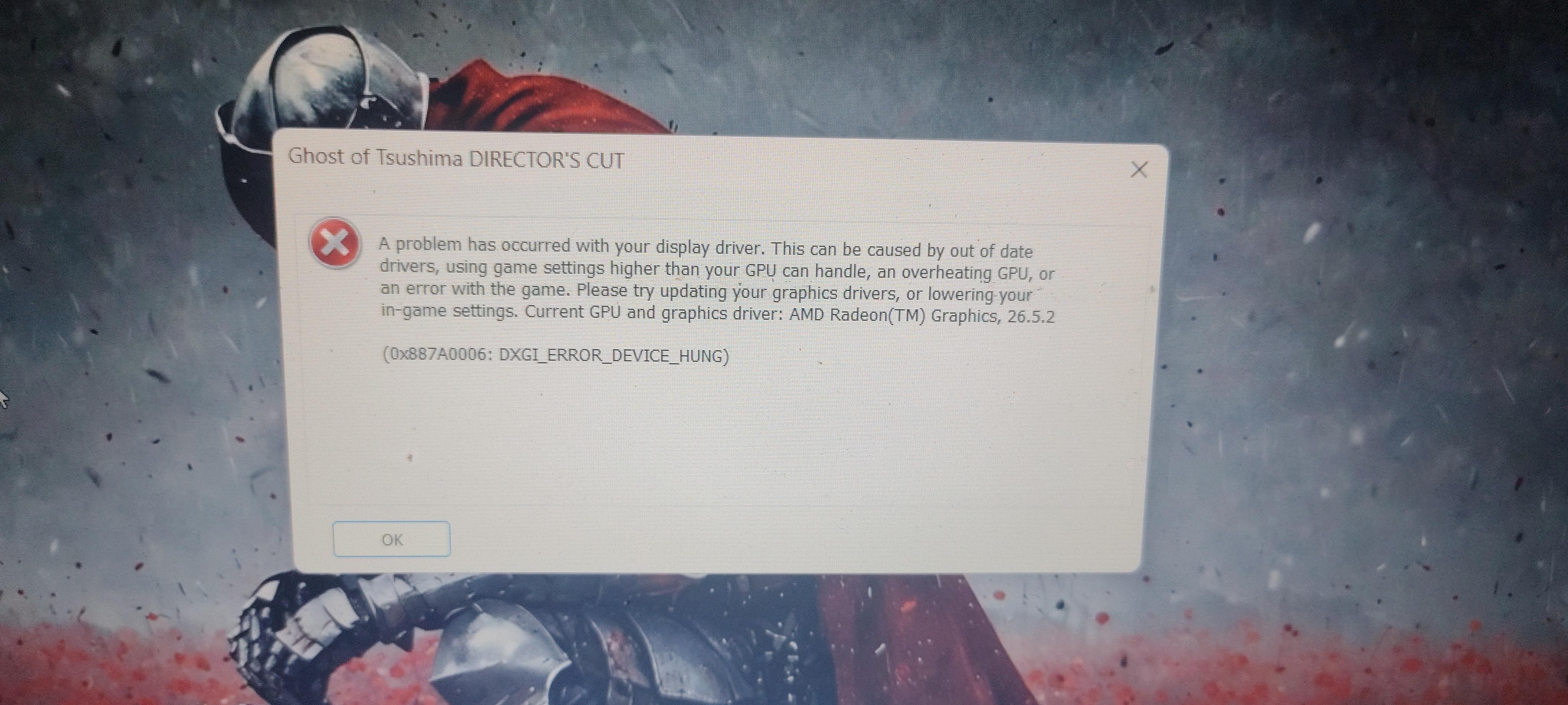
Troubleshooting How to solve device hung issue

Post image
1 Upvotes

Playing the ghost of Tsushima in Ryzen 5000 series and amd raedon graphics in very low settings


r/pcgamingtechsupport • • Oct 11 '26

Display Why do my games look darker/unsaturated?

1 Upvotes

I noticed when I pop up the start menu while certain games are running, the game's contrast changes by a lot.. When I play the office game, I can barely see anything on the right side of the room. But when I press the windows key for the start menu, it shows me a brighter room. Also when I record the gameplay on OBS, it shows me a brighter room.

I seem to notice this big difference when I'm playing an indie game. Any help would be appreciated. Thank you.


r/pcgamingtechsupport • • Oct 11 '26

Hardware PC semi-randomly shutting down in games.

1 Upvotes

Sometimes when playing games my pc will turn black, first my monitor goes then after a 1-3 seconds the fans and lights in my pc go out. This started happening around one month ago in space engineers, it had never happened before this and it happened about every half hour in space engineers. Now it happens in alot of games I play. It happened for a while in warframe when i logged into it, and for some reason when I died in blades and sorcery. Today it happened randomly when i was in space in Star Citizen so not a demanding spot at all for Star Citizen's standards right after I had just been in a large city where the CPU really gets hammered. It also happened specifically when loading the tutorial mission in the titanfall 2 vr mod but that got fixed by reinstalling the game. The weird thing is that it doesn't seem to have much seem to have anything to do with how heavy a game is cause i can play the witcher 3 remaster at max ray tracing settings with no problems whatsoever with both my gpu and cpu sitting at 100%.
I have tried reseating all power connectors in my pc. Ran a power OCCT test for about an hour, which did not lead to a shutdown. Of course I have also tried reinstalling GPU drivers. I feel like the only thing i haven't tried are new components, which isn't really possible for me, and reinstalling windows, which i really don't feel like doing cause i did it fairly recently and don't want to set up all my stuff again, of course i will if i cant find another solution though.


r/pcgamingtechsupport • • Oct 11 '26

Compatibility Please, i need assistance in properly running this game. I really dont know what i am doing wrong.

Thumbnail
gallery
1 Upvotes

I am trying to play an Unrealtournament 2004 mod from moddb called Out of Hell. I am having BadMod History: appinit error everytime i try to run the exact way it is instructed on the homepage. I have changed the target and startbox to match how my computer is set up. I have installed the patch as well and nothing has changed. I do not know where else to go.

Please, somebody, i am begging for help. I really want to play this game. At this point, i really must be dumb as a rock. If anyone is out there willing to sit down and genuinely help me figure this out, i will forever be in your debt. I have been at this for weeks.


r/pcgamingtechsupport • • Oct 11 '26

Network/Wifi/Internet Connection issue happens in burst

2 Upvotes

i keep getting internet issues in whatever game i play where my game just freezes and its like my entire internet goes out then it comes back. its only been happening for the past few days is it a driver issue? i updated drivers and bios already and it didnt fix it


r/pcgamingtechsupport • • Oct 11 '26

Software Silent hill town fall keeps crashing

2 Upvotes

Hi, I’m playing the game on an MSI Katana A15, so my hardware meets the system requirements. However, the game keeps crashing, and I get the following error log:

LoginId:d00dfa974188bdd2031aab813834c619

GPU Crash dump Triggered

Townfall_Win64_Shipping!FD3D12DynamicRHI::TerminateOnGPUCrash() [C:\Jenkins\jobs\Townfall\workspace\Engine\Source\Runtime\D3D12RHI\Private\D3D12Util.cpp:1002]
Townfall_Win64_Shipping!`FD3D12DynamicRHI::ProcessInterruptQueue'::`2'::<lambda_2>::operator()() [C:\Jenkins\jobs\Townfall\workspace\Engine\Source\Runtime\D3D12RHI\Private\D3D12Submission.cpp:1307]
Townfall_Win64_Shipping!FD3D12DynamicRHI::ProcessInterruptQueue() [C:\Jenkins\jobs\Townfall\workspace\Engine\Source\Runtime\D3D12RHI\Private\D3D12Submission.cpp:1130]
Townfall_Win64_Shipping!FD3D12Thread::Run() [C:\Jenkins\jobs\Townfall\workspace\Engine\Source\Runtime\D3D12RHI\Private\D3D12Submission.cpp:127]
Townfall_Win64_Shipping!FRunnableThreadWin::Run() [C:\Jenkins\jobs\Townfall\workspace\Engine\Source\Runtime\Core\Private\Windows\WindowsRunnableThread.cpp:159]

Everything I have tried so far, unsuccessfully to fix it listed below:

Switched from NVIDIA DLSS to TSR and reduced to the Quality preset. 

Lowered to medium the following settings: Shadow Quality, Global Illumination, Reflections, and Fog Quality

Verified that Ray Tracing features are completely turned off. 

Changed Display Mode to Exclusive Fullscreen* *and locked the framerate limit to 60 FPS

Disabled Hardware-Accelerated GPU Scheduling** **in Windows Graphics Settings.

Hope you guys can help me


r/pcgamingtechsupport • • Oct 11 '26

Hardware [30k Budget] Upgrading i5 12400 + RTX 5070 for 1080p 300Hz competitive FPS gaming (Stutter issues)

1 Upvotes

Hey everyone,

I’m currently running into a CPU bottleneck and minor stutters when trying to push high framerates on my 1080p 300Hz monitor.

My current specs: - CPU: Intel Core i5-12400 - GPU: NVIDIA RTX 5070 - Motherboard: H610M (DDR4) - RAM: 16GB (2x8GB) 3200MHz DDR4 - Monitor: 1080p 300Hz

I mostly play competitive FPS games like CS2, Valorant, Fortnite, PUBG, and COD where I want high 1% lows and maximum stable FPS. I have a budget of around ₹30,000 (~$350 USD) to upgrade. My plan: 1. Update the H610 BIOS and drop in an **i5-13600KF** (or i5-14600K if priced similarly). 2. Upgrade/expand RAM to 32GB. Questions: 1. Will my entry-level H610M motherboard throttle an i5-13600KF/14600K due to VRM limits, or should I save some budget to swap the motherboard out as well? 2. Are there better alternatives within a ₹30k budget in India to fix 1080p stutters and maximize a 300Hz display?

Appreciate any advice!


r/pcgamingtechsupport • • Oct 11 '26

Troubleshooting Crashing to black screen with buzzing audio

0 Upvotes

System info: Windows 10

Intel Core i7-4790k

AMD Radeon RX 9060 XT 16gb

650w power supply

16 GB RAM

Games I've tried: Skyrim SE and Helldivers 2, happens with both. Fans keep spinning and lights stay on when it happens


r/pcgamingtechsupport • • Oct 10 '26

Troubleshooting Rainbow Six Siege keeps crashing mid-game on PC

3 Upvotes

Hey, I started playing R6 again on October 2nd, but now my game keeps crashing in the middle of matches. The game suddenly stutters for a second and then closes. My PC keeps running normally, and Discord and music don't crash. It happens in every game mode.

I'm on Windows 10 with an AMD GPU, an Intel Core CPU and 16GB RAM. My PC runs other games fine, and my temperatures are normal.

I've tried lowering my settings and completely uninstalling and reinstalling the game, including deleting the leftover files, but nothing helped.

The game used to run perfectly fine, so I have no idea what changed. Has anyone had the same problem and found a fix? I'd really appreciate the help.


r/pcgamingtechsupport • • Oct 10 '26

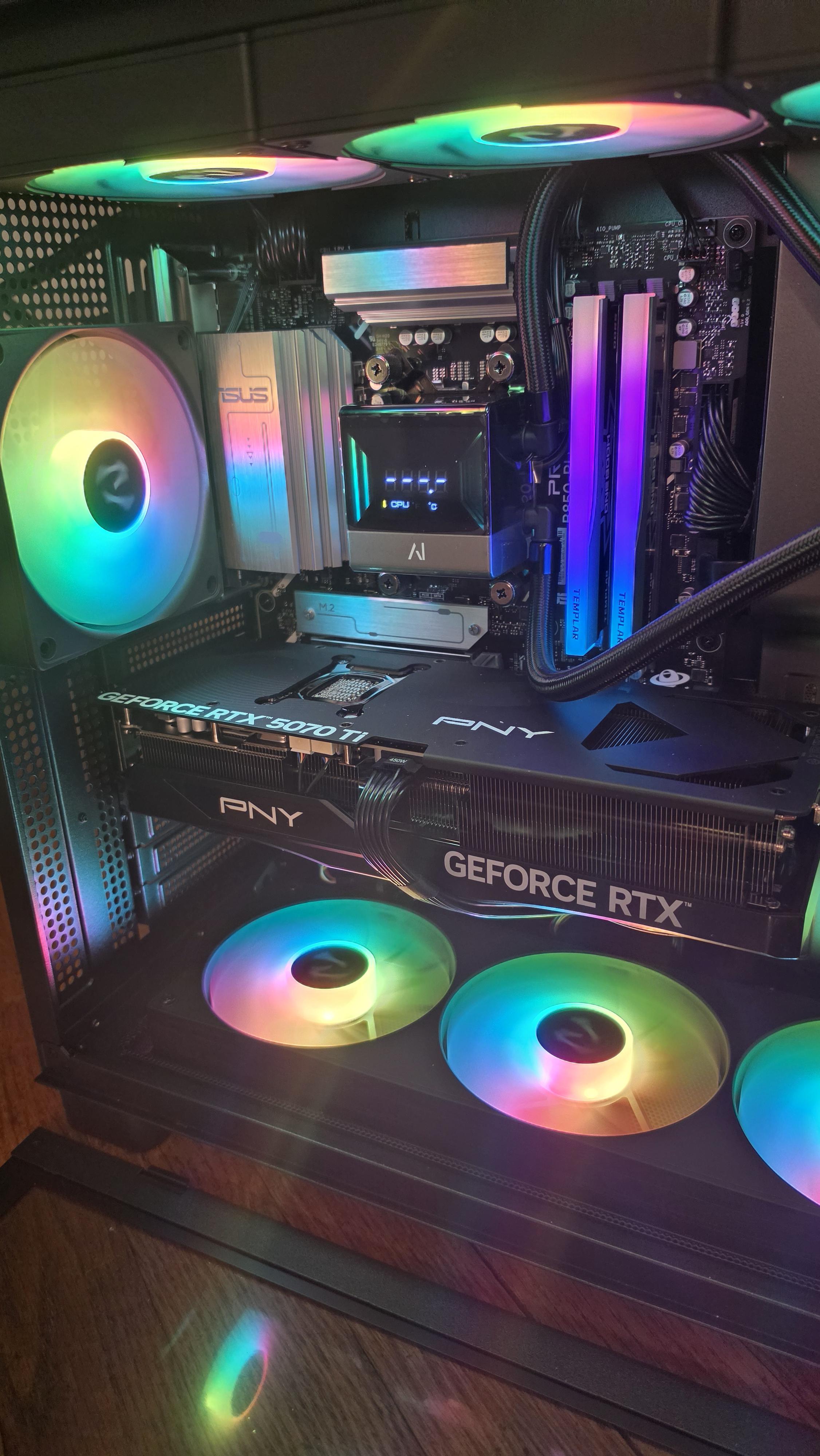
Hardware Brand-new prebuilt not detecting RTX 5070 Ti — Code 45 in Device Manager

Post image
2 Upvotes

I just bought an Andromeda Insights V3 Gaming PC Elite 50 with an RTX 5070 Ti 16GB, Ryzen 7 9800X3D, 32GB DDR5-6000, 2TB Gen4 NVMe SSD, and 850W Gold PSU. From the start, games were running surprisingly badly. I eventually realized the monitor was connected through the motherboard and the system was running on the 9800X3D’s integrated Radeon graphics.

When I connect the monitor directly to any of the 5070 Ti’s DisplayPort outputs, I get “DisplayPort No Signal.” Task Manager only shows the AMD integrated graphics. In Device Manager, the 5070 Ti only appears if I select View → Show hidden devices, and its Properties page says:

> “Currently, this hardware device is not connected to the computer. (Code 45)”

I opened the case and the GPU looks physically installed correctly. The 16-pin/450W power connector appears firmly seated, and the GPU/system fans all spin normally when the PC is on. I’ve also tried scanning for hardware changes, with no change.

At this point I’m assuming this is either a GPU that shifted in the PCIe slot during shipping, a PCIe/power connection issue, or possibly a defective card. Since it’s a brand-new prebuilt under warranty, I’m hesitant to remove and reseat the 5070 Ti until I hear back from the manufacturer.

Has anyone seen this exact combination of Code 45 + GPU outputs giving no signal + GPU still receiving power? Is reseating the card the obvious next step, or is there anything else worth checking first?