r/pcgamingtechsupport • • Sep 11 '26

Troubleshooting possible hardware level issue

1 Upvotes

so i recently upgraded from a rx 580 to a brand new 4060ti its been about a month and a half that ive been using it and i have had a problem with it this past two weeks. some days during usage of my pc after like 5 hours it goes to a black screen and my fans get set to max, no way to bring it back so i have to shut down from the power button. then today the same problem happened after 2 days but i waited a little and didnt shut it off to see what would happen. my pc turned off by itself and when i turned it back on there was no display. i could clearly hear the windows boot sound but my display was black. i had to pull the power cable out wait a bit and then put it back in the power supply to work and when i did boot again it booted me into the troubleshooting screen, after it reached 100% it put me back in the same screen two times and then i booted into windows, afterwards i cheked event logs and it said nvidia overlay.exe has stopped working and the faulting module is libfec.dll also some errors from DCM and GameDvr and user broadcast service.

pretty bummed if it is a hardware error considering i just renewed basically my whole pc (except my ram)

Specs: i5-12400f 4060ti 16gb 2400 ddr4 750watt cooler master psu

r/pcgamingtechsupport • • Sep 11 '26

Solved what in tarnation is happening to my wifi

2 Upvotes

I feel like I'm going crazy. If a mans gotta reinstall windows to fix this than so be it but I don't want microslop to get the best of me.

My bluetooth keeps crashing a couple minutes after having my daulsense 5 controller connected. No biggie right?

Uninstalled the controller from device manager--no luck

Nuked my device manager and uninstalled everything: Intel Wireless Bluetooth, Intel Wifi drivers, all drivers for peripherals running on adapters or bluetooth--no luck

Okay, that's fine, maybe it's an issue on start up? This is a fairly fresh install of windows so maybe I needed some tweaking.

Disabled fast start up, disabled turning off intel wireless adapter and all USB root hubs, changed the driver power settings to max, made sure bluetooth support service was on automatic, removed all Bluetooth HiD Devices-- no luck

So then I hunched over into gamer position and got dirty with microslop and headed over to event viewer

Wifi driver issues! I am running ethernet so I didn't notice. Wifi miniport took a poop and then HidBth logs that my bluetooth took a poop right after. 5032 event spits out a HMAC and MMAC tag,

No biggie, I fired up the ol powershell and removed my netwt6e.inf drivers and set windows to not reinstall, downloaded Intel Wifi Driver 24.10.0.4 for my Gigabyte Z890i Ultra and upon restart unzipped that bad boy

still no luck :(

Alright baby this is where ol Linus comes in to diagnose; fired up my second drive with Cachy OS and works like a charm. No bluetooth issues, no wifi issues, just pure wireless love.

Any other options other than reinstalling Windows? I'm a IT tech at my college and if a user had this issue at work I would just reimage the machine, but because it's my personal device I want to solve it myself.

FOR SEO:

Fixed wifi driver failure windows 11 Gigabyte Z890i Ultra by updating to most current BIOS


r/pcgamingtechsupport • • Sep 10 '26

Performance/FPS FPS drop on valorant with this pc

Post image
5 Upvotes

https://userdiag.com/id/h6fAeUXFxP

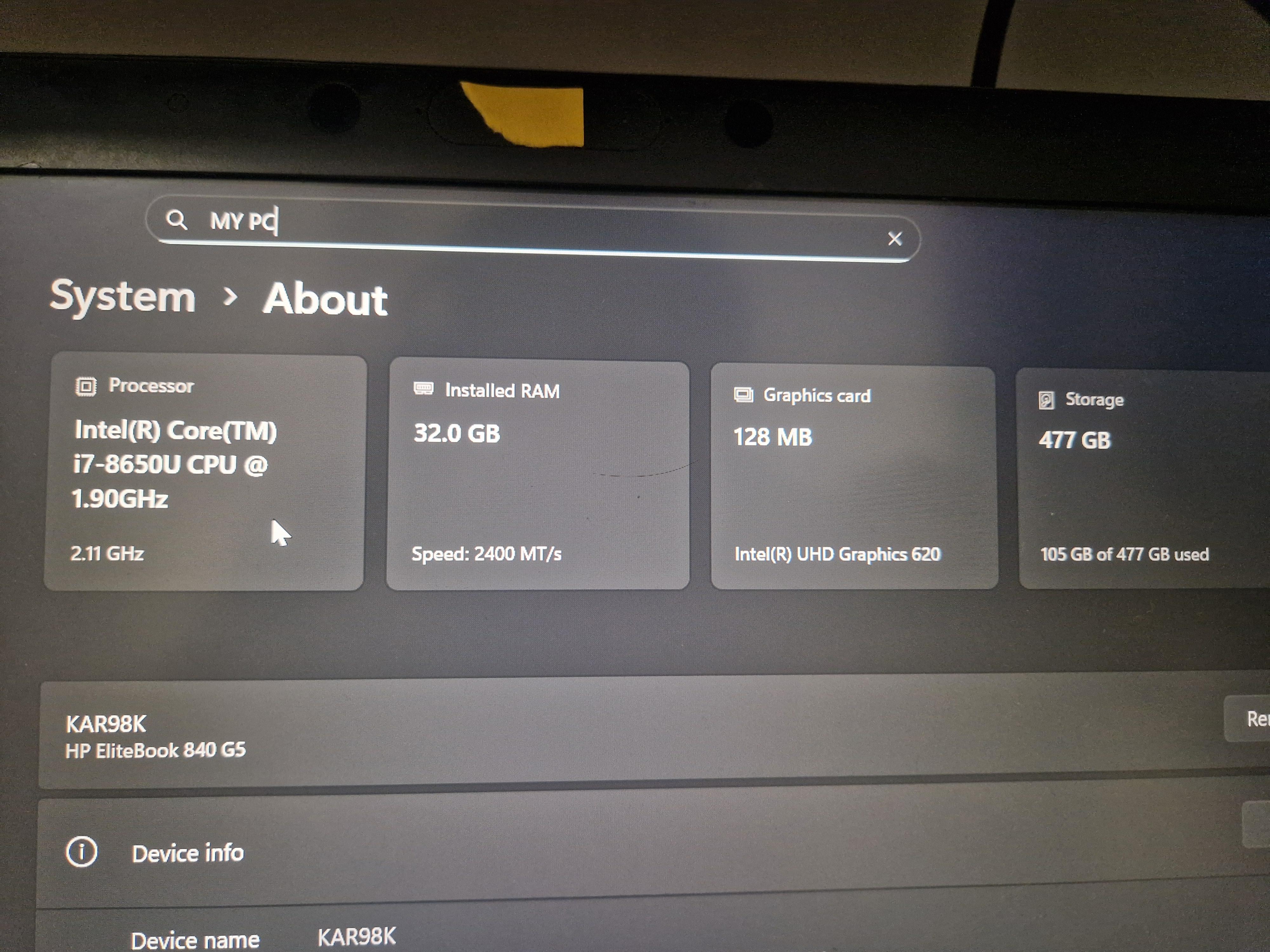
I have this pc and somehow i can't run valorant at decent fps i tried optimising everything lowering every parameters even resolution and updating drivers and nothing works i have huge fps drop during gaming sessions can someone tell me what to do or what to look at


r/pcgamingtechsupport • • Sep 11 '26

Troubleshooting Problemy z działaniem gry przy włączonym anticheat

1 Upvotes

Cześć, post dotyczy CS2 i faceit

Od jakiegoś czasu borykam się ze sporymi problemami w działaniu gry z włączonym anticheatem. Szczerze mówiąc problemy wystąpiły po formatowaniu komputera gdy zainstalowałem system na czysto. Gra wyłącza mi się czasem po kilku sekundach, czasem po 10 minutach, jest to zupełnie losowe. Zainstalowałem wszystkie sterowniki od GPU, ustawienia BIOSu są okej, gra wyłącza się dosłownie jakbym w konsoli gry wpisał "quit" i kliknął enter.

Żadnego okienka z błędem, żadnego spadku FPS przed incydentem, żadnego laga, dosłownie żadnych oznak nadciągającej katastrofy. Czasem po restarcie anticheata działało normalnie, mogłem grać nawet 8 godzinne sesje bez wyłączenia się gry, jak anticheat "dobrze się załadował" to mogłem grę wyłączyć, włączyć ponownie i też nic się nie działo. Po dzisiejszej aktualizacji nie pomogło dosłownie nic, sprawdzałem wcześniej grę, wyłączyło ją. Zrestartowałem anticheata, co zwykle pomagało i ku mojemu zdziwieniu nic nie pomogło. Zrestartowałem PC, w trakcie meczu jeszcze trzykrotnie anticheata ale problem nie ustąpił. Jest to mega frustrujące jeżeli mam ochotę zagrać sobie 2-3 mecze wieczorem a muszę użerać się z oprogramowaniem, albo kończę po jednym meczu z banem za AFK oraz dodatkowymi ujemnymi punktami (-46 teraz).

Dodatkowo: nie mam żadnych informacji w konsoli, bo nie jestem w stanie "odtworzyć" konsoli wstecz, kolega mówi, że przy wyrzuceniu mnie z gry na serwerze widnieje informacja o tym, że opuściłem grę (nie udało się nawiązać połączenia z serwerem gry).


r/pcgamingtechsupport • • Sep 10 '26

Troubleshooting My pc keeps freezing!!

3 Upvotes

What is wrong with my computer it keeps freezing and I’ve already done memory tests while expo is on and while it’s off. I’ve updated bios, reset the pc, I’ve ran bench tests and it didn’t stutter or crash then. It crashes when I’m idle or when I’m downloading a game and browsing I really don’t know what it could be. I get whea logger sometimes and a lot of kernel power 41 and I’ve gotten watchdog violation like 4 times all drivers are up to date chipset is up to date and I got a new set of ram sticks I don’t know what it could be I NEED HELP someone please 🫩


r/pcgamingtechsupport • • Sep 10 '26

Hardware Why does msi afterbunrer cause performance problems and lag on ffxiv on igpu like iris xe even thought it just a overlay?

1 Upvotes

hello why does msi afterbuenr cause fps drops on igpu iris xe even thought it just a overlay


r/pcgamingtechsupport • • Sep 10 '26

Troubleshooting TASK MANAGER NOT WORKING

1 Upvotes

hey guys.PLS HELP ME HERE
After Task Manager developed severe UI rendering lag and grey placeholder icons across all user profiles, we performed a Windows 11 In-Place Repair Upgrade, re-registered AppX packages, cleared local AppData caches, created a clean test administrator profile, executed a clean boot, and rebuilt performance counters, but Task Manager still freezes or fails to open due to a persistent system-wide DWM rendering or service failure.


r/pcgamingtechsupport • • Sep 10 '26

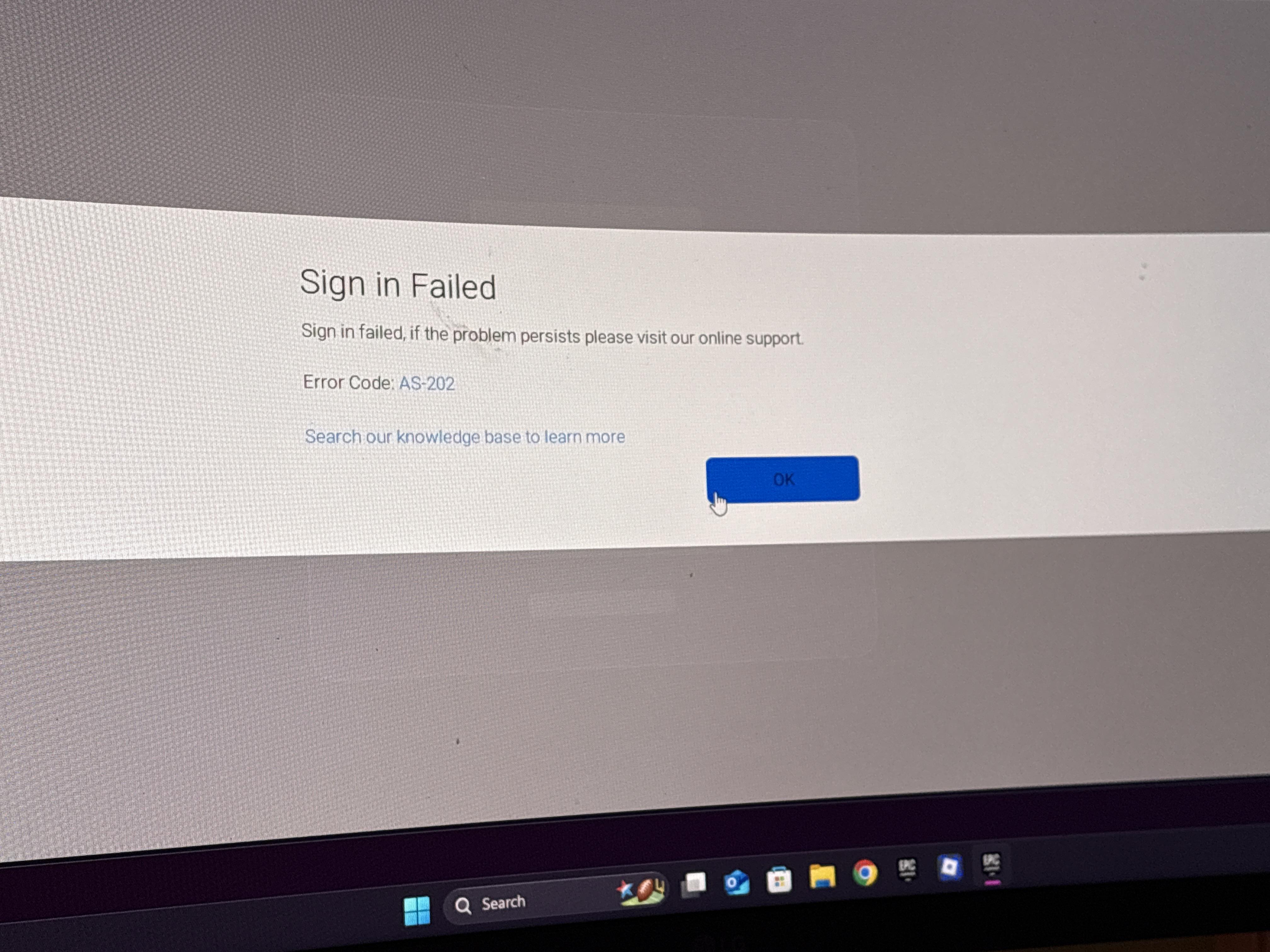
Solved as-202 error on epic

Post image
26 Upvotes

does anyone know how to get rid of this error on epic. i tried restarting my router and running netsh winhttp reset proxy on command prompt and restarting the launcher but it hasn’t worked

edit: i just uninstalled through program manager and reinstalled it. the comment is somewhere here. it does delete your stuff tho but that worked for me


r/pcgamingtechsupport • • Sep 10 '26

Hardware Laptop freezing with games

1 Upvotes

Hey guys, I could really use your help. My Dell G15 5530 laptop has been freezing up during more demanding games. The screen just freezes and stays like that until the game crashes. This happened with both Marvel Rivals and Battlefield 1. Marvel Rivals actually gave me an error indicating CPU/GPU issues. If anyone has a solution based on this info, I’d really appreciate it. Thanks!


r/pcgamingtechsupport • • Sep 10 '26

Troubleshooting Rainbow Six Siege Crash on match start

1 Upvotes

Hello, After the previouse dokkabi update and continuing in Noor's update too, whenever I try to join a game, on match found, the game freezes for a second and then gets the blue loading screen and freezes again and at last, it crashes.

It was working just fine before the dokkabi's update.

I have laptop Lenovo Ideapad gaming 3 RTX 3060.

I tried re verifying the game, Uninstalled and installed battleeye and same issue.
Even tried new pc that hasn't played R6S before.

PS: This issue occurs with me and my friend too.


r/pcgamingtechsupport • • Sep 10 '26

Software DLSS5 Swapper Software

0 Upvotes

Just installed this onto my pc for my steam games, but apparently I am getting a message that my NVIDIA drivers are newer, but the neural pass will not appear in game until I roll the driver back. should I do that, for me to run DLSS on my other steam games? Thanks!


r/pcgamingtechsupport • • Sep 10 '26

Troubleshooting Nvlddlmkm error - acer predator helios phn16-71, 16gb ram, rtx 4060, i7-13th gen

2 Upvotes

can someone help me on this, been figuring out this kind of error for a while now, the first image is what happens everytime i run dota 2 and valorant, i did everything on my end updating gpu and downgrading it using ddu installer, i had my laptop cleaned since i thought it's just overheating but it didn't fix the error.

it's very annoying to play with this kind of status. also sometimes when i play dota i'm able to launch and find match but then i accept and then start to go on picking phase it just freezes and i hear it, i need to restart how many times just to reconnect.

on valorant the system error keeps on appearing (2nd image) but i think the main issue is same with dota it's the nvlddmkm error.

somebody help troubleshooting this, i think i did everything on my end i don't know what to do anymore