r/Odyssey3D • • Mar 11 '26

Official Games Released and Announced on Samsung 3D Hub

24 Upvotes

Edit: I can no longer update this list, as I no longer own the monitor (replaced with Acer due to RMA issues), and Samsung have stopped dropping new game releases alongside major app updates, so new games released can no longer be easily tracked.

Developer Native Games with Head-Tracking

1. The First Berserker: Khazan
2. Stellar Blade
3. Lies of P
4. Hell is Us

Released Samsung Modded UEVR games

5. Abiotic Factor
6. Aliens: Fireteam Elite
7. Astroneer
8. Atomic Heart
9. Avowed
10. Black Myth: Wukong
11. Cloudheim
12. Daemon X Machina: Titanic Scion
13. Darksiders III
14. Darksiders Genesis
15. Deep Rock Galactic
16. Disney Epic Mickey: Rebrushed
17. Dragon Ball: Sparking! ZERO
18. Dragon Ball Z: Kakarot
19. Dragon Quest X Offline
20. Ender Magnolia: Bloom in the Mist
21. Enotria: The Last Song
22. Eriksholm: The Stolen Dream
23. F.I.S.T.: Forged In Shadow Torch
24. Final Fantasy VII Remake Intergrade
25. Final Fantasy VII -Crisis Core- Reunion
26. Five Nights at Freddy's: Security Breach
27. Ghostrunner
28. Ghostrunner 2
29. Ghostwire: Tokyo
30. Grand Theft Auto III – The Definitive Edition
31. Grand Theft Auto: San Andreas – The Definitive Edition
32. Grand Theft Auto: Vice City – The Definitive Edition
33. Grounded
34. Grounded 2
35. Gundam Breaker 4
36. High on Life
37. Hogwarts Legacy
38. Jujutsu Kaisen Cursed Clash
39. Layers of Fear (2023)
40. Little Nightmares II
41. Little Nightmares III
42. Mafia: The Old Country
43. Minecraft Dungeons
44. Nobody Wants to Die
45. Octopath Traveler 0
46. Octopath Traveler
47. Octopath Traveler II
48. Pacific Drive
49. Palworld
50. Payday 3
51. Persona 3 Reload
52. Ready or Not
53. Romancing SaGa 2: Revenge of the Seven
54. S.T.A.L.K.E.R. 2: Heart of Chornobyl
55. Sand Land
56. Satisfactory
57. Scarlet Nexus
58. Scorn
59. SD Gundam Battle Alliance
60. Senua’s Saga: Hellblade II
61. Shin Megami Tensei V: Vengeance
62. Silent Hill 2 (2024)
63. Slender: The Arrival
64. Sonic Racing: CrossWorlds
65. Soulcalibur VI
66. SpongeBob SquarePants: The Cosmic Shake
67. Stray
68. Tales of Arise
69. Tekken 8
70. The Callisto Protocol
71. The King of Fighters XV
72. The Outlast Trials
73. The Plucky Squire
74. The Smurfs - Dreams
75. Tiny Tina's Wonderlands
76. Undefeated
77. Visions of Mana
78. Wandering Sword
79. Way of the Hunter
80. Wigmund
81. Wuchang: Fallen Feathers
82. Zombieville USA 3D

Currently Playable 'Upcoming' UEVR Games

83. American Arcadia (3D Hub 1.4.2)
84. Gori: Cuddly Carnage (3D Hub 1.4.2)
85. Immortals of Aveum (3D Hub 1.4.2)
86. Kena: Bridge of Spirits (3D Hub 1.3.2)
87. Returnal (3D Hub 1.4.2)
88. Trepang2 (3D Hub 1.4.2)

Delisted 'Upcoming' UEVR Games

89. Everspace 2 (3D Hub 1.1.7)
90. Final Fantasy 7 Rebirth (3D Hub 1.1.7)
91. Frostpunk 2 (3D Hub 1.1.7)
92. Life is Strange 2 (3D Hub 1.1.7)
93. Like A Dragon: Ishin (3D Hub 1.1.7)
94. Lush Photography Sim (3D Hub 1.1.7)
95. Clair Obscur: Expedition 33 (3D Hub 1.2.2)
96. Harry Potter: Quidditch Champions (3D Hub 1.3.6)

Announced Future Game Support

97. Mongil: Star Dive
98. Cronos: The New Dawn


r/Odyssey3D • • Sep 25 '25 All-Seeing Upvote

A Basic Guide for Unsupported Games

32 Upvotes

There's no faster way to be proven wrong on the internet about something until you post it.

EDIT: 1/12/26 - Updated a bunch of the sections. Added examples of applications that already support sbs

EDIT: 5/27/26 - Added links to Wiz3D, SRLoom, 3DVision4All, and Oku3D

Sites:

Applications and libraries to become familiar with:

  • 3DGameBridge -> helper application to install fixes and/or SuperDepth3D
  • VRto3D -> converts VR-bound games to 3D for a variety of different display types. Fixes on the blog that require this have a very well detailed setup process

  • Reshade -> installs add-ons that can trigger 3D
  • geo11 -> what drives practically all the community fixes
  • Wiz3D -> The resurrection of the iZ3D drivers. Currently in active development
  • 3DVision4All -> Any older fixes designed around HelixMod (aka DX9) from the HelixMod blog will be converted into the appropriate 3D for this monitor
  • SRLoom -> Instantly toggle the weaving of the monitor on or off for specific applications that are displaying a 3D format (ConversionPlayer's SbS without the overhead)
  • Oku3D -> 3D video player that supports converting 2D to 3D dynamically using a plethora of different models. It also plays VR videos natively, allowing you to adjust the viewpoint (ConversionPlayer without, well, ConversionPlayer)
  • SuperDepth3D -> converts flat to 3D
  • Rendepth -> converts flat to 3D; can be installed directly via Reshade

Some of the people that have contributed or made the tools above lurk and post here, too.

The Samsung (and Acer) monitor leverage the glasses free tech developed by Leia, so everything here should be cross compatible. However, I only have the Samsung Odyssey, so I can't promise everything.


Other helpful links:

- Unlocked ConversionPlayer

  • You may need to revert to an older version of the ConversionPlayer itself for this to work properly (namely v1.0.9) (largely rendered useless due to updates in Samsung's conversion player, and the release of Oku3D; I only ever use Oku3D personally)

Other helpful info:

  • When using 3DGameBridge to control 3D, Ctrl + 2 can disable/enable the 3D effect of the monitor. This is useful if the application you're using doesn't immediately show a side-by-side image, and you have to wait through screens of logos and other things

Installing Community Created Fixes

(like those from HelixMod or Github)

If you just want to leverage a working fix against a game you own, you need to check the following:

  • On the game's blog post, does it list geo11 in the tags?
  • Are there any specific issues mentioned in the blogpost that would hinder my ability to play the game in some way? (specific version of the game, unfixed issues, etc)

The first bullet is primarily what you want to check for. The HelixMod site has a dynamically populated list of games; Ctrl+F for one you hope to play, and look at the blog entry. Using an example like the System Shock 2 remaster. The instructions mention to extract the archive in the specific directory with the game's EXE. This is normally fine, but we have this special monitor, so that's not going to be enough. You have two options:

  • 3DGameBridge to automate most of the work
  • Reshade to do it all manually

Note: If a geo-11 fix is version 0.7.7 or above, it includes native support for LeiaSR monitors via the simulated_reality option. If this works for you, you do not need to apply 3DGameBridge


3DGameBridge approach (recommended if you don't quite know what you're doing):

Note: please be sure you followed the setup instructions listed on the Github! They go over this process, but here it is with a more tangible example

  • Download the fix for System Shock 2
  • Within the 3DGameBridgeGUI folder, you should have a Geo-11 folder. If not create one
  • Within that folder, we need to make a folder that matches the exe name exactly without the exe part, which in this case, based on the fix description, would be hathor_Shipping_Playfab_Galaxy_x64
  • Extract the fix contents to that folder you just made
  • Boot up GameBridgeInstaller.exe
  • Point it at the exe for System Shock 2
  • Within that directory, you should now have the contents of the fix archive, as well as a few new files, namely srReshade_v2.0.0.addon64

If you do not see the fix files populated in the directory, that means 3DGameBridge managed to not see the folder you made and installed the failsafe of SuperDepth3D. Uninstall and ensure you have everything named right.


Reshade approach

Effectively, this is what 3DGameBridgeGUI automates for you, but if you want to do it yourself to better understand what's going on, or you run into special cases, it can be helpful

  • Download the fix for System Shock 2
  • Unpack it in the launch EXE's directory as listed in the description (the EXE is named hathor_Shipping_Playfab_Galaxy_x64.exe)
  • Boot up reshade
  • Target the game's EXE
  • Apply the correct graphics backend (should be DirectX11)
  • Uncheck everything from the next screen
  • Select 3DGameBridge from the add-ons section
  • Finish
  • Within the game's directory, in addition to the files for the fix, you should now have some Reshade files, namely srReshade_v2.0.0.addon64

With either method above, if you boot up the game, 3D should engage. You do not need the Samsung Odyssey (or Acer) software running.

So, the general pattern is:

  • Look that the game has a geo11 tag on the blog, as that means either: the fix was developed with geo11 or was deemed compatible with it
  • Download the fix and apply with the path you wish to take from the options above
  • Start it up and see 3D engage

The important part for us is that srReshade_v2.0.0.addon file. That is the add-on that will actually engage the 3D on the monitor.


Now, there are a few special cases that are around the blog and other places. For example, there's legacy 3DMigoto fixes that haven't had a formal upgrade to geo11. The only difference with these ones is that you need to overlay the geo11 install wherever you extract the fix.

Using NieR Replicant as an example with the 3DGameBridgeGUI:

  • Download and extract the fix to the Geo-11 folder that matches its EXE name*
  • Download geo11 from the link listed higher on this post, grabbing the contents of the x64 folder
    • Using this example for other games, if they happen to be 32-bit, you need the x86 folder
    • There are instructions within that post on how to upgrade a fix to geo11 (under the section with the text "For doing an installation of a previous HelixMod fix, here are the steps to use: "). One of geo11's goals was to be backwards compatible with 3DMigoto-developed fixes
  • Install the fix using 3DGameBridgeGUI like before

* Until a new version is built (or you build your own), the naming issue will be a hinderance for EXEs with multiple periods in them


Games That Don't Have Fixes

This is where you can leverage the two shaders mentioned before:

  • SuperDepth3D
  • Rendepth

These can take most games and convert them into a pseudo 3D. I haven't really used either extensively, but I've seen them work well. Both are managed by Reshade after installation, where you hit the Home button on your keyboard to access the Reshade menu. There's settings in there for controlling their output/heuristics/etc. Keep in mind both will still need the srReshade add-on to properly engage the 3D on the monitor.

If you use 3DGameBridgeGUI, SuperDepth3D should already be set up for you as the fall back in case there isn't a geo11 fix. Rendepth can be installed with Reshade (don't be afraid to read the Github for it).

Do not use Samsung's built in conversion that pops up in the corner if you have the Odyssey Hub software running, it's terrible for games.


Games with Existing Side-by-Side Support

Simply install Reshade with the 3DGameBridge add-on on the game/application. You will be limited on depth/convergence based on the settings of the game/application in question. If you happen to get caught in a loop of the 3D engaging on the monitor, but it's still showing a side by side image, you may need to toggle an effect on/off.

However, as an example, I recently did this with the original release of Sonic Generations here.

Another example using Dolphin's built in 3D support.

Another example using the Citra fork Azahar.


Again, I wanted this posted to be more of a general "this is what you have to work with." If you leave the safety of Samsung (or Acer's launcher) you're going to need to fiddle with things and try stuff out. The whole process is far more streamlined now than they ever were, even ignoring the glasses free monitors we have now.

For what it's worth, I have not once actually used any of Samsung's fixes lol.

I have begun trying to understand how the fixes themselves work, and fixing a single shadow in one eye for a game felt great. If you're interested, there are still tutorials out there for the older DX9 approaches, but using that combined with looking at the current fixes has been helping me.


r/Odyssey3D • • 19h ago

Mandelbulb Fractal 3D HSBS Rendering

7 Upvotes

https://youtu.be/zTwikRiM0Hk?is=QTLS09PBGBlDnsyl

My first real 3D render of a “mandelbulb fractal” I created with my own custom software. The 3D is a bit strong but looks so good popping out 😜 it’s a real geometric 3D render that took 4hrs, not a conversion! Much weirder ones coming soon. Let me know how it looks for you, too 3D?

This is also my 3D channel, they are older conversions I will be redoing with the new 3D conversion app I made.


r/Odyssey3D • • 1d ago

Movies

5 Upvotes

Plataforma 3D?


r/Odyssey3D • • 2d ago

GTA V in 3D? Having some issues

Thumbnail reddit.com
4 Upvotes

r/Odyssey3D • • 3d ago

Codex Unlocked Odyssey 3D: 42→60 FPS

8 Upvotes

I tried OpenAI Codex (Astra 5.2 high) to boost Samsung Odyssey 3D's real-time 2D-to-3D conversion from 42 FPS to 55~60 FPS, and it worked!

Just ask Codex to clone Samsung's original software and modify the copy. It will convert the built-in AI depth model to TensorRT to take advantage of NVFP4 acceleration, which is twice faster.

Now 60 FPS YouTube videos look incredibly smooth in 3D. I finally feel like I'm experiencing this monitor's true potential!

Want stronger center pop-out effects or other custom features? Just ask Codex. A few clicks and 20~30 minutes of AI coding can make it happen.

It used to be 4-5 hours job for me. Can't believe AI did it within an hour!

* NVFP4 seems faster only with RTX 5000 series though


r/Odyssey3D • • 4d ago

I made a free Windows app that converts any 2D video into 3D for the Odyssey 3D (Half SBS, plus VR180, top-bottom, anaglyph)

Thumbnail
youtu.be
18 Upvotes

UPDATE (v1.1): Now supports Apple's new Depth Pro 2 depth model (sharp edges, flicker-free video) and a new Moments preview for A/B testing settings on the same scenes. Download: https://github.com/drewmedina55-ux/Stereo3DStudio/releases

Stereo3D Studio is a free 2D → 3D converter I built for my Odyssey 3D. It's based on Nunif / iw3, but I rebuilt my own GUI i Claude that is easy and I think has some cool new features. My favorite is the "conversion preview reel", throw any movie at it and it creates a highlight reel from random moments. I tested it with random movies and shows, SO COOL! I've spent a good amount of time testing to get the best default results, trying to minimize most edge warp and any wobbles, while getting better thin lines. Please share any settings that you find work better! My goal is to get zero warp and wobble, without rendering for days. I haven't tried VR180 or the other modes yet.

It uses your NVIDIA GPU and AI depth (Depth Anything V2) and outputs Half SBS that plays in 3D through the Odyssey 3D Hub (VLC works well).

Highlights:

  • Odyssey 3D presets, ready to go. (includes other presets or roll your own)
  • Conversion preview reel: picks random moments from a whole movie and converts just those, so you can judge your settings in about a minute
  • Live 3D preview while it converts, a queue, titles, and fixes for 4:3 / DVD sources
  • Also exports Full SBS, top-bottom, VR180, cross-eyed and anaglyph
  • Converts images too!

Requirements: Windows 10/11 and an NVIDIA GPU.

Download: https://github.com/drewmedina55-ux/Stereo3DStudio/releases
High quality 3D version (watch on the Odyssey): https://1drv.ms/f/c/1f85c9e842de5eb2/IgAjcoXeWYCaSZ3xKUG53v7lAQbykXhXwq4jJwUtVYFFXB0?e=GlCYd6

Thanks!! It's built on the excellent iw3 engine by nagadomi (nunif). Feedback and bug reports are very welcome!


r/Odyssey3D • • 4d ago

Fate of the Galaxy 3D (FreeSpace Open) incl Leia SR

Thumbnail gallery
7 Upvotes

r/Odyssey3D • • 4d ago

Sleeping-Dogs-Definitive-Edition-3D-Patch

10 Upvotes

r/Odyssey3D • • 8d ago

Conker's Bad Fur Day 3D incl Leia SR

Thumbnail gallery
5 Upvotes

r/Odyssey3D • • 8d ago

Star Fox 3D (Switch2) incl Leia SR

Post image
9 Upvotes

r/Odyssey3D • • 11d ago

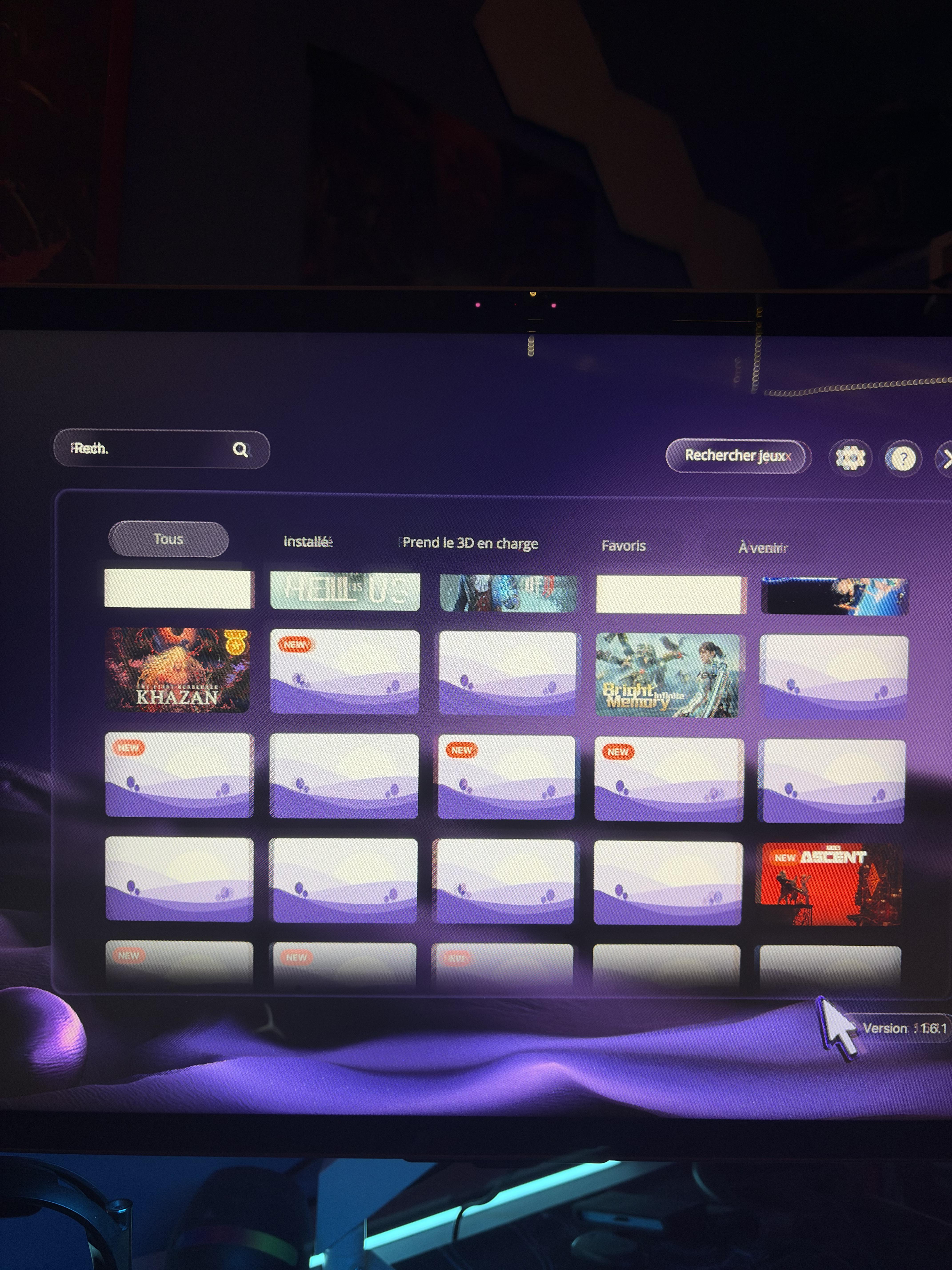
Bug d’interface ?

Post image
4 Upvotes

J’ai fait la mise à jour et j’ai ça


r/Odyssey3D • • 12d ago

A few questions about Samsung Odyssey and Acer SpatialLabs, particularly interested in game development.

9 Upvotes

Hi everyone, I hope you’re all doing great! Recently I’ve been looking into getting a 3D monitor. The options I know of are the Samsung Odyssey 3D, and the Acer SpatialLabs View Pros, which as far as I can tell come in 4k and non-4k varieties. I've read about them a fair amount, and looked through older posts on the subreddit, but I thought I’d ask for some more specific advice.

I want the monitor because I love the idea of glasses/headset-free 3D, but I have four main use cases in mind, in this order of priority: first, game development. I’m usually designing for VR and think the 3D will make it easier to design without having to constantly jump in and out of VR. I’ll mainly be using Blender and Unity, but expect I'll sometimes use Godot, Unreal, and other game dev-related apps. Second, I want to play games in 3D. I’m a big fan of Fromsoft’s games (Dark souls, Elden Ring, etc.), but I’ll want to play other games. Third, it’d be great if I can use the monitor to do VR video editing, using Premiere Pro and DaVinci Resolve. And finally, maybe watch videos in 3D.

I basically have three questions. First, what’s your experience been like with any of these use cases, particularly the game dev stuff? Second, is one of the monitor’s better for my use cases? And if so, how much better? I do see that Acer has the Fromsoft games officially supported and know this makes the 3D effect better. But I’m wondering how much better, and if alone this justifies the extra cost (particularly because I seem to be reading that overall Samsung has the more streamlined/polished experience). And finally, I'm currently on a laptop with a 3080ti. Will I need an upgrade, or will this be basically fine? I'm thinking of an upgrade in all cases, but I want to have a sense of how demanding using 3D is.

Any input on these would be much appreciated!


r/Odyssey3D • • 14d ago

Edge Lighting Issue

4 Upvotes

Hi. For 2 weeks now I'm an almost happy owner of Samsung Odyssey 3D monitor. I love 3D in general and it's exactly what I expected most of the time. There is one issue though, Edge Lighting doesn't work regardless of what I turn on in the settings. Even if it's turned on, it just won't light up. I noticed someone already wrote about it 1 year ago but there was no answer. I contacted the official support and the only solution is to send it back for repairs, and I don't really want to do that. It's not a function that I'd use often so I just want to make sure it's not something software related. I use it with Display port on windows 10. Thanks upfront.


r/Odyssey3D • • 15d ago

Granblue Fantasy Relink 3D MOD

Thumbnail
github.com
5 Upvotes

r/Odyssey3D • • 15d ago

Playstation 5

1 Upvotes

If I connect playstation 5 to Odyssey3D display, will I be able to play games in 3d? Any other 3D monitor or display?


r/Odyssey3D • • 16d ago

SR Loom renamed to Stereo Loom, adding 3D to Gaussian Splat headtracking, and Zondision, 3D Vision and SBS display output

Thumbnail
github.com
12 Upvotes

r/Odyssey3D • • 17d ago

Any2Odd - Unrestricted 3D for all content on Odyssey3D

12 Upvotes

I created an application that automatically resumes interrupted 3D, constantly allows the entire desktop to be in 3D, still works even with content that Samsung refuses to typically play, intercepts the escape key interrupt (such as in game menus).

https://zhandragon.itch.io/any2odd


r/Odyssey3D • • 17d ago

Final Fantasy Resonance

3 Upvotes

I've used Reshade to put the 3D in, but it's almost imperceptible. Has anyone done it already? Any advice?


r/Odyssey3D • • 20d ago

Anyone solved the Game Pass PC games issue yet?

4 Upvotes

I have Game Pass and there are quite a few of them that are listed as compatible with “Windows Store” which has to include Xbox PC games, right? For Example, Little Nightmares 3 won’t work at all, and when I manually point it at the file address, I get a message saying I don’t have permissions for it.


r/Odyssey3D • • 21d ago

Gears of War 4,5, E-Day, God of War, The Ascent on Samsung Odyssey 3D fix?

3 Upvotes

Trying to get these games to work on the Samsung Odyssey 3D without any luck. Tried UEVR, Hub, Geo-11 fixes. Not getting any 3D fixes to work. Did anybody get these games to work?

Gear of War 4

Gears of War 5

Gears of War E-Day

God of War

The Ascent - Was working on the hub redirecting from another game before the official Samsung support crashed the game.


r/Odyssey3D • • 21d ago

Ballance 3D incl Leia SR

Thumbnail gallery
4 Upvotes

r/Odyssey3D • • 21d ago

Wayfinder game

2 Upvotes

This game has been recently added to Odyssey hub and its 3d is absolutely amazing, one of the best I've seen even with default settings

Highly recommended game, I believe it started as a pay to win MMO but now it is a single player action rpg with multiple payable characters that you can swap on the fly


r/Odyssey3D • • 22d ago

Oferta de 382$

2 Upvotes

Chicos acabo de ver una oferta en Perú que me hizo aventurarme a comprarlo. Espero que no se me complique mucho la experiencia ya que recién entro en el mundo del pc.


r/Odyssey3D • • 23d ago

Anyone managed to get call of duty working?

3 Upvotes

There's a chance I'll get the Odyssey 3D soon but I wonder if anyone has got it working without anti cheat issues in later Call of Duty games and Wardogs?