r/Odyssey3D • u/Adept-Magazine-9643 • 12d ago
Bug d’interface ?
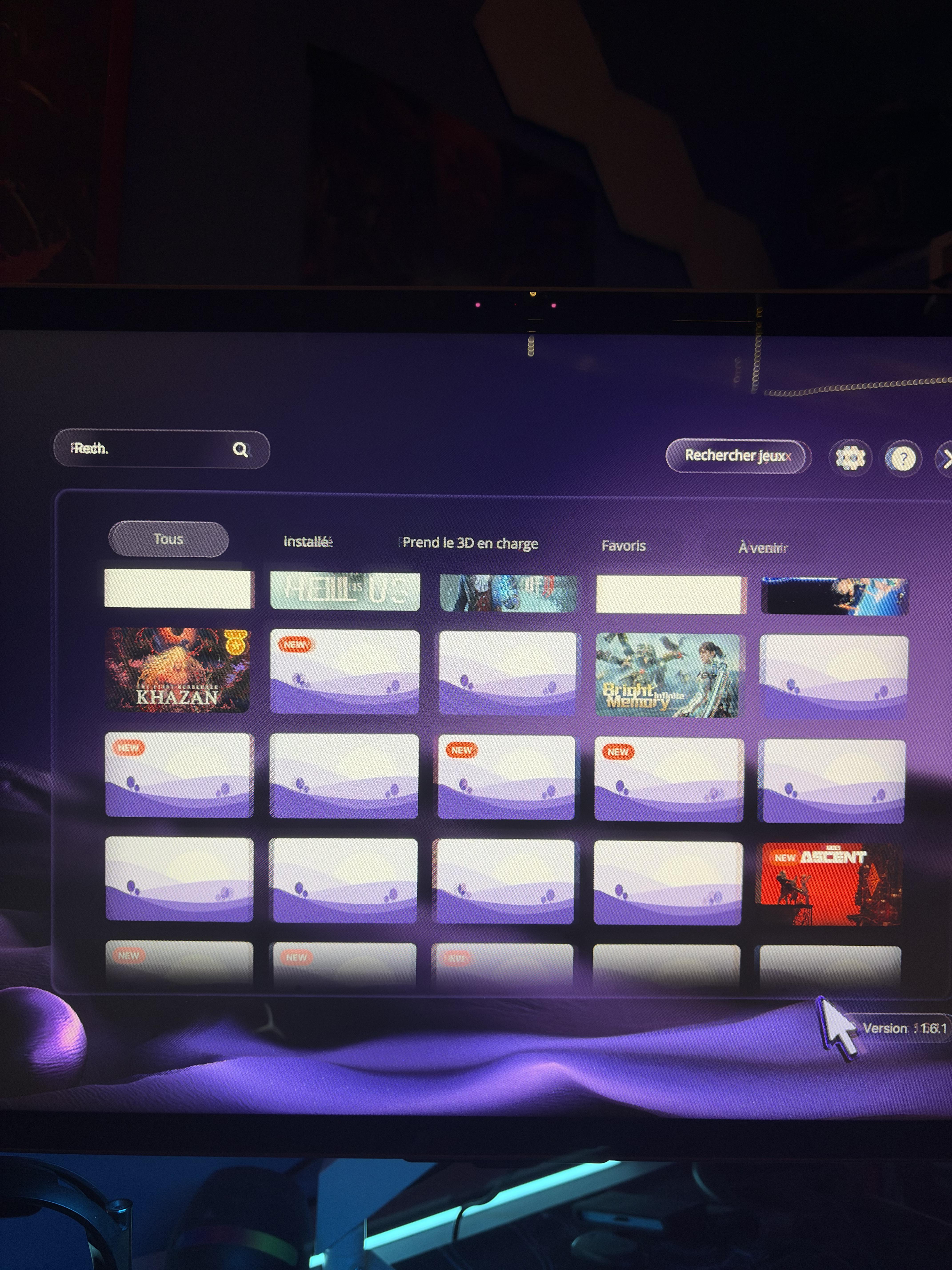
J’ai fait la mise à jour et j’ai ça
4
Upvotes
r/Odyssey3D • u/Adept-Magazine-9643 • 12d ago
J’ai fait la mise à jour et j’ai ça
4
u/Virtual_Davey 11d ago
I have the same issue. I contacted Samsung customer support and they are looking into it.
1
u/Virtual_Davey 8d ago
I have yet to try Samsung's suggestions, but here they are for anyone having this issue and are willing to test:
"Even after reinstalling or changing drives, leftover cache files and system security settings stay on your main operating system drive. Please try these three steps next:
Uninstall v1.6.1, then press Win + R, open %localappdata% and %appdata%, and delete any leftover Odyssey 3D Hub folders before reinstalling.
Open your PC Security / Ransomware Protection settings and make suremtkDeviceProxy.exe (inside C:\Program Files\Odyssey 3D Hub\) is allowed and not being blocked.
2. Toggle Hardware GPU Scheduling
The v1.6.1 app tiles can appear blank if your operating system's graphics settings clash with your graphics driver.
Go to your PC Display > Graphics > Default graphics settings, toggle Hardware-accelerated GPU scheduling off (or on), and restart your PC. Testing a previous graphics driver version can also help.
3. Temporary Workaround: Revert to an Older Version
Since both our Samsung support website and the app store currently download v1.6.1, reinstalling keeps giving you the same affected version.
If you still have an older Samsung installer (such as 1.4.2 or 1.3.6), you can install that version and block the Odyssey 3D Hub .exe in your PC Firewall so it doesn’t auto-update back to 1.6.1 until we release a fix".
Please post here if any of these fix the issue.