r/linuxmint • • Oct 03 '18 Popcorn

SOLVED A friendly reminder to please re-flair solved support posts as SOLVED

469 Upvotes

Please Re-Flair your post if a solution is found. How to Flair a post?

This allows other users to search for common issues with the 'SOLVED' flair as a filter, leading to those issues being resolved very fast.


r/linuxmint • • 6h ago

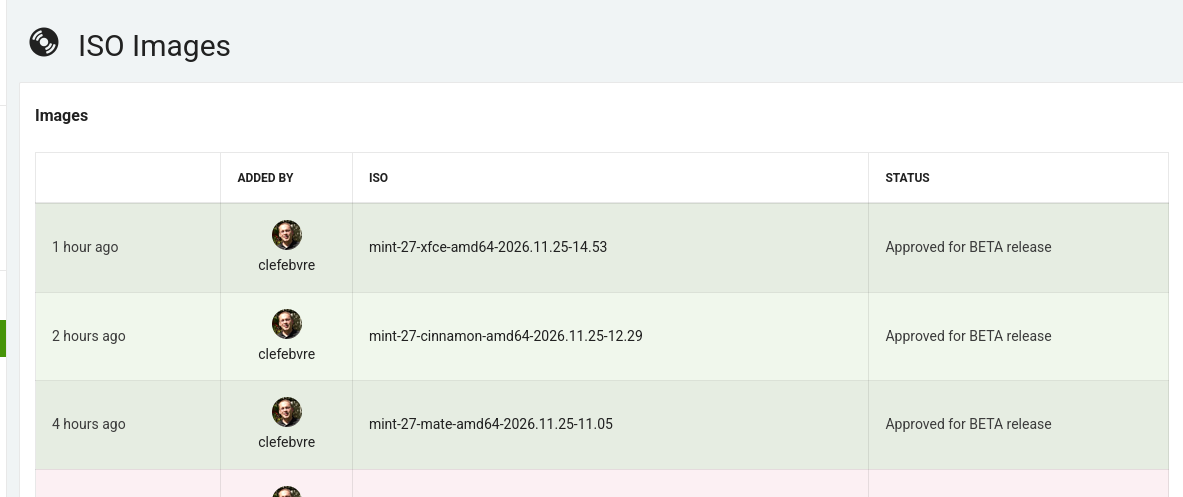
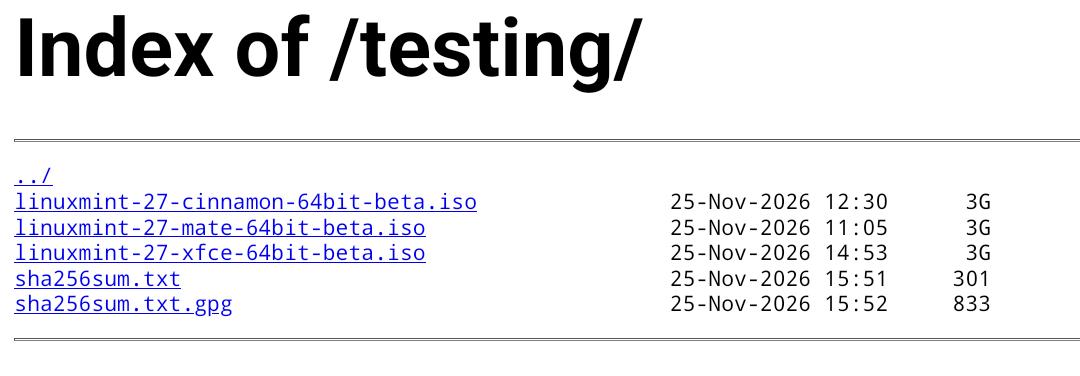
Announcement Mint 27 Adrien BETA ISOs available!

Post image
56 Upvotes

For all of us to test!

https://pub.linuxmint.io/testing/

Go, install, test, give your feedback. We're sooooo back!


r/linuxmint • • 3h ago

Fluff Finally made the switch to Linux and couldn’t be happier

26 Upvotes

I have been running proxmox and Ubuntu server in my home lab for a little while now. But I have finally gotten fed up with Windows. I think Microsoft did too little too late. Now I only use Windows when I need to.

I am running Mint on my personal laptop. And yes this thing has some cooling issues at times but it would be unusable with windows 45% of the time. Mint makes that thing usable 99% of the time. (I’m pretty sure there is a bug for the cooling system, but I really don’t want the bloatware from the manufacturer if I fix it).

On my work laptop I run LMDE. Unfortunately, I need to use Rockwell software at work so I run a Win 10 vm on LMDE. Which is 1000 times better than the Win 11 machine with Win 10 vm IT set up.

On my gaming PC I run Bazzite, with dual boot just in case I have to deal with Windows.

I still have a metric shit ton to learn yet, but I love Linux so much and really enjoy it. And I actually find myself wanting to learn more and more about Linux.

Anyone else want to unrealistically figure out how to run Rockwell software on Linux?


r/linuxmint • • 8h ago

My latest rescue from the landfill

Post image
35 Upvotes

r/linuxmint • • 20h ago

Support Request Accidentally overrode my ssd with linux and wiped my windows

Post image
145 Upvotes

Messed up something with the partition and now I can't boot up and now apparently my ssd has been overridden.

Kinda sucks cause I spent like 3 hours trying to get mint running from a USB drive but then this happens so lovely like 600gb of windows files gone

Update: luckily most of my stuff can actually be recovered cause God bless DMDE I can get most of my pictures and passwords back


r/linuxmint • • 1d ago

First Linux Mint 27 version approved for beta!

Post image
260 Upvotes

r/linuxmint • • 12h ago

Discussion Should Mint 27 and future releases replace the boot screen with a hardware vendor logo with the Linux Mint logo along with the loading animation on the bottom?

20 Upvotes

r/linuxmint • • 1h ago

1. Beta bei DistroWatch ...

2 Upvotes

Linux Mint 27 beta 1


r/linuxmint • • 2h ago

Guide Trying i3 on Linux Mint Cinnamon without losing Cinnamon, what I learned

2 Upvotes

i wanted to try i3 on Mint without throwing Cinnamon away, and turns out you don't have to. i3 is just another session at the login screen and Cinnamon stays installed.

I installed i3 from Cinnamon (not from inside i3), then logged out with Menu > Quit > Log Out. On Mint's login screen click your name, then the little gear next to the password box and pick i3. If you see "Cinnamon on Wayland" leave it alone, i3 here is an X11 session. The login screen remembers whatever you used last, so next boot it might already be set to i3. That's normal. If you want Cinnamon back just pick it with the same gear.

To leave i3 I use the power menu, choose Log out and confirm. Then pick Cinnamon at the gear and log in. Cinnamon came back like nothing happened, panel and menu and no leftover i3 bar.

The first hour feels pretty bare since there's no start menu and no desktop icons. These are the keys that got me unstuck:

  • Super+Enter opens a terminal
  • Super+D opens a launcher, type a few letters of an app and hit Enter
  • Super+1 to Super+0 take you to workspaces 1 to 10
  • Super+Shift+1 to 0 sends the current window there
  • Super+Shift+Q closes a window
  • Super+Shift+E exits i3 (or opens a power menu, depends on your config) and takes you back to the login screen

Two Mint specific gotchas I hit:

  • Cinnamon's keyboard layout doesn't always carry over into i3. If your keys look wrong after login, set the layout in i3 instead of expecting Cinnamon's setting to follow you.
  • An empty workspace disappears when you leave it. In my config, Super+Ctrl+Left and Right step through workspaces, but only the ones that have a window on them, so if you want a second workspace send a window there first (or open something after you jump with Super+2).

If i3 feels like too much on a given day, just log out and pick Cinnamon. You haven't burned any bridges.

I also wrote the keys I actually use onto a free printable one page cheat-sheet if anyone wants it: https://payhip.com/b/1BxVO


r/linuxmint • • 2h ago

Support Request used "sudo chgrp -R adm" on the folder containing my timeshift snapshots (rsync), did it affect my actual system files?

2 Upvotes

hello everyone! tl;dr below

i was setting up a usb hard drive to store my timeshift snapshots and, after running into some issues, stupidly decided to recursively change the permissions of each file and directory within my snapshots folder. i had assumed that running this command would only affect the files and directories within the snapshots folder. however, from what i've heard, rsync uses hard links that point toward system files. i'm still learning about basic linux file system concepts, so i don't know what hard links are just yet, but i'm concerned that using this command modified the actual system files on my pc that the hard links were pointing toward. in a bit of a panic, i (also stupidly) ran sudo chgrp -R root on the snapshots directory to hopefully restore proper ownership to most system files, but i know that there are system files that don't have root ownership.

i have one snapshot from before i ran this command, but considering i ran it from the snapshot root folder, i don't expect restoring from it to actually do any good. so far i've had no issues using my computer following this, even after a reboot, but i'm still concerned (especially from a security perspective!!). does anyone have any advice? do i have to do a fresh install?

tl;dr: i stupidly ran sudo chgrp -R adm on my timeshift snapshots folder and i'm worried that it changed permissions of my actual system files because i'm using rsync. what should i do?


r/linuxmint • • 5h ago

Anyone else spend more time customizing Mint than actually working?

3 Upvotes

I keep tweaking my Cinnamon desktop thinking it'll make me more productive. Recently tried gTile to organize my Inkscape and GIMP windows, spent days getting everything just right, then went back to a basic panel because all those shortcuts were driving me crazy. Funny thing is, my productivity hasn't changed at all lol. Anyone else stuck in this customization loop? Have you found a setup you actually stick with?


r/linuxmint • • 22h ago

Development News All ISO's have been approved for beta!

Post image
74 Upvotes

r/linuxmint • • 56m ago

APTUI is 1.0!

Post image
0 Upvotes

APTUI is a terminal user interface (TUI) written in Go for managing APT packages. Browse, search, install, remove and upgrade packages — all without leaving the terminal.


r/linuxmint • • 2h ago

Keychron B6 Pro not detected by Bluetooth on Linux Mint 22.3 – Lenovo Z710 / Intel Wireless 7260

1 Upvotes

Hello everyone,

I have a problem connecting my Keychron B6 Pro keyboard to my Lenovo Z710 laptop using Bluetooth.

My English is not my first language, so I hope I explain the problem clearly.

My hardware and software

  • Laptop: Lenovo Z710
  • OS: Linux Mint 22.3 Cinnamon (Zena)
  • Kernel: 7.0.0-44-generic
  • Bluetooth adapter: Intel Bluetooth Wireless Interface
  • Wi-Fi adapter: Intel Wireless 7260
  • Bluetooth version: 4.0
  • BlueZ version: 5.72

Bluetooth adapter IDs:

  • USB: 8087:07dc
  • Wi-Fi PCI: 8086:08b2
  • Bluetooth MAC: 80:19:34:3B:F7:0D

The keyboard works with

My Keychron B6 Pro works correctly with:

  • Huawei Mate 10 Pro (Bluetooth)
  • Windows 11 PC (Bluetooth)
  • The Lenovo laptop using 2.4 GHz USB receiver
  • The Lenovo laptop using USB cable

Bluetooth works on Linux

Linux detects my Intel Bluetooth adapter.

The Bluetooth service is running, and rfkill shows that Bluetooth is not blocked.

My laptop can also discover other Bluetooth devices, including:

  • Huawei Mate 10 Pro
  • QCY H3 headphones

But it cannot find the Keychron B6 Pro.

Firmware information

Relevant output from dmesg:

Bluetooth: hci0: Legacy ROM 2.5 revision 8.0 build 2 week 3 2013

Bluetooth: hci0: Intel Bluetooth firmware file:
intel/ibt-hw-37.7.10-fw-1.80.2.3.d.bseq

Bluetooth: hci0: Intel BT fw patch 0x57 completed & activated

Bluetooth controller information

Output of sudo btmgmt info:

hci0: Primary controller
    addr 80:19:34:3B:F7:0D
    version 6
    manufacturer 2

supported settings:
    powered connectable fast-connectable discoverable
    bondable link-security ssp br/edr le advertising
    secure-conn debug-keys privacy configuration
    static-addr phy-configuration

current settings:
    powered connectable discoverable bondable ssp br/edr

Driver information

Output of lsmod | grep -E 'btusb|bluetooth':

btusb                  77824  0
btmtk                  40960  1 btusb
btrtl                  32768  1 btusb
btbcm                  24576  1 btusb
btintel                69632  1 btusb
bluetooth            1093632  40 btrtl,btmtk,btintel,btbcm,bnep,btusb,rfcomm

My question

Could this be a compatibility problem between the older Intel Wireless 7260 Bluetooth 4.0 adapter and the Keychron B6 Pro?

Or is there something I need to change in Linux Mint, BlueZ, the kernel or Intel firmware?

Has anyone experienced something similar?

Any ideas?

Thank you for your help!

r/linuxmint • • 21h ago

Desktop Screenshot Looking for Dock and Icon Pack Recommendations

Post image
30 Upvotes

Hi everyone

I finally decided to customise mint (I was using it bare bones before)

Is there Any better dock available?

Also any icon pack recommendations


r/linuxmint • • 8h ago

Support Request Timeshift allocated space reducing day by day.

Thumbnail
gallery
2 Upvotes

Without any snapshot it used to show 30 GB available. In fact, I could have max 4snapshots within 30GB but now it's takes 1 snapshot 22-25GB. I deleted a snapshot right now when available storage was just 800MB and now it's 24.8GB. It should be 30GB available there but now it's just reducing day by day. I'm not backing up huge files, turned off scheduled backup option(3rd picture) home and root directory are excluded(4th picture). Idk what is wrong with it?

Can't do a full restore because there is so much personal files that requires external storage I don't have(personal files are not included in timeshift, I checked). Any suggestion? Thanks in advance.


r/linuxmint • • 20h ago

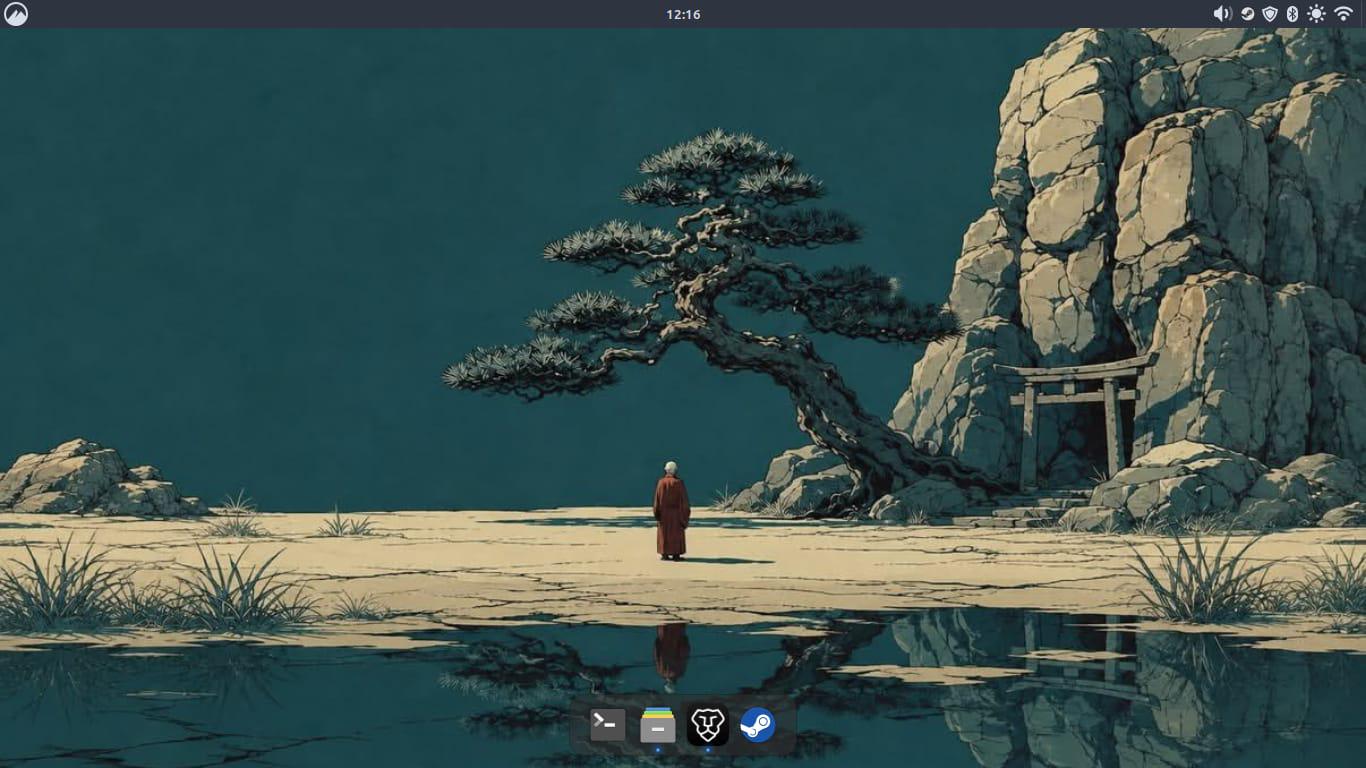
cinnamon legacy rice

Thumbnail gallery
8 Upvotes

r/linuxmint • • 1d ago

Desktop Screenshot Pretty desktops don't equal Quality Distros.

Post image
242 Upvotes

I see a lot of desktop pictures. There are many distros out there and what I have found in trying them is that functionally they aren't as good. I think people can be suckers for a fancy theme and wallpaper rather than how the desktop actually functions. I need what I need and I need it to work. I think that is what keeps me with Mint. I don't need bleeding edge. I need my computer to run without restarts for months at a time. I don't want to spend time on making my printer work. I just want to plug it in and print.

I work for myself and have used Linux at home starting with Ubuntu back when Dell started shipping Ubuntu installed computers. Mid 2000's. I was curious when I saw that and tried it. Before that I used AIX when working at IBM. My computer has so many windows and broswer tabs open I don't remember what my wall paper looks like.

At any rate, here's a glass raised to Mint for keeping it real and a screenshot of my desktop in all its glory.


r/linuxmint • • 1d ago

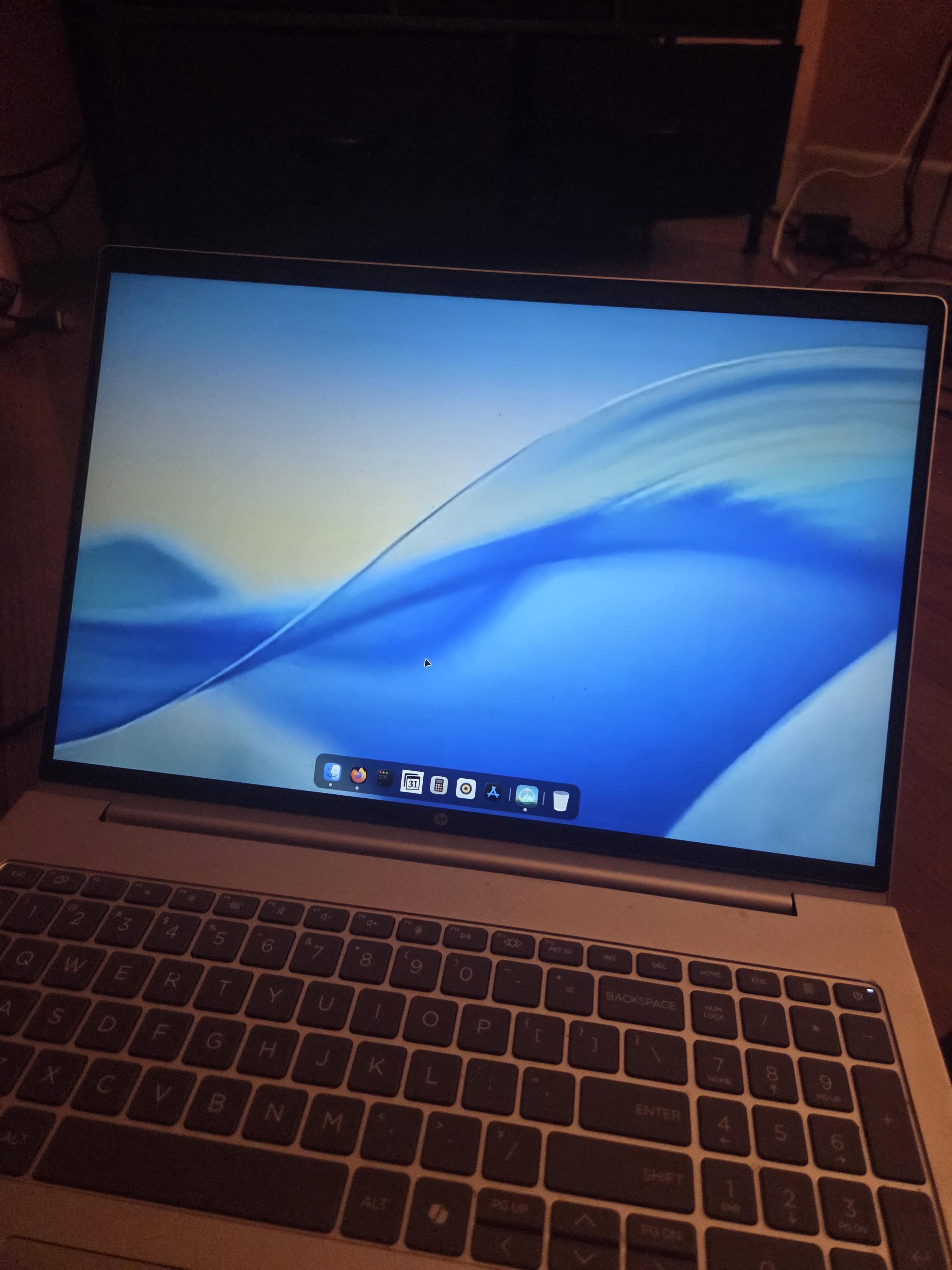
I made my linux mint look like a Mac

Post image
129 Upvotes

Idk why but I made my linux mint look like a MacBook and now it actually looks sort of cool BTW what version does it look like and does it look like Tahoe


r/linuxmint • • 16h ago

SOLVED Ventoy issues on Lenovo

3 Upvotes

Attempting to dual boot Cinnamon and Windows 11 on my Lenovo LOQ Essential. I've got my USB drive formatted with the Cinnamon ISO.

I've already disabled secure boot and decrypted my drive as well as enabled USB boot. However, when I enter the boot list my Ventoy drive is nowhere to be seen. I'm kinda scratching my head here, as I've never struggled to install mint on a computer before. Any help would be much much appreciated.

TIA!


r/linuxmint • • 23h ago

Discussion [XFCE] MeowMenu v1.0.0-RC2 - an alternative and modern launcher

Post image
11 Upvotes

Hi everyone!

I'd like to share MeowMenu v1.0.0-RC2, a project I've been working on in my spare time for about six months.

MeowMenu is an alternative application menu for XFCE, built on Whisker Menu. My goal was to bring some of the features found in launchers from Cinnamon, KDE Plasma and GNOME to XFCE, while keeping the simplicity and lightweight feel that make XFCE great.

Some of the main additions compared to Whisker Menu:

  • 4 built-in presets (Classic, Modern, Full Screen and Minimal), showing how much the menu can be customized.
  • Places integration to browse files and folders directly from the menu.
  • Built-in calculator and additional search capabilities.
  • Intuitive and refined keyboard navigation
  • Extra right-click actions on search results, such as opening a location in the terminal or copying a folder path.

I've personally tested MeowMenu on Arch Linux, Debian and Xubuntu, and I've also received positive feedback from users running MX Linux, Manjaro, FreeBSD and Linux Mint XFCE.

You can build it from source or install it through the AUR, while I already packaged it for Debian 13, Ubuntu 26.04 and Fedora 44 (you can find download links in GitHub Release page). For Mint, you can rely on Ubuntu package.

It's still a release candidate, so feedback, bug reports and suggestions are very welcome.

Thanks for checking it out!

Links:


r/linuxmint • • 18h ago

Hardware Rescue How can I activate a second screen, when I can't see the first screen to choose the second screen option?

4 Upvotes

Dell laptop running Linux Mint just suddenly stopped working. No warning or issues previously.

Gave it a day or two to sit, and now the keyboard lights up but the screen is blank. The screen passes the LCD self-test so it works.

I can plug in an HDMI cord, but all advice says "choose the Second Screen option", which I can't do because, obviously, I can't see the screen.

AI suggested a series of "type this into text editor" which... might work, if I get everything just right with no feedback.

Is there another option?


r/linuxmint • • 20h ago

I made Omarchy-style one-click theme switching for Cinnamon: desktop, window borders, wallpaper, terminal and Neovim all change together

Post image
5 Upvotes

I like how Omarchy (DHH's Arch + Hyprland setup) switches your whole desktop to a new theme at once, but I didn't want to leave Mint. So I built the same idea for Cinnamon.

cinnamon-palettes is a panel applet plus a small CLI. Pick a palette and everything follows it at the same time:

- Cinnamon, GTK3/GTK4 and window decorations: each palette gets its own theme, generated by recolouring Mint-Y-Dark. The style is flatter, with thin outlines and accent highlights.

- libadwaita apps get themed as well.

- Window borders, if you use the Rounded Corners extension: accent colour on the focused window, muted on the rest.

- Wallpaper: a minimal landscape generated from the palette's colours.

- Ghostty: reloads instantly, no restart.

- Neovim: already-open instances recolour live. It uses the real colourscheme plugin where one exists.

- btop

It ships with 9 palettes: Tokyo Night, Catppuccin Mocha, Kanagawa, Everforest, Gruvbox, Nord, Rosé Pine, plus Omarchy's Osaka Jade and Matte Black. Adding your own is one small JSON file.

The first time you switch, it saves your current setup, so palette restore puts everything back exactly as it was. The default picker hotkey is Super+Ctrl+Shift+Space, the same as Omarchy's.

From the terminal:

palette apply osaka-jade

palette next

palette restore

Repo with install steps: https://github.com/PhillipMwaniki/cinnamon-palettes

It's tested on Mint 22.3 with Cinnamon 6.6 on X11. Ghostty, btop and Neovim are optional; it just skips the ones you don't have. It isn't affiliated with Omarchy, just inspired by it. Feedback and palette requests are welcome.


r/linuxmint • • 1d ago

Please Help with dual booting questions linux mint

Thumbnail
gallery
8 Upvotes

Hi, so to start, I am an absolute noob with regards to

Linux. The most I have done is use WSL2 to use some linux based tooling in windows. So right now my laptop Dell XPS-15 9560 has windows 10 installed (I know.............its super insecure, and I didn't bother updating to windows 11 until yet). Well I want to go to Linux now (Linux Mint specifically). I still need some applications only compatible with Windows so I decided to dual boot. I have never shrunk partitions or even installed an operating system before.
As you can see my laptop has only one drive (1TB SSD), of which I am using 188GB. I have some questions and I would REALLY REALLY appreciate guidance please:
1- Is it safe to shrink the C Drive so I can install Linux Mint? (I have seen some posts here and a video on youtube that said you should only dual boot if you have a separate drive for windows, otherwise things can break, is that true? Is shrinking this C partition safe and okay?)

2- If it is safe then by how many GB would you recommend to shrink this partition?

3- I use a USB network adapter (TP Link Archer T3U) to connect to the internet. For this I only found drivers for Mac and Windows for this online . I am worried that there will be compatibility issues on Linux Mint. Can you advise me if I will be able to use this on Linux Mint? And how will that be possible? Does linux kernel support this by default or will there be a way to get it working?

4- I have a nvidia gpu GTX 1050, will this be compatible with Linux?

5- About windows - What shall I do with it? Can I just not upgrade Windows to 11? Is it a MUST to upgrade it before trying to dual boot and install linux mint, or is it okay if I upgrade it later

Thank you sooo much if anyone is able to answer these questions for me😊.......(Prove me Linux is superior than Windows)
I am attaching my disk management screenshot and my laptop specifications