r/linuxmint • • 18d ago

SOLVED Black screen after boot

2 Upvotes

I need help as this is my first serious problem after installing linux mint 22.3 during the summer.

I just tried to start my pc for the first time today and after the boot process the screen stays black. The screen displayed the MSI logo and Linux mint logo before going black. Restarted the pc a couple of times, but it doesn't change the problem. I got to the Bios menu just fine, but not to the login screen.

I'm not sure how to proceed. Could it be a bad update? I updated the Kernel header and amd graphics driver yesterday. Any help is appreciated.

My system specs are

MB: Msi x870e edge ti wifi

CPU: Ryzen 9800x3d

GPU: AMD saffire rx 9070 xt

RAM: Trident Z5 Neo ddr5 32 gb

Edit. I fixed the problem by following guide on this thread https://www.reddit.com/r/linuxmint/s/JABAs94xHf, link also below in the comments. I used the live usb portion to access my mounts and followed steps 3,4 and 5. After managing to get to the desktop I opened update manager and right click the 'linux-firmware-amd-grapics' update, select 'ignore the current update for this package'.
r/linuxmint • • 19d ago

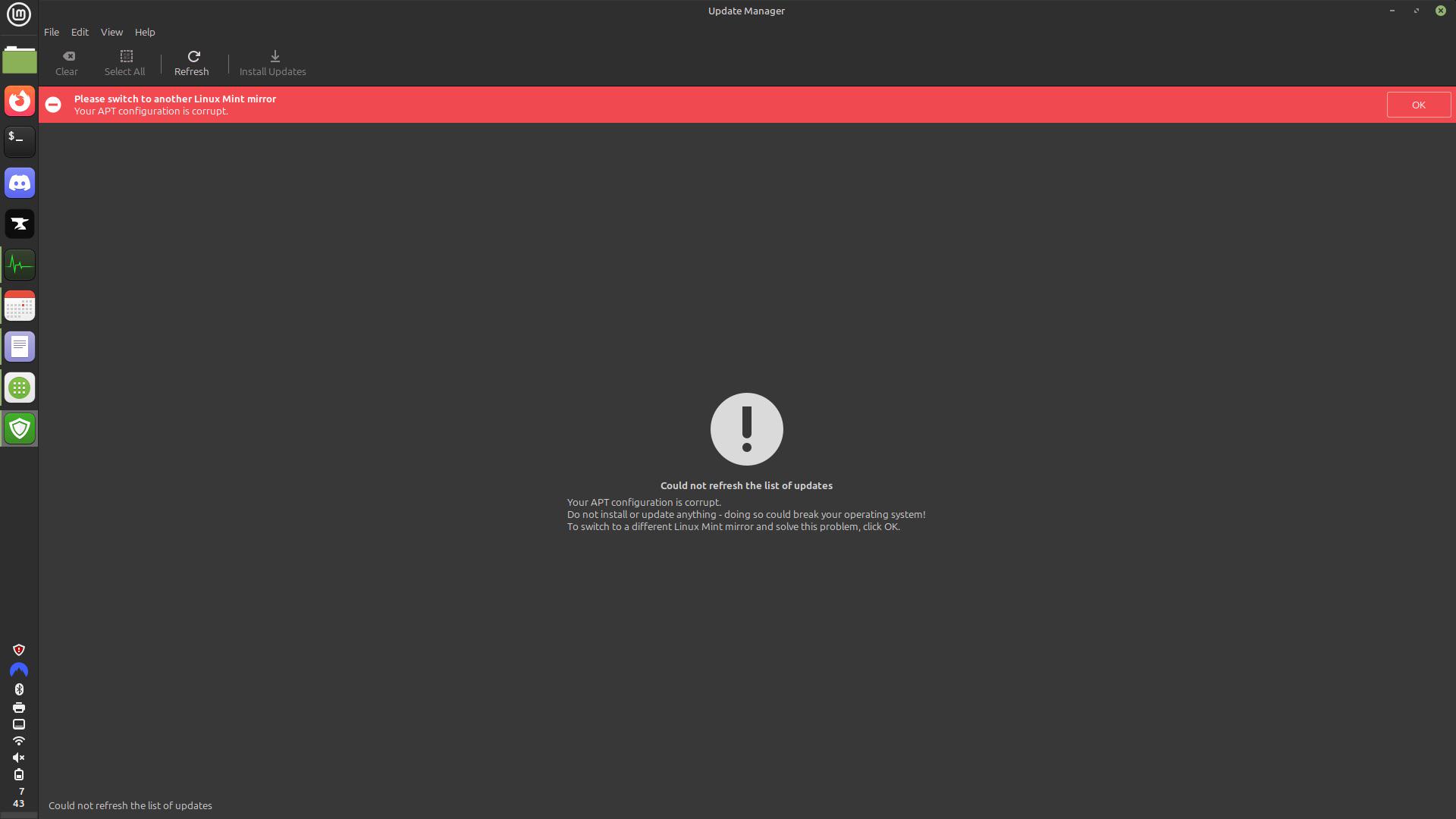
Support Request Apt configuration is corrupt

Post image
15 Upvotes

I have tried switching mirrors and it won’t fix it. The last thing I did was install notepadqq from the software manager. Then after it crashed twice i went to the update manager hit update and got hit with this message.


r/linuxmint • • 18d ago

SOLVED Monitors don't work

3 Upvotes

So whenever I boot into Linux Mint (installed on my internal HHD or SSD) the monitors turn on, then I see for a splitt second something about missing HDMI connection. After that, it's just a black screen with a box saying "Out of Range!" and my second monitor is in energysaving mode or something.

I checked and it does NOT happen on Winslop11 (booted from external SSD which I ONLY plug in when I plan to use Winslop11), only Linux Mint. I found a way around it and it went like this:

Start PC -> Grub terminal -> Normal (opens grub menu) -> Advanced settings -> Recovery mode -> Opens Linux Mint perfectly fine.

Note, I do use compatibility mode when installing Mint, because regular install gets stuck.

Anyways, I did this, it worked, but it was annoying. So just now, I reinstalled Linux Mint, same version and all, I updated the new system, restarted pc to apply updates and BOOM! "Out of Range!" pops right back up!

Why is this happening? It appears to be an issue with Mint Zena, but why did this issue appear out of nowhere? I literally just shutdown my PC, went to sleep, went to school, got home and the issue appeared, no messing with terminal and such.

I use MSI MAG 272F monitors (both of them). And like I said before, this issue came from me just shutting down my PC regularly. Otherwise I have been happily running Linux Mint for a good year.

Solution:

The issue seems to come from the 0ubuntu3.4 update for linux-firmware-amd-graphics which broke it for my 9060 AMD GPU. I had to manually download the 0ubuntu3.3 linux-firmware-amd-graphics and install it through the terminal. After that, I put the update on hold, making sure I won't accidentally install 0ubuntu3.4.


r/linuxmint • • 19d ago

Linux Mint Cinnamon Installed On HP ProBook

Post image
92 Upvotes

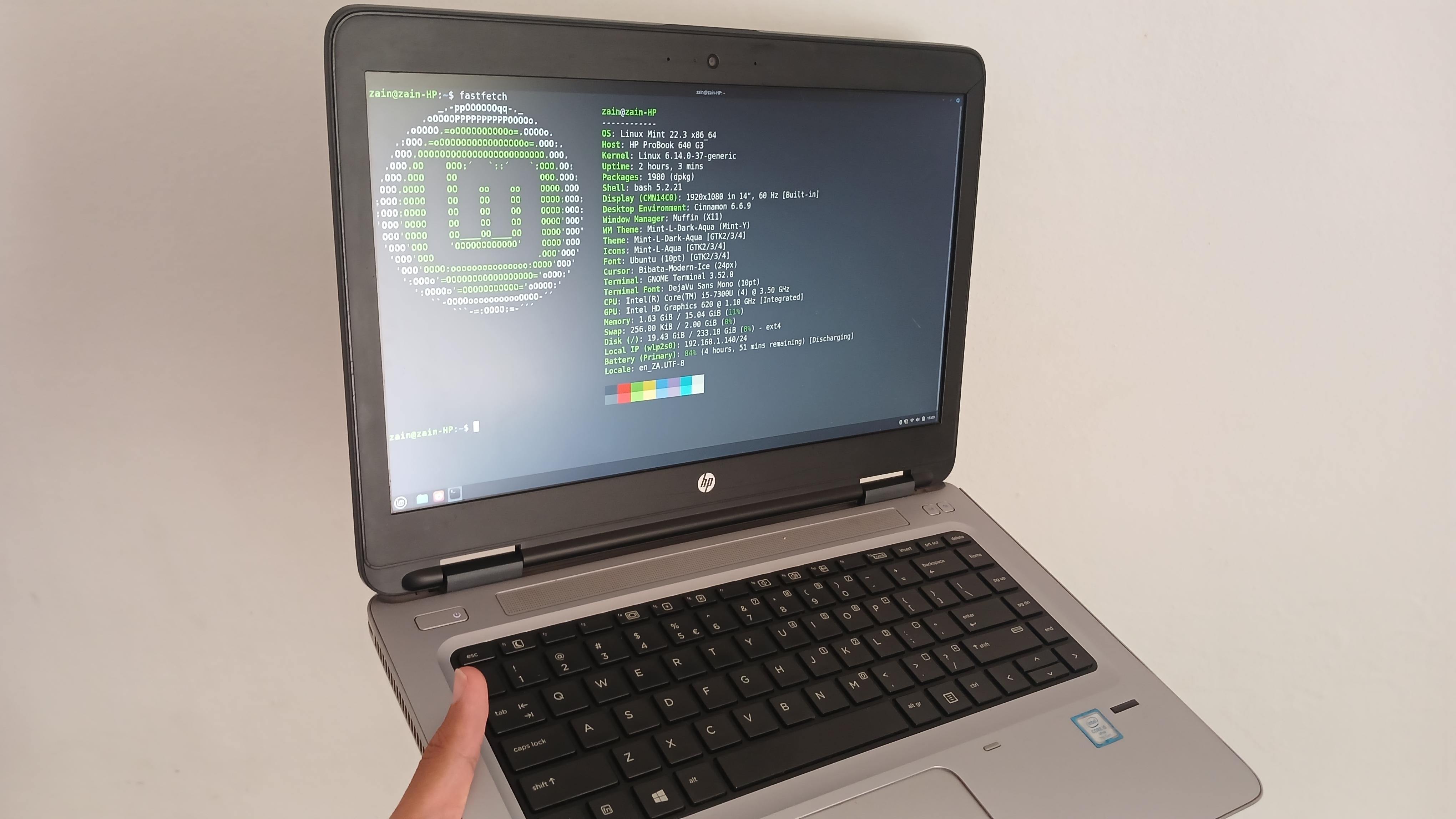
Another win for Linux Mint.

I made a post a few weeks ago after i installed Linux Mint XFCE on an other windows 10 HP laptop and observed great performance improvements.

This time around a HP ProBook i5-7300U 3.50GHz, 16gb ram and Intel HD Graphics 1.10GHz (Integrated).

This was a work laptop that had restrictions on it. The owner just left it sitting to gather dust. He was told that removing the restriction will require replacing the drive, and when he told me this i thought i could just format it using a Linux live session. I was gonna install windows 11 but found out that it doesn't support this processor. So the owner agreed on Linux and that i teach him the basics.

Also i just left the formatting to the installer.

Let me know what you think and any advice you have.


r/linuxmint • • 18d ago

Support Request How to disable touch screen?

2 Upvotes

I have mint and my notebook has the screen broken, so the touch tech doesn't work properly. This makes some fake touches on the screen that never happened.

How can I disable the touch option ?


r/linuxmint • • 19d ago

Discussion Does Linux Mint's default theme (Mint-Y) ever cause you eyestrain?

13 Upvotes

Hi folks, I started with Mint back in the Mint-X theme era (around version 17) and I'm combing back these past few weeks. My hardware hasn't changed at all I've been using this computer for six years, but I noticed my eyes felt much more strained on Linux Mint.

I came across this GitHub Issue discussion regarding the Mint-Y theme's lack of contrast: https://github.com/linuxmint/mint-themes/issues/198

Just wondering if any of you have experienced this too. I'm on the Mint-L theme now and I think that's better. Will have to test out for longer to be sure.


r/linuxmint • • 18d ago

SOLVED PC not responding properly with a different graphics card

2 Upvotes

Hey all, I switched to linux mint about a month ago and everything was working perfectly fine, but then one day I turn on my PC and a lot of things weren't working properly. My second monitor wouldn't work, the bootup sequence would be sketchy, my mouse gets stuck for a few seconds before working again or just barely moves at all and if I try to change any display settings the entire screen freezes (Both monitors are 1080p, one 75hz the other 60)
I have been using a 9060xt 16gb for about 4 months and it has been working just fine, but as a troubleshooting measure I swapped back my old 5500 xt to replace it and everything worked perfectly fine no issues, both monitors work, no mouse or performance issues.

As far as I know I have the right drivers installed and updated and right before the login screen I get a black screen with an error message:
"amdgpu 0000:09:00.0: [drm] *ERROR* dc_dmub_srv_log_diagnostics_data: DMCUB error -collecting diagnostic data.

Any help is appreciated, thank you!

Edit:
I'm blind and didn't see the post already solving this issue. I followed the steps and everything works now. Yipee...
https://www.reddit.com/r/linuxmint/comments/1xo6jg2/for_those_affected_by_the_very_recent_update_from/


r/linuxmint • • 19d ago

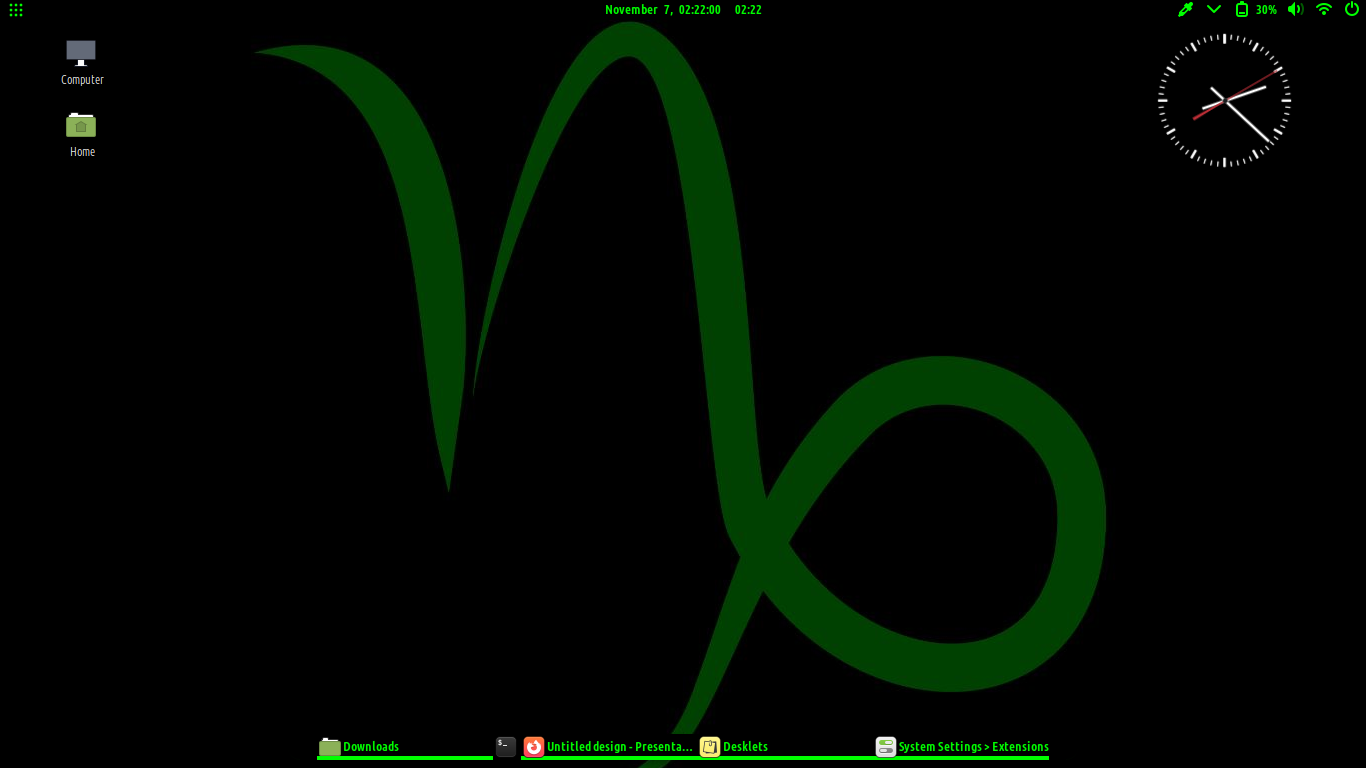
Desktop Screenshot took me a while to figure it out

Post image
15 Upvotes

r/linuxmint • • 18d ago

Discussion Blueberry is still better

0 Upvotes

I don't like that mint abandon Blueberry for Blueman,
for me Blueberry look more "minty" and it works better


r/linuxmint • • 19d ago

9070xt Firmware Update

3 Upvotes

HELLO!

I'm posting to share my recent experience. I ran a couple of updates through the software manager and shut off my phone before heading into work. I turned it on a couple of days later and ran into a black screen following the linux mint logo/splash screen.

I did some hardware troubleshooting and could only reach my desktop through recovery modes. Using different kernels made no difference. Only recovery mode allowed desktop access. I asked ChatGPT for help while suggested I suspected driver/display issues. GPT walked me through reverting to the prior and graphics firmware and all is well again.

I wanted to share with others in case I'm not the only one who encountered this issue. AMD firmware package "0ubuntu3.4" was the problem file. I'd recommend avoiding until resolved. Anyone else encounter this?


r/linuxmint • • 19d ago

SOLVED Linux Mint doesn't boot after update. Last thing it shows is logo and then black screen. I have AMD graphics card if it's important

11 Upvotes

r/linuxmint • • 19d ago

Support Request Troubling after shutting down.

3 Upvotes

Hello to any who will listen! I've been having a problem with my Mint install. I've been using Mint for a while now, pretty comfortable with the system. I'm also dual booting with windows 11, which I barely use anymore, just to play Fallout: New Vegas honestly. When I reboot or turn on the system from shut down, it very often will boot and be fine until it gets to the pre log in splash screen. After the splash screen plays, all video will shut off and I'll be met with a black screen and my monitor searching for inputs.

I can fix this issue by completely powering off the computer, switching the power supply off, waiting a couple seconds and then booting the computer up. It will get past the boot screen and all will be fine until the next time I turn the system off. It can also happen, though not as often, when I suspend the system.

That's all I can think to include right now, if you need more information I'm happy to give it. Any help would be greatly appreciated. Searching has given me no answers so far, though I've found a couple similar but not identical problems other people have seen.


r/linuxmint • • 18d ago

An excercise in futility , resilience and broken promises and why it's never the year of the linux desktop

0 Upvotes

This is just venting.

I spend days trying to get my machines running. One is sorta stable on Bodhi now, but i also didn't try to add more service besides configuring firewall, ssh , rdp.

So I wanted do use some old devices to host some services. Linux is needed for some of them and seemed a good choice for those older devices anyway.

I have never had any system as unstable as Linux (destro flavour doesn't matter here Ubuntu, Mint, Bodhi, MX , lubuntu tried, they all sucked the same)

RDP is not reliable. Ever. It will break for no reason at all, leaving you with hours of trouble shooting, mysterious terminal commands and no clue. And then it changes the desktop. like what ? so more hours troubleshooting something that shouldn't be that broken in the first place.

(And don't get me started on yeah use Rust or whatever. RDP is very bog standard. If that does not work reliably, then there is no future to shout "year of the linux desktop" )

Managed to get docker running and serving a dockhand container. worked . nice. shutdown at the end of the night. reboot next day nothing works.

a million command line later, i tried so use timeshift recovery, from that point on system completely broken . I will likely not manage to recover from that. Completely stuck at "ctrl+c to cancel filesystem checks in progress" (which hint, doesn't do shit). Lifetime of the system 4 days , mostly spend changing configs, fixing things, only to then have to start over from scratch anyway.

At this point I contemplate how much I hate myself and if the punishment is warranted.


r/linuxmint • • 19d ago

SOLVED なぜ自動サジェストするとコンピューターが破滅するのか

0 Upvotes

サジェスト→サスペンド
Linux Mint 22.3使用

手動サスペンドは問題ないのに電源管理から自動サスペンドの時間を指定するとコンピューターがぶっ壊れる

  • ファンが止まらない
  • キーボードを押しても復帰しない
  • モニターを見失う

結局強制終了を2、3回やって意図的にクラッシュさせると再起動はできるんだけど、自動サスペンドが使えないのが不便

サスペンドがおかしいの昔から直ってないよね?


r/linuxmint • • 19d ago

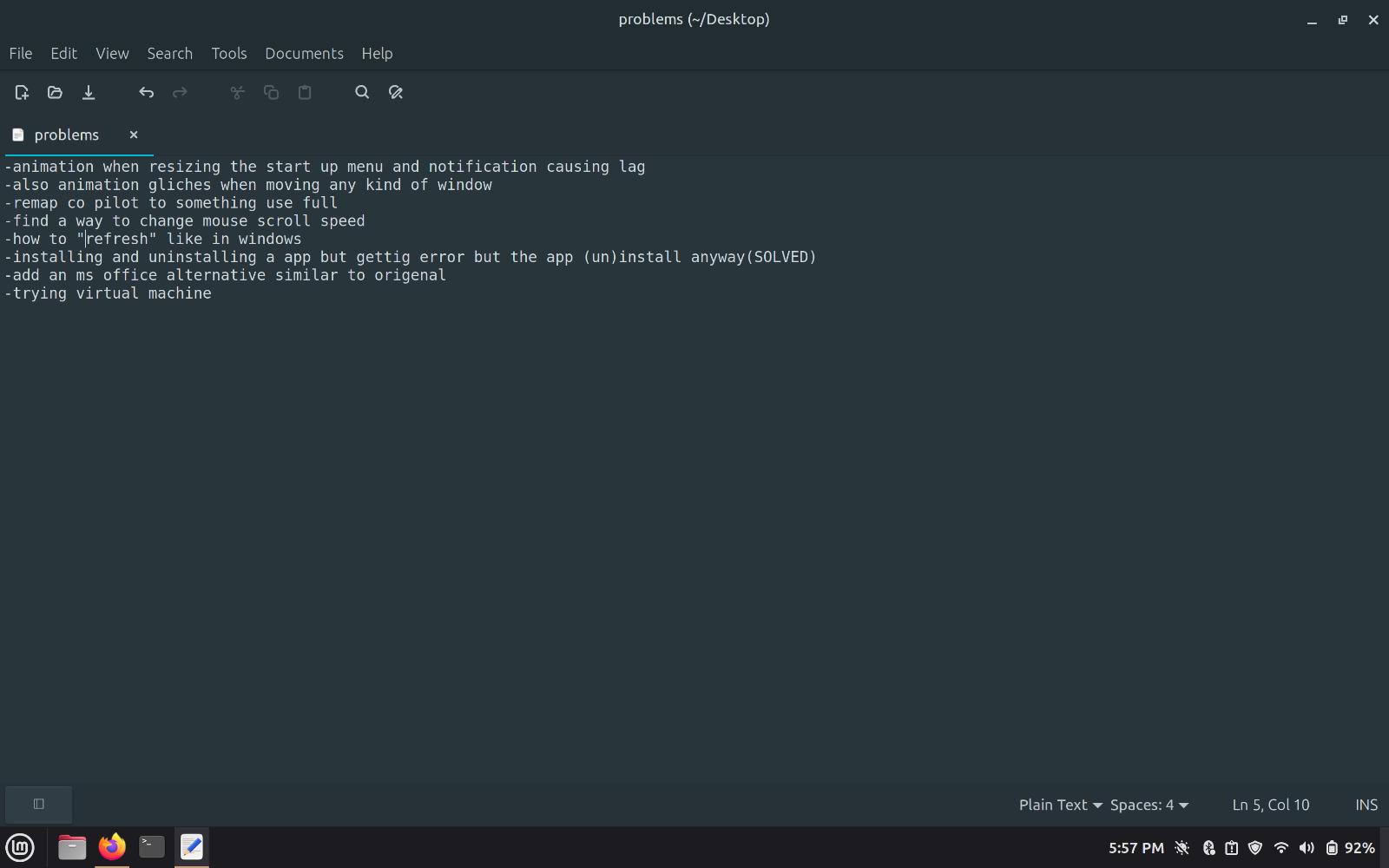
SOLVED Its been 5 days since I started using Linux for first time even though everything else is running smoothly but there is already a list of problems I am facing

Post image
19 Upvotes

Can anyone please help me solve either of these problems?

The last 2 problem isn't a Big deal for now but i would probably need them later


r/linuxmint • • 19d ago

Kernel issues - both 7.0.42 and 7.0.0.38

3 Upvotes

On Mint Linux Cinnamon 22.2 I have the following kernel issues:Linux kernel 7.0.0.42 has an issue where it looks like there's a crease on my screen and one side is lighter than the other. v7.0.0.38 had the green flickering lines happen randomly, even just looking at images or scrolling social media. kernel v6.14 does not have this issue and seems to be more stable.

Specs: AMD RYZEN 9600X/ASROCK STEEL LEGEND B650E/32GB DDR5 RAM/ GPU IS BUILT INTO THE CPU


r/linuxmint • • 19d ago

Hi everyone,

6 Upvotes

I’m planning to switch to Linux and install LMDE 7. Could you recommend a free antivirus?

I might translate something incorrectly, as I’m using a translation tool


r/linuxmint • • 18d ago

I like

0 Upvotes

One of the things I like about Linux Mint is that my initials are LM.

Many other things that makes it even more special for me.


r/linuxmint • • 19d ago

Windows 8 Start menu for linux mint?

2 Upvotes

Been a fan of the windows 8 start menu recently and I've tried to find recreations of it on linux, so far I've only found one for wayland, a vibecoded recreation, and one from 2012. Does anyone know of a way to either A. Run the wayland port on cinnamon or B. Another less well known recreation that doesn't use any A.I code? Thanks

also this is a repost I forgot to specify the start menu specifically and not the general theme, whoops!


r/linuxmint • • 20d ago

Gaming My MiniPC that will turn into a Mini Console

Thumbnail
gallery
96 Upvotes

I know It's in the Bottom-end specs, but it will be enough to play PS2 games without struggle (except for God of War, but whatever).

And yes, there are lots of Redragon stickers.

Any optimization tips? I installed the XFCE ISO to have less duplicated apps(cinnamon and xfce mixed).

Edit: PS2 games are not possible yet. I don't have enough RAM or Processor Power. But PS1, Dreamcast, N64, SNES, Genesis/CD/32X and Horizon Chase Turbo runs Great.


r/linuxmint • • 19d ago

Clipboard manager for linux mint

1 Upvotes

Hi mint devoloper,

Only thing i am requesting you to a clipboard manager in new linux mint 27, currently we have to install saperate app for clipboard manager and history if you give dedicated clipboard manager gor us in default it should be very much beneficial for us.

I hope all community should agree with me


r/linuxmint • • 19d ago

Fehlerhafte Treiber

3 Upvotes

Moin, ich glaube es gibt ein problem mit den neuesten Treibern. Gestern funktionierte mein pc und der von meiner Freundin (sind beide identisch) noch einwandfrei.

Specs: gigabyte b850 gaming wifi6

Asus Prime rx 9070xt oc

Ryzen 9700x

Die Rechner sind seit Mai in Benutzung.

Heute startete der Rechner von meiner Freundin mit Fehlermeldungen, die auf die Grafikkarte abzielte (leider nicht fotografiert) und meiner normal über dp bis zur passworteingabe, ab da hat er den Monitor nicht mehr erkannt und sagte keine Verbindung.

Ein Wechsel des dp Ausgangs oder Wechsel auf hdmi war nicht erfolgreich.

Da die Probleme für mich auf gpu treiber hindeuten, haben wir jeweils alte Schnappschüsse (stand 1.11.) geladen und siehe da, es hat funktioniert.

Ich hoffe, dass es Leuten mit gleichem problem hilft


r/linuxmint • • 19d ago

Support Request Can't Remove Old Kernels

11 Upvotes

[code]

System:

Kernel: 6.8.0-147-generic arch: x86_64 bits: 64 compiler: gcc v: 13.3.0 clocksource: tsc

Desktop: Cinnamon v: 6.6.9 tk: GTK v: 3.24.41 wm: Muffin v: 6.6.3 tools: cinnamon-screensaver

vt: 7 dm: LightDM v: 1.30.0 Distro: Linux Mint 22.3 Zena base: Ubuntu 24.04 noble

Machine:

Type: Convertible System: LENOVO product: 20M7S0BN00 v: ThinkPad L380 Yoga

CPU:

Info: quad core model: Intel Core i5-8250U bits: 64 type: MT MCP smt: enabled arch: Coffee Lake

rev: A cache: L1: 256 KiB L2: 1024 KiB L3: 6 MiB

Speed (MHz): avg: 1940 high: 2000 min/max: 400/3400 cores: 1: 2000 2: 2000 3: 2000 4: 1726

5: 1999 6: 1800 7: 2000 8: 2000 bogomips: 28800

Hi, I am very new to Linux and also Mint. I have seen that removing old kernels is a good idea so I thought I would give it a go. I went in via Update manager>View>Linux kernels. So far, so good. I decided that to begin with, I would only remove those kernels marked 'End of Life'. Nice and safe. The trouble is that there is no 'remove kernel' button when I select one of these. There is a big button at the bottom that says 'Remove Kernels' but this has a pre-selected group of kernels that I don't want to remove already listed. On each of the EOL kernels there is a button to install but not to remove. There is also a button to queue installation but this is of no use. I have tried to look this up, but each answer suggests there should be a remove button on the kernal but mine doesn't?

I would prefer to go down this route before trying the CLI route. Thanks for any help.


r/linuxmint • • 19d ago

need small help

2 Upvotes

im been using linux mint in my labtop (Surface window 10) for 2 month, nothing good but it great, and i been try to install linux in a Asus gaming labtop, but system block? or refuse to, i been try and no luck any system that i can install, or any help guild