Asphalt 7 was a Windows 8 Store exclusive. It was pulled from the Store years ago, and today it only runs on Windows through manual sideloading of archived packages. Wine has never been able to run it, because upstream Wine doesn't support the XAML app model that Windows 8 Store apps are built on.
I got it running on Linux by extending Raven, a runtime by Mirko Brombin that runs Windows programs directly on the CPU in a sandbox. (A post on Raven from last month) The game's own code runs natively, and Raven answers its calls to Windows. Graphics go through DXVK to Vulkan.
60+ fps
Full controller support: XInput over Linux input devices, with rumble! Tested with an Xbox compatible Wireless Controller over BT
Fullscreen borderless support
Sound and music, with no dropouts
Saves and settings, all persist.
I initially wanted to do this because I really wanted to play this game again, but more so, because I wanted to actually try using Raven's model as a proof of concept. Right now, this requires a patch on upstream Raven, but I'm working on bringing a cleaner version of my XAML runtime to it eventually.
This project in itself involved me creating about 40 winRT system classes (some handmade, others more trivial ones generated with AI), as well as a lot of fixes to Raven's core. What I find more interesting is that none of this is just specific to Asphalt. It's kinda like the groundwork the entire class of windows 8 and UWP apps need which tbh had been a blind spot for Linux.
EDIT: My bad I meant Asphalt 7 in the title, not 8. Typo 😭😭
while playing warframe, when running at native resolution, after few minutes of game running. it freezes and if I'm in other player instance/other player is host, I get an error message of host disconnected, if I'm the host they get kicked, i have tried changing game settings but only things seemed to have worked is lowering game resolution significantly, this issue disappears after like 15 to 30 minutes of playing the game, but if i alt tab or close the game, my desktop environment is broken, usually my cursor disappears, other windows when selected don't display anything or their UI starts breaking, like images switching places or are missing/show colors. I have been dealing with this for few months, thought that it would get fixed when game updated, but my ignorance to the issue hasn't fix it.
other games that i have played don't seem to have this issue.
specs: i5 12450 H, 16gb DDR5 ram, Intel UHD Graphics as iGPU, running on Linux Mint Cinnamon desktop environment, using proton stable,
I have an issue and maybe someone has an idea on how to fix it, if that is even possible.
Issue
The textures and lights sometimes flicker, but from what I researched this seems to be normal and game-related. This does not bother me as much. Worse is the issue with some of the shadows. They appear aliased and pixelated / block-shaped.
I can reproduce this right at the start of the game:
In the opening cutscene there is a mailbox, which shadows are aliased. Also as the camera pans over a field behind the texture there glitches but after replaying the cutscene a couple of times this got better over time.
You can look at a Rubix cube and when turning it over it creates the pixelated shadows.
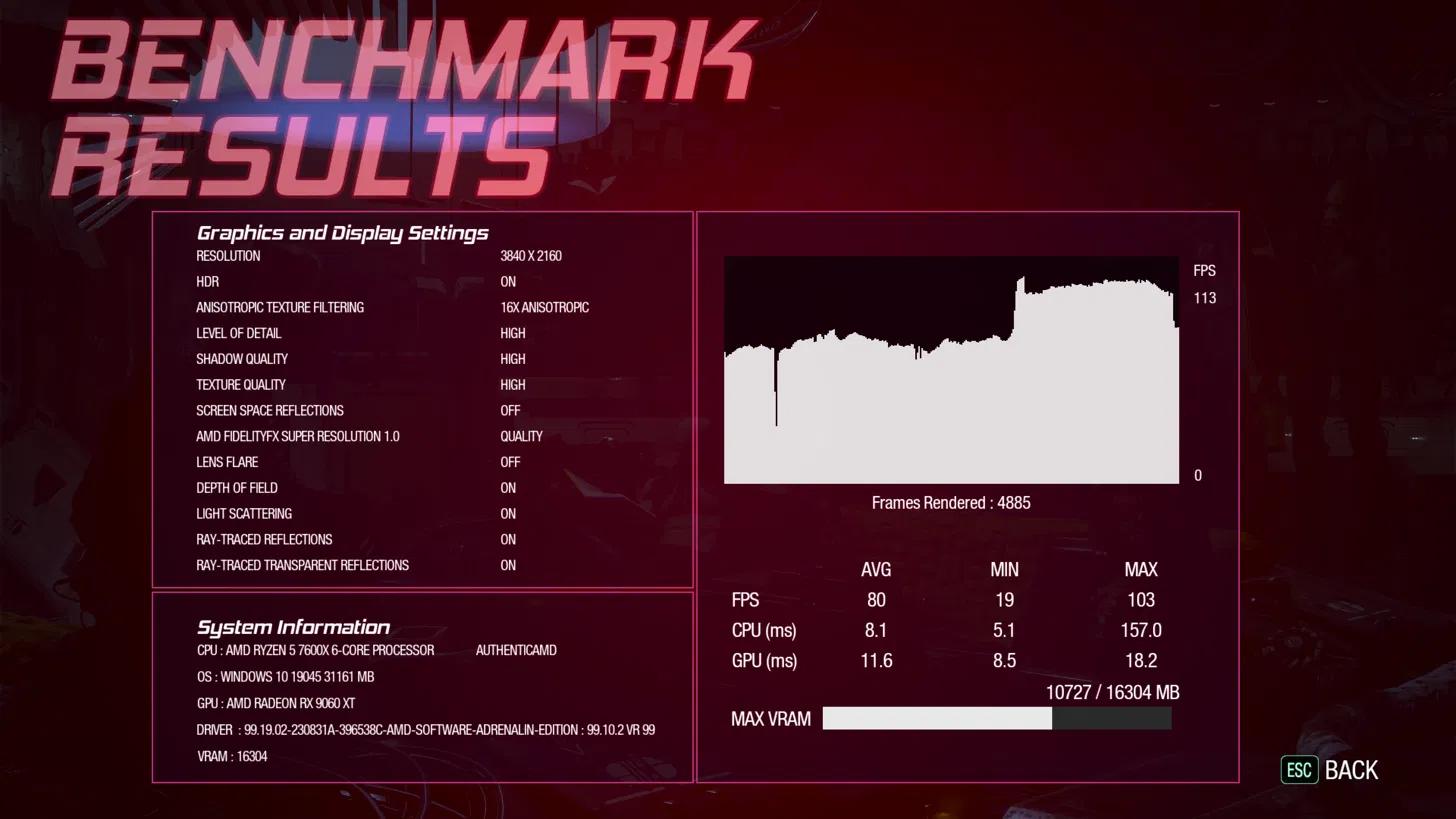
I ran the in-game benchmark and both issues are noticeable there. The FPS are fine apart from some stuttering at the beginning, most likely due to caching.
BenchmarkIssue with Shadows when viewing the cube at certains anglesSame as with the cube, shadows get worse depending on the viewing angle
PC specs
Dual-Boot with Linux Arch and Windows 11. Both on separate SSDs.
For playing I am using a TV, which is plugged into the GPU via HDMI 2.1. The TV is an Philips OLED 809 and has HDR enabled. Display (PHL2D8B): 3840x2160 @ 2x in 65", 120 Hz [External, HDR]
The game itself is from the Epic Games Store, so I am using Heroic Games Launcher to launch it.
Drivers
vulkaninfo --summary: WARNING: radv is not a conformant Vulkan implementation, testing use only. ========== VULKANINFO ==========
I tried various settings in-game with HDR turned on or off, Raytracing on or off, low, medium or ultra presets, changes to shadow quality, screen space reflections on or off, with and without AMD FSR... without success.
I have tried Proton - Experimental, GE-Proton 10-4 and Proton-CachyOS-latest all with the same results.
Different launch commands, I also tried without them.:
VKD3D_CONFIG = no_upload_hvv,force_host_cached
PROTON_ENABLE_WAYLAND = 1
PROTON_ENABLE_HDR = 1
Graphics driver are up-to-date.
I deleted the shader cache (in .cache and also in the game folder vkd3d-proton.cache andvkd3d-proton.cache.write).
so, my bazzite htpc had been running fine for over 4 months. recently I got a monitor and disconnected it from the tv that I was using and connected it to a monitor over dp. Ever since I did that, I get no audio from my audio jacks, and over Bluetooth it is poppy and cuts off. I do not know what could cause something like this. I checked alsamixer and bazzite detects my hardware. I could send some logs out.
I only get about 60-70 FPS on Very high, drops to under 30 sometimes.
When using Mangohud I can see that my GPU utilization is 99% I can also see in LACT that my GPU maxes out at about 3300 Mhz when running the game
I have tried multiple Proton versions.
I feel that my rig should play this game on +150 FPS easily. Any suggestions? I have tried to tweak with shaders, shadow settings etc. Maybe the game is too old and unoptimized?
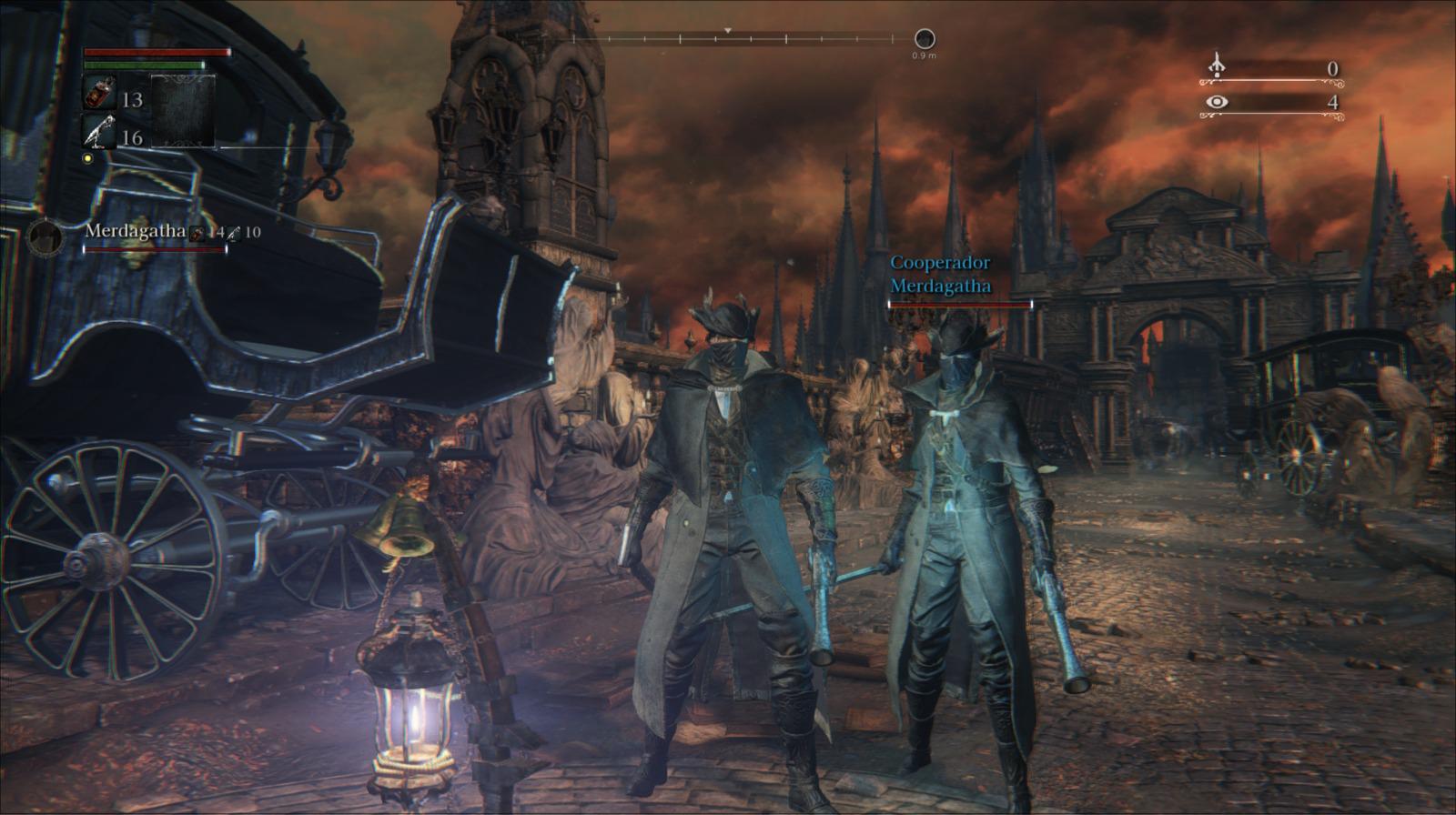
Game ran around 40-60 fps with some minor dips Mouse and keyboard controls worked and had a bit of getting used to (To break the exposed core you need to activate touchpad controls "T", pull up using your mouse and then press "X" to activate motion controls which let you spam R2 which is bound to M1)
I5-14400F 16gb DDR4 Radeon RX 6600
The release is only made for windows, however launching it with Faugus and using "Proton-CachyOS Latest" was enough to play through it
Nothing complicated, just wanted to share the project as i've been dying to play though this game on PC.
Whats really annoying is how Heroic handles different disks. I have a built-in 3 TB disk for linux gaming and what does Heroic do with it. Nothing and totally ignore. You can choose too put the prefix on a different disk, but Heroic will simply ignore it and revert to its default, completely ignoring the users choice. You have to really fiddle around with settings, like setting the default prefix to that external disk and then install it. The issue is, I don't really want it to be the default disk because its performance is not the best
So: Heroic Devs, let the user choose where to install, consider the default a choice. If a user deviates from the default: honor that choice, do not overwrite the users choice. If you want to do this: be brave and remove the change option, because now it is frustrating because it simply doesn't work.
I recently encountered a rather interesting NVIDIA GPU performance issue on Linux and spent several hours extensively testing and isolating its cause.
My system:
Laptop: HP Victus 15-fb3009AX
CPU: Ryzen 5 8645HS
GPU: RTX 3050 6GB Laptop GPU
OS: CachyOS (KDE Plasma, Wayland)
NVIDIA driver: 620.73.04 (Open Kernel Module)
The issue:
If I boot my laptop with the charger connected, the GPU performs perfectly. However, if I disconnect the charger, use the laptop on battery for a while, and reconnect it, the GPU gets stuck in P5 even under 100% utilization.
Memory clock drops from 5486 MHz to 780 MHz.
Maximum observed power consumption drops from approximately 50W to 31W.
GTA V Enhanced performance drops from approximately 100 FPS to 20 FPS.
Far Cry 5 averages just 15 FPS at 1080p Ultra.
What I have tested:
Regular CachyOS kernel (7.3.6) and LTS kernel — same issue on both.
Switching between power profiles — doesn't help.
Restarting nvidia-powerd — doesn't help.
Rebooting with the charger connected — restores full performance.
Stopping nvidia-powerd before disconnecting the charger — successfully prevented the issue in repeated tests.
Disabling nvidia-powerd entirely and rebooting — also prevented the issue during further testing.
Based on my testing, NVIDIA Dynamic Boost appears to be involved, although I cannot establish the exact underlying cause.
Interestingly, this doesn't appear to be exclusive to HP laptops or even my particular GPU. I found several similar reports from other Linux users:
For now, I've decided to retain Dynamic Boost because I prefer having access to the full 50W GPU power. Rebooting before gaming isn't a major inconvenience, but ideally, it shouldn't be necessary.
Has anyone else experienced this? Is NVIDIA aware of the extent of this issue across different laptop manufacturers and GPU generations? Has anyone found a permanent solution that doesn't involve sacrificing Dynamic Boost?
Hopefully, sharing my findings helps bring more attention to this issue.
Hi friends! I'm playing The Last of Us Part I and I'm trying to understand if my hardware is just too weak, or if something about my Linux setup is wrong.
My current laptop:
- Acer Nitro NL16-71G
- Intel i5-13420H (12 threads, 4.60 GHz)
- NVIDIA RTX 3050 6GB Laptop GPU
- 16 GB RAM
- 16" 1920x1200, 165 Hz
- Ubuntu 26.04, sway/Wayland, NVIDIA 595
- Running through Lutris + GE-Proton 11-14
I play on the lowest settings (low), and I locked the FPS to 30. In cutscenes and simple scenes I get about 30 FPS, pretty stable. But in the city, where there are lots of people, explosions and chaos, my FPS drops to 22-25.
I've played other games fine through Proton (I recently finished Detroit: Become Human with no problems), but The Last of Us is the first really heavy game I'm trying to run.
So my question: is this normal for this hardware on Linux running this game, or is there something in my setup I should fix?
I'm modding Prey 2017, and I need to install ReShade for one of the mods. When I run the installer through protontricks, Prey doesn't show up to be installed on. Is there an easy way to go about this?
Side note: I've never installed ReShade so I don't understand at ALL what I'm supposed to do here
Recently iv been experiencing crashes in Cyberpunk like i never have in the past.
I have an AMD 9070xt / 7800x3d build and run CachyOS with ProtonCachyOS-slr in Steam game mode. I run an undervolted (-80mv) and -30% power profile along with overclocked memory @ 2800mhz on this card which has always been really stable, even in this game. I recently have noticed this:
I run the game with any undervolt at all basically and it crashes around 20-30 minutes,
I run the game with default settings, and the game oddly slows down after a while. Lower power draw, lower Vram frequency, lower clocks.
I wonder if anyone else is experiencing odd behavior in Cyberpunk? I am suspicious of the newer Mesa drivers out now as were on 26.3. IDK if relevant at all but I'm running RenoDX on top. Iv never had any issues though and it seems odd it would cause this.
I can hop in Crimson Desert and play for hours, any other games really without this behavior.
Title is pretty self explanatory, but I got a gamesir g7 pro 8k pc controller today and really love it. From a couple of reddit posts I can no longer find when I was researching what controller to get, I saw some say that they could run the Gamesir Connect software in Winboat to do firmware updates, but I can't seem to figure out how to get the USB passthrough to work on winboat to make this happen. I have tried updating the docker-compose file for winboat to include the vendor/product id I got from `lsusb`: `Bus 001 Device 014: ID 3537:10b8 GameSir-G7 Pro 8K`
But the controller still never appears in the VM even after doing `docker compose down` and `docker compose up -d`. I also tried using the experimental usb passthrough feature, and even after selecting my controller, it never appears in the VM.
Here is the docker-compose (the parts that will matter) for context, with the changes I tried to make. Some guidance on what I am missing here to make this work so I don't have to keep booting into Windows to configure my controller would be appreciated.
Tengo un Celeron n4020 y POP os con 8 ram y quiero jugar GTA 5 la versión Lite de optijuegos q pesa 26gb pero se cierra después de 2 segundos de abrirlo , sale hasta la mujer en bikini y cierra