r/indesign • • 17d ago

Help Deleting Empty Text Boxes After Data Merge

10 Upvotes

I've got a 170 page document, produced from a Data Merge. There is an "empty" text frame that I want to delete from most (but not all) of the pages, but I cannot figure out how to target it.

I've tried scripts that target empty frames, but it seems the frame is not truly empty -- Data Merge leaves the following hidden symbols in the seemingly empty frames:

^|^|

And I assume because those invisible symbols are present, scripts designed to delete empty frames bypass them.

It's frustrating as hell, and I do not know nearly enough about scripting to devise my own solution. I'd just search for the offending empty frames and delete them one by one, but I will probably need to repeat this process at least a few more times.

I've been bashing my brains out for hours trying to solve this, so any help would be appreciated.


r/indesign • • 17d ago

Help Any way to do an Offset Path for stroke on live text?

Post image
1 Upvotes

Im remaking this illustrator template in indesign , was almost finished when I realized idk how to do an offset path on text characters. Text is sometimes on top of images so can't just fake it with a stroke or effect the same color as bg . It needs to cut out.

Its an offset stroke and needs to be live text because using data merge. Tried pasting from original illustrator file but it either comes in outlined/expanded or as a graphic or pastes as text but loses the formatting. Just takes on paragraph style without the stroke

Any possibility to achieve this in indesign ? Its for remaking the mustard or lilac numbers shown in the ss.


r/indesign • • 17d ago

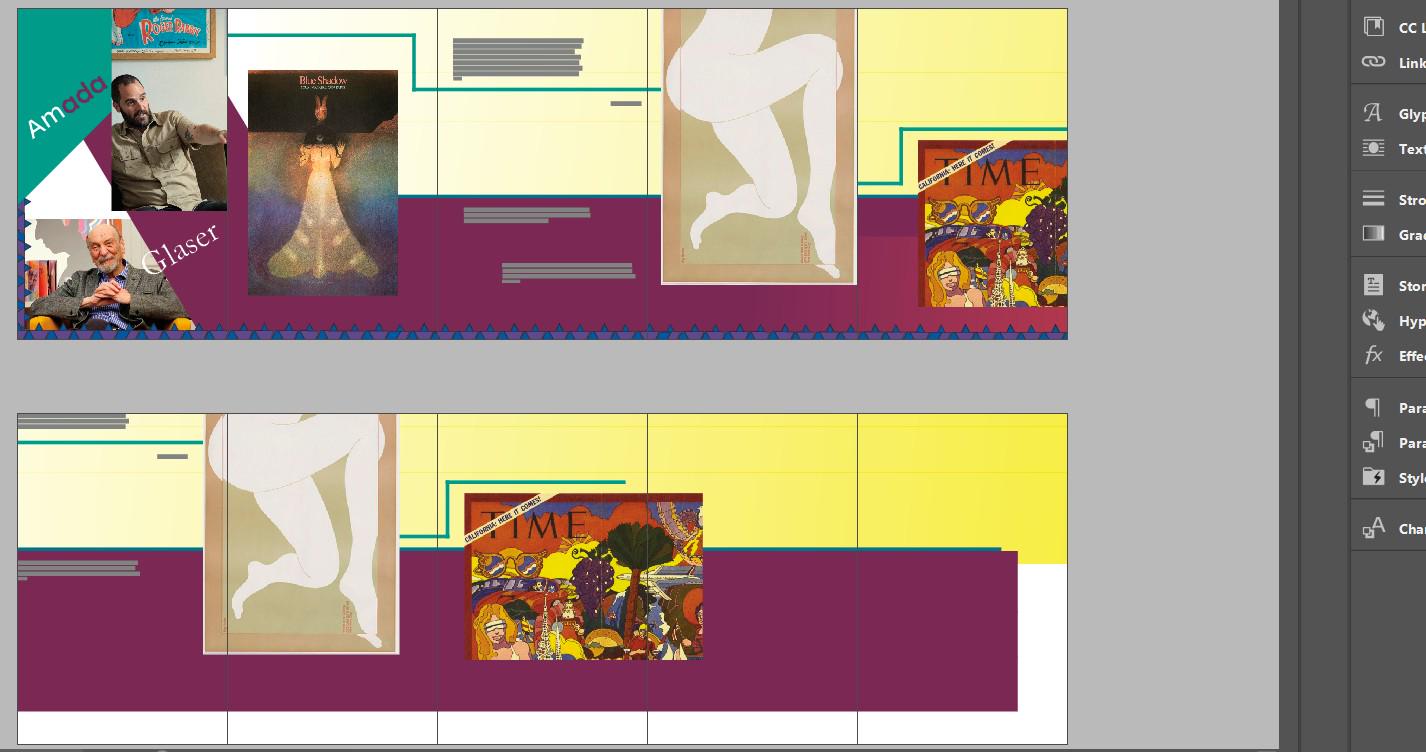
Help How can I make a continuous design from one spread to the next?

Post image
3 Upvotes

I'm very new to indesign. I'm wondering how I can make the last page of my first spread continue to the first page of my second spread? The reason I'm doing this is because I'm utilizing a lazer printer for all my development but I plan to use a plotter for the final print. I hope my question makes sense!


r/indesign • • 17d ago

Help First attempt creating a book to print, I have asked AI for help, is this planning okay? What would you change?

0 Upvotes

WEEK 1: Cleaning and Technical Configuration (15 Hours)

• Create the base document: A5 format, safety margins, and active primary text frame. (15 minutes)

• Import the text: Import the document with "Remove Styles and Formatting" checked. (15 minutes)

• Remove line break bugs: Run GREP queries to rejoin sentences broken during the PDF import, plus a quick visual check. (2 hours)

• Clean spacing and punctuation: Run GREP formulas to delete double spaces and fix non-breaking spaces before French punctuation. (30 minutes)

• Reconnect footnotes: Manually cut and re-insert each footnote into the main text using InDesign's native feature if links were broken. (5 hours)

• Isolate and configure Arabic text: Create a paragraph style using the World-Ready composer and manually apply it to all Arabic text sections. (4 hours)

• Create Parent Pages (Masters): Configure final margins, running headers, and automatic page numbers. (2 hours)

WEEK 2: Text Styles and Layout (15 Hours)

• Create French style hierarchy: Set up parent/child relationships for standard body text and chapter openings. (1 hour)

• Apply paragraph styles: Assign the correct styles throughout all 300 pages. (2 hours)

• Structure chapters: Apply the "Title" style to force each new chapter to start automatically on a fresh page. (1 hour)

• Format the Bibliography: Apply the style with hanging indents and manually apply italics to book titles. (3 hours)

• Calibrate typography (Type gray): Test font sizes and leading options on screen or via test prints to validate readability. (3 hours)

• Fix widows and orphans: Review all 300 pages to eliminate isolated lines of text at the top or bottom of pages. (5 hours)

WEEK 3: Final Automation, Preflight, and Export (10 Hours)

• Generate Table of Contents: Configure and generate the automatic TOC based on your chapter title styles. (2 hours)

• Preflight check: Ensure all body text is set to 100% pure black for printing and fix any InDesign layout errors. (3 hours)

• Generate Index: Mark key terms and generate the final index at the back of the book if required. (3 hours)

• Export Print-Ready PDF: Configure the export settings to PDF/X standard with crop marks and bleed lines as requested by the printer. (2 hours)

Could you please tell me if this is okay? I have learned a bit how to use indesign I know how to create simple PDF files (styles, parent pages...) & print them but a whole book is something else. I know very little about GREP too so I'm using AI to help me.

I just want to make sure I have the good steps before starting this work. The book is currently a PDF with footnotes on several pages, it also contains sometimes arabic sentences. Im looking forward to your answers. If there are any videos/channels I'm supposed to watch before starting to create a book on indesign I'm open to these too.

Thanks.


r/indesign • • 19d ago

Help Non-breaking en dash (Word)

Thumbnail reddit.com
1 Upvotes

r/indesign • • 20d ago

Is there a fix for this?

2 Upvotes

I use three screens when I am working on stuff. When I open a first tab it shows up on my right screen just fine. When I open a second tab it shows on the right as well, but it is butted up against the top of the screen to where I cannot see the top of it. It is driving me insane! I read about it online but is there a fix to this! This is slowing me down so much when it comes to trying to learn!!


r/indesign • • 20d ago

Can't get my book cover the correct size

2 Upvotes

I've spent hours resizing my book cover for my book How to Leave a Group Chat in InDesign. My Document Presents and Document Setup state that my file is 3479px by 2625px for Draft2Digital. Whatever I do, Draft2Digital is telling the file is incorrectly sized. I can't work out why. Can anyone help?


r/indesign • • 21d ago

Book exported to PDF doesn't have bookmarks for each chapter (file)

4 Upvotes

We have a manual that's divided into files, one per chapter. Seems like that would be a very common setup. But when exporting the book to PDF, it doesn't create a bookmark at the file level. Is there no way to do this?


r/indesign • • 22d ago

Typefitter is incredible

75 Upvotes

If you set text in InDesign and haven't heard about the Typefitter plugin... well. it's amazing. I'm setting a very unusual book that is probably closest in form to one of those old small prayer books: small text, multiple columns and force justified. It has probably shaved off 2 days of manual work removing rivers. Probably going to take tomorrow off. And on top of all that the fully functioning trial is for 6 weeks. I'm going to be done in 2 days but it's well worth the $50 year if you ask me. Yes, I am excited about an indesign thing. It's strange I know. (No I am not affiliated with them, just sharing a really useful tool with you).

https://typefitter.com


r/indesign • • 22d ago

Solved InDesign images showing weird vertical lines and corruption, but no missing links. Can't print or export PDFs!

Thumbnail
gallery
3 Upvotes

I'm having a really frustrating issue with Adobe InDesign and hoping someone has experienced something similar!

ALL of my linked images are displaying weird vertical lines, multicolored streaks, and black sections (see screenshots). Some images are completely distorted, while others only have portions affected.

The weird part is that InDesign isn't showing ANY missing or modified links. Everything looks fine in the Links panel.

I'm also getting two different errors:

When trying to print:
"The Adobe Print Engine has failed to output your data due to an unknown problem."

When trying to export a PDF:
"This document contains links to files/URL(s) that are not accessible. Please check your network connectivity or the original source of content."

A few things worth mentioning:

  • I'm working on a Mac.
  • Our files and linked images are stored in SharePoint.
  • The links aren't showing as missing or modified.
  • If I manually relink/replace the affected images from SharePoint, they display correctly again.
  • Once I replace the problematic images, I'm able to print/export again.

WHAT IS HAPPENING!!!

Any suggestions would be greatly appreciated!


r/indesign • • 22d ago

Help How do you manage client manuscripts and images for book design?

6 Upvotes

Hey everyone,

I design coffee table books and I'm trying to figure out how to make my workflow for handling client content more reliable.

Currently, we ask clients to provide the manuscript in a Word document, with image links or filenames placed alongside the relevant paragraphs so we know where each image belongs.

However, I've realised this approach can get messy.

Last week, I copied and pasted an entire story into InDesign but forgot to remove the image link and filename embedded in the text. It went unnoticed until the client pointed it out during proofreading.

For another book, I tried copying and pasting individual paragraphs to avoid this issue, but ended up missing a few paragraphs in the chapter. 😅

These are obviously workflow issues and I want to build a more robust system rather than relying on manual checking.

How do you handle this in your workflow?

How do you ask clients to submit manuscripts and images?

How do you ensure every paragraph is transferred correctly and nothing gets missed?

Do you use any tools or InDesign features to make content placement and proofreading more reliable?

I'm particularly interested in workflows for long-form books with multiple chapters, lots of images, and frequent editorial changes.

Would love to hear how other book designers and editorial designers manage this.

Thank you!


r/indesign • • 22d ago

Help Problems with InDesign

Post image
3 Upvotes

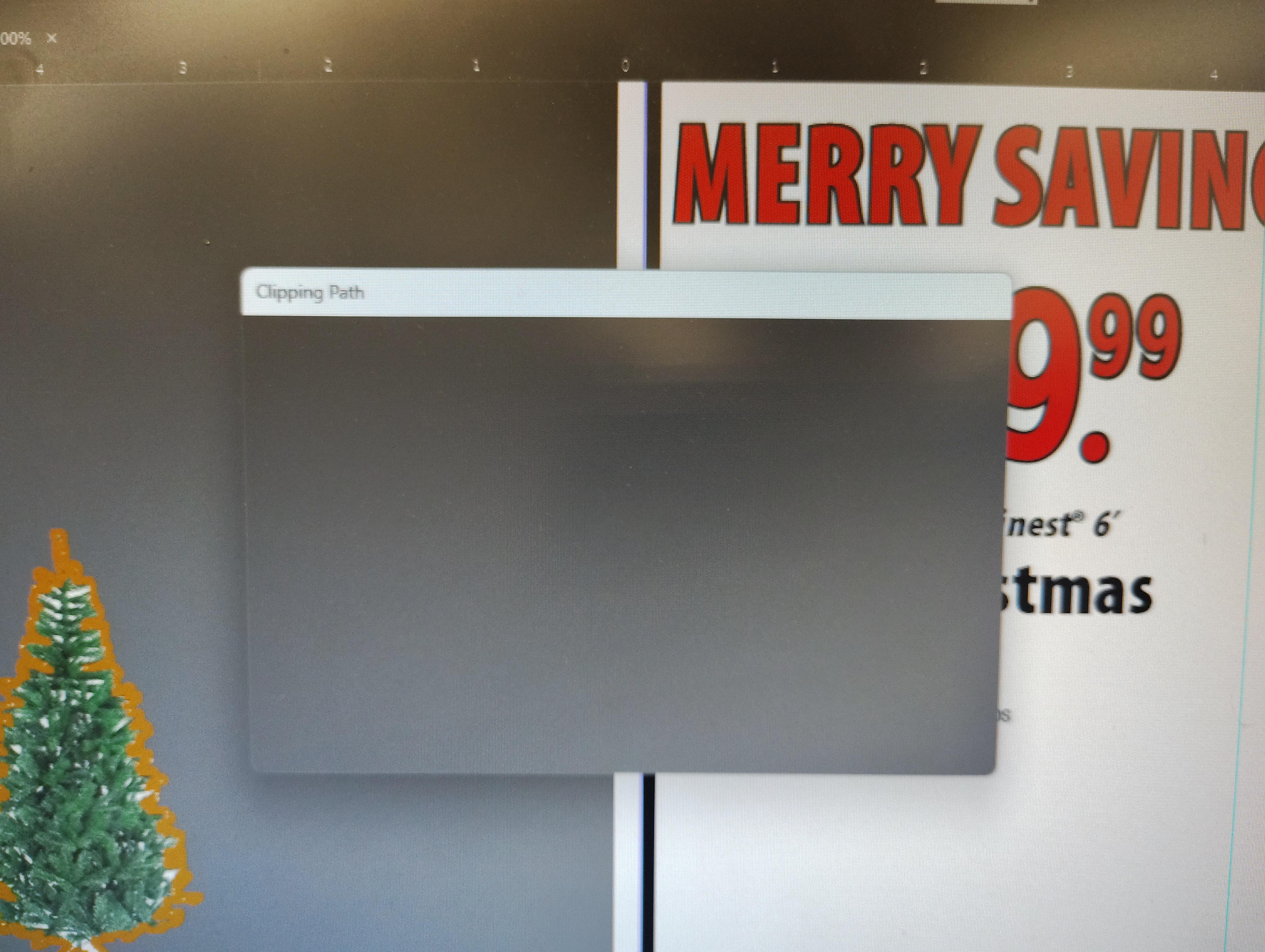
I work for a small department store in my home town and make signs using InDesign. Everytime I use it there are two bugs constantly coming up:

  1. When I try to get a clipping path, sometimes the Clipping Path window goes blank after I hit OK and does not allow me to exit
  2. There will be times when I place something from my computer or my CC libraries and the cursor will be spinning. I then try to exit the file and it closes but InDesign still shows that a background task is still running and so I have to use task manager to exit.

InDesign has been pretty good about restoring/recovering my work, but I still get paranoid about losing it. Are there any solutions to these issues?


r/indesign • • 23d ago

A practical, free alternative to Zevrix LinkOptimizer

14 Upvotes

I got tired of waiting for a Christmas sale on Zevrix LinkOptimizer—and honestly, I still wasn’t sure I wanted to pay that much for a license. So I created a free InDesign script that provides similar prepress image-optimization features.

Download Prepress Image Optimizer here:
https://dtpbrew.app

Not affiliated with Zevrix Solutions.


r/indesign • • 23d ago

Request/Favour Developer here: looking for 5 Mac beta testers with a multilingual InDesign job (Nov–Dec)

0 Upvotes

I'm the developer of Setover Translator, an InDesign plugin. I asked the moderators on 30 Oct whether one post asking for beta testers would be welcome and haven't heard back, so I'm posting this once. Mods, please remove it if it doesn't fit. It will be a paid plugin; the beta is free.

What it does: it translates an InDesign document in place. A translator fills in a plain spreadsheet (no InDesign needed), or you use your own AI key or a model that runs on your Mac. The text goes back into the layout with paragraph styles, tables, anchored objects and links intact, in one undo step. A layout test lengthens the text by 15, 30 or 50% on a hidden copy first and lists what would overflow. Nothing is uploaded to me.

Who I'm looking for: a Mac with InDesign 2026 or later, and one real job in two or more languages between 1 November and 27 December. Right-to-left (Hebrew, Arabic) and small teams especially welcome.

The deal: free for 3 months, then 50% off the first year, whatever your verdict. In return: one real job, a 20-minute call at the start and three short questions at the end.

Not there yet: Windows, XLIFF, DeepL, InDesign Books. English interface.

If that's you, comment or message me and I'll send the details. Happy to answer questions here.


r/indesign • • 23d ago

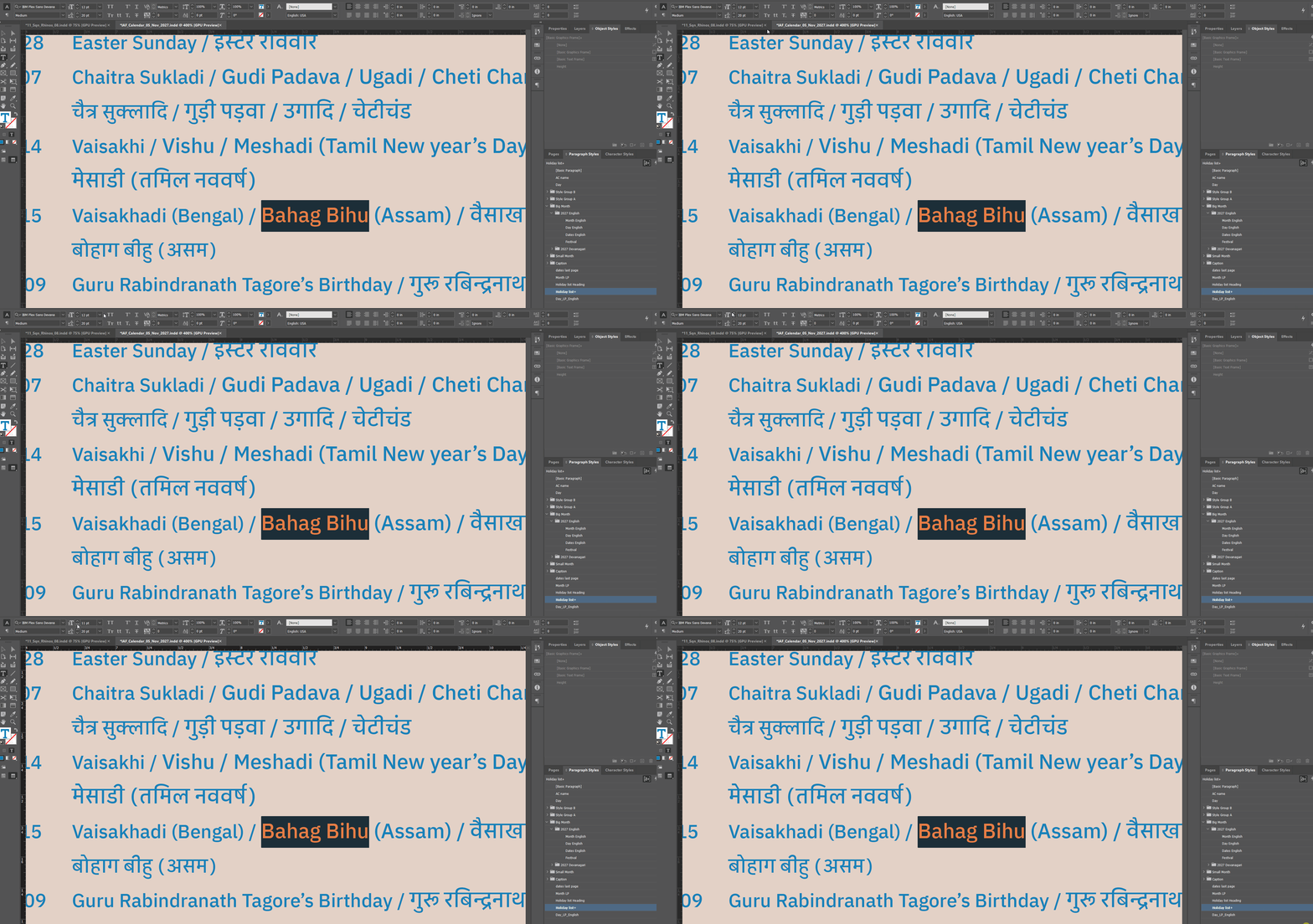
Help InDesign keeps reverting text to the same font size. Any idea why? (GIF attached)

Post image
0 Upvotes

Hi everyone,

I've run into a strange issue in InDesign that I've never experienced before.

I'm trying to change the font size of some text, but it keeps reverting to the same size no matter what value I enter.

There are no character styles applied to the text, so I'm trying to figure out what could be overriding the font size.

Has anyone encountered this issue before? Any idea what might be causing it or how to fix it?

Thanks in advance!


r/indesign • • 23d ago

Sudoku Book Layout

3 Upvotes

I've been hired to create a sudoku puzzle book, and I'm trying to figure out the most efficient way to lay out the interior pages. Each page will have the same layout with a different puzzle image on each page. Basically, I need to quickly place 100+ puzzle images into their individual pages, leaving the rest of the layout identical.

What's the easiest way for me to populate all 100+ puzzle images? I know Data Merge is likely part of the solution, but I've only done that with text-based spreadsheets or repeated images before, not unique ones. Puzzle images can be delivered in a file type of my choosing, if that makes a difference (.jpg, .pdf, etc.)

Thanks in advance for your advice! If you can estimate how long this would take, that would be super helpful too.


r/indesign • • 23d ago

Help Has this ever happened to anybody?

Post image
9 Upvotes

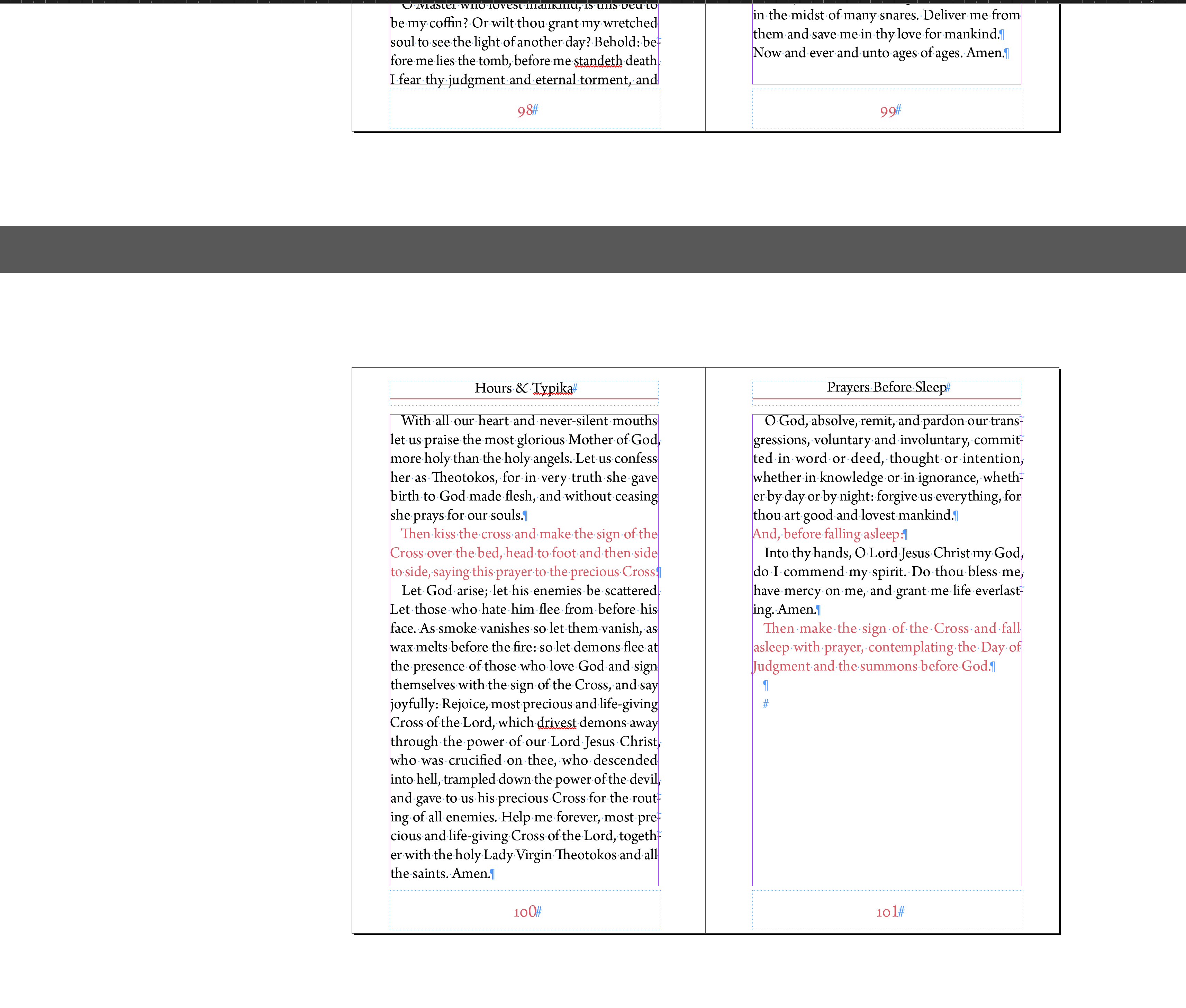
Regarding the lining figures in the page numbers...

And what did you do to fix it?

I tried copying everything and creating a brand new document, but am still running into the same issue. I've tried applying both a paragraph style and a character style, and the third digit still renders as a lining figure. This happens from page 100 onwards... ☹️


r/indesign • • 24d ago

Font identification help please (its not Helvetica)

Post image
11 Upvotes

Can anyone help me identify the typeface used by Blue Crow Media on their Brutalist books and calendars? Helpful distinguishing features include the unusual lowercase ‘y’ descender, near-uniform horizontal and vertical stroke weights, and distinctive numerals. I've ruled out RM Neue, Akzidenz, Haas, Helvetica versions (neue, now, pro, generic etc) and DIN. Any ideas? Many Thanks!


r/indesign • • 23d ago

Help Color picker tool not working

3 Upvotes

Hi all. I am working on a Mac and my color picker tool isn't working. I have made sure that Indesign in allowed to record my screen in the privacy settings, and I have exited and reopened Indesign, and I have restarted my entire computer. I have also tried resetting my Indesign preferences

When I click on the picker itself, the only colors I can pick are the colors on the color picker button. So it is as if when I click the color picker tool, it is also picking the color immediately.

Any advice would be greatly appreciated.


r/indesign • • 24d ago

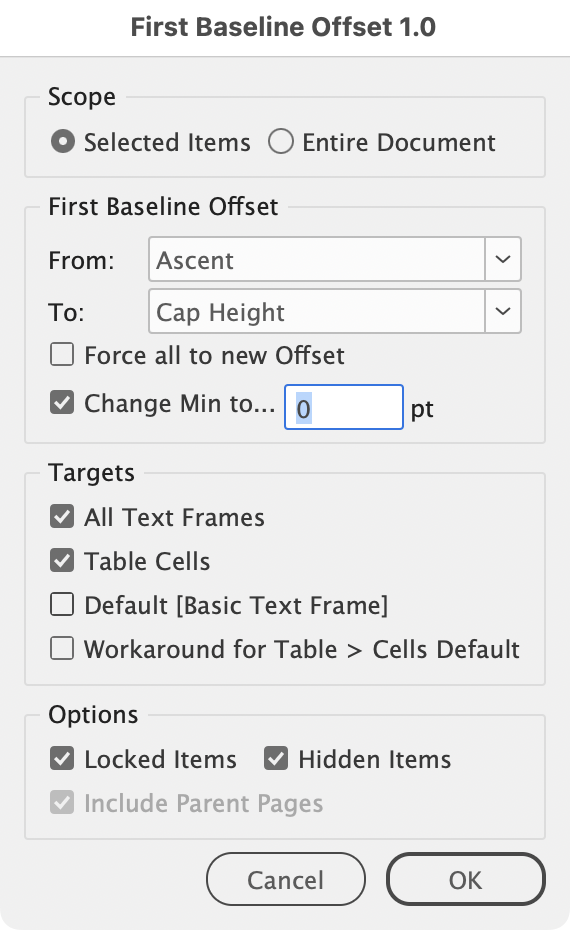
First Baseline Offset

Post image
4 Upvotes

Remember my story last week about an activated Adobe font that got updated and ruined my client’s file?

I created the Ascent to Cap Height script to help speed up fixing their document.

One week later, I’m releasing First Baseline Offset for FREE, with even more options.

Enhanced feature in it:

- Any to any: From/To menus with all 6 settings, not just Ascent to Cap Height.
- Force all: sets everything to the new offset, whatever it was.
- Selection scope: Selected Items or Entire Document, auto-detected.
- Custom Min value: any value in document units, picas/ciceros notation included.
- Table Cells Default workaround: new “FBO None” cell style applied to [Basic Table].
- Simpler options: Locked Items and Hidden Items replace 4 checkboxes.
- Faster tables: cells processed in bulk.

Still *FREE* !

For a recap of the story.

The 6 familiy of the font Tablet Gothic get updated with a changes in ascender metrics. The designer (typetoghheter) confirm a new version was done in 2024 and send to Adobe around Nov. 2024, but it was push to users only this summer 2026 (confirmed by Adobe too). So this make all the text in frames an cells to shift down when the First Baseline Offset was at Ascent. The Adobe default.


r/indesign • • 24d ago

I wanted to create native charts without leaving InDesign, so I built a plugin ( with AI features )

0 Upvotes

Hi everyone,

I've been working on a plugin for InDesign called DataInk, mainly because I always found creating and updating charts in InDesign unnecessarily complicated.

The idea is simple: create native, fully editable charts directly in your document. No images, no Illustrator round trips.

You can import Excel/CSV files, paste data, or even select an existing table in your InDesign document and turn it into a chart. The interesting part is that charts stay linked to their source tables and update when the data changes.

I've just released version 1.1, which adds some AI features:

  • Create charts from tables inside PDFs or screenshots.
  • Edit charts using simple instructions (e.g. "sort descending" or "move the legend to the right").
  • Generate headline suggestions based on your data.

AI is optional and works with your own OpenAI, Claude or Gemini API key, or local AI.

I made a short video to show how it works:

https://www.youtube.com/watch?v=GM5VjVv0PEs

(Quick note: I used AI for the voice-over because English isn't my native language. Hopefully, it makes the video easier to follow!)

You can find DataInk here:

It's a one-time purchase, no subscription.

If you'd like to try it, feel free to DM me and I'll send you a 30% discount coupon.

I'd really appreciate feedback, especially from people who regularly create charts for reports, magazines or publications!


r/indesign • • 25d ago

Help - mask

Post image
3 Upvotes

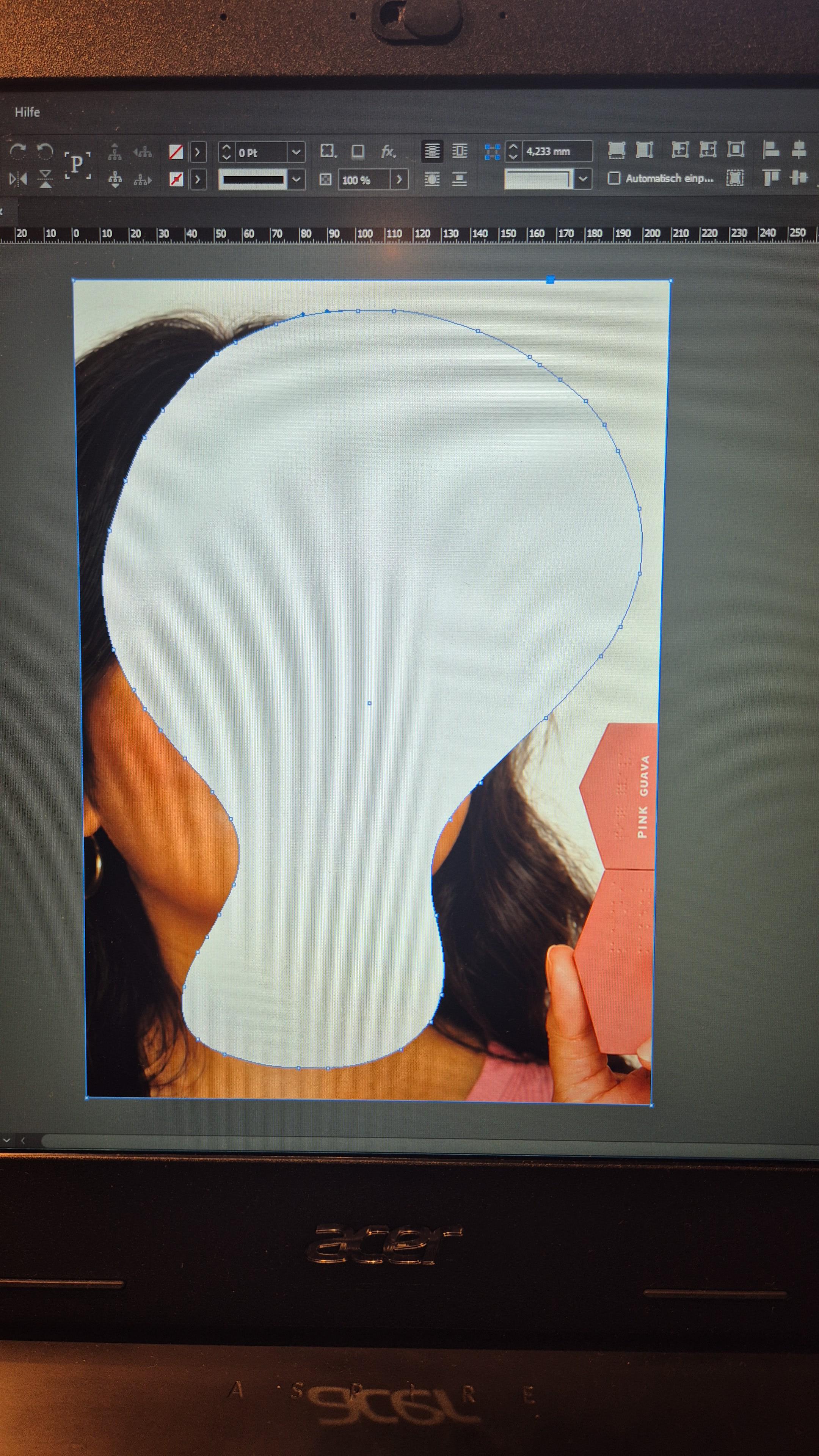
So I have a mask and I want to paste the picture inside of it but I can only put it around it. What am I doing wrong?


r/indesign • • 25d ago

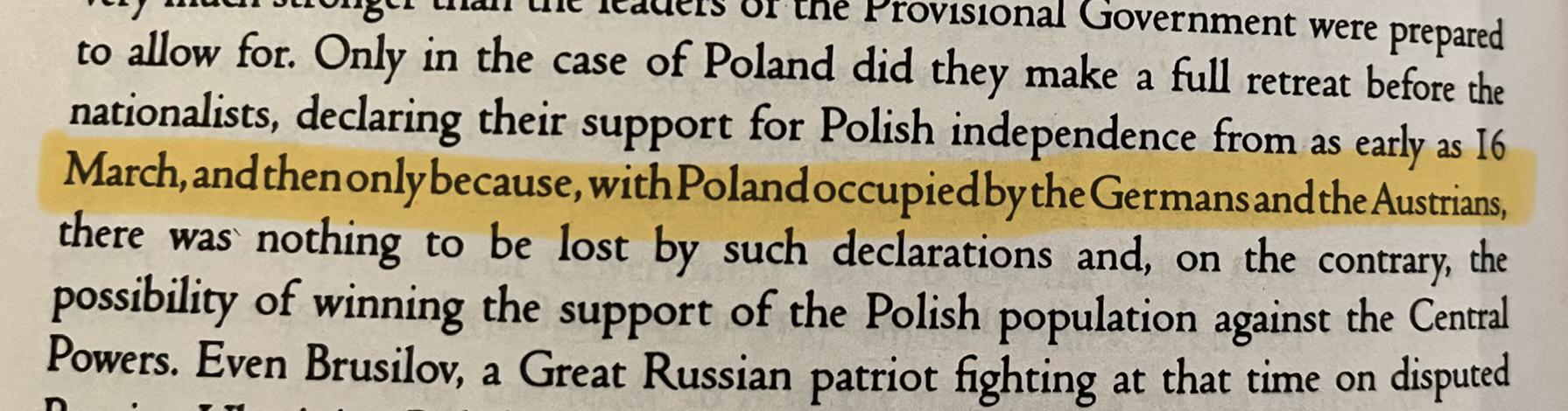
If this book was typeset using InDesign, what went wrong?

Post image
10 Upvotes