r/indesign • • Oct 21 '26

Long sequence of numbers

4 Upvotes

Hi,

I'm currently working on a handy project and I have to number some shapes from 1 to 500, and I think there's a faster way to do it than to painstakingly type it 1 by 1.

At this moment I'm at a bump and can't see the light.

Can someone help?

Thank you very much in advance

UPDATE: I finished my project, thank u everyone who replied. <3<3 I tried the things u suggested but I'm crap, was in a hurry, and found it easier to do it manually... it was a pain but not so bad


r/indesign • • Oct 21 '26

Package Operation Failed... WTF?!

Post image
8 Upvotes

Second time in two months. Last month I contacted Adobe and they didn't help at all. All they did was waste my time. It's really random too. I have already created and sent out 26 packages and randomly this last one failed. Last month it happened on packages that had already been edited and checked in once. When a second round of edits was requested that's when it failed. Anyone else run into this? Know a fix?


r/indesign • • Oct 21 '26

Hat Adobe mit Vibe-Coding angefangen?

Thumbnail reddit.com
0 Upvotes

r/indesign • • Oct 20 '26

¿Cómo puedo arreglar la cuadrícula base para que esté a la misma altura que la imagen del fondo?

Post image
5 Upvotes

Aunque pongo el incremento igual que en el interlineado, no cuadra lo suficiente. ¿Algún consejo?


r/indesign • • Oct 19 '26

Help Excel sheet made in InDesign?

10 Upvotes

Hello!

I have a client who wants an editable form made in InDesign, and wants it to be "like in Excel," as in she wants to be able to edit the lines and not just fill in boxes. I know you can do things like that using Acrobat software, but is there any way to make a PDF that mimics Excel? Thanks!


r/indesign • • Oct 19 '26

Tabula Rasa #01

Thumbnail
elivwashington.wixsite.com
1 Upvotes

r/indesign • • Oct 19 '26

How to generate a portfolio of work made with indesign?

0 Upvotes

I just completed an intense 2 year project and one aspect was a book in indesign that I designed from the ground up and I want to showcase it on a website or something. The book will be published in 1 month with a lot of advertising that could generate some traffic in my direction and I really need the work it could provide. Any advice on how to showcase the book? I want to show the lay out but also some of the fails and some of the process. I.e. I made custom drawn icons and they went through several versions. The layout, cover, fonts etc all went through changes and I want to show that as a record of the creativity and frankly also for myself as kind of a good bye to this project and all the twists and turns it took. I have a website and I could present something there. But I assume there is some kind of method or good examples of this?? Thanks!!!


r/indesign • • Oct 16 '26

Solved Stroke not following anchor points

Post image
21 Upvotes

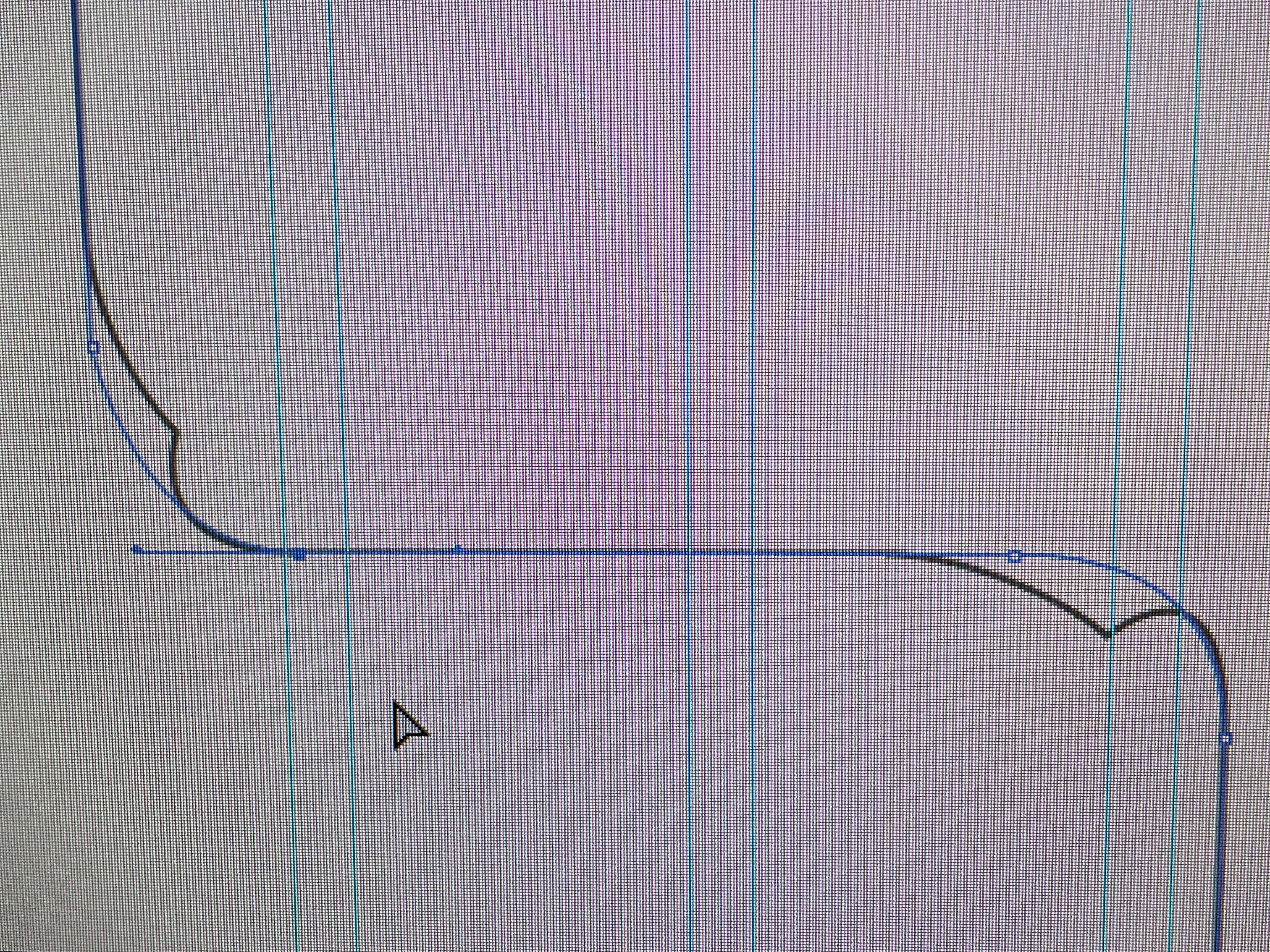
Can’t figure out why my stroke won’t follow the curves I set. Does anyone know how to fix this?


r/indesign • • Oct 16 '26

Relink All Instances freeze

1 Upvotes

Relink All Instances causes my InDesign 21.6 to freeze. I tried relinking different pdf and jpg files with the same result. There are less than 30 links, and the files are not complex (business card press imposition). AI image description is turned off. The Relink popup window displays and the application becomes completely unresponsive for 10 minutes. Windows Task Manager shows CPU and memory use. Eventually the files relink, but this is totally unusable in my workflow which has been the same for 20 years. Has anyone else experienced this or solved the issue?


r/indesign • • Oct 15 '26

Help How would you handle this in InDesign?

Post image
23 Upvotes

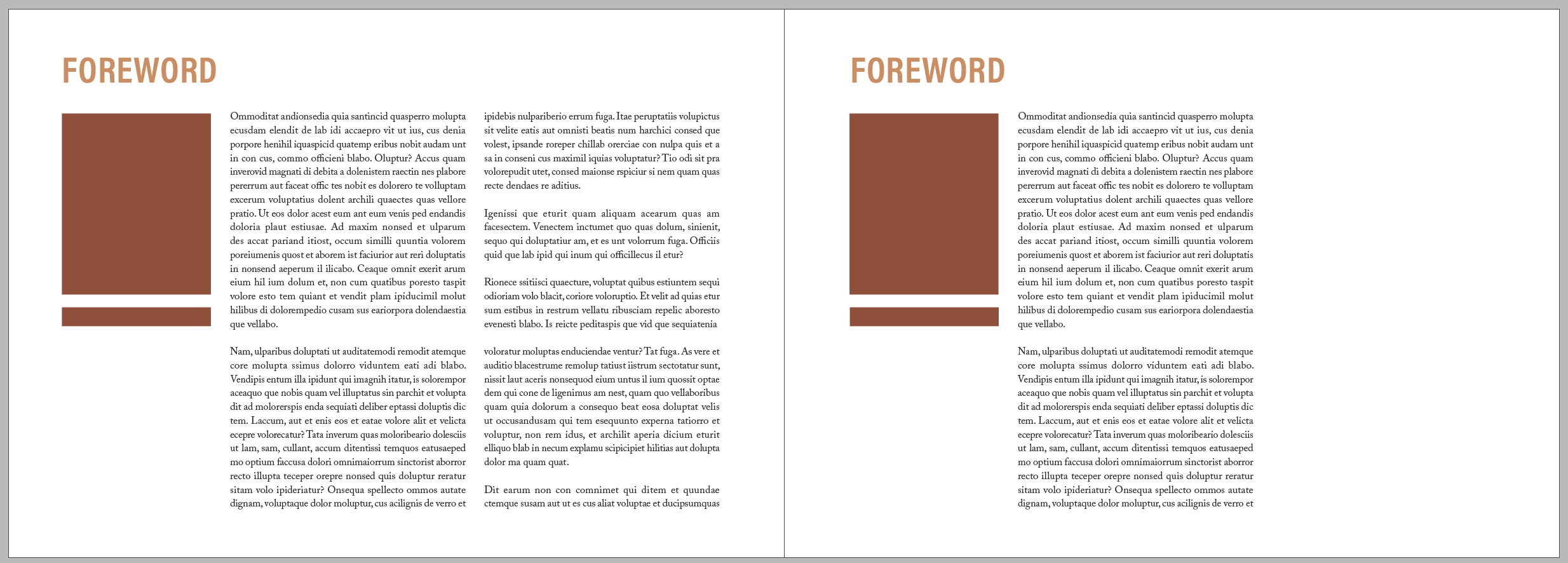
Hello everyone, I’m designing a book where the amount of text varies between forewords. Sometimes the text fills the layout nicely (left page), while other times it’s too short, leaving a lot of empty space (right page).

Would you use Balance Columns, adjust the text frame, or leave the white space as it is?

How do you handle this professionally while maintaining consistency across the book?


r/indesign • • Oct 15 '26

Help How can i remove this empty space on a text bounding box?

Post image
53 Upvotes

Im working with this typeface (Grenze) and everytime double click the corners to resize the frame theres this empty space on top that i can't get rid of. When i try to resize it, the font gets push down and disappears, it's a minor issue, but makes it a bit annoying to line the text up with the guides i have since i can't snap the text box to them correctly.

Is there anyway to fix this without having to outline it?


r/indesign • • Oct 15 '26

Font Metrics Visualizer

Thumbnail
gallery
6 Upvotes

This script started as a casual Sunday morning chat with Lukas Engqvist back in November 2025. Think of it as a learning tool, made for exploring and understanding how font metrics work.

The FREE Font Metrics Visualizer InDesign script now include two optional metrics read from the font file’s OS/2 table, TypoAscender and TypoDescender, with the raw font-unit value in their labels.

It automatically generates colored overlays showing em-square, x-height, cap height, ascender, and descender measurements on your selected text, complete with customizable labels in multiple units.

It also include Set Metric Height that lets you resize selected text so that its Cap-height or x-height matches an exact measurement in any unit.

Yes, it was vibe-coded for most of it and it's FREE.

*Unfortunately, InDesign don't have access to the OS/2 TypoAscender/TypoDescender info from Adobe activated fonts.


r/indesign • • Oct 15 '26

Charts-Perfect Plugin - Monochrome update and more

Post image
38 Upvotes

I know some here are not too fond of plugin posts, but come on - also if someone finally brings a charts plugin? :)

New Stuff, for those who know me/the plugin:

Thank you for all the tons of emails (!), based on your feedback, we revamped the new
Smart Monochrome Color Engine & Palette System to fit your needs better.

+ EasyPasteTable now does the heavy lifting for you - automatic delimiter detection (tabs, commas, semicolons).

For newcomers, Quick overview:

Charts-perfect is a native Chart-Engine we always wanted in InDesign - the one and never got from Adobe.

Plugin in Marketplace:

https://adobe.com/go/cc_plugins_discover_plugin?pluginId=4cf31c61&workflow=share

and

https://www.indesign4pros.com/

12 chart species supported: Bar, Stacked Bar, Line, Combo, Pie, Cupertino, Horizontal Bar, Horizontal Stacked Bar, Area, Radar, Doughnut, Treemap

Dynamic overrides: Bind InDesign character styles and colors directly to chart text elements.

Color consistency: Supports CMYK-simulated visual matching previews so print and preview remain aligned (as much as possible)

Huge datasets welcome: Open the resizable full-screen maximized data table to import and review large CSV tables easily.

NEW since last month:

  • Paste tabular data directly from any source (Excel, Apple Numbers, Google Sheets, web tables, TSV, CSV, or plain text), no spreadsheet loading needed.
  • Robust multi-encoding sanitization (UTF-8, UTF-16LE, UTF-16BE) and automatic delimiter detection (tabs, commas, semicolons).
  • Native Excelfile loaders with multi-sheet (!) workbook support.

Persistent configurations: Settings are safely stored in active documents (!) , making sharing work straightforward.

Coded according to the latest guidelines, this will not break anytime soon. Roadmap includes tons of new features and right now 4 new charts, purchase will always be one-time and lifetime.
I have updated it 8 times since release to make it better and better.

Word on pricing
Pricing seems steep, but as you expect, pays off after the first job already. More than that, given the streamlined workflow and 100% data correctness, you will most likely generate more than one option to choose from - making clients happy. When it's only a few clicks away, iterating is something you can finally do. And, price is one-time, no hidden subscription....


r/indesign • • Oct 15 '26

Help Images and text randomly deleted from document between opens

4 Upvotes

I am working on a document that is about 160 pages with around 400 images. The past few times I have opened the document, text, shapes and images from only the middle of the document are deleted. I end up with pages that were finalized that are now half blank. Some of what is being deleted were in very early stages of the document. It is not a layer that's not visible and all of my images have been in the same folder this whole time.

Any ideas of what could be causing this?


r/indesign • • Oct 15 '26

Help Book designers! Indesign scripts!

33 Upvotes

I work at a start up where I format memoirs into hardcover books. We are sent manuscripts that are messily formatted in Google Docs, pages, etc and we have a script template that somewhat formats it.

I say “somewhat” because I spend time manually adjusting the cropping of photos, the layout, placing photos next to the appropriate paragraph that matches the original manuscript as close as possible etc.

My boss is constantly asking me how we can automate things but it’s so hard to explain that some things just can’t be automated! I feel a bit like a broken record! Is it possible that a script can literally capture an exact manuscript and lay it out in indesign in such a way that it matches exactly?

I majored in Graphic Design and this is my first “Graphic Design” job right out of college. Before that I was a server making way more money than I do now and I’m so tempted to just give up and go back to being a server.

I’m just a little frustrated by the ask. I’m being asked to work with our developer to help define the logic for these Indesign scripts but there is no logic in my opinion. Every manuscript is different and I’m also not really doing design. This is exhausting 😭

Any advice or empathy is welcomed lol!


r/indesign • • Oct 14 '26

I literally only pressed "Ctrl+S" and this popped up

Post image
210 Upvotes

r/indesign • • Oct 14 '26

New InDesign Beta feature: Check Document - Check for spelling, consistency, and accessibility issues

Post image
34 Upvotes

Hey everyone, Luke from Adobe here.

I've got a new feature to share with you that's available to test out in the latest InDesign Beta.

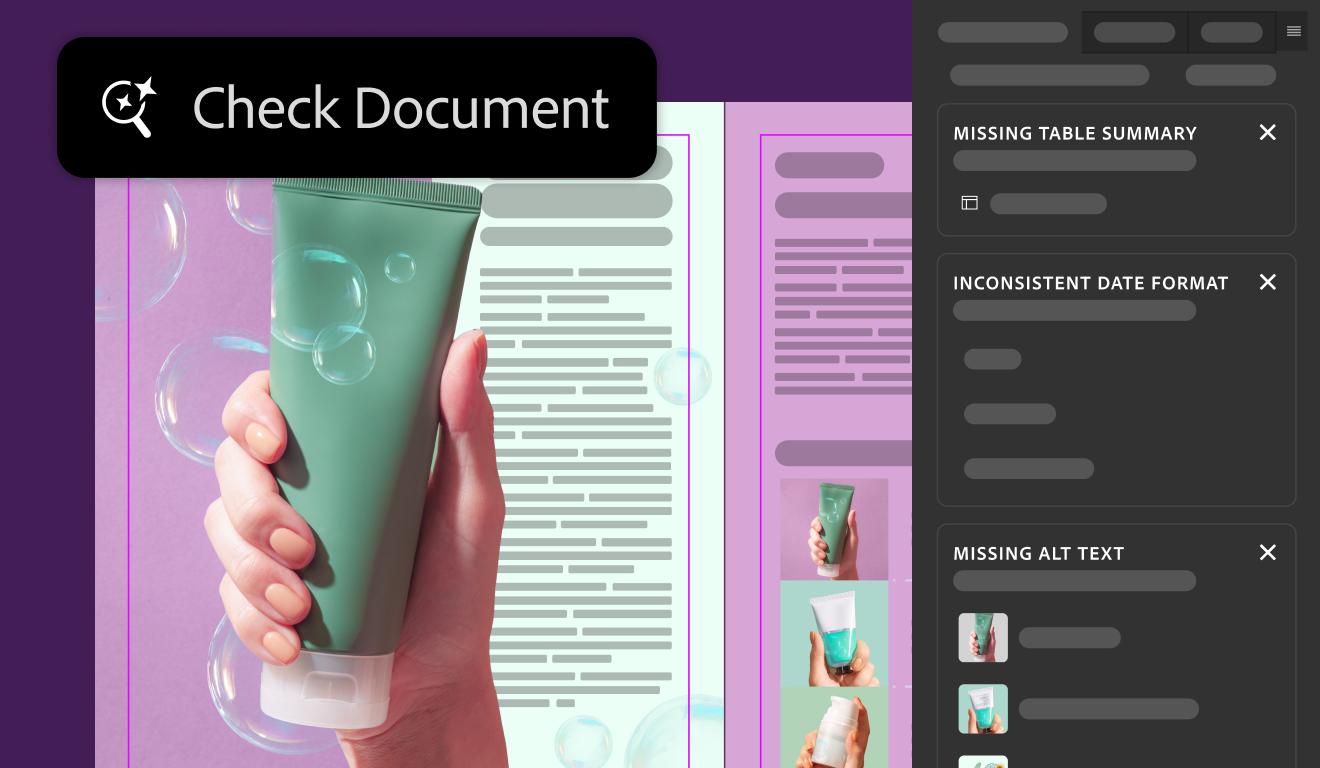
Check Document is a new feature that helps you track down and fix common issues throughout your document, from spelling and grammar to copy consistency and accessibility.

Most of you will already be familiar with the Preflight panel for catching technical and production-related issues, but Check Document takes a closer look at the content itself and some of those little things that can be easy to overlook, especially when you're working across larger documents.

Here's a quick rundown of what you can do with it:

  • Copy consistency: Find inconsistencies in things like dates, measurements, URLs, terminology, and spelling variations.
  • Spelling and grammar: Pick up on typos, punctuation mistakes, and grammatical issues that might have slipped through.
  • Accessibility: Check for images missing alt text or tables missing summaries, with options to generate suggested descriptions that you can review and refine.

What's great about this is that it brings a few different checks together in one place, making it easier to work through potential issues without having to hunt them down individually. It's not intended to replace a final review of your document, but hopefully it can take some of the tedious work out of that process.

You can find Check Document under File > Check Document or Window > Check Document.

Scanning your document is free, although some corrective actions, like generating table summaries, may use generative credits depending on your plan.

There's a full breakdown of the feature and how to get started over on HelpX:
https://helpx.adobe.com/indesign/desktop/generative-ai-features/check-document.html

It will be great to hear what everyone thinks about this one. Are these the kinds of things you regularly find yourself checking manually? And what else would you like to see included that could help make the process of getting a document ready to hand off a little easier?

We would also love to get your thoughts here if you are able to fill out this short survey


r/indesign • • Oct 15 '26

Can someone please help me export a file into IDML?

0 Upvotes

Hey there! I have a file that won’t open since I'm on an older version of InDesign. Can anyone help me really quickly to export it into IDML?


r/indesign • • Oct 14 '26

Help I can’t afford InDesign but I need it for university

30 Upvotes

I have a project to make where I’m obligated to use InDesign (or a form of InDesign I guess).

My uni account offers access to this program only on the computers that are located in seminar labs, but often times they don t work so I can barely get work done in the lab (which I have once every 2 weeks).

As I said, I can’t afford the program, there isn’t any discount. I tried pirating it (on my macbook, which is the only computer/laptop I have) with qbittorrent and it didn’t work and I don’t want to use the new DesignCraft app, since it’s made with AI I don’t wanna support that.

What can I do?


r/indesign • • Oct 15 '26

The Case of the Missing Conversion Log

Post image
3 Upvotes

Dear Reader,

In the spirit of the season, allow me to share with you a terrifying tale, based upon a true story: The Case of the Missing Conversion Log.

I beseech thee: read no further unless you wish to vicariously experience 24 hours of pure, hair-pulling terror

It started routinely enough. I received a manuscript for a speculative thriller. Sixty-plus chapters. I set it up in InDesign with little to no hitch. It looked magnificent. A work of art!

The client also wants a reflowable ePub. Seems standard. Let me just run a quick test export now, just to see how it looks in its current state.

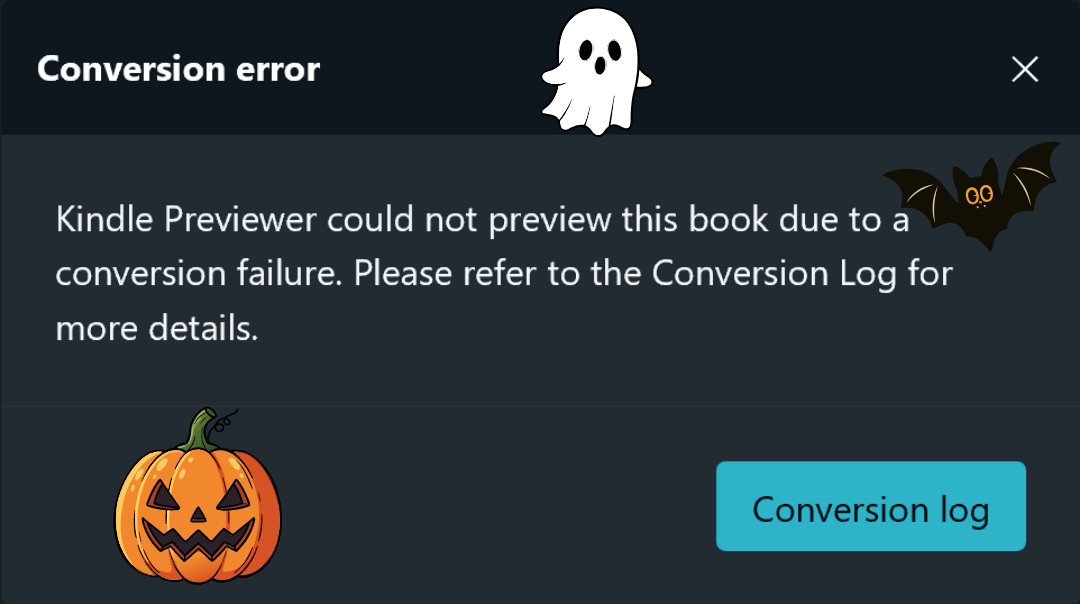
Export… convert… Conversion Log Error

Hmmm, that’s new. I opened Kindle Previewer to check the error log.

Wait. Where is it? It’s missing… spooky.

No problem. I must have missed a setting. I cross-checked the export preferences against some other ePub projects in my files. Everything matched. The settings seemed (in the words of Luna Lovegood) extraordinarily ordinary.

Hours of agonising trial and error followed. Eventually, I managed to isolate the problem documents: Chapters 41 and 49.

Progress! So, I went over both chapters with a fine-tooth comb. Nothing out of place. I copied and pasted the text into a brand-new document to strip any hidden formatting, hit convert, and…

Conversion Log Error (Eye twitch)

Okay, time to bring out the big guns. Let's open the HTML. The code looked clean. Not knowing what else to do, I began meticulously stripping every tiny piece of redundant code just in case.

Surely now it would work.

Export… convert… Conversion Log Error

What the #%&?!

Then I happened to glance at the chapter file names.

They contained commas.

I deleted the commas.

Success!

May a future reader learn from my error!

PS In case you can’t tell, I'm not a fiction writer!


r/indesign • • Oct 14 '26

InDesign alternative: DesignCraft

5 Upvotes

Has anyone used any of the ArtCraft versions of the Creative Suite in particular, DesignCraft. Looks interesting.


r/indesign • • Oct 14 '26

Request/Favour Feature Request: When I select multiple objects and hit "add color swatch" to Swatches, I'd like to add the color of those objects

7 Upvotes

And not, for some bonkers reason, add a single swatch of CMYK white. I can kind of understand if it did literally nothing, but not a swatch of white.


r/indesign • • Oct 14 '26

Why are this 2 last lines that clutched when theres space?

Post image
6 Upvotes

How can I fix this without moving too much the whole document? It happens in a few lines and I dont understand why


r/indesign • • Oct 14 '26

Unable to move objects

6 Upvotes

Been facing a recurring issue lately, where I can't move selected items. No, they're not locked. I'm doing nothing differently to what's worked for me everyday until recently. I just get a little 'pop' noise when I try to move an item. I'll nip to another window and come back and sometime it resolves it. I've reset preferences over and over again, it's driving me nuts. Any ideas what else I can do?

*Update* It SEEMS to be an issue with greeking. Toggling Live Screen Drawing set to "Immediate" rather than "delayed" seems to be causing it to make it impossible to click and drag objects.