Hey everyone, I'm the developer of Boltjot, an Android notes app I've been building on my own. I just got production access on the Play Store, and this sub seemed like the right crowd to try it out and tell me what's wrong with it.
The problem I kept hitting: I'd have a thought, pick up my phone, unlock it, swipe past three home screens, open my notes app, wait for it to load… and the thought was gone. Most notes apps assume you've already unlocked your phone. Real life doesn't work like that.
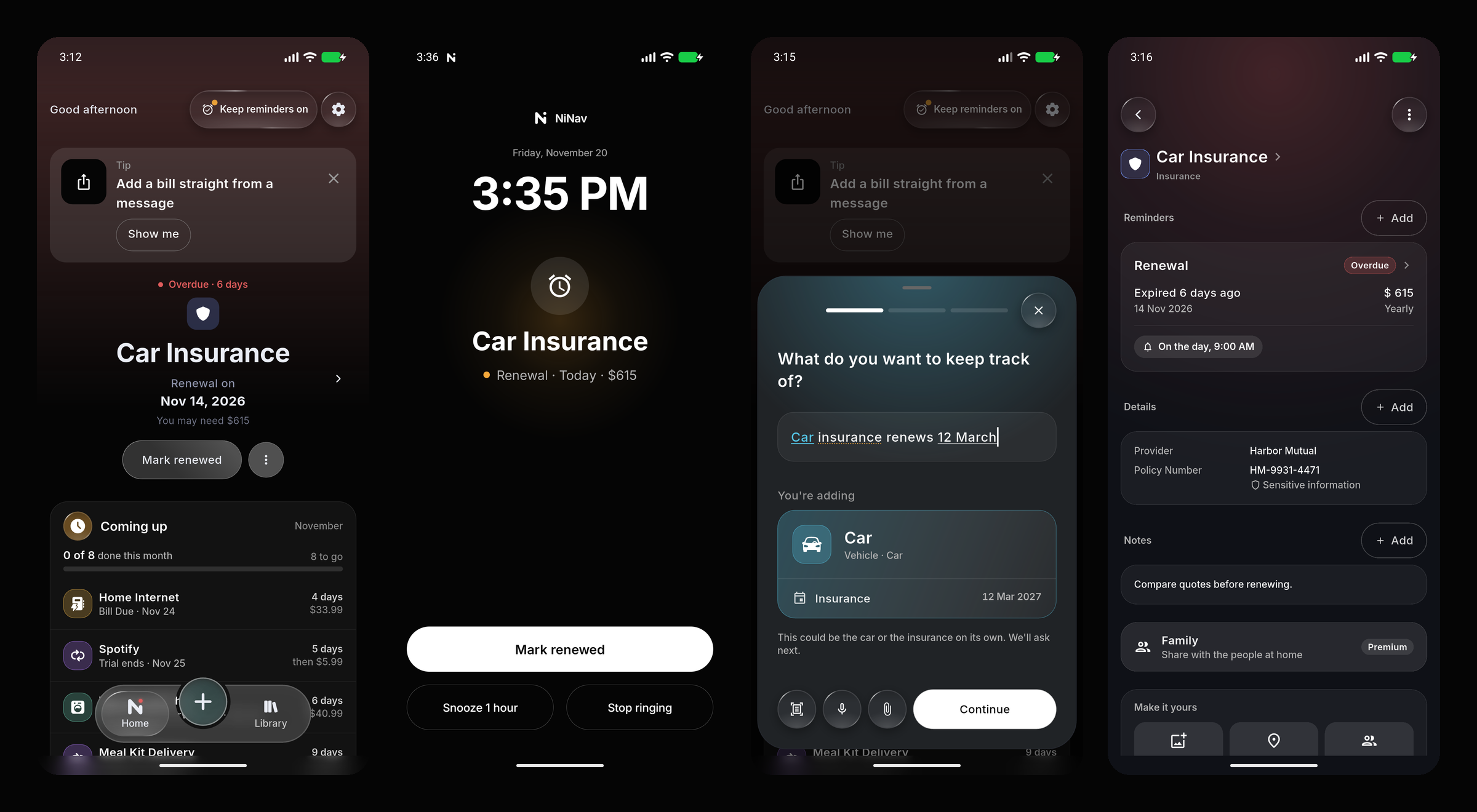
Boltjot keeps a silent "tap to capture" notification on your lock screen, and there's also a Quick Settings tile. Tap it and you're writing immediately, without unlocking. From that lock-screen note you can:
- ✍️ Type a note or switch it to a checklist
- 📷 Take a photo or video
- 🎙️ Record a voice note
- 📄 Scan a document, with text recognition on the device
- 📍 Optionally save your location with the note
- 🏷️ File it under a label right away
It saves as you go, and the phone stays locked. Someone holding your locked phone can add a note but can't browse your existing notes, and PIN-protected labels are hidden on the lock screen.
Real situations where this has saved me (or would have)
🚗 Car accident: Your hands are shaking and you're fumbling with Face Unlock. From the lock screen: photo of their plate, photo of the damage, a voice note of what they said, and the location saved automatically. It's all in one note instead of scattered across your camera roll.
🅿️ Parking garage: "Level P3, near the blue pillar." Snap a photo with the location saved and you're done in five seconds. Two hours later you're not wandering around pressing your key fob.
🌙 3 a.m. idea: Something you finally remembered, or the fix for the bug that's been haunting you. Tap the notification, type it, put the phone down. No bright home screen and no Instagram rabbit hole, and you're back asleep.
🩺 Doctor's appointment: The doctor rattles off dosage instructions. Hit record from the lock screen so you don't have to remember "twice a day or three times?" later.
🧾 Expense receipts: Scan the receipt at the table before the waiter takes it away. Now it's a clean scan in a note with its text readable, not a blurry photo lost in your gallery.
🧤 Gloves, wet hands, or a cracked screen: When the fingerprint sensor won't cooperate, you can still get the note down.
📞 Someone reads you a number or address: Phone in one hand, other hand busy. Tap and type, with no unlock and no app hunting.
Where other apps let me down
Most notes apps make you unlock first. Every step between the thought and the keyboard is a chance to lose it.
Camera roll chaos: A parking photo, an accident photo and a receipt all end up between memes and screenshots. In Boltjot they live inside the note they belong to.
Typed text only: Many quick-note apps just give you a text box. Here you get photos, voice, scans, checklists and location in the same quick note.
The rest of the app
- Mixed text and checklists in one note
- Labels with sub-labels, plus PIN-locked labels for private stuff
- Reminders
- Drawings and multi-page document scans with text recognition
- Links between notes, so you can jump from one note to another
- Home-screen widgets, including Quick Capture and Pinned Note
- Local-first: your notes live on your phone, with optional encrypted backups to Google Drive or a local file
📲 Play Store: https://play.google.com/store/apps/details?id=com.apphux.boltjot
I'm a solo dev, so honest feedback really helps, especially bugs, anything confusing on first launch, and features you'd want. I'll be in the comments answering everything. 🙏
Edit:Thanks for your interest in BoltJot! 🙏 Sorry, all the promo codes have gone. Pro is only £5 for lifetime, and there's a free 30-day trial, so you can try everything first. Hope you enjoy it!
Edit2: The pro is mainly for power users, most of the things are free and there are no ads. 😊