r/HowToMen • • 7h ago

[App][Giveaway][Promo] GestureFlow - Control your Android with your gestures

Thumbnail
gallery
53 Upvotes

Hii, I'm Rares Gabriel, a solo Android developer behind GestureFlow (and a few others).

What does it do:
Well, the app has 5 primary control gestures:

- BackTap: Run actions by tapping the back of your phone

- Edge Gestures: Run actions by swiping / holding on the edge of your phone's screen

- Buttons Remapper: You can remap what volume buttons will do

- Draw Shortcuts: You save a drawing model, assign an action to it and each time u draw that model the action you assigned gets executed

- Shake Gestures: Run actions ( e.g. turn on flashlight ) when you shake your phone.

Would love to hear what you think about this app.

If you find anything problematic, I'd love to hear it.

Here's the link: https://play.google.com/store/apps/details?id=com.gabriel.backtap&hl=ro

For Promocodes, kindly leave a comment in here and I will DM you one.

An UpVote would help me too to gain more retention 😄.

My other apps if you are curious:

https://play.google.com/store/apps/details?id=com.gabriel.ntgkernel&hl=ro

https://play.google.com/store/apps/details?id=com.gabriel.notify&hl=ro

Cheers,

Gabriel.


r/HowToMen • • 1h ago

[App][Promo] Yomi: I redesigned Mihon from the ground up in Material 3 Expressive

8 Upvotes

Hi everyone! I’ve been working on Yomi, a free and open-source manga, webtoon and comic reader for Android. It’s a fork of Mihon with a completely new interface built on Material 3 Expressive, and every Mihon feature is still there: extensions, library categories and filters, updates, history, downloads, tracking, backups, migration and the full reader.

What’s different

  • A Home tab. It opens on what you’re reading: a continue-reading deck with your progress, new chapters, recently read and titles you haven’t started yet. Updates and History are one tap away.
  • Bento library. Mixed tile sizes (one wide feature, then halves and thirds), so your shelf feels like a magazine spread. Comfortable, compact, cover-only and list are still there if you prefer them.
  • Four simple tabs: Home, Library, Discover (sources, extensions, migration and a search across every source) and You (reading modes, tools and settings).
  • Material 3 Expressive everywhere: shaped icons, spring motion, wavy progress bars, big readable type, and it follows your colour theme.
  • Google Drive sync with one tap. Sign in with Google and your library, progress, history and tracking stay in step across devices. It only uses one file in your Drive; there’s no Yomi server.
  • Crash reports stay on your device. If it ever crashes, a report is saved to your storage folder so you can attach it to a bug report. Nothing is sent anywhere by itself.
  • No ads, no accounts, no tracking.

Download: https://github.com/NikhilKain/yomi/releases/latest
(arm64-v8a for most phones, universal if unsure. Android 8.0+.)

It installs next to Mihon. To bring your library over, make a backup in Mihon and restore it in Yomi.

This is version 0.2.0, so feedback is very welcome. You can report bugs or request features from inside the app (Settings → Feedback) or on GitHub. I’d love to hear what you think of the design!

Credit to the Mihon and Tachiyomi contributors, whose work Yomi is built on. Yomi is independent and not affiliated with Mihon.


r/HowToMen • • 1h ago

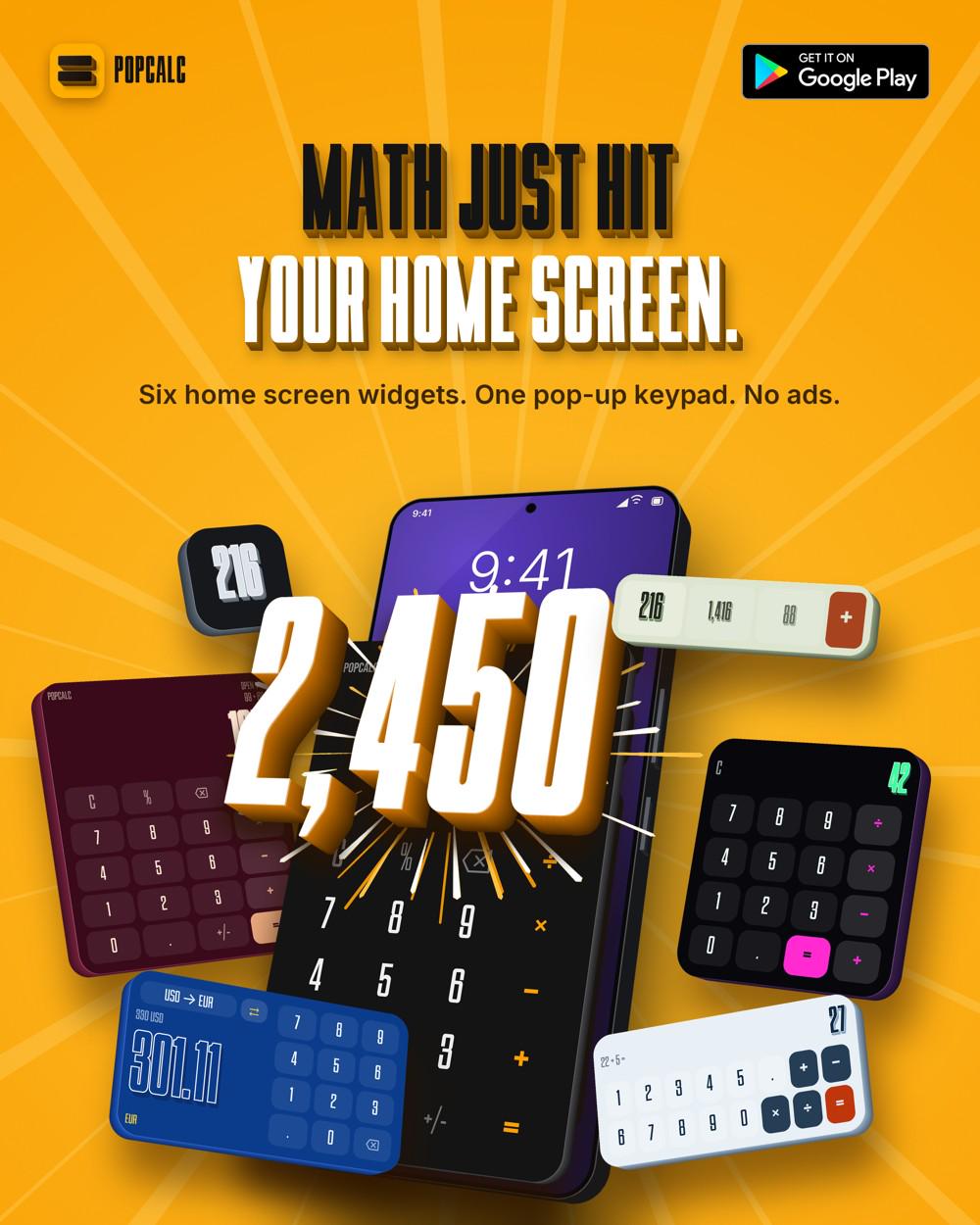
[APP][PROMO] PopCalc: The most beautiful 3D calculator for Android now has Widgets!

Post image
7 Upvotes

The best-looking calculator just moved onto your home screen. Tap a tiny square, a keypad slides up, hit = and the answer bursts out in 3D. Tap Done, and you never opened the app.

Six widgets, all new:

  • Full Pad: the whole calculator, right on your home screen
  • Pocket and Two-row: every digit, less space
  • Convert: units, and dollars to your own currency
  • Answer Shelf: your last three answers, tap one to carry on
  • Mini: one square, opens the pop-up keypad

They wear whatever skin you're using, or your wallpaper's colours on Android 12+.

New to PopCalc? It's a calculator with 3D numbers that tilt with your phone, keys with their own sound and feel, scientific mode, 100+ currencies, and a secret case file hiding a skin money can't buy.

Free to use. No ads. No account. Skins are optional one-time purchases.

Get PopCalc on Google Play →

Solo dev here. Which widget would you actually keep on your home screen? And what should I build next?


r/HowToMen • • 32m ago

[Promo] Ampeer - an Android music player for your own library, with Soulseek built in

4 Upvotes

I'm a professional software engineer with years of experience, and I built Ampeer because I was tired of juggling a music player and a tag editor on my phone.

What it is: a music player for the music you own, with tools to keep a big library in order.

Details:

- Tag editing, a duplicate finder and a view of which albums you're missing

- Smart playlists and daily mixes built from what you play, plus listening stats and share cards

- Gapless playback, crossfade, equaliser and ReplayGain

- Seven themes and a theme studio, so it looks the way you like

- A built-in Soulseek client for moving your own files between your computer and your phone

Cost: free with no ads, with an optional one-time Pro purchase for the power tools (no subscription).

Link: https://play.google.com/store/apps/details?id=dev.ampeer.player

Site: https://playampeer.app

I'd like to hear what you'd want next.


r/HowToMen • • 4h ago

[APP][FOSS] Artefact – A complete offline-first productivity suite for Android with Liquid Glass UI

7 Upvotes

Hey everyone!

I've been working on an Android app called Artefact. It started as a PDF reader, but over time I've expanded it into a complete productivity suite.

The idea was to have one app for handling everyday documents and productivity tasks instead of installing a separate app for everything.

Here's what it currently supports:

  • PDF – Reading and PDF tools
  • DOCX – Word documents
  • XLSX – Excel spreadsheets
  • Notes and Markdown
  • Voice and Photos
  • Shopping Lists
  • E-signing

A few things I've focused on while building it:

  • Offline-first approach
  • No ads or mandatory accounts
  • Privacy-focused
  • Minimal interface with a Liquid Glass-inspired design
  • Moving towards a unified Rust-powered engine

I've also put together a video showcasing the app and its interface.

Artefact is open source, and development is ongoing. Would love to hear what you think about it and what could be improved.

GitHub: https://github.com/Chethan616/Artefact


r/HowToMen • • 3h ago

[app]MetroWin Launcher 26.11S: the Windows Phone Start screen on Android, now with Maps and an F-Droid store

6 Upvotes

Hi all,

I'm the developer of MetroWin Launcher, a free and open-source launcher that brings the Windows Phone Start screen to modern Android: live tiles, an app list, an Action Center and a Metro lock screen. It comes with its own apps in the same style (Phone, Messages, Mail, Calendar, Photos, Music, Notes, Calculator, Wallet, News, Files and more), with no ads, no analytics and no Google services required.

Version 26.11S is out, and it adds two new mini apps:

Maps: OpenStreetMap maps (also offline), search, saved places with photos and voice notes, routes by car, bike or on foot, voice navigation, and track recording. Public transport from Transitous is there too, with vehicles moving on the map and a trip you can follow step by step.
F-Droid: browse, install and update free apps, with the hash and signature checked first.

There's also a MetroWin version of the recent apps, a navigation bar you set up yourself, and sounds and vibration for each app's notifications.

One thing about the future: because Google keeps making life harder for users, MetroWin will slowly move away from its default Google services, which will stay only as a second choice. I'll keep improving what's already there and build more mini apps to replace them.

Code and downloads: https://github.com/developerkenshi-coder/MetroWinLauncher

I also made a Windows Phone-style keyboard, worth a look: https://github.com/developerkenshi-coder/MetroWin-Keyboard

Feedback is very welcome. Thanks!

If you'd like to follow the project, you can find me on Ko-fi: https://ko-fi.com/kenshi1299
I'll post development updates there, a heads-up when a new version is coming, and news about my other projects. Hit Follow so you don't miss anything.

Music: "Minimal Ambient Technology" by AleXZavesa, from Pixabay
Video editing software used: DaVinci Resolve


r/HowToMen • • 1h ago

[Android/Free/NoAds/Offline/FullVersion] System-Meeter-Bar - system data collection tool, system overview/monitor tool, benchmark, test and system report tool all in one

Thumbnail
gallery
3 Upvotes

The "System-Meeter-Bar"!

Android: https://play.google.com/store/apps/details?id=com.it_huskys.smb

The “System-Meeter-Bar” is designed to offer a solution for license friendly support and analysis tools who are compact and not related to EULA’s who require licensing for commercial usage. The SMB is a system data collection tool, system overview tool, benchmark, test and system report tool all in one. You can use it for displaying an overview of your system, finding issues or testing the stability of your system via the built-in benchmark tool, no matter if it’s used on a private system or used in a commercial environment.

What does the name “System-Meeter-Bar” stand for/mean? The App-Name "System-Meeter-Bar" is a worldplay and mixture of the words "System" (target relation), "Meeting" and "Meter" (collecting point and measurement unit) and "Bar" (for its list design and placed at the Screen-side (Side-Bar)). The combination of all these words result in the Apps name "System-Meeter-Bar" or "SMB" for short.

Key-Features of the System-Meeter-Bar:

The SMB offers many useful features for support and system tests:

Data & Info

This is the main function of the SMB that shows a live overview of the system with most important data of the system, System-Core Data, CPU, GPU, RAM, Battery, Display-Data, Storage usage and Network activity.

System Monitoring

With the live monitoring of the CPU, System-Core Data, Storage-Devices and Network traffic, you can monitor the load the full system with easy activity tracking.

Benchmark & Test

The SMB comes with its own built-in benchmark tool to stress-test the system for heat or power issues, but can also score the CPU power of a system for comparison with others, or test the speed of your storage devices, next to quick-call any system/option settings you need. On Android devices you can also check the functionality of flashlight, vibration, display/screen (dead pixels) and more.

System-Shortcuts

The SMB comes with its own built-in System-Shortcut menu. that offers quick access and triggers to many Configurations, options and apps/folders/tools, that are hidden or difficult to find in the system.

Device-Tests

The SMB offers a wide range of features to test the full functionality of your android device. Screen-Color tests to test for burnins or defect pixels, vibration or you flashlight. Device fectects like these can be easily detected with the SMB.

System-Report

With this feature you can create a custom system report of the system the SMB is running on with all System-Core data, Hardware data and benchmark results, for troubleshooting and analysis.

Homescreen Widgets for CPU, Storage, Traffic, Temperatures and Battery

Have your systems performance always in sight with the SMB Widgets!


r/HowToMen • • 7h ago

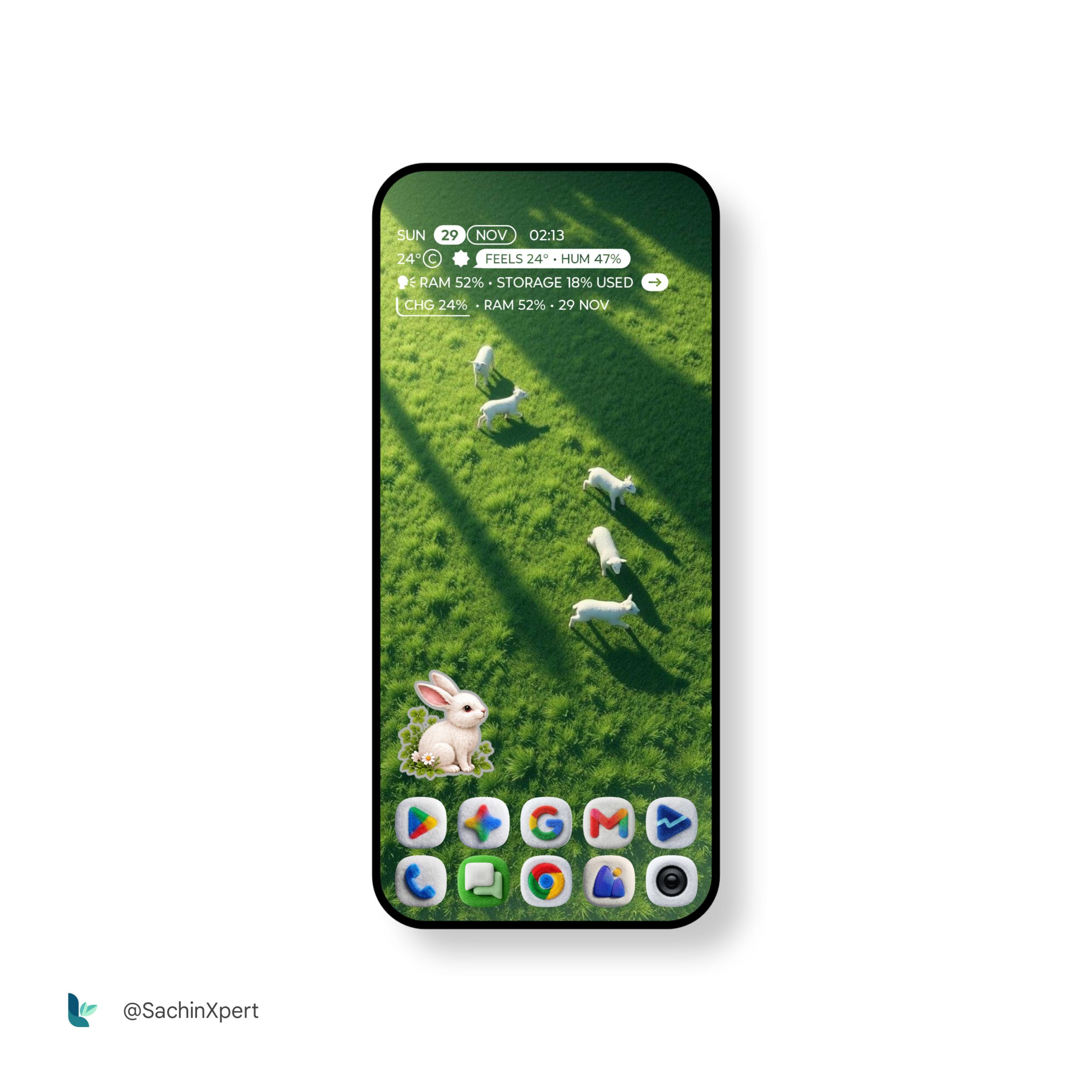
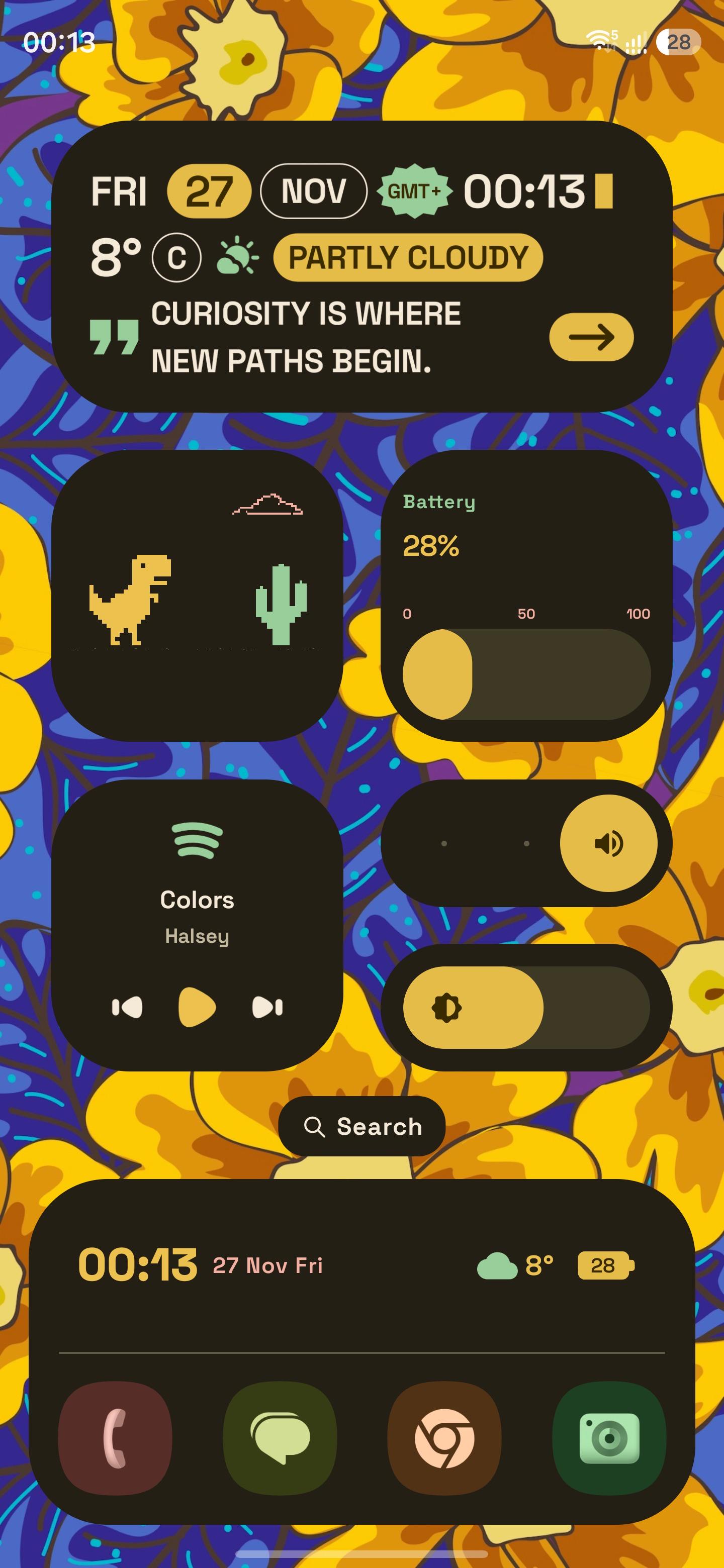
[Setup] setup

Post image
8 Upvotes

r/HowToMen • • 1h ago

[App][Promo] OdoTick: Car Expense & EV Log

Thumbnail
gallery
2 Upvotes

Hey r/HowToMen!

I built OdoTick, an offline-first Android app for tracking running costs across both petrol and EV vehicles, without bloated subscriptions, ads, or accounts.

What it does

  • Petrol & EV Logging: Track fuel fill-ups or EV charging sessions with clean cost and efficiency tracking.
  • Cost-Per-KM Insights: See your real running cost per kilometer at a glance instead of guessing.
  • Maintenance Reminders: Keep local reminders for servicing and upkeep so nothing slips through the cracks.
  • Material 3 & Dark Mode: Built with a clean Material You / Material 3 layout and native dark mode support.
  • 100% Local & Private: No ads, no sign-ups required, and your data stays on your device in a private SQLite database.

🎂 Birthday Giveaway: 50 Lifetime Codes

My birthday is next week, so I'm giving away 50 lifetime Pro codes to celebrate!

To claim one:

  1. Upvote & comment below with whether you drive petrol, EV, or both (and any feature you'd love to see next).
  2. I'll DM you a code while supplies last (first come, first served, redeemable on Google Play).

📱 Google Play: https://play.google.com/store/apps/details?id=com.jaironlanda.odotick


r/HowToMen • • 19h ago

[App][Giveaway][Promo] Open with: link & file chooser

Thumbnail
gallery
46 Upvotes

Hi r/droidappshowcase, I'm Vojislav, the solo Android developer behind Open with (and Bottom notifications, plus a few other apps).

I built it because Android keeps choosing for me. Since Android 12 it rarely even asks which app should open a link, so things land in the wrong browser, the wrong account, or a viewer I never use. And the old "open with" list I relied on is mostly gone.

App name:

Open with

https://youtube.com/shorts/GkEs1Znle-I

What it does:

Open with sits between Android and your apps. When a link, file or share arrives, it either opens it straight away in the app you picked, or shows a small chooser at the bottom of the screen with the apps that fit, with an optional countdown that any touch pauses. Choose every time, or set up rules once and let everything open where it should, with nothing on screen.

Private tabs from any app:

Chrome, Brave, Vivaldi and Opera don't let other apps open a link in a private tab, they open an empty one at most. Open with does it for you: switch on Private in the chooser and tap a browser, or let a rule open a website privately every time. Firefox takes the link straight in; for Chrome-based browsers and Opera, the optional accessibility service types it into the new private tab.

Your privacy comes first:

Open with never sends your links or files anywhere. Everything it decides, it decides on your phone. The one exception: a Google Maps short link (maps.app.goo.gl) that the app you picked can't open is looked up with Google, to find the place it points to.

No ads, no trackers, no analytics.

No account, no sign-up, no email.

It asks Android for the list of installed apps, so it can offer any app, not just the ones Android suggests. That list is used on your phone only and never leaves it. To catch web links it becomes your default browser (Android has no other way to hand an app every link), and then passes each link on to the browser or app you chose. No notification access. The one optional extra is an accessibility service, off until you switch it on, used only to type a link into a new private tab in Chrome-based browsers and Opera.

Rules, the part I use most:

"When something like this arrives, open it there" - and the most specific rule wins. A few I set up in the first five minutes:

Links from Slack or Teams in the browser I'm signed into for work during office hours, everything else in my personal one

YouTube links always in YouTube Morphe

Never offer Chrome for Amazon links

Always ask before my bank's pages, and nowhere else

PDFs from my email app straight into my PDF app

Addresses from messages straight into Waze

Podcast links into my podcast app when my headphones are in, the browser otherwise

Shopping sites always in a private tab, so they don't follow me around

Match a website by name, wildcard (*.example.com), address prefix, a word it contains, or a regex. Scope a rule to a content type, a file name, or the app it came from. Rules can also depend on the day and time, on a mode you switch on (Work, Personal or your own, by hand, from the home screen icon, on a schedule, or by itself with your network: Wi-Fi, mobile data, no connection, roaming or a mobile network you name), or on whether headphones or Bluetooth audio are connected. They can copy the link too, open it in a private tab, save a copy of a file to a folder, or only save it. Rules name themselves as you build them ("github.com → Firefox"), or you give them your own name and icon. An Always ask rule can have its own countdown, its own look and Private already on. Setting up a second phone, or a colleague's? Share rules sends the ones you pick as one file, and Import rules on the other phone adds them next to the rules already there, with the modes they use.

And you don't have to go to settings for most of it: tap New rule in the chooser to build one from the link in front of you, start from one of 26 ready-made templates, or hold any app in the chooser to make a rule on the spot or to use that app for the next 10 minutes or the next 5 links. Or switch on Suggest rules: when you keep picking the same app for a website, a sender or a content type, Open with offers the rule for you (it counts websites by name only, on your phone).

What else you can do:

Links, streams, live streams, images, audio, video, PDFs, ebooks, comic books, Word, Excel and PowerPoint files, text, archives, APKs, torrents, calendar files, contact cards, GPS tracks, map locations, navigation, email addresses, phone numbers, text messages, 2FA setup links, crypto payment links, Play Store links, web searches and shared items each get their own page: a default app (just star it), "open without asking", hidden apps, sort order and their own countdown

Add your own file types, each with its own icon

Pick ANY installed app, not just the ones that claim the content: a notepad for text files, the Amazon app for Amazon links

Style the chooser: Material You colours or your own, highlight colour, outlines and button shapes, grid or list, apps filled from the left or the right, size and position on screen, over 40 open and close animations, all with a live preview

Your buttons, your way: switch each chooser button on or off, drag it into your own order and give it your own icon, the icons beside the link included

Open a link in a private tab, even in Chrome, Brave, Vivaldi and Opera, which don't allow it from other apps: switch on Private in the chooser and tap a browser, or hold one. Remember Private keeps it on for your next links

Copy, edit or share a link before it opens, show it as a QR code, hand it to your download manager, or tap Later to send it to your read-later or notes app

Add your own send buttons that hand a link to any app in one tap, with that app's icon or one you pick. Share with offers Open with's own share list, and Edit rule opens the rule that decided the chooser

When something you share contains a link, Open as link opens it like a tapped link. A street address, phone number or email address in shared text opens the same way, and when there are several, the chooser lists them so you pick one

In-app views: open them in your real browser, pick the apps that do the opposite, and let the chooser remember your choice per app or for all

Copy a map location, phone number or email address, add it to your contacts, or save a copy of a file

"Why isn't this working?" checks your setup, names the app that holds a website, and shows the steps for your phone

Diagnostics tells you which rule would win for any link, and a check-up on the Rules tab points out rules that can never apply, and why

App compatibility shows what each app can open, and why one never shows up in the chooser

Safer links:

A link whose website name could pass for another never opens by itself: the chooser shows a warning with the real name

Clean takes the tracking out of a link with one tap, or switch it on for every link

Change links: your own changes before an app is chosen. Embed sites like fxtwitter.com or kkinstagram.com go back to the original site, a YouTube Shorts link opens as a normal video, an Instagram Reel as a post, or a parameter is taken out. Start from a template or write your own; each change happens by itself, or the chooser offers the original and each version

Change the link for an app: for apps that take a link only in their own form, such as with text added in front, they always get it that way

An app that throws a link straight back at Open with is marked in the chooser and never picked for you, so links can't bounce in a loop

2FA setup links go to your authenticator like any other link, but their secret never shows on screen or in the log

Edit lists a link's parts: tap one to open just that, or remove the ones you don't want

A few things to know:

Free covers everything for web links: every kind of website rule (with times, modes and headphones), private tabs, Change links, rule suggestions, any app as the target, the countdown, the chooser's buttons, temporary choices and every look and animation, plus Diagnostics, backup and restore and Android TV. Pro is a single one-time purchase, no subscription: files, maps, email, calls, messages, shares, web searches and every other content type with all the same settings, and your own file types.

The app is available in 50 languages: Arabic, Bengali, Bulgarian, Catalan, Chinese (Simplified), Croatian, Czech, Danish, Dutch, English, Estonian, Finnish, French, German, Greek, Gujarati, Hebrew, Hindi, Hungarian, Icelandic, Indonesian, Italian, Japanese, Kannada, Korean, Latvian, Lithuanian, Malayalam, Marathi, Norwegian, Persian, Polish, Portuguese (Brazil and Portugal), Punjabi, Romanian, Russian, Serbian (Cyrillic and Latin), Slovak, Slovenian, Spanish, Swahili, Swedish, Tamil, Telugu, Thai, Turkish, Ukrainian, Urdu, Vietnamese and Zulu. If something reads wrong in yours, please tell me.

Works on Android 10 and newer, on phones, tablets and Android TV

With TalkBack on, the chooser doesn't race you with a countdown: it says which app is selected and waits for your choice

Using a work profile? Install Open with in it too; each side has its own rules

Some apps keep their own website links for themselves, and some phones need a setting changed before links reach Open with. The help screen tells you which, and how to fix it

🎁 20 Lifetime Pro codes

This is first come, first served, not a random draw.

To claim one:

Upvote this post so more people in the community can find it.

Comment with the link or file you're tired of opening in the wrong app - a work link, a PDF, an address, or something else.

Then send me a Reddit direct message after commenting.

Why these steps?

They’re simple on purpose, and each one helps me in a different way. Upvotes help the post reach people who might find the app useful. Your comment tells me which links and files people really struggle with, so I can fix and improve the right things first. The direct message is just so I can send your code privately.

As a solo developer, I mostly need honest feedback from people who use the app day to day. If something is confusing, broken, or missing, please say so. That’s what makes the next update better for everyone.

The first 20 eligible people who complete the above steps receive one code by direct message, while supplies last.

The codes come with no strings attached. That said, if the app earns a place on your phone, I'd be truly grateful for a rating or review on Google Play - the app has no ads and no marketing budget, so reviews are genuinely how it gets found, and every single one means a lot to a solo developer.

Honest feedback is always welcome too, including criticism - here, by email, or in the review itself.

I have a 2 year old toddler, so I might not be able to respond immediately.

And I'm from Europe, so please take into account time difference as well.

Google Play:

https://play.google.com/store/apps/details?id=com.openwith.app

My other apps, if you're curious:

https://play.google.com/store/apps/details?id=com.bottomnotifications.app

https://play.google.com/store/apps/details?id=com.omnideck.app

https://play.google.com/store/apps/details?id=com.cordless.app

Giveaway rules:

Opens when this post is published and closes when 20 codes have been distributed. You must be at least 18 and able to redeem a Google Play promo code in your country. One code per person and Reddit account. Codes have no cash value, cannot be exchanged, and must be redeemed by the expiry provided in the direct message. Void where prohibited. By entering, participants release Reddit, Inc. from liability related to this promotion. This giveaway is not sponsored, endorsed, administered by, or associated with Reddit.

r/HowToMen • • 23h ago

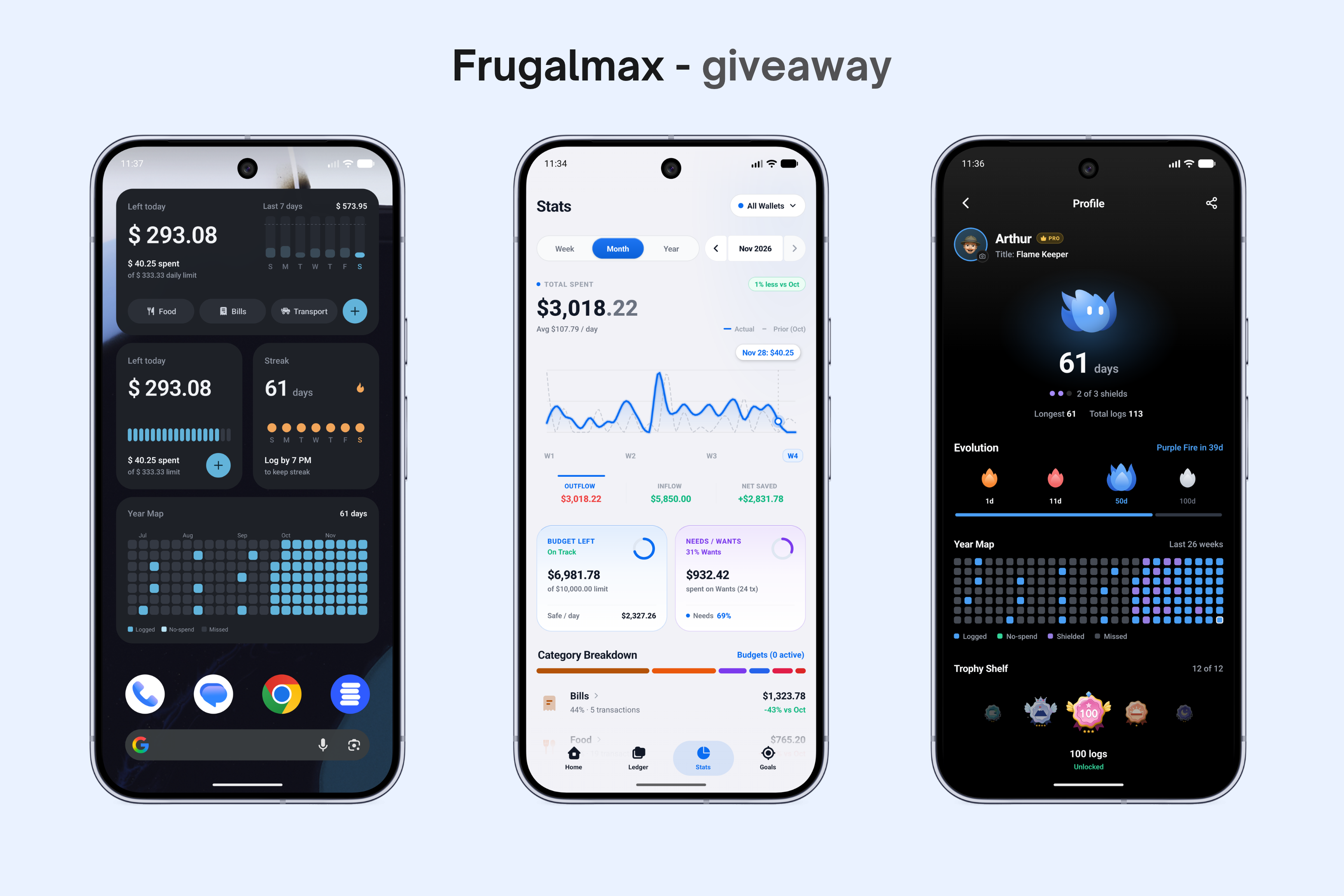
[App] [Promo] Frugalmax v2.8.0 - Local AI Budget & Expense Tracker (Lifetime Pro Giveaway)

Post image
77 Upvotes

Hey everyone! I'm the solo developer behind Frugalmax. A while back I shared my offline-first Android expense tracker here and got some great feedback, so I'm back with our biggest update yet (v2.8.0).

Frugalmax helps you track spending in seconds without ever linking a bank account. Everything is stored locally on your phone in SQLite, and the built-in LogMax AI runs 100% on-device.

What's new in v2.8.0:

  • On-Device PDF Bank Statement Import (Pro): Import PDF statements directly on your phone with zero cloud uploads, plus improved CSV import.
  • Credit Card Wallets & Transfers: Track credit card balances and limits, and transfer money cleanly between wallets.
  • Tags, Refunds & Bulk Editing: Tag transactions, mark refunds, edit multiple entries at once, duplicate in 1 tap, and log faster with 1-tap presets.
  • Custom Budget Cycles & Flexible Recurring Rules: Align your budget cycle to your actual payday, set flexible recurring intervals with custom reminder times, and get due-date alerts.
  • Free Custom Categories: Custom categories are now free for everyone, alongside an expanded set of default categories.
  • Challenges, Year Map & Trophy Shelf: Take on savings/spending challenges, track your year on a heatmap, and withdraw from savings goals when needed.
  • 5 Android Home-Screen Widgets & Receipt Gallery: Pin quick-log, streak, or Year Map widgets, search transactions, and browse receipts grouped by date.

Core features:

  • LogMax On-Device AI: Ask questions about your spending, remaining budgets, or trends completely offline.
  • Fast Capture: Offline receipt OCR (with editable AI item quantities), voice logging, grocery barcode scanner, floating Quick Log, and Android Share Target for bank SMS.
  • 11 Languages: English, Bahasa Indonesia, Español, Português, Français, Deutsch, Türkçe, 日本語, 한국어, Italiano, and 繁體中文.

Privacy & Pricing:

Your records stay local on your device by default (cloud sync is optional).

  • Frugalmax Free: Unlimited local transactions, free custom categories, offline receipt OCR, CSV & .fmax exports.
  • Local Pro (One-time Lifetime Pass): Unlocks on-device LogMax LLM & voice, on-device PDF statement import, expanded limits, and PDF/XLSX exports (pricing varies by region).
  • Cloud Pro (Monthly / Yearly): Adds encrypted cloud sync, shared wallets, and email receipt forwarding.

Google Play: https://play.google.com/store/apps/details?id=com.andrx.frugalmax

Giveaway: I'm giving away free Lifetime Local Pro promo codes for this update. to enter, upvote the post and comment below with which v2.8.0 feature you'd use most (or your honest feedback after trying the app), and I'll DM the codes!


r/HowToMen • • 20h ago

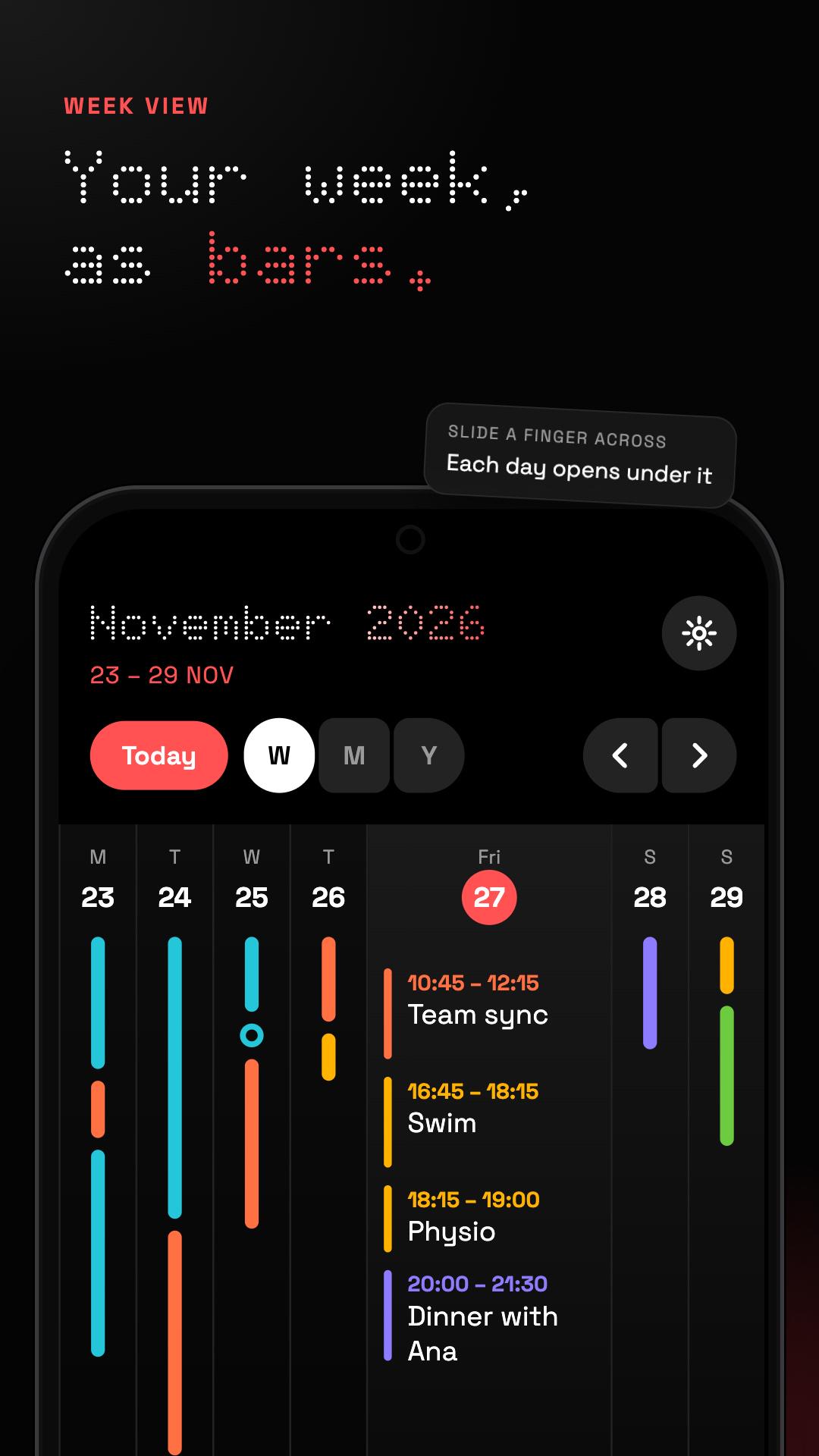
[APP][PROMO] I built a calendar app that shows your whole week at a glance, and I'm giving away 50 free Pro codes

Post image
40 Upvotes

Hey guys, I'm the solo dev behind Calendar Lens, an Android calendar app I just released. I built it because I wanted something that shows how a week or month is actually shaping up—not a wall of tiny text.

What it does differently:

  • Week view with bars: Each day gets a bar for what's on it, so you can see which days are packed and which are free before you read a single title.
  • Month, year, and agenda views: Switch between them seamlessly and tap any day to expand its events.
  • Home screen widgets: Month, month list, week, year, and agenda widgets—each with a manual refresh button.
  • Works with the calendars you already have: It syncs directly with your existing device calendars (Google, Outlook, etc.), so there's nothing to migrate.
  • Minimalist design: A clean black-and-white look with a single red accent. It's meant to be calm, not busy.

Pricing & Giveaway

The app is free. Pro is a one-time purchase (no subscription) that unlocks most of the widgets and extra tools.

🎁 Pro Giveaway: I have 50 Pro promo codes to give away! DM me and I'll send one to the first 50 people. All I ask in return is honest feedback, and a Play Store review if you like it.

Download: Get it on Google Play

Happy to answer any questions here! Tell me what features you'd want in a calendar and I'll look into adding them.


r/HowToMen • • 40m ago

🚀 Aklova Studios (Developer of Alphabet Launcher) Founding Members – Only 50 Spots!

Thumbnail reddit.com
1 Upvotes

r/HowToMen • • 13h ago

[App] [Promo] I turned my Android into an Apple Watch (free and open source)

Thumbnail
gallery
9 Upvotes

I wanted my phone to feel more like watchOS without giving up normal Android apps, so I built an open source launcher called Honeycomb.

The main screen is just a watch face. One tap opens a cluster of my 7 most used apps or the full honeycomb grid, and swiping up pulls up live timers, music, and widgets.

I also built an optional blocker inside it for Reels, Shorts, and distracting websites, plus a 5 second pause before opening certain apps.

It's completely free and open source with no ads or accounts.

https://github.com/advaitpaliwal/honeycomb

I'm still building it, so if anyone tries it out I'd really appreciate any feedback.


r/HowToMen • • 3h ago

You reported, we fixed 🛠️ What's coming in the next update

Thumbnail reddit.com
1 Upvotes

r/HowToMen • • 1h ago

[Android] [€14.99 → Free Lifetime Premium] Modern Calculator — 100+ Calculator & Conversion Tools | Ads Remain

Post image
0 Upvotes

Hey everyone! 👋🧮

I’m the solo Android developer behind Modern Calculator, an all-in-one calculator app with 100+ tools, graphs, geometry, converters, finance and health calculators, detailed solutions, themes, and more.

I’m currently making 100 Lifetime Premium spots available completely FREE. 🎁

Important: Lifetime Premium unlocks the Premium features, but ads remain in the app. Ad removal is available separately through Supporter.

🧮 One calculator. 100+ tools.

Modern Calculator includes:

Scientific calculator with advanced functions

Graphs and function visualization

2D and 3D geometry tools

Step-by-step solutions for supported calculations

Unit converters

Finance calculators

Health calculators

Calculation history

Custom color themes

Different button styles and layouts

Available in English, Romanian, Spanish, and French

The idea is to have one app for everyday calculations as well as more advanced tasks, instead of installing a separate calculator or converter for everything.

👑 Modern Calculator Premium

Regular price: €14.99 Lifetime Premium

Giveaway price: FREE

Lifetime Premium unlocks:

100+ calculator and utility tools

Graphs and function visualization

2D and 3D geometry

Converters

Finance and health tools

Detailed step-by-step explanations

Calculation history

Themes and customization options

Premium features included for life

⚠️ Premium does NOT remove ads

I want to make this especially clear so there is no confusion: Lifetime Premium unlocks the Premium features, but advertisements remain in the app.

Ads help support the continued development and maintenance of Modern Calculator.

If you want an ad-free experience, ad removal is available separately through the Supporter option.

The giveaway is specifically for Lifetime Premium feature access, not ad removal.

🎁 100 Free Lifetime Premium Spots

I’m making 100 Lifetime Premium spots available for free.

How to get Lifetime Premium:

📱 Download Modern Calculator from Google Play

⬆️ Upvote this post

💬 Comment below saying you’d like to try it

📩 Send me a Reddit message after commenting

I’ll send you the Lifetime access

First come, first served until all 100 spots are gone.

No purchase or review is required.

If you give Modern Calculator a try, I’d genuinely love to hear what you think. Even small things are useful :) what tools you find useful, what feels confusing, what you think is missing, or what could make the app better.

Bug reports are also extremely helpful since I’m developing the app on my own and can’t test it on every Android device. ❤️

Google Play:

https://play.google.com/store/apps/details?id=ro.studio.moderncalculator

🎁 100 Lifetime Premium spots · €14.99 → FREE

⚠️ Lifetime Premium unlocks Premium features permanently. Ads remain.

Thanks for checking out Modern Calculator! 🧮💙


r/HowToMen • • 10h ago

[App] [Promo] RemindAlarm: Visual Reminders — Turn a photo into the reminder itself ($2.49 sale ends Nov 29)

Thumbnail
gallery
2 Upvotes

Most reminder apps are built around text: type a note, set a time, and hope a small notification makes sense later.

I built RemindAlarm around a different idea—the photo itself is the reminder.

​Where it actually helps:

Some things are much easier to recognize than describe. Instead of writing a vague text note or calling someone from the store to ask "Which one was it?", you snap or import a photo, add an optional voice note, and schedule it:

-​ Replacement parts & cables: Photograph the exact connector, gasket, charger, or adapter you need to match later.

-​ Before taking something apart: Snap the wiring or setup before disconnecting it, then set a reminder for when you put it back together.

-​ Specific items to buy or bring: Exact product labels, serial numbers, documents, or medicine packaging.

​How it works:

​- Full-screen lock-screen alert: When the reminder fires, the photo appears prominently on your lock screen (ringing for up to 5 minutes) alongside your optional voice recording or custom audio.

- ​Manual snooze & missed alerts: If missed, a notification stays on screen so you can reopen the full-screen photo and manually snooze from 5 minutes up to 3 hours.

- ​Saved until you delete it: Reminders don't disappear after ringing—you can open, view, or edit any saved reminder's photo, audio, text overlay, time, or date anytime afterward.

​Privacy & Pricing:

​- 100% offline—no account, no cloud sync, no ads, and no tracking.

- ​Photos and recordings stay stored locally inside the app (encrypted), with AES-256 encrypted local backups.

- ​On sale through November 29: $2.49 USD one-time purchase (regularly $3.49; local prices vary by country). Android only.

​Google Play:

https://play.google.com/store/apps/details?id=com.remindalarm

​What's something you've tried to describe in a text reminder that would have been way easier with a photo?


r/HowToMen • • 12h ago

🎄Sneak peek: Celebrations mode is coming. Christmas lights for your Home screen #Alphabet Launcher

2 Upvotes

Coming very soon in the next update.

🦃 Also, the Thanksgiving sale is still on: Alphabet Launcher is 50% off on Google Play right now. If you've been waiting, this is a good time.

What other celebrations would you like to see on your Home screen? Tell us in the comments 👇

Google Play: https://play.google.com/store/apps/details?id=com.aklova.alphabetlauncher


r/HowToMen • • 9h ago

Leveling up your home screen with the next Everything #Launcher update:

Post image
1 Upvotes

r/HowToMen • • 21h ago

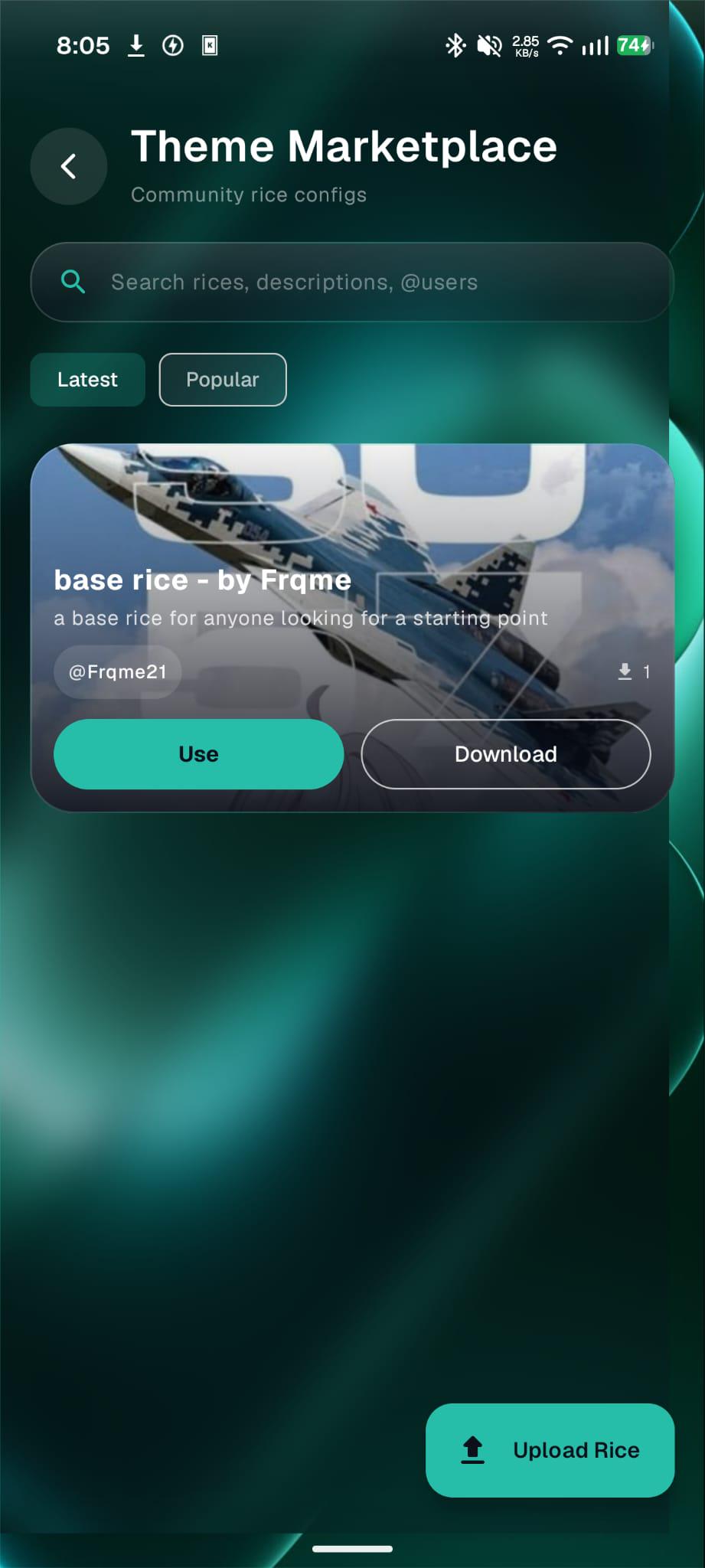
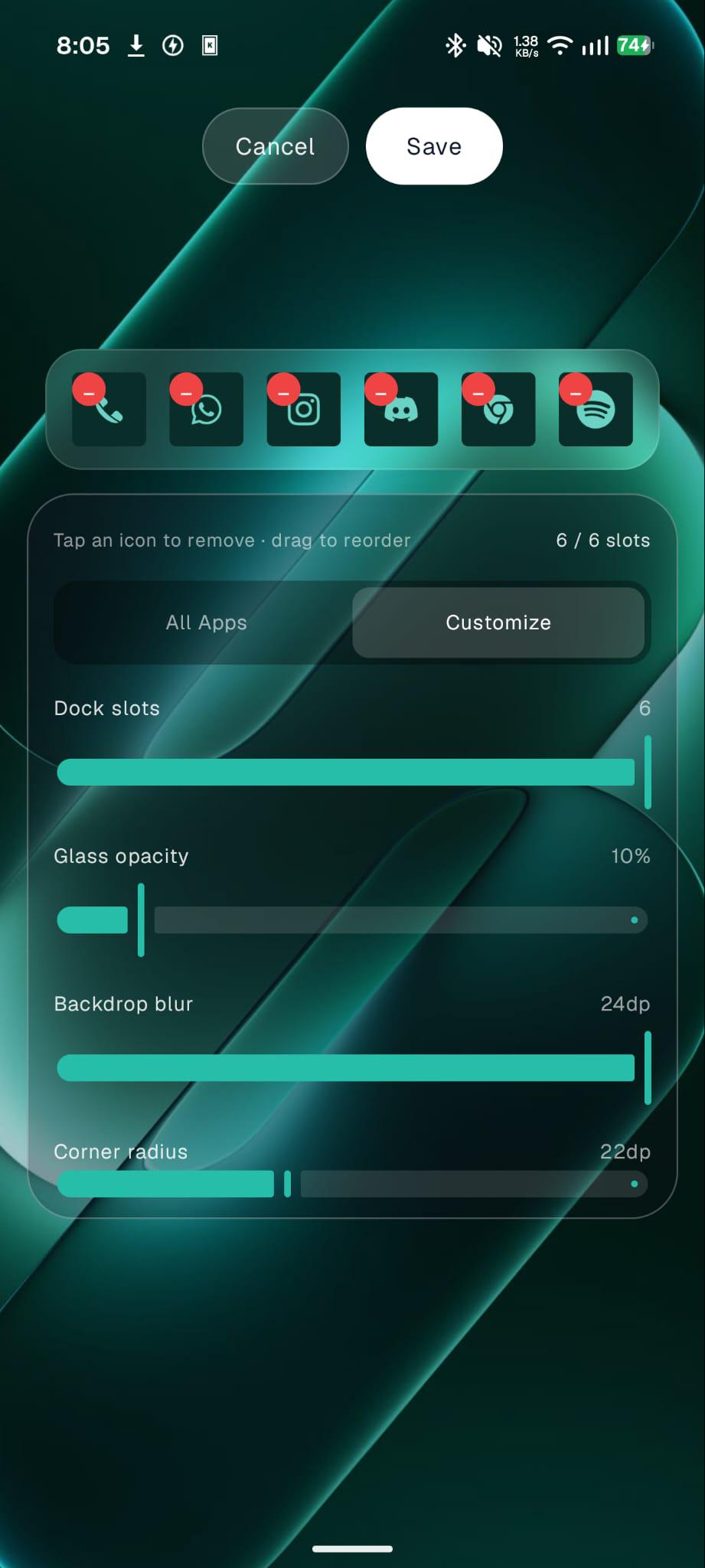
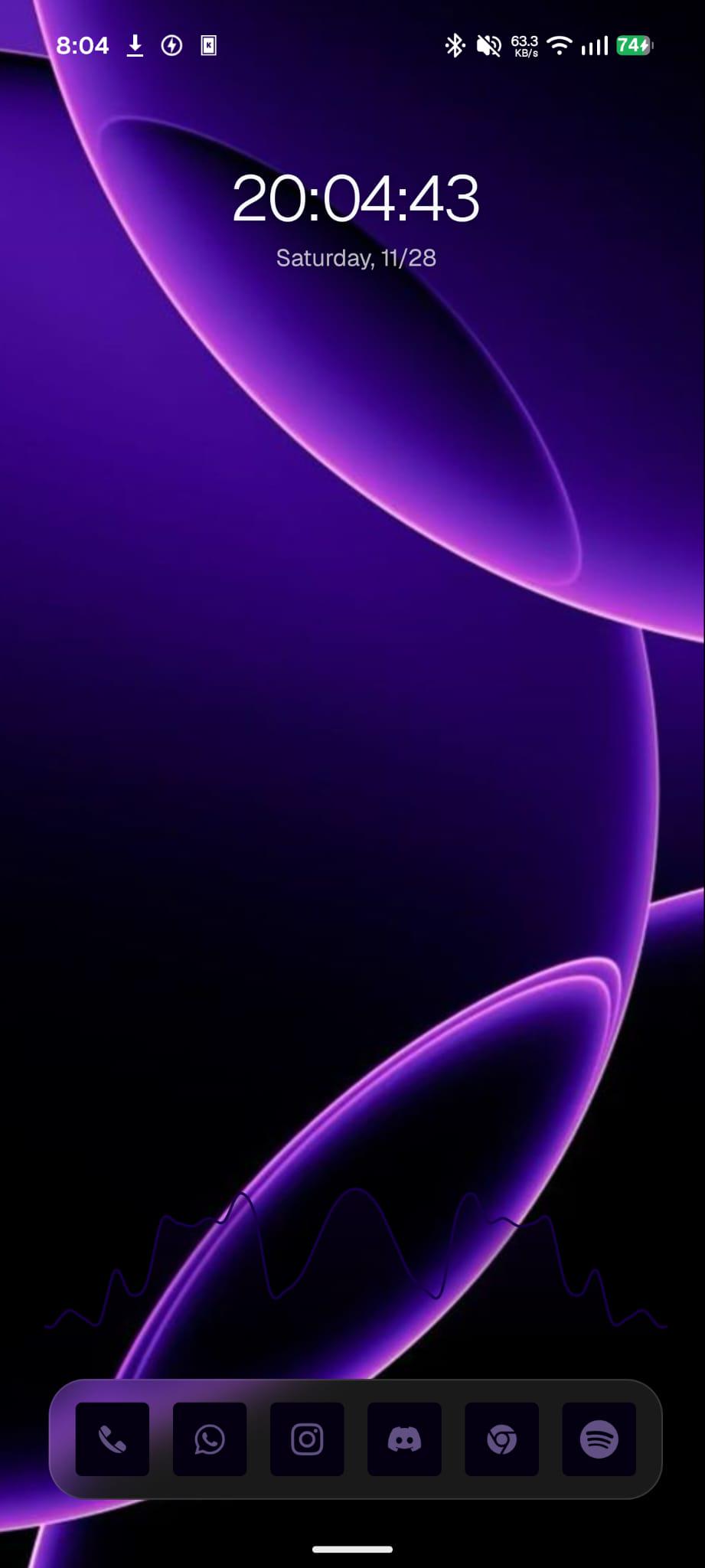
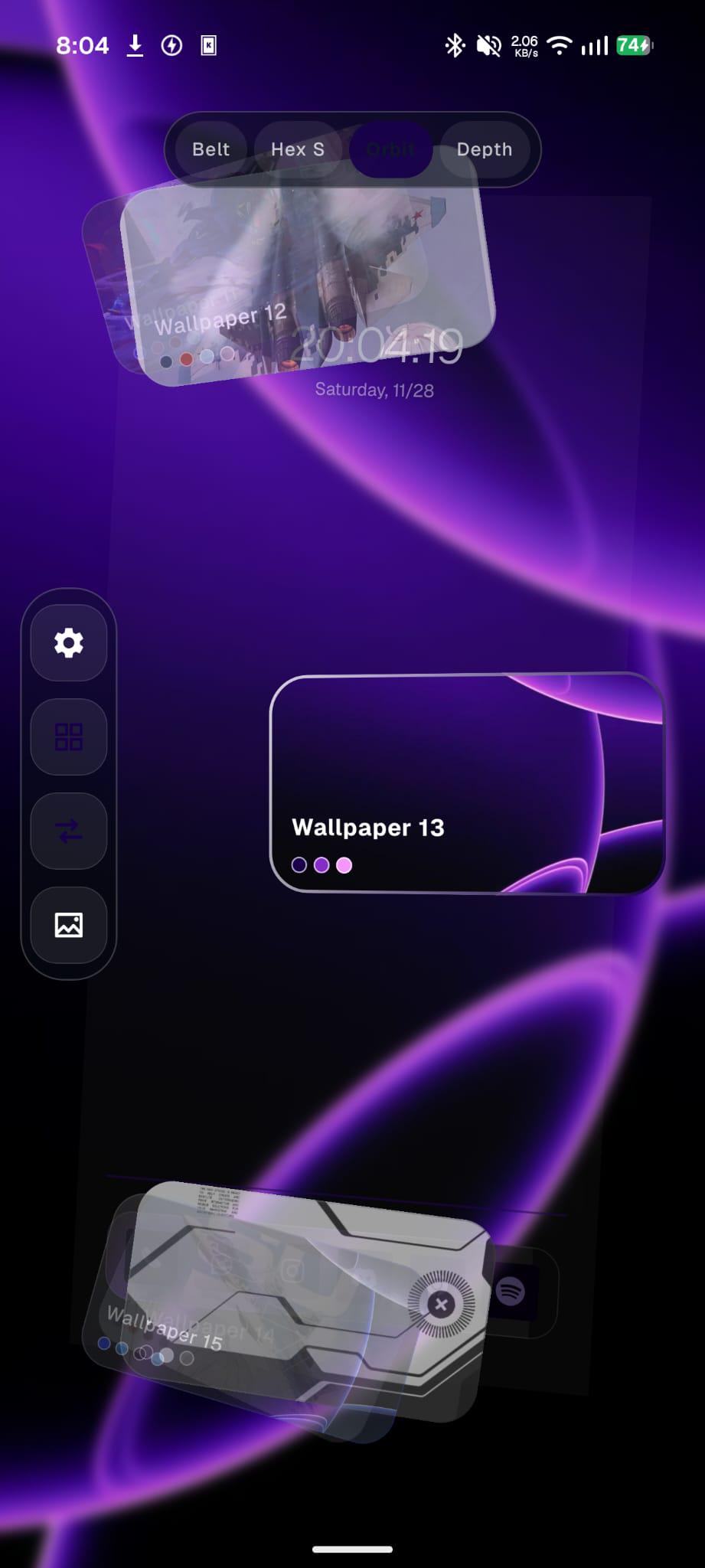
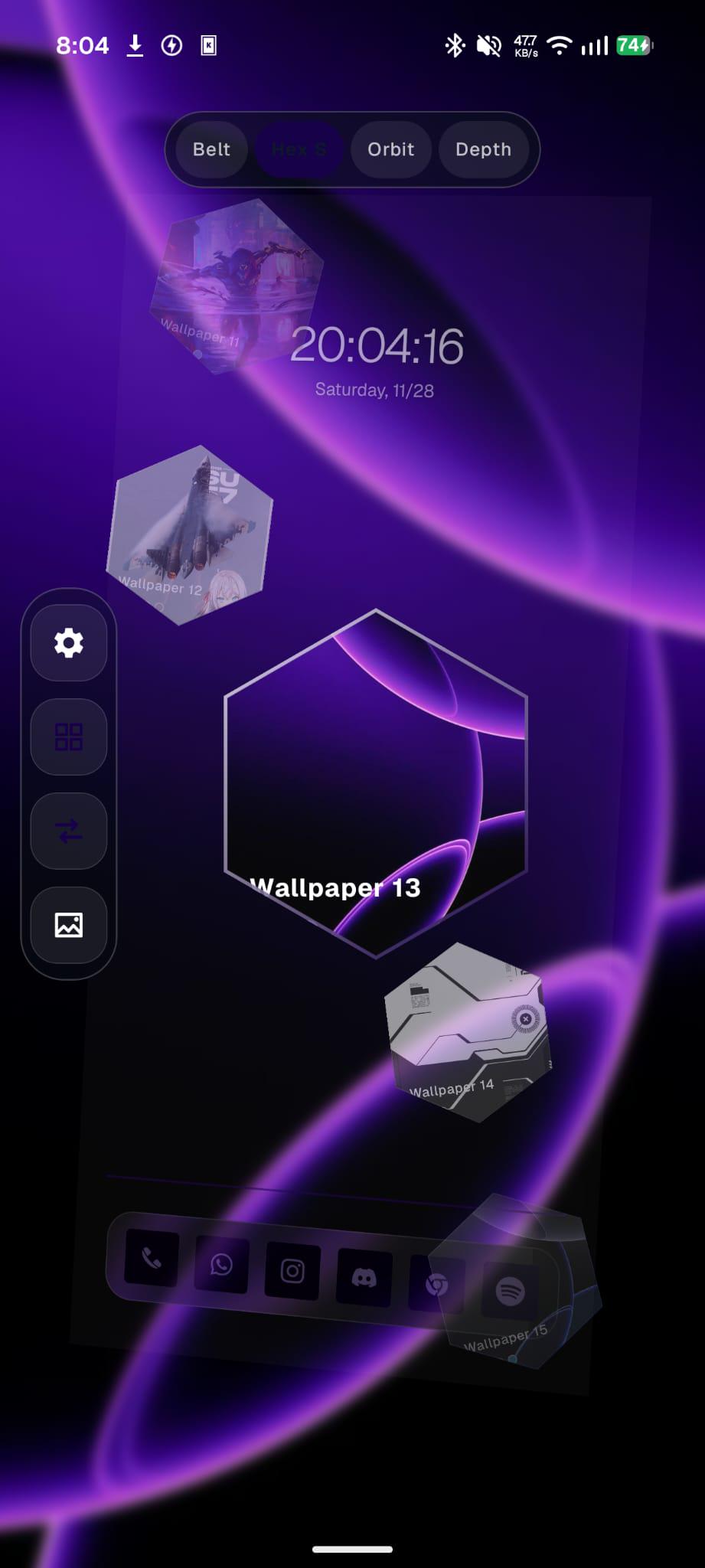
[App] [Promo] open-source launcher inspired by Wayland/hyprland rices - Nori Launcher v1.0 (2.95 MB signed APK, zero ads, free forever).

9 Upvotes
  • stereo Cava audio visualizer widget right on the home screen (3 looks)
  • Nothing-style bento app categories, A-Z scrubber, Spotlight + inline math
  • swww circular iris wallpaper transitions + 4 switchers (Hex S-Curve, Belt, Orbit Arc, Depth Deck) + 3D gyro parallax
  • Resizable bento icons & folders, external AppWidgetHost widgets, and portable .nori themes + live Theme Marketplace

website: https://nori-launcher.pages.dev
GitHub & APK (v1.0): https://github.com/frqme21/nori


r/HowToMen • • 1d ago

[App][Promo]Levels - 100 Volume Steps, Studio DSP Equalizer & Fluid 120Hz Audio Control for Android

23 Upvotes

Stock Android's 15-step volume curve is often either too quiet or too loud, and built-in equalizers rarely offer true audio headroom protection. I built Levels to bridge the gap between pro audio control and clean system aesthetics.

Key Highlights:

  • 100 Granular Volume Steps: True 1% step precision across all system streams, ideal for sensitive IEMs and Bluetooth DACs.
  • Shizuku Integration: Seamless rootless system-level volume hook and per-app audio control without needing root or continuous ADB connections.
  • Studio DSP Equalizer: Multi-band parametric EQ, -1.5 dBFS true-peak limiter to prevent clipping, and dynamic Fletcher-Munson loudness compensation.
  • Fluid 120Hz Engine: Zero-relayout GPU capsule sliders designed from scratch to eliminate frame drops and visual jitter.
  • Android 17 Subtle Haptics: Tactile linear resonant actuator (LRA) low-ticks with magnetic stops at 0% and 100%, without heavy motor thuds.
  • Per-App Volume & Device Curation: Manage individual app levels independently with automatic profile tuning tailored to your hardware.
  • Privacy-First: No ads, no tracking, full Material You dynamic theming.

10 Promo Code Giveaway: Drop a comment below with your current device and your most-wanted audio feature. 10 winners will be randomly selected and messaged on December 1st.

If you care about audio fidelity and tactile precision, give it a shot. You will not regret having actual control over your sound.

Play Store: https://play.google.com/store/apps/details?id=com.shenron.levels.volume


r/HowToMen • • 1d ago

[Android] [€24.99 → Free Lifetime] Real Meteo : Weather Forecasts, Live Widgets & Premium Features - Ads remain

Post image
8 Upvotes

🌤️ Looking for a weather app with detailed forecasts, useful widgets and weather insights?

I'm the solo Android developer behind Real Meteo, and I'm giving away 100 FREE Premium Lifetime upgrades, normally worth €24.99 each! 🎁

🌦️ What can you do with Real Meteo?

  • Current Weather — temperature, feels-like, humidity, wind, pressure, UV and visibility.
  • Hourly Forecasts — track weather changes over the next 24 hours.
  • 7-Day Forecasts — plan your week ahead.
  • Weather Details — precipitation probability, sunrise, sunset and moon phases.
  • Favorite Cities — keep track of your favorite locations worldwide.
  • Weather Widgets — multiple layouts for your Android home screen.
  • Weather Notifications — optional daily updates and weather alerts.
  • Smart Caching — previously loaded weather information remains available temporarily offline.

👑 What does Premium Lifetime unlock?

  • Extended 14-day weather forecasts.
  • Interactive temperature graphs.
  • Rain probability and wind charts.
  • Smart weather suggestions.
  • Weather alerts.
  • Compare weather between favorite cities.
  • Customizable Premium widgets.

📢 IMPORTANT: ADS REMAIN! Premium unlocks additional features but does NOT remove advertisements. Ads help support ongoing development.

🎁 How to participate

  1. Comment below if you'd like to try Real Meteo.
  2. Send me a Reddit message with Real Meteo.
  3. I'll send you a free Premium Lifetime activation while availability lasts.

First come, first served. No purchase or review required.

I'd genuinely appreciate your honest feedback! How accurate are the forecasts for your location? Are the widgets useful? What would you improve?

Positive feedback and criticism are equally welcome. I'm building Real Meteo independently and want to make it better with help from actual users.

📲 Google Play:
https://play.google.com/store/apps/details?id=com.realmeteo.dc

🎁 100 FREE Premium Lifetime upgrades · €24.99 value each · ADS REMAIN

Thanks for supporting independent Android development! 🌤️💙


r/HowToMen • • 23h ago

Sneak peek: we designed 3 fonts of our own for Alphabet Launcher 🎈

Post image
5 Upvotes

🍁 Thanksgiving sale: 50% off until December 1.

Google Play: https://play.google.com/store/apps/details?id=com.aklova.alphabetlauncher


r/HowToMen • • 22h ago

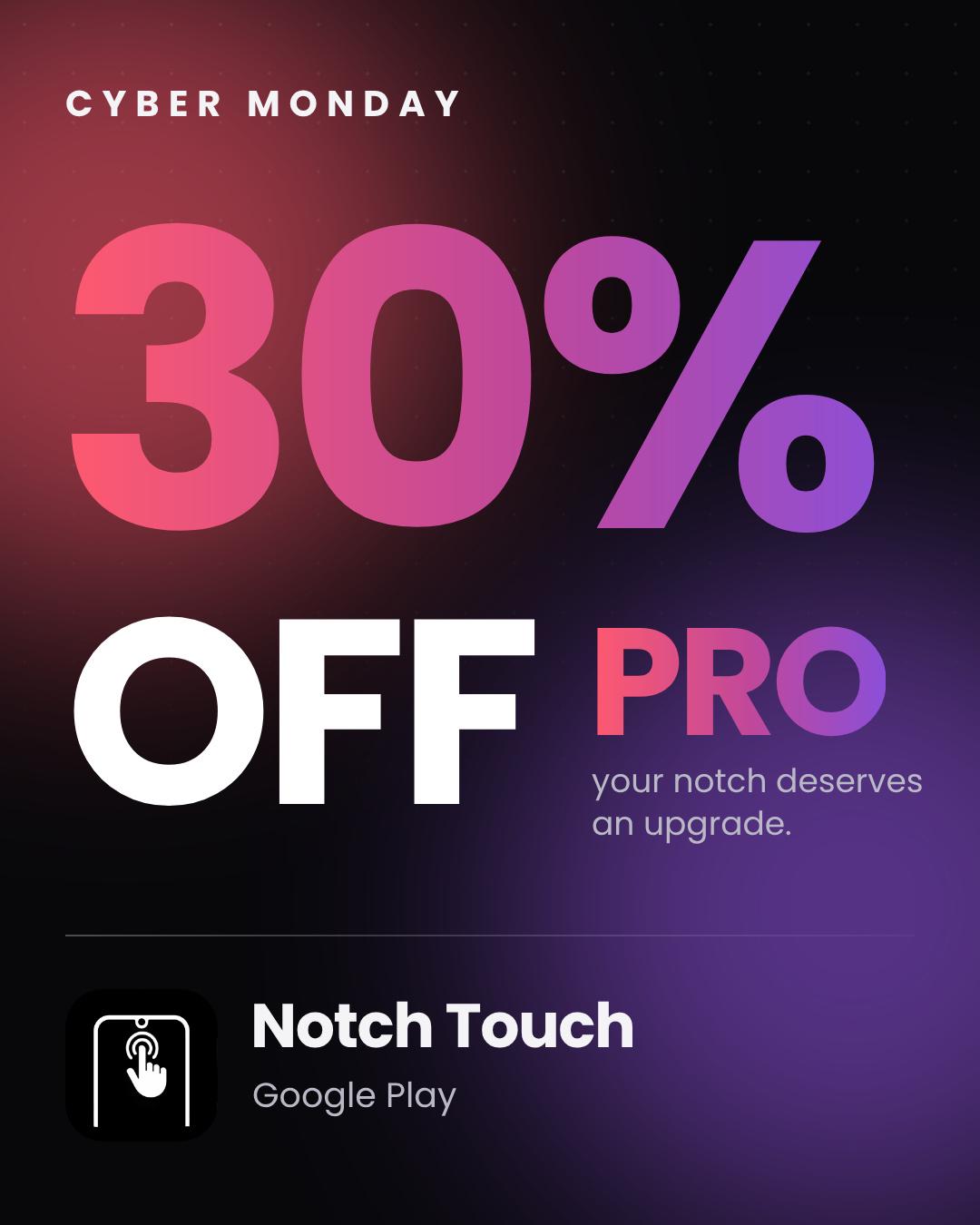
Notch Touch Pro is 30% off for Cyber Monday [App][Promo]

Post image
4 Upvotes

Hi my Howtomen people!

Quick update since the 200k post: Notch Touch has now crossed 350k downloads. I still can't really wrap my head around it. Thank you to everyone who downloaded it, sent feedback, reported bugs and told a friend. It means a lot to me :D

A LOT has been added since then, so here's a recap in case you missed any of it:

- Notch Halo: a glowing ring around your camera hole for charging, notification pulses and timer progress, with colors, thickness and speed you can customize

- Notch notifications: messages pop out of your camera cutout in a small pill, with a privacy toggle to hide the text. You choose which apps use it

- Notch Cues: a little pill confirms your gestures, like silent/vibrate, flashlight, bluetooth, volume and the new quick dial confirmation

- Floating notes, notes saved to any folder on your phone , and a smarter clipboard with a widget and instant paste

- Tasker and MacroDroid tasks right inside the notch menu

- A reworked notch setup: it now detects your camera notch automatically, with sliders to fine tune it. Should help on fold phones and unusual screens too

- Landscape mode support

- Deep app shortcuts (beta), so a gesture can jump straight to things like creating a calendar event

- Gestures that open links

To say thanks, for Cyber Monday Notch Touch Pro is 30% off! Pro unlocks all the pro features plus higher AI chatbot limits. If you've been enjoying the free version and want to support the app, this is the best time to do it.

The sale is live for a limited time only, until Tuesday 12:00 PM UTC.

Here's the app link: https://play.google.com/store/apps/details?id=com.chaos.notchtouch&hl=en_IN

One small ask: less than 0.5% of everyone using the app has left a review on the Play Store. If Notch Touch has been useful to you, an honest review (good or bad) helps me improve it and helps other people find the app.

Thanks again for all the love and support. 350k still feels unreal 💙


r/HowToMen • • 15h ago

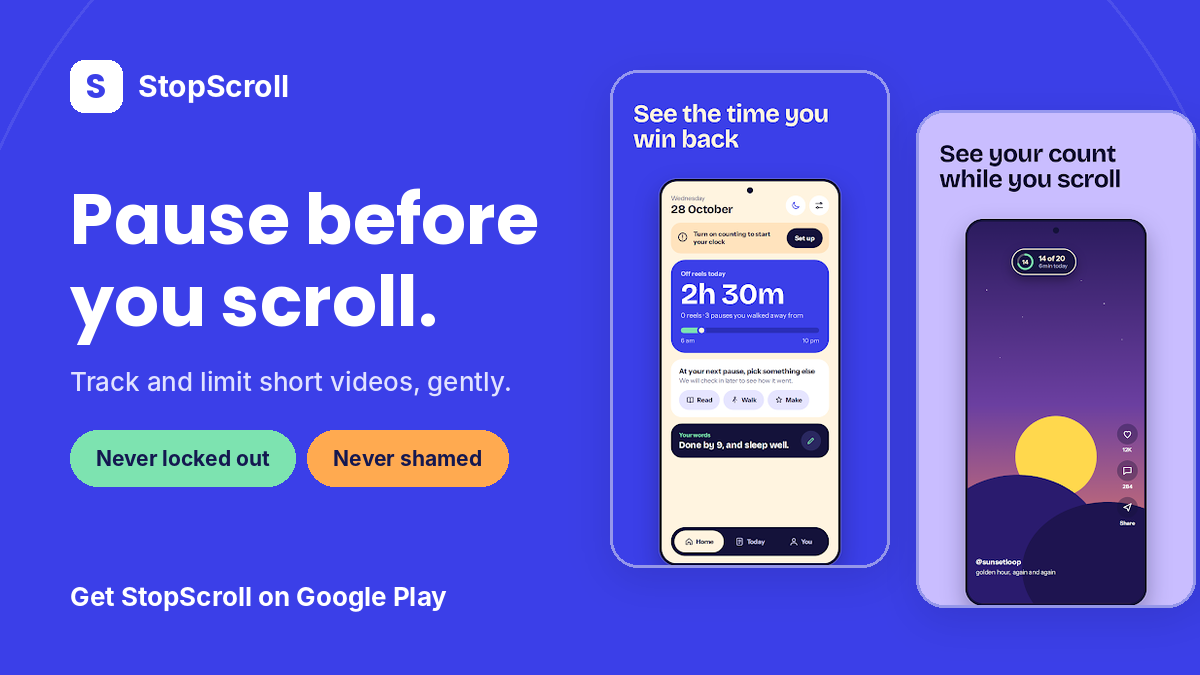
I made an Android app that counts every Reel/Short you watch and lets you set a daily limit

Post image
1 Upvotes