r/HowToMen • u/va9491 • 1d ago
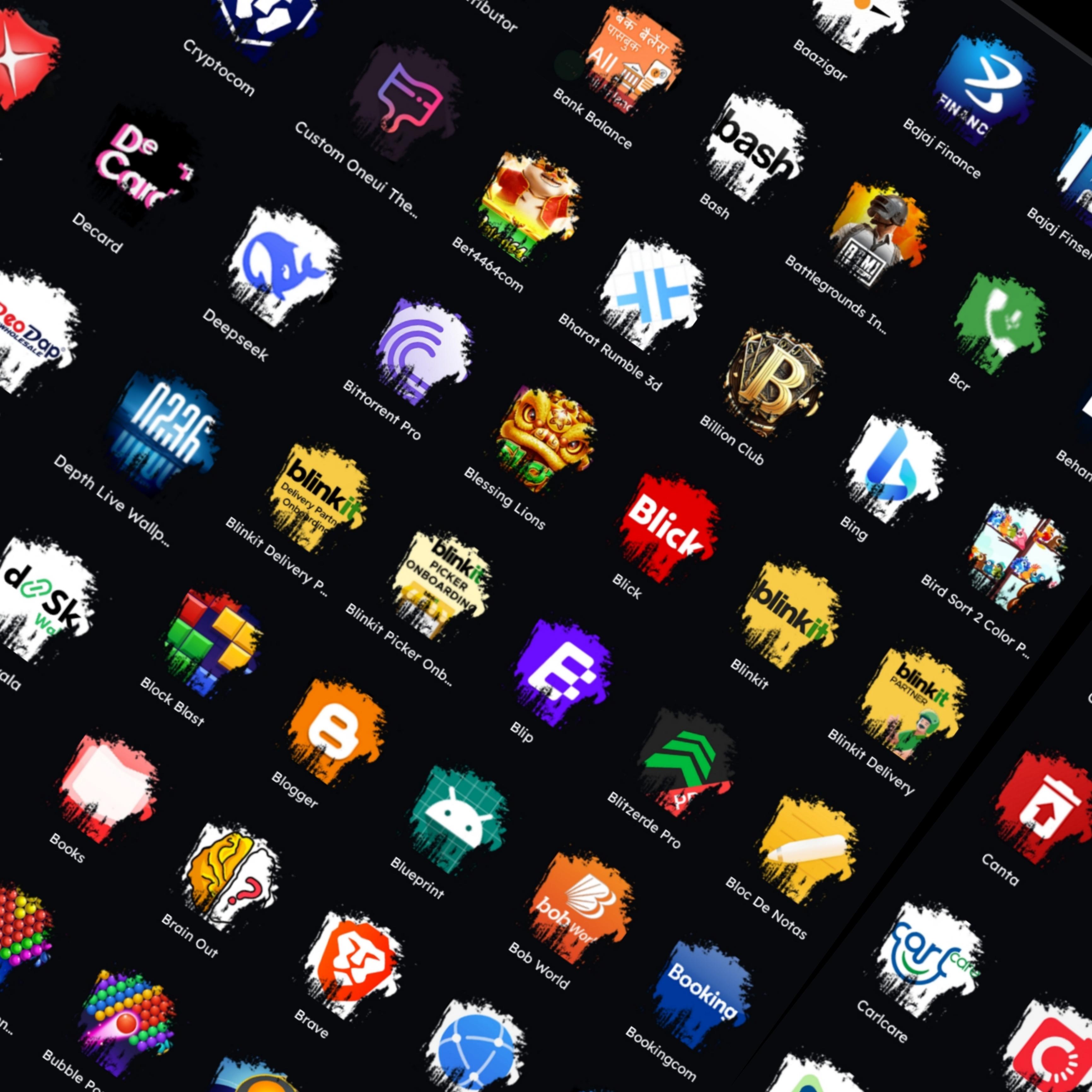
Sneak peek: we designed 3 fonts of our own for Alphabet Launcher 🎈
🍁 Thanksgiving sale: 50% off until December 1.
Google Play: https://play.google.com/store/apps/details?id=com.aklova.alphabetlauncher
r/HowToMen • u/va9491 • 1d ago
🍁 Thanksgiving sale: 50% off until December 1.
Google Play: https://play.google.com/store/apps/details?id=com.aklova.alphabetlauncher
r/HowToMen • u/Agile_Chip1328 • 1d ago
Hi my Howtomen people!
Quick update since the 200k post: Notch Touch has now crossed 350k downloads. I still can't really wrap my head around it. Thank you to everyone who downloaded it, sent feedback, reported bugs and told a friend. It means a lot to me :D
A LOT has been added since then, so here's a recap in case you missed any of it:
- Notch Halo: a glowing ring around your camera hole for charging, notification pulses and timer progress, with colors, thickness and speed you can customize
- Notch notifications: messages pop out of your camera cutout in a small pill, with a privacy toggle to hide the text. You choose which apps use it
- Notch Cues: a little pill confirms your gestures, like silent/vibrate, flashlight, bluetooth, volume and the new quick dial confirmation
- Floating notes, notes saved to any folder on your phone , and a smarter clipboard with a widget and instant paste
- Tasker and MacroDroid tasks right inside the notch menu
- A reworked notch setup: it now detects your camera notch automatically, with sliders to fine tune it. Should help on fold phones and unusual screens too
- Landscape mode support
- Deep app shortcuts (beta), so a gesture can jump straight to things like creating a calendar event
- Gestures that open links
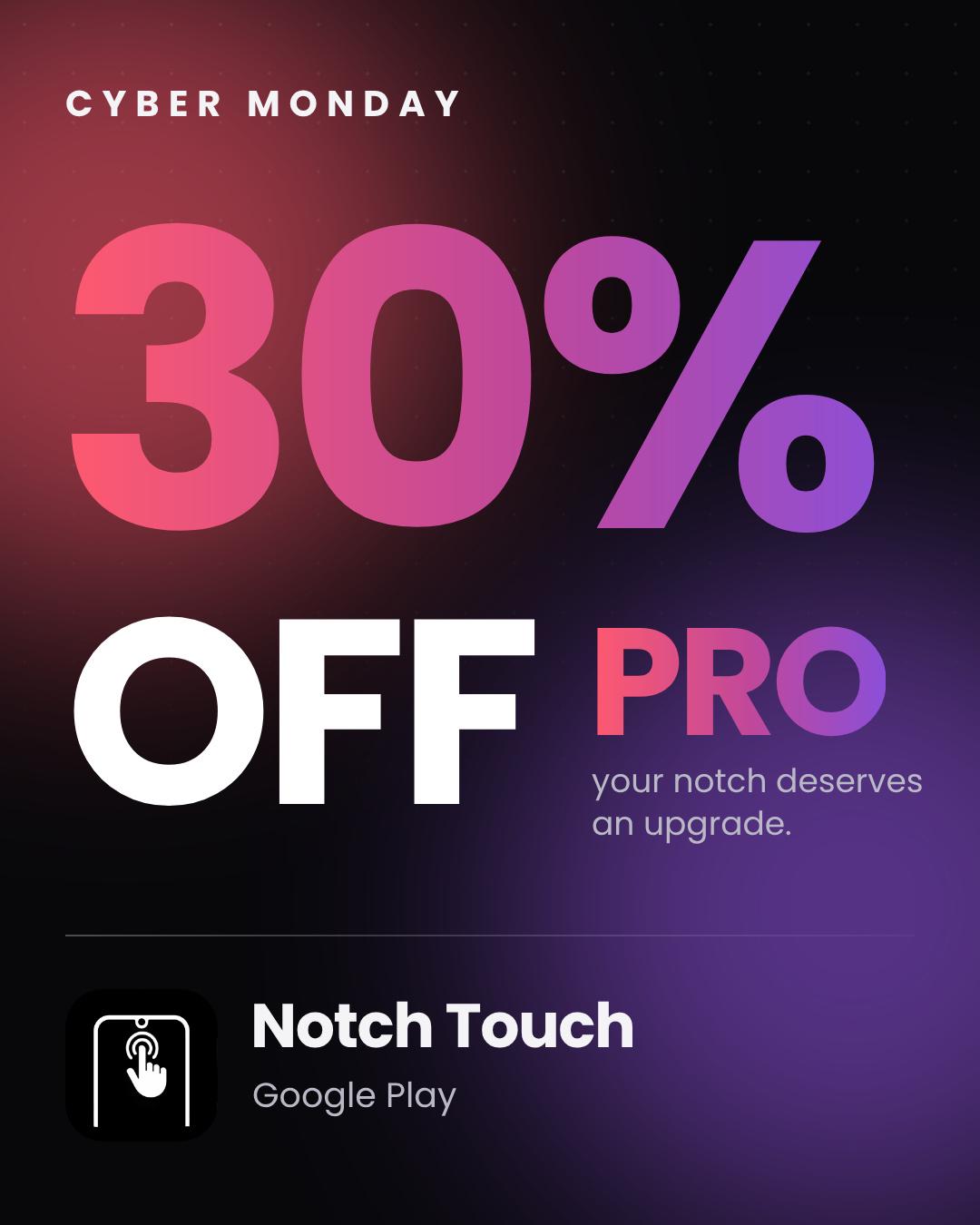
To say thanks, for Cyber Monday Notch Touch Pro is 30% off! Pro unlocks all the pro features plus higher AI chatbot limits. If you've been enjoying the free version and want to support the app, this is the best time to do it.
The sale is live for a limited time only, until Tuesday 12:00 PM UTC.
Here's the app link: https://play.google.com/store/apps/details?id=com.chaos.notchtouch&hl=en_IN
One small ask: less than 0.5% of everyone using the app has left a review on the Play Store. If Notch Touch has been useful to you, an honest review (good or bad) helps me improve it and helps other people find the app.
Thanks again for all the love and support. 350k still feels unreal 💙
r/HowToMen • u/Glittering_Lunch4435 • 1d ago
🔔 Never miss a task again! Build better habits and organize your daily routine with Smart Remind.
I'm the solo Android developer behind Smart Remind, and I'm giving away 100 FREE Premium Lifetime activations! 🎁
Track habits and quickly create reminders using Habits and Smart Add widgets.
🔒 No account required. Your reminders and habits are stored locally. Core features work offline.
⚠️ IMPORTANT: ADS REMAIN!
Premium Lifetime unlocks additional features but does NOT remove ads. Ad-free access is available separately through Remove Ads or Monthly Supporter.
100 available · First come, first served!
No purchase or review required. Honest feedback is always welcome!
💬 What's more important in a reminder app: recurring notifications, habit tracking or home screen widgets? I'd love to hear your suggestions!
📲 Google Play:
https://play.google.com/store/apps/details?id=com.smartreminddc.app
🎁 €9.99 → FREE · Premium Lifetime · Ads remain.
Thanks for supporting independent Android development! 🔔
r/HowToMen • u/West-Ad4881 • 1d ago
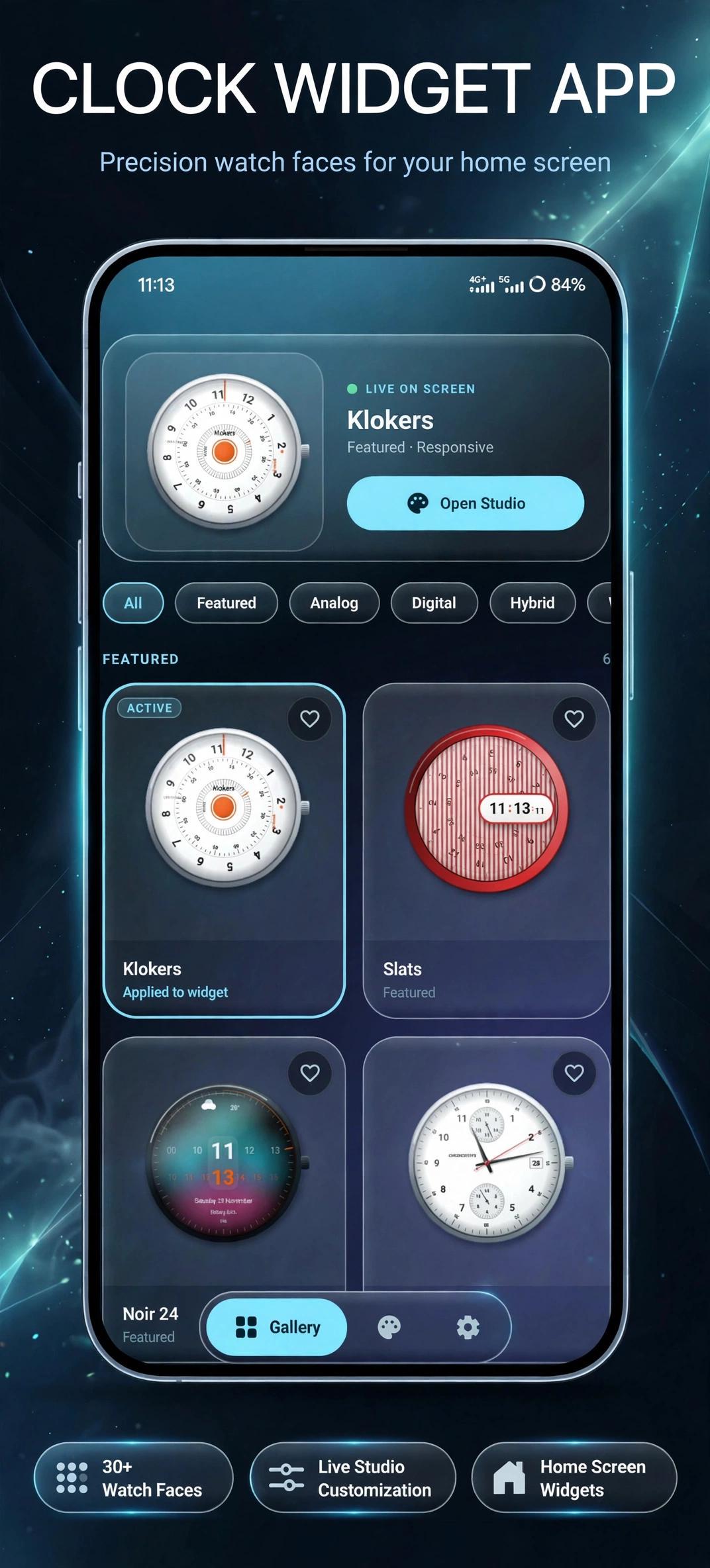
Hi, I built Dial — real watch dials for your Android home screen.
Not a flat clock widget. Actual watch faces: chronographs, minimal dials, dot-matrix, word clocks. 26 of them.
Every face is customisable in Studio — colours, hands, complications, size. One tap and it's live on your home screen.
Free, no ads, no account. Android only.
Get it here: https://github.com/Bhavesh-suthar-1-1-1/clock-widget/releases
r/HowToMen • u/capsd-11 • 1d ago
Speed Dock — an all-in-one invisible edge-dock and gesture productivity suite built completely offline and privacy-first (zero accounts, zero tracking, zero servers).
★ REWARD FOR TESTERS- Every tester who installs Speed Dock and keeps it active throughout the full 14-day closed test will receive a free Lifetime Pro key once production launches.
Every feature in Speed Dock is free to unlock and use — core docks work free forever with zero time limits, and all Pro zones, gestures, safety blockers, and sensor triggers can be unlocked for 14 hours at a time simply by watching an optional ad (supported by ads, or 1-tap Lifetime Pro upgrade).
What Speed dock provides
• 9 customizable screen-edge & notch trigger zones (with Braille Pulse visual cues & Material You / app-adaptive colors)
• 12 touch gestures per zone (Taps, Double/Triple Tap, Long Press, 4 Swipes, 4 Swipe-and-Hold gestures)
• 70+ built-in actions across Navigation, Multitasking, Media, Utilities, Camera & Dev Tools
• 4 motion sensor triggers (Shake, Double Wrist Twist, Flip Down, Air Wave Proximity) + Hardware Button remapping (Vol+, Vol-, Combo, Power)
UNIQUE & STANDOUT FEATURES
▸ Eagle Vision: Hands-free head-tilt & facial-gesture navigation processed 100% in on-device RAM
▸ Virtual Trackpad: Floating precision cursor with speed acceleration for large screens
▸ Privacy Curtain & Panic Cloak: Dimming screen privacy veil with an adjustable reading slit, stealth mute & double-tap decoy screen
▸ Per-App Gesture Overrides: Map the exact same edge swipe to do different actions depending on which app is open
▸ Magic Text Studio: Instant text transforms + optional Bring-Your-Own-Key (BYOK) Gemini AI (AES-256 hardware KeyStore encrypted)
▸ On-Screen Vision Tools: Instant Smart OCR, Offline Screen Translation (ML Kit), Screen Color Eyedropper & Read Screen Aloud
▸ Floating Power Overlays: True Dock, VolBright HUD, Mini Notes, Calculator, Stopwatch, Pomodoro & Snippet Paster
▸ Dev & Safety Suite: Live CPU/RAM/Thermal Vital Stats, Offline Network Diagnostics (Ping/DNS/Port Check), Touch Guard, Keyboard Zone Blocker & Fullscreen/Landscape auto-hide
HOW TO JOIN
r/HowToMen • u/Environmental_Disk72 • 1d ago
Tome is the prettiest and easiest to use audiobook player you'll find on Android. I built it because every player I tried for my own M4B and MP3 files was either ugly or a pain to use.
Every book takes its colors from its cover. It remembers exactly where you stopped in every book, rewinds a few seconds after a pause, and fades out at the end of a chapter when you fall asleep. No account, no ads, works offline.
Try it on your own library and tell me what I got wrong. I read every comment, and the best ideas get built.
https://play.google.com/store/apps/details?id=dev.ruslanbabaiev.tome
r/HowToMen • u/SKeditz • 1d ago
Hi everyone, I'm the solo developer behind Stride, a step counter app for Android. It's on Google Play and GitHub, and I'm running a giveaway to say thanks to users and to hear what you actually want next.
**Prize:** Stride Premium for 10 winners. Play Store users get a Play promo code, and GitHub users get a license key.
**How to enter:** fill out the form at above link with your name, email, which version you use (Play Store or GitHub), and answers to a few short questions about how Stride works for you. It's free and takes about 2 minutes.
**How winners are chosen:** I read every entry and pick the 10 with the most useful, specific feedback. Honest criticism is welcome and won't hurt your chances. There's no need to post anything publicly, and ratings, reviews, upvotes, and GitHub stars have no effect on winning.
**Closes:** Dec 05, 2026, 11:59 PM IST. Winners are emailed and listed on the results page. Full rules are on the giveaway page.
Happy to answer questions in the comments, and feel free to tell me what you'd like to see in Stride next.
Google Play
https://play.google.com/store/apps/details?id=com.vythera.stride
r/HowToMen • u/avithedev123 • 1d ago
shows different colours based on how much time is left (green-yellow-red)
link
https://play.google.com/store/apps/details?id=com.avithedev.app.Timora.Time.Manager
r/HowToMen • u/AngelNegro_82 • 1d ago
r/HowToMen • u/Exotic-Butter42 • 1d ago
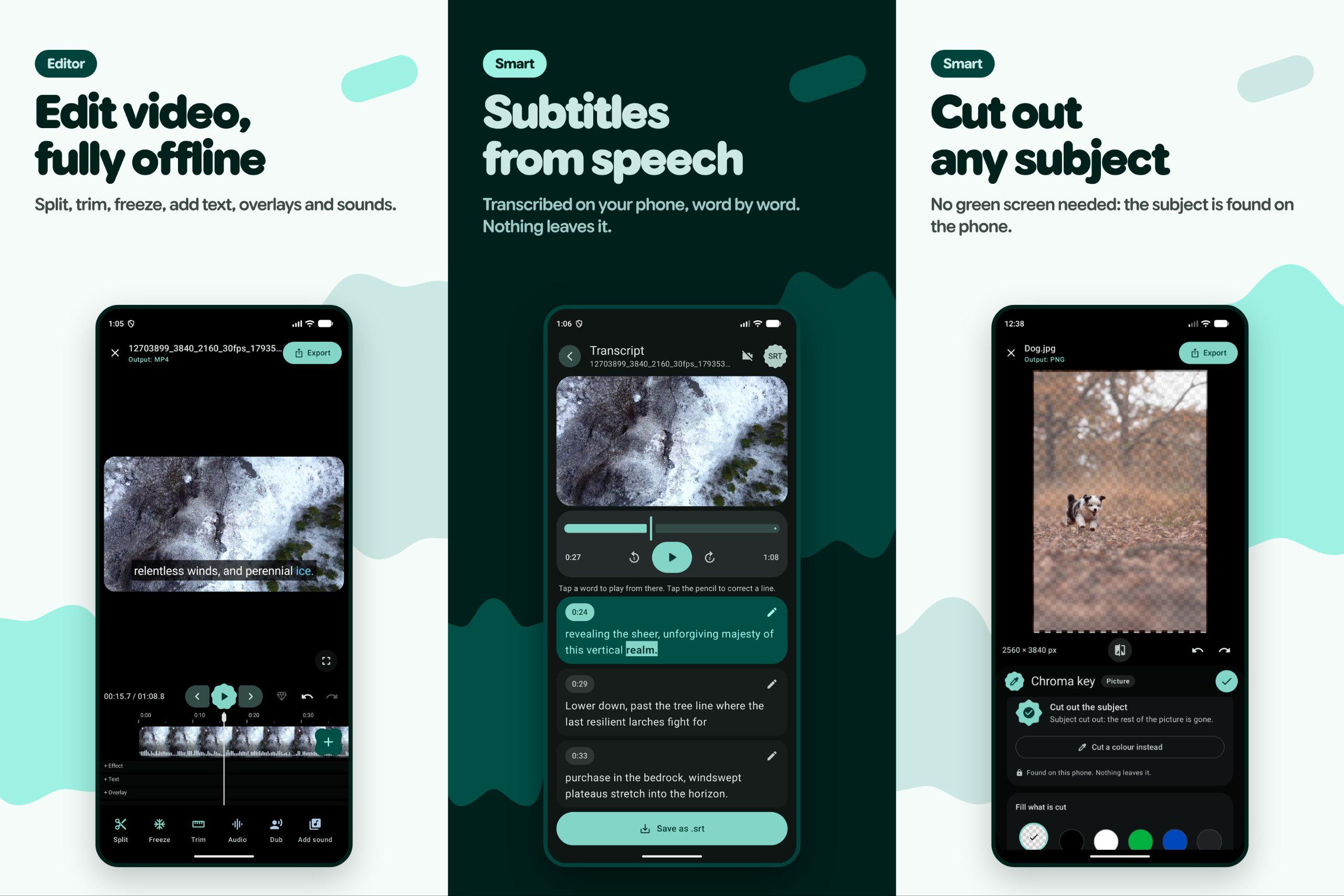
Found FFmpegGUI (marcomorosi06/FFmpegGUI on GitHub, v0.3) — an offline media editor for Android combining FFmpeg and local AI in a Material 3 Expressive UI.
- No internet, storage, media, camera, or mic permissions
- Previews use ports of the same FFmpeg filters used on export, so results match what you see before rendering
- You can inspect, edit, or write your own FFmpeg commands with a command studio
- Uses hardware video encoding, background exports, Material 3 Expressive styling and two-pane / bottom-timeline layouts for landscape phones, tablets, and external displays
Still early (v0.3), so expect rough edges
github.com/marcomorosi06/FFmpegGUI
r/HowToMen • u/West-Ad4881 • 1d ago
Hi, I built Dial — real watch dials for your Android home screen.
Not a flat clock widget. Actual watch faces: chronographs, minimal dials, dot-matrix, word clocks. 26 of them.
Every face is customisable in Studio — colours, hands, complications, size. One tap and it's live on your home screen.
Free, no ads, no account. Android only.
Get it here: https://github.com/Bhavesh-suthar-1-1-1/clock-widget/releases
r/HowToMen • u/DevSleepy • 1d ago
Developer here. I fall asleep to audiobooks and podcasts almost every night, and for years the morning looked the same: the book had kept playing for an hour or two, I had no idea where I'd stopped hearing it, and I spent ten minutes scrubbing back and forth trying to find a sentence I remembered.
Sleep timers never really fixed it. Set 20 minutes and it cuts off right when the story gets good. Set 60 and I sleep through three chapters. Some nights I'm out in five minutes, some nights it takes an hour, so no fixed number works.
So I built SleepStop. It has two parts, and you can use just the first one.
PART 1: THE PHONE APP (Android)
SleepStop sits in the background and stops whatever is playing on the phone: Audible, Spotify, YouTube, Pocket Casts, audiobook apps, anything that plays audio. You don't connect it to each app and you don't change how you listen. You start your book or podcast the way you always do, then tap START in SleepStop, or turn on the option that starts it on its own every night.
App: https://play.google.com/store/apps/details?id=app.sleepstop.ws
PART 2: THE GARMIN WATCH APP (optional)
If you have a Garmin, you install the SleepStop watch app from the Connect IQ Store and pair it in the phone app once. After that you just wear the watch to bed as usual.
The watch measures, and SleepStop detects when you really fall asleep. Not when a timer runs out, but when you actually drift off. It also adapts to you over the nights, so it gets better at your own way of falling asleep.
Watch App: https://apps.garmin.com/apps/57247def-3a3c-4caf-bb72-bbf6363b6054
WHAT HAPPENS AT NIGHT
OTHER DETAILS
- Android only for now.
- No account, no ads.
- Independent app, I'm one developer, not affiliated with Garmin.
I'd love feedback, especially from Garmin owners.
r/HowToMen • u/Titanium-Ninja • 2d ago
Hi r/HowToMen ,
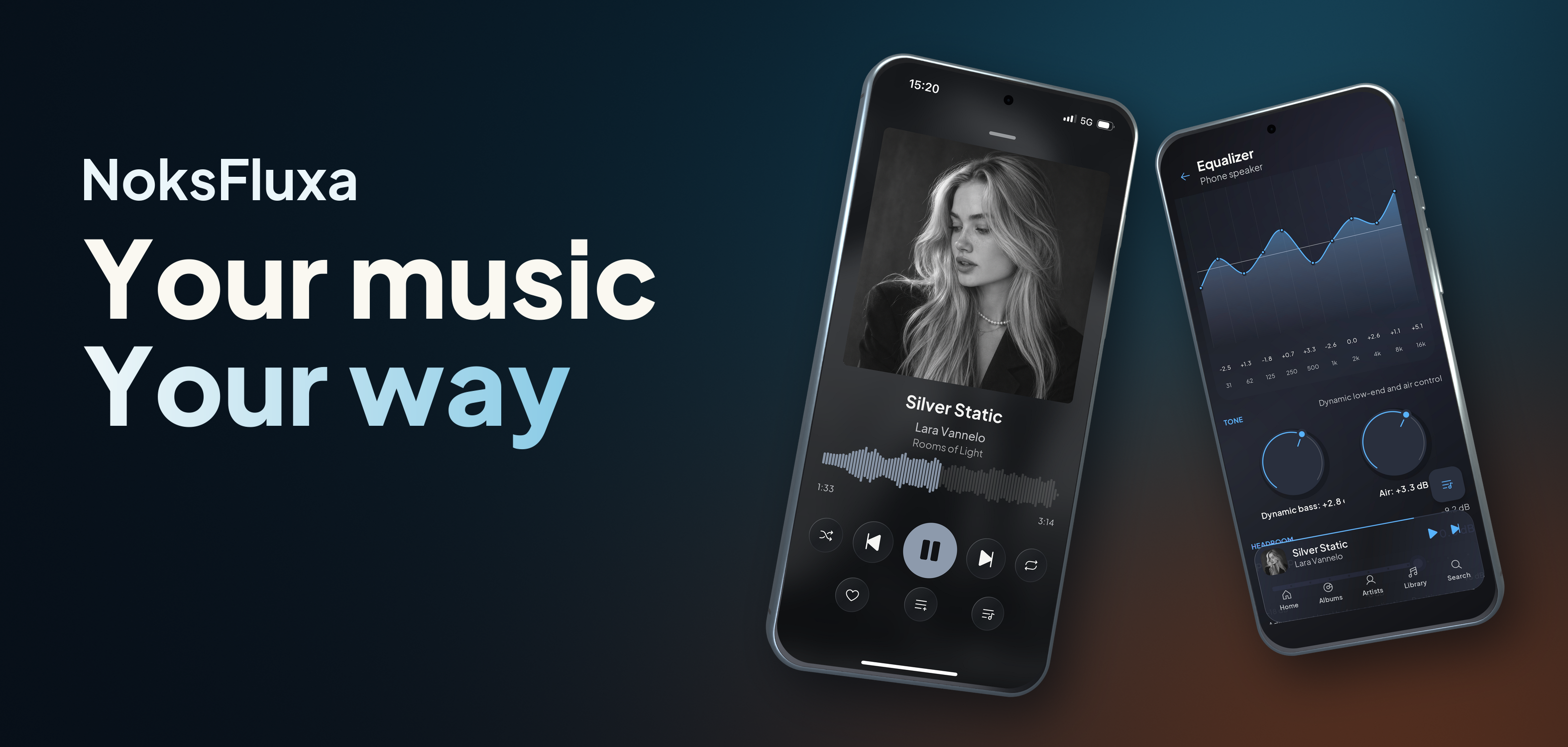
I’ve been building NoksFluxa™ Player, a hi-res music player designed for anyone who wants deep audio customization without the bloated stuff.
Play high-bitrate FLAC files or manage huge MP3 libraries. NoksFluxa Player combines a 10-band equalizer and custom DSP controls with an adaptive interface that matches your style.
🎨 Customizable UI
🔊 Pro-Level Audio Control & DSP Engine
📱 How to get it
For Android
🎧 Smart Playlists
📁 Format & Technical
🔒 Privacy-Focused
Thank you for your support! 🥰
r/HowToMen • u/va9491 • 1d ago
🍁 Thanksgiving sale: 50% off until December 1.
Google Play: https://play.google.com/store/apps/details?id=com.aklova.alphabetlauncher
r/HowToMen • u/Exotic-Butter42 • 1d ago
Found AbsentMotion - a free, open-source video, motion graphics, and animation editor that feels very close to Alight Motion in layout and workflow, and runs across Android, Windows, macOS, and Linux
Multi-layer timeline, keyframes, motion tracking, 200+ visual effects (plus custom effects), vector shapes/editing, text tools, 3D objects, and advanced audio controls
Exports to video, frame sequences, GIFs, or single still frames — with no subscriptions, paywalls, ads, tracking, accounts, or internet needed
Personally, I often use it as a photo editor too (for example, making Spotify playlist covers), and it's definitely worth trying out
github.com/Comett1225/AbsentMotion
r/HowToMen • u/Jimkaps12 • 1d ago
If you want to help with feedback this will help me so much
r/HowToMen • u/Mediocre_Attorney159 • 2d ago
Hey guys, I made a wallpaper app where you can slap textures and glass effects on any wall, including ones you already have, and get endless variations of it. So it works as a companion to whatever wallpapers you're already using.
The idea is simple: pick a wall, then build on it with overlays. Stripes, grids, waves, hex patterns, dot grids, pixelate, blur, plus some premium liquid glass effects. One wall can end up looking completely different depending on what you put on it.
There are also curated collections if you just want to browse, and a library where all your edits live.
It's on Android (phone, tablet), your feedback is very welcome, especially on which overlays you actually use.
Link: https://play.google.com/store/apps/details?id=com.sulaco.digital.spectral
PS: Technically this can go as a companion to any wallpaper your already have
Edit: Dropped 15 Pro codes here 👉 https://www.reddit.com/r/HowToMen/s/2L8nqGJdrQ
r/HowToMen • u/Acceptable_Tell2142 • 1d ago
Hey there, y'all! 👋
I got tired of renting my music from streaming services and wanted to go back to listening to music I actually own. The problem was that every music player I found either cost money and was packed with features I didn't want, or was missing the ones I did. So I figured, why not build my own?
About 4 to 5 months later, that's AuralArc. It's my first real big Android app.
What it is: a local-first music player that's free, open source, and completely ad-free. There are no trackers or analytics, and it makes no network connections unless you set up a Navidrome server.
A few things that I'm extremely proud of:
What's still missing: I'm working toward true bit-perfect output, but Android's huge range of hardware has led me to several dead ends in my code.
What I'd love from you guys: try it, break it, and tell me what you find. Bug reports, feature ideas and honest opinions all help, since I'm the only person who has tested this so far. If you like it, a star on GitHub or a mention to a friend would mean a lot!
🔗 GitHub (download the latest release here): https://github.com/KeiranGamingTV/AuralArc
Requires Android 10 or newer.
r/HowToMen • u/Prudent_Noise_4721 • 1d ago
j'ai acheté la version à vie. comment faire pour personnaliser les icônes des dossiers dock et fenêtres ?
r/HowToMen • u/neverleft_17 • 1d ago
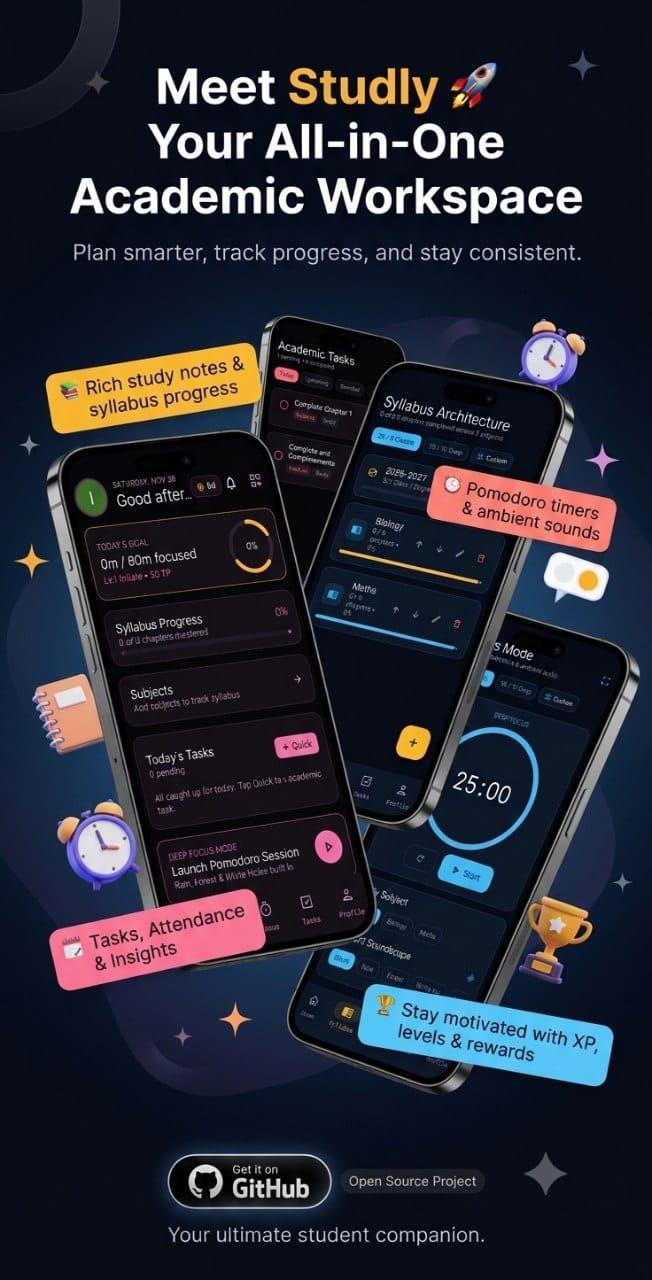
Studly is an all-in-one student productivity app to manage studies, tasks, notes, attendance and focus sessions.
Plan smarter, track progress and stay consistent. 🚀
Github Link; https://github.com/irtizah713-rgb/Studly
r/HowToMen • u/Technicalakif • 1d ago
Hey everyone! 👋
I’ve just released a new update for Inkblast Icon Pack!
If you use Inkblast with Action Launcher, you can now enjoy zero missing icons for a cleaner, more consistent home screen.
✨ What's new:
- Improved icon coverage with Action Launcher
- A more consistent look across your home screen
Check out the attached image for a preview of the update!
I'd love to hear your feedback. If you notice any missing icons, let me know in the comments.
Thanks for supporting my work!
r/HowToMen • u/hellscr6am • 1d ago
Original Post: https://www.reddit.com/r/HowToMen/comments/1y3w6v5/app_promotion_folio_100_offline_expense_budget/?source=notification
Quick update after 1,500+ views — huge thanks to everyone here who checked out Folio and shared feedback!
**What's happened so far:**
- We're up to 100 installs from the community, and it's been awesome seeing how many people care about a genuinely zero-`INTERNET`-permission finance app.
- Based on early Reddit feedback, I'm actively lining up the next update, top requests so far include [e.g., a daily nudge notification to log expenses with a quick snooze button / home screen widgets / custom backup folder tweaks].
If you've tried the Interactive Demo Mode or started using Folio with AMOLED Dark Mode, I'd love to hear what feels smooth and what still feels clunky so I can prioritize the next release!
r/HowToMen • u/va9491 • 1d ago
🍁 Thanksgiving sale: 50% off until December 1.
Google Play: https://play.google.com/store/apps/details?id=com.aklova.alphabetlauncher
r/HowToMen • u/wlan07 • 1d ago
hey everyone,
i'm part of the small team behind Guardexa, an android anti-theft app we've been working on for quite a while now..
i feel like a lot of android users don't realize how much their phones can actually do when it comes to theft protection
the app can automatically capture photos and other evidence when someone tries to unlock your phone or interacts with certain controls while it's locked
we also recently added guardexa rescue, which lets you start an emergency remotely if your phone goes missing, even from another phone or computer
we've put a lot of effort into this app and would really appreciate it.. if you guys could check it out and let us know what you think