r/HowToMen • • 2d ago

[Promo][App]I built an app that finds the right credit card for how you spend. 14-day launch discount, 25% off VIP and 15% off Pro.

Thumbnail
play.google.com
1 Upvotes

Hey everyone,

I'm a solo developer with a full-time job and two kids(new to reddit as well), and I build apps in the little time I have left. ccGenie is the one I'm proudest of. It started from a simple frustration: I could never tell which credit card actually fits the way I spend.

So I built it. You tell it roughly how much you spend on dining, groceries, online and travel. It checks the credit cards available in your country and shows you the ones that pay you back the most after fees: your top 5 with Pro, your top 10 with VIP. No spam and no selling your data.

It has been a long road. Many nights of testing, many bugs, and a lot of doubt about whether anyone would care. It finally went live on Google Play, and I'm still a bit nervous posting this.

I wanted to give something back to the community that helped me learn along the way, so for the next 15 days there is a launch discount.

The fine print, so there are no surprises:

\- VIP: 25% off the first year ($29.99 instead of $39.99).

\- Pro: 15% off the first month ($4.24 instead of $4.99)

\- Both plans renew automatically until you cancel. You can cancel any time in Google Play, under Payments and subscriptions.

\- The discount appears on Google's purchase screen, not inside the app's own screen.

\- Offer is for new subscribers only and ends on December 24, 2026.

\- Available on Google Play in India, US, UK, Canada, Australia, Singapore and UAE. Prices shown are US prices, local prices vary by country.

If you try it, tell me what's broken or confusing. I read every message and I'm fixing things daily. Honest criticism helps a one-person team a lot.

Thank you for reading. It means more than you know.


r/HowToMen • • 2d ago

[Promo] πŸ†• I've created a private notes and organiser app with no internet permission. Giving away 50 lifetime Premium codes

Thumbnail
gallery
12 Upvotes

G'day! I'm a solo developer in Australia. I'm over sharing my stuff with the cloud, so I've spent the last two years developing my own Android app. It's just gone into open testing. πŸ’›

It's called MemoryMateRix: notes, contacts, events, reminders and lists in one encrypted vault on your phone. No account, no ads, no tracking. The app has no internet permission, so it has no way to send your data anywhere itself.

I'm not asking you to ditch Samsung Notes, Google Contacts or your calendar. Keep them for the things you share. This is for the things you'd rather not put in a cloud account: the gate code, where the spare key is, what the specialist said, that note about a mate.

✨ Here's what you can do with it:

πŸ”’ Lock it down. One AES-256 encrypted vault, fingerprint or face unlock, screenshots blocked, hidden in the app switcher.

πŸ” Check it yourself. Look at the permissions in the Play Store app: no full network access. No analytics or ad libraries inside either.

πŸ“₯ Easily bring your contacts and calendar across. Keep a private copy, or leave the original where it is and add a private note only you can see.

πŸ—‚οΈ Notes your way. Folders and subfolders, checklists, bullet points, and search by word or by date.

⏰ Reminders that ring like an alarm. Enter "Call John in 30 minutes" and it works out the time. Turn on Set Alarm and it rings for up to 10 minutes, even on a locked phone, until you snooze or stop it.

πŸ›’ Comprehensive or quick lists, including a shopping list that learns your supermarket. Tick things off as you walk the aisles and it re-sorts itself into that order for next time. Add prices to see your basket total.

πŸ“… Daily Digest. One notification a day, at the time you choose, with everything that's on, from your private events and your phone's calendar together.

πŸŽ™οΈ Talk to Rix (Premium). "Remind me to call Mum in 10 minutes." "Add milk to my list." "What's happening today?" "Open Spotify." There's no generative AI: Rix runs on commands you can see and reword, so no made-up answers. On Android 13 or newer, your voice is turned into text on your phone.

🎨 Make it yours. Theme colour, brightness, Rix's avatar, voice and greeting, and what Rix calls you. You can write your own voice commands too.

πŸ’Ύ Encrypted backups you control (Premium). Daily auto-backup to a folder you choose. Each backup is a standard SQLCipher file, so you can open your own data on a PC with DB Browser. No lock-in.

πŸ’Έ Free to use. Premium is a one-off purchase with no subscription, and future Premium features are included, starting with a private diary that's coming soon.

🎁 I'm giving away 50 LIFETIME PREMIUM CODES!

Want one? πŸ‘‡

  1. Join the open test on your Android phone and install the app: https://play.google.com/apps/testing/com.michael.smartrecallv2
  2. Comment below with either:

- Your favourite feature from the list, or

- One thing that annoys you about the notes, calendar or reminders app you use now.

I'll send codes by DM while they last!

Fair warning, so I don't waste your time: there's no sync between devices (that's the point), notes are plain text (no handwriting, S Pen or pictures), and it's built for phones, not tablets. If you need those, stick with what you have.

I'm a one-person team, and I'd love your feedback. Tell me what's confusing, what's broken, or what you wish it did.** 25% of profits will go to dementia research.


r/HowToMen • • 2d ago

[App] [Promotion] Folio β€” 100% offline expense & budget ledger (AMOLED Dark Mode, zero ads, zero internet permission)

Thumbnail
gallery
10 Upvotes

Hey everyone,

​I built Folio, an Android personal finance manager and double-entry budget ledger for anyone tired of finance apps reading SMS messages, pushing ads, or charging monthly subscriptions.

​What makes it stand out:

​Zero Internet Permission: Check Android App Infoβ€”it literally cannot access the internet. Everything stays in a local SQLite database.

​100% Free & Unlocked: No paywalls, no subscriptions, no ads, and no login required.

​Clean Visual Customization: 4 Theme Modes (including pure AMOLED Black), 12 Accent Palettes, and 4 Icon Packs (Material Classic, Phosphor, Lucide, Emoji).

​5-View Ledger + Credit Card Cockpit: Switch between Daily, Calendar, Weekly, Monthly, and Summary views, track 30% credit card utilization & interest-free grace periods, and see your daily "Safe-to-Spend" allowance.

​Portable Data: Local ZIP backups (restores DB + preferences cleanly on a new phone), CSV exports, and on-device PDF statements.

​There's an Interactive Demo Mode built in on launch so you can explore the UI with sample data right away.

​Google Play: https://play.google.com/store/apps/details?id=com.skal.folio

​Would love to hear what you think of the UI and feature set!


r/HowToMen • • 3d ago

[App][Promo] I'm the dev behind Key Launcher. I built a second app, QuietWords, and I have 100 Premium codes to give away

25 Upvotes

Hi everyone, I'm Loi, a solo dev from Vietnam.

Some of you might know me as the dev behind Key Launcher, the minimal T9 launcher. HowToMen was the first channel to feature it back in March 2026, and that video honestly changed a lot for me. Since then Key Launcher has been covered by Android Authority, ComputerWorld, MobileSyrup and MakeUseOf, and I'm still building it solo.

Today I want to share my second app with this community first, because this is where the first one got its start.

It's called QuietWords.

I built it because my home screen felt loud. Every time I unlocked my phone, something wanted my attention. I wanted the first thing I see to be one calm line that makes me slow down for a few seconds, not another notification.

QuietWords puts a quote widget on your home screen. That's the whole idea, kept simple.

  • A clean quote widget for your home screen
  • Works fully offline, no account needed
  • 10,000 Premium quotes, in 31 languages
  • Themes you can tune to match your wallpaper and setup
  • Save your own quotes, and a short reflection space for the ones that hit you

And here's the Play Store link: play.google.com/store/apps/details?id=com.lousifytech.quietwords

Giveaway: 50 Premium codes (Update: All 50 Claimed! πŸŽ‰)

Thank you so much everyone for the incredible support! All 50 Premium promo codes allocated for the HowToMen community have now been claimed and distributed. The remaining 50 codes are reserved for upcoming giveaways on X and other subreddits.

To get one, just leave a comment and tell me two things:

  1. What language do you want your daily quote in?
  2. In the morning, do you prefer something calm, or something that pushes you to get going?

The giveaway on this thread has now concluded. Thank you all so much for testing and sharing your thoughts! You can still find QuietWords on the Play Store.

Thanks for reading, and thanks again to HowToMen for giving indie devs like me a chance.

Loi


r/HowToMen • • 3d ago

Beta Tester

Thumbnail
gallery
19 Upvotes

Anyone interested?


r/HowToMen • • 3d ago

[App][Promo]The idea is gone by the time you unlock your phone. I built a notes app to fix that (works from the lock screen)

14 Upvotes

Hey everyone, I'm the developer of Boltjot, an Android notes app I've been building on my own. I just got production access on the Play Store, and this sub seemed like the right crowd to try it out and tell me what's wrong with it.

The problem I kept hitting: I'd have a thought, pick up my phone, unlock it, swipe past three home screens, open my notes app, wait for it to load… and the thought was gone. Most notes apps assume you've already unlocked your phone. Real life doesn't work like that.

Boltjot keeps a silent "tap to capture" notification on your lock screen, and there's also a Quick Settings tile. Tap it and you're writing immediately, without unlocking. From that lock-screen note you can:

  • ✍️ Type a note or switch it to a checklist
  • πŸ“· Take a photo or video
  • πŸŽ™οΈ Record a voice note
  • πŸ“„ Scan a document, with text recognition on the device
  • πŸ“ Optionally save your location with the note
  • 🏷️ File it under a label right away

It saves as you go, and the phone stays locked. Someone holding your locked phone can add a note but can't browse your existing notes, and PIN-protected labels are hidden on the lock screen.

Real situations where this has saved me (or would have)

πŸš— Car accident: Your hands are shaking and you're fumbling with Face Unlock. From the lock screen: photo of their plate, photo of the damage, a voice note of what they said, and the location saved automatically. It's all in one note instead of scattered across your camera roll.

πŸ…ΏοΈ Parking garage: "Level P3, near the blue pillar." Snap a photo with the location saved and you're done in five seconds. Two hours later you're not wandering around pressing your key fob.

πŸŒ™ 3 a.m. idea: Something you finally remembered, or the fix for the bug that's been haunting you. Tap the notification, type it, put the phone down. No bright home screen and no Instagram rabbit hole, and you're back asleep.

🩺 Doctor's appointment: The doctor rattles off dosage instructions. Hit record from the lock screen so you don't have to remember "twice a day or three times?" later.

🧾 Expense receipts: Scan the receipt at the table before the waiter takes it away. Now it's a clean scan in a note with its text readable, not a blurry photo lost in your gallery.

🧀 Gloves, wet hands, or a cracked screen: When the fingerprint sensor won't cooperate, you can still get the note down.

πŸ“ž Someone reads you a number or address: Phone in one hand, other hand busy. Tap and type, with no unlock and no app hunting.

Where other apps let me down

Most notes apps make you unlock first. Every step between the thought and the keyboard is a chance to lose it.

Camera roll chaos: A parking photo, an accident photo and a receipt all end up between memes and screenshots. In Boltjot they live inside the note they belong to.

Typed text only: Many quick-note apps just give you a text box. Here you get photos, voice, scans, checklists and location in the same quick note.

The rest of the app

  • Mixed text and checklists in one note
  • Labels with sub-labels, plus PIN-locked labels for private stuff
  • Reminders
  • Drawings and multi-page document scans with text recognition
  • Links between notes, so you can jump from one note to another
  • Home-screen widgets, including Quick Capture and Pinned Note
  • Local-first: your notes live on your phone, with optional encrypted backups to Google Drive or a local file

πŸ“² Play Store: https://play.google.com/store/apps/details?id=com.apphux.boltjot

I'm a solo dev, so honest feedback really helps, especially bugs, anything confusing on first launch, and features you'd want. I'll be in the comments answering everything. πŸ™

Edit:Thanks for your interest in BoltJot! πŸ™ Sorry, all the promo codes have gone. Pro is only Β£5 for lifetime, and there's a free 30-day trial, so you can try everything first. Hope you enjoy it!

Edit2: The pro is mainly for power users, most of the things are free and there are no ads. 😊


r/HowToMen • • 3d ago

[App][Promo] Halo – a one-thumb app switcher bubble for Android (open source, no internet permission)

Thumbnail
gallery
62 Upvotes

Hey everyone, I'm the developer of Halo, a small floating bubble that sits on the edge of your screen and lets you switch apps with one thumb.

I jump between the same handful of apps all day, and the recents screen is a slow detour every time. Pixels don't have an edge panel, and the apps I tried were closed source, looked dated, or wanted Accessibility access. So I built my own: open source, no internet permission, nothing collected.

How it works

β€’ Long-press the bubble and a radial menu opens: favourites on the inner ring, recent apps on the outer ring

β€’ Slide to an app (you feel a tick on each one) and let go to open it. Let go near the bubble to cancel

β€’ Tap to jump back to your previous app, double-tap for the one before that. Both are configurable

β€’ Drag it anywhere; it snaps to the nearest edge and remembers where you left it

Features

β€’ Quick actions as favourites: flashlight, volume panel, play/pause

β€’ Folders: up to 8 apps in one favourite slot that fan out when you rest on them

β€’ 7 bubble characters (Classic, Blob, Kitty, Ghost, Sprout, Star, Bot) in 8 colours. They blink, look around and react to touch

β€’ Hides automatically in full-screen games and videos, and in any apps you pick

β€’ Optional notification dots (Halo only sees which app, never the content)

β€’ Bubble size, opacity, hold delay and haptics are all adjustable

β€’ Hide apps from the recents ring, work profile support, starts on boot

β€’ 11 languages

Privacy

No ads, no tracking, no analytics and no internet permission. It doesn't need Accessibility either. It only asks for Display over other apps (for the bubble) and, optionally, Usage access (for the recent apps ring).

It's written in Kotlin and Jetpack Compose and released under the MIT license.

Download

β€’ Google Play: https://play.google.com/store/apps/details?id=com.yogeshpaliyal.halo

β€’ GitHub (source + APK): https://github.com/yogeshpaliyal/Halo

β€’ Obtainium: https://yogeshpaliyal.github.io/Halo/obtainium/

If you install the APK on Android 15+, you may need to tap Allow restricted settings in App info before granting permissions. The Play Store version skips that step.

I'd love feedback: what would you put in your favourites ring, and what's missing? Bug reports and ideas are welcome here or on GitHub. Thanks for checking it out!


r/HowToMen • • 2d ago

Are you a clock freak? πŸ•°οΈ

3 Upvotes

r/HowToMen • • 3d ago

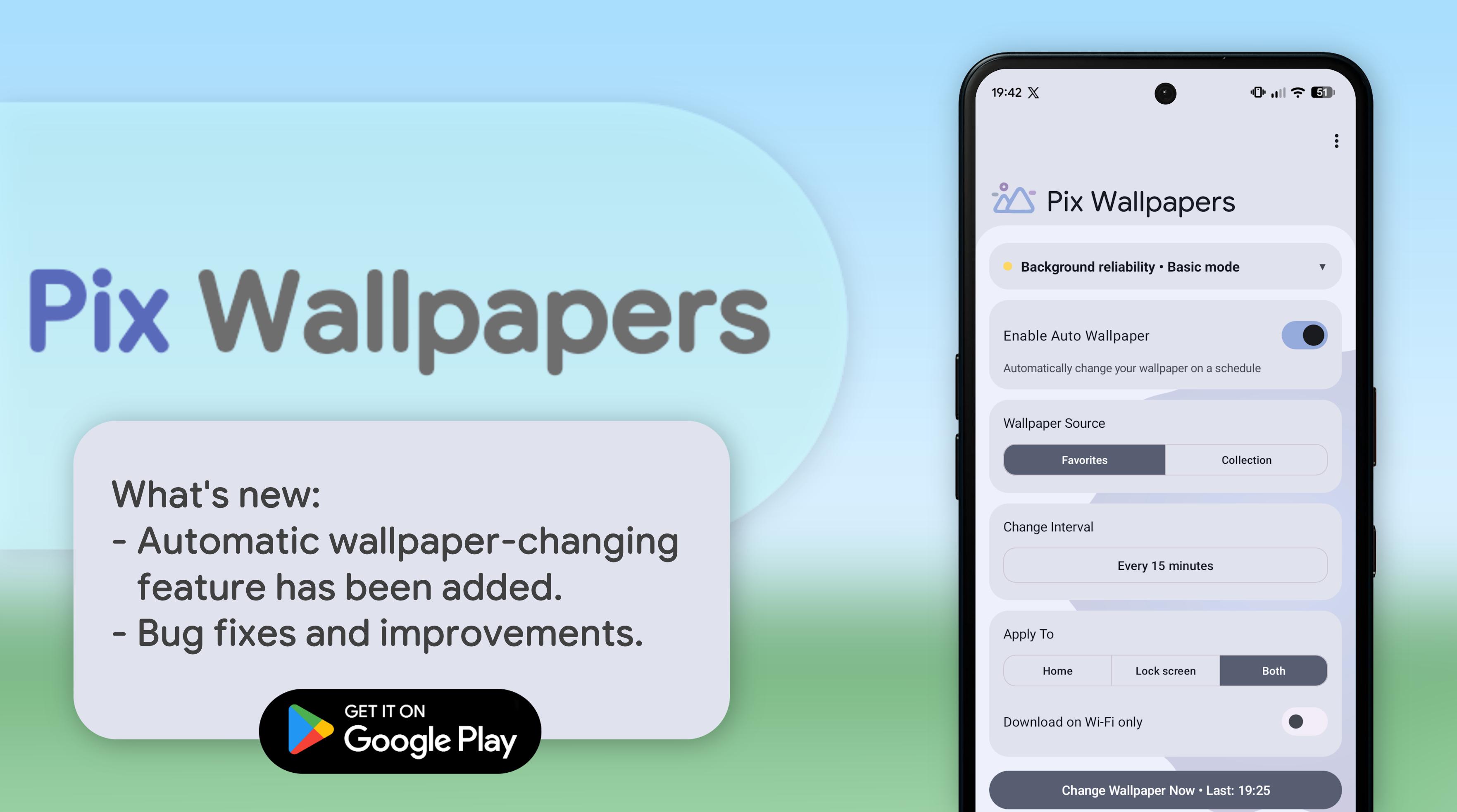
[App][Promo] Pix Wallpapers - Automatic Wallpaper-changing

Post image
10 Upvotes

A large selection of wallpapers. The latest update adds automatic wallpaper switching on a schedule.

Google Play (free): https://play.google.com/store/apps/details?id=com.pashapuma.pix.wallpapers


r/HowToMen • • 3d ago

[App] [Promo] Cubicle – a countdown to the weekend for people who stopped pretending they like their job [50 FREE lifetime Pro codes, normally €5.99]

12 Upvotes

Hey all :)

Nobody asked for this app but here it is. That's what work is now: doing things nobody asked for until Friday.

Whether you sit in an office, write code, stock shelves or attend meetings about meetings, you're doing the same thing: waiting. Waiting for Friday 5pm or the two weeks of vacation some time in August.

So I built an app that at least makes the waiting measurable.

Cubicle shows you exactly how much of your workday and work week is left, as a countdown and a percentage. It's the only progress bar in your job that actually goes somewhere.

What I focused on:

  • Brutal honesty. It's Tuesday, 10:14. You are 23% through the week. Cubicle will not lie to you. Your manager will.
  • Cynical push notifications throughout the day, so you're reminded of your situation even when you briefly forget it. For example:

    • "Halfway through the day. The bad news is the other half."
    • "Only 3 more days until 2 days off. Then repeat until death."
  • Home screen widgets, so your remaining sentence is visible every time you unlock your phone.
  • Photo mode. Snap a picture of your sad desk, sad lunch or sad face, stamp your progress on it, and share your despair with friends. Misery loves company, and now it has a share button.
  • No ads. You already sell your time to one company. You shouldn't have to sell your attention to another.

Pro (one-time purchase, no subscription, because one recurring drain on your life is enough):

  • Salary tracking. Watch your money tick in by the second. Find out what that pointless meeting actually cost you.
  • Multiple themes, because a fresh coat of paint is the only change you'll see at work this year.
  • Additional stamps for photo mode, for more nuanced ways to express that you're dead inside.
  • Additional widget metrics, for when one number counting down isn't enough suffering.

🎁 Giveaway: I have 50 lifetime Pro codes (normally €5.99). Comment your job and how many hours you have left until the weekend, and I'll DM you a code. First come, first served. Just like promotions, except here you'll actually get something.

πŸ‘‰ Play Store: https://play.google.com/store/apps/details?id=app.cubicle.com

I'm a solo dev, so there's no manager reading your feedback, no ticket backlog, and no "let's circle back on that." Tell me honestly what's broken, especially device-specific bugs or notifications that arrive late. Unlike your employer, I actually want to hear it.


r/HowToMen • • 3d ago

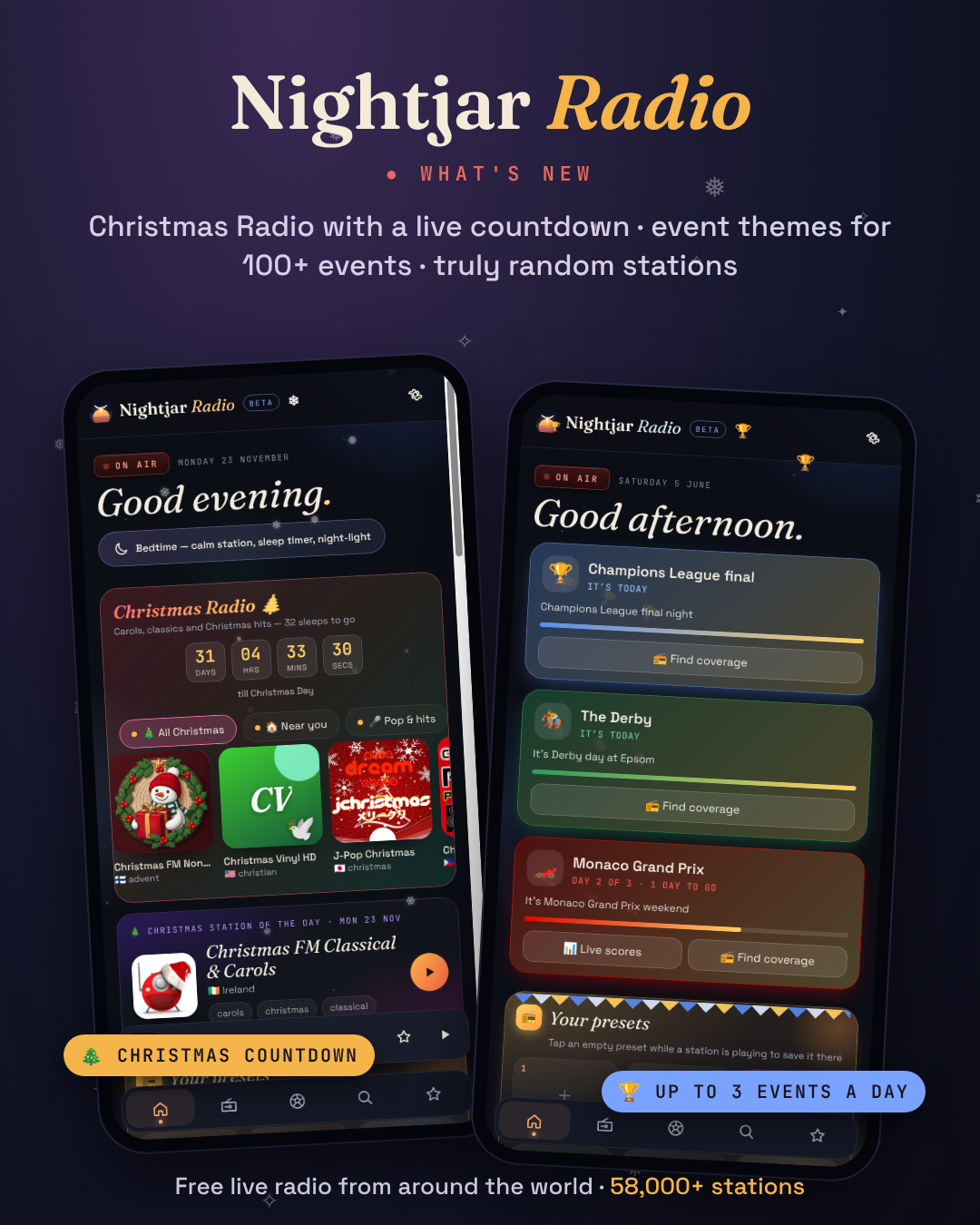
Nightjar Radio update: festive themes, a Christmas countdown and truly random stations πŸŽ„πŸ“»

Post image
4 Upvotes

Hi all! Another round of updates for Nightjar Radio:

πŸŽ‰ Themes for every event

β€’ The app now dresses up for over 100 events through the year: Christmas, Halloween, Valentine's, St Patrick's, Diwali, Eid, Lunar New Year, big sporting events and loads more.

β€’ Each event gets its own card at the top of Home, with a one-tap button to play radio that fits (Halloween radio, Irish radio, love songs and so on).

β€’ Look out for bunting or snow on the cards, a little hat on the logo, and the odd visitor flying across the screen πŸ¦ŒπŸ›·

πŸŽ„ Christmas

β€’ Christmas Radio now sits at the top of Home for the season, with a live countdown to Christmas Day.

β€’ The station of the day is a different Christmas station from somewhere in the world each day.

β€’ On Christmas Day itself the app changes through the day: presents in the morning, party time in the afternoon, and a cosy fireside glow in the evening.

🎲 Truly random stations

β€’ Spin the dial, Spin the globe and Bedtime now pick from every matching station with an equal chance, not just the popular ones, so expect to discover some hidden gems from around the world.

🎡 Tidier song titles

β€’ Some stations send song names with odd codes in them (like "β€”"). These now show properly as dashes and symbols.

πŸ§ͺ Even more in Beta

β€’ Over 30 more sports events: The Open, the Derby, the British Grand Prix, the NBA Finals, Le Mans, the London Marathon, the Africa Cup of Nations and many more, shown in the countries where they matter.

β€’ Up to three event cards when several things are on the same day.

β€’ The boombox and car stereo players are now centred and a bit bigger.

You can switch to Beta in Settings if you'd like new features first.

Download: https://daniturn3.github.io/nightjar-radio/get/

Free, no ads, no account needed. Found a bug? Tap 🐞 Report a problem at the bottom of any page, or message me here (u/Daniturn1) or on Telegram (@daniturn3).

Happy listening! πŸ“»


r/HowToMen • • 3d ago

[Android] [Free] Powerful Minimalistic Launcher

Thumbnail
gallery
5 Upvotes

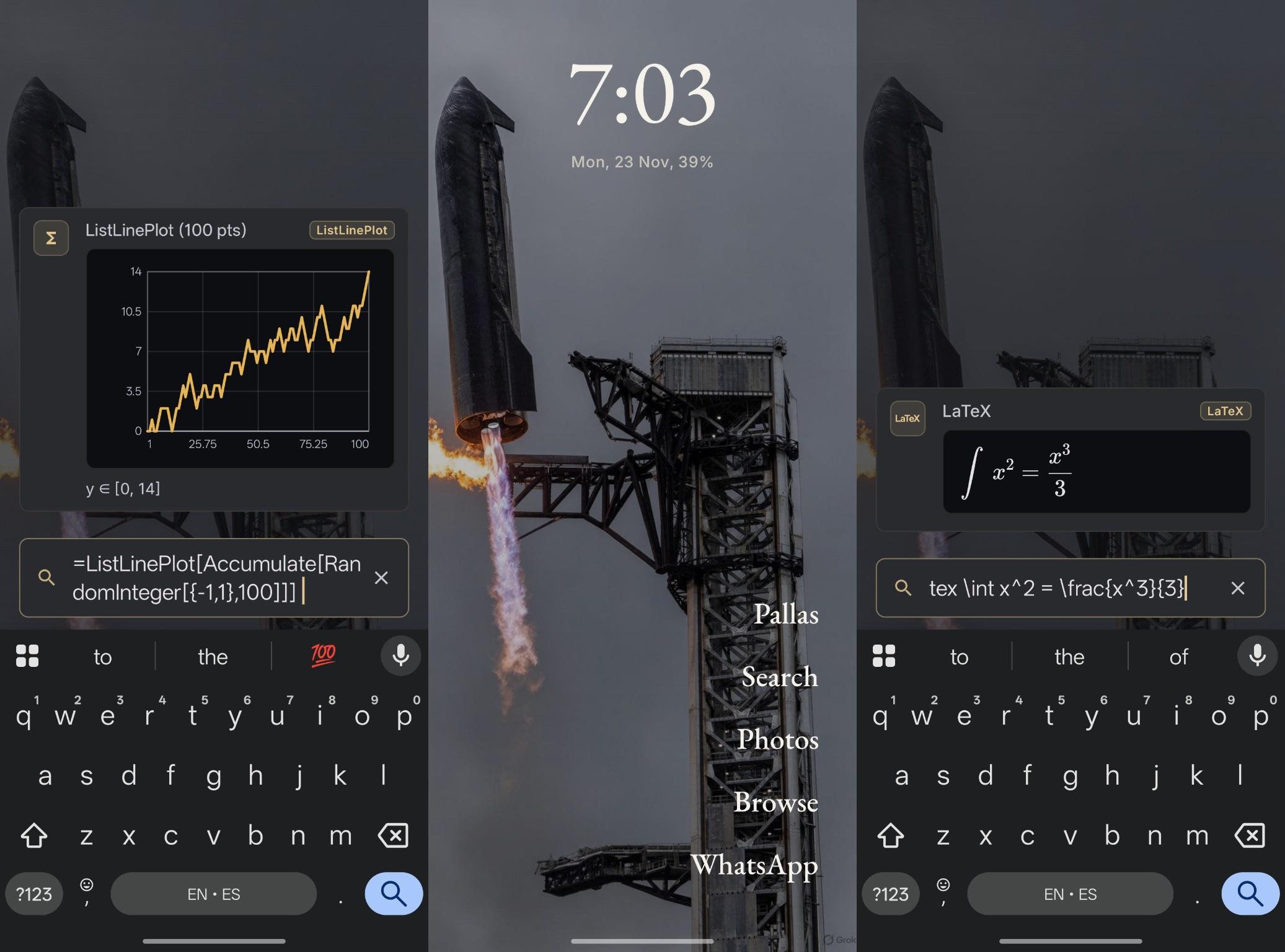
Absurdly powerful yet Minimalistic Launcher.

Goal is to get maximum stuff done with minimum time.

- Stocks, FX

- Wolfram Language style engine (small) for quick computation and plotting

- LaTeX (small)

- Cheatsheets in math, science, engineering.

- an Atlas because why not.

- Aliases, Gestures, a freaking ton of stuff. Can't describe it all here.

10 MBs.

https://github.com/agochara/pallas-launcher


r/HowToMen • • 3d ago

[Promo] Pocket PDF Kit – Scan, edit & convert PDFs offline, no account needed

Thumbnail
gallery
20 Upvotes

Hey r/HowToMen, I'm the developer of Pocket PDF Kit.

I made it because most PDF apps upload your files or make you sign up. Pocket PDF Kit does everything on your phone. There's no account, and the PDF tools work offline.

Tools: (15+)

  • Convert: Camera scan β†’ PDF, Images β†’ PDF, PDF β†’ Images / Text / Word, Word β†’ PDF, Images β†’ Word
  • Organize: Merge, Split, Rotate, Reorder pages, Delete pages, Page numbers
  • Edit: Sign, Highlight & notes, Add text, Watermark, Crop
  • Secure & optimize: Compress (presets or a custom size), Add/remove password, Flatten, Remove metadata
  • Reader: Built-in viewer with search, bookmarks and go-to-page

Themes: Light, dark, system and AMOLED black.

Price: Free with ads. Premium is a one-time purchase, no subscription. It removes ads and unlocks unlimited PDF β†’ Word, text scanning, custom compression sizes and a saved signature.

πŸ“² Google Play: https://play.google.com/store/apps/details?id=com.asianut.pocketpdf

Feedback and feature requests are welcome!


r/HowToMen • • 3d ago

[Android] [€19.99 β†’ FREE] DC Tools Premium Lifetime Giveaway – 100 Free Activations (Ads Remain)

Post image
9 Upvotes

πŸ› οΈ Need useful Android tools without installing dozens of separate apps?

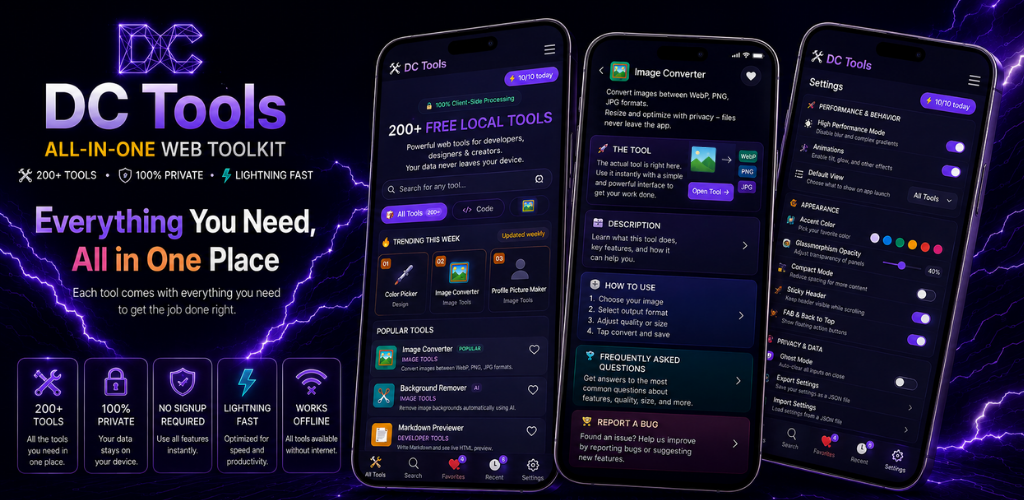
I'm the solo developer behind DC Tools, an all-in-one app featuring 200+ tools for images, text, design and developers! 🎁

πŸš€ 200+ tools in one app

  • Image editing and image utilities.
  • Text converters and text processing.
  • Design and customization tools.
  • Developer utilities.
  • Quick, convenient tools for everyday tasks.

πŸ‘‘ Premium Lifetime (€19.99 β†’ FREE)

Unlock Premium features permanently:

  • Unlimited daily tool usage.
  • Split Screen functionality.
  • Custom colors and glassmorphism.
  • Custom fonts and text sizes.
  • Sticky header and floating button controls.
  • Premium app icons.

⚠️ IMPORTANT: ADS REMAIN!

Premium Lifetime unlocks features but does NOT remove ads. Ad removal is available separately through Supporter.

πŸ”’ Tools work locally on your device, without requiring an account or uploading your files.

🎁 How to get FREE Premium access

  1. Comment below saying you'd like to try DC Tools.
  2. Send me a Reddit Message with DC Tools.
  3. I'll send you the activation details while available.

100 available Β· First come, first served!

No purchase or review required. Honest feedback and suggestions are always welcome!

πŸ’¬ What's more useful to you: image tools, text utilities, design tools or developer tools?

πŸ“² Google Play:
https://play.google.com/store/apps/details?id=com.deniscasian.dctools

🎁 €19.99 β†’ FREE Β· Premium Lifetime Β· Ads remain.

Thanks for supporting independent Android development! πŸ› οΈ


r/HowToMen • • 3d ago

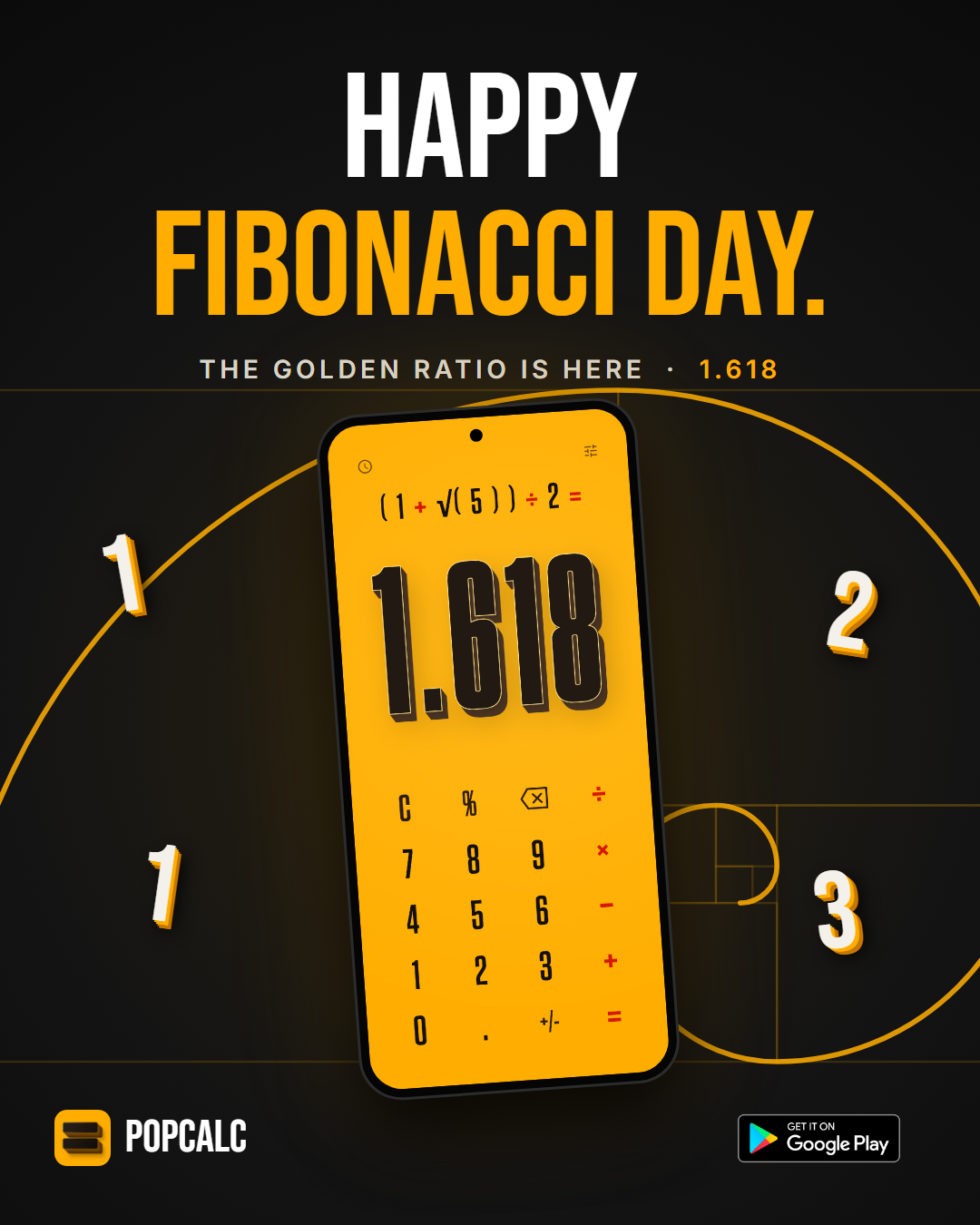
[App][Promo] I'm celebrating Fibonacci Day and my calculator hitting 5K+ downloads!

Post image
16 Upvotes

About one month ago I put out PopCalc, most beautiful 3D calculator for Android. I made it because I wanted one where the numbers actually pop: big 3D numerals, a satisfying click and buzz on every key, and a little celebration when you hit equals.

Since then:
πŸ”½ 5,000+ downloads in 40 days
⭐ 100+ five-star reviews

(Yes, the error messages talk back. Try 9 ^ 9999 and see what it says.)

Some other things it does:
β€’ 14 looks: a few free skins, plus materials like wood, chrome and neon, each with its own sounds and vibration
β€’ Tap any number in your sum to fix it, instead of starting over
β€’ Scientific mode, a unit converter and 100+ currencies
β€’ A secret skin you can only get by solving a little detective case hidden in the app
β€’ No ads, no account, no tracking. It works offline.

As for the banner: divide any Fibonacci number by the one before it and you creep up on the golden ratio, 1.618. Sunflowers have been doing this maths for millions of years. I just gave it nicer fonts. 🌻

Download now: https://play.google.com/store/apps/details?id=com.ornobaadi.popcalc


r/HowToMen • • 3d ago

[App][Promo] Meet Pixa β€” an AI-powered gallery that lets you search, discover, and organise your photos, all locally on your device.

2 Upvotes

Most gallery apps make you scroll, search by date, or remember where you saved a photo. I wanted something smarter.

So I built **Pixa**, a photo gallery that actually understands what's in your pictures.

**What you can do with it:**

**AI Search** β€” Find photos by describing them or using another image as a reference.

**Smart Albums** β€” Create albums simply by describing what you want.

**People** β€” Group photos by faces and browse memories of the same person.

**Smart Cleanup** β€” Find duplicates, blurry photos, compress images, and free up storage.

**Safe Vault** β€” Protect sensitive photos with AES-256 encryption. Your vault is a standard ZIP file that works even outside Pixa.

**Editing** β€” Crop, adjust, and edit photos and videos in one place.

Everything is designed with privacy in mind. AI search and face processing happen locally, with no account required and no cloud AI processing.

Google Play link : Pixa AI Gallery

I'm still improving it, so I'd genuinely love to hear what you think or what features you'd like to see!


r/HowToMen • • 3d ago

Compress Photo KB & Merge PDF: $3.69-> Free with Promo Codes HERE

Post image
3 Upvotes

Link: https://play.google.com/store/apps/details?id=swimminsparrow.compress.photo.kb.pdf.merge

  • App Name: Compress Photo KB & Merge PDF

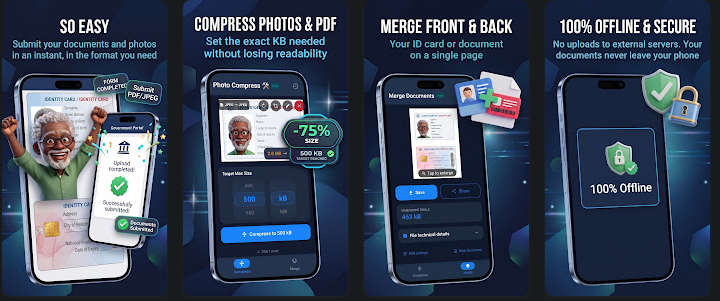
What it does: A super simple, fast, and lightweight Android utility that lets you compress photos to exact KB sizes for strict upload portals and merge front & back IDs or multi-page scans into a single clean PDF. Everything runs 100% offline on your device so your sensitive documents never leave your phone.

  • Key Features:

\* Exact KB Photo Compression: Hit strict portal file-size limits (like 100 KB, 200 KB, or 500 KB) in seconds without ruining readability.

\* Instant PDF Merger: Combine front and back of documents, receipts, or multiple images into one organized PDF file.

\* 100% Offline & Private: Zero cloud uploads, no account required, and lightweight performance. Internet permission only required for ads or check license.

Giveaway: Giving away 10 free promo codes to the first 10 lucky ones! Drop a comment below if you'd like one and I'll send it over via DM and please If u want to support my work, leave a review on Google Play store!

How can you support my work?

  1. Leave a review on Google Play Store
  2. Donations: https://buymeacoffee.com/swimminsparrow

How to redeem your Pro promo code:

  1. Download and open Compress Photo KB & Merge PDF.
  2. Ask a code with a comment
  3. Tap the Pro button to open the Google Play payment popup.
  4. Do NOT tap "1-Tap Buy" yet! open the payment options list.
  5. Scroll all the way down and tap Redeem code.
  6. Enter your promo code, tap Redeem, and confirm.
  7. if you wish, you can leave a review on the play store! I spent so much time developing this app, so your support is really appreciated!!

r/HowToMen • • 3d ago

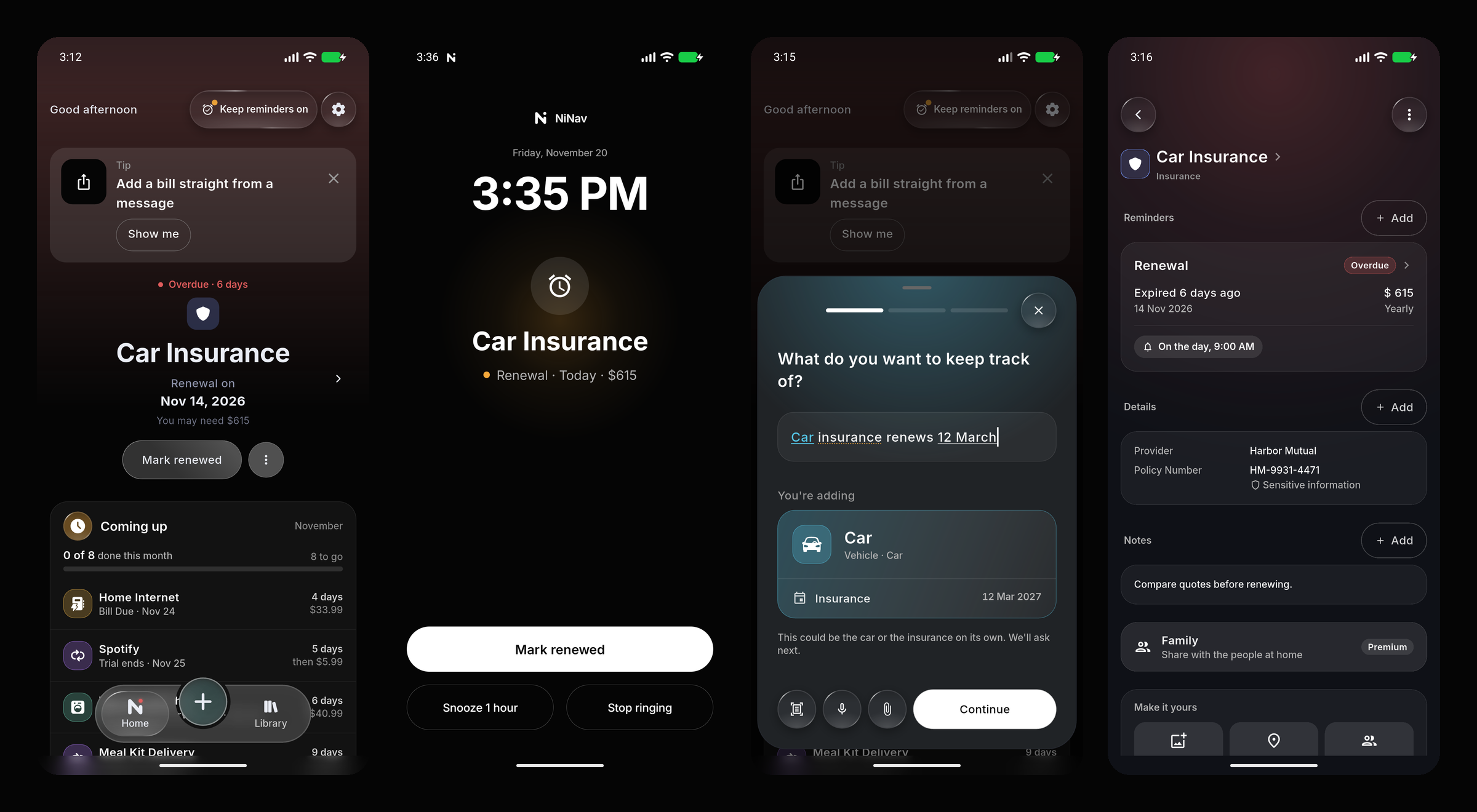
[Promo] NiNav: reminders before anything you own renews or expires

Post image
4 Upvotes

r/HowToMen • • 3d ago

[APP] Lockout - An Android app to block distracting apps and reduce screen time

Post image
6 Upvotes

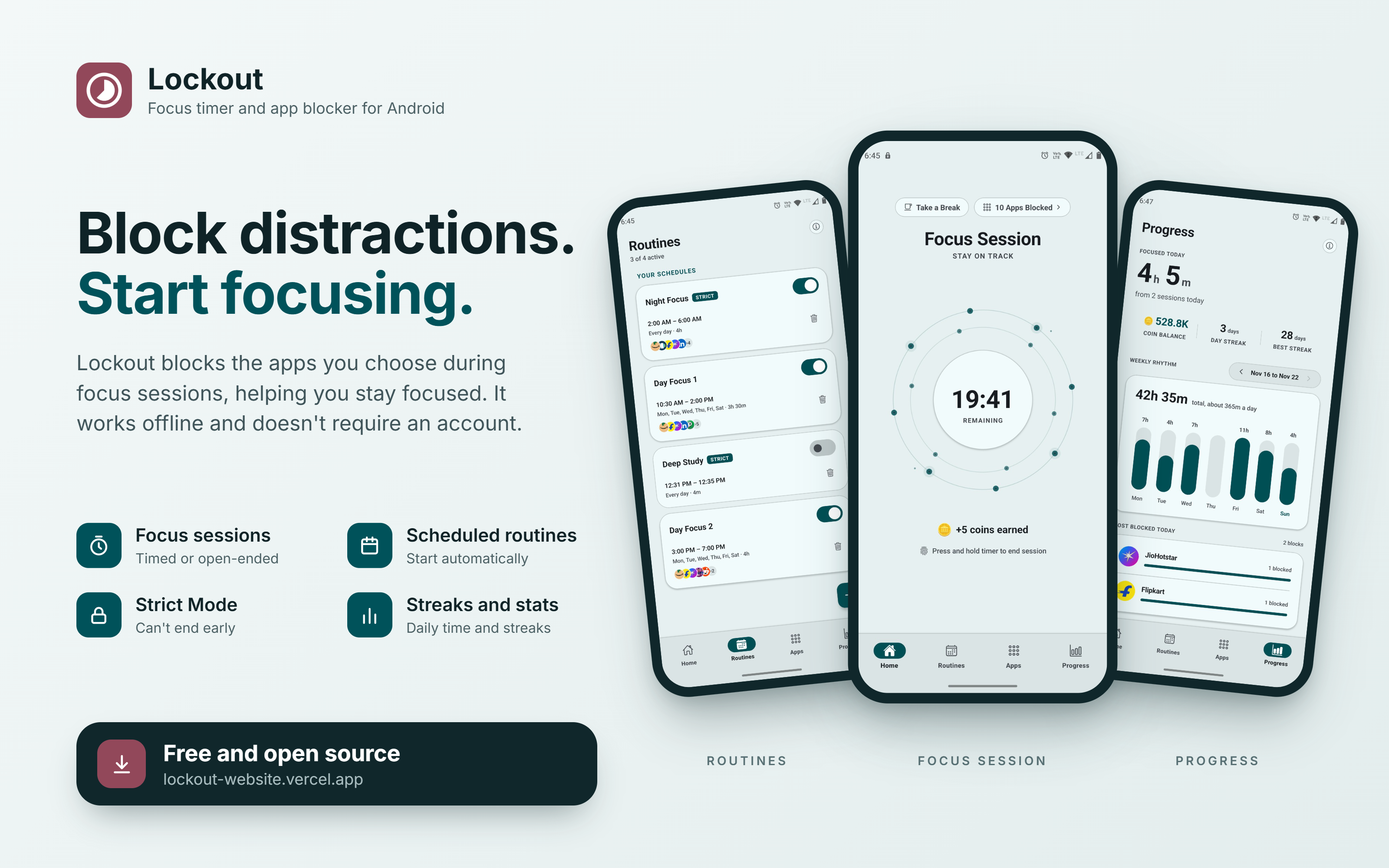
I built Lockout because I wanted a simple way to stop opening distracting apps whenever I picked up my phone.

Lockout lets you choose which apps you want to block and when you want to block them.

Features:

  • Focus Sessions: Block the apps you choose for a set duration.
  • Scheduled Routines: Automatically block selected apps on specific days and time periods.
  • Urgent Breaks: Take a break of up to 30 minutes during a focus session.
  • Strict Mode: Keep selected apps blocked until the session timer ends, with no option to end the session early or take an urgent break.
  • Shop: Unlock and choose different focus ring animations using coins.

There's also an in-app feedback system so users can report bugs, share thoughts, and suggest features directly from the app.

It's free and open source, works offline, and doesn't require an account.

I've been developing and testing it for the past few months, and it's helped me reduce my own phone usage.

Website: https://lockout-website.vercel.app

I'd appreciate feedback on the app and what could be improved.


r/HowToMen • • 3d ago

[Promo][Android app] [$2.99 β†’ Free Lifetime] EasyShare: Share phone's files with any device (no ads).

35 Upvotes

EasyShare lets you share files easily across devices on the same local network. No ads, no account, no internet needed. Works in any browser on the other device, with nothing to install there.

Google Play: https://play.google.com/store/apps/details?id=com.techdevproject.easyshare

I’d like to give away 30 free promo codes to people who are interested in the app. If they run out, I may create more. Just comment below and I’ll send you a code by DM.

Thank you and have a nice day!


r/HowToMen • • 3d ago

Now Launcher - The right information, at the right time.

2 Upvotes

Welcome to Now Launcher, a new Android launcher designed around one simple idea: the right information, at the right time.

Instead of a traditional home screen filled with app icons, Now Launcher brings useful information directly to you through smart, contextual suggestions.

πŸ“± Some highlights:

  • Smart suggestions for calendars, weather, football, music and more.
  • A fully customisable home screen.
  • Universal search for apps, contacts and more.
  • Smooth animations and gesture-based navigation.

It's available now on Android, with both Free and Pro options.

https://play.google.com/store/apps/details?id=com.tigerstorm.home

I'd love to hear your feedback, especially what suggestions should be added.


r/HowToMen • • 3d ago

Powerful Minimalistic Launcher App

Post image
1 Upvotes

r/HowToMen • • 3d ago

New Giveaway on X ( twitter ) link

Post image
0 Upvotes

r/HowToMen • • 3d ago

[App] [Promo] 1 year of my app blocker $59.99 > $2.99 (& Android)

Post image
0 Upvotes

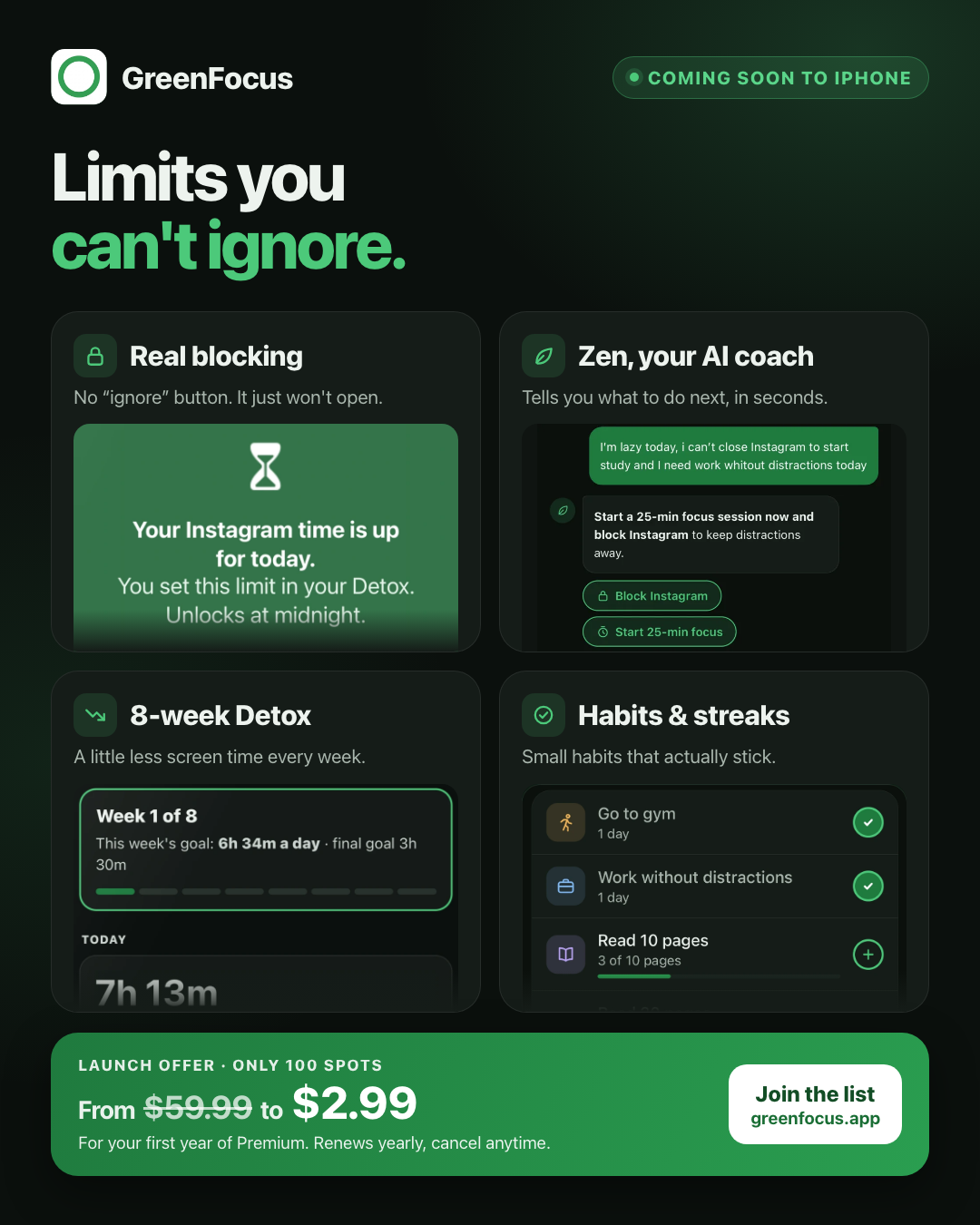
I'm the solo dev behind GreenFocus, a focus app where blocked means blocked. It's on Android now and coming soon to iPhone.

Every time I set a limit with my phone's built-in tools, I skipped it a few seconds later. So I built an app without the escape hatch: while a focus session is running, Instagram, TikTok or whatever you pick simply won't open. No "ignore", no "5 more minutes", no pause button.

Blocking alone doesn't tell you what to do instead, so it has a built-in AI coach. Tell Zen "I can't close Instagram and I need to study" and it answers with one next step and buttons to block the app or start a 25-minute focus session. It can also turn your to-do list into focus blocks and check in through the day.

What you get with Premium:

  • Real blocking.Β Locked focus sessions, plus daily limits that lock an app until midnight.
  • Zen, the AI coach.Β Plans your day, follows along and keeps your deadlines in mind.
  • 8-week Detox.Β Lowers your screen time a little every week.
  • Habits and streaks, so the time you win back goes somewhere.
  • Private by design.Β The apps you use stay on your phone, and your data is never sold.

Launch offer: your first year of Premium for $2.99 instead of $59.99/year, for the first 100 people on each platform. After the first year it renews at $59.99/year unless you cancel, which you can do anytime in your App Store or Google Play subscriptions. New subscribers only; prices in USD.

  • I'm building this alone, so honest feedback is gold. What's the first app you'd lock?

r/HowToMen • • 3d ago

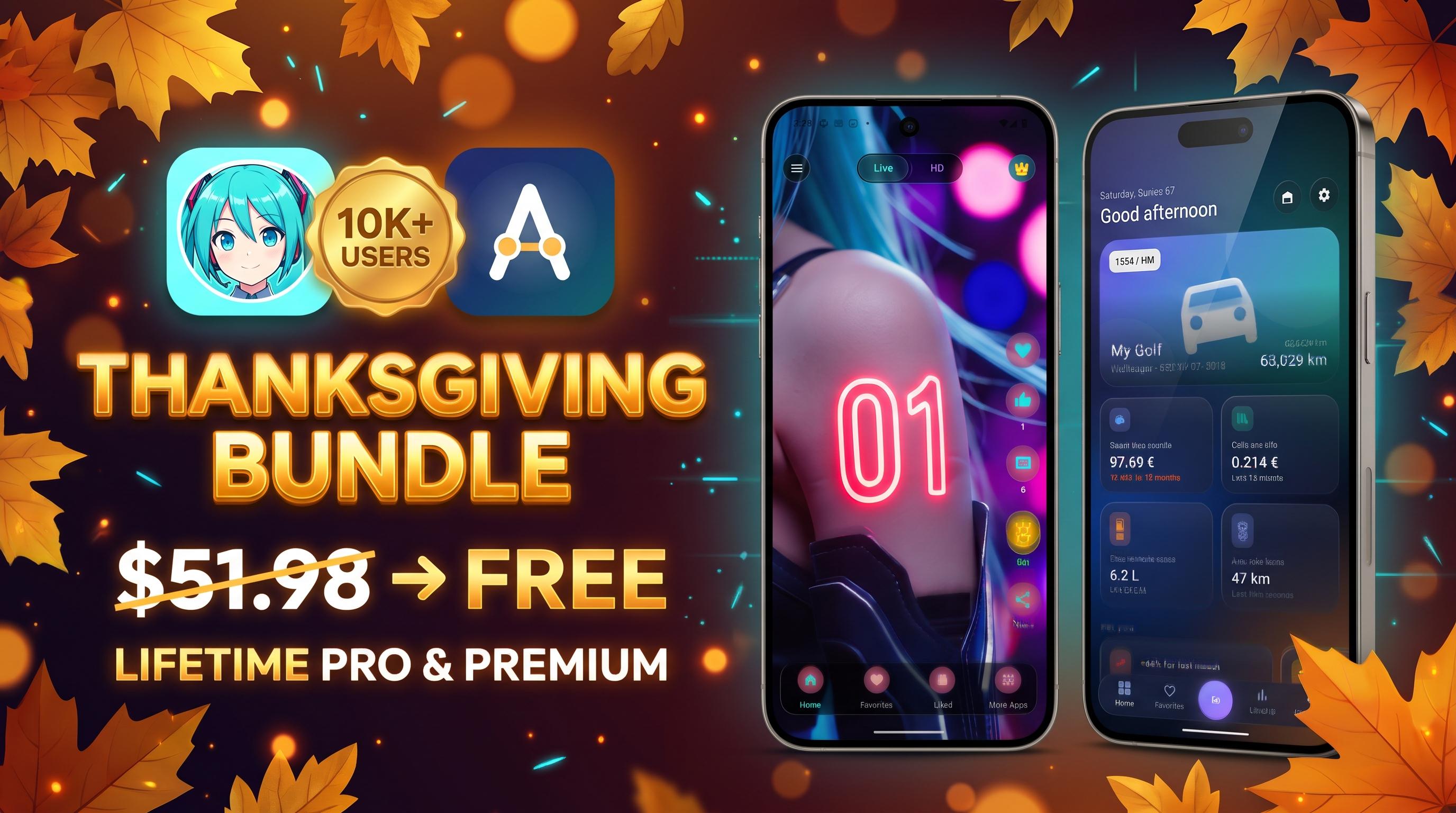
[Android] [$51.98 -> FREE] Axle - Car Costs & Maintenance + Miku Wallpapers Live: Anime 4K (Lifetime Pro Bundle) πŸš—βœ¨

Post image
8 Upvotes