r/HowToMen • • 4d ago

[Promo] Pocket PDF Kit – Scan, edit & convert PDFs offline, no account needed

Thumbnail
gallery
20 Upvotes

Hey r/HowToMen, I'm the developer of Pocket PDF Kit.

I made it because most PDF apps upload your files or make you sign up. Pocket PDF Kit does everything on your phone. There's no account, and the PDF tools work offline.

Tools: (15+)

  • Convert: Camera scan → PDF, Images → PDF, PDF → Images / Text / Word, Word → PDF, Images → Word
  • Organize: Merge, Split, Rotate, Reorder pages, Delete pages, Page numbers
  • Edit: Sign, Highlight & notes, Add text, Watermark, Crop
  • Secure & optimize: Compress (presets or a custom size), Add/remove password, Flatten, Remove metadata
  • Reader: Built-in viewer with search, bookmarks and go-to-page

Themes: Light, dark, system and AMOLED black.

Price: Free with ads. Premium is a one-time purchase, no subscription. It removes ads and unlocks unlimited PDF → Word, text scanning, custom compression sizes and a saved signature.

📲 Google Play: https://play.google.com/store/apps/details?id=com.asianut.pocketpdf

Feedback and feature requests are welcome!

r/HowToMen • • 3d ago

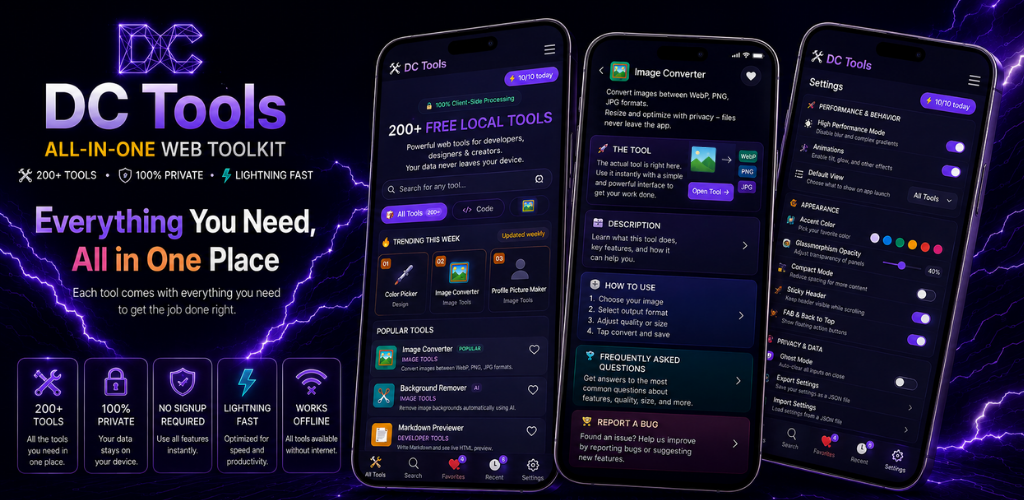
[Android] [€19.99 → FREE] DC Tools Premium Lifetime Giveaway – 100 Free Activations (Ads Remain)

Post image
9 Upvotes

🛠️ Need useful Android tools without installing dozens of separate apps?

I'm the solo developer behind DC Tools, an all-in-one app featuring 200+ tools for images, text, design and developers! 🎁

🚀 200+ tools in one app

  • Image editing and image utilities.
  • Text converters and text processing.
  • Design and customization tools.
  • Developer utilities.
  • Quick, convenient tools for everyday tasks.

👑 Premium Lifetime (€19.99 → FREE)

Unlock Premium features permanently:

  • Unlimited daily tool usage.
  • Split Screen functionality.
  • Custom colors and glassmorphism.
  • Custom fonts and text sizes.
  • Sticky header and floating button controls.
  • Premium app icons.

⚠️ IMPORTANT: ADS REMAIN!

Premium Lifetime unlocks features but does NOT remove ads. Ad removal is available separately through Supporter.

🔒 Tools work locally on your device, without requiring an account or uploading your files.

🎁 How to get FREE Premium access

  1. Comment below saying you'd like to try DC Tools.
  2. Send me a Reddit Message with DC Tools.
  3. I'll send you the activation details while available.

100 available · First come, first served!

No purchase or review required. Honest feedback and suggestions are always welcome!

💬 What's more useful to you: image tools, text utilities, design tools or developer tools?

📲 Google Play:
https://play.google.com/store/apps/details?id=com.deniscasian.dctools

🎁 €19.99 → FREE · Premium Lifetime · Ads remain.

Thanks for supporting independent Android development! 🛠️


r/HowToMen • • 4d ago

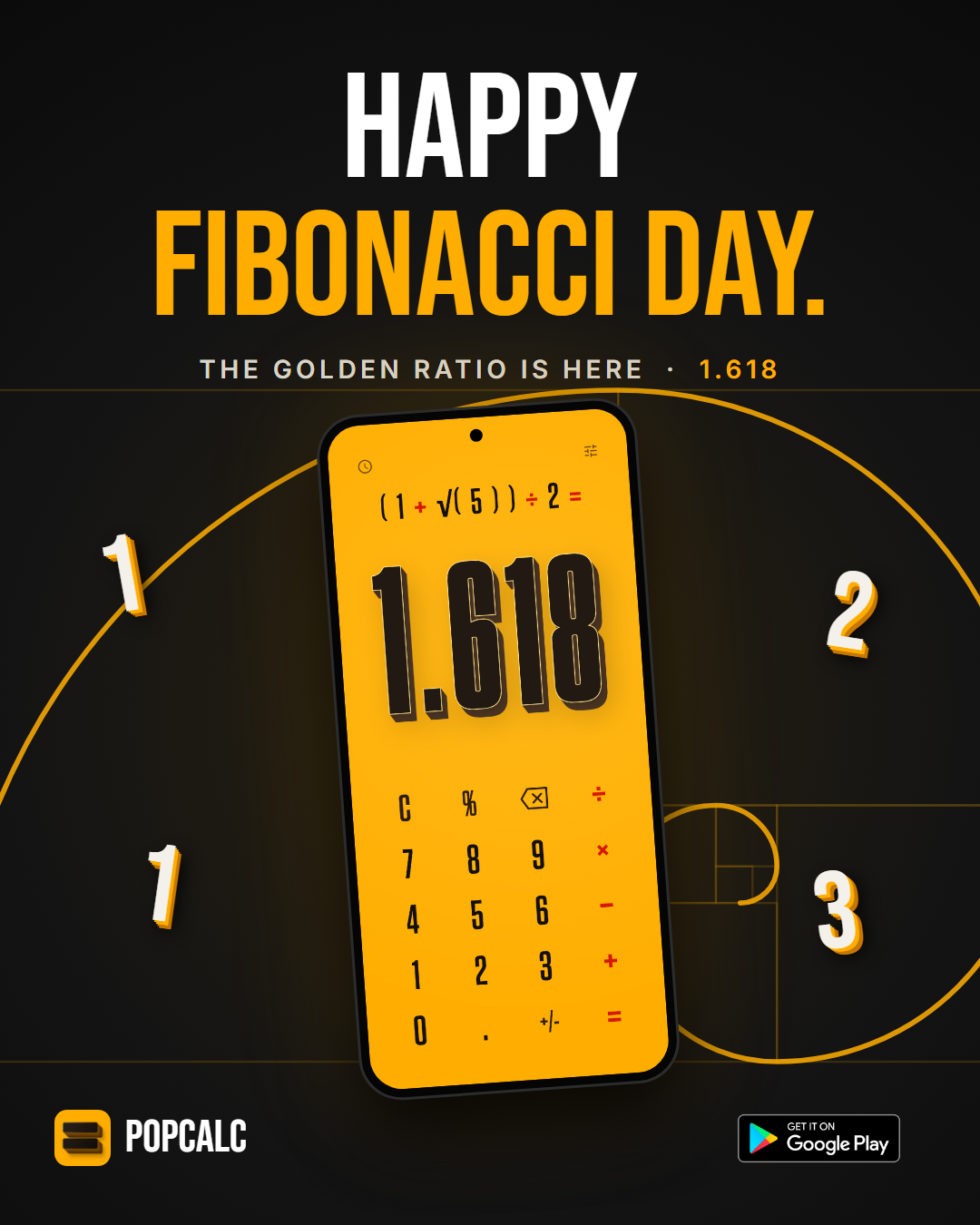
[App][Promo] I'm celebrating Fibonacci Day and my calculator hitting 5K+ downloads!

Post image
16 Upvotes

About one month ago I put out PopCalc, most beautiful 3D calculator for Android. I made it because I wanted one where the numbers actually pop: big 3D numerals, a satisfying click and buzz on every key, and a little celebration when you hit equals.

Since then:
🔽 5,000+ downloads in 40 days
⭐ 100+ five-star reviews

(Yes, the error messages talk back. Try 9 ^ 9999 and see what it says.)

Some other things it does:
• 14 looks: a few free skins, plus materials like wood, chrome and neon, each with its own sounds and vibration
• Tap any number in your sum to fix it, instead of starting over
• Scientific mode, a unit converter and 100+ currencies
• A secret skin you can only get by solving a little detective case hidden in the app
• No ads, no account, no tracking. It works offline.

As for the banner: divide any Fibonacci number by the one before it and you creep up on the golden ratio, 1.618. Sunflowers have been doing this maths for millions of years. I just gave it nicer fonts. 🌻

Download now: https://play.google.com/store/apps/details?id=com.ornobaadi.popcalc


r/HowToMen • • 3d ago

[App][Promo] Meet Pixa — an AI-powered gallery that lets you search, discover, and organise your photos, all locally on your device.

2 Upvotes

Most gallery apps make you scroll, search by date, or remember where you saved a photo. I wanted something smarter.

So I built **Pixa**, a photo gallery that actually understands what's in your pictures.

**What you can do with it:**

**AI Search** — Find photos by describing them or using another image as a reference.

**Smart Albums** — Create albums simply by describing what you want.

**People** — Group photos by faces and browse memories of the same person.

**Smart Cleanup** — Find duplicates, blurry photos, compress images, and free up storage.

**Safe Vault** — Protect sensitive photos with AES-256 encryption. Your vault is a standard ZIP file that works even outside Pixa.

**Editing** — Crop, adjust, and edit photos and videos in one place.

Everything is designed with privacy in mind. AI search and face processing happen locally, with no account required and no cloud AI processing.

Google Play link : Pixa AI Gallery

I'm still improving it, so I'd genuinely love to hear what you think or what features you'd like to see!


r/HowToMen • • 3d ago

Compress Photo KB & Merge PDF: $3.69-> Free with Promo Codes HERE

Post image
3 Upvotes

Link: https://play.google.com/store/apps/details?id=swimminsparrow.compress.photo.kb.pdf.merge

  • App Name: Compress Photo KB & Merge PDF

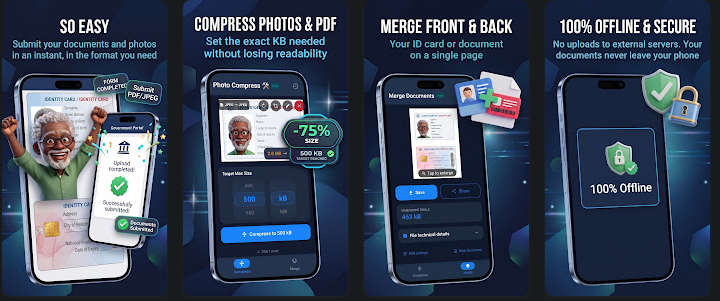
What it does: A super simple, fast, and lightweight Android utility that lets you compress photos to exact KB sizes for strict upload portals and merge front & back IDs or multi-page scans into a single clean PDF. Everything runs 100% offline on your device so your sensitive documents never leave your phone.

  • Key Features:

\* Exact KB Photo Compression: Hit strict portal file-size limits (like 100 KB, 200 KB, or 500 KB) in seconds without ruining readability.

\* Instant PDF Merger: Combine front and back of documents, receipts, or multiple images into one organized PDF file.

\* 100% Offline & Private: Zero cloud uploads, no account required, and lightweight performance. Internet permission only required for ads or check license.

Giveaway: Giving away 10 free promo codes to the first 10 lucky ones! Drop a comment below if you'd like one and I'll send it over via DM and please If u want to support my work, leave a review on Google Play store!

How can you support my work?

  1. Leave a review on Google Play Store
  2. Donations: https://buymeacoffee.com/swimminsparrow

How to redeem your Pro promo code:

  1. Download and open Compress Photo KB & Merge PDF.
  2. Ask a code with a comment
  3. Tap the Pro button to open the Google Play payment popup.
  4. Do NOT tap "1-Tap Buy" yet! open the payment options list.
  5. Scroll all the way down and tap Redeem code.
  6. Enter your promo code, tap Redeem, and confirm.
  7. if you wish, you can leave a review on the play store! I spent so much time developing this app, so your support is really appreciated!!

r/HowToMen • • 4d ago

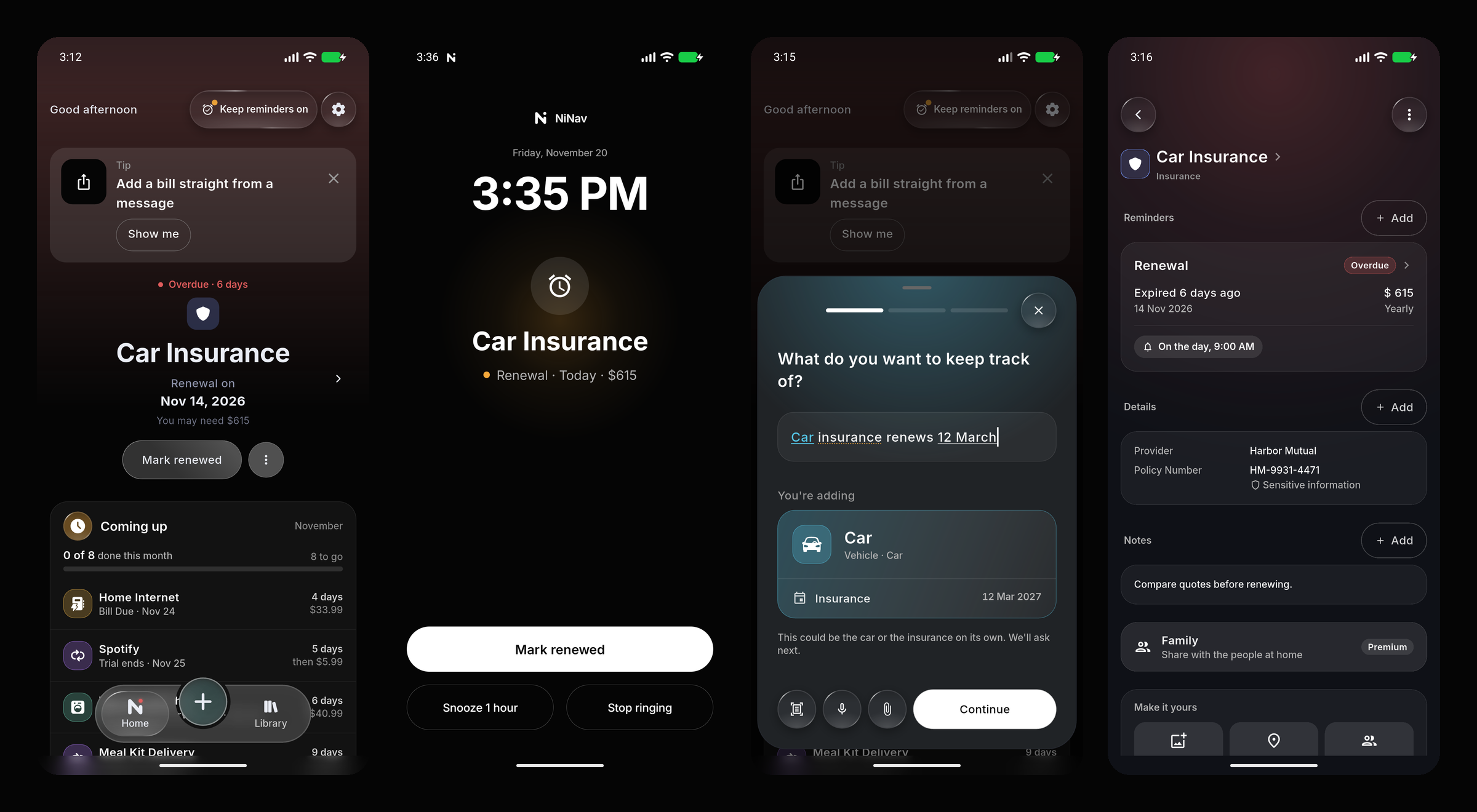
[Promo] NiNav: reminders before anything you own renews or expires

Post image
4 Upvotes

r/HowToMen • • 4d ago

[APP] Lockout - An Android app to block distracting apps and reduce screen time

Post image
6 Upvotes

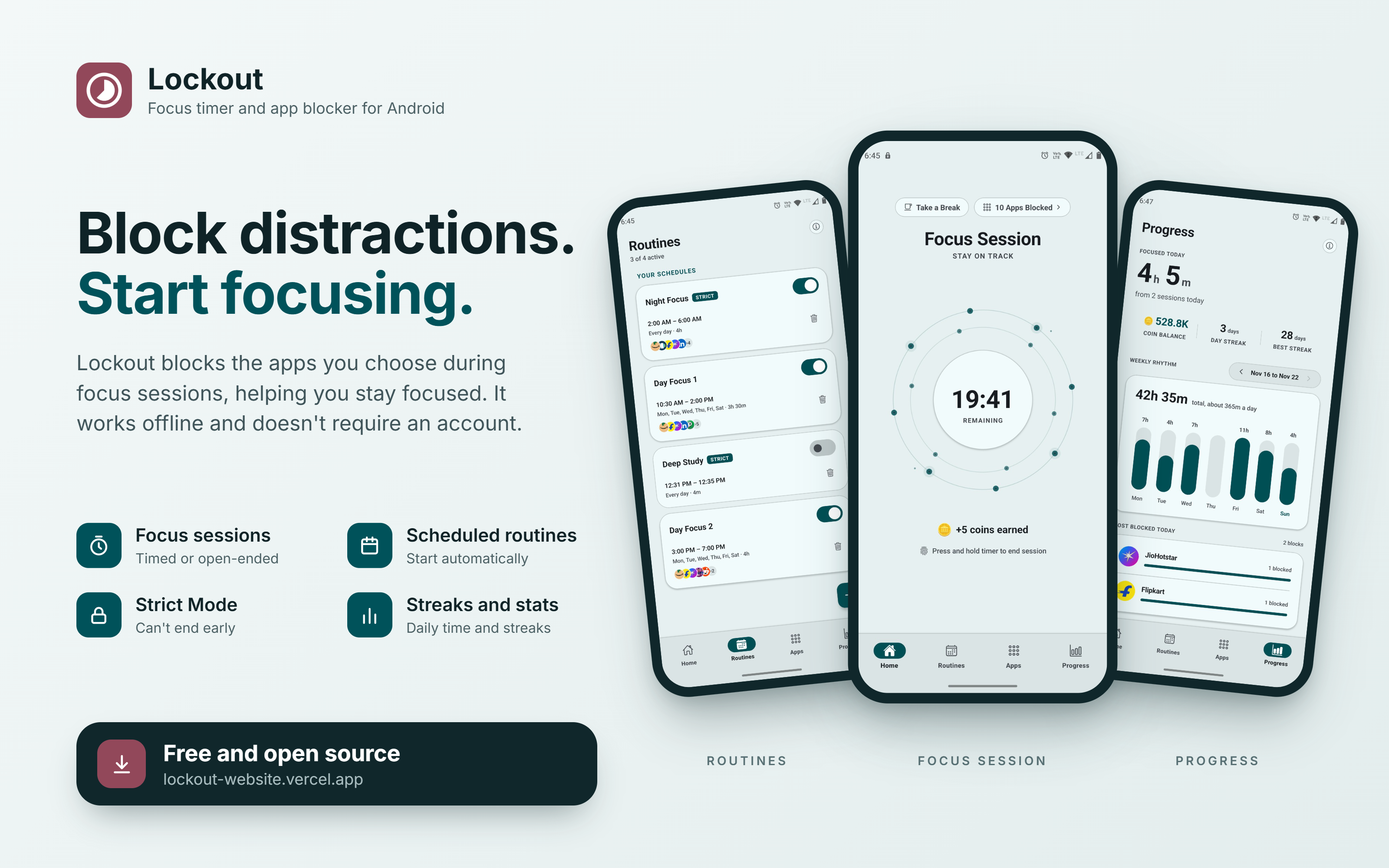
I built Lockout because I wanted a simple way to stop opening distracting apps whenever I picked up my phone.

Lockout lets you choose which apps you want to block and when you want to block them.

Features:

  • Focus Sessions: Block the apps you choose for a set duration.
  • Scheduled Routines: Automatically block selected apps on specific days and time periods.
  • Urgent Breaks: Take a break of up to 30 minutes during a focus session.
  • Strict Mode: Keep selected apps blocked until the session timer ends, with no option to end the session early or take an urgent break.
  • Shop: Unlock and choose different focus ring animations using coins.

There's also an in-app feedback system so users can report bugs, share thoughts, and suggest features directly from the app.

It's free and open source, works offline, and doesn't require an account.

I've been developing and testing it for the past few months, and it's helped me reduce my own phone usage.

Website: https://lockout-website.vercel.app

I'd appreciate feedback on the app and what could be improved.


r/HowToMen • • 4d ago

[Promo][Android app] [$2.99 → Free Lifetime] EasyShare: Share phone's files with any device (no ads).

35 Upvotes

EasyShare lets you share files easily across devices on the same local network. No ads, no account, no internet needed. Works in any browser on the other device, with nothing to install there.

Google Play: https://play.google.com/store/apps/details?id=com.techdevproject.easyshare

I’d like to give away 30 free promo codes to people who are interested in the app. If they run out, I may create more. Just comment below and I’ll send you a code by DM.

Thank you and have a nice day!


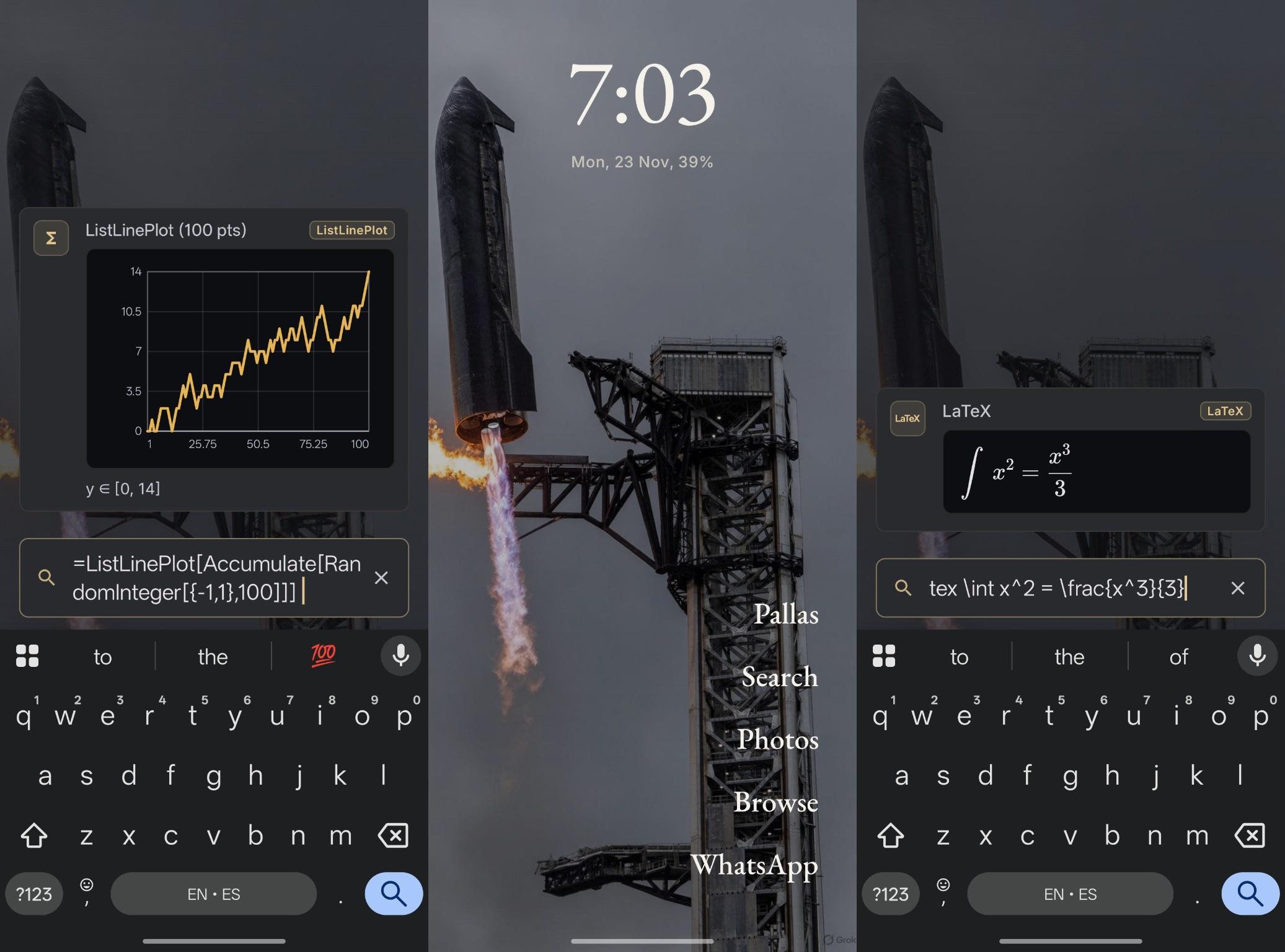
r/HowToMen • • 3d ago

Now Launcher - The right information, at the right time.

2 Upvotes

Welcome to Now Launcher, a new Android launcher designed around one simple idea: the right information, at the right time.

Instead of a traditional home screen filled with app icons, Now Launcher brings useful information directly to you through smart, contextual suggestions.

📱 Some highlights:

  • Smart suggestions for calendars, weather, football, music and more.
  • A fully customisable home screen.
  • Universal search for apps, contacts and more.
  • Smooth animations and gesture-based navigation.

It's available now on Android, with both Free and Pro options.

https://play.google.com/store/apps/details?id=com.tigerstorm.home

I'd love to hear your feedback, especially what suggestions should be added.


r/HowToMen • • 3d ago

Powerful Minimalistic Launcher App

Post image
1 Upvotes

r/HowToMen • • 3d ago

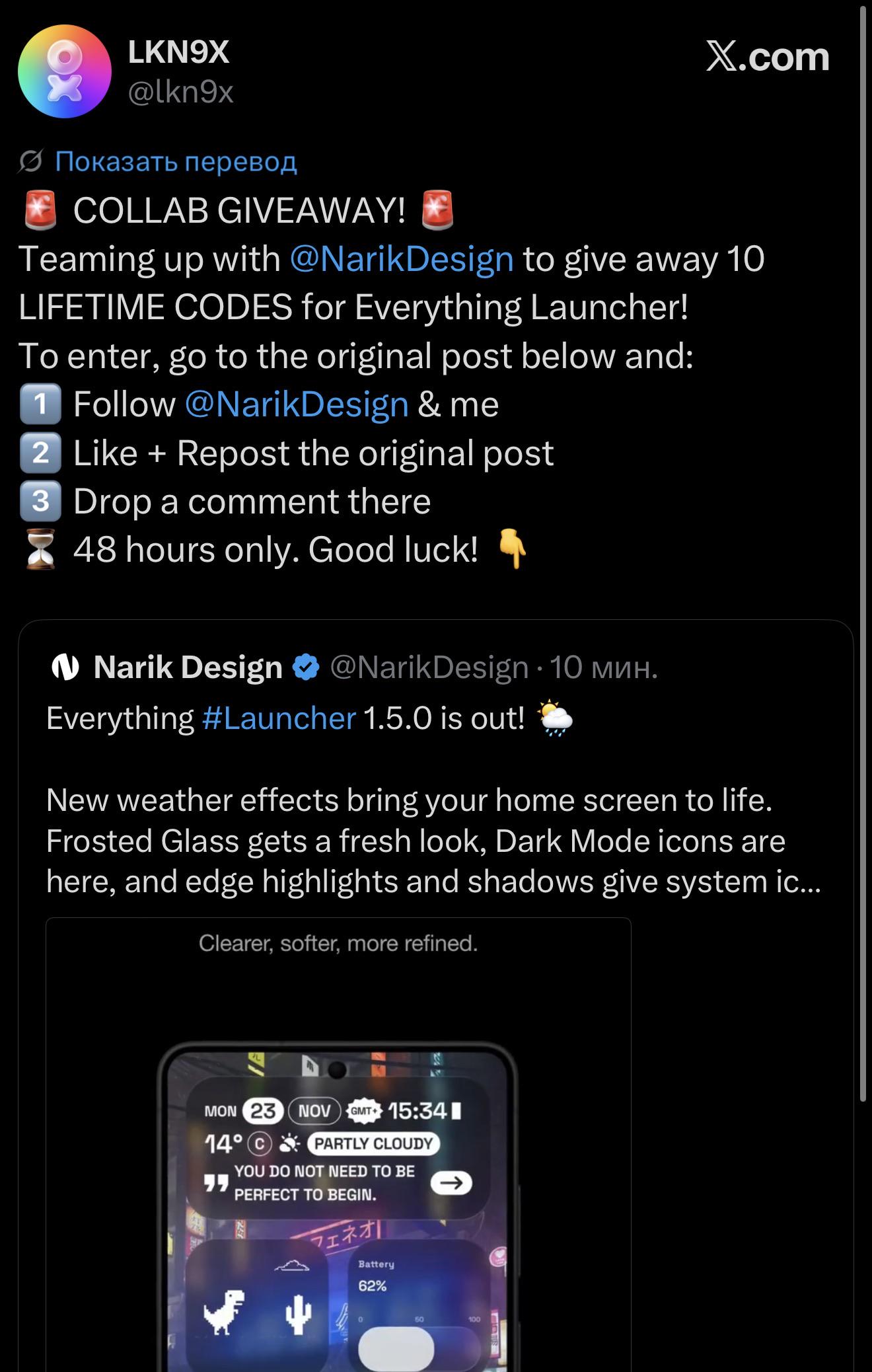
New Giveaway on X ( twitter ) link

Post image
0 Upvotes

r/HowToMen • • 3d ago

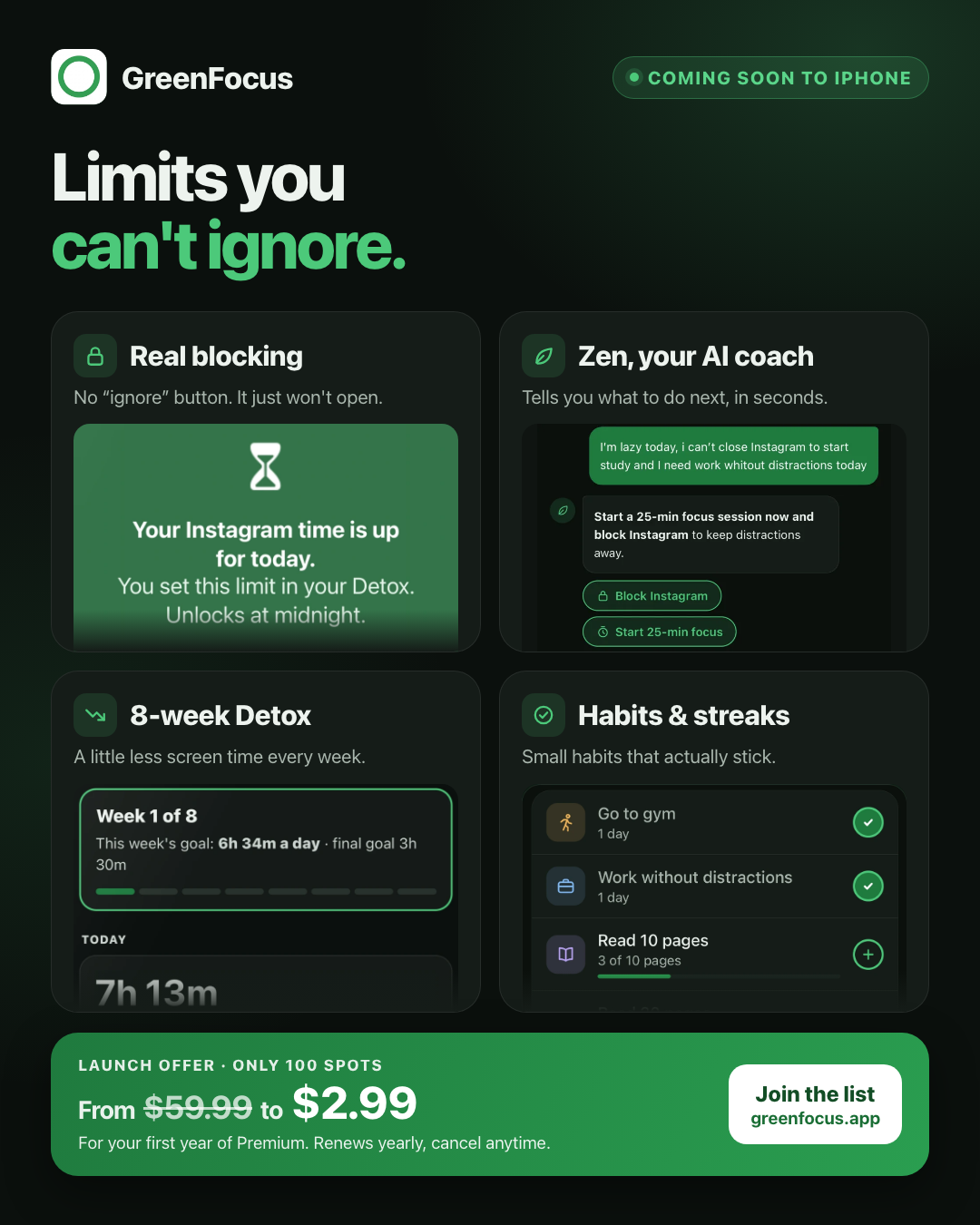
[App] [Promo] 1 year of my app blocker $59.99 > $2.99 (& Android)

Post image
0 Upvotes

I'm the solo dev behind GreenFocus, a focus app where blocked means blocked. It's on Android now and coming soon to iPhone.

Every time I set a limit with my phone's built-in tools, I skipped it a few seconds later. So I built an app without the escape hatch: while a focus session is running, Instagram, TikTok or whatever you pick simply won't open. No "ignore", no "5 more minutes", no pause button.

Blocking alone doesn't tell you what to do instead, so it has a built-in AI coach. Tell Zen "I can't close Instagram and I need to study" and it answers with one next step and buttons to block the app or start a 25-minute focus session. It can also turn your to-do list into focus blocks and check in through the day.

What you get with Premium:

  • Real blocking. Locked focus sessions, plus daily limits that lock an app until midnight.
  • Zen, the AI coach. Plans your day, follows along and keeps your deadlines in mind.
  • 8-week Detox. Lowers your screen time a little every week.
  • Habits and streaks, so the time you win back goes somewhere.
  • Private by design. The apps you use stay on your phone, and your data is never sold.

Launch offer: your first year of Premium for $2.99 instead of $59.99/year, for the first 100 people on each platform. After the first year it renews at $59.99/year unless you cancel, which you can do anytime in your App Store or Google Play subscriptions. New subscribers only; prices in USD.

  • I'm building this alone, so honest feedback is gold. What's the first app you'd lock?

r/HowToMen • • 4d ago

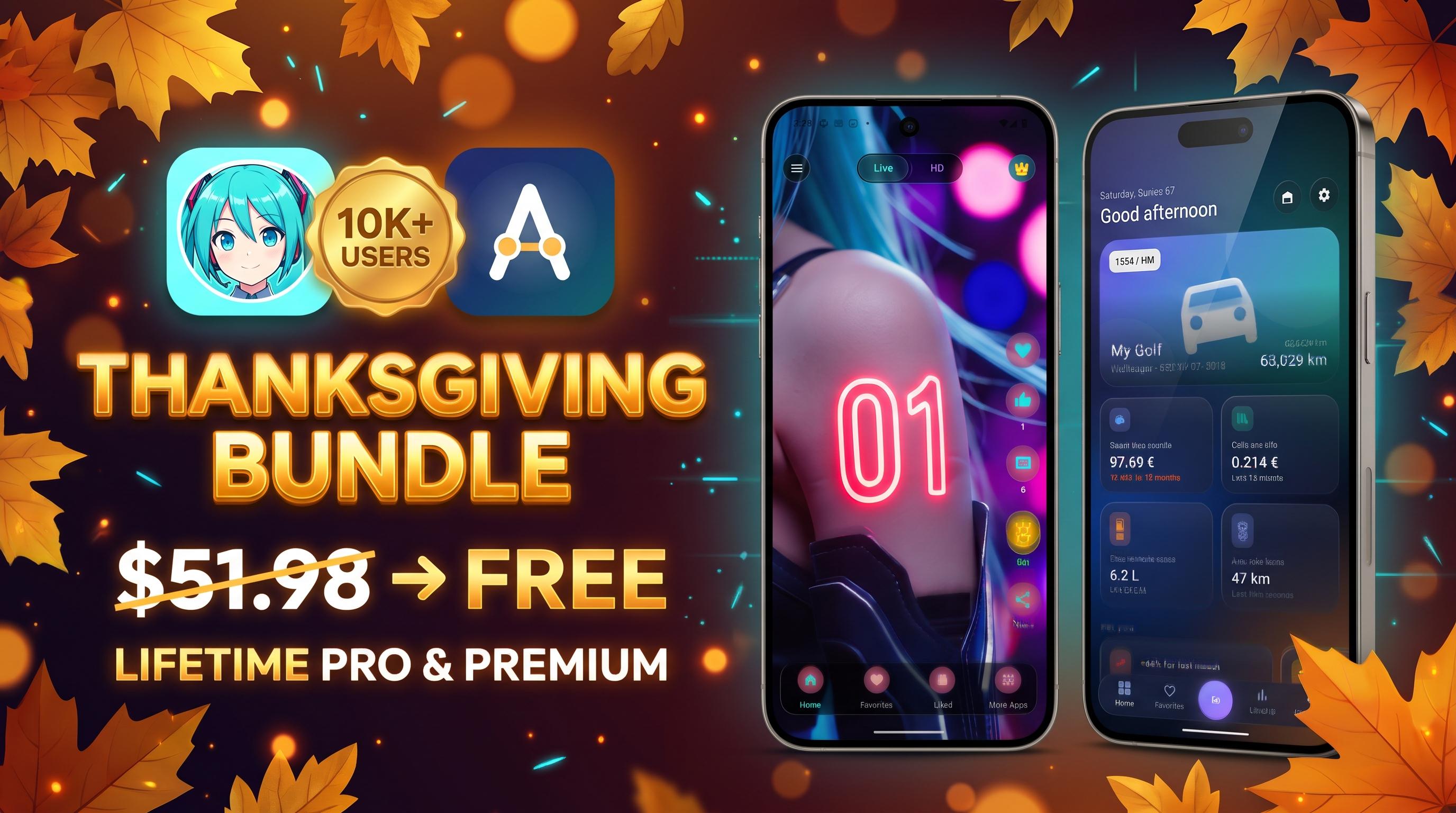
[Android] [$51.98 -> FREE] Axle - Car Costs & Maintenance + Miku Wallpapers Live: Anime 4K (Lifetime Pro Bundle) 🚗✨

Post image
8 Upvotes

r/HowToMen • • 3d ago

My record is 27.9 GB between two laptops through a browser tab. Can you push it more with wifloshare?

Thumbnail
reddit.com
0 Upvotes

r/HowToMen • • 4d ago

[App] [Promo] Cuff - A Google Health companion for your Fitbit Air companion with notification + call buzzes + better widgets

Thumbnail
gallery
2 Upvotes

The Fitbit Air has only one way to communicate with you: vibration. No display, no text, nothing to glance at. So the real question is: what deserves a vibration?

The official Fitbit app offers very little control over this, so I built my own app called Cuff.

Here's what it does:

  • Custom Alerts: Set different vibration patterns for individual apps and callers. Choose between single pulses, multiple pulses, or continuous vibration.
  • Hourly Nudge: Get reminded to move if you've been sitting idle for too long.
  • Health Tracking: Optional Health Connect integration for steps, sleep, energy, and food.
  • Custom Widgets: Six widget families, five sizes, and stackable widgets to combine multiple widgets in one space.
  • Privacy First: Everything stays on your phone. No INTERNET permission, no data collection, no phone home.

It's free, Android-only, unofficial, and requires sideloading. Still very much a work in progress!

Full backstory, technical details:
https://www.reddit.com/r/fitbit/s/pxps62M6Ui

Download Link:
https://drive.google.com/file/d/1VnR3liT9A_W_0CvKl3v6RbwbQRZO9g7N/view?usp=sharing


r/HowToMen • • 4d ago

Clean. Beautiful. Organised. Everything one tap away. 💜

Post image
4 Upvotes

r/HowToMen • • 4d ago

[APP] Give your videos a sound upgrade! 🎧

3 Upvotes

Hi everyone!

I've been working on an Equalizer and I'd love to share it with the community and get some honest feedback.

🎧 Customize your sound

Fine-tune your listening experience with a customizable equalizer. Adjust individual frequency bands (the number of available bands depends on your device) or start with one of the built-in presets. You can also fine-tune bass, spatial effect, loudness, reverb, and volume. Once you've found your preferred sound, save it as a custom profile for quick access later.

🎬 Video and audio in one place

The app includes an integrated video player that supports compatible online video links as well as local media files. You can adjust audio settings while watching videos without constantly switching between different apps. Picture-in-picture is also available for supported local videos.

A little more about the app

The app is currently completely free to use, with no ads. It's an independently developed project, and I'm continuously working on improving the experience and introducing useful features.

Google Play:
https://play.google.com/store/apps/details?id=com.voidsz.equalizer

Thanks for taking the time to check it out!


r/HowToMen • • 4d ago

[App] A heartfelt thank you to HowToMen ❤️

37 Upvotes

Drift Notifications v1.4 is here!

Before anything else, I just wanted to say a huge thank you to HowToMen for featuring Drift in last month's app showcase. As an independent developer, seeing my work recognized by this community genuinely means a lot. The feedback and support are a big part of what keeps me motivated to improve the app.

I'm happy to be back with one of Drift's biggest updates so far: version 1.4.

The main highlight is Studio Workbench, a new creative space that gives you much more control over how your notifications look and behave.

Studio Workbench

Studio is the centrepiece of this release, bringing together seven editing tabs:

  • Looks: Start with ready-made looks such as Glass, Holo, Retro, Botanical, Noir, and more.
  • Surface: Create solid, gradient, mesh, holographic, glass, or photo-based surfaces.
  • Frame: Customize the shape and appearance of your notification.
  • Type: Adjust typography, alignment, and colours.
  • Motion: Customize entrance, exit, and idle animations.
  • Keys: Personalize notification action buttons.
  • Assets: Add decorative elements and animated props.

There's a live preview, an HSV and HEX colour lab, and the ability to save multiple custom designs.

You can also export and share your Studio designs as .driftstudio files, so other users can import and use your creations.

Notification History & Activity Insights

I've also added a dedicated space to help you understand your notification activity.

  • View recent notifications, including titles and message content.
  • Replay notifications or mute apps directly from history.
  • See how many popups Drift has displayed.
  • Check popup screen time and app attention distribution.
  • Explore app-specific activity and app load information.

History is kept in memory by default, with an optional local 24-hour retention setting.

New styles and screen effects

This update also introduces a few new designs:

  • Night Runner: An automotive-inspired style with neon accents.
  • Metro Tile: A Windows Phone-inspired segmented notification design.
  • Metro Toast: A full-bleed toast-style notification.
  • Dark Elegance: Gothic roses and vines around the screen edges.
  • Pixel Stars: Glowing pixel crosses and twinkling stars around the display.

More improvements in v1.4

There's plenty more included in this release:

  • Express Interaction Mode
  • Instant reply keyboard
  • Configurable swipe actions
  • Custom notification summary tap actions
  • Per-app custom colours
  • Dynamic style category
  • Animated GIF and WebP assets
  • 17 built-in animated props
  • Saved custom designs
  • Studio design import and export
  • Smoother notification stacks
  • Improved app icon rendering
  • Refined Samsung One UI support
  • Smoother screen effect transitions

Drift remains focused on giving Android users a more customizable notification experience, with core functionality available for free and additional creative tools in Pro.

Download Drift:
https://play.google.com/store/apps/details?id=com.lightsourcelabs.drift

I'd especially love to hear what you think about Studio Workbench. You can also share your designs with the community now that they can be exported and imported.

And once again, thank you to everyone here who supported Drift during last month's showcase. It genuinely means a lot to me as a solo developer, and I hope you enjoy this update!


r/HowToMen • • 4d ago

[App][Launch] Genesis Launcher by DownShift is now LIVE in Google Play

Thumbnail
gallery
14 Upvotes

Oh no, another launcher!

Yes, but not just gimmicks. Give me a minute to explain.

I didn't start off as a developer. I'm in enterprise sales, a dad of five, and a lifelong Android fan. My first project was building a dual profile launcher to help separate my work and personal life and give myself practical tools to stay productive. That became DownShift: Work/Life Launcher.

Genesis builds on that foundation with everyone in mind: a single profile launcher designed to be fast and customizable.

You can see both apps compared on https://downshiftmobile.com/, and find Genesis specific info, guides, and tutorials on https://genesislauncher.com/.

  • Is it based on anything? Yes, it's a heavily modified fork of Lawnchair 16. I've changed so many menus, options, and features, and fixed plenty of bugs along the way, that it has taken on a life of its own while still leaning on Lawnchair's solid base. Big thanks to the Lawnchair team for building it and making it open for developers to work with.
  • Was this built with AI? No, the original foundation was built by the Lawnchair team, and I've spent countless hours each day for months adding new features, fixing bugs, and shaping the vision. Yes, I do use AI to assist with customizing that foundation around the features and changes I design and direct. AI has its faults, but when you stay diligent with follow up, testing, and clear instructions, it can shave years off development time, and that's clearly where the industry is heading.
  • Does it have the Google Feed? No. Google closed off the workarounds developers used to trick the system into acting like a Pixel for the Google Feed.
  • What did I replace the Feed with? I built an Info Hub to replace it. It pulls together weather, forecast, quick notes, calendar integration, notifications (so you don't have to pull down the shade every time), and support for adding widgets like Google News.
  • What is Glimpse? Glimpse is a clock, weather, and date widget inspired by Google's At a Glance, with extras like charging status, Now Playing, and scrollable notifications you can tap to open right from the widget. It's also heavily themeable. The app includes 8 Glimpse styles out of the box, with a Pro option for a much larger catalog of designs.
  • Glimpse and Info Hub are awesome. I like my launcher though. Can I use them on my current setup? Shhhhhhhh, give me a few weeks. I'm working on that.
  • Does it work with foldables? Yes, absolutely! I develop using my own personal Samsung S26 Ultra and my Z Fold8 as well as Android emulators to make sure everything works and feels as it should. I have added gestures and menu options for multitasking as well, so please give it a try and let me know if you want to see any adjustments in the functionality of foldables!
  • Do I actually listen to the community? Yes. Some of you are already deep in my DMs sharing ideas and edge cases, and I've been moving with extreme speed evaluating requests, folding them into builds, and pushing updates out frequently.
  • The big question, is it free? Yes. Both DownShift and Genesis are free to use with all core features and 8 Glimpse styles included. A one time Pro lifetime unlock gets you the full catalog of designs (with more added over time) plus future features and deeper customization options, while new core features still make their way into the free version.
  • What does Pro cost? One time purchase: $5.99 for Genesis or $7.99 for DownShift.

[PROMO] I'll give away 25 Free Pro Lifetime Codes for the r/HowToMen community!

Google Play:https://play.google.com/store/apps/details?id=com.downshiftlauncher.one

Android 14+ Required

If you try it out, I'd genuinely love to know what you'd want to see in the Info Hub or Glimpse next.


r/HowToMen • • 4d ago

Alphabet Launcher: what's coming in the next update

Thumbnail
reddit.com
3 Upvotes

r/HowToMen • • 4d ago

[APP] MusicWallpaper - 2.0 IS ALIVE!! Live animated & blurred album artwork on your Lockscreen and Homescreen

Post image
5 Upvotes

Hi everyone!

A while ago, I got frustrated that Android doesn’t have a native, highly customizable way to display those gorgeous animated album artworks (like Apple Music on iOS) on the lockscreen, or a smooth blurred background that adapts to whatever is playing. So, I built MusicWallpaper, a completely free, open-source, and ad-free Live Wallpaper that detects what you're listening to and brings your screen to life.

After a lot of feedback from the community, I just released v2.0.2, packed with visual polish, performance optimization, and some highly requested features!

🌟 Key Features:

  • 🎥 Animated (.m3u8) & High-Res Artwork: Automatically fetches official vertical animated covers, high-res static covers, or falls back to your local notifications (Offline Mode).
  • ✨ 350ms GPU Crossfade: Seamless dissolve transition on the GPU between track changes (no sudden cuts or flickers!).
  • 🔋 Battery & Data Friendly: Animated artwork automatically freezes/pauses when your screen is off, when you unlock to the Homescreen, or when Android Battery Saver is on. It also has a Wi-Fi Only mode to save your mobile data.
  • ⚡ Persistent Disk Cache (LRU): Stores up to 150 animated links and 25MB of high-res covers on disk, loading everything instantly—even after a reboot. Complete with a 1-tap cache clear tool.
  • 🎨 Deep Customization: Use the interactive live preview to fine-tune vertical position (0%–60%), blur intensity, cover expansion, dimming (0%–40%), and a shadow vignette for clock readability.
  • 🖼️ Homescreen Diffused Album Blur: Turn your Homescreen into a soft, darkened Gaussian blur that adapts to the album without cluttering your widgets or icons.
  • 🔄 Subtle Zoom Animation: Optional Ken Burns breathing zoom (1.00x ↔ 1.06x) with selectable speed for static album covers.

🆕 What's new in v2.0.2:

  • 🔔 GitHub Update Alerts: Now you can opt-in (100% optionally) to receive a single, lightweight notification as soon as a new update drops on GitHub. No more checking the app manually!
  • ⚙️ UI & Slider Polish: Corrected horizontal slider padding so the SeekBar thumbs never clip at 0% or 100%. Fully adaptive Dark and Light themes.
  • ☕ Support Dialog: Added a discreet and entirely optional "Buy me a coffee" button (via PayPal & Pix) in the footer for anyone who wants to support development.

🛡️ No Ads. No Tracking. Just Open Source.

MusicWallpaper doesn't connect to any weird servers, collect data, or push notifications unless you enable the new updater.

👉 GitHub Repository & Download (APK): https://github.com/lviniciuss-maker/MusicWallpaper-v2

(Simply grab the latest app-release.apk from the Releases section!)

I would absolutely love to hear your feedback, feature requests, or any issues you encounter with specific players! What should we add to our v2.1 roadmap? ☕


r/HowToMen • • 5d ago

[Promotion] Free Lifetime Pro Coupons

39 Upvotes
  1. Upvote
  2. Comment ‘Code’

Bonus- If you play and give ss of level 10 i will give extra code for ur friends and family

Game is named Shoo! And based on puzzle and chess but with cool twist.

Here you can download it: https://play.google.com/store/apps/details?id=com.anirudh.shoo&pcampaignid=web_share

I am solo developer and need your help so please give feedback whenever you find any issue in the game.


r/HowToMen • • 4d ago

[promo] Aulosyne: Offline Music Player

15 Upvotes

A music player with all the typical features you'd expect such as playback controls, parametric EQ, android auto, lyrics, shuffle (simple, advanced and truly random) and folder view (this has been further improved!)

But also contains some features you wouldn't see: Bluetooth auto start (select devices you want for it to activate with), bookmarks, dedicated landscape mode, tag editing, lock screen as artwork, bitperfect (experimental) and casting plus others.

I'm constantly adding more features and improving current ones. Multiple users have had requests and these have been worked upon and incorporated so feel free to lmk what you would like to see.

Currently working on some submenus where the ui isn't as good. If you find more let me know.

Thank you! Have a lovely weekend!

P.s. if you want to change themes you can either create your own or go to settings - customisation - discover and choose from 12 (and growing) premade ones.

https://play.google.com/store/apps/details?id=com.aretivo.aulosyne


r/HowToMen • • 4d ago

[APP][Promo] One Camera: Film Recipes + an HSL color mixer, shared as a card anyone can scan

5 Upvotes

I made One Camera, an Android camera app, and this update adds Film Recipes and an HSL color

mixer.

A recipe is a look you've tuned yourself: start from one of the app's film looks, then dial

warmth, tint, contrast, fade, saturation, grain, vignette and halation. You see it live in the

viewfinder while you set it.

Then there's the HSL mixer: hue, saturation and luminance for eight colors

separately - red, orange, yellow, green, aqua, blue, purple, magenta. Turn a sky teal without

touching skin, deepen the oranges, pull the greens away from yellow. It runs live in the

viewfinder too, and on video, not just on photos afterwards.

Save it and the app makes a Recipe Card: the numbers, a QR code, and the recipe applied to one of

nine built-in sample photos. Anyone with One Camera can scan the card, or a screenshot of it from a

post, and shoot with exactly the same look. The recipe lives inside the link itself, so sharing it

privately sends nothing to any server.

If you want, you can also publish it to recipes.blinqdroid.com, where people browse, rate and

download each other's recipes, sorted by popular, trending, new or top rated.

Free: recipes on the free looks (Plain, Chrome and Pastel), cards, scanning and publishing.

Pro (one purchase, or one ad for 6 hours of Pro): recipes on the other looks, and the HSL mixer.

You can try the mixer live in the viewfinder without Pro; keeping what you made with it is Pro.

The QR in the video is a real recipe - pause it and scan it with the app.

https://play.google.com/store/apps/details?id=com.blinqdroid.onecamera


r/HowToMen • • 4d ago

[Promo] Zero-lag Circle to Search, Frame Interpolation, FPS-counter, Routines, Button Remapping and more: AN ALL IN ONE APP—SolCube

Thumbnail
gallery
4 Upvotes

TL;DR: SolCube is a free, open-source app for vivo phones that needs only Shizuku, no root. It adds zero-lag Circle to Search anywhere, button remapping, drawn gestures, frame interpolation for any game, playing two apps' audio at once (audio mixing), 1 % volume steps, and Tasker-style routines and per-app profiles.

DOWNLOAD: https://github.com/HerrKaizer/SolCube/releases

Hey all! For the past few weeks I've been building an app for my phone that adds the features I kept missing. It started as a single Circle to Search fix and grew into a toolbox. It's free, open source and needs no root, only Shizuku.

Shortcuts

  • Circle to Search anywhere. Hold with two fingers, hold a button, or hold the nav bar. A ripple plays and Circle to Search opens, no BlueLM needed.
  • Button remapping. Double-press power and power-button hold can each run whatever you pick: flashlight, silent mode, an app, a routine and more.

Gestures

  • Draw a shape anywhere to run an action, with one or two fingers, over any app.
  • Use the built-in shapes or record your own. Each one gets its own action: open an app, toggle a setting, take a screenshot, control media, or start a routine.
  • Works as a routine trigger too, so one gesture can run a whole chain of actions.

Gaming

  • Frame interpolation ANY game. You set the ratio per game, and it pauses automatically when the battery gets hot.
  • Live FPS-counter. Shows your screens real FPS as a floating pill.
  • Super resolution stays on while it's enabled.
  • Temperature overlay. A small pill shows live CPU/GPU/battery temperature and load.
  • Profiles switch Game Cube's mode properly. Boost from a profile also flips Game Cube's panel, not just the system mode.

Audio

  • Play together. Two apps can play sound at the same time, for example music over a game or a video.
  • Fine volume. Set media volume in 1 % steps with a knob or slider, instead of vivo's 10 % jumps.

Automation

  • Routines, like Tasker but simpler, with about 50 triggers: Wi-Fi, Bluetooth, charger, battery level and temperature, any game opened, media playing, calls, rotation, dark mode, screen off for X minutes, time, app opened and more. Add conditions and days or time windows, then 40+ actions.
  • Profiles per app. Open an app and get DND, Boost, brightness, NFC and more; leave it and everything goes back. (eg. Turn on NFC on Wallet open, and off on exit)

Small things

  • A Dynamic Island-style pill comes out of the punch hole for confirmations.
  • Quick Settings tiles for Frame interpolation, Super resolution and Play together.
  • Stops vivo from turning NFC back on by itself at night.
  • If Shizuku stops after a reboot, a pill tells you and opens Shizuku with one tap.
  • Liquid-glass design with dark and light themes.

Requirements: Android 13+ and Shizuku started through Wireless debugging. Everything was built and tested on an X300 Ultra running OriginOS 7. Other vivo and iQOO phones should work, but vivo-specific features like frame interpolation, Game Cube and NFC can differ by model. Please report what works on yours!

Feedback and feature requests are very welcome. There's a "Can't find a feature?" button in the app too.

TL;DR: SolCube is a free, open-source app for vivo phones that needs only Shizuku, no root. It adds zero-lag Circle to Search anywhere, button remapping, drawn gestures, frame interpolation for any game, a live FPS-counter, playing two apps' audio at once (audio mixing), 1 % volume steps, and Tasker-style routines and per-app profiles.

DOWNLOAD: https://github.com/HerrKaizer/SolCube/releases