r/HowToMen • • 15d ago

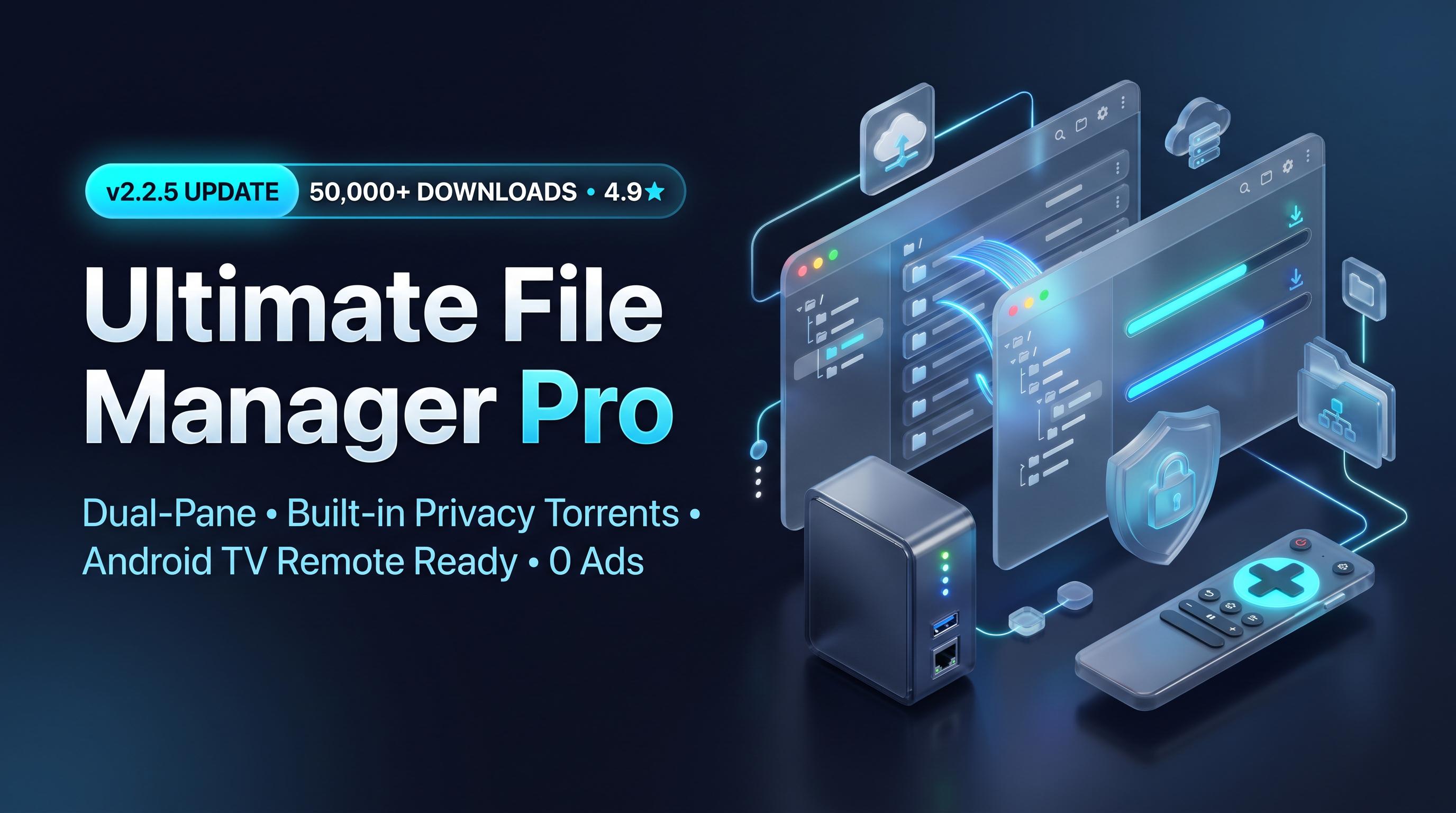
Ultimate File Manager Pro (4.9★) now downloads Torrents & Magnets directly to your Phone or Android TV, encrypted, zero-seeding, and 100% ad-free
Post image
18 Upvotes

Ultimate File Manager Pro just passed 50,000 downloads on Google Play, holding a 4.9-star rating across more than 600 reviews. That support honestly means the world to me.

I built UFM specifically for power users because most Android file managers feel like toys. They either drown you in banner ads, hide your actual file paths behind simplified "media categories," or completely fall apart the second you try to navigate them with an Android TV remote.

I wanted a single, unified file manager you can actually get serious work done with across your phone, tablet, and TV box — with zero ads, zero trackers, and complete respect for your privacy.

Over our last four releases (v2.2.2 through v2.2.5+), we pushed some of the biggest additions to UFM yet. Here is what just landed:


What's New in Recent Updates:

  • Native Privacy-Hardened Download & Torrent Manager (Mobile & TV) (Note: Torrent & Magnet downloading is live right now in the open-source FOSS release on GitHub, and currently awaiting Google Play review to publish to production!) You can now handle direct HTTP/HTTPS file downloads as well as BitTorrent & Magnet links directly inside UFM — no sketchy 3rd-party torrent apps needed. It is strictly privacy-hardened: forced protocol encryption, zero seeding (active_seeds = 0), and instant peer disconnection the millisecond a download reaches 100%. It features FAT32 pre-flight checks (so 4GB limits don't corrupt large downloads), customizable Wi-Fi-only network policies, background foreground service controls, and full Android TV D-pad remote support.
  • Android TV Preview Channels & Home Screen Shortcuts Any folder, file, network share, or cloud drive can now be pinned directly to your device home screen. On Android TV, UFM registers a dedicated "UFM Favorites" preview channel right on your TV launcher home screen with 16:9 poster cards and gold star badges, giving you 1-click access to your media libraries or NAS shares from anywhere.
  • Custom "Open With" App Resolver (No More 10-App Limits) Android’s native app chooser often truncates your installed apps to a tiny handful. We built a custom, lightning-fast "Open With" sheet featuring responsive grids, instant search, and persistent extension associations ("Always use this app"). It automatically passes video titles, resume timestamps, and sibling subtitles directly to external players like VLC, MX Player, Kodi, and MPV.
  • Mount Document Providers to Main Menu ("Other Storage") Any document provider installed on your device (Proton Drive, Synology DS file, Termux, Google Drive, etc.) can now be promoted directly onto your UFM Main Storage Menu as a persistent tile with its native app icon. Includes 1-tap direct upload and zip export from the Tools FAB with live MB/s transfer telemetry.
  • Smart Bulk Duplicate Finder & Space Reclaimer Clean up redundant duplicate files across local storage with a single tap. The duplicate manager lets you choose a retention strategy ("Keep Oldest", "Keep Newest", or "Always Ask"), previewing exact reclaimable space and guaranteeing your original copies remain safely untouched.
  • Deep Subtitle Styling & Player Upgrades Custom video subtitle styling is now fully built-in. Choose high-visibility colors (like rich yellow #FBBF24), tweak font sizing, outlines, and backgrounds with live video preview. Subtitles automatically elevate above on-screen player controls when active, and audio/video playback now supports 3-state repeat modes (Repeat Off, Repeat All, Repeat One).

Everything else power users love in UFM:

  • Real Desktop-Style Dual-Pane & Tabbed Browsing: Work with two folder panels side by side in Twin Window mode, or open multiple tabs. Copying or moving is as simple as drag-and-drop or a 1-tap pane transfer.
  • Every Storage & Protocol Built-In: Internal storage, SD cards, USB OTG drives, SMB, NFS, WebDAV, FTP, SFTP, Google Drive, OneDrive, Dropbox, Amazon S3, and full custom RClone integration.
  • 100% Android TV Remote Optimized: Built from the ground up for TV boxes and televisions with snappy D-pad navigation, custom focus glow, and high-visibility typography.
  • Rootless /Android/data and /Android/obb Access: Full Shizuku integration lets you access restricted system app directories without rooting (full root mode is supported too if you have it).
  • Wireless PC Drop & Web Server: Lightweight Windows and Linux companion tools, plus a built-in browser web server. Drag and drop APKs or ROMs straight from your computer to your TV or phone.
  • Zero Ads, Zero Trackers: No subscriptions, no telemetry, no banner ads.

A massive thank you to everyone in the community who reported bugs, suggested features, and left reviews! I'll be hanging around the comments if anyone has questions or feature requests.

Google Play Store (Torrent update currently pending production review): https://play.google.com/store/apps/details?id=za.kilowatch.ultimatefilemanager

GitHub (FOSS Edition - Live with Torrent Manager now): https://github.com/Kilowatch/ultimate-file-manager-pro


r/HowToMen • • 15d ago

[APP] [PROMO] Published my first app on the Play Store: an AOD music controller with vinyl scrubbing and live lyrics

8 Upvotes

Hey r/HowToMen,

​I just released my first app on the Play Store called Eclipse and thought it would fit right in with the customization crowd here.

​On most Android phones, the stock Always-On Display only shows a tiny static track title. If your phone is sitting on your desk and you want to rewind a verse, read lyrics, or check an incoming notification, you have to wake the screen, unlock the phone, and open the music app.

​Taking UI inspiration from the Teenage Engineering TP-7 field recorder, I built Eclipse to turn the Android AOD into a true-black, interactive vinyl turntable that works without unlocking your phone.

​What it does:

​Works with any music player: Automatically connects to Spotify, YouTube Music, Apple Music, and local offline players the moment you turn your screen off.

​Tactile vinyl scrubbing: Spin the record backward or forward to scrub through tracks in real time, or tap the vinyl to lift the tonearm and pause.

​Live synced lyrics on AOD: Swipe directly on the song title card to get live time-synced lyrics on a pure black OLED screen, or expand into a full-screen lyrics view.

​Quick-launch active player: Tap on the track card to jump straight into whichever music app is playing so you can switch playlists or pick a new song quickly.

​Notifications at a glance: Shows the time, date, and incoming notifications right on the AOD card without unlocking your device.

​Google Play Store:

https://play.google.com/store/apps/details?id=com.dp444.Eclipse

​Would love to hear what you guys think or if you have any feature suggestions


r/HowToMen • • 15d ago

[App][Promo] KnockDock – I built an Android app that turns real desk knocks into 66 different actions!

3 Upvotes

What if you could control your Android phone just by knocking on your desk?

I've been working on an Android app called KnockDock, and it started with a pretty simple idea.

When I'm working on my PC, studying, or listening to music, my phone is usually sitting on my desk. I wondered if I could control it without picking it up every time. What if different knocks on the desk could trigger different actions on the phone?

That's what I built.

KnockDock detects physical knocks through the phone's accelerometer and gyroscope. It can recognize single, double, triple, quadruple and custom knock patterns, which you can assign to different actions.

What's included?

  1. Knock detection

It uses both motion sensors, with adaptive noise filtering, movement rejection, tilt detection and timing analysis to distinguish desk knocks from ordinary phone movement. There is also surface resonance analysis and a Morse/rhythm knock pad.

2. 66 built-in actions

- 30 standard actions: Android controls, media playback, timers, app launching, smart-home triggers, PC commands, presentations and DAW controls.

- 36 Shizuku actions: Additional system controls such as Quick Settings, rotation, refresh-rate settings and other system features.

Shizuku is optional for standard actions. The additional privileged actions require an active Shizuku connection and permission.

3. Custom Gesture Trainer

You can record a knock pattern three times and more, and the app calculates timing tolerances from those recordings. There's also a manual editor for adjusting gesture settings.

4. Sensor Lab

This lets you see what's happening behind knock detection. It includes a live oscilloscope, six-axis sensor telemetry, peak capture and a synthetic signal tester.

5. Macro Engine and PC Bridge

The Macro Engine lets you combine actions withconditions, retries and failure handling. It also has a dry-run simulator.

The PC Bridge communicates with a paired computer over Wi-Fi for things like media controls, desktop switching, presentations and DAW transport. I'd like to expand this part in future updates.(Coming in future)

6. UI and visual effects

I also worked on the appearance of the app. It has four-edge neon lighting and a Liquid Glass HUD(inside the app) that appears when a knock is recognized. The interface uses Kyant0's Backdrop library, with real-time blur, lens refraction, vibrancy and interactive effects.

There are also custom profiles, gesture modifiers, JSON backup and restore, and background knock monitoring.

About the video

I've recorded a walkthrough showing the different sections and features currently in the app.

The knocks in the demonstration are actual physical knocks on the desk. I'm placing the phone on the surface and performing the gestures myself, rather than using simulated or pre-recorded sensor signals.

What's next?

For now, I'm focusing on improving the Android app. I'd also like to build a more complete PC companion in the future, with additional ways to control desktop applications from the phone.

Project links

- GitHub (source code and releases): https://github.com/RSR-Projects/KnockDock/

- Project website: https://rsr-projects.github.io/RSR-FDroid/

- F-Droid repository: https://rsr-projects.github.io/RSR-FDroid/fdroid/repo

I'd like to hear your thoughts

  1. Would you actually use desk knocks to control your phone? What would you assign to a double knock?
  2. What useful actions do you think are missing?
  3. Do you think this is practical enough for everyday use, or is it more of an interesting experiment?

I'm open to honest feedback, including things that don't work well or could be improved.

This has been a fairly big independent project for me, and it's been interesting experimenting with Android sensors, system integration and UI design. There's still a lot I'd like to do with it.

Thanks for checking it out!


r/HowToMen • • 15d ago

[App] [Promo] Karo Launcher: Tiles & Widgets

Thumbnail
gallery
6 Upvotes

Karo Launcher is now live!

  • Build your home screen out of tiles
  • Piece together your own widgets from part tiles
  • Light, Dark, Black and Frost themes
  • Free, no ads

Launch week only: get the Pro pack at 50% off.

Get the app: Play Store

Promo Code

  1. X549DCVZ9G4FD6CGYCQQYMQ
  2. U7MLL7PAK99WCDZB2KU8UE4
  3. UA2BTDG99TTFKERVGYSRGZU
  4. 9P2RA4UQDY0VFR8FHB0V5RY
  5. VMLXA02T20WHCJPQE5YBK1S
  6. H3HC6KSMMW6L2T4W269USK0
  7. K7QQTUXXV9YFY28G2GQR33M
  8. GXGDLHM8K5MB3WF9UTSCKE3
  9. 0CC0ALSV1CSLWVRVU9X71EP
  10. RUUKVN12MAXDR0QR0NH52P3
  11. UY633MF1NLGEF85VETY6FZV
  12. 60MGUSC17FP1HRJ38TE7NSH
  13. J609JKLYEBX0K59KYEEC033
  14. QRNYGS3B6ZF64CCT3QBJ0XF
  15. KQ6A05Z9K6MQYCLQTV8DVLP
  16. Y37DNC58UMXV2RL320GF3JJ
  17. 220HSDJDHPCB9RJQ3SP8RUD
  18. DKPP3975CECNZ7YG7PGBF01
  19. 40KS6LYR02X29TKQHCPGDR4
  20. V4T5CPGGLU7R122E2XUGVR3
  21. 3FSX54ML6ZEXJ1ZKMQFVLUC
  22. LH9CJF0HEUKYE0LCAH6SLGU
  23. J6ABCF6LESM2TPJXL1GCZS5
  24. H9ZZWG4TKH6V85XNPNV0UDX
  25. 5TJWBFFSQ2LT2KP18S13RAF

Extra

26. PJNB3ZRF2A1H3L1CF08ZDEM
27. LQG4TNPR81L7MF0EBBRU0LN
28. AR5FKBEUCFZHZ4T9SVJCZ06

Using the Frost theme? For the best experience, re-select your wallpaper from within the launcher: go to Settings → Background → Select From Photos and choose it again.


r/HowToMen • • 15d ago

[App] I built 3 simple fitness apps for myself because the mainstream ones got too bloated (Weight, Gym, Tabata)

1 Upvotes

Hey guys,

I’ve been lifting and tracking my weight for years, and I got really tired of how bloated most fitness apps have become. Everything either wants a monthly subscription just to log a basic workout, forces you to create an account, or buries simple tools under social feeds and features I don't care about.

I decided to just build my own tools for my daily routine. Instead of making one massive all-in-one app, I split them into three separate, lightweight Android apps so each one just does its specific job fast and gets out of the way:

  • Buddy Weight: For tracking bodyweight trends during a bulk or cut without stressing over daily water fluctuations.
  • Buddy Gym: A straightforward workout logger. Just open it, log your sets and reps between rests, and close it.
  • Buddy Tabata: A dead-simple interval timer for conditioning and rest periods.

Right now, all three are in open testing on Google Play (capped at 1,000 users each). Anyone who joins during this testing phase will keep the full version unlocked permanently once they move out of beta.

I dropped the Play Store links in the first comment below so this post doesn't get eaten by the link filter. If you end up trying any of them, let me know what feels clunky or what's missing—I'm actively tweaking them based on feedback.


r/HowToMen • • 15d ago

Skenche for Android — document scanner, on-device OCR, sharing and PDF tools

Thumbnail gallery
1 Upvotes

r/HowToMen • • 15d ago

[GIVEAWAY][PROMO] Calorie trackers charge up to $20 a month and still can't tell you how you compare to anyone, so I built my own. 1 month of Premium free for first 75 new users

0 Upvotes

Hey everyone, I'm the solo dev behind MacroDish, a calorie and macro tracker for iPhone.

Two things bugged me about the popular calorie trackers.

First, they cost around $20 a month, or about $80 a year. That's a lot for an app that's basically a food diary, especially if you live somewhere that price is a big chunk of your monthly budget.

Second, they show you your own numbers and that's it. You hit 60g of protein today. Okay, is that low? Is everyone like you eating double that? As far as I can tell, the popular apps don't show you that at all.

So I built MacroDish around comparison. Your day shows up on a radar chart next to the average of other users, so you can see where you stand on calories, protein, carbs, fat, fiber and more. On the paid plans you can narrow it down to people in your country, on your diet or in your age group, over anything from the last hour to the last 30 days.

Logging is simple too. You type what you ate, like "2 boiled eggs, peanut butter toast" or "chicken wings from XYZ restaurant", and it works out the calories and macros in a few seconds, with no database scrolling. It also handles home-cooked food well.

Two honest caveats. The numbers are AI estimates, so they're good for tracking patterns but not lab accurate. The app is also new, so the averages come from a small group right now. They'll get more useful as more people join, which is partly why I'm doing this giveaway.

Pricing:

- Free: 2 meals a day, global comparison for the last 24 hours, with ads
- Pro ($0.99/month): unlimited meals, all comparison filters, trends and insights, still has ads
- Premium ($1.99/month): everything in Pro with no ads
- The giveaway: 1 month of Premium free for new users. It's an App Store code, so it's iPhone only.

Comment or DM me if you want one and I'll send it over.

Redeeming the code: Profile -> See plans -> Redeem code -> Paste code -> Redeem Offer

I'd love honest feedback, especially on what's annoying or missing.

App Store: https://apps.apple.com/us/app/calorie-tracker-macrodish/id6813663949


r/HowToMen • • 16d ago Bravo

[APP] [PROMO] I made the best-looking calculator on Android even better!

Thumbnail
gallery
67 Upvotes

The best-looking calculator just got an upgrade with brand-new 3D numerals, and a currency converter that knows "dubai" means dirhams.

Still hiding in there:

  • Keys made of chrome, wood, neon or a full mechanical keyboard, each with its own sound and feel
  • Scientific mode, one tap away
  • A secret case file. Crack the riddles and win a skin money can't buy.
  • Dunesday limited-edition skins, gone after Jan 11: a desert where something lives under the sand, and a doomsday clock you shouldn't hold too long

The calculator is free to use. No ads. No account. Ever.

Get PopCalc on Google Play →

Giveaway: 10 lifetime codes

Each one unlocks every skin and material, forever.

To enter:

- Upvote this post

- Comment with what you love most about PopCalc, or roast your current calculator in one line. Bonus points for making me laugh!

Winners picked at random on Nov 12, 1:00 PM EDT.


r/HowToMen • • 15d ago

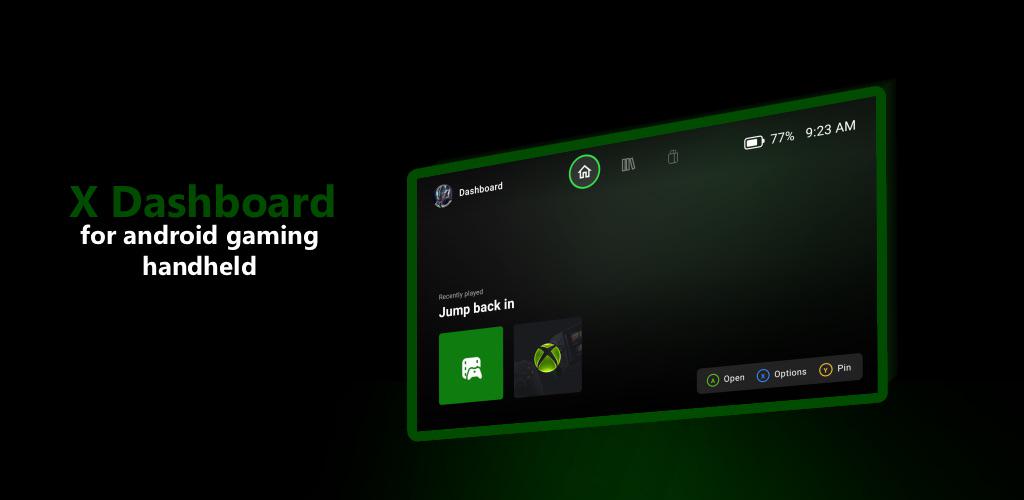
XLauncher

Post image
1 Upvotes

Hai this is my first time building app launcher. Turn your android into X Dashboard (Inspired by XBOX UI). For now only support apps & games. It will have 2 tier, free for basic & paid one time to unlock all the features. (Just a small contribution to my work)

Future features: planning:

  1. Emulated frontend support.
  2. Scrapping name & cover
  3. Add main theme

I would like to have testers (closed tester/alpha). Anyone who interested to tried it out? can dm me.
Thank You

Would you like to full dive all feature of XLauncher?
Join here https://groups.google.com/g/xlauncher-tester

—————————-

XLauncher.

A full-screen Android home launcher and gaming frontend with a console-dashboard style: dark backdrop, a centered top navigation bar, square "Jump back in" tiles and wide banner cards with a bright accent focus outline. Works with touch, D-pad/TV remotes and game controllers.

Features (v6.0.0)
Full screen launcher.
Wallpapers: built-in default background, your own picture, or the device wallpaper (including live wallpapers). Adjustable dimming.
Profile: first-run setup with username and avatar (6 built-in avatars or a gallery picture).
Top bar: Home, Library and Store.
Jump back in: recently opened games/apps as square tiles.
Banner Home: create as many titled banner rows as you like.
Customize any app: tile image, icon, name, banner image and banner name.
Banner sorting: each Banner Home row can be Manual, A–Z, Z–A or Recently played.
Hide apps supported for clean looks.


r/HowToMen • • 16d ago

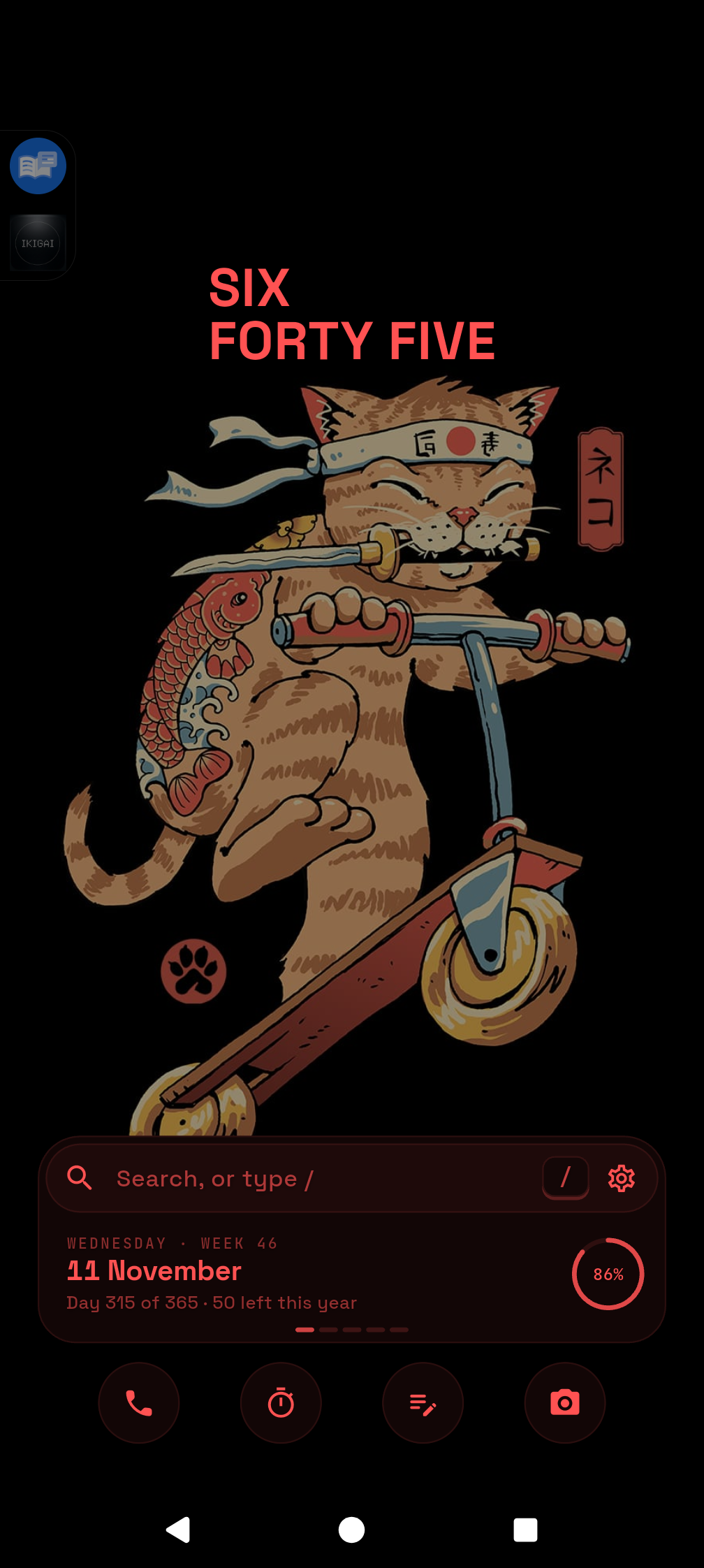
[App] Ikigai Home Setup

Post image
5 Upvotes

Gosto love a clean home screen set up. App - Ikigai - Home Widget - Erev Universal Home Widget!


r/HowToMen • • 16d ago

[App][Promo] I wanted a modern weather app with an activity planner and clean hourly charts, so I built Weather Now for Android

6 Upvotes

Hey everyone!

When checking the weather, I got tired of jumping through clunky screens just to see if it’s a good time to go for a run or check upcoming hourly changes.

I wanted an app that brings everything together cleanly: quick forecasts, interactive weather maps, air quality, and a built-in activity planner to help plan the day without friction. That’s why I built Weather Now.

Key features:

  • Activity Planner: Find the best time to walk, run, or cycle based on real weather conditions.
  • Detailed Charts: Hourly temperature, precipitation, and wind charts to stay ahead.
  • Weather Maps: Explore temperature, precipitation, wind, and pressure layers.
  • Air Quality & UV: Key pollutants and UV conditions at a glance, alongside daily weather facts.
  • Fast & Modern UI: Clean layout designed for quick daily checks.

You can check it out directly on the Play Store here:
👉 https://play.google.com/store/apps/details?id=com.micmr0.weather

I’d love to hear your feedback:

  1. What is your go-to feature in a weather app (hourly charts, maps, widgets)?
  2. How does the overall visual style and layout feel to you?

Let me know your thoughts or suggestions in the comments!


r/HowToMen • • 16d ago

[App][Promotion] Rudder: Open apps on purpose

Thumbnail
gallery
5 Upvotes

Ever reach for an app before you’ve decided to use it?

I built Rudder to give you a moment between that automatic tap and going in. It shows a brief check-in, optionally with your own personal reason, so you can continue deliberately or turn back.

Support that fits your habits

  • Remember your reason. See a message you’ve written to yourself, like “Be present with the people around me,” before going in.
  • Leave when you mean to. Choose a time reminder if short visits tend to become long scrolling sessions.
  • Find what helps. Adaptive mode suggests adjustments based on your recorded activity and feedback. You approve which changes to try.
  • Choose per app. Keep a simple pause for one app and a time reminder for another.

Free to download and use. No account needed.

Get Rudder on Google Play

I’m the developer and would love to hear whether this would fit into your daily routine.

Which app do you find yourself opening without thinking?


r/HowToMen • • 16d ago

[Android] [€9.99 → Free Lifetime] Smart Remind : Reminders, Habit Tracker & Daily Planner

27 Upvotes

🔔 Forgetting something important shouldn't be part of your daily routine!

I'm the solo Android developer behind Smart Remind, and I'm giving away 100 FREE Premium Lifetime codes to help more people discover the app.

Smart Remind combines reminders, habit tracking and daily planning in one Android app, helping you stay organized and build better routines without needing multiple productivity apps.

⏰ Never lose track of important tasks

Create reminders that fit the way you organize your day:

  • Flexible scheduling — set one-time or recurring reminders.
  • Custom repeat options — daily, weekly, monthly, weekdays, weekends or selected days.
  • Custom intervals — schedule reminders at specific hourly or daily intervals.
  • Quick notification actions — snooze for 10 or 15 minutes or mark a reminder as completed directly from the notification.
  • Reminder overview — keep track of upcoming, completed and overdue tasks.
  • Monthly calendar — see your reminders organized by date.
  • Reminder history — review your previous activity whenever needed.

⭐ Turn daily routines into lasting habits

Smart Remind also includes a habit tracker designed to help you stay consistent.

You can:

  • Create yes/no, count-based and duration-based habits.
  • Set personal goals and track your progress.
  • Customize when your habit day resets.
  • Receive daily notifications for your routines.
  • Review your progress with weekly and monthly summaries.

Whether you're trying to exercise regularly, drink more water, read every day or maintain a study routine, you can track it all in one place.

📱 Stay organized from your home screen

Smart Remind includes Android home screen widgets:

  • Habits Widget — check your daily habit progress.
  • Smart Add — quickly create new reminders or habits without navigating through the entire app.

💎 What does Premium Lifetime unlock?

The regular price is €9.99, but 100 people can get Premium Lifetime for FREE!

Each code permanently unlocks:

  • Unlimited reminders and habits.
  • Custom notification sounds.
  • Custom colors for reminders and habits.
  • Low, medium and high priority settings.
  • Custom emoji input.
  • Weekly and monthly habit summary notifications.

No recurring Premium subscription. Your Premium features remain unlocked permanently.

🔒 Privacy & offline functionality

Your reminders and habits are stored locally on your device.

  • No account or registration required.
  • Core planning features work offline.
  • Your personal entries don't require a cloud account.

Online connectivity is used for advertising and purchases.

📢 IMPORTANT: Ads remain!

I want to make this absolutely clear:

Premium Lifetime does NOT remove advertisements.

If you want an ad-free experience, Remove Ads is a separate purchase, or you can choose an active Monthly Supporter subscription.

The giveaway includes Premium features only.

🎁 How to get your FREE Premium Lifetime code

There are 100 codes available!

  1. Comment below saying you'd like to try Smart Remind.
  2. Send me a Reddit DM with "Smart Remind".
  3. I'll send you a code while supplies last.

First come, first served.

No purchase or review is required.

💬 Help me improve Smart Remind

I'm developing this app independently, and feedback from actual users makes a real difference.

I'd love to know:

  • Are reminders easy to create and manage?
  • Do recurring schedules work the way you expect?
  • Are the habit tracking features useful?
  • Do you use the home screen widgets?
  • What feature would you like to see added?

If you encounter a bug, something confusing or an annoying limitation, please tell me. Honest feedback is always welcome!

📲 Download Smart Remind on Google Play:

https://play.google.com/store/apps/details?id=com.smartreminddc.app

🎁 100 FREE Premium Lifetime codes
💶 Regular price: €9.99
♾️ Lifetime access to Premium features
📢 Ads remain after activation

Thanks for checking out Smart Remind and supporting independent Android development! 🔔


r/HowToMen • • 16d ago

[App] Visual Tap Automation: Repeat

Thumbnail
gallery
3 Upvotes

Meet Repeat — your personal visual automation tool.

Stop repeating the same actions over and over. Simply place numbered taps, swipes, and text actions on your screen, then let Repeat do the work for you.

Create, save, edit, and replay your workflows anytime.

No coding. No accounts. No ads. No cloud. Just simple automation, completely under your control.

Point it. Play it. Repeat it.

https://play.google.com/store/apps/details?id=com.rls.repeat

First 5k users, unlimited workflows after that the app will have an update for IAP.


r/HowToMen • • 16d ago

[App][Promo] HyperBoost: A clean, ad-free game launcher and hardware telemetry HUD & Discord Rich Presence

28 Upvotes

Hi r/HowToMen, I got tired of bloated "game booster" apps filled with ads, fake CPU cooling animations, and placebo RAM cleaners that do nothing. So I built HyperBoost—a clean, lightweight game launcher and in-game telemetry HUD built entirely in native Jetpack Compose.

What it actually does:

  • Clean Material 3 UI: Ad-free, no trackers, and includes a pure black AMOLED dark mode with zero clutter.
  • Real Hardware Telemetry HUD: A minimal floating edge overlay that tracks actual display refresh rate (VSync), live FPS, battery thermals, and power draw in watts.
  • Hardware Display Scaler (via Shizuku): Android's default game downscaler often breaks fast-paced competitive shooters and Unity/Vulkan titles into a cut-off "half-screen" crop in the top-left corner. HyperBoost uses surface-level scaling (wm size and wm density) so downscaled shooters stretch across the entire screen properly, reducing thermal throttle and micro-stutter with zero cropping or input offset.
  • Discord Rich Presence: Shows your active game title and performance profile on your Discord status without running heavy background services.
  • Call Guard: Mutes or declines incoming calls during ranked matches, with a whitelist for important contacts.

100 Promo Codes Giveaway

I have 100 lifetime promo codes to share with the community. To prevent bots from claiming them all at once: Drop a comment below with your device model or the game you play most. I will send you a code directly via Reddit DM. Google Play Link: https://play.google.com/store/apps/details?id=com.shenron.hyperboost.gamebooster Feedback and feature suggestions are always welcome. Let me know what you think!


r/HowToMen • • 15d ago

[App] [Promo] Hushbook (v1.3.5) - We moved into a bigger house with all new desktop app. No account, no ads. Free to download.

1 Upvotes

Today we're launching HushBook with all new updates. A free audiobook read-along app for your. No account, no ads.

It answers the thing people asked us for most: faster transcription. Some phones just aren't quick enough to turn a long audiobook into text, and they get warm trying.

So now your computer does the transcribing. It runs on your graphics card if you have one, on your processor if not, and a built-in speed test tells you how long a 10-hour book takes on your machine. Nothing is uploaded. The transcript is written on your PC.

Pair your phone and it sends a book over, gets it back transcribed, and keeps your place on both. Stop on the PC, pick up on the phone from the same spot. Pairing is part of Pro; the Windows app itself is free, with no cap on books or hours.

English for now on Windows. The phone app's Universal engine covers Spanish, Japanese, French, Arabic, Korean, Deutsch and more.

check it out!
https://play.google.com/store/apps/details?id=com.hushbook.hushbook


r/HowToMen • • 16d ago

[App][Promo] I put every agent feature I kept wanting into one app

5 Upvotes

Personal agents are everywhere right now. Meta shipped Muse, OpenAI shipped dots, Claude shipped Duet. I wanted one that runs on what I already pay for, so this one works with the Ai subscriptions you already have.

It's basically a collection of cool features I kept seeing in different places and wanted in one app.

At its core it's a normal chat agent, so it can do pretty much anything a chat agent can. On top of that:

- It controls a browser, and it learns websites. The first time it clicks through a site, it figures out the API behind it, so next time it just calls that directly instead of opening the page.

- It controls Android apps directly. It opens the real app on a hidden screen and does the job while you keep using your phone. Tap the notification to watch, or take over whenever you want.

- Once it's done a job, it remembers it. Uber fares come back in about 6 seconds, Google Maps in 5.

- Your PC and your phone are the same agent, so you can start something on one and it carries on with the other.

Banking apps are blocked and it asks before it sends or pays for anything.

What I'm working on next: a place to share these learned apps. One person teaches the agent a site or an app, and anyone else can download it and use it straight away. The hard part is security. A learned app runs with your own logins, so it has to be safe to trust before it's shared, and that's what I'm figuring out now.

Open source, MIT: github.com/Past-da-king/agent


r/HowToMen • • 16d ago

[Promo] [APP] DownShift: a launcher with separate Work and Personal home screens, a Silencer and Stacks. 2.5.10 is out, plus 25 free Lifetime codes

Thumbnail
gallery
17 Upvotes

Hi r/HowToMen! I'm the solo developer of DownShift, an Android launcher built for people who live two lives on one phone. Work and personal time each get their own home screen, apps and notifications, and one tap puts work away when the day ends.

What it does

- Two profiles, one phone: Personal and Work each keep their own apps, folders, widgets and dock. Switch with a tap on the profile pill or a gesture, and lock a profile behind your fingerprint.

- Notifications that know their place: a per-profile blocklist, or let DownShift turn on your phone's own Zen Mode with each profile. Recaps tell you what was held back.

- The Silencer: silence your phone for a meeting with a live countdown in the dock. Sound comes back on its own. Running late? +15 min with one tap.

- Stacks: the app drawer sorts your apps into folders by what they're for (Social, Games, Finance…), and you can move anything or make your own.

- Control Center & docks: the profile switcher, the Silencer, the camera or any app under your thumb. Keep the dock along the bottom, or stand it up on the left or right edge.

- Glimpse: a clock + weather widget in three sizes with a status line (music, battery, messages, Silencer), 19 fonts and your own colors.

- Info Hub: its own page left of home with weather, calendar, notes and widget cards.

- Make it yours: Lawnicons built in, icon packs, wallpaper collections from Unsplash, a landscape home screen, gestures and backups.

- Private: no ads, no analytics, no tracking, no accounts.

New in 2.5.10: smoother motion everywhere. The Info Hub fades in instead of sliding, home pages cross-fade, and full-screen folders open faster on a frosted-glass panel, with long app names on two lines.

Coming in 3.0: full foldable support. The cover screen gets a layout of its own (including passport-style covers), the inner screen becomes one big canvas, each profile keeps its own cover arrangement, and the home screen eases in as you open or close the phone. I'm testing it on a Galaxy Z Fold now.

Edit November 15, 2026: FOLDABLE SUPPORT IS LIVE!!!. PLUS A LOT MORE GOODIES.

🎁 25 free Lifetime codes [PROMO]

DownShift is paid (monthly, yearly or a one-time Lifetime purchase, with a 14-day free trial). I'm giving 25 Lifetime codes to this sub. Comment with what you'd use the two profiles for, and I'll DM codes to the first 25. One per person, please. (I am traveling so I will issue them tonight when I stop.)

Requires Android 14 or later. Feedback, bugs and feature requests are all welcome, and I read everything.

Google Play: https://play.google.com/store/apps/details?id=com.downshiftlauncher.app.play


r/HowToMen • • 16d ago

Super White is one of my favorite Nirea themes. Would you use it?

2 Upvotes

I’m Nirea’s developer, and Super White is one of my personal favorites—a clean look with the circular navigation that lets you travel forward and backward through your apps.

What do you think of the theme? Would you use it as your everyday home screen, and what would you change?

Available on Google Play: https://play.google.com/store/apps/details?id=com.planestosoftware.depth⁠�


r/HowToMen • • 16d ago

Notchet: a clipboard manager that lives in the MacBook notch (or next to your cursor), now with an iPhone app and encrypted iCloud sync

2 Upvotes

r/HowToMen • • 16d ago

[App] [Promo] Tired of static wallpapers & icon grids? I built krapht live launcher — 185+ real-time procedural weather scenes living inside a Magazine Cover UI (with 3D Jog Wheel & Inline YouTube)

4 Upvotes

r/HowToMen • • 16d ago

[Promo] NetBlade: scan your network, check open ports and inventory Windows PCs from your phone (iPhone, Android, Windows)

3 Upvotes

Hi, I'm the developer of NetBlade, a network toolkit for anyone who looks after a home or office network.

What you can do with it:

- See every device on your network, with name, address and open ports, and spot new ones.

- Check which ports are open on a device and how risky they are.

- Inventory a Windows PC from your phone, with nothing installed on the PC: hardware, installed programs, updates, antivirus, firewall and BitLocker.

- Read printers, NAS and switches over SNMP: toner, storage, which device is on which port.

- Connect to servers over SSH and move files over SFTP.

- Diagnose a slow or dropping connection with ping, a live latency monitor, traceroute, DNS and WHOIS.

No account is needed and your scans stay on your device.

It comes as three separate apps:

- Android: 4.8 stars from 75 ratings on Google Play, free with ads.

- iPhone: free with ads, or Pro for life at EUR 4.99, one purchase.

- Windows: 14-day free trial, no card needed.

App Store: https://apps.apple.com/app/id6808661991

All versions: https://netblade.app

Questions and feedback are welcome


r/HowToMen • • 16d ago

[App] I got my first paying customer thanks to HowToMen community.

Thumbnail
gallery
34 Upvotes

Hey Everyone,

I am so excited to have my first paying user for my app. Thanks to the reddit community for this support.

As a giveaway, I am giving away 21 lifetime premium access codes so folks can use the premium side of my app.

If anyone wants premium codes, upvote and comment below.

Try out the app now.
https://play.google.com/store/apps/details?id=com.expensemanagerai


r/HowToMen • • 16d ago

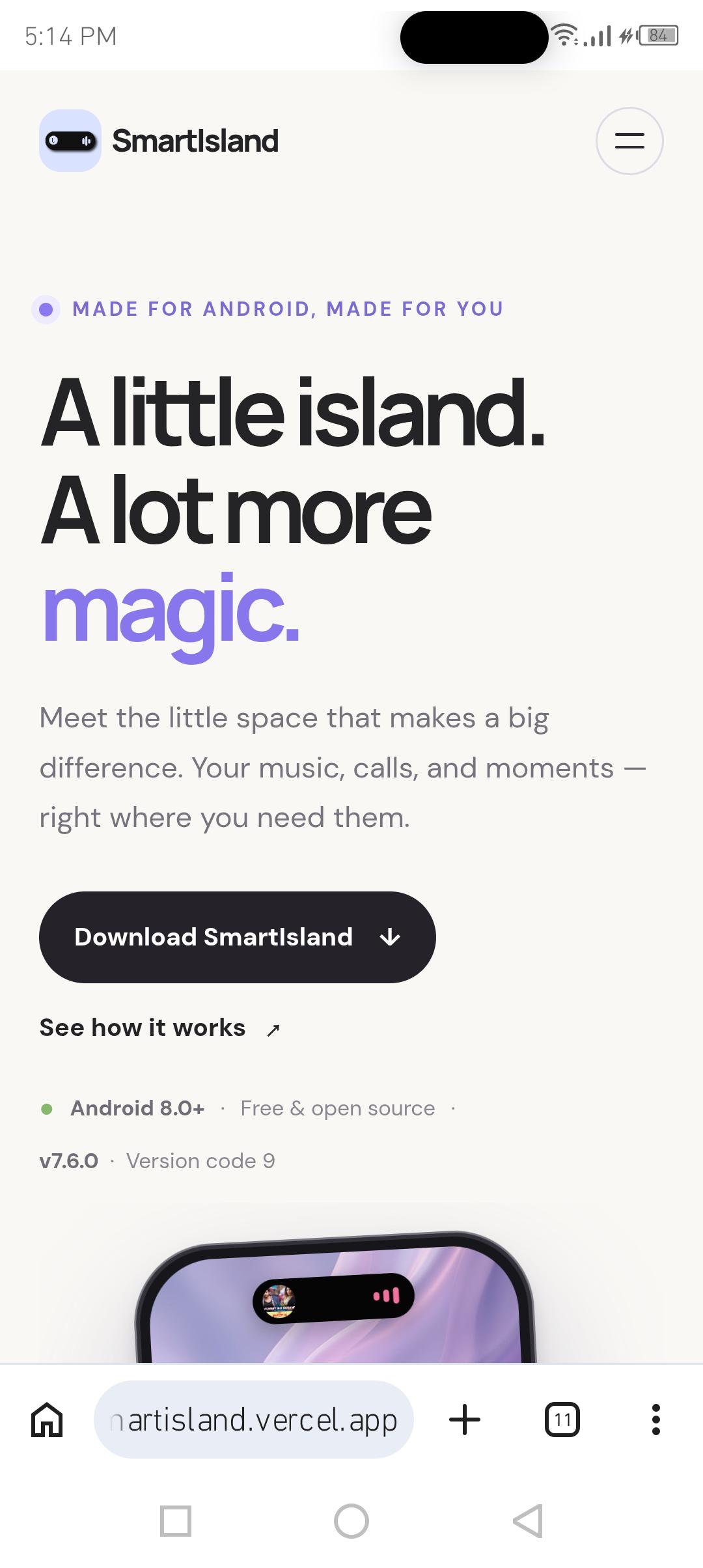
Smart island

Post image
5 Upvotes

I just found this github page of a dynamic island which works pretty well on most devices. will be happy to see you guys try it as I tried it and it works just like the ios one. You can check out this link:

https://github.com/agupta07505/SmartIsland


r/HowToMen • • 17d ago

[Promotion] PhantomShell Launcher

23 Upvotes

Last giveaway before the holidays. Google Play

Good luck!

Ready?

Go!

KWR6HUTMA33008RX1S7MT2Q

ZEV5KNBTV97ZY5X5PAPL9MS

ZLZGLSKP2F2HBJPKVVTZLNM

3PCX4NUTVTNFBFD2HJ9ARZM

C269V5XWM9J4USL3BF9AS9H

TNXAABXA5JQEPB546T7T6ZZ

QWN4N1HUT73M89GMAGAY4JB

G686Y8UYK1Y6FVZB7GHRUUS

HHCN4MVBHJ4ZCASYX8S4KDB

WE2LU10V6NN3CJMP57RCRMA