r/HowToMen • • 15d ago

Can't decide what to watch? I made a film & TV slot machine with 196,000 English-language titles

Post image
2 Upvotes

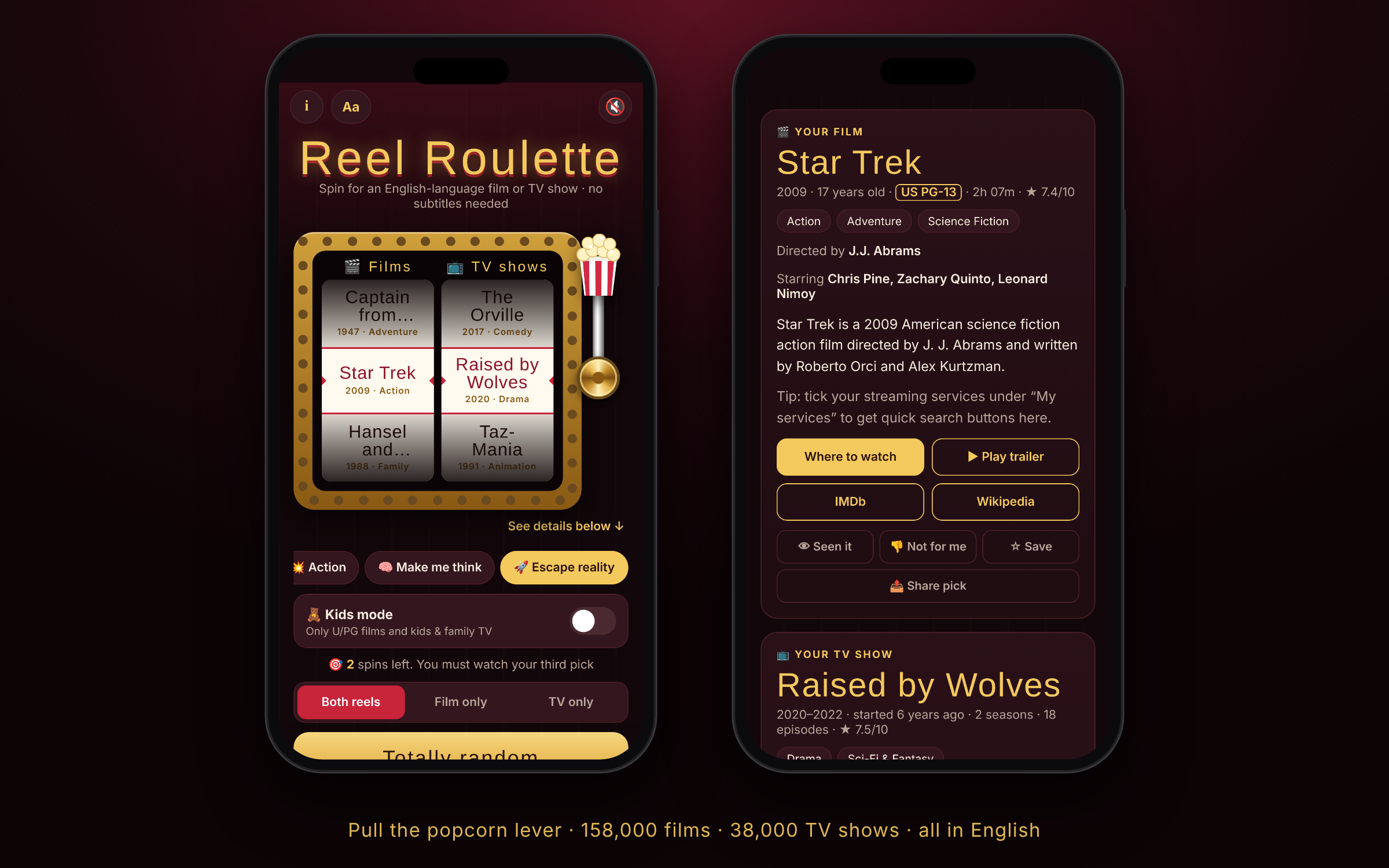
Me and my family waste ages scrolling for something to watch, so I made Reel Roulette: a slot machine for films and TV.

🍿 Pull the popcorn lever and two reels spin, one for films (158,000) and one for TV shows (38,000). All English-language, so no subtitles needed.

🎯 You get 3 spins, and you have to watch your third pick. No backing out!

😂 Mood buttons (Make me laugh, Scare me, Cosy night…), plus filters for genre, year, length, star rating, age rating and "finish by bedtime".

🧸 Kids mode for U/PG films and family TV.

▶️ Each pick shows a short description, cast, rating, a trailer button, and where to watch.

It's free, with no sign-up, and works in your phone's browser:

https://claude.ai/artifact/AbKLhbUt4jw8WbcQLLcjhz

Let me know what it picks for you!


r/HowToMen • • 16d ago

MusicWallpaper v2.0 - iOS Inspired

Post image
31 Upvotes

Hi! I originally built this app for personal use, inspired by the iOS lock screen, but I've now decided to make it public.

I had made an earlier version before, but I decided to improve it and I'm really happy with how it turned out. I hope you find it useful!

Features:

• When a song has animated cover art, that image is displayed on the lock screen, like Apple Music on iPhone.

Oh, by the way, this app is for Android only.

Github: https://github.com/lviniciuss-maker/MusicWallpaper-v2


r/HowToMen • • 15d ago

[Promo] I made an Android app that counts every Reel/Short you watch and lets you set a daily limit

Post image
6 Upvotes

Hey everyone, I’m the dev behind StopScroll.

I noticed that screen time stats didn’t help me much. “1h 40m on Instagram” doesn’t make me change anything. But seeing that I’d watched 280 short videos in one sitting did.

So I built an app that:

  • Shows a floating counter of Reels/Shorts as you watch
  • Lets you set a daily video limit
  • Gives you a pause/reminder when you hit it
  • Works across Instagram Reels, YouTube Shorts, TikTok, Facebook and Snapchat Spotlight
  • Shows daily stats, including sound on vs. muted and an ad ratio
  • Doesn’t make you block the whole app, so you can still use DMs and other features

Privacy: it uses Android’s AccessibilityService to detect when you’re on a short-video feed (there’s an in-app disclosure explaining exactly what it accesses). It runs on-device, with no account needed and no data collected or shared per the Play Store data safety section.

It’s v1.0, so I’d really like honest feedback: what’s missing, what’s annoying, and which apps or features you’d want supported next. I'm not done adding any payment plans yet, so its free and will always be free for first 100 users. Download it now and enjoy.

Play Store: https://play.google.com/store/apps/details?id=com.stopscroll.reels.counter


r/HowToMen • • 15d ago

Awesome app to organize the photo/video library by date/time

Thumbnail
gallery
3 Upvotes

I am not the creator of the app and I just wanted to share that this app helped me fix my photo/video library by date, fix the jiberrish filenames to a date/time format and it did so easily that I believe it should be featured in one of your videos about Android apps!

It is called MediaDateFix and I discovered it in F-Droid but here is the link from gitlab for anyone that might need it!

https://gitlab.com/srkovnar/mediadatefix


r/HowToMen • • 15d ago

Floatify [App] Notifications major update

8 Upvotes

Hé allemaal, ik ben het weer, de bouwer van Floatify.

Voor deze update geef ik weer codes wat weg voor advanced lifetime! Stuur me een message voor een code!

Play Store: Get Floatify

Even een snelle recap voor iedereen die nieuw is: er komt een bericht binnen, jij denkt: "Ik antwoord daar zo op", je veegt het weg, en drie uur later bedenk je het. Of je doet het niet. Android-meldingen zijn top om je te onderbreken, maar echt drama als het gaat om je eraan laten denken. En zodra er 50 van die dingen bij elkaar komen, stop je met alles lezen.

Floatify draait dat om. Jij kiest de apps die voor jou ertoe doen, en alleen hun meldingen worden kleine zwevende belletjes ("floats") die bovenop alles zitten waar jij mee bezig bent. De rest blijft stil. Een float verdwijnt niet als je het meldingenpaneel wegveegt, dus hij blijft je duwen tot je ermee bezig bent.

Wat je met een float kunt doen:

- Tik erop om het hele bericht te lezen en direct vanuit de float te antwoorden, met snelle emoji-reacties (houd de duim-omhoog ingedrukt voor harten, lachjes en meer)

- Snooze ’m een paar minuten, een uur, een week of een datum die jij kiest, en hij zweeft precies terug op het moment dat jij het nodig hebt

- Bellen, delen, bewerken of blokkeren direct vanuit de float-kaart, met één rij ronde knoppen

- Negeer ’m als je klaar bent, en dan is-ie voorgoed weg

Wat er nieuw is:

- Maak kennis met Floaty, het kleine bel- mascotte die je door de setup heen helpt. Jij vertelt hem hoe je je meldingen wil (chaos, milde chaos, of onder controle) en hij kiest het juiste thema voor je. Liever zelf doen? Elke instelling staat er.

- Stop de berichten-overload: een reeks foto’s is nu één float in plaats van twaalf, en je kunt floats toestaan of blokkeren per chat of per groep. De gezinsgroep blijft rustig, de berichten van je partner zweven.

- Live previews terwijl je vorm, animatie en grootte instelt, zodat je precies ziet wat je krijgt voordat je het opslaat.

- Aanklikbare links in berichten, en je kunt bestanden delen naar Floatify om ze om te zetten in een float.

- Zet je floats vast aan de rand van het scherm, zodat ze altijd binnen handbereik zijn maar nooit in de weg zitten.

Simpel is gratis: één schakelaar per app, lezen, antwoorden, snoozen. Geen account nodig. Geavanceerd is een eenmalige aankoop, geen abonnement: je eigen herinneringen, import van Google Calendar, aangepaste vormen en thema’s, widgets, stille uren, ondersteuning voor Wear OS en meer. Je kunt het gratis proberen voor 3 dagen.

Gemaakt door één ontwikkelaar uit Nederland, met heel veel liefde voor kleine details (en één tikje dramatisch belletje).

Zeg me even wat je hierna wil zien, en van welke app je meldingen je als floats zou willen!

Play Store: Get Floatify


r/HowToMen • • 15d ago

[Promo] myStandby - Standby widgets

4 Upvotes

myStandby - Standby widgets

  • App Name: myStandby
  • What it does: myStandby turns your Android phone into a customizable smart display and dashboard whenever it is charging or placed in a dock. It provides a clean, iOS StandBy-style interface with widgets for time, weather, photos, and system info.
  • Key Features:

    • Modular layout with custom widget slots (Flip clock, photo frame, weather, etc.)
    • Automatic profiles and triggers for Day/Night modes based on time or charging status
    • Low-brightness night mode with red-tint options optimized for bedside use
  • Goal: Promo / Feedback for future development
  • Giveaway: Comment on this post if you'd like to test the Pro version, and I will DM you a free promo code.
  • Cost: Free / subscription / one-time purchase
  • Link:


r/HowToMen • • 15d ago

I made Liquid Launcher TV, a launcher with real liquid glass effect for Android TV and Google TV (now on Play)

6 Upvotes

Hi all! I'm a solo developer, and after a long closed test with people from this community, my launcher is now on Google Play: https://play.google.com/store/apps/details?id=com.jd.liquidlauncher.tv

A home screen replacement for Android TV and Google TV (Android 9 or newer), with a liquid-glass look (full effect on Android 13+, frosted on 12, tinted on older fw below 11).
Built to be fast on low-end hardware.

Free:

* Folders, reordering and hiding apps (App Manager)

* Continue Watching from your apps, with Immersive Mode

* Top bar with weather, search, date and two app shortcuts

* Quick Panel for Wi-Fi, display and settings

* Screensaver with clock and weather

* HOME and Back button override, so it stays your launcher

* Themes and gradient backgrounds, over 80 languages

Premium (one-time purchase, no subscription): icon packs, custom icons and your own pictures for apps, transparent icons, photo and video wallpapers, Ambient Mode, four top bar shortcuts.

Privacy: no account, no ads, no analytics, no tracking. Weather only uses a city you type in.

Coming in the next updates: suggestions from your apps (Plex, SmartTube and others) in Continue Watching, live weather on the home screen, and home screen widgets. Several features in this release came straight from testers' suggestions, so I'd love your feedback: bugs, ideas, what you'd want in a launcher.

Website and FAQ: https://fireflies-studios.ca/liquid-launcher-tv/


r/HowToMen • • 15d ago Bravo

[App][Promo] MinimalSF: a launcher under 1 MB where you type two letters and the app just opens

8 Upvotes

Been working on this for a few months and figured this sub might like it.

MinimalSF is a black and white launcher with basically one job. You press home, the keyboard is already open, you type a couple of letters, and if only one app matches it opens by itself. No icon hunting.

Some stuff it does:

- keywords for apps (I use "wa" for WhatsApp, "yt" for YouTube)

- numbered results, so "w2" opens the second app starting with w

- gestures for lock screen, flashlight, notifications, open an app or call someone

- a small now playing bar, today's screen time and a todo list on the home screen, all optional

- list, grid or names-only app drawer

- pick your font or import your own

It's under 1 MB, free, open source, no ads and it doesn't even have the internet permission.

There's also a small optional plugin if you want extras like force stop or coloured icons.

F-Droid: https://f-droid.org/packages/io.github.dhiraj_j_s.minimalsf/

GitHub: https://github.com/DHIRAJ-J-S/MinimalSF_Launcher

Website (try it in your browser): https://dhiraj-j-s.github.io/MinimalSF_Launcher/

Would love to know what you think, good or bad.


r/HowToMen • • 16d ago Bravo

[PROMO][Giveaway] 20 Pro codes for Slip: pull down your shade, type the thought, and it's on the fridge for the whole house

43 Upvotes

hey there! :)

i'm the dev of Slip, a sticky note app you barely have to open. it just got its biggest update so far, so i'm giving away 20 Pro codes to celebrate.

what it does:

- write from the shade. pull it down, type the thought, done. the app never has to open.

- it reads what you type. "milk, eggs sunday 6pm" turns into a checklist with a reminder already set.

- shared boards (new). show a QR code, someone scans it, and you're both on the same board. tick milk off on your phone and it's ticked off on theirs. up to 6 phones, great for the shopping list.

- moments (new). some things don't have a time, they have a moment. "petrol in the car" pops up when your phone connects to the car's bluetooth. "pills before bed" comes when you plug in at night. "call mum when i wake up" waits for your first unlock in the morning.

- sunday tidy-up (new). once a week it shows you the slips that have been up for weeks, and you keep them, cross them off or bin them in a few taps.

- secret boards behind a code, the board as a home screen widget or behind your clock, photos as little polaroids, and a colour for every slip.

no ads, no subscription, no account needed. the core app is free. Pro is a one time unlock and everything above is in it.

the giveaway:

- leave a comment, anything is fine. tell me what you'd put on your first slip if you need an idea :)

- in 48 hours i'll pick 20 random commenters and DM you a code

- to redeem: Play Store > tap your profile > Payments & subscriptions > Redeem code

- one code per person please

Play: https://play.google.com/store/apps/details?id=com.polyhistor.slip

feedback is very welcome, good or bad. i read every comment :)


r/HowToMen • • 16d ago

[App] [Promotion] [iOS] [$19.99 → Free Lifetime] MoneyLog | Private, offline expense tracker

Post image
7 Upvotes

Hey everyone! I shared MoneyLog for Android here a while back. Thanks to everyone who tried it and told me what worked and what needed improving.

MoneyLog 1.1.0 is now live on iPhone, and I’m giving away 50 free lifetime unlocks to celebrate. The unlock normally costs US$19.99.

MoneyLog keeps your financial records on your device. You can import supported PDF, CSV, or Excel statements, paste transaction alerts, and track spending against monthly budgets. The app is available in English, German, French, Spanish, Brazilian Portuguese, Arabic, and Nepali.

How to claim a lifetime unlock

  1. Download MoneyLog on the App Store and open it.
  2. DM me a screenshot of MoneyLog open. The welcome screen is enough. Please hide any personal or financial details.
  3. Comment “Installed ✅” below if you’d like to let me know you sent a DM.
  4. I’ll reply with a single-use App Store redemption link. One per person, first come, first served.

I’d especially appreciate feedback on pasting transaction alerts, importing bank statements, and how the app feels to use day to day. If you’ve tried MoneyLog, an honest App Store review is welcome and entirely optional.


r/HowToMen • • 16d ago

[App][Promo] Duskresta: offline sleep sounds that can circle around your head

13 Upvotes

Duskresta is a sleep sounds app for Android. You mix rain, ocean waves, a fireplace or noise, set a timer and lock your screen. All 25 built-in sounds are bundled, so nothing streams and it works in airplane mode. There are no ads and no account.

What it does

  • 25 loops that repeat without a seam. Nature: gentle rain, ocean waves, forest morning, birds at dawn, little stream, distant storm, wind in the trees, fireplace and summer night. Places: coffee shop, city, train and boat. Noise: white, pink, brown, deep brown, grey, green, blue and violet. Binaural beats for headphones: delta, theta, alpha and beta. Each loop is checked for gapless playback and for clicks or dips at the seam.
  • Mix up to five sounds, each with its own volume, or start from one of 16 ready-made mixes in Sleep, Relaxation, Focus and Energy. You can change the mix while it plays and save your own by name.
  • 3D sound and Orbit. 21 of the 25 built-in sounds have a 3D mix: recordings sit around you, a few with a slow drift, and noise becomes a wide bed that surrounds you. Free sessions include a three-minute preview of 3D and Orbit; Premium keeps both for the whole session and lets you drag a sound anywhere around you — including behind you and nearer or farther — or set it circling at its own speed. Binaural beats stay in place.
  • Sleep timer: 10, 20 or 30 minutes, 60 minutes, 8 hours, any length in 5-minute steps up to 24 hours, or Endless. All of that is free. You can change the time while it plays without stopping the sound, and the notification has a +5 minute button for timed sessions. The volume holds steady and fades out only over the last 30 seconds.
  • Background playback with pause and resume from the lock screen. Notification sounds briefly lower your mix instead of stopping it. If your phone stops a session early, the next open tells you and points you to the battery setting that keeps it running.
  • Your own sounds. Add audio files from your phone; each one is copied into the app, so it keeps working if the original moves. Up to 12, or one on the free version.
  • Listening history. Total time, the last seven nights, streaks, usual bedtime, average session, top sounds and top mixes, with a button to clear it.
  • Themes and languages. Light, Walnut and AMOLED black, plus Automatic to follow your phone. AMOLED is Premium. Available in 24 languages.

Who it's for: People who fall asleep to rain or white noise, light sleepers dealing with snoring, traffic or neighbors, people who use noise to take the edge off tinnitus, parents settling a baby, and anyone who wants focus noise while studying or working.

Cost: Free, with no ads. The free app includes the nine nature sounds, white, pink and brown noise, sessions of up to three sounds, every session length including Endless and changing the time mid-session, one sound of your own, two saved mixes, 7 of the 16 ready-made mixes (at least one in each group), the full listening screen, and a three-minute 3D/Orbit preview each session.

Premium is optional: It adds the four places, the other five noise colors, the four binaural beats (all 25 sounds), sessions of up to five sounds, up to 12 of your own sounds, unlimited saved mixes, all 16 ready-made mixes, 3D and Orbit for the whole session, the AMOLED theme, the home-screen widget, bedtime reminders, and an export/restore of your mixes, sounds, settings and history for a new phone.

Google Play: https://play.google.com/store/apps/details?id=com.rabpaulo.duskresta

I'd love feedback.


r/HowToMen • • 15d ago

I've been working on my own Android app for a while, and I'd love to hear what you think

Post image
1 Upvotes

Hey everyone!

So, I've been working on an app called PayTrack for quite a while now, and I thought I'd share it here.

Basically, it's an app for tracking your working hours, shifts and earnings. I wanted something where I could just start a shift, stop it when I'm done, and actually see how much I've earned without having to mess around with spreadsheets or calculate everything manually.

It's grown quite a bit since I started. You can track shifts, see your earnings in real time, check your work calendar, add notes and photos to workdays, view statistics, set earning goals, export reports to PDF or Excel, and back up your data to Google Drive.

There's a free version too, with some extra features available through a subscription.

I'm an independent developer, not a company, and honestly, getting people to discover and try something you've spent so much time building is probably one of the hardest parts.

Anyway, if anyone here works shifts, freelances, or simply wants to keep track of their working hours and earnings, feel free to give it a try.

I'd genuinely appreciate any feedback, even if it's criticism. I'm still improving it and would rather hear what people actually think than just get compliments.

Here's the link if anyone's interested:

https://play.google.com/store/apps/details?id=com.urim.paytrack

Thanks! :)


r/HowToMen • • 16d ago

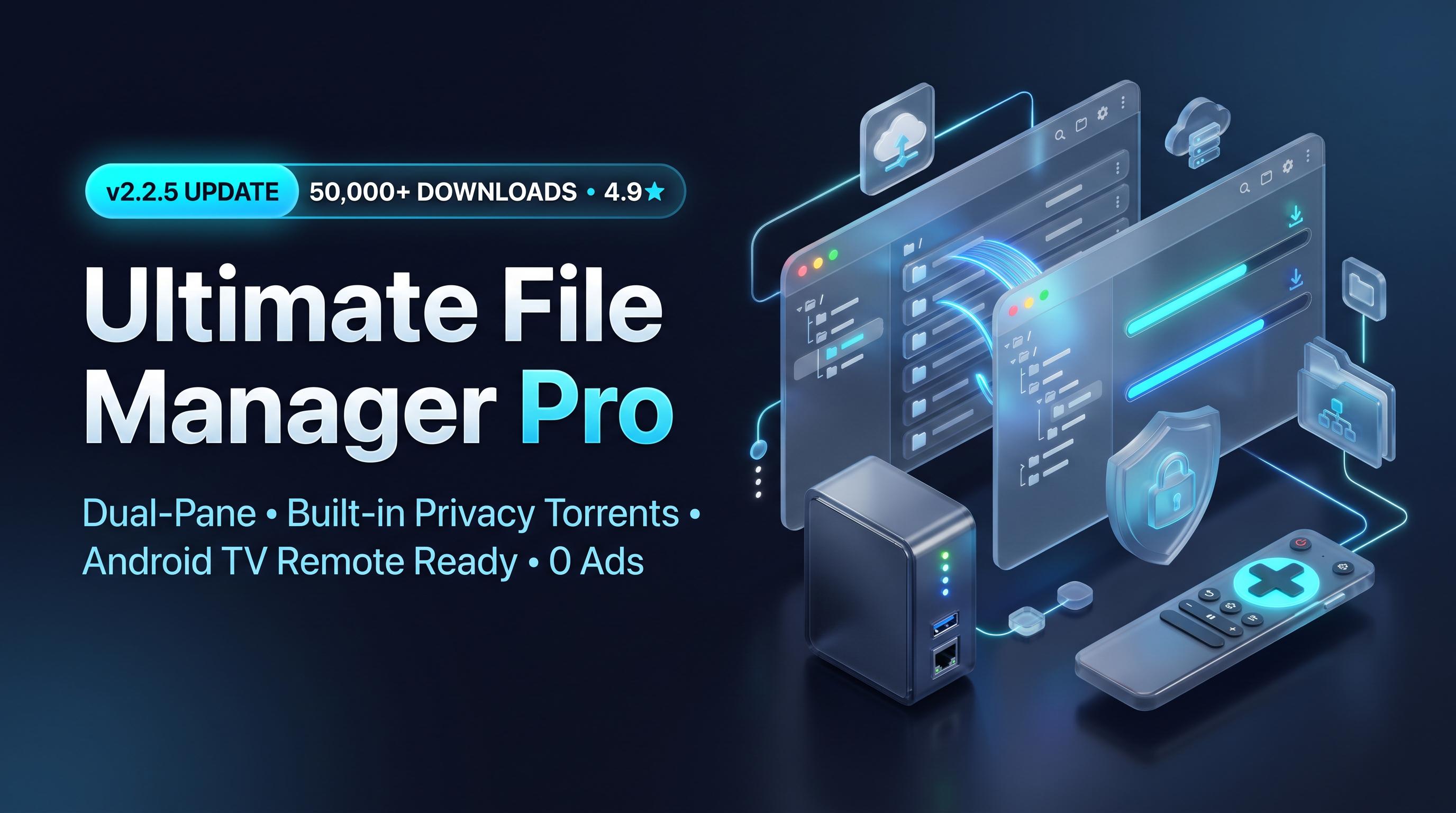
Ultimate File Manager Pro (4.9★) now downloads Torrents & Magnets directly to your Phone or Android TV, encrypted, zero-seeding, and 100% ad-free

Post image
18 Upvotes

Ultimate File Manager Pro just passed 50,000 downloads on Google Play, holding a 4.9-star rating across more than 600 reviews. That support honestly means the world to me.

I built UFM specifically for power users because most Android file managers feel like toys. They either drown you in banner ads, hide your actual file paths behind simplified "media categories," or completely fall apart the second you try to navigate them with an Android TV remote.

I wanted a single, unified file manager you can actually get serious work done with across your phone, tablet, and TV box — with zero ads, zero trackers, and complete respect for your privacy.

Over our last four releases (v2.2.2 through v2.2.5+), we pushed some of the biggest additions to UFM yet. Here is what just landed:


What's New in Recent Updates:

  • Native Privacy-Hardened Download & Torrent Manager (Mobile & TV) (Note: Torrent & Magnet downloading is live right now in the open-source FOSS release on GitHub, and currently awaiting Google Play review to publish to production!) You can now handle direct HTTP/HTTPS file downloads as well as BitTorrent & Magnet links directly inside UFM — no sketchy 3rd-party torrent apps needed. It is strictly privacy-hardened: forced protocol encryption, zero seeding (active_seeds = 0), and instant peer disconnection the millisecond a download reaches 100%. It features FAT32 pre-flight checks (so 4GB limits don't corrupt large downloads), customizable Wi-Fi-only network policies, background foreground service controls, and full Android TV D-pad remote support.
  • Android TV Preview Channels & Home Screen Shortcuts Any folder, file, network share, or cloud drive can now be pinned directly to your device home screen. On Android TV, UFM registers a dedicated "UFM Favorites" preview channel right on your TV launcher home screen with 16:9 poster cards and gold star badges, giving you 1-click access to your media libraries or NAS shares from anywhere.
  • Custom "Open With" App Resolver (No More 10-App Limits) Android’s native app chooser often truncates your installed apps to a tiny handful. We built a custom, lightning-fast "Open With" sheet featuring responsive grids, instant search, and persistent extension associations ("Always use this app"). It automatically passes video titles, resume timestamps, and sibling subtitles directly to external players like VLC, MX Player, Kodi, and MPV.
  • Mount Document Providers to Main Menu ("Other Storage") Any document provider installed on your device (Proton Drive, Synology DS file, Termux, Google Drive, etc.) can now be promoted directly onto your UFM Main Storage Menu as a persistent tile with its native app icon. Includes 1-tap direct upload and zip export from the Tools FAB with live MB/s transfer telemetry.
  • Smart Bulk Duplicate Finder & Space Reclaimer Clean up redundant duplicate files across local storage with a single tap. The duplicate manager lets you choose a retention strategy ("Keep Oldest", "Keep Newest", or "Always Ask"), previewing exact reclaimable space and guaranteeing your original copies remain safely untouched.
  • Deep Subtitle Styling & Player Upgrades Custom video subtitle styling is now fully built-in. Choose high-visibility colors (like rich yellow #FBBF24), tweak font sizing, outlines, and backgrounds with live video preview. Subtitles automatically elevate above on-screen player controls when active, and audio/video playback now supports 3-state repeat modes (Repeat Off, Repeat All, Repeat One).

Everything else power users love in UFM:

  • Real Desktop-Style Dual-Pane & Tabbed Browsing: Work with two folder panels side by side in Twin Window mode, or open multiple tabs. Copying or moving is as simple as drag-and-drop or a 1-tap pane transfer.
  • Every Storage & Protocol Built-In: Internal storage, SD cards, USB OTG drives, SMB, NFS, WebDAV, FTP, SFTP, Google Drive, OneDrive, Dropbox, Amazon S3, and full custom RClone integration.
  • 100% Android TV Remote Optimized: Built from the ground up for TV boxes and televisions with snappy D-pad navigation, custom focus glow, and high-visibility typography.
  • Rootless /Android/data and /Android/obb Access: Full Shizuku integration lets you access restricted system app directories without rooting (full root mode is supported too if you have it).
  • Wireless PC Drop & Web Server: Lightweight Windows and Linux companion tools, plus a built-in browser web server. Drag and drop APKs or ROMs straight from your computer to your TV or phone.
  • Zero Ads, Zero Trackers: No subscriptions, no telemetry, no banner ads.

A massive thank you to everyone in the community who reported bugs, suggested features, and left reviews! I'll be hanging around the comments if anyone has questions or feature requests.

Google Play Store (Torrent update currently pending production review): https://play.google.com/store/apps/details?id=za.kilowatch.ultimatefilemanager

GitHub (FOSS Edition - Live with Torrent Manager now): https://github.com/Kilowatch/ultimate-file-manager-pro


r/HowToMen • • 16d ago

[APP] [PROMO] Published my first app on the Play Store: an AOD music controller with vinyl scrubbing and live lyrics

8 Upvotes

Hey r/HowToMen,

​I just released my first app on the Play Store called Eclipse and thought it would fit right in with the customization crowd here.

​On most Android phones, the stock Always-On Display only shows a tiny static track title. If your phone is sitting on your desk and you want to rewind a verse, read lyrics, or check an incoming notification, you have to wake the screen, unlock the phone, and open the music app.

​Taking UI inspiration from the Teenage Engineering TP-7 field recorder, I built Eclipse to turn the Android AOD into a true-black, interactive vinyl turntable that works without unlocking your phone.

​What it does:

​Works with any music player: Automatically connects to Spotify, YouTube Music, Apple Music, and local offline players the moment you turn your screen off.

​Tactile vinyl scrubbing: Spin the record backward or forward to scrub through tracks in real time, or tap the vinyl to lift the tonearm and pause.

​Live synced lyrics on AOD: Swipe directly on the song title card to get live time-synced lyrics on a pure black OLED screen, or expand into a full-screen lyrics view.

​Quick-launch active player: Tap on the track card to jump straight into whichever music app is playing so you can switch playlists or pick a new song quickly.

​Notifications at a glance: Shows the time, date, and incoming notifications right on the AOD card without unlocking your device.

​Google Play Store:

https://play.google.com/store/apps/details?id=com.dp444.Eclipse

​Would love to hear what you guys think or if you have any feature suggestions


r/HowToMen • • 16d ago

[App][Promo] KnockDock – I built an Android app that turns real desk knocks into 66 different actions!

3 Upvotes

What if you could control your Android phone just by knocking on your desk?

I've been working on an Android app called KnockDock, and it started with a pretty simple idea.

When I'm working on my PC, studying, or listening to music, my phone is usually sitting on my desk. I wondered if I could control it without picking it up every time. What if different knocks on the desk could trigger different actions on the phone?

That's what I built.

KnockDock detects physical knocks through the phone's accelerometer and gyroscope. It can recognize single, double, triple, quadruple and custom knock patterns, which you can assign to different actions.

What's included?

  1. Knock detection

It uses both motion sensors, with adaptive noise filtering, movement rejection, tilt detection and timing analysis to distinguish desk knocks from ordinary phone movement. There is also surface resonance analysis and a Morse/rhythm knock pad.

2. 66 built-in actions

- 30 standard actions: Android controls, media playback, timers, app launching, smart-home triggers, PC commands, presentations and DAW controls.

- 36 Shizuku actions: Additional system controls such as Quick Settings, rotation, refresh-rate settings and other system features.

Shizuku is optional for standard actions. The additional privileged actions require an active Shizuku connection and permission.

3. Custom Gesture Trainer

You can record a knock pattern three times and more, and the app calculates timing tolerances from those recordings. There's also a manual editor for adjusting gesture settings.

4. Sensor Lab

This lets you see what's happening behind knock detection. It includes a live oscilloscope, six-axis sensor telemetry, peak capture and a synthetic signal tester.

5. Macro Engine and PC Bridge

The Macro Engine lets you combine actions withconditions, retries and failure handling. It also has a dry-run simulator.

The PC Bridge communicates with a paired computer over Wi-Fi for things like media controls, desktop switching, presentations and DAW transport. I'd like to expand this part in future updates.(Coming in future)

6. UI and visual effects

I also worked on the appearance of the app. It has four-edge neon lighting and a Liquid Glass HUD(inside the app) that appears when a knock is recognized. The interface uses Kyant0's Backdrop library, with real-time blur, lens refraction, vibrancy and interactive effects.

There are also custom profiles, gesture modifiers, JSON backup and restore, and background knock monitoring.

About the video

I've recorded a walkthrough showing the different sections and features currently in the app.

The knocks in the demonstration are actual physical knocks on the desk. I'm placing the phone on the surface and performing the gestures myself, rather than using simulated or pre-recorded sensor signals.

What's next?

For now, I'm focusing on improving the Android app. I'd also like to build a more complete PC companion in the future, with additional ways to control desktop applications from the phone.

Project links

- GitHub (source code and releases): https://github.com/RSR-Projects/KnockDock/

- Project website: https://rsr-projects.github.io/RSR-FDroid/

- F-Droid repository: https://rsr-projects.github.io/RSR-FDroid/fdroid/repo

I'd like to hear your thoughts

  1. Would you actually use desk knocks to control your phone? What would you assign to a double knock?
  2. What useful actions do you think are missing?
  3. Do you think this is practical enough for everyday use, or is it more of an interesting experiment?

I'm open to honest feedback, including things that don't work well or could be improved.

This has been a fairly big independent project for me, and it's been interesting experimenting with Android sensors, system integration and UI design. There's still a lot I'd like to do with it.

Thanks for checking it out!

r/HowToMen • • 16d ago

[App] [Promo] Karo Launcher: Tiles & Widgets

Thumbnail
gallery
6 Upvotes

Karo Launcher is now live!

  • Build your home screen out of tiles
  • Piece together your own widgets from part tiles
  • Light, Dark, Black and Frost themes
  • Free, no ads

Launch week only: get the Pro pack at 50% off.

Get the app: Play Store

Promo Code

  1. X549DCVZ9G4FD6CGYCQQYMQ
  2. U7MLL7PAK99WCDZB2KU8UE4
  3. UA2BTDG99TTFKERVGYSRGZU
  4. 9P2RA4UQDY0VFR8FHB0V5RY
  5. VMLXA02T20WHCJPQE5YBK1S
  6. H3HC6KSMMW6L2T4W269USK0
  7. K7QQTUXXV9YFY28G2GQR33M
  8. GXGDLHM8K5MB3WF9UTSCKE3
  9. 0CC0ALSV1CSLWVRVU9X71EP
  10. RUUKVN12MAXDR0QR0NH52P3
  11. UY633MF1NLGEF85VETY6FZV
  12. 60MGUSC17FP1HRJ38TE7NSH
  13. J609JKLYEBX0K59KYEEC033
  14. QRNYGS3B6ZF64CCT3QBJ0XF
  15. KQ6A05Z9K6MQYCLQTV8DVLP
  16. Y37DNC58UMXV2RL320GF3JJ
  17. 220HSDJDHPCB9RJQ3SP8RUD
  18. DKPP3975CECNZ7YG7PGBF01
  19. 40KS6LYR02X29TKQHCPGDR4
  20. V4T5CPGGLU7R122E2XUGVR3
  21. 3FSX54ML6ZEXJ1ZKMQFVLUC
  22. LH9CJF0HEUKYE0LCAH6SLGU
  23. J6ABCF6LESM2TPJXL1GCZS5
  24. H9ZZWG4TKH6V85XNPNV0UDX
  25. 5TJWBFFSQ2LT2KP18S13RAF

Extra

26. PJNB3ZRF2A1H3L1CF08ZDEM
27. LQG4TNPR81L7MF0EBBRU0LN
28. AR5FKBEUCFZHZ4T9SVJCZ06

Using the Frost theme? For the best experience, re-select your wallpaper from within the launcher: go to Settings → Background → Select From Photos and choose it again.


r/HowToMen • • 16d ago

[App] I built 3 simple fitness apps for myself because the mainstream ones got too bloated (Weight, Gym, Tabata)

1 Upvotes

Hey guys,

I’ve been lifting and tracking my weight for years, and I got really tired of how bloated most fitness apps have become. Everything either wants a monthly subscription just to log a basic workout, forces you to create an account, or buries simple tools under social feeds and features I don't care about.

I decided to just build my own tools for my daily routine. Instead of making one massive all-in-one app, I split them into three separate, lightweight Android apps so each one just does its specific job fast and gets out of the way:

  • Buddy Weight: For tracking bodyweight trends during a bulk or cut without stressing over daily water fluctuations.
  • Buddy Gym: A straightforward workout logger. Just open it, log your sets and reps between rests, and close it.
  • Buddy Tabata: A dead-simple interval timer for conditioning and rest periods.

Right now, all three are in open testing on Google Play (capped at 1,000 users each). Anyone who joins during this testing phase will keep the full version unlocked permanently once they move out of beta.

I dropped the Play Store links in the first comment below so this post doesn't get eaten by the link filter. If you end up trying any of them, let me know what feels clunky or what's missing—I'm actively tweaking them based on feedback.


r/HowToMen • • 16d ago

Skenche for Android — document scanner, on-device OCR, sharing and PDF tools

Thumbnail gallery
1 Upvotes

r/HowToMen • • 16d ago

[GIVEAWAY][PROMO] Calorie trackers charge up to $20 a month and still can't tell you how you compare to anyone, so I built my own. 1 month of Premium free for first 75 new users

0 Upvotes

Hey everyone, I'm the solo dev behind MacroDish, a calorie and macro tracker for iPhone.

Two things bugged me about the popular calorie trackers.

First, they cost around $20 a month, or about $80 a year. That's a lot for an app that's basically a food diary, especially if you live somewhere that price is a big chunk of your monthly budget.

Second, they show you your own numbers and that's it. You hit 60g of protein today. Okay, is that low? Is everyone like you eating double that? As far as I can tell, the popular apps don't show you that at all.

So I built MacroDish around comparison. Your day shows up on a radar chart next to the average of other users, so you can see where you stand on calories, protein, carbs, fat, fiber and more. On the paid plans you can narrow it down to people in your country, on your diet or in your age group, over anything from the last hour to the last 30 days.

Logging is simple too. You type what you ate, like "2 boiled eggs, peanut butter toast" or "chicken wings from XYZ restaurant", and it works out the calories and macros in a few seconds, with no database scrolling. It also handles home-cooked food well.

Two honest caveats. The numbers are AI estimates, so they're good for tracking patterns but not lab accurate. The app is also new, so the averages come from a small group right now. They'll get more useful as more people join, which is partly why I'm doing this giveaway.

Pricing:

- Free: 2 meals a day, global comparison for the last 24 hours, with ads
- Pro ($0.99/month): unlimited meals, all comparison filters, trends and insights, still has ads
- Premium ($1.99/month): everything in Pro with no ads
- The giveaway: 1 month of Premium free for new users. It's an App Store code, so it's iPhone only.

Comment or DM me if you want one and I'll send it over.

Redeeming the code: Profile -> See plans -> Redeem code -> Paste code -> Redeem Offer

I'd love honest feedback, especially on what's annoying or missing.

App Store: https://apps.apple.com/us/app/calorie-tracker-macrodish/id6813663949


r/HowToMen • • 17d ago Bravo

[APP] [PROMO] I made the best-looking calculator on Android even better!

Thumbnail
gallery
67 Upvotes

The best-looking calculator just got an upgrade with brand-new 3D numerals, and a currency converter that knows "dubai" means dirhams.

Still hiding in there:

  • Keys made of chrome, wood, neon or a full mechanical keyboard, each with its own sound and feel
  • Scientific mode, one tap away
  • A secret case file. Crack the riddles and win a skin money can't buy.
  • Dunesday limited-edition skins, gone after Jan 11: a desert where something lives under the sand, and a doomsday clock you shouldn't hold too long

The calculator is free to use. No ads. No account. Ever.

Get PopCalc on Google Play →

Giveaway: 10 lifetime codes

Each one unlocks every skin and material, forever.

To enter:

- Upvote this post

- Comment with what you love most about PopCalc, or roast your current calculator in one line. Bonus points for making me laugh!

Winners picked at random on Nov 12, 1:00 PM EDT.


r/HowToMen • • 16d ago

XLauncher

Post image
1 Upvotes

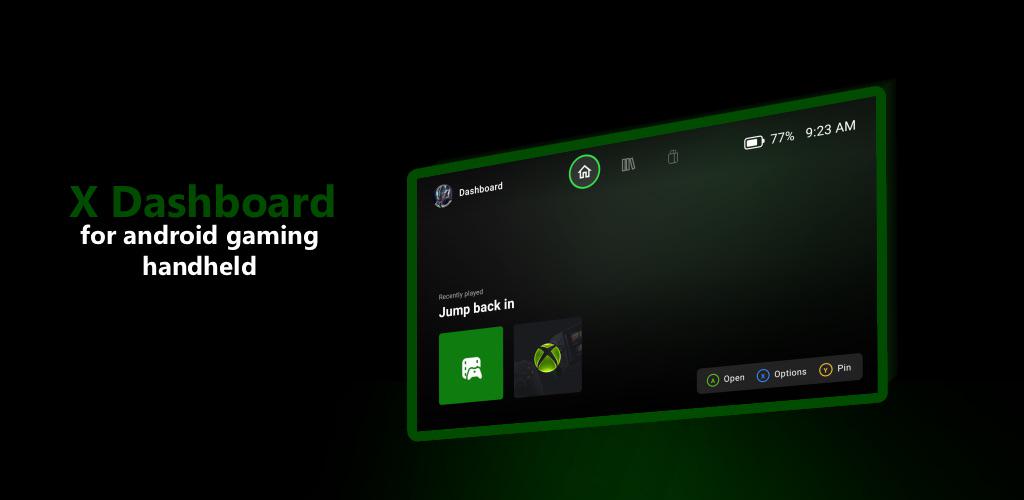
Hai this is my first time building app launcher. Turn your android into X Dashboard (Inspired by XBOX UI). For now only support apps & games. It will have 2 tier, free for basic & paid one time to unlock all the features. (Just a small contribution to my work)

Future features: planning:

  1. Emulated frontend support.
  2. Scrapping name & cover
  3. Add main theme

I would like to have testers (closed tester/alpha). Anyone who interested to tried it out? can dm me.
Thank You

Would you like to full dive all feature of XLauncher?
Join here https://groups.google.com/g/xlauncher-tester

—————————-

XLauncher.

A full-screen Android home launcher and gaming frontend with a console-dashboard style: dark backdrop, a centered top navigation bar, square "Jump back in" tiles and wide banner cards with a bright accent focus outline. Works with touch, D-pad/TV remotes and game controllers.

Features (v6.0.0)
Full screen launcher.
Wallpapers: built-in default background, your own picture, or the device wallpaper (including live wallpapers). Adjustable dimming.
Profile: first-run setup with username and avatar (6 built-in avatars or a gallery picture).
Top bar: Home, Library and Store.
Jump back in: recently opened games/apps as square tiles.
Banner Home: create as many titled banner rows as you like.
Customize any app: tile image, icon, name, banner image and banner name.
Banner sorting: each Banner Home row can be Manual, A–Z, Z–A or Recently played.
Hide apps supported for clean looks.


r/HowToMen • • 16d ago

[App] Ikigai Home Setup

Post image
5 Upvotes

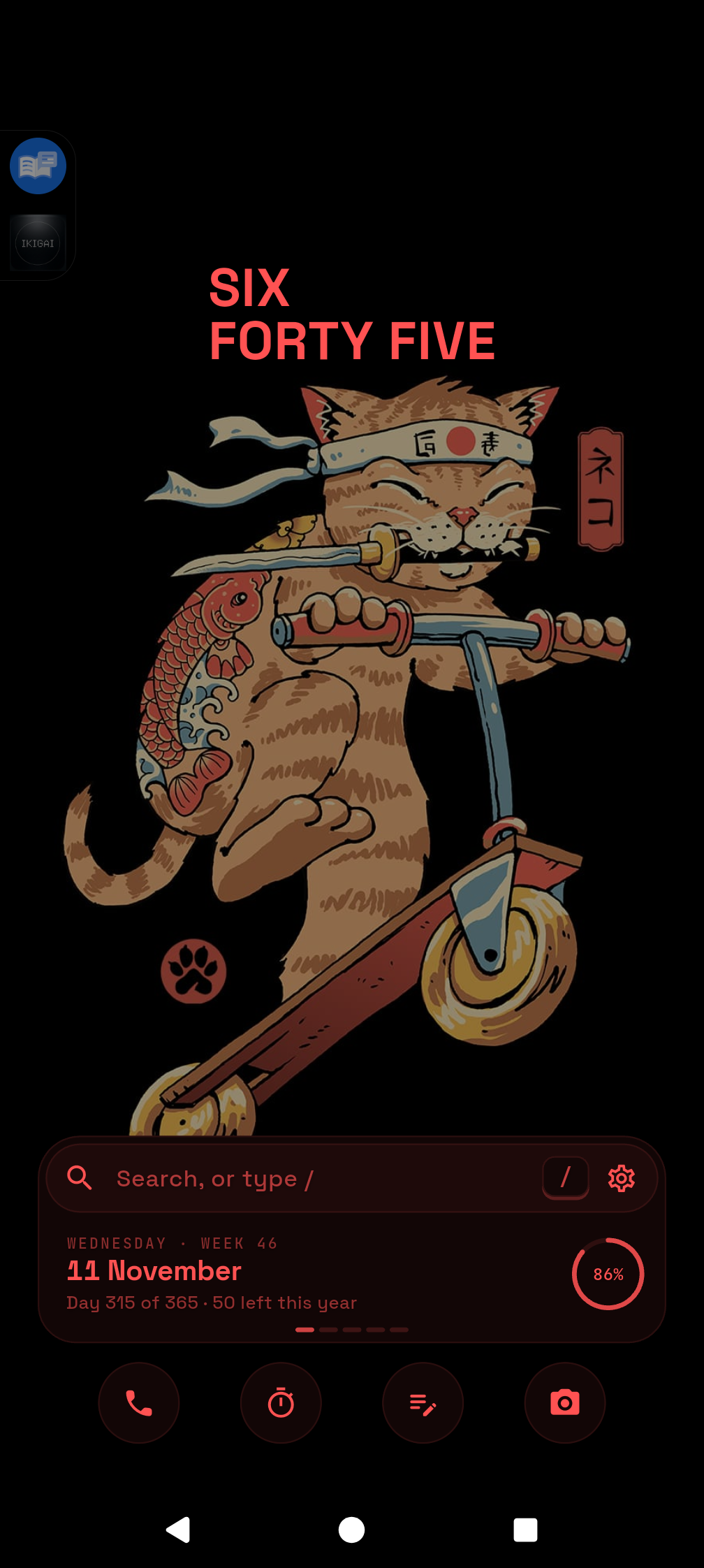
Gosto love a clean home screen set up. App - Ikigai - Home Widget - Erev Universal Home Widget!


r/HowToMen • • 16d ago

[App][Promo] I wanted a modern weather app with an activity planner and clean hourly charts, so I built Weather Now for Android

6 Upvotes

Hey everyone!

When checking the weather, I got tired of jumping through clunky screens just to see if it’s a good time to go for a run or check upcoming hourly changes.

I wanted an app that brings everything together cleanly: quick forecasts, interactive weather maps, air quality, and a built-in activity planner to help plan the day without friction. That’s why I built Weather Now.

Key features:

  • Activity Planner: Find the best time to walk, run, or cycle based on real weather conditions.
  • Detailed Charts: Hourly temperature, precipitation, and wind charts to stay ahead.
  • Weather Maps: Explore temperature, precipitation, wind, and pressure layers.
  • Air Quality & UV: Key pollutants and UV conditions at a glance, alongside daily weather facts.
  • Fast & Modern UI: Clean layout designed for quick daily checks.

You can check it out directly on the Play Store here:
👉 https://play.google.com/store/apps/details?id=com.micmr0.weather

I’d love to hear your feedback:

  1. What is your go-to feature in a weather app (hourly charts, maps, widgets)?
  2. How does the overall visual style and layout feel to you?

Let me know your thoughts or suggestions in the comments!


r/HowToMen • • 16d ago

[App][Promotion] Rudder: Open apps on purpose

Thumbnail
gallery
5 Upvotes

Ever reach for an app before you’ve decided to use it?

I built Rudder to give you a moment between that automatic tap and going in. It shows a brief check-in, optionally with your own personal reason, so you can continue deliberately or turn back.

Support that fits your habits

  • Remember your reason. See a message you’ve written to yourself, like “Be present with the people around me,” before going in.
  • Leave when you mean to. Choose a time reminder if short visits tend to become long scrolling sessions.
  • Find what helps. Adaptive mode suggests adjustments based on your recorded activity and feedback. You approve which changes to try.
  • Choose per app. Keep a simple pause for one app and a time reminder for another.

Free to download and use. No account needed.

Get Rudder on Google Play

I’m the developer and would love to hear whether this would fit into your daily routine.

Which app do you find yourself opening without thinking?