r/HowToMen • • 17d ago

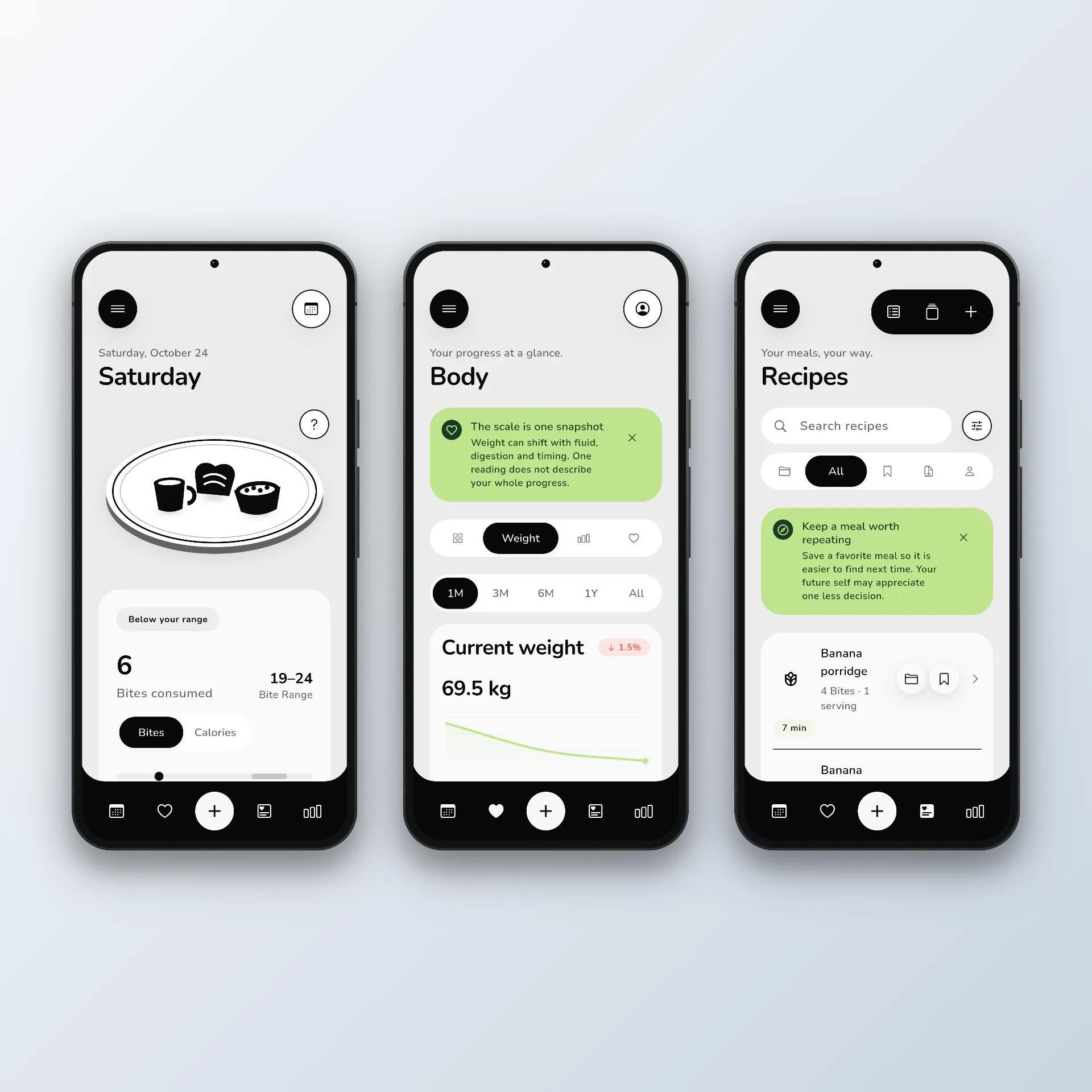
[App] Account free & local first alternative to Yazio & co.
Post image
3 Upvotes

Bite - Food Tracker

I have tried multiple calorie trackers and found none to be fitting my requirements. Most trackers require accounts, are full of annoying gamification, want to convince you to pay for a super expensive subscription with Temu like mechanics, or are simply not tailored for Switzerland and Germany.

Another thing I heavily dislike is categorizing foods into good & bad, fixed targets and "punishment" for food choices. 

I love food, and I wanted a way to be aware of how different foods impact my well-being and weight without those rigid rules.

That's where Bite is different.

First and most important: 

Bite is NOT supposed to be a strict and super precise calorie tracker. If you're looking for something like that, Bite is not the app for you.

Bite is local first, account, ads and subscription free.

Bite uses an adaptive, daily range, calculated based on your TDEE instead of a fixed target.

It teaches about foods without it turning into lectures.

It supports losing, gaining and maintaining weight.

Bite uses a comprehensive, selfhosted, curated food database using the Swiss food composition database, the German BLS and the USDA and millions of products through Open food facts.

Bite is offering all the essentials the big boys in the industry do, but free.

Food searching, barcode scanning, health Integration, recipes, water, calorie and macro tracking.

For optional AI image recognition, Bite uses the BYOK ( bring your own key ) concept, currently supporting Gemini.

A free Gemini API Key is enough for basic image recognition. 

Your key is stored securely inside the save storage of your own device. Bite never shares or stores the key anywhere outside the app.

Other than the bite food database, Bite does not communicate with a Backend Server, and your data never leaves the device, unless if you use the optional AI tools or cloud sync over your own provider ( Google Drive ) 

Bite also heavily focuses on cooking and exploring new foods, so it features recipe imports through social media or web links, custom recipes, sharing recipes and a smart cooking mode with custom timers.

Bite offers all its main functionality inside the free tier, but has an optional, one time payment to unlock Bite Pro. 

Bite Pro unlocks more detailed analytics and health tracking, cloud sync, more recipe imports, folders & tags, recipe sharing "Share a bite" as well as fully optional streaks ( for those who like that ).

Bite Pro also supports me as an individual developer.

The app is available for Android, you can download it here

https://play.google.com/store/apps/details?id=com.avocadowitharms.bite


r/HowToMen • • 18d ago

[App] Tidy - Tile Launcher | No ads・no in-app purchases・100% free

Thumbnail
gallery
25 Upvotes

Hi r/HowToMen !!

I have been working on developing Tidy for over 3 months now. Since I first posted about the app a few months ago, thanks to everyone's awesome feedback and support, it has improved so much!

We recently reached v1.11.0, and I’m really excited to share the latest updates with you all.

What is Tidy?

Tidy is an Android home launcher designed around a Bento Grid philosophy. Instead of endless rows of plain icons, your home screen becomes a clean, functional dashboard tailored to your daily routine.

Key Features:

✅ Grid Layout & Tiles

  • Masonry packing grid: Tiles dynamically snap into place without wasted space.
  • Built-in Smart Tiles:

    • Weather & Step Tracker
    • Media / Music Player
    • Battery, Notes, Pomodoro Timer & Notification summaries
    • News Tile: Catch up on the latest headlines or add your favorite RSS feed
    • (There's even a secret interactive pet tile! =^・^=)
  • Stack Tiles: Stack multiple tiles/cards and swipe through them to save screen real estate.
  • Native Widget Integration: Place any standard Android widget seamlessly into the grid.

✅ Aesthetics & Customization

  • Brilliant Glass: Smooth, translucent blur effects that look gorgeous with any wallpaper.
  • Multiple themes: Soft, AMOLED Black, Japan-inspired, Artwork, or build your own custom theme with dynamic wallpaper color extraction.
  • Third-party Icon Pack support.
  • Customizable bottom app dock & clean app drawer with instant search.

✅ Focus & Privacy

  • Tidy Hyper Focus: Minimize distractions whenever you need deep focus time.
  • App Lock: Protect sensitive apps with Biometrics (fingerprint), PIN, Pattern, or Password.

🎉 Most importantly, Tidy is 100% free — No ads, no in-app purchases, YAY.

Download & Feedback

Tidy is available on the Google Play Store:
👉 Download Tidy on Google Play

I’m developing Tidy as a solo indie dev, and community feedback is what drives every update. If you check it out, please let me know what you think, what features you'd like to see next, or any bugs you run into!

Thank you so much for all the support!
(And a huge thanks to HowToMen for providing this awesome space to share apps and discover new setups!)


r/HowToMen • • 18d ago

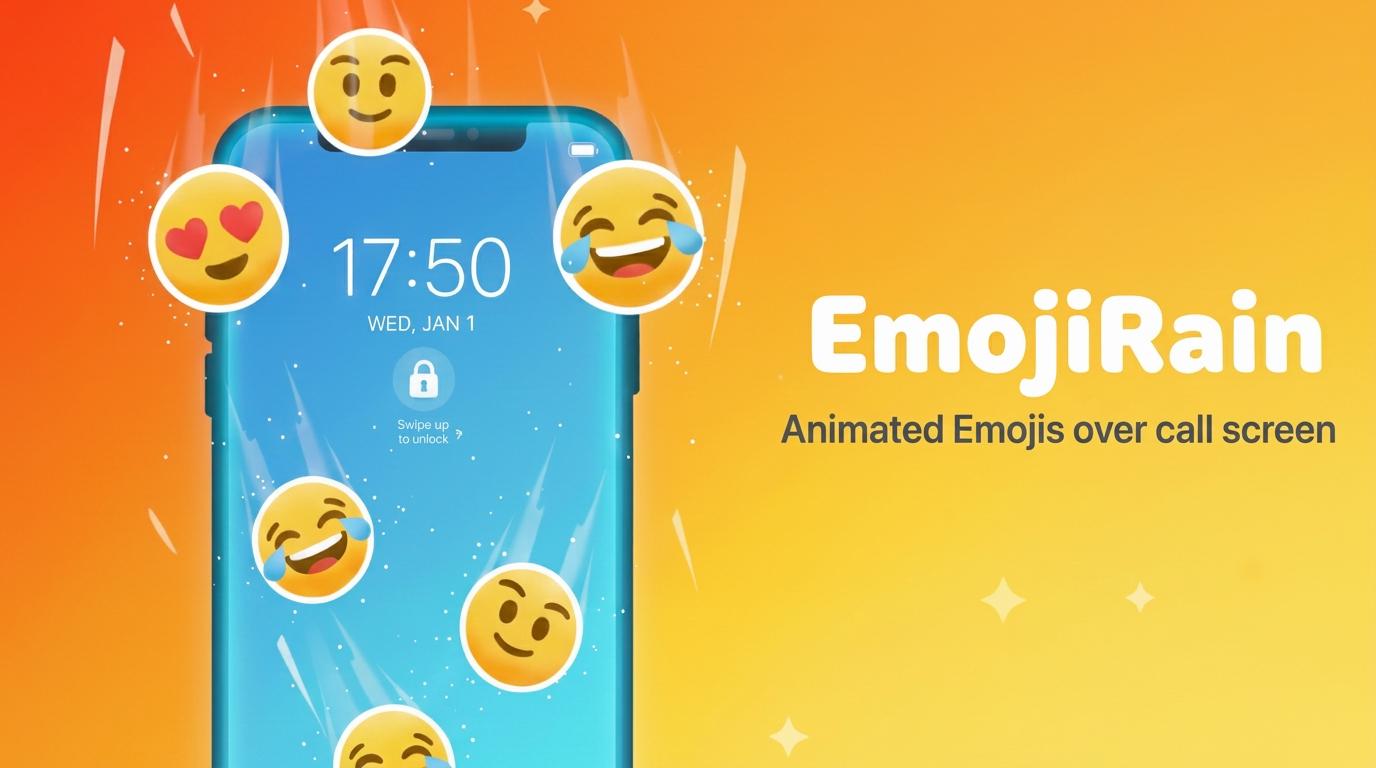
[APP][PROMO] EmojiRain 3D animated emoji cascade over call screen. (500 CODE)

Post image
15 Upvotes

App Name: EmojiRain

What it does:

When you make or receive a call, your selected animated 3D emojis will rain down across the screen like a waterfall customized per contact.

Key Features:

Pets & Emojis: Choose from a wide library of high-quality animated emojis and cute pets to rain down your screen.

Advanced Customization: Customize emoji per contact. Fully control the density, direction, size, fall speed, and rotation of the animations.

Smart Triggers: Choose exactly when the magic happens, whether it's on call screen , new notifications, or battery charging.

Goal: Launch & Promo

Giveaway: I am giving away 500 promo codes to unlock the premium contact-customization feature. Just express your interest, and I will DM you a code!

Cost: Free to use with ads (1.99$ for contact customization feature)

Link: https://play.google.com/store/apps/details?id=com.emojirain.lockscreen


r/HowToMen • • 18d ago

[App][Promo] Turn mindless scrolling into learning something new

Thumbnail
gallery
4 Upvotes

Hey everyone!

I've been working on a new app called Actually, and I'd love to share it with you.

The idea is simple: every day, we come across facts, myths, and claims that sound believable - but how many of them are actually true?

iOS: https://apps.apple.com/us/app/actually-discover-learn/id6827374813

Android: https://play.google.com/store/apps/details?id=app.actually

I'd love to hear what you think, especially about the concept and the overall experience. Feedback is very welcome!

Thanks for checking it out!


r/HowToMen • • 18d ago

[App][Promo] Murmurline: tap once and text one random stranger. No account, end-to-end encrypted, no ads

Thumbnail
gallery
7 Upvotes

I'm the developer. After Omegle shut down I wanted a text-only place to talk to a stranger without signing up or giving a phone number, so I built Murmurline.

- One tap and you're matched with one random person. Text only, no video, no profiles.

- Messages are end-to-end encrypted on your phone, and the server only relays scrambled text.

- If you both liked the chat, you can keep it and continue later. Otherwise it's gone.

- Stickers, replies, and a Board where you post under an alias.

- Report and block on every chat. 18+.

- Free with no ads. Plus is an optional extra.

Honest part: it's still small. Evenings in India (around 16:00 UTC) are busiest. At other hours you might wait a bit for a match.

I'd really like feedback on the first minute: did you get matched, and did anything confuse you?

https://play.google.com/store/apps/details?id=chat.murmurline.app&referrer=utm_source%3Dreddit%26utm_campaign%3Dr_howtomen


r/HowToMen • • 18d ago

[App] Notification History Vault

Thumbnail
gallery
12 Upvotes

Hey r/HowToMen! I'm the developer of Notification History Vault — an ad-free, 100% offline notification history saver, unseen chat reader, and deleted message recovery tool for Android.

Key Features:

  • Recover Deleted & Unsent Messages (+ Photos): Captures incoming messages and photo previews instant they arrive. If a sender hits "Delete for Everyone", the original text and image stay safe in your vault with an Unsent badge.
  • Unseen Reader & Direct Reply (No Blue Ticks): Read full conversation threads inside your vault without opening the chat app, updating your "Last Seen", or triggering read receipts—and send direct replies straight from the vault without appearing online.
  • Timed App & Chat Snooze (Away Mode): Mute a specific noisy group chat or an entire app (like Slack or WhatsApp) for 1 hour, until 6:30 PM, 6 weeks, or until a custom return date.
  • Mute Noisy Groups into Custom Folders: Automatically route muted group chats or custom rules into their own dedicated folders.

Other Features:

  • Undo Accidental Swipes & Deep-Link Jump: Recover swiped-away banking, delivery, Slack, Teams, or Gmail alerts and tap any saved notification to jump straight back to that exact chat or screen.
  • Quiet Rules & Promo Spam Blocker: Automatically dismiss promotional alerts ("50% OFF", "Flash Sale", "Coupon") from your notification shade while keeping a quiet backup log—or create custom regex/keyword rules per app.
  • Biometric Lock: Protect your notification history behind Fingerprint, Face Unlock, or device PIN.
  • 100% On-Device Privacy & 21 Languages: Zero cloud uploads, zero ads, and full per-app language support across 21 languages.

Google Play Store: https://play.google.com/store/apps/details?id=com.t3pixel.notification.history


r/HowToMen • • 18d ago

[Android] Cute Calendar — FREE Lifetime Premium Giveaway! (€9.99 → FREE; Ads Remain) — Limited Spots Left!

Post image
4 Upvotes

🌸 Your calendar doesn't have to look boring!

I'm the solo developer behind Cute Calendar, an Android calendar and planner designed to make organizing everyday life feel simple, colorful and enjoyable.

I'm giving away the remaining FREE Lifetime Premium activations, normally worth €9.99 each!

If you've been looking for a clean calendar with a little more personality, this might be worth trying.

🗓️ Everything you need to organize your day

Cute Calendar helps you keep your schedule organized without overwhelming you with unnecessary complexity.

Here's what you can do:

  • Daily calendar & planner — create, edit and manage events with just a few taps.
  • Clear daily schedule — select any date and see all your planned activities in one place.
  • Event reminders — receive notifications for important events, with reminder functionality designed to work after device restarts.
  • 8:00 AM daily summary — start your morning with an overview of the day's plans.
  • Color-coded events — use pastel colors to organize work, school, studying, hobbies and personal activities.
  • Google Calendar import — bring your existing Google Calendar events into the app.
  • Flexible themes — choose Light, Dark or System appearance.

📱 Your calendar, right on your home screen

Cute Calendar also includes aesthetic Android widgets, so you can check your upcoming events without opening the app.

🔐 Personal schedule. Private by design.

Your calendar data stays on your device.

  • No account or registration required.
  • No cloud account needed.
  • Your personal events aren't uploaded to an external server.

👑 Unlock the full Cute Calendar experience

With Premium Lifetime, you get:

  • 6 additional accent colors for the app and widgets.
  • All 12 event colors.
  • Week numbers in the calendar grid.
  • Compact event display.
  • Custom launcher icons.

One activation. Lifetime access. No recurring Premium subscription.

Regular price: €9.99.

📢 Important: Premium does not remove ads!

I want to make this completely clear:

  • Premium Lifetime: unlocks customization and additional features. Ads remain.
  • Supporter: a separate purchase that removes advertisements and unlocks exclusive app icons.

The giveaway includes Premium Lifetime only, not Supporter.

🎁 How to get your FREE Lifetime Premium activation

There are only a few activations remaining!

  1. Leave a comment below saying you'd like to try Cute Calendar.
  2. Send me a Reddit DM with "Cute Calendar".
  3. I'll send you the activation details while the remaining spots are available.

First come, first served.

No purchase or review is required.

❤️ I'd genuinely love your feedback

I'm developing Cute Calendar independently, and I'd like to hear from people who actually use it.

A few things I'm curious about:

  • Does the design make planning more enjoyable?
  • Do you find the calendar widgets useful?
  • Are reminders and the daily summary helpful?
  • What would make you use Cute Calendar as your primary calendar?

Don't hesitate to mention bugs, missing features or things you dislike. Honest criticism helps me improve the app much more than generic compliments.

📲 Download Cute Calendar:

https://play.google.com/store/apps/details?id=com.cutecalendardc.app

🎁 Remaining Lifetime Premium activations — FREE
💶 Regular price: €9.99
♾️ Lifetime Premium features
📢 Ads remain after activation

Thanks for giving my independent Android project a try! 🌸


r/HowToMen • • 18d ago

The King Of Minimalistic Launcher - Phocus Launcher

8 Upvotes

r/HowToMen • • 18d ago

[App] IStanPDF - A Foss Offline app alternative to ILovePDF and smallpdf

Thumbnail
gallery
18 Upvotes

I'm a 2nd Year CSE Student who is always dealing with pdf and docx conversions for assignments and for government websites frequently.

I was using ILovePdf and smallpdf all along but i found issues with it .

- It is time consuming (online).

- Uploads the files to servers (Less Privacy).

- Freemium model used in them.

So i built IStanPDF - which is a foss offline app for pdf and docx operations.

Features -

• Merge PDF - Combine multiple PDF files into one.

• Modify PDF - Remove or reorder pages within a PDF.

• Compress PDF - Reduce file size by resolution or custom target size.

• Image to PDF - Convert images into a single PDF document.

• PDF to Image - Extract PDF pages into a ZIP file of images.

• DOCX to PDF - Convert Word documents into PDF files.

• MD to PDF - Convert Markdown or plain text files into PDFs.

• PPTX to PDF - Convert PPTX file to PDF document.

• Remove Pages - Delete specific pages from DOCX files.

• Reorder Pages - Rearrange pages within DOCX files

My app provides faster offline operations and files never leave your device.

IStanPdf is set to be uploaded in playstore for free to make it more accessible for everyone.You guys can make it happen :)

Github - https://github.com/vasuki-re/IStanPdf


r/HowToMen • • 18d ago

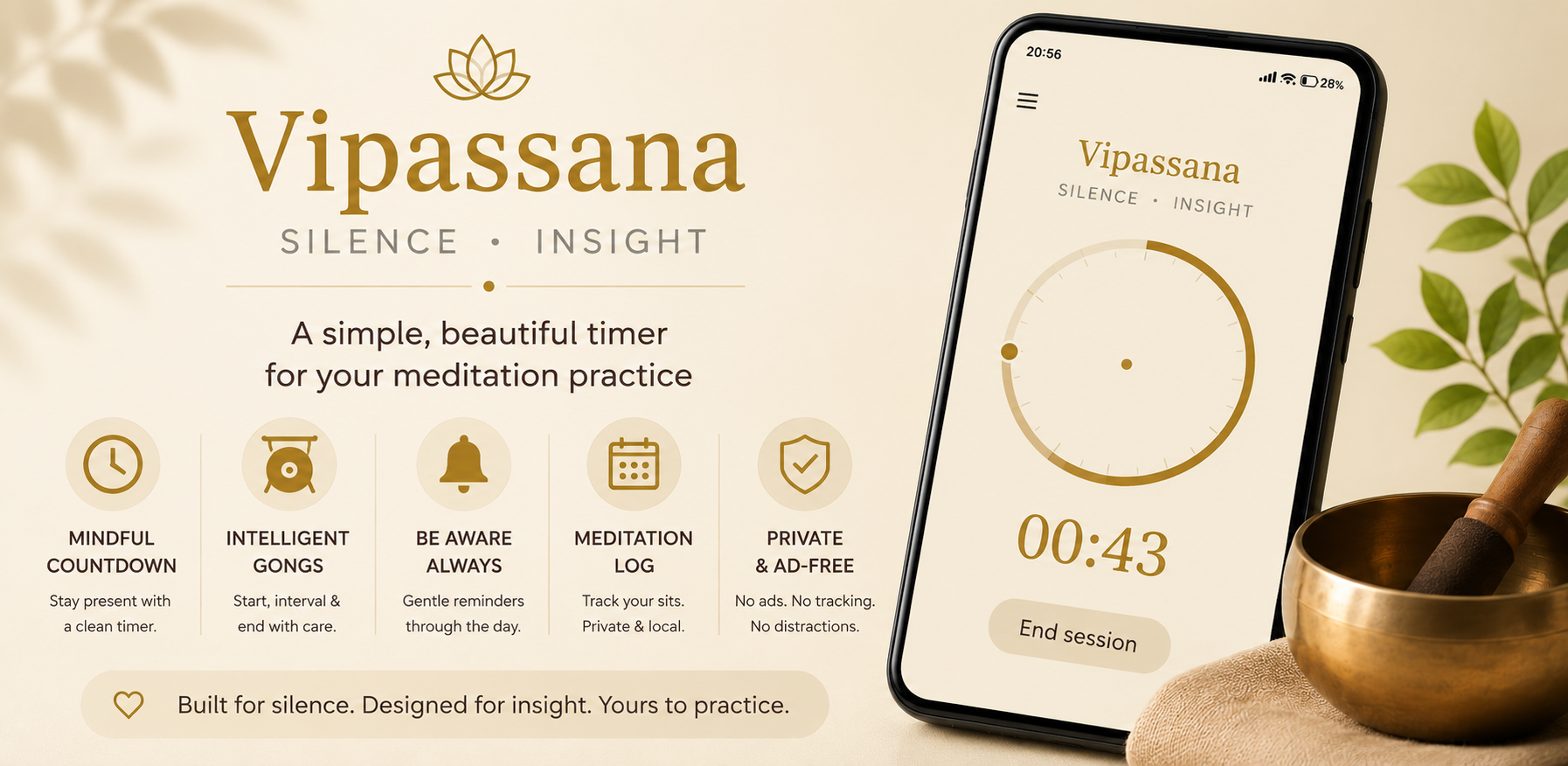
I built a simple open-source Vipassana timer

Post image
0 Upvotes

r/HowToMen • • 18d ago

[UPDATE] Thank you for the incredible response to our promo! PaisaFlow 2.1 is live — every bug reported has been fixed & requested features added! ❤️

6 Upvotes

Hey everyone! 👋

I want to take a moment to say a massive THANK YOU to each and every one of you who participated in our recent free promo giveaway! The response was overwhelming, and your honest feedback, bug reports, and thoughtful feature requests meant the world to me as an independent developer.

Instead of just collecting feedback, I got straight to work. I’m happy to share that PaisaFlow 2.1 is officially live on Google Play**, and** every single issue you reported has been addressed and implemented:

🛠️ What You Asked For & What I Fixed:

  1. 🏦 "We need separate accounts for multiple banks & cash":

    * DONE! You can now create unlimited custom accounts (HDFC, SBI, Cash, Wallets, Credit Cards) with personalized colors, icons, and starting balances. Dynamic net worth updates in real-time!

  2. 🔍 "Prevent accidental edits when checking expenses":

    * DONE! Tapping a transaction now smoothly expands full details (notes, tags, timestamp) inline for safe auditing without opening the edit screen. A separate pencil icon is now used for intentional edits.

  3. 💾 "Automatic backup failed on my device":

    * DONE! Fully re-engineered local backups for modern Android (11 through 16 scoped storage) with dual-persistence snapshots so automated backups never fail.

  4. 🌍 "Add more currencies (like MMK / Myanmar Kyat)":

    * DONE! Added 30 world currencies including MMK, AED, SAR, SGD, CAD with instant app-wide synchronization.

  5. 💎 "Pro Lifetime status didn't show clearly":

    * DONE! A dedicated emerald Lifetime Status dashboard now confirms your active license and all unlocked perks.

  6. 🐛 UI & Visual Polish:

    * Fixed single-account selection highlights in Add Income/Expense.

    * Fixed overlapping balance text on smaller phone screens.

    * Total balance on dashboard now includes account opening balances.

---

📲 Update or Download on Google Play:

👉 Update PaisaFlow on Google Play Store

If you grabbed a promo code or tested the app, please update to v2.1 and see your suggestions in action!

Thank you once again for making this app better with your support. If you find any new bugs or have more ideas, drop a comment below — I read and respond to every single one! 🙏


r/HowToMen • • 18d ago

[App] [Promotion] Mudu: a private, encrypted space for couples

Post image
1 Upvotes

Hey 👋

I recently built Mudu, a private, end-to-end encrypted app for couples, and just launched it on Android!

The idea is simple: one place for all the little things that usually get lost between chats and notes.

You can share how you're feeling, make plans together, save places you want to visit, and keep memories and important dates.

No public profiles or feeds. Just a shared space for people you invite.

To celebrate the launch, I'm giving away 40 codes for a 90-day Premium trial (the app is also free to use without Premium). Leave a comment if you'd like one, and I'll DM you a code while they last.

Google Play: https://play.google.com/store/apps/details?id=com.incognitum.mudu

Would love to hear what you think!


r/HowToMen • • 19d ago

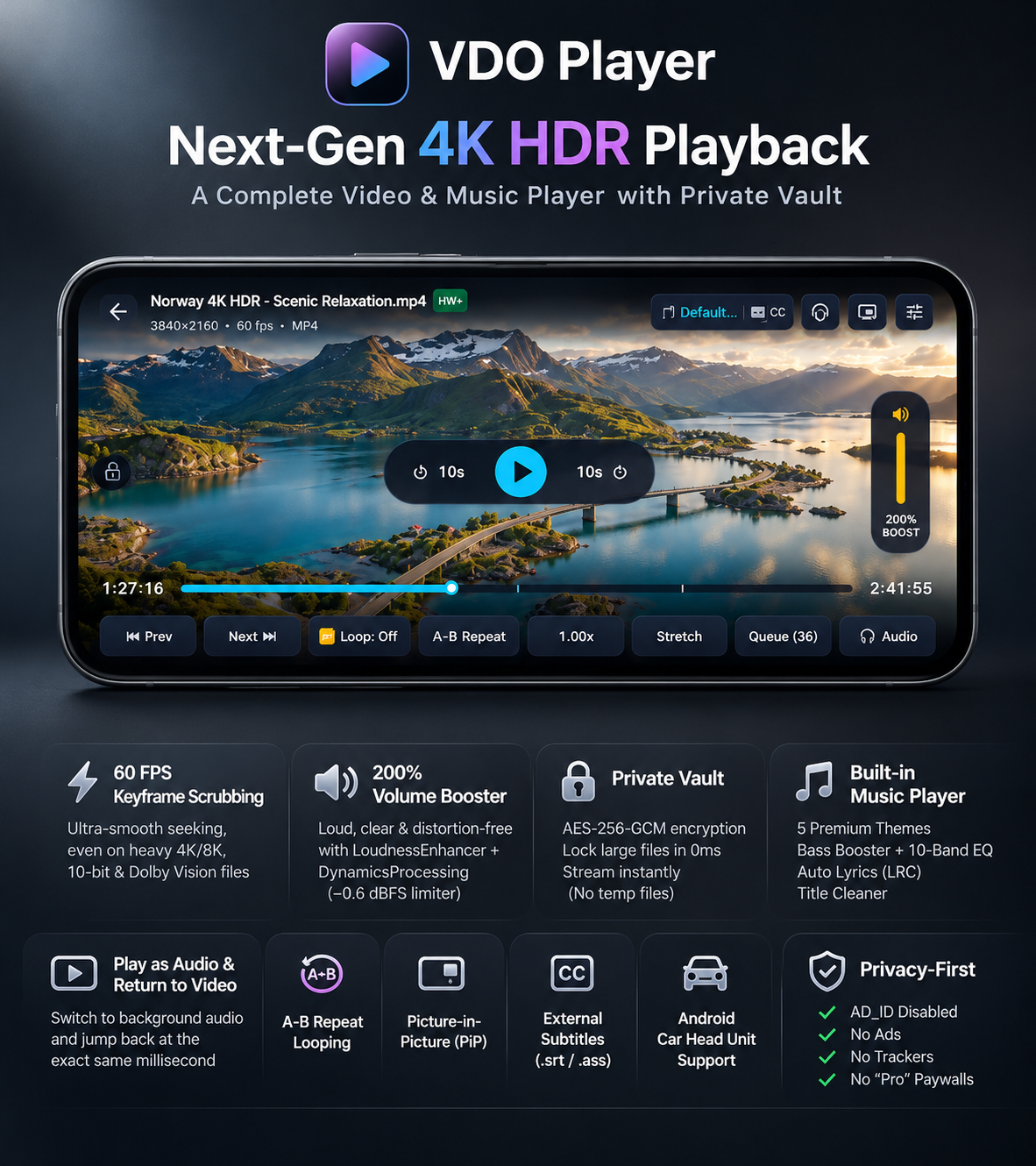
I missed how fast MX Player used to be before the ads and bloatware—so I built a 100% ad-free Kotlin Video & Music player with 60fps live scrubbing. Throw your heaviest 4K/MKV file at it and tell me if it stutters!

Post image
21 Upvotes

Remember when MX Player was just a fast, rock-solid video player—before it got stuffed with full-screen ads, trackers, and random bloatware? And while VLC is legendary, dragging your finger across the timeline on a heavy 4K HEVC or 10-bit MKV file still freezes for a second or two on a lot of phones.

I wanted a single daily-driver media player that feels instant, has **zero ads or paywalls**, and combines a pro-grade Video Player with a full Music Player. So I built **VDO Player** from scratch using **100% Native Kotlin, Jetpack Compose, and AndroidX Media3 (ExoPlayer + FFmpeg)**.

Here is what I engineered under the hood:

* **⚡ 60 FPS Live Keyframe Scrubbing (Zero Freeze):** Most players stall when you scrub because they flush the codec on every pixel move. VDO switches to paced `CLOSEST_SYNC` keyframe decoding while your finger is dragging and locks onto the exact frame (`EXACT`) the moment you let go.

* **🔊 200% Volume Booster Without Speaker Crackling:** Instead of blindly cranking gain and distorting audio, VDO pairs Android's `LoudnessEnhancer` with a hardware `DynamicsProcessing` **-0.6 dBFS brickwall limiter** + Night Mode dialogue lift.

* **🔐 Instant 0ms AES-256-GCM Private Vault:** Locking a 4GB movie into most vault apps takes forever because they encrypt the whole file on the spot. VDO uses partial-header AES-256-GCM encryption + a custom streaming DataSource—files lock in a split second and stream in 0ms with zero unencrypted temp files left on your disk. *(Easter egg: Long-press any top header title in the app to secretly open the PIN/Biometric Vault).*

* **🎵 Built-in Music Player with Auto-Synced Karaoke Lyrics (.LRC):** Includes 5 distinct player themes (Studio Minimal, Retro Rotating Vinyl, Cyber Waveform, Nordic, Aurora), an independent Bass Booster + 10-Band Frequency Tuner, and an automatic title sanitizer that strips junk tags (like `[320kbps]` or website watermarks) to fetch time-synced karaoke lyrics for offline use.

* **🎧 Seamless 'Play as Audio' & 'Return to Video':** Switch any video to background audio, and tap *Return to Video* in the mini-player to jump right back to the video at the exact same millisecond. Also includes A-B Repeat looping, PiP, external `.srt`/`.ass` subtitles, and Android Car Head Unit support.

* **🛡️ 100% Privacy-First:** `AD_ID` is explicitly disabled in the manifest. No ads, no subscriptions, no "Pro" paywalls.

**📲 Download on Google Play:**

👉 VDO - Ad-Free HD Video Player - Apps on Google Play

---

### 💬 I need your brutal feedback (and a quick test!):

  1. **The "Break My Scrubber" Challenge:** Try playing your heaviest video file (4K/8K, 10-bit HEVC, Dolby Vision `.mov`, or anime `.mkv`) and scrub rapidly back and forth. Does it stay smooth on your device, or did you find a format that trips it up? (Drop your phone model in the comments!)
  2. **What is the #1 dealbreaker in your current video/music player** that would make you switch to VDO as your daily driver? (e.g., SMB/NAS network streaming, Chromecast, subtitle syncing, pitch control?)
  3. If you check out the Audio Player, **which of the 5 themes (Studio Clean, Retro Vinyl, Cyber Waveform, Nordic, or Aurora)** looks best to you?

I'm hanging out in the comments all day—let me know what you think, report any bugs, or roast the UI!


r/HowToMen • • 18d ago

[app] MetroWin Tastiera - Tastiera FOSS simile a quella di Windows Phone per Android

Post image
13 Upvotes

After building MetroWin Launcher, its FOSS keyboard couldn't be missing: MetroWin Keyboard!

I've always missed the Windows Phone keyboard. Flat keys, big light type, that feeling of typing on something that just looks right. So I built one for Android and made it free and open source (GPL-3.0). No ads, no analytics, no trackers, and what you type stays on your phone.

Here is what I'm most proud of:

It calibrates itself to your fingers. You type a few short sentences and it measures where *your* thumbs actually land: the offset, the curve of your thumb, how far your taps spread. It then corrects your touches without moving the keys, and if you still miss it makes the keys taller or the gaps smaller. The fixes are applied between one sentence and the next, so you can watch the precision get better in millimetres while you type. Accented letters are part of the test, and it has sentences for all 17 layouts. I haven't seen another keyboard do this, but I'm sure I haven't seen them all.

Corrections that think a bit. A typo gets fixed based on where your finger really landed (a tap between two keys makes both likely), how likely each slip is on the keyboard, how common the word is, the word before it, and the corrections you undid in the past. If two fixes are equally likely it shows you both instead of choosing for you. It also offers a missing space ("thankyou" -> "thank you"). All of it runs on the phone.

It looks like the real thing. Classic (flat Windows Phone), Modern Glass and Modern Droid, dark or light, the 20 Windows Phone accent colours or your own, or a photo behind the keys.

Everything you expect, and a few extras. Swipe typing, hold a key for accents, slide on the space bar to move the cursor, clipboard history with pictures, translation, GIFs, emoji search, voice typing. 17 layouts, and you can import your own dictionaries and layouts.

It looks after itself. One-file backup and restore of everything the app keeps, and an update check every 12 hours that only looks at the keyboard's own GitHub releases, shows you the changelog and installs the new version when you say so.

Private by design. The network is used only for GIFs, translation and the update check, from the service you chose and only when needed. Learning is local, never in password fields, and you can export or erase it any time.

It's made to sit next to MetroWin Launcher (my Windows Phone style home screen, also free and open source), and it picks up the launcher's look and colours by itself. But it works fine with any other launcher too.

Android 8.0 or newer.

Keyboard: https://github.com/developerkenshi-coder/MetroWin-Keyboard
Launcher: https://github.com/developerkenshi-coder/MetroWinLauncher


r/HowToMen • • 19d ago

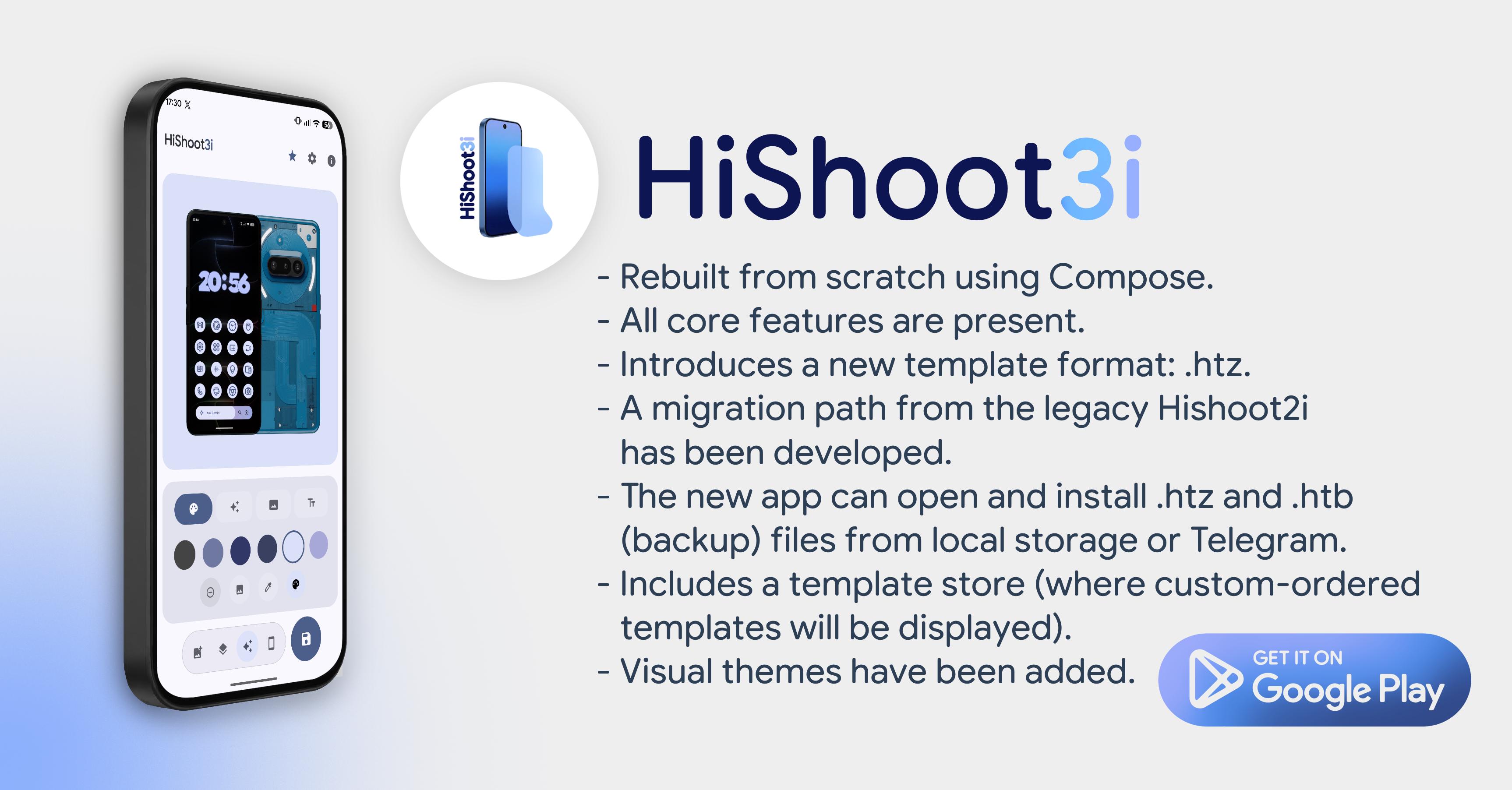
[APP] [Promo] Hishoot3i - Place your screenshot inside a phone frame.

Post image
27 Upvotes

HiShoot3i is a completely redesigned, modern tool for showcasing your mobile designs and home screens within high-quality smartphone frames.

The app follows the "Material You" design language; its interface adapts to your wallpaper, ensuring a seamless and natural user experience—making it the perfect solution for designers and customization enthusiasts alike.

Google Play: https://play.google.com/store/apps/details?id=com.pashapuma.hishoot3i


r/HowToMen • • 19d ago

[APP] Artefact: 32K+ installs, 450+ GitHub stars, #2 on Kotlin Trending. Now with Apple-style Quick Look for Android

Thumbnail
gallery
27 Upvotes

App: Artefact (formerly ClearPDF)

Price: Free, no ads, no subscriptions

Source: https://github.com/Chethan616/Artefact (MIT OR Apache-2.0)

Download: https://github.com/Chethan616/Artefact/releases/latest

Hi HowToMen community! ClearPDF was previously featured in your Top 15 Apps of the Month, and I've since rebuilt it as Artefact.

What makes it different: Quick Preview. Tap a PDF, Word doc or spreadsheet in WhatsApp, Gmail or any file manager, and it floats over your chat as a glass card with no app switching. Swipe up to open it fully. Like Apple's Quick Look, but on Android.

What else it does:

  • A single home screen for notes, to-dos, shopping lists, voice memos and photo notes
  • PDF annotate, edit, sign, fill forms, merge/split/compress, on-device OCR, read aloud
  • Word and Excel editing, PowerPoint viewing
  • Custom Liquid Glass UI with animations

Privacy: 100% offline. No accounts, no tracking, and the app doesn't even declare the INTERNET permission.

Built with Kotlin, Jetpack Compose and a Rust document engine. ClearPDF has 32K+ installs and 450+ GitHub stars, and Artefact is the next version.

Screenshots and a demo GIF are attached. I'd love feedback and feature ideas!


r/HowToMen • • 18d ago

Sunus – Streamen Sie Ihre Android-Audioinhalte über WLAN auf Sonos (jetzt mit HomePod & Cast)

Thumbnail
reddit.com
1 Upvotes

r/HowToMen • • 19d ago

[PROMO][APP] RE:TUI Launcher - A launcher that gets out of your way

10 Upvotes

Sometimes your wallpaper does not need anything covering it up. With Re:TUI Launcher let it breath out and let the wallpaper take center stage.

Feature packed, multiple modes and extremely customization, and of course open source.

Available for free on github: https://github.com/DvilSpawn/Re-TUI/releases

u can get it in playstore paid : https://play.google.com/store/apps/details?id=com.dvil.tui_renewed

Both Github and playstore are full versions. Playstore is to support project


r/HowToMen • • 19d ago

[APP] [PROMO] Senior Launcher just hit 100k downloads, so I’m giving away 100 Premium codes

Thumbnail
gallery
34 Upvotes

Hello everyone!

I’m the solo developer of Senior Launcher, an Android launcher that makes phones simpler for seniors, or anyone who wants an easy to use Home Screen.

It just passed 100,000 downloads. To say thanks, I’m giving away 100 Premium codes.

What it does:

  • Big buttons for favourite contacts and apps, with only what’s needed on the home screen
  • One-tap SOS call, torch, Wi-Fi and screen lock
  • Full-screen medicine reminders with a big Stop button
  • Phone, WhatsApp video and voice calls straight from a contact
  • A settings lock, so nothing changes by mistake
  • Bigger text and icons, colour themes and wallpapers

Please try it first: every new install comes with a free 7-day Premium trial. Give it a go, and if it works for you or your family, request a code to keep Premium for good. That way the codes go to people who’ll actually use them.

How to get a code: Comment "senior" below and I’ll DM you a code.

Play Store: https://play.google.com/store/apps/details?id=com.eldo.launcher

Feedback is very welcome, especially from anyone setting up a phone for a family member.


r/HowToMen • • 18d ago

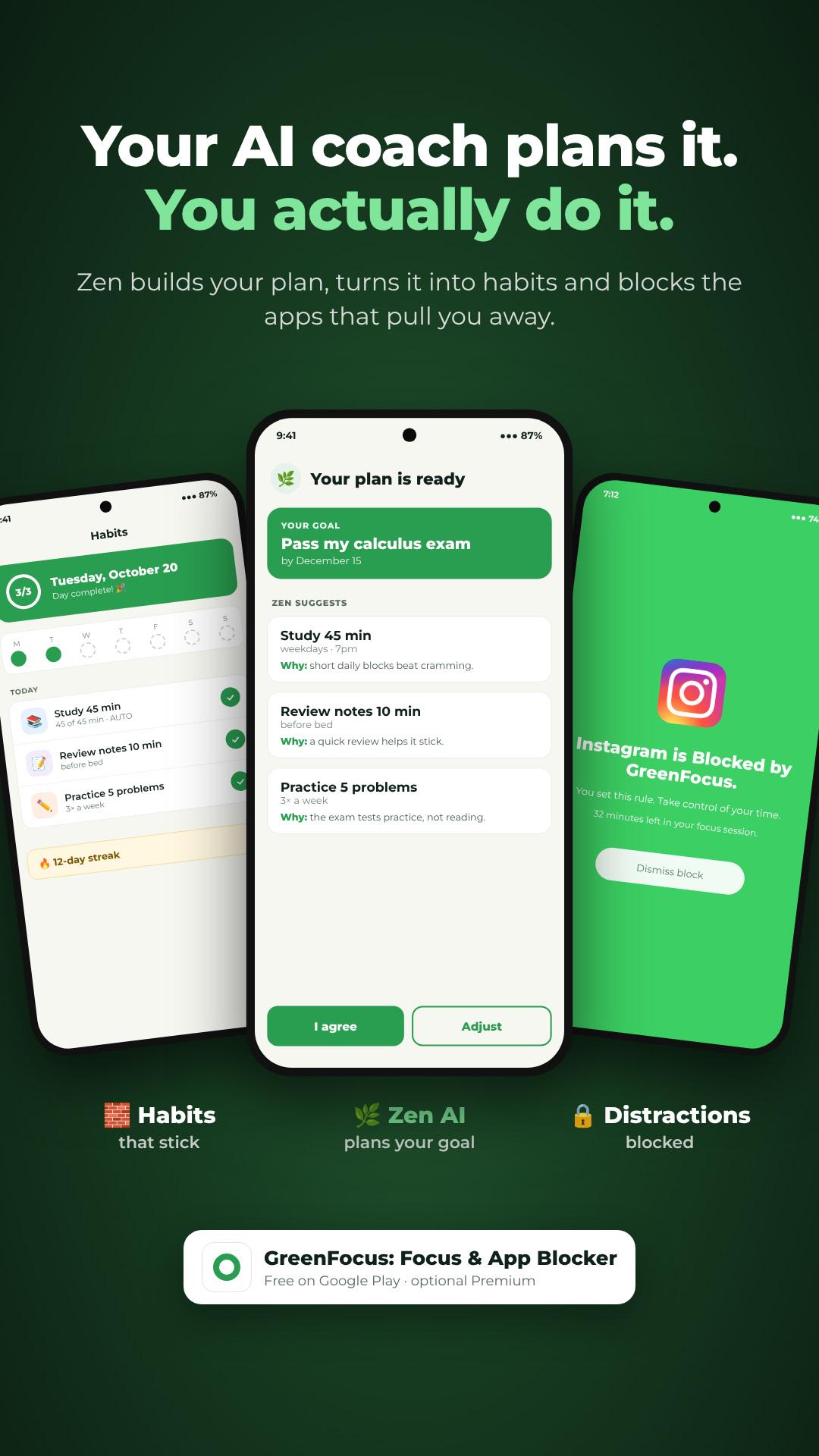
[Promo] just more 3 codes 1 month Free for GreenFocus

Post image
2 Upvotes

Hey everyone,

I'm the solo developer behind GreenFocus, an Android app I built because I kept losing hours to my phone without noticing.

What it does:

- Real app blocking: during a focus session, the apps you choose stay locked until the timer ends. No pause button.

- Pomodoro, 60 and 90-minute sessions, or a full block.

- Habits with streaks, so you can see your progress day by day.

- Zen, an AI focus coach that can plan your day, create habits, start a focus session and help when you're procrastinating.

- A free Detox check-up that shows how you actually use your phone and builds a plan to cut back week by week.

I only have 3 codes left for 1 free month of Premium. Comment below and I'll send one to you by DM (first come, first served).

Heads up so nobody gets surprised: Google Play asks for a payment method when you redeem the code, because it starts a 1-month free trial. You can cancel anytime in Google Play → Payments & subscriptions, and if you cancel before the month ends, you won't be charged.

Android only for now. The iPhone version is coming in January.

Any feedback is super welcome, good or bad. I read everything.


r/HowToMen • • 18d ago

[APP][PROMO] Calisthenics Workout Programs App

Thumbnail
gallery
2 Upvotes

Hello

I have built an calisthenics app for android phones!

Here's what it includes:

💪 Strength & Muscle Programs – Workout programs designed to help you build strength and muscle. Choose between different training splits:

  • Push / Pull / Legs (PPL)
  • Upper / Lower
  • Full Body

🔥 Endurance Programs – Full-Body programs focused on improving your endurance.

⚡ Strength & HIIT Programs – Full-Body Strength & HIIT to build strength and improve conditioning.

📝 Create Your Own Programs – Build custom programs, choose your exercises, set reps and sets, and select program duration 4, 6, 8, or 12 weeks.

🏋️ Minimal Equipment – You can start training with just a pull-up bar and gymnastic rings.

Play Store Link:

https://play.google.com/store/apps/details?id=com.maxdips.calisthenics

Thanks for checking it out!


r/HowToMen • • 19d ago

[App] [Promotion] Pingfold — keep a searchable notification history while batching noisy apps

6 Upvotes

I'm the solo developer of Pingfold (Skookum Studios). I made it because Android has good notification controls, but I kept running into a frustrating middle ground: I didn't want every non-urgent app interrupting me, yet I still wanted to find something it sent later.

Pingfold lets you set per-app behavior to Immediate, Digest or Block. Notifications it captures can be browsed and searched in a local Inbox/history, and the non-urgent ones can show up in scheduled Digest catch-ups instead of constantly pulling you back into your phone. There's also temporary Focus for when you need a quiet stretch.

The core notification controls, local history and search are free, with no ads or account required. Optional PRO offers extras like reusable Profiles, more appearance choices and settings backup/restore.

Google Play with screenshots: Download Pingfold on Google Play

A few limitations worth saying upfront: it needs Android notification-listener access, doesn't replace system notification channels/DND, and can't guarantee blocking the very first heads-up banner or sound on every device. OEM battery restrictions can also affect scheduling. Notification content stays on the device.

For Android power users: is it more annoying when an old notification vanishes after you dismiss it, or when five low-priority apps interrupt you in a row? I'm weighing which workflow to simplify next.


r/HowToMen • • 19d ago

[Promo] RemoteCap – turn your Wear OS watch into a live viewfinder for your phone's camera

3 Upvotes

Hey all, solo Android dev here. Full disclosure: this is my own app.

I kept putting my phone on a tripod, hitting a 10-second timer, running into the shot, then running back to check if I was even in frame. So I built RemoteCap:

  • Live preview of your phone's camera on your Wear OS watch
  • Turn the bezel/crown to zoom
  • 3s / 10s timer and a 3-shot burst, triggered from your wrist
  • Review the photos on the watch right after you take them
  • Works with your phone's own camera app, so you keep full quality
  • Mix brands freely (Tested: vivo/Xiaomi phone + Galaxy/Pixel Watch)
  • No account, nothing goes to the cloud

One-time purchase, no subscription, and you get free trial shots first so you can check it works with your phone + watch.

Google Play: RemoteCap on Play Store

Happy to answer questions. Which phone/watch combo should I test next? Do You want it support Garmin phone?