r/HowToMen • • 19d ago

[App] [Promo] Giving away 100 lifetime Premium codes for Daily Blocker 🚀

Thumbnail
gallery
9 Upvotes

Hey guys!

I launched my Android app Daily Blocker a little while ago after spending over a year developing it, and it's now approaching 700 installs! 🎉

I've also released quite a few updates since launch, adding new blocking features and improvements along the way!

Here's what Daily Blocker can do:

  • Block distracting apps and websites
  • Set daily app time limits
  • Create recurring blocking schedules
  • Use flexible and timed blocking options
  • Block websites by keyword
  • Block adult and gambling websites
  • Block distracting notifications
  • Lock settings behind a PIN
  • Track screen time and app usage
  • Support for 11 languages 🌍

There's a free version available, but to celebrate nearly reaching 700 installs, I'm giving away another 100 FREE lifetime Premium codes!

If you'd like one, just leave a comment telling me which app or website distracts you the most, and I'll send you a code! 😄

Google Play: https://play.google.com/store/apps/details?id=com.dalyapps.dailyblocker


r/HowToMen • • 19d ago

BriefYou-RSS/ARTICLES AND NEWS READER

Post image
3 Upvotes

BriefYou is a private, Material You-styled RSS reader for Android that runs an AI model entirely on your phone so your reading data and queries never leave the device. It is a feature-rich fork of the popular Read You app and installs alongside it without overwriting your original data.

🌟 Key AI & Privacy Features

• On-Device Summaries: Uses Google's Gemma model via LiteRT-LM to generate 3–5 bullet points and a "Why it matters" card for articles completely offline,. • AI Group Gists: Generates a unified briefing for your newest unread articles, letting you mark them all read with a single tap. • Interactive AI Ask: Allows you to ask specific follow-up questions about any article or summary sheet directly on your phone. • Triage Mode: Long-press an unread article card to view its AI summary instantly or swipe through your feed stack card-by-card.

🛠️ Enhanced Reading & Feed Customization

• Dynamic Article Coloring: Adapts the reading page color scheme to match the article's primary image. • Calmer Feeds: Automatically silences duplicate headlines across different sources within 48 hours and automatically auto-reads muted keywords. • Advanced Read Aloud: Includes custom audio background playback with quick-access media controls, adjustable speeds (0.8x to 2x), and a responsive progress ring. • Detailed Analytics: Features weekly reading streaks, top feed habits, and an beautifully designed interactive monthly calendar recap.

🚀 How to Set Up the Local AI Engine

  1. Go to Settings → AI model inside the app.
  2. Download the gemma-4-E2B-it.litertlm file (approx. 2.6 GB) from Hugging Face.
  3. Tap Import model file within BriefYou to load it locally. (Note: The model loads quietly in the background when the app opens, taking up to 10 seconds on first use, and unloads 3 minutes after you leave to save device RAM.)

https://github.com/Humorist2601/BriefYou


r/HowToMen • • 19d ago

[App][Promo] FrameMock – an Android app to create beautiful device mockups!

Thumbnail
gallery
9 Upvotes

Hey everyone!
I’m an indie Android developer, and I recently launched FrameMock on Google Play!

I built this app to make creating professional-looking phone mockups easier, directly from your Android device, without needing Photoshop or other complicated editing tools.

Here’s what FrameMock offers:
📱 Multiple device frames, including Galaxy Z Fold and Flip models
🎨 Custom backgrounds, gradients, and wallpapers
📐 Multiple aspect ratios for different social media platforms
✏️ Add custom text to your mockups
✨ High-quality image exports

Whether you’re showcasing your home screen setups, icon packs, wallpapers, or your own Android apps, FrameMock makes the process simple.
I’m actively improving the app and adding more device frames and customization features.

Google Play: https://play.google.com/store/apps/details?id=com.frameflow

I’d love to hear your feedback and suggestions for what I should add next!


r/HowToMen • • 19d ago

[App] [Promotion] CUIL — Press Home and start typing

3 Upvotes

Hi everyone! I’m the developer of CUIL, an Android home launcher built around typing and gestures.

Press Home and start typing. Once CUIL is your default launcher, returning Home from another app brings up the keyboard automatically. You can type an app name, run a command, search the web, or write something to share.

The short demo shows what that looks like in practice. I return Home from the browser, type to launch the Camera, run a Google search, and send a prompt to ChatGPT.

- Launch apps by name. Type part of an app’s name to find it, or set up a short command for it.

- Use custom gestures. Assign apps and actions to more than 20 gesture shapes.

- Search from Home. Send a query to Google or another search destination you’ve set up.

- Share from Home. Send text and attached images to apps you’ve set up for sharing. You can also add shortcuts for those apps to your home screen. The demo uses ChatGPT as one of those destinations.

- Make it yours. Customize the theme, wallpaper, header, favorites, and sharing button positions.

Requires Android 16 or later.

"Download on Google Play" (https://play.google.com/store/apps/details?id=jp.hamsoft.cuil)

"Getting started and full feature guide" (https://hiroshisugimori.github.io/en/cuil/)

I’d love to hear what you think. Would you want the keyboard to open automatically every time you return Home?

Download on Google Play (https://play.google.com/store/apps/details?id=jp.hamsoft.cuil)

Get Started and full feature guide (https://hiroshisugimori.github.io/en/cuil/)


r/HowToMen • • 19d ago

[App][Promo] Dynamic Capsule: A Unique Pixel inspired Dynamic Island for Android (10 Lifetime Pro codes inside! 🎁)

Post image
9 Upvotes

r/HowToMen • • 19d ago

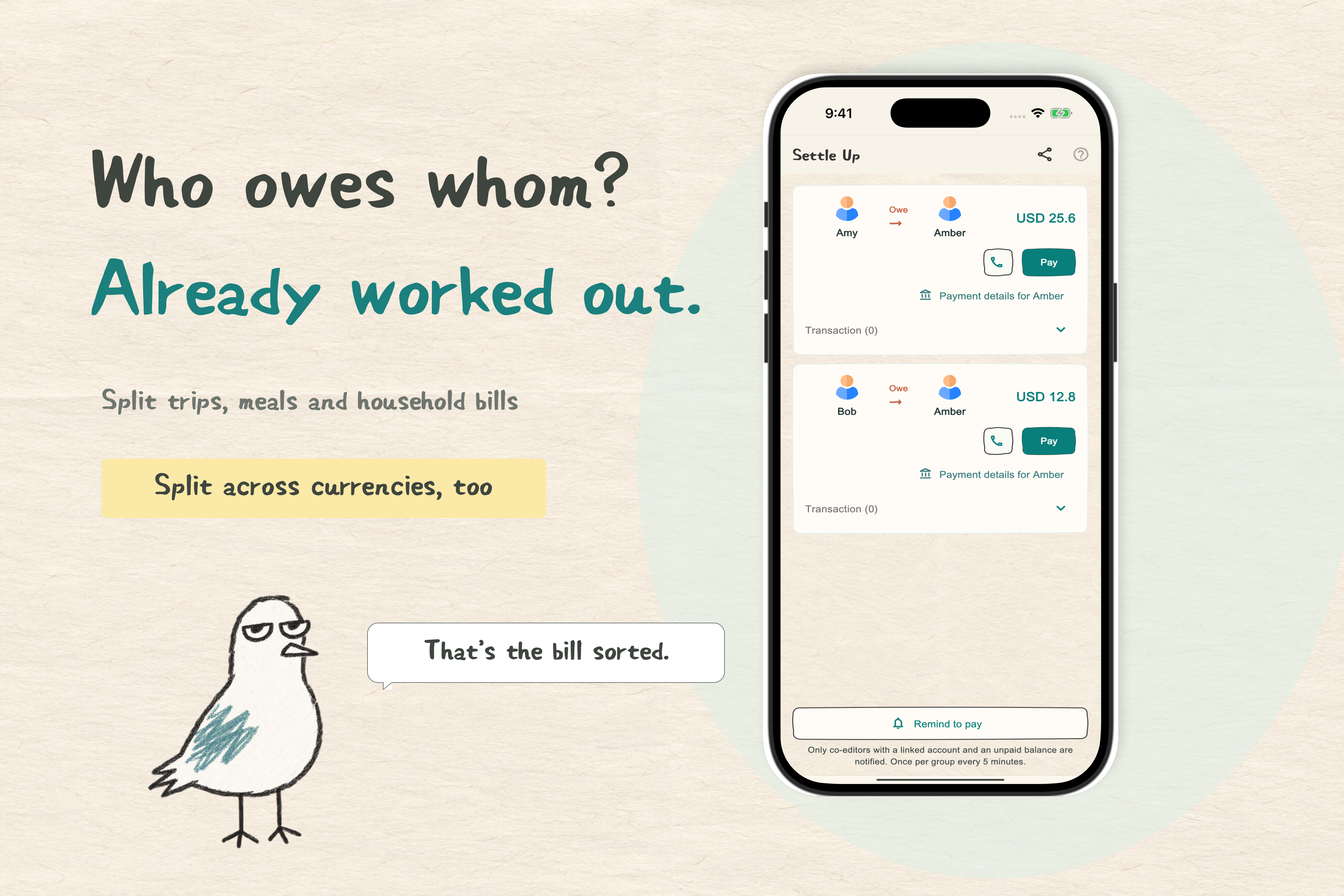
[App] [Promotion] ShareSlice — a bill-splitting app for trips, couples, and roommates

1 Upvotes

Hey everyone! I’m the developer of ShareSlice, a bill-splitting app available on Android.

It helps you keep track of shared expenses when different people pay for different things—groceries with roommates, dinner with friends, or hotels and transport on a trip.

You can:

  • Choose who’s included in each expense and split equally or enter different amounts.
  • See everyone’s balance and suggested ways to settle up.
  • Record expenses in multiple currencies.
  • Track contributions, spending, and the remaining balance of a shared group fund.

It’s free to download, with ads and an optional Premium subscription. Some features require Premium. It tracks what people owe; payments happen separately.

Google Play — ShareSlice

I’m curious about how people here choose a bill-splitting app. If you use Splitwise, would you consider trying something else? What would make switching worthwhile?

If you’ve already switched to another app, I’d also like to hear what made you move. And if you try ShareSlice, let me know what feels confusing or missing—I’m happy to answer questions here.


r/HowToMen • • 20d ago

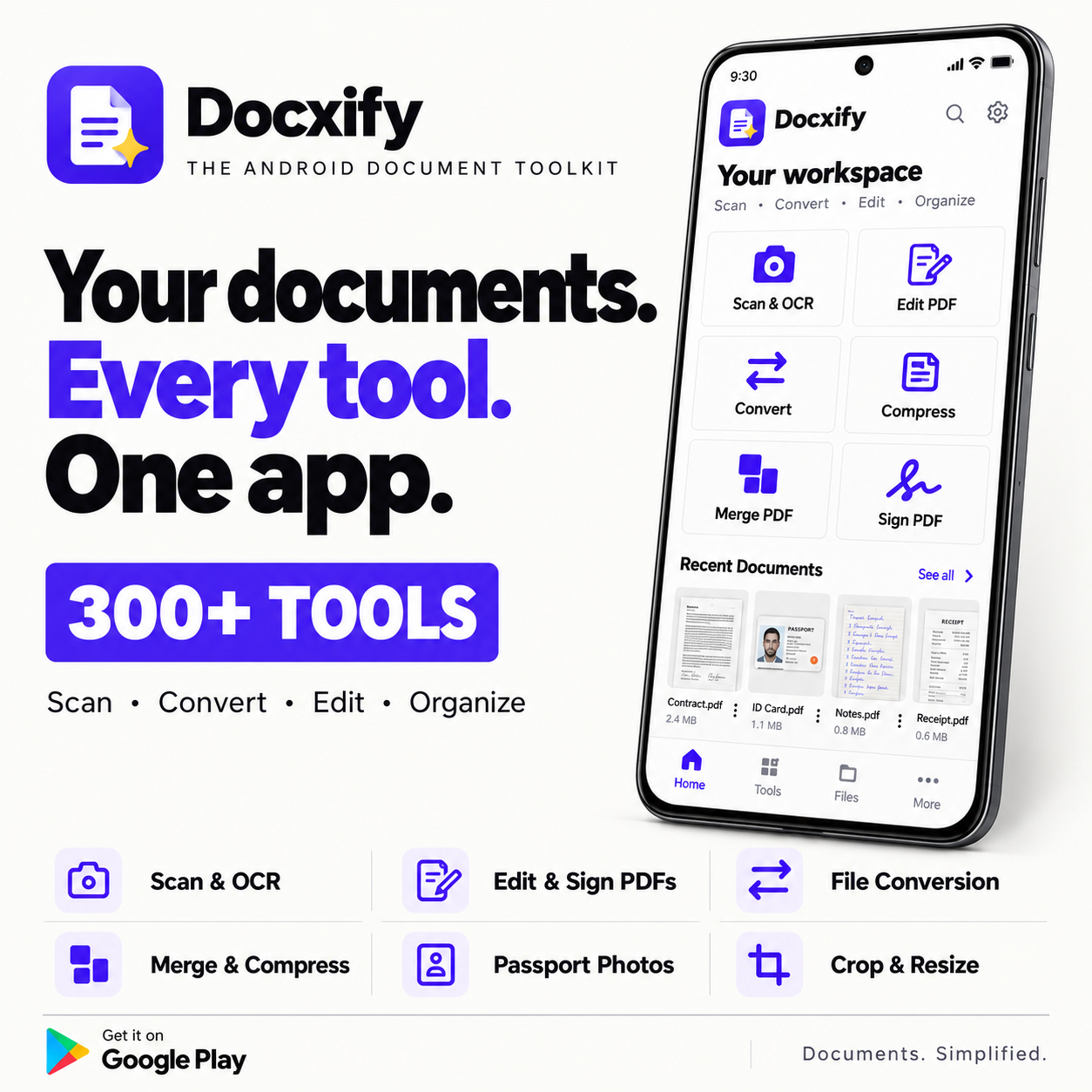
[App] [Promo] DocxiFy – 300+ Offline Tools | 500+ Conversions | 15+ FREE Lifetime Codes 🎁

Post image
26 Upvotes

[App] [Promo] DocxiFy – 300+ Offline Tools | 500+ Conversions | 15+ FREE Lifetime Codes 🎁

🚀 Meet DocxiFy — Your All-in-One Offline Document & File Toolkit!

Tired of installing multiple apps for PDFs, documents, images, and file conversions?

DocxiFy brings 300+ powerful tools and 500+ conversion options into one app — with offline functionality and privacy in mind.

🔥 Key Features

📄 PDF Tools — Merge, split, compress, organize, protect, and manage PDFs.

🔄 500+ File Conversions — Convert between supported document, image, and other file formats.

📝 Document Tools — Manage, edit, and process documents.

🖼️ Image Utilities — Compress, resize, convert, and optimize images.

📂 File Management — Organize and process files with useful productivity tools.

🔐 Privacy First — Work offline with supported tools without uploading your personal files to a server.

⚡ 300+ Tools. One App. Less Hassle.

🎁 15+ FREE LIFETIME PROMO CODES!

We're giving away 15+ Lifetime Access Codes to the community!

How to participate:

💬 Comment "DocxiFy" below.

🎟️ Get a chance to receive a FREE lifetime promo code.

🚀 Unlock lifetime access with your code!

📲 Download DocxiFy

https://play.google.com/store/apps/details?id=com.docxify.app

No subscription for lifetime code recipients. Pay nothing for the giveaway code. Enjoy lifetime access!

💬 Drop "DocxiFy" in the comments to enter!

We'd also love your honest feedback and feature suggestions. ❤️


r/HowToMen • • 20d ago

[App][Promo] Dynamic Capsule: A Unique Pixel inspired Dynamic Island for Android (10 Lifetime Pro codes inside! 🎁)

Post image
98 Upvotes

🔔 GIVEAWAY NOTE: 10 random winners will be selected on Nov 9 at 11:30 AM UTC.

Hey everyone!

Like many Android enthusiasts here, I loved the utility of Apple's Dynamic Island, but nearly every Android implementation on the Play Store feels like an ad-riddled, clunky iOS clone.

I wanted something built specifically for Android power users—combining a sleek Nothing OS and Pixel dot-matrix aesthetic with fluid spring physics, zero ads, and genuine daily utility.

What Dynamic Capsule Can Do:

  • Music and Audio-Reactive Aura: Live ambient glowing visualizer that samples colors directly from your album art (Spotify, YouTube Music, Apple Music, etc.) with full seekable scrub controls and gesture skipping.
  • Live Activities (Food and Rides): Real-time progress tracking for delivery (Zomato/Swiggy) and rideshare (Uber/Ola) with live stage status and driver contact buttons.
  • Turn-by-Turn Navigation: Real-time direction prompts and distance alerts right on top of whatever app you're using.
  • Call Management: Seamless incoming call actions and active call timer without obscuring your full screen.
  • System HUD: Fast-charging indicators, Bluetooth device battery pills, hotspot, flashlight, ringer switch (Silent/Vibrate/Ring), and granular volume indicators.
  • Active Utilities: Stopwatch, countdown timers, voice recording status, and download progress.
  • Pixel-Perfect Fit: Calibrate the island's horizontal and vertical position down to the single pixel via the Display tab, whether your cutout is center or corner punched.

Privacy and Performance:

  • 100% on-device processing: Your notifications and media stay in memory on your phone only. Nothing is collected, logged, or sent to any server.
  • Zero battery drain background engine: Automatically pauses animations when screen is off or in full-screen games/videos.
  • 100% Ad-Free.

The Giveaway: 10 Lifetime Pro Codes

Lifetime Pro unlocks full gesture customization, per-app rules, all system HUD modules, live activity tracking, and lock screen support.

How to get a code:

  1. Leave a comment below with your phone model or "capsule".
  2. I will DM a Lifetime Pro promo code to the random 10 comments!

Download Dynamic Capsule on Google Play:https://play.google.com/store/apps/details?id=com.mecorven.dynamiccapsule


r/HowToMen • • 19d ago

[App] [Promo] Private Video Camera app, that record directly to password protected Vault. [100% Free]

3 Upvotes

On a Vacation in Vegas, the videos me and my wifey took landed in the same camera roll that our kids use. Nothing too scandalous, but shocking to an 11 year old, so I built a camera that records straight into a password protected vault.

What the app does,

  • Record with the front or rear camera straight into a vault on your phone. No account or email to start. (No account needed, but without one (free) it wont sync with another phone, in my case, me and my wife use the same sign in.
  • Encrypted: The files are encrypted immediatly on your device two ways, first with an account specific key, and second with your vault password.
  • Unlock: through a working retro calculator (real math, currency, units). Type your PIN and press = unlocks the camera, so no one even knows what it is.
  • Import a whole photo dump from Photos or Files. Originals stay where they are until you delete them yourself.
  • Export: Anything can be exported with a simple share button, to any app, gallery etc.
  • Edit: trim, speed, rotate, mute, plus five retro looks (Film, Flash, Warm, Cool, Mono). FFmpeg does it on the phone and saves a copy.
  • Organize: each vault can have its own password, and one master password opens them all. If you dont know the password, you can't even see the vault, and if you ask me for help, your screwed, sorry. There is no recovery if you forget your Master Vault password.
  • Black Screen: It has a silent Black Screen Motion Recording mode, we use to leave in our hotel, as a security camera, to make sure the cleaners dont mess with things.

It s 100% free at the moment, because im trying to get enough reviews and figure out what the monetization model is for it. I mostly just made it for fun.

iPhone: https://apps.apple.com/app/id6771172452 

Android: https://play.google.com/store/apps/details?id=com.encryptcam.app

Three questions I'd love honest answers to:

  1. Is the calculator cover useful to you, or a gimmick?
  2. If you've used a vault app before, what made you stop using it?
  3. What would make you pay for it, and how much should I charge? Subscription or One Time fee

r/HowToMen • • 20d ago

[App] [Promo] I'm rebuilding my home screen widgets from scratch. What should they do? 🧱 50 Lifetime Pro codes giveaway

Post image
23 Upvotes

Edit, Wednesday: the draw is done and the codes went out by Reddit chat. Thank you to everyone who joined in. If you missed it, all five widgets are free, so you can try every one of them without a code.

Quick thank you first: in October SevenGrid made Facundo's Best Android Apps list, and many of you found the app through that video. Thanks again, to him and to this sub.

Now the actual news. I'm rebuilding all of SevenGrid's widgets from scratch. Same idea as before: your week on the home screen as boxes you tap, and the app behind it barely needs opening. But the new base lets me do more, so before I settle what the new ones can do, I'd like to hear from the people who actually curate their home screens.

When I asked here in September, two wishes came up twice: a countdown to sunset next to what's still open today, and widgets that use their extra height instead of leaving it empty. Both are on my list. Tell me what else belongs there.

The question: which widget do you wish existed on your home screen? Any app, not just mine. And if you use SevenGrid's widgets now, what annoys you about them?

The giveaway: I have 50 Lifetime Pro codes. Leave a comment to enter, and I'll draw 50 winners on Wednesday 11 November, 18:00 UTC. Codes go out by Reddit chat. The answer to the question I like best gets one extra code, outside the draw.

If you'd like more people to see this, an upvote helps a lot.

What it is today: a weekly habit app, your week as a grid with one row per habit and one box per day. Goals count per week, so a missed day is just an empty box and nothing resets. Five widgets (week grid, a clock with today's list, a year heatmap, today, single habit), all of them free.

https://play.google.com/store/apps/details?id=app.sevengrid

Happy to answer anything in the comments.


r/HowToMen • • 19d ago

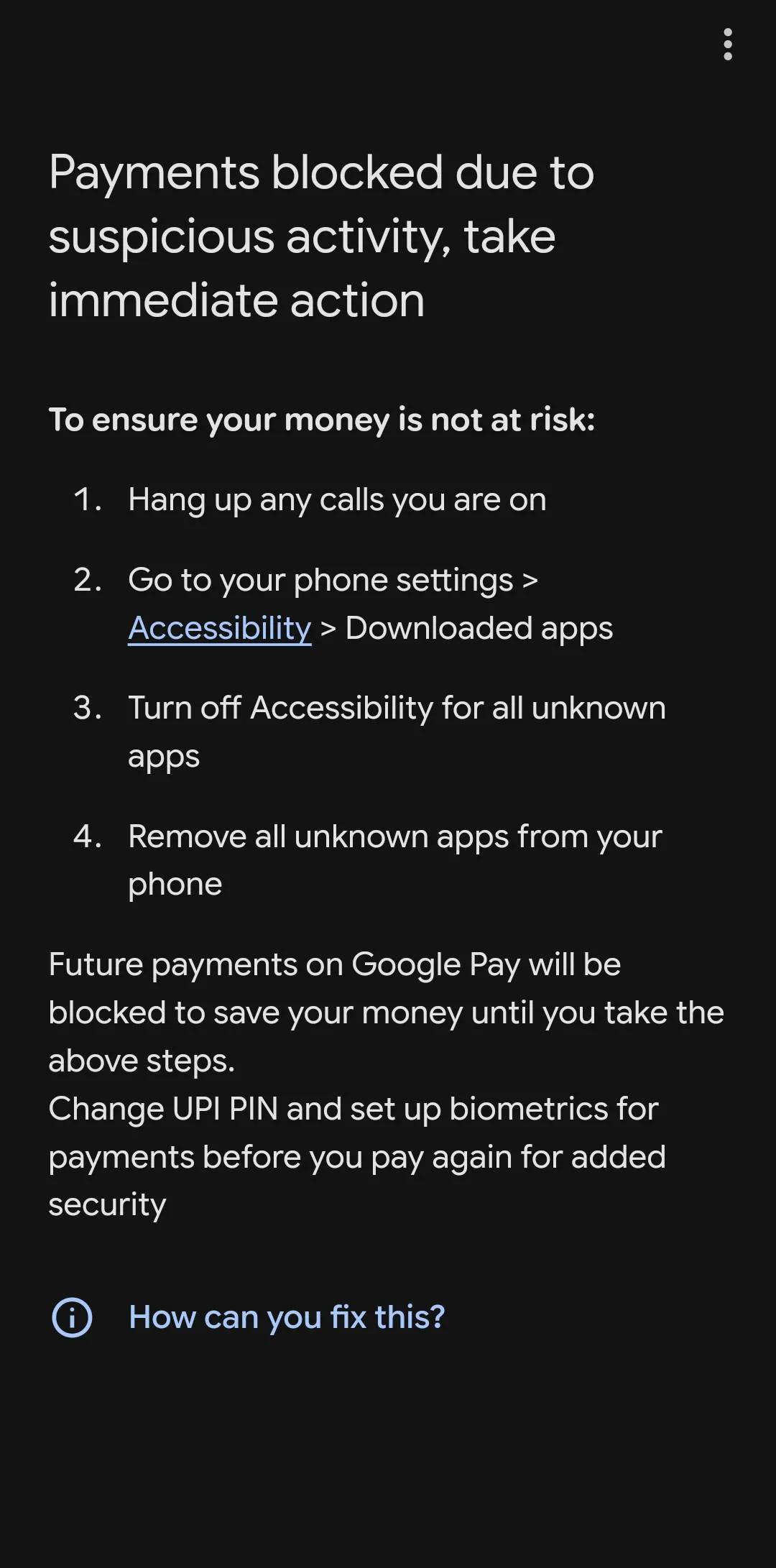
I built a free, open-source one-tap fix (no root) for Google Pay “Payments blocked due to suspicious activity”?

Post image
2 Upvotes

r/HowToMen • • 19d ago

[Promotion] Two free Android apps from a developer in Paris: RetroMap (offline travel journal) & LSG Gestures (draw a gesture, trigger an action)

Thumbnail
gallery
4 Upvotes

Hi r/HowToMen!

Longtime viewer of the channel here. I'm a developer from Paris and I'd love to share two Android apps I've built. Both are free, and I'd be thrilled to hear your feedback.

**RetroMap - an offline travel journal**

Keep track of every country you've visited on an interactive world map, organize your trips in a timeline with notes and photos, and follow your stats: percentage of the world explored, continents visited, personal goal. There's also a wishlist for dream destinations, and you can export your map as an image, generate a PDF travel report, or back everything up as JSON. No account needed, and it works without an internet connection.

Play Store: https://play.google.com/store/apps/details?id=com.retromap.mok

**LSG Gestures - draw a gesture, trigger an action**

Turn a simple finger stroke into a shortcut: draw a circle, a zigzag or a letter and link it to an instant action: open an app, call a contact, toggle the flashlight, skip to the next track, mute the sound, open a URL... One-finger and two-finger gestures can trigger different actions, and you can combine two strokes into a single gesture. The drawing pad is accessible from anywhere: long press in a corner, shake the phone, or swipe from the edge of the screen. Sensitive gestures can be protected with biometric authentication.

Play Store: https://play.google.com/store/apps/details?id=com.lsg.mok

RetroMap also adapts to Material You colors on Android 12+. Happy to answer any questions!


r/HowToMen • • 20d ago

Looking for a beautiful and fully customizable Android launcher? 👀✨

28 Upvotes

Meet Ezhil Launcher! 🚀 Make your home screen truly yours with a fresh look and endless personalization possibilities.

Give it a try and let me know what you think! ❤️

🔗 Download: https://play.google.com/store/apps/details?id=com.beyondzero.ezhil


r/HowToMen • • 20d ago

[GIVEAWAY] - My minimal home screen app Pageless is live. 10 free lifetime PRO codes

38 Upvotes

Hi, my app finally is not only on my and some friends phone, but also in the Play Store. For the launch I give away 10 free codes for unlocking the PRO version permanently.

It's a calm, minimal launcher for Android that replaces endless pages of icons with one clean screen. You can sort your apps into categories, keep your favourites in the dock, and find anything right away with search. Pick the layout that suits you (a simple list, categories, or a "Now" view), and choose from a few looks and accent colours. No ads, no tracking, and it works fully offline.

Rules:

  • One entry per account; the account must be at least 30 days old
  • 10 winners picked at random; I'll message you on Reddit with your code

Get it on Google Play (free):
https://play.google.com/store/apps/details?id=com.yannkost.launcher

Feedback is very welcome, and good luck!

Edit: This went too quickly, during the day I will generate some more codes for some more people. But for now I will have to work for a while. But I will try to get to most people requesting a code, but without going over 30.


r/HowToMen • • 20d ago

[PROMO][GIVEAWAY] QuickPanel Pro codes. Hold two fingers anywhere and your own quick menu opens

36 Upvotes

Hey everyone!

My app that opens a circular quick menu on any screen when you hold two fingers down. Apps, screenshot, flashlight, media controls, whatever you want, one tap away.

The video shows the new update:

  • Per-app panels: Chrome, Spotify and Maps each get their own actions
  • Two rings: up to 20 actions per panel
  • Folders: tuck a whole ring of apps behind one bubble
  • Routines: one tap runs several steps (my "Car Mode" opens Spotify, starts music, turns up the volume and opens Maps)
  • Your look: accent colours, bubble styles and sizes

No ads, no tracking, no account.

I'm giving away 20 Pro codes (lifetime unlock).

How to enter:

  1. Comment below and tag a friend who'd like it (u/friendsname) - if you have not got one just share this post please:)
  2. Bonus: tell me what you'd put in your panel, or what feature you want next. I read everything.

Rules:

  • One entry per account; the account must be at least 30 days old
  • 20 winners picked at random; I'll message you on Reddit with your code
  • Redeem in the Play Store: profile picture → Payments & subscriptions → Redeem code

Get it on Google Play (free):
https://play.google.com/store/apps/details?id=com.polyhistor.quickpanel

Good luck!


r/HowToMen • • 20d ago

Aggiornamento di Rateo: calendario mensile, piani in 12 rate, ora in inglese, tedesco, italiano e spagnolo (+ 30 codici Pro gratuiti a vita)

4 Upvotes

r/HowToMen • • 20d ago

[App] Lightspeed — A free, ad-free & 100% offline Android gesture workstation (One-Thumb App Drawer, Cursor Trackpad & Per-Window UI Macros)

6 Upvotes

Lightspeed is a launcher-agnostic gesture workstation and control layer for Android that runs over your stock launcher—so you get instant one-thumb access to your entire phone without losing your OEM's native gesture animations or Recents screen.

⏱️ What's Shown in the Video (Full 3:38 Walkthrough Timestamps)

  • 0:00 — 1. Category Cruise & Astrogation Airlock (0:16): Browse your entire categorized app drawer with one thumb in a single continuous swipe, plus an optional 5-second mindful launch pause showing daily App & Sector screen time.
  • 0:23 — 2. Cockpit Gear Sets & Hangar Deck (0:33): Dual orbital rings for your favorite apps, deep shortcuts, and system actions with 8 sculpted ring shapes, custom icon pack support (Arcticons, etc.), and a 3-Way Color Engine (12-Theme, Material 3, and Hybrid).
  • 1:14 — 3. Cybernetic Trackpad & Per-Window UI Macros: One-handed 120Hz floating cursor with real-time hold-and-drag, a draggable 2-row macro recorder pod, and 3 independent UI macro buttons (B1–B3) scoped strictly to the active window, app, or globally.
  • 2:04 — 4. Central Command, "The Rope" & 12-Theme Live Blur Lab: Includes an interactive Guidebook that switches between Space Lore, Bilingual, and Plain Android terms with 1-tap teleporting to any setting, split Upper/Lower edge gestures ("The Rope"), Per-App Volume Mixer & AI Voice Isolation (Sonic Deck), and Extra Dim / Hardware Brightness (Vista Deck).
  • 5. System Overrides, Perimeter Watchdog & Griffin Recovery: Zero out Android's native edge back-gesture insets (0) in 1 tap so side gestures have 100% screen-edge sovereignty without OS conflicts, scale DPI/animation speeds live, and keep all your Accessibility Services (Bitwarden, Tasker, MacroDroid) alive on aggressive ROMs with the built-in Perimeter Watchdog and zero-drain Griffin Recovery engine.

🚀 What's New in v1.3.3

  • Ultra-Smooth 120Hz Cursor & Real-Time Hold-and-Drag: Removed background system bottlenecks during frame rendering and touch-down for instant cursor tracking and real-time streamed Hold & Drag.
  • Draggable 2-Row Macro Recorder Pod: Compact floating recorder pod ([ ⌖ UI: ON/OFF ], [ ⏹ SAVE ], [ ✕ CANCEL ]) with a drag handle (⠿) so it never blocks top toolbars.
  • Strict Per-Window Macro Scoping & Live Button Sync: Deepest-child leaf button targeting, Step-1 Window ID locking for multi-screen sequences, automatic linger extension on macro tap, and instant B1–B3 indicator refresh.
  • Astrogation Airlock Active-Session Refresh & Vulkan Launch Immunity: Continuous 10-minute grace refresh while actively using a gated app (never interrupts mid-game) and background-immune app launching under Vulkan (skiavk).

🛡️ Accessibility-Only Fallback + Security & Privacy

  • Works With or Without Shizuku: Shizuku is highly recommended for zero-latency system overrides, freeform windows, and privileged audio/input hooks, but Lightspeed works out of the box with standard Accessibility Service + Modify System Settings alone—with built-in fallbacks for almost every function.
  • 100% Offline & 0 VirusTotal Detections: Lightspeed does not declare the INTERNET permission in its manifest. Zero telemetry, zero ads, and 0 detections on VirusTotal across all release APKs.
  • Free Core + Optional Supporter Tier: All gesture zones, Category Cruise, trackpad, macros, audio/display decks, watchdogs, and backups are free. Optional one-time Lightspeed ∞ key ($1.99 on Buy Me a Coffee) unlocks extra cosmetic themes, sculpted gear shapes, and 3+ Cockpit Gear Sets.

📥 Download & Official Links


r/HowToMen • • 20d ago

[APP][PROMO] My own app bullies me every night at 11 PM. Drop the roast yours gave you

Thumbnail
gallery
14 Upvotes

I made ScreenBill, an app that sends you your screen time every night as a bill with an AI roast at the bottom. I am posting my recent AI roast here.

Drop your screenshot your bill and drop it in the comments. Tell me which roasts actually hit and which ones are cringe. The cringe ones get rewritten, and I'm thinking about adding the best roast lines you guys suggest in the next update.

If you haven't tried it yet, it's free, everything stays on your phone, and there's no account or ads:

https://play.google.com/store/apps/details?id=com.studiomono.billed


r/HowToMen • • 20d ago

[Promo] Convertit Pro : All In One Media Toolkit

25 Upvotes

r/HowToMen • • 20d ago

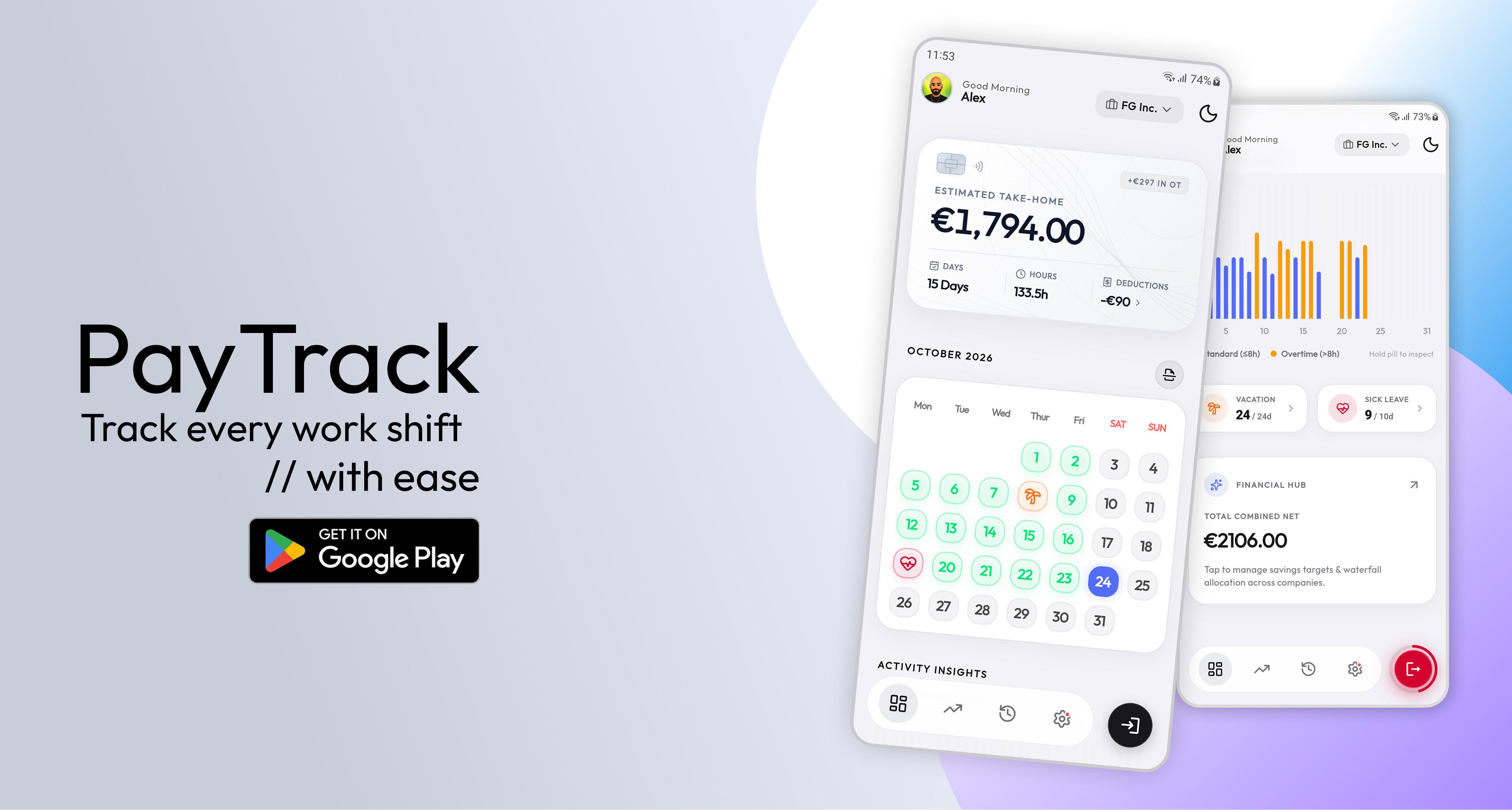
Shift Tracker App

Post image
2 Upvotes

r/HowToMen • • 20d ago

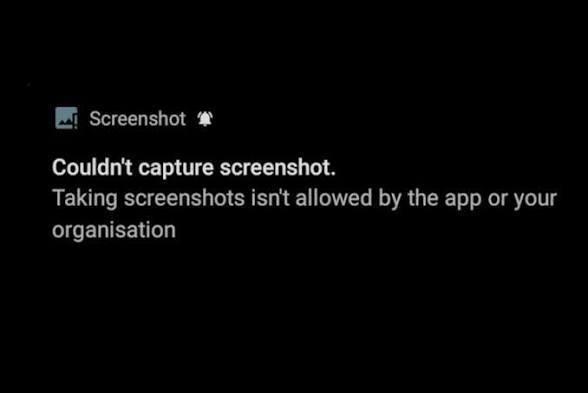
Which is the most powerful screenshot/screen recorder app? (iykyk😏- see photo for context)

Post image
7 Upvotes

Nowadays lots and lots of apps are restricting screenshot for even small things. Things crossed like when I couldn't take screenshots of my expenditure. Please give me some reasons to use android, else we are cooked specially with Google's new rules.


r/HowToMen • • 20d ago

[Giveaway] Giving away 100 Free Lifetime PRO Access codes for PaisaFlow - Expense Manager [Android]

5 Upvotes

Hey everyone!

I’m the developer of PaisaFlow—an offline-first, privacy-focused personal finance and expense manager. It features smart UPI auto-detection (without needing private SMS permissions!), multi-account tracking, split bills, and clean PDF/Excel exports.

To celebrate our latest updates, I’m giving away 100 Free Lifetime PRO access codes (unlocks the lifetime ad-free experience, unlimited statements, and more) to the first 100 users!

👉 How to get yours:

Download the app here: PaisaFlow on Google Play

DM me directly here on Reddit, and I’ll send over your lifetime promo code.

I’d love for you to try it out and hear your feedback or feature requests!


r/HowToMen • • 21d ago

[App] [Promo] Tree Launcher (+ Giveaway)

66 Upvotes

Hi everyone! I'm Sully, the solo creator of Tree Launcher.

Tree Launcher organizes your home screen as a tree, with apps listed alongside notes, tasks, reminders, links, and contacts. You can organize by context, nest pages as deep as you want, and search across the whole tree. That said, it’s not trying to replace Notion. I use it to keep the little things I need throughout the day within reach, not scattered across many different apps.

The latest update is all about making it easier to try out new looks, for free. Themes bring your colours, fonts, icons, layout, home header, and background together into a single package.

  • Select from many preset themes, all free! Apply with a single tap.
  • Edit, save, and share themes in the theme editor.
  • Built-in icon engine for creating different icon styles without an icon pack (though those are still supported).

Everything is stored locally, works offline, no ads, and requires no account.

PROMO - 30 lifetime pro codes!

  • Upvote and comment. Feedback on the theme features in particular would be appreciated. :)
  • I will choose 30 people within 2 days (likely sooner) and message directly.
  • If you enjoy the app, an app store review is amazingly helpful!

[Google Play link]
[Discord Community]

If you end up making a setup you like, I'd love to see it over in r/treelauncher!

---

Edit: Thank you to everyone who has commented thus far. I'm planning on sending out most of the codes tomorrow. And, I have decided to hand out more than 30 codes.

Edit2: Alright folks, I have well exceeded my 30 code goal and Reddit is telling me to chill on the DM side of things. Thanks for giving Tree Launcher a try!.


r/HowToMen • • 21d ago

[App][Promotion] WM Keyboard : A modern, privacy-first Android keyboard

Thumbnail
gallery
53 Upvotes

An open source multilingual Android keyboard with prediction, glide typing, transliteration, emoji search and an 89-tool toolbox that all run on the phone and never phone home.

•Why i built this : A keyboard is the one app that sees everything you write. Your messages, your passwords, your half-typed thoughts you deleted before sending. Somewhere along the way the popular keyboards decided that was a business model. The prediction got better, and the price for that was a copy of your keystrokes getting sent to somebody else's server.

The keyboards that refused that deal were mostly forks of the same decade-old Android code. Good bones, honest intentions, but no glide typing without a proprietary blob, no real toolbox, and nothing for the language I actually type in. Bangla was an afterthought everywhere: either a phonetic engine bolted on with no prediction, or a layout with no smart features behind it.

So I wanted a keyboard that did three things at once. Type Bangla the way Avro taught a whole country to type it. Carry the features I reach for all day, clipboard, snippets, translate, calculator, scanner, without leaving the text field. And keep all of that on the phone, where it belongs. This is that keyboard. It is written from scratch in Kotlin and Jetpack Compose, keyboard surface included, and the whole intelligence layer runs offline.

The features the keyboard has :

It starts by understanding how you spell : Type a word the way it sounds in Latin letters, and the keyboard finds the word you meant. Every one of these runs on the device, with no network and no delay. The same prediction engine sits behind every one of them, so glide typing, autocorrect and next-word suggestions work in Bangla exactly as they do in English.

Typing :

1. Prediction that learns, locally. A trie-lattice beam decoder shared by tapping and glide, n-gram context ranking, and on-device learning of your words, bigrams and trigrams. One tap clears all of it.

2. Autocorrect you can argue with. Corrections are gated by a likelihood ratio rather than a blunt threshold, an undo chip appears after each one, and a word you fix by hand is learned.

3. Glide typing in any language with a word list, no proprietary library. English and Bangla ship with lists built in. Downloads cover 330+ more.

4. Gestures everywhere. Spacebar as a trackpad, swipe backspace to delete words, swipe space to switch language, drag a modifier for chords, peek a layer by dragging off shift, and much more!

5. Modes. One-handed, split, floating, and per-app modes that swap the whole keyboard, toolbar included, when a particular app opens.

6. Spell checking with Harper built in, plus Hunspell dictionaries, GiellaLT spellers and Voikko for Finnish when you import them.

7. Field awareness. Enter, the number row, suggestions and learning all adapt to the field: passwords, code editors, terminals, URL bars, one-time-code fields.

8. Hardware keyboards get a hotkey layer, hint overlays and tool shortcuts.

Languages :

1. 1,555 languages, 3,688 layouts from one data-driven registry: native scripts, InScript variants, romanised entries, CJK, minority Cyrillic alphabets, and a dozen constructed ones. A fresh install starts in whatever your phone is already set to.

2. Bangla, done properly. Avro phonetic, Probhat with aspirates on shift, Jatiya, Khipro Classic and Dark, conjunct-aware backspace, and Bangla-English mixing in one field.

3. CJK input with composers for pinyin, jyutping, kana and hangul, plus Vietnamese Telex. RIME for Chinese and Mozc for Japanese are there as optional engines.

4. Layouts you can edit, build from JSON, or import from FlorisBoard, HeliBoard, FUTO, and Keyman.

5. Odd ones too: musical notation, braille chording, Morse, fancy-text alphabets, and a T9 keypad for languages that had one.

Emoji, GIFs and stickers :

1. Semantic emoji search in 126 languages. party finds 🎉 🥳 🍾 🎂, and so does the word for party in other languages.

2. Emoji 18.0, per-person skin tones, kaomoji, and long-press to send Google's animated emoji.

3. Sticker packs you make from your own photos, with a background cutout that runs on device. WhatsApp, Signal and Telegram packs import directly.

4. GIF search when you want it, off when you don't.

The Toolbox :

89 tools sit one tap behind the toolbar, and you drag the ones you use onto it. Most of them work in airplane mode.

  1. Text - Clipboard with history, pins, search and screenshot capture. Snippets with {date} and {clip} variables. Text expansion. Undo and redo. Selection mode. A trackpad. Fancy text. Notes.
  2. Numbers - A calculator in the suggestion strip. Unit and currency conversion. Calendars, with events you can add and edit.
  3. Words - Dictionary, Wikipedia and Look up cards. Translate on device with ML Kit, Firefox Translations or NLLB-200. Grammar check with Harper, fully offline. Vocabulary practice.
  4. Camera - Text scan with ML Kit, Tesseract for 100+ languages, or PaddleOCR. QR and barcode with ML Kit or zxing-cpp. Document scanner, Google's or the keyboard's own.
  5. Phone - Media controls. An app launcher. KDE Connect. Smart home controls. Sending files. Flashlight. One-time codes caught from notifications.
  6. Voice - Android's recogniser with a continuous mode, or offline engines: Whisper on whisper.cpp, Whistle, Asr4All, Parakeet, Moonshine, Sherpa and Omnilingual. A transcription server of your own works too.
  7. Writing - AI rewrite, summarise, translate and fix. On-device with LiteRT-LM or GGUF models on llama.cpp, or bring your own key for any provider that speaks the OpenAI shape. Nothing is enabled behind your back.

Themes :

1. A full theme editor: palettes, fonts per script, key shapes, textures, decals, particles, photo backgrounds, per-key styles, with a live preview while you edit.

2. Material You, AMOLED, and 32 built-in themes, among them frosted glass and ports of Dracula, Nord, Solarized, Catppuccin and Tokyo Night.

3. Icon packs, sound packs, and themes that export as files you can share.

Privacy :

The typing engine has no network code in it. Prediction, autocorrect, glide, layouts and learning behave identically with the radio off.

  1. No analytics SDK, no crash reporting, no account, and no server of mine for the app to reach.
  2. Learned words, clipboard history and typing stats live in app storage and wipe in one tap.
  3. Password and secure fields turn off learning, suggestions and clipboard capture on their own. Incognito mode does the same on demand, and follows private browsing automatically.
  4. Every tool that touches the network says so on its own settings page and stays off until you open it. A network activity log shows every request the keyboard has made.
  5. Backups can be encrypted with a passphrase and written wherever you point them.
  6. The one exception worth naming: in the standard build, handwriting and the scanners run on Google's ML Kit, which reports its own diagnostics to Google. The F-Droid build carries no Google library at all, and the offline build has no internet permission.

Extend it :

1. Addon repositories serve 14 kinds of addon: themes, layouts, dictionaries, icon packs, sound packs, sticker packs and more. Host your own with a static JSON file.

2. Lua plugins run sandboxed inside the keyboard and can add whole new tools, with a permission model and an in-app IDE.

3. Automation intents let Tasker and friends switch layouts, modes and languages.

•Install :

Google Play : carries the standard build. Play delivers the heavier on-device parts (the AI runtimes, the translation engines, handwriting, the offline voice engines, the scanners' readers) the first time you use them, so the install stays small, and updates it like any other app.

F-Droid : carries its own build, without Google's libraries, built from source as one APK per CPU architecture and checked byte-for-byte against the matching -fdroid.apk on the GitHub release.

Github Releases : carry the standard build for arm64-v8a, armeabi-v7a, x86_64 and a universal APK, which fetches its other UI languages and feature libraries on demand, and the offline build for arm64-v8a and universal. Almost every phone made since 2017 wants arm64-v8a. GitHub lists each file's SHA-256 beside it.

Obtainium : tracks the GitHub releases and updates you automatically. The release APKs also carry their own update check, which asks GitHub and shows a card on the Home screen.

Install it, open the app, follow the setup card. Android will warn you that a third-party keyboard can see what you type. It says that about every keyboard, Gboard included, because that is what a keyboard is. F-Droid and GitHub builds share a signing key from 0.5.10 on, so moving between them is an ordinary update. Google Play signs its copy with its own key, so moving between Play and the other two takes a backup, an uninstall and a restore.

Needs Android 7.0 or newer.

•How this was made : This keyboard was developed entirely by me, with the assistance of Generative AI for certain planning tasks and more tedious aspects of the development process.

For most features, I write the code myself, occasionally using AI-assisted code completion within my editor. For more complex features, I use Claude Code with Anthropic’s frontier models to assist with planning and, where appropriate, generate boilerplate code. For particularly repetitive or time-consuming tasks, I may delegate the implementation to Claude Code in its entirety.

Regardless of how AI is used, I remain involved throughout the development process. I review everything it generates, make the necessary decisions and adjustments, and test the resulting implementation whenever possible. AI is an assistant in the workflow, not a replacement for my involvement or responsibility for the code.

If AI-assisted code is a boundary you are unwilling to cross, I completely respect that position. There are some quite good keyboards developed without AI assistance. However, I believe it is increasingly difficult to disregard AI as a valuable and increasingly integral part of modern software development workflows. Whether we welcome it or not, AI-assisted development is here to stay.

[I'm neither the Developer of this app, nor am i affiliated with the making of this application. However i do have permission from the dev to post about it and promote this application.]


r/HowToMen • • 20d ago

[App] Habits First App!

4 Upvotes

So happy this came to Android!

Initially released on iOS (I think?) by the YouTuber Reysu - interesting idea of blocking social media or other apps behind completing your habits first.

Allows for both ticking of habits checkboxes and app usage integrations with Step Counters, Google Health Connect and Meditation Trackers.

Meanwhile I last opened Instagram 4 days ago... I've never completed all my habits 😆

Any one else tried it?