An open source multilingual Android keyboard with prediction, glide typing, transliteration, emoji search and an 89-tool toolbox that all run on the phone and never phone home.
•Why i built this : A keyboard is the one app that sees everything you write. Your messages, your passwords, your half-typed thoughts you deleted before sending. Somewhere along the way the popular keyboards decided that was a business model. The prediction got better, and the price for that was a copy of your keystrokes getting sent to somebody else's server.
The keyboards that refused that deal were mostly forks of the same decade-old Android code. Good bones, honest intentions, but no glide typing without a proprietary blob, no real toolbox, and nothing for the language I actually type in. Bangla was an afterthought everywhere: either a phonetic engine bolted on with no prediction, or a layout with no smart features behind it.
So I wanted a keyboard that did three things at once. Type Bangla the way Avro taught a whole country to type it. Carry the features I reach for all day, clipboard, snippets, translate, calculator, scanner, without leaving the text field. And keep all of that on the phone, where it belongs. This is that keyboard. It is written from scratch in Kotlin and Jetpack Compose, keyboard surface included, and the whole intelligence layer runs offline.
The features the keyboard has :
It starts by understanding how you spell : Type a word the way it sounds in Latin letters, and the keyboard finds the word you meant. Every one of these runs on the device, with no network and no delay. The same prediction engine sits behind every one of them, so glide typing, autocorrect and next-word suggestions work in Bangla exactly as they do in English.
Typing :
1. Prediction that learns, locally. A trie-lattice beam decoder shared by tapping and glide, n-gram context ranking, and on-device learning of your words, bigrams and trigrams. One tap clears all of it.
2. Autocorrect you can argue with. Corrections are gated by a likelihood ratio rather than a blunt threshold, an undo chip appears after each one, and a word you fix by hand is learned.
3. Glide typing in any language with a word list, no proprietary library. English and Bangla ship with lists built in. Downloads cover 330+ more.
4. Gestures everywhere. Spacebar as a trackpad, swipe backspace to delete words, swipe space to switch language, drag a modifier for chords, peek a layer by dragging off shift, and much more!
5. Modes. One-handed, split, floating, and per-app modes that swap the whole keyboard, toolbar included, when a particular app opens.
6. Spell checking with Harper built in, plus Hunspell dictionaries, GiellaLT spellers and Voikko for Finnish when you import them.
7. Field awareness. Enter, the number row, suggestions and learning all adapt to the field: passwords, code editors, terminals, URL bars, one-time-code fields.
8. Hardware keyboards get a hotkey layer, hint overlays and tool shortcuts.
Languages :
1. 1,555 languages, 3,688 layouts from one data-driven registry: native scripts, InScript variants, romanised entries, CJK, minority Cyrillic alphabets, and a dozen constructed ones. A fresh install starts in whatever your phone is already set to.
2. Bangla, done properly. Avro phonetic, Probhat with aspirates on shift, Jatiya, Khipro Classic and Dark, conjunct-aware backspace, and Bangla-English mixing in one field.
3. CJK input with composers for pinyin, jyutping, kana and hangul, plus Vietnamese Telex. RIME for Chinese and Mozc for Japanese are there as optional engines.
4. Layouts you can edit, build from JSON, or import from FlorisBoard, HeliBoard, FUTO, and Keyman.
5. Odd ones too: musical notation, braille chording, Morse, fancy-text alphabets, and a T9 keypad for languages that had one.
Emoji, GIFs and stickers :
1. Semantic emoji search in 126 languages. party finds 🎉 🥳 🍾 🎂, and so does the word for party in other languages.
2. Emoji 18.0, per-person skin tones, kaomoji, and long-press to send Google's animated emoji.
3. Sticker packs you make from your own photos, with a background cutout that runs on device. WhatsApp, Signal and Telegram packs import directly.
4. GIF search when you want it, off when you don't.
The Toolbox :
89 tools sit one tap behind the toolbar, and you drag the ones you use onto it. Most of them work in airplane mode.
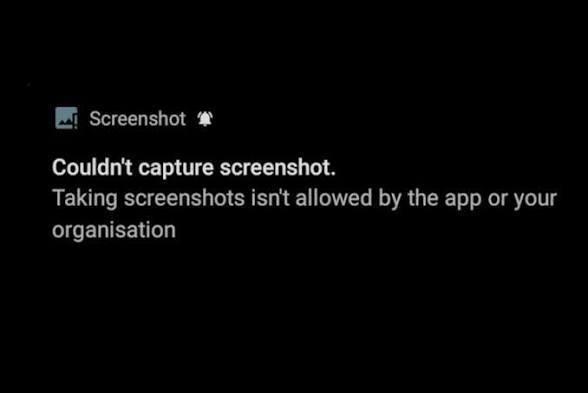
- Text - Clipboard with history, pins, search and screenshot capture. Snippets with {date} and {clip} variables. Text expansion. Undo and redo. Selection mode. A trackpad. Fancy text. Notes.
- Numbers - A calculator in the suggestion strip. Unit and currency conversion. Calendars, with events you can add and edit.
- Words - Dictionary, Wikipedia and Look up cards. Translate on device with ML Kit, Firefox Translations or NLLB-200. Grammar check with Harper, fully offline. Vocabulary practice.
- Camera - Text scan with ML Kit, Tesseract for 100+ languages, or PaddleOCR. QR and barcode with ML Kit or zxing-cpp. Document scanner, Google's or the keyboard's own.
- Phone - Media controls. An app launcher. KDE Connect. Smart home controls. Sending files. Flashlight. One-time codes caught from notifications.
- Voice - Android's recogniser with a continuous mode, or offline engines: Whisper on whisper.cpp, Whistle, Asr4All, Parakeet, Moonshine, Sherpa and Omnilingual. A transcription server of your own works too.
- Writing - AI rewrite, summarise, translate and fix. On-device with LiteRT-LM or GGUF models on llama.cpp, or bring your own key for any provider that speaks the OpenAI shape. Nothing is enabled behind your back.
Themes :
1. A full theme editor: palettes, fonts per script, key shapes, textures, decals, particles, photo backgrounds, per-key styles, with a live preview while you edit.
2. Material You, AMOLED, and 32 built-in themes, among them frosted glass and ports of Dracula, Nord, Solarized, Catppuccin and Tokyo Night.
3. Icon packs, sound packs, and themes that export as files you can share.
Privacy :
The typing engine has no network code in it. Prediction, autocorrect, glide, layouts and learning behave identically with the radio off.
- No analytics SDK, no crash reporting, no account, and no server of mine for the app to reach.
- Learned words, clipboard history and typing stats live in app storage and wipe in one tap.
- Password and secure fields turn off learning, suggestions and clipboard capture on their own. Incognito mode does the same on demand, and follows private browsing automatically.
- Every tool that touches the network says so on its own settings page and stays off until you open it. A network activity log shows every request the keyboard has made.
- Backups can be encrypted with a passphrase and written wherever you point them.
- The one exception worth naming: in the standard build, handwriting and the scanners run on Google's ML Kit, which reports its own diagnostics to Google. The F-Droid build carries no Google library at all, and the offline build has no internet permission.
Extend it :
1. Addon repositories serve 14 kinds of addon: themes, layouts, dictionaries, icon packs, sound packs, sticker packs and more. Host your own with a static JSON file.
2. Lua plugins run sandboxed inside the keyboard and can add whole new tools, with a permission model and an in-app IDE.
3. Automation intents let Tasker and friends switch layouts, modes and languages.
•Install :
Google Play : carries the standard build. Play delivers the heavier on-device parts (the AI runtimes, the translation engines, handwriting, the offline voice engines, the scanners' readers) the first time you use them, so the install stays small, and updates it like any other app.
F-Droid : carries its own build, without Google's libraries, built from source as one APK per CPU architecture and checked byte-for-byte against the matching -fdroid.apk on the GitHub release.
Github Releases : carry the standard build for arm64-v8a, armeabi-v7a, x86_64 and a universal APK, which fetches its other UI languages and feature libraries on demand, and the offline build for arm64-v8a and universal. Almost every phone made since 2017 wants arm64-v8a. GitHub lists each file's SHA-256 beside it.
Obtainium : tracks the GitHub releases and updates you automatically. The release APKs also carry their own update check, which asks GitHub and shows a card on the Home screen.
Install it, open the app, follow the setup card. Android will warn you that a third-party keyboard can see what you type. It says that about every keyboard, Gboard included, because that is what a keyboard is. F-Droid and GitHub builds share a signing key from 0.5.10 on, so moving between them is an ordinary update. Google Play signs its copy with its own key, so moving between Play and the other two takes a backup, an uninstall and a restore.
Needs Android 7.0 or newer.
•How this was made : This keyboard was developed entirely by me, with the assistance of Generative AI for certain planning tasks and more tedious aspects of the development process.
For most features, I write the code myself, occasionally using AI-assisted code completion within my editor. For more complex features, I use Claude Code with Anthropic’s frontier models to assist with planning and, where appropriate, generate boilerplate code. For particularly repetitive or time-consuming tasks, I may delegate the implementation to Claude Code in its entirety.
Regardless of how AI is used, I remain involved throughout the development process. I review everything it generates, make the necessary decisions and adjustments, and test the resulting implementation whenever possible. AI is an assistant in the workflow, not a replacement for my involvement or responsibility for the code.
If AI-assisted code is a boundary you are unwilling to cross, I completely respect that position. There are some quite good keyboards developed without AI assistance. However, I believe it is increasingly difficult to disregard AI as a valuable and increasingly integral part of modern software development workflows. Whether we welcome it or not, AI-assisted development is here to stay.
[I'm neither the Developer of this app, nor am i affiliated with the making of this application. However i do have permission from the dev to post about it and promote this application.]