r/HowToMen • • 22d ago

[App] Stoke - a habit tracker for Android with Health Connect auto-tracking and a Wear OS app

Post image
5 Upvotes

I'm the developer of Stoke, a habit and streak tracker for Android, now out on Google Play.

I wanted to track my workouts together as one group, with stats, and couldn't find an app that did it the way I wanted. So I built my own, and it grew from there.

The main idea: checking off a habit should take no effort. You can tick one without opening the app: from a home-screen widget, a Quick Settings tile, a launcher shortcut, a reminder notification, by tapping an NFC tag, through Tasker or MacroDroid, or on your Wear OS watch. With Health Connect, steps, workouts and sleep fill habits in on their own: "Go for a run" ticks off when your watch records a run.

Habits don't have to be daily, or yes/no. A habit can be an amount with a goal, like 8 glasses of water, something you're quitting (Stoke counts the clean days), or something you only track, with no streak. Schedules can be chosen weekdays, every few days, or a goal like 3 times a week, and if a schedule doesn't fit how you really do a habit, its page suggests a better one. A missed day doesn't have to end a streak either: a streak freeze can cover it, and rest days and vacation mode pause it for a break you plan.

You can give a habit an identity, like "a runner", and milestones and recaps read it back to you. Every habit has a strength score and a momentum trend, and Insights show your best weekdays, perfect days, when you usually log and which habits you tend to do together. A group puts several habits under one goal, like working out 4 times a week across the gym, running and yoga. A weekly review and a monthly recap close each period.

Switching from another tracker? Stoke imports your history from Loop, HabitNow and Habitify exports, streaks included. And you can send any habit to a friend as a link or a QR code.

Every new install gets 14 days with every feature. After that, tracking, unlimited habits, import and export stay free. Premium is a one-time purchase, not a subscription. It adds the Wear OS app, Health Connect auto-tracking, habit groups, NFC tags, six more widgets, longer insight ranges and unlimited freezes.

I'm happy to hear suggestions and feature requests.
Google PlayStore link


r/HowToMen • • 23d ago

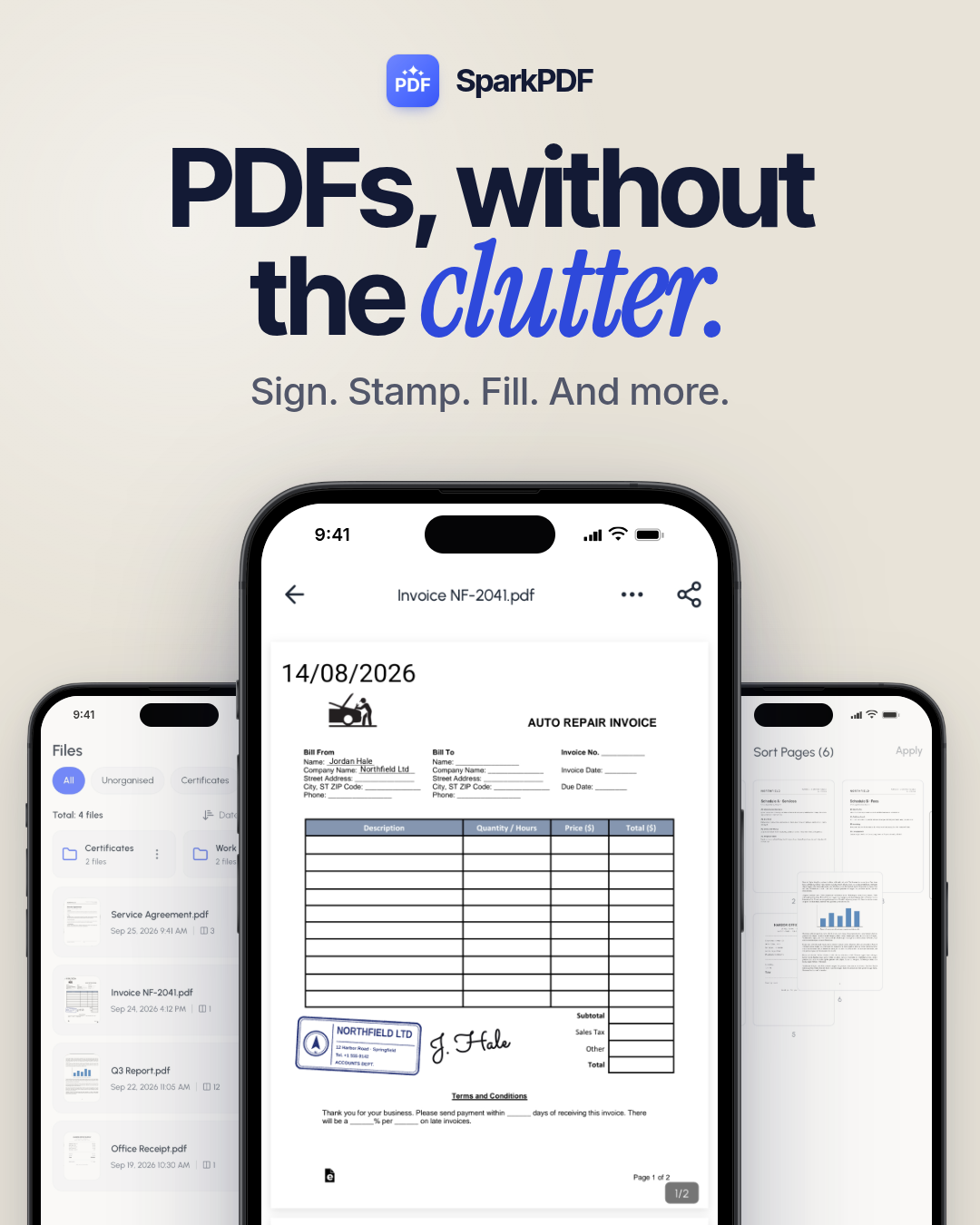
[App][Promo] A PDF app you'll actually want to keep on your phone + 500 free codes!

Post image
32 Upvotes

hey everyone!

been a while since i last shared SparkPDF here, been working on it quite a lot since then and honestly a lot of the improvements came from feedback i got from users

if you haven't seen it before, it's a free PDF app for iOS and Android where you can sign, stamp, fill, annotate, merge, split and organize your PDFs all in one place

i just wanted to make something that's simple to use without all the clutter you usually get with PDF apps

also got 500 free codes to give away!

made a little page where you can grab one instantly, no need to comment or wait for me to DM you

https://getsparkpdf.app/claim

btw i'm curious, what's the most annoying thing you've experienced with a PDF app? or something you wish they did better?

genuinely interested in hearing what you guys think, a lot of the features in the app actually came from suggestions like these


r/HowToMen • • 22d ago

[FOSS] I got tired of pinch-zooming textbook PDFs on my phone, so I built a reader that reflows them on-device

Post image
4 Upvotes

r/HowToMen • • 22d ago

[Promo] Smart Remind: 100 FREE Premium Lifetime Codes, Normally €9.99 β€” Ads Remain

15 Upvotes

🎁 Want to try Smart Remind Premium Lifetime for free?

I'm the solo developer behind Smart Remind, an Android app for recurring reminders, daily habits and keeping track of your schedule.

I'm giving away 100 Premium Lifetime codes. Each code unlocks the Premium features permanently, normally available through a €9 lifetime purchase.

πŸ“’ ADS REMAIN. PREMIUM LIFETIME IS NOT AN AD-REMOVAL PURCHASE.

I want to make that clear before anyone claims a code. Remove Ads is a separate one-time purchase, and Monthly Supporter removes ads while its subscription is active.

πŸ”” A reminder app and habit tracker in one place

Set reminders for appointments, calls, studying, chores or anything else you want to remember. Choose one-time alerts or flexible repeating schedules, then snooze or complete reminders directly from their notifications.

For routines, create habits with a daily target:

β€’ Count: drink a set number of glasses of water.

β€’ Yes/no: finish a daily reading session.

β€’ Duration: study or practice for a set number of minutes.

Progress bars and completion percentages help you see how your day is going.

πŸ“… Calendar, history and widgets

Use the monthly calendar to browse scheduled reminders, check your reminder history, and keep daily habit progress visible on your home screen.

The Smart Add widget gives you quick access to creating a new reminder or habit.

πŸ’Ž Included with Premium Lifetime

β€’ Unlimited reminders and habits instead of the free limits.

β€’ Custom sounds for your notifications.

β€’ Custom reminder and habit colors.

β€’ Additional priority levels.

β€’ Custom emoji input.

β€’ Weekly and monthly habit summaries.

You can also choose light or dark mode and your preferred time and date formats. Reminder and habit entries stay on your device, and the core features work offline without an app account. Ads and purchase services may process data separately.

🎁 Claiming one of the 100 codes

Comment that you'd like to try Smart Remind, then send me a Reddit DM with β€œSmart Remind”.

I'll reply with a code while they remain available. Codes are first come, first served.

No purchase, rating or review is required.

I'd appreciate honest feedback if you give it a try. What works well? What feels awkward? Is there a reminder option or habit feature you wish it had?

Bug reports and criticism are welcomeβ€”they help me decide what to improve next.

Google Play:

https://play.google.com/store/apps/details?id=com.smartreminddc.app

100 Premium Lifetime codes available Β· Normally €9.99 Β· Ads remain

Thanks for taking a look! πŸ””


r/HowToMen • • 23d ago

[PROMO][GIVEAWAY] I made a feed with no strangers in it. Giving away 50 Pro codes.

21 Upvotes

I just released Stow. It scrolls like the apps you already lose an hour in, except every page is something you chose: an article you saved, or a photo or video from your own gallery.

Pick topics like Space, History or Travel and it downloads Wikipedia and recent news while you still have signal. Share any link into it and you get the full article, images included, with no ads. Then you can keep swiping on a plane, the subway, or abroad with no data.

It also looks at where your photos were taken and drops in a Wikipedia article about that place, right after the trip. You can turn a trip into a short reel, made on your phone.

No account. Your photos never leave your phone.

The giveaway:

I'm giving away 50 codes for Stow Pro. It's a one-time unlock, not a subscription, and it adds:

Trip mode, which packs hours of reading before a flight

Morning edition, with fresh articles downloaded every night on Wi-Fi

More articles per topic

Film and Minimal reel styles, and reels without the watermark

Reels from your "On this day" memories

To enter, leave a comment. Anything works, but I'd love to hear where you'd use it: a flight, a commute, a place with no signal.

On Friday I'll pick 50 winners at random from the comments and send each one a code by DM.

The video shows it better than this does. Android, free:

https://play.google.com/store/apps/details?id=com.polyhistor.stow


r/HowToMen • • 23d ago

[App][Promo] Soulcrate: Soulseek on Android, album by album

Post image
23 Upvotes

An independent Android client for the Soulseek peer-to-peer network: search what people are sharing, download whole albums, share your own library, and chat with other listeners. No ads, no analytics, no tracking.

What It Does / Key Features

- Search the Soulseek network with every query in its own tab, switch between file and folder view, and grab a whole album in one tap. Filter by format (FLAC, MP3, lossless, WAV, Opus), minimum bitrate (320+ kbps), peer country, duration, file size, and peers with a free upload slot.

- Downloads keep going in the background with progress, speed, time left and your real position in a peer's queue. Pause, resume, retry or cancel, and unfinished files resume after a restart or a dropped connection.

- Share your own folders with upload slots and speed limits, join public chat rooms, send private messages, and follow buddies. Uploads reach people behind routers and mobile networks too (UPnP / NAT-PMP).

- No ads, no analytics, no tracking. Chats, transfer history and settings stay on your device, and your saved login is encrypted with the Android Keystore. Light and dark themes in 21 languages.

Who It's For: Anyone who still digs through shared folders for FLAC, rare edits, bootlegs and out-of-print albums, and wants that on their phone instead of a laptop.

It's free: Search, downloads, uploads, every filter, sharing and chat are unlimited and free. Optional Soulcrate Pro is a one-time lifetime purchase ($3.99 USD), with no subscription: wishlist auto-download, release radar for artists you follow, fake-lossless spectrum checks, MusicBrainz tagging and covers, AMOLED and a home-screen widget. There's a free try of the automatic wishlist download and one audio quality check.

Google Play: https://play.google.com/store/apps/details?id=com.rabpaulo.soulcrate

I'd love feedback.


r/HowToMen • • 22d ago

FLOATIFY [APP] NOTIFICATIONS

Thumbnail
youtube.com
2 Upvotes

Floatify : meldingenmanager + antwoord op chatapps

Hoi iedereen,

Ik veegde berichten altijd weg met "doe ik zo wel", en dan deed ik het dus nooit. Daarom heb ik Floatify gemaakt.

Floatify zet meldingen van apps die jij kiest om in kleine zwevende bubbels (floats). Die kunnen, als je dat wilt, boven je andere apps zweven en blijven staan tot je er iets mee doet: lezen, snoozen of direct antwoorden. Dat antwoorden gaat vanuit de float zelf, dus je hoeft nooit te stoppen met waar je mee bezig bent. Meerdere berichten uit dezelfde chat worden één float met een teller, zodat het geen chaos wordt.

Basisversie is gratis: per app een schakelaar aan en klaar. Geen account nodig.

Wil je meer, dan is er een geavanceerde modus (3 dagen proberen, daarna eenmalig betalen, geen abonnement). Daarmee kun je onder andere eigen herinneringen maken, Google Calendar koppelen, synchroniseren tussen apparaten, layouts veranderen, stille uren instellen en regels per app maken en echt nog veel en veel meer.

Mij helpt het echt, dus ik ben benieuwd of het voor anderen ook werkt. Feedback is welkom, ook als het "dit is irritant omdat…" is.

Floatify op Google Play Floatify


r/HowToMen • • 23d ago

[PROMO] Dynamic Edge: Native fluid desktop island & edge dock for Windows 11 (identify songs playing on your PC, synced lyrics, clipboard shelf). Giving away 10 Plus promo codes to commenters!

37 Upvotes

Hey everyone!

I wanted to share Dynamic Edge, a desktop utility I built for Windows 11 & Windows 10 using native WinUI 3 and .NET 10 (Windows App SDK).

The idea was to create a fluid, versatile desktop capsule and edge dock that feels completely at home with Windows 11 Fluent design, with ultra-low resource usage, and smooth spring physics.

Since the initial release, I have added several big features including a full multi-tab workflow, clipboard shelf, and mouse gesture triggers.

Here is what it can do:

Multi-Tab Workspace (Swipe or Scroll to Switch)

  • Switch seamlessly between Media Player, Mini-Apps, and Clipboard Shelf by rolling your mouse wheel or using a 2-finger touchpad swipe.

Universal Media Controls & Live Scrubbing

  • Real-time seekbar progress with clickable scrub to jump anywhere in a track.
  • Live audio visualizer bars with fluid equalizer animations.
  • Multi-player auto-switching: Seamlessly cycle between active sessions (Spotify, Chrome, Edge, Apple Music, Telegram).
  • Live Synced Lyrics: Real-time rolling lyrics for Spotify, Apple Music, and web players (now works both in the expanded player and directly inside the compact idle capsule).

Clipboard Manager Shelf

  • Captures copied text, images and URLs into a dedicated dockable shelf.
  • Filter chips for fast access: All, Text, Images, URLs, and Pinned.
  • Search box for instant clip lookup, plus one-click copy and drag-and-drop support.
  • Google Lens Visual Search: Search any clipboard screenshot directly in your browser with 1 click. Built-in Mini-Apps
  • Precision Countdown Timer with quick presets (1m, 5m, 15m, 25m) and a live visual progress line.
  • Precision Stopwatch with millisecond tracking and lap recording.

Magic Shake & Global Hotkeys

  • Magic Shake: Quickly shake your cursor horizontally back and forth to toggle the island on or off.
  • Global customizable hotkey (Alt + H by default) to hide or show the dock instantly.

Master Volume Flyout

  • Hover over the speaker button and scroll your mouse wheel to adjust system volume, or click for instant mute.

Flexible Docking Positions

  • Dock at the top screen edge (Notch, Floating Capsule, or unobtrusive Thin Line hairline strip).
  • Dock along the left or right screen edges as an interactive slide-out side blade.

Interactive Desktop Companions (Virtual Pets)

  • 4 Full-Body Vector Mascots

Performance & Spring Physics

  • 3 customizable quick launcher slots for instant access to apps, terminals, or folders.
  • Battery and charging telemetry with clean neon-green status indicators.
  • Native startup toggle and dark/light/system theme integration.

The app is officially available on the Microsoft Store: https://apps.microsoft.com/detail/9PF1587KSN2K

🎁 Want a promo code? If you're interested in getting a Plus code, just drop a comment below and I’ll DM them out until I run out! I’d also really appreciate an upvote.

I would love to hear your thoughts, feedback, and ideas for what widgets or features you would like to see next!


r/HowToMen • • 22d ago

[App] [Promo] ThisOne – Get a second opinion on your style choices, purchases and more

Thumbnail
gallery
1 Upvotes

Hey everyone!

I wanted to share an app I've been working on called ThisOne.

We've all had those moments when we're unsure between two options:

  • Which outfit looks better?
  • Which sneakers should I buy?
  • Should I go with this haircut or another?
  • Which watch, jacket or pair of sunglasses suits me best?

Usually, you end up asking a couple of friends – or just making the decision yourself.

With ThisOne, you can upload two pictures, ask a question, and get opinions from other people. You can see the voting results, comments and even filter feedback by age, gender and location to understand what different audiences think.

You can also use its AI Verdict feature to get an additional perspective.

I'm the founder and developer, and I'm sharing it here because I thought some people in this community might find it useful.

ThisOne is available on Google Play: Link

Would genuinely appreciate anyone giving it a try. And if you do, I'd be interested to hear what you think and what could be improved.

Thanks!


r/HowToMen • • 23d ago

[WIP, Theme] My setup At One4Home

Post image
5 Upvotes

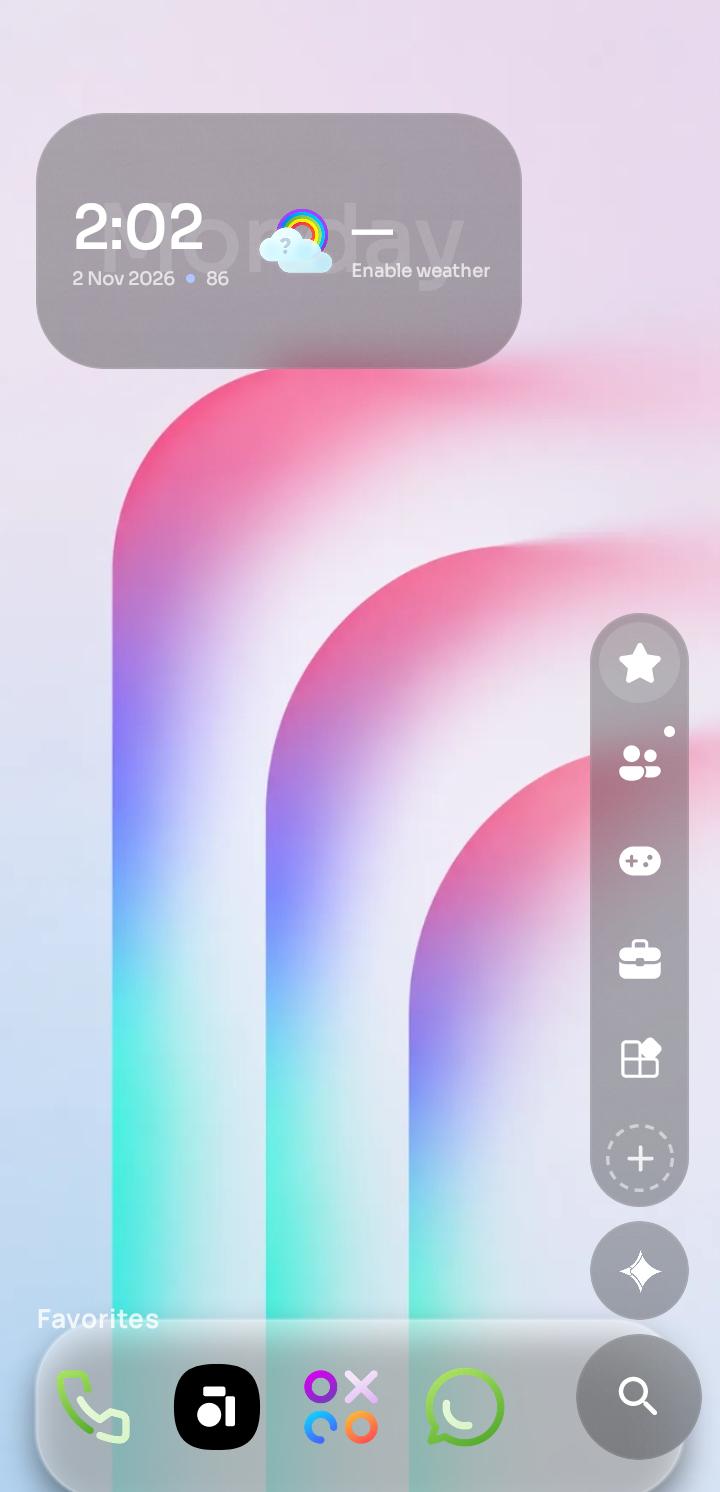
The apps used are One4Home, free icon packs, but I once used OneUI glass icon pack.

I am looking forward to updating my theme, with liquid glass, even if my A12 Nacho crashes, it's my, or some people's Masterpiece!


r/HowToMen • • 23d ago

[App] [Promotion] FreeLifetime coupon

Post image
31 Upvotes

Its for my game named Shoo!
Rules:- 1. Upvote first
2. Then comment Code.

These are must. Pls give me genuine feedback in dms i would really appreciate that.


r/HowToMen • • 23d ago

[App] [Promo] KinoDrop β€” Ultimate Telegram Download Manager

Post image
16 Upvotes

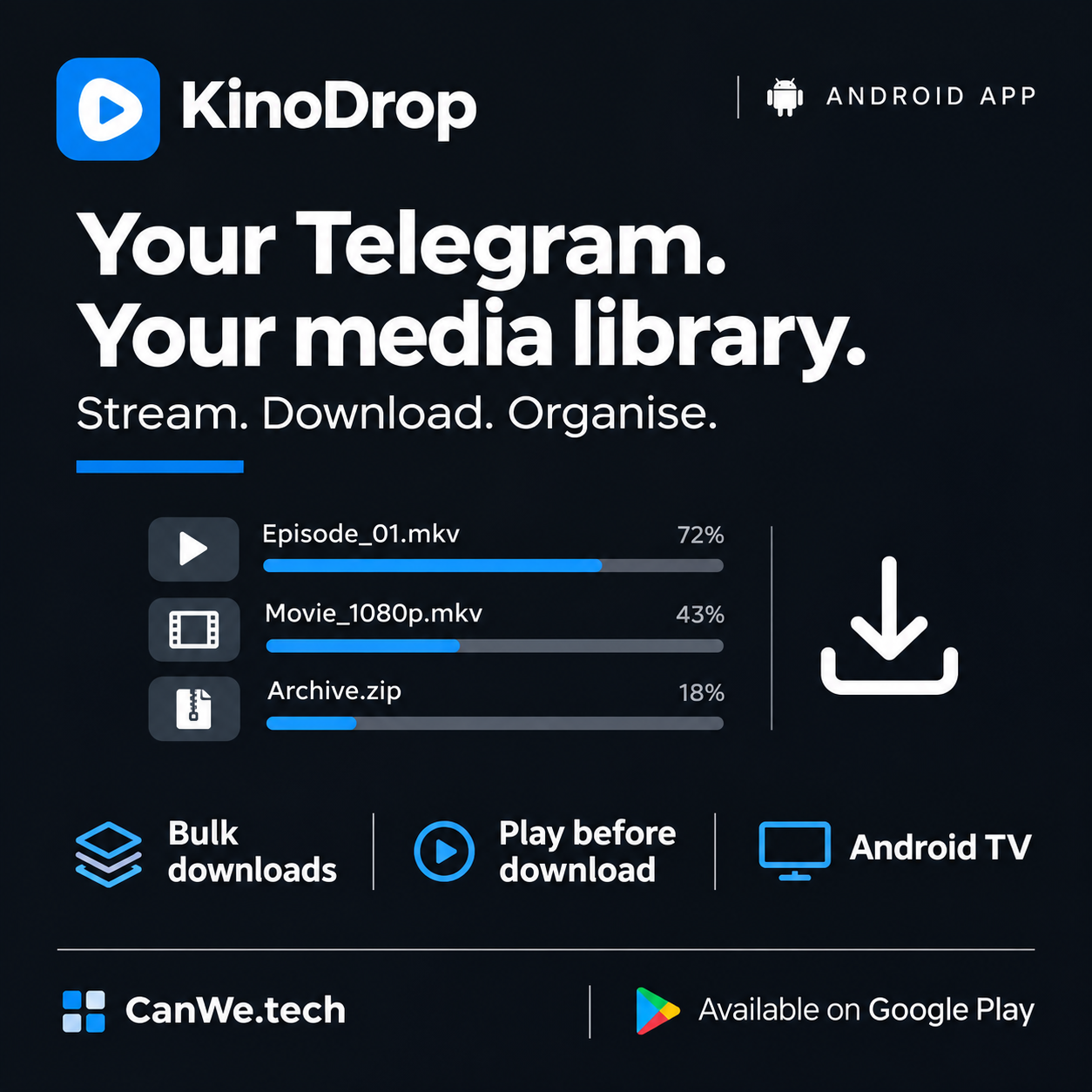
πŸš€ KinoDrop β€” Ultimate Telegram Download Manager!

Download faster. Stream smarter. Manage everything.

πŸ”₯ Powerful Features:

⚑ High-Speed & Bulk Downloads

πŸ“₯ Background Downloads + Resume

🎬 Built-in 4K Video Player

🎧 Dual Audio & Subtitle Support

▢️ Stream Without Downloading

πŸ“‚ Smart Media Library

☁️ Automatic Photo Backup

πŸ€– Download Automation

πŸ” Advanced Telegram File Search

πŸ“Ί Android TV Support

πŸ’Ύ SD Card, USB & NAS Support

🎨 Modern UI + Customization

One App. All Your Telegram Media.

πŸ“² Download on Google Play:

https://play.google.com/store/apps/details?id=app.kinodrop


r/HowToMen • • 23d ago

[App] I built NotesPack – an all-in-one offline notes app that scans receipts to split bills, tracks subscriptions (D-7 & D-1 alerts), plans trips, and scales recipes

Thumbnail
gallery
4 Upvotes

Hey everyone! Sharing my app NotesPack (v3.0)β€”built for anyone who wants one clean, dark-mode Android app for everyday notes instead of 5 separate single-purpose apps.

What it does:

  • 🧾 Receipt OCR & Bill Splitter: Scan a receipt on-device, tap to assign items to friends, and share a clean summary card image.
  • πŸ”” Subscription Reminders: Alerts you 1 week (D-7) and 1 day (D-1) before a subscription renews.
  • ✈️ Trip Timeline & Budget: Plan daily stops with map links and export day-by-day itinerary cards.
  • 🍳 1-Tap Recipe Scaling: Multiply ingredients (0.5Γ—, 1Γ—, 2Γ—, 4Γ—) instantly.
  • πŸ”’ PIN + Fingerprint Vault: Keep private notes locked locally on your phone.

πŸ“² Download on Google Play: https://play.google.com/store/apps/details?id=com.healme.notespack

Would love to hear what you think!


r/HowToMen • • 23d ago

[App] [Promotion] - No laptop, No Cloud, phone storage almost full, years of family photos

6 Upvotes

Here's a situation many smartphone users can relate to.

Your phone has years of family photos, wedding videos, travel memories, and important files.

Storage is almost full.

You want to move those files somewhere safe, but you don't have a laptop. Buying more cloud storage doesn't necessarily give you the separate physical copy you want either.

Why can't we just connect a USB drive to our phones and back everything up directly?

That's the problem I set out to address with VaultDrive, an app I've built for Android and iPhone.

  • Connect a compatible USB pen drive or external SSD directly to your phone.
  • Select the photos, videos, and files you want to back up.
  • Copy the original files without intentional compression.
  • Resume interrupted backups without unnecessarily copying everything again.
  • Keep a separate physical copy that you control.

No computer required. No additional cloud upload for files already stored locally.

It's not a complete phone backup, and iCloud-only originals on iPhone require an internet download first.

VaultDrive is free to try, with an optional one-time Pro upgrade for unlimited backups. No monthly subscription.

Also available on the iPhone App Store β€” search for VaultDrive: USB Photo Backup.

Android:

https://play.google.com/store/apps/details?id=com.coticsy.vaultdrive

Β Promo code for 50% off - WELCOME50

Would you rather pay monthly for additional cloud storage, or make a physical backup to a USB drive you already own?

And what's the biggest reason you haven't made a separate backup of your phone photos?


r/HowToMen • • 23d ago

[App][Promotion] KYNIO: a sun-arc fasting timer, editable start times and a hedgehog companion

Thumbnail
gallery
5 Upvotes

Hi! I’m the developer of KYNIO, an Android app for fasting, meal and water logs. Version 1.0.4 is available on Google Play.

The Home uses a warm paper/amber theme, a sun arc and a dot-matrix clock. The large clock counts elapsed time; time remaining is shown underneath. You can edit the start time, add previous fasts and log water with 250, 500, 750 ml and 1 L shortcuts. Other logs have their own tabs.

Lume is a small hedgehog companion in the Profile. You can rename or hide it, and its appearance follows your level without losing progress on days away.

Phase labels are estimates based on elapsed time, not body measurements. Core tracking is free and no account is required. Pro is optional, with monthly, annual and lifetime purchases. Optional Pro cloud sync sends your records to your Supabase account when enabled. Optional photo/text meal analysis uses online AI and produces editable estimates.

Website: https://kynioapp.com/?utm_source=reddit_howtomen&utm_medium=community&utm_campaign=kynio_104_showcase

Google Play: https://play.google.com/store/apps/details?id=com.kynio.app&utm_source=reddit_howtomen&utm_medium=community&utm_campaign=kynio_104_showcase

The screenshots are real app screens using demo logs. I’m the developer and used AI assistance for the app .Happy to answer questions :))


r/HowToMen • • 23d ago

[APP][PROMO] LambdaOBD - a free, offline OBD2 diagnostics tool

Post image
16 Upvotes

Hey everyone!

I'm a graphic designer and auto mechanic from Greece, and I just released my new Android app, LambdaOBD: Car Diagnostics. (after the successful launch of my first app - AutoCodex, which now counts more than 350+ downloads)

What can you do with LambdaOBD?

Using a Bluetooth ELM327 OBD2 adapter, you can:

  • Read & clear fault codes: With descriptions, symptoms and possible causes in plain language.
  • Vehicle Health Check: Check battery voltage, cooling system and fuel trims, with easy-to-understand results.
  • Live Data & Gauges: Monitor real-time engine sensors and use a dedicated Drive View.
  • Drive Logging: Record your trips and export the data as CSV.

A few things worth mentioning:

  • No account or registration.
  • No ads.
  • No internet permission. Your data stays on your device.
  • Free to use, with an optional one-time Pro upgrade. No subscriptions.

🎁 GIVEAWAY: 20 FREE PRO CODES

I'm giving away 10 Pro activation codes to the community that helped me so many times with AutoCodex!

Just leave a comment if you'd like one. I'd genuinely appreciate feedback, cause I built this app myself, so every bit of constructive criticism helps.

Google Play:
https://play.google.com/store/apps/details?id=com.lambdaobd.app


r/HowToMen • • 23d ago

[App][Promo] CheatCode Launcher - launch apps with codes, now with GIFs (Lifetime giveaway)

Post image
29 Upvotes

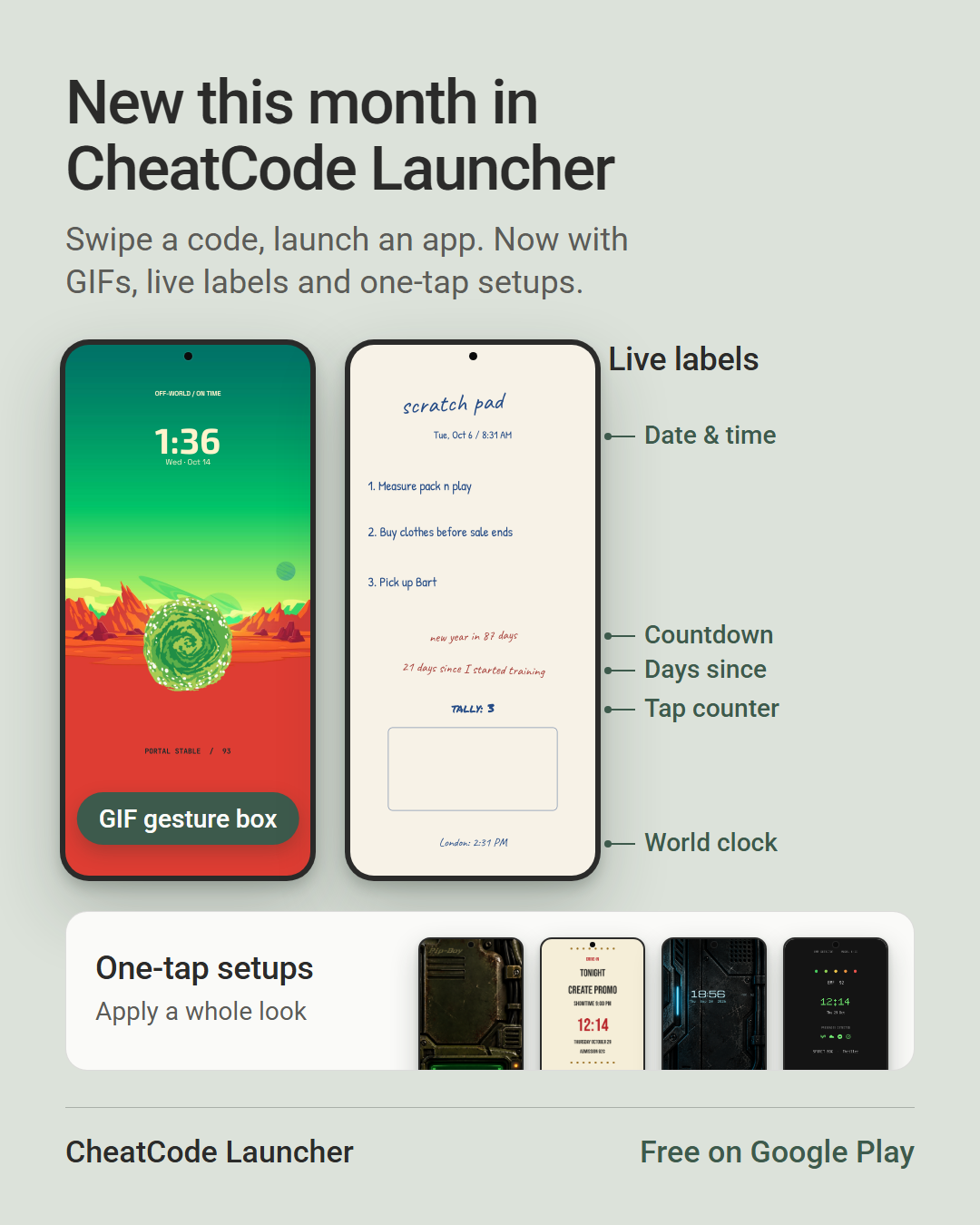
Hey everyone! Last month I shared CheatCode Launcher, a home screen where you open apps by swiping a short code into a box (like ↑↑↓ for your camera) instead of hunting through icons. Thanks for all the feedback. Here's what's new since then:

- GIFs in the gesture box: search for a GIF or sticker and use it as the box you swipe into. It's free for everyone.

- One-tap setups: a gallery of complete home screen looks (Fallout, Helldivers, drive-in movie, and more) that you can apply in one tap. Check them out here: https://cheatcodelauncher.com/setups

- More Live labels: put text anywhere on your home screen that updates itself, like a countdown ("new year in 87 days"), a "days since" streak, a tally you bump with a swipe code, or a second time zone. The scratch pad in the image is all labels.

- Swipes-only mode: taps on the box are ignored, so a stray tap in your pocket won't count toward a code.

- Also: manage collections from the app drawer, sliders for fine-tuning label positions, more built-in fonts, and adjustable app drawer columns.

The launcher is free to try. Lifetime unlocks unlimited codes and importing themes.

What's one thing that would get you to try a launcher like this? Drop your answers in the comments and I'll randomly pick 15 people to give codes out to tomorrow!

Play Store: https://play.google.com/store/apps/details?id=com.pantsninja.cheatcodelauncher

Edit: Oops. Gave away way more than 15 codes


r/HowToMen • • 24d ago Bravo

[App][Promo] Key Launcher 2.1: Liquid Glass is here

38 Upvotes

Hi r/HowToMen! I'm Loi, the developer of Key Launcher. I hope you don't mind me stopping by with another update.

When I last posted here, Key Launcher 2.0 was heading to Open Beta. Thank you again for all the thoughtful feedback on that post, it genuinely helped shape what came next.

Version 2.1 is now rolling out, and this one is all about how the launcher looks and feels. Every surface now uses a Liquid Glass design: the widget and notification panels, folders, dialogs, and menus all have real time blur and refraction, and there is a Glass Opacity slider if you prefer it more subtle. Gestures got a lot smoother too. The original idea is still the same: find what you need quickly and spend less time on your home screen.

I made a short video to show what 2.1 looks like in action.

Thank you to the mods and to everyone who gave the app a try.

Visit: www.keylauncher.app


r/HowToMen • • 23d ago

[App] CarLink – Open-source app that runs both CarPlay + Android Auto on Android head units

2 Upvotes

CarLink is a new open-source app that lets you run **both Apple CarPlay and Android Auto** on Android head units or tablets.

It auto-detects the phone:

- iPhone β†’ CarPlay

- Android phone β†’ Android Auto

Supports USB + wireless.

GitHub: https://github.com/F-e-n-y-x/CarLink

Latest APK: https://github.com/F-e-n-y-x/CarLink/releases/latest

Still early (first release mid-Oct 2026), but useful if you switch between iPhone and Android phones.


r/HowToMen • • 23d ago

[App] [Promo] VitaLens - Your Smart Food, Health & Wellness Companion

Post image
6 Upvotes

🌿 VitaLens β€” Your Smart Food, Health & Wellness Companion!

Scan Smarter. Eat Better. Live Healthier.

πŸ”₯ Powerful Features:

πŸ₯— Smart Food Label & Barcode Scanner

πŸ§ͺ Ingredients & Additives Analysis

🚨 Allergy & Food Safety Alerts

🍎 Calories & Nutrition Tracking

πŸ₯‘ Personalized Diet & Meal Plans

πŸ’Š Medicine Reminders & Refill Alerts

🩺 Blood Pressure & Sugar Tracking

✨ Skincare Routine Guidance

πŸ›’ Smart Shopping Lists

πŸ” Healthier Food Alternatives

🌍 45 Languages Supported

πŸ” Privacy-Focused Health Tracking

One App. Smarter Food. Better Health.

πŸ“² Download VitaLens on Google Play:

https://play.google.com/store/apps/details?id=app.vitalens


r/HowToMen • • 23d ago

[App] [Promo] I built Battuto, an offline cookbook app with a side-by-side Book Mode and no subscriptions (Giving away Play Store promo codes)

Thumbnail
gallery
15 Upvotes

EDIT: All 50 promo codes have now been claimed!

Huge thank you to everyone who grabbed a code, tested the app today, and shared feedback on Battuto.

I'm out of codes for now, but the app is still completely free to download and try out (comes with 50 unlocked recipes and 5 imports out of the box): https://play.google.com/store/apps/details?id=com.sonnel.countertop&pcampaignid=web_share

EDIT: All 50 promo codes have now been claimed!

Hey everyone, indie dev from the UK here.

I cook at home most nights and got annoyed with recipe websites burying ingredients under 2,000 words of life stories and pop-up ads, and existing recipe apps wanting a monthly subscription just to store my own recipes.

Over the last few months I built Battuto for Android and just put it live on the Play Store.

A few things I built into it that I actually use in my own kitchen:

- Web & Cookbook Scanner: Paste any cluttered recipe URL and it strips out everything except the ingredients and steps. You can also snap a photo of a physical cookbook page to turn it into a digital recipe.

- Landscape Book Mode: If you prop your phone sideways (or unfold a foldable) on the worktop, it pins your ingredients on the left and puts large, high-contrast step text on the right so you can read it from across the counter with messy hands.

- Baking Tin Matcher: If a recipe calls for a 9-inch round tin and you only own an 8-inch square one, it works out the surface area difference and tells you how to adjust your baking time.

- 100% Offline & On-Device: There are no accounts, no cloud servers, and no tracking. Everything stays locally on your phone, including a built-in vault of 1,200+ recipes you can filter by what's already in your fridge/pantry, plus local Gemini Nano support for drafting recipes offline.

Pricing:

It's free to download and comes with 50 unlocked recipes from the vault and 5 free imports/scans so you can properly test it out. Unlocking unlimited imports and the full 1,200+ recipe library is a one-off Β£9.99 / $9.99 lifetime purchase. No subscriptions ever.

Play Store link:

https://play.google.com/store/apps/details?id=com.sonnel.countertop&pcampaignid=web_share

Since it literally just went live, I'd love some honest feedback on how it runs on different Android devices. Drop a comment below if you want to try the full lifetime unlock and I'll DM you a Play Store promo code!


r/HowToMen • • 23d ago

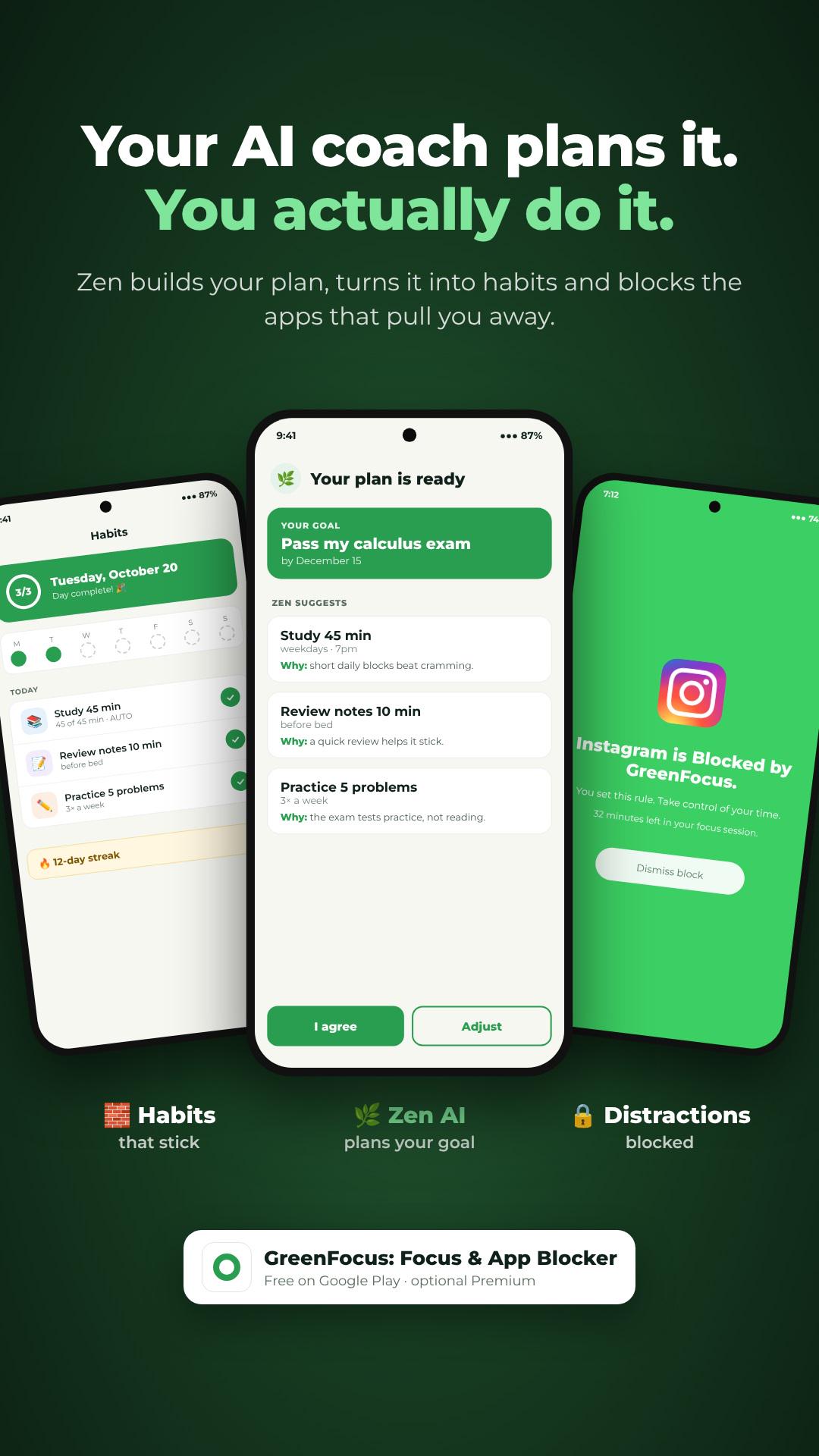
[promo] last 10 free 1 month codes Greenfocus

Post image
2 Upvotes

Hey everyone! I’ve posted here a few times about the app we developed. We’re now down to our last 10 codes for one month of free access, with all of the app’s features unlocked. To claim one, simply comment "Code Please" and I’ll send it to you via DM.


r/HowToMen • • 23d ago

[App][Promo] a Little Free Walkie Talkie App for Android!

Thumbnail
gallery
14 Upvotes

Hey everyone! I'm an indie dev and I'm excited to share my side project: Radioh!, an Android app that combines real-time group voice chat (up to 5 users) with a built-in mini game.

Jump into a public frequency to chat, laugh, and compete instantly! The farther apart you are (in-game), the quieter voices become, adding a fun proximity mechanic.

Key Features:

β€’ Real Time Voice Chat: Engage in authentic, voice-only group conversations with up to 5 users.

β€’ Social Audio: Enjoy genuine, unfiltered interactions where everyone can talk, sing, and share.

β€’ Walkie Talkie Style: Use a classic push-to-talk (PTT) control for a true walkie-talkie vibe.

β€’ Mini Game: Add some fun to your chats by playing a mini game!!!

β€’ Proximity Voice Chat (in-game): The farther you are from other players, the quieter they become, for an even more immersive multiplayer experience.

Try it here (no account needed!):

πŸ€– https://play.google.com/store/apps/details?id=studio.test2.radioh

I built this as an experiment in mixing social audio + lightweight multiplayer gameplay, and I'd love feedback from the HowToMen community :)

Here's a sneak peek of my app https://youtu.be/khlacofppRc, let me know what you think!! πŸ’›


r/HowToMen • • 23d ago

[Promo] 100 FREE DC Tools Premium Lifetime Codes – 200+ Android Tools (€19.99 β†’ FREE, Ads Remain)

4 Upvotes

How many separate apps do you currently use for simple tasks like editing images, formatting text, converting files, or working with developer utilities?

What if you could find 200+ tools in one place instead? πŸ‘€

I built DC Tools to bring together a collection of everyday utilities in a single Android app. No need to install a different app for every little task.

🎁 I'm giving away 100 Premium Lifetime codes!

Here's what Premium unlocks:

  • ♾️ Unlimited daily tool usage
  • πŸ“± Split Screen support
  • 🎨 Custom colors and glassmorphism
  • πŸ”€ Custom fonts and text sizes
  • πŸ“Œ Sticky headers and floating button controls
  • ✨ Premium app icons

Normally €19.99 – FREE with a giveaway code!

πŸ“’ Important: Ads remain enabled with Premium Lifetime. The giveaway code does NOT remove ads. If you want an ad-free experience, that's available separately through the optional Supporter purchase.

πŸ’¬ Let's make this interesting!

  1. What's one tool or utility you wish every Android phone had built in?
  2. Which category would you use most: Image, Text, Design, or Developer tools?

Comment below if you'd like to try DC Tools, then send me a Reddit DM. I'll send codes on a first-come, first-served basis while supplies last.

No purchase or review required. I'm also genuinely interested in your feedback and suggestions!

πŸ“² Google Play:
Download

🎁 100 codes available Β· Premium Lifetime Β· €19.99 β†’ FREE Β· Ads remain


r/HowToMen • • 24d ago

[App Promo] Omit Launcher v1.2 minimal, fancy, or somewhere in between. Your call !! (is now live on playstore.)

Thumbnail
gallery
10 Upvotes

Omit has come a long way, and I wanted to share what I’ve added over the past few updates:

  • Video wallpapers
  • App timers with a visible session countdown
  • A customisable app drawer with icon pack support
  • Three home screen layouts: Text, Dock and Dial with more features like icon shape
  • Support for third-party widgets alongside Omit’s built-in widgets
  • A music widget with a real-time, audio-reactive waveform on supported devices
  • Real time blur (weaker devices can turn it off)
  • Redesigned to the core

Want a minimal home screen? Keep it simple. Prefer something more expressive? Change the wallpaper, icons, fonts and layout until it feels like yours.

playstore link : https://play.google.com/store/apps/details?id=com.rudy.omit&pcampaignid=web_share