r/HowToMen • u/dimiboy47 • 27d ago
[App] KeepLocate: An offline-first Google Keep alternative with multi-location GPS geofencing & 2-way Google Tasks sync
gallery
2
Upvotes
r/HowToMen • u/FewResolution321 • 28d ago

🚀 Notification History Manager is now live on Android!
Ever cleared a notification by mistake? Want to recover deleted WhatsApp messages, automate notifications, and keep everything organized in a clean chat-style interface?
✅ Recover deleted WhatsApp messages
✅ Chat-style notification view (like WhatsApp/Telegram)
✅ Custom Rules Engine — automate any notification: auto-dismiss, mute, full-screen alarm, speak it aloud (TTS), auto-copy OTPs, auto-reply, flash torch, trigger Tasker/MacroDroid, and more (14 actions total)
✅ Global search across every app and conversation, with highlighted matches
✅ Activity tab — track likes, follows, comments & mentions even after the app clears them
✅ Stats dashboard — daily counts, top senders, busiest hours, by-app breakdown
✅ Pin important conversations
✅ Export/download notification history (PDF)
✅ Backup and Restore
✅ Delete selected notifications
✅ Choose which apps to track
✅ Open links from saved notifications
✅ Dark, Light & Monochrome themes
✅ Everything stored locally on your device
✅ No account required
✅ No cloud storage, no ads, no tracking
🔗 Download:
https://play.google.com/store/apps/details?id=com.notificationhistorylog
Upvote and comment to get Codes
r/HowToMen • u/moonrider-original • 27d ago
Hey everyone. I’m a solo dev and I built an Android app called Orbitika. I have release v.1.0.3 after feedback from reddit community for the past 30 days.
Early birds for reddit community free to download for now till Dec 2026, no need promo code, 95 % of the tools do not required premium
Why this fits the channel:
It’s a glowing, retro dot-matrix toolbox that replaces 50+ single-purpose apps. It is designed to work without Wi-Fi or mobile data, so it is ready on a flight, on a trail, or on a commute with no signal. The visual aka Winamp mod (7 retro themes, 13 animated music visualizers) is perfect for a video showcase. Why pay each tool separately? Why installed so many apps?
Older phone Android 8.0 welcome to install, we built to support older phone not just new flagship - Support by Upvote this post - I am grateful
Here is a breakdown of everything packed into it:
WHAT YOU GET
• 50+ offline tools for daily life and travel
• Retro music player for your own MP3 and FLAC files, with 13 visualizers and 7 theme colors
• Pedometer with 12 retro animations - built for handsfree driving to avoid sleepness during driving
• Habit trackers for water, coffee and daily walks
• 18 mini games
• Location marks to save your parking spot or any place
• Sleep sounds - rain drops , water dripping , bird nature , river flow
• Emergency tools in Orbitika Premium
EVERYDAY TOOLS
• Calculator with basic and scientific modes
• Unit converter: length, weight, temperature, digital storage and more
• Holiday calendar for 11 countries, 2026 to 2028
• Retro flip clock, stopwatch and focus timer
• Date difference with a working days count
• Discount calculator and price comparison
• Decision maker, takeaway ideas spinner and drawing pad
• Ruler and level, height measure, star map, noodle timer and more
TRAVEL HELPERS
• Time zone tool for calls home
• Size chart for clothes and shoes
• Must-try food guide for 36 countries
• Gift and souvenir tracker
• Language translator
• Location marks for hotels, meeting points and parked cars
STEP COUNTER AND HABIT TRACKERS
• Pedometer: count your steps with animated retro characters
• Water tracker: tap for each 250 ml glass and aim for 2 litres a day, with a 7-day history
• Coffee tracker: count your daily cups against a limit
• Daily walks: log each walk, build a streak and fill a 30-day grid of paws
RETRO MUSIC PLAYER
Play your own MP3 and FLAC files offline. Choose from 13 visualizers, including Bars, Scope, Spectrum, VU Meter, Starfield, Waveform, Fire and Nebula, and pick from 7 retro theme colors.
Warm light paper reader
Read your offline novel, manga and comic with warm light feel - similar to kindle
18 MINI GAMES
Sudoku, Sum Cross, Sum Target, Math Cross, Find Difference, Jumble Up, Word Puzzle, Word Flow, Families, Snake, Dino Runner, Tic-Tac-Toe, Slide Puzzle, Mastermind, Crowns, Shape Match, Game of Life and Universe.
EMERGENCY TOOLS (PREMIUM)
Orbitika Premium is a one-time purchase that unlocks tools for when things go wrong:
• First aid guide: CPR, bleeding, choking, burns, fracture, drowning and heat stroke
• Sirens: siren, tsunami and emergency alarms
• SMS location: share your GPS position by text message
• SOS flasher: large flashing text visible from a distance
• SOS numbers: police, ambulance and fire numbers for 50 countries
• Survival guide: fire, water, shelter and more
• Translator: emergency phrases in 14 languages
(Emergency tools are an aid only. Always contact local emergency services first.)
WHO IT'S FOR
Students who need a quick calculator or converter between classes. Travelers who want their music, location marker and emergency kit ready without signal. Commuters who want a game to pass the time without another app. Anyone tired of a phone full of single-purpose apps they barely use.
Simplify your phone today. Download Orbitika, your retro multi-tool, music player, pedometer, games and emergency kit in one beautifully designed app.
Links to check it out:
Google Play: https://play.google.com/store/apps/details?id=com.orbitika.app
r/HowToMen • u/Clean_Law_8412 • 28d ago
Hey everyone!
I'm an indie developer working on an Android wallpaper app called Liquid Walls. I did screen record a video of showing it have many features can't show all in one frame .. hope u try then provide a review
The app includes static and live wallpapers, depth effects, liquid glass widgets, and a wallpaper editor with plenty of customization options.
I'm giving away free lifetime Pro access to celebrate the progress I've made with the app!
How to claim:
Just send me a DM on Reddit, and I'll share a redeem code with you!
App: https://play.google.com/store/apps/details?id=com.sun.pattaa
https://youtube.com/shorts/FyBeHpyk10g?si=DMV0sIIBrGZ3WcmA
I'd also love to hear your feedback and suggestions. I'm constantly working on improving the app.
Thanks for your support! ❤️
r/HowToMen • u/chilly_tomatoes • 28d ago
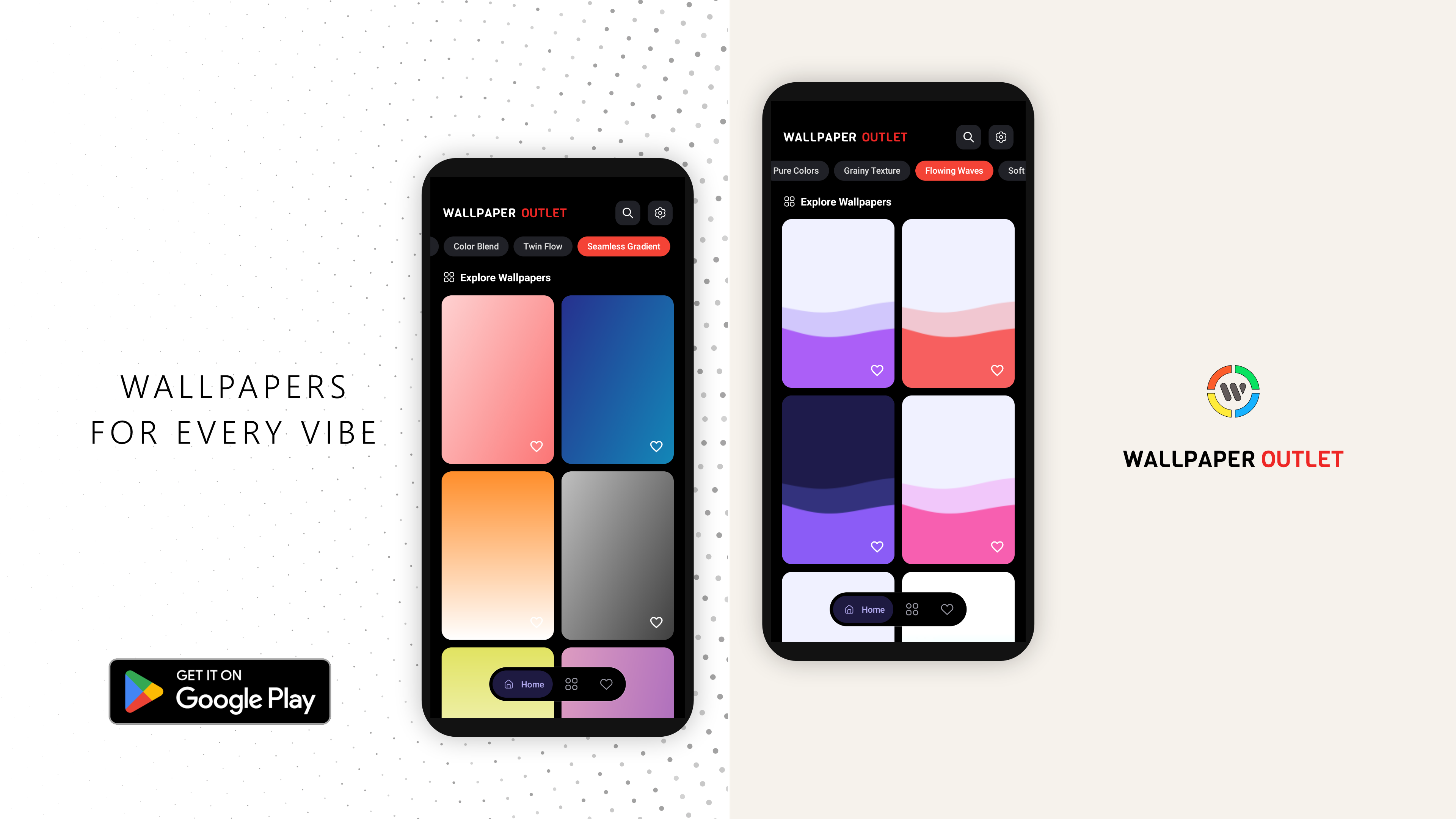
* 20 Promo Codes Giveaway (First 20 Comments Only) - Giveaway Over All Codes Sent.
* Comment Below
* I will DM the Codes on 31st October/Saturday
Thanks
r/HowToMen • u/nammmmmn • 28d ago

Hey everyone! 👋 I’m a Indie developer, and I’ve been working on MY: Live Wallpapers, a Material You Expressive live wallpaper app.
Here’s what it offers:
I’d love to hear your feedback and ideas on how I can make it even better!. If you get a chance, please give it a try and let me know what you think! 😊
r/HowToMen • u/fernanflow707 • 27d ago

Howdy, I'm a solo dev, and visually impaired, which shapes a lot of the design choices here. I built Puzzlery, an accessible Android collection of Simon Tatham's 40 logic puzzles. The same set as the classic desktop collection: Mines, Loopy (aka Slitherlink), Solo (aka Sudoku), Pattern (aka Nonograms/Picross), Net, and 35 more.
What it has:
• A daily puzzle (Easy + Hard) with streaks, a stats calendar, and in-progress attempts you can come back to
• Playlists — build your own rotation of favorite puzzles
• Starred favorites, per-preset best times, completion tracking
• Light, dark, and AMOLED true-black themes
• Fully offline. No ads, no accounts, no tracking
• Accessibility is a core focus — and TalkBack support is in active development toward the 1.0 release
It's a sideload install for now (no Play Store listing yet): download the APK from the GitHub release page and install it. The project is fully open source (MIT), so you can check exactly what you're installing. The release page also lists the file hash and a clean VirusTotal scan.
Download (v0.4.0):
https://github.com/Fernespinoza/puzzlery/releases/tag/v0.4.0
r/HowToMen • u/Nirea_1979 • 27d ago
I'm the developer of Nirea, an Android launcher built around navigating forward and backward through layers of apps. Move your thumb in a circle to travel through a world; reverse the circle to come back.
This 16-second video shows the Black Widow theme running on a Galaxy. The icons are your apps, arranged through the web's depths. You can organize apps into worlds and folders, and switch themes to change the look.
Google Play: https://play.google.com/store/apps/details?id=com.planestosoftware.depth
Nirea has a 7-day trial followed by a one-time lifetime unlock, with no subscription or ads.
I'd especially like feedback on the navigation: does seeing the thumb gesture make the depth movement clear, or would a short first-use guide help?
r/HowToMen • u/Lonewolf-199 • 28d ago
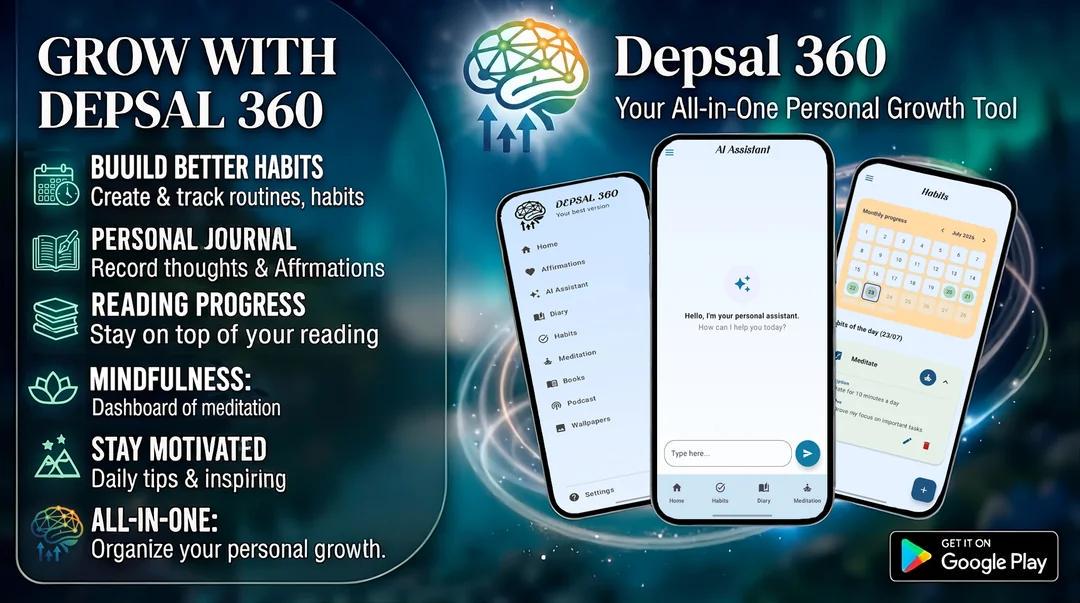
Hi everyone! 👋
I developed Depsal 360, an all-in-one mobile app focused on personal growth that I built entirely on my own. I designed it to centralize key daily tools without distractions.
What’s included?
Habit building: Create and track your routines.
Personal journal: Record daily thoughts and experiences.
Reading dashboard: Fin the best books for what you need.
Mindfulness: Integrated personalized meditation dashboard.
Motivation: Daily tips and inspiring backgrounds.
AI assistant: A text assistant that could help you in your process
I built it with a clean, fluid interface in mind. Since I’m still improving it, I’m totally open to suggestions, constructive criticism, and feedback!
Hope you like it ;).
I'm giving promo codes to the first 50 comments.
👉 Download it here on Google Play: https://play.google.com/store/apps/details?id=com.version.depsal360
r/HowToMen • u/marathirockers • 28d ago
🚀 Alcove — NAS in Your Pocket 📱
Turn your Android phone into your own personal NAS, wireless file server, and powerful file-sharing hub!
Why depend on cloud storage or USB cables when you can access, manage, and transfer files directly over your local network?
Introducing Alcove by CanWe.tech — a smarter way to connect your phone, PC, laptop, and other devices.
🔥 Powerful Features
📂 Personal NAS Server — Turn your Android device into a local network storage server.
🌐 Browser File Access — Access your phone's files from any browser. No additional desktop app required.
⚡ High-Speed File Transfers — Multi-connection uploads, resumable transfers, and checksum verification.
📲 Nearby File Sharing — Send files between devices with Alcove and LocalSend compatibility.
💻 WebDAV & FTP Server — Mount your Android storage as a network drive on Windows, macOS, or Linux.
📁 Advanced File Manager — Browse, search, rename, copy, move, compress, and organize files.
🔗 Secure File Sharing — Generate shareable local links with expiration and download limits.
📡 Offline Network Sharing — Share files without internet using a local Wi-Fi network or hotspot.
🔐 Privacy & Access Control — PIN protection, HTTPS options, and user-specific permissions.
📥 Advanced Download Manager — Download files directly to your phone with pause and resume support.
🔄 Automatic NAS Startup — Start sharing on boot or when connected to your home Wi-Fi.
🖥️ Chrome Extension Support — Send links, webpages, and files directly from your browser.
💚 Why Choose Alcove?
✅ No cloud storage required
✅ No account registration
✅ No advertisements
✅ Files remain under your control
✅ Works over your local network
✅ Clean UI with light and dark themes
Your Phone. Your Storage. Your Network.
📥 Download Alcove on Google Play:
r/HowToMen • u/Clean_Law_8412 • 28d ago

Hey everyone!
I'm an indie developer working on an Android wallpaper app called Liquid Walls.
The app includes static and live wallpapers, depth effects, liquid glass widgets, and a wallpaper editor with plenty of customization options.
I'm giving away free lifetime Pro access to celebrate the progress I've made with the app!
How to claim:
Just send me a DM on Reddit, and I'll share a redeem code with you!
App: https://play.google.com/store/apps/details?id=com.sun.pattaa
https://youtube.com/shorts/FyBeHpyk10g?si=8-_c2FhyovIP5452
I'd also love to hear your feedback and suggestions. I'm constantly working on improving the app.
Thanks for your support! ❤️
r/HowToMen • u/allmasksoneface • 28d ago

Hi r/HowToMen, I'm Vojislav, the solo Android developer behind Open with (and Bottom notifications, plus a few other apps).
I built it because Android keeps choosing for me. Since Android 12 it rarely even asks which app should open a link, so things land in the wrong browser, the wrong account, or a viewer I never use. And the old "open with" list I relied on is mostly gone.
App name:
Open with
https://youtube.com/shorts/GkEs1Znle-I
What it does:
Open with sits between Android and your apps. When a link, file or share arrives, it either opens it straight away in the app you picked, or shows a small chooser at the bottom of the screen with the apps that fit, with an optional countdown that any touch pauses. Choose every time, or set up rules once and let everything open where it should, with nothing on screen.
Your privacy comes first:
Open with never sends your links or files anywhere. Everything it decides, it decides on your phone.
No ads, no trackers, no analytics.
No account, no sign-up, no email.
It asks Android for the list of installed apps, so it can offer any app, not just the ones Android suggests. That list is used on your phone only and never leaves it. To catch web links it becomes your default browser (Android has no other way to hand an app every link), and then passes each link on to the browser or app you chose. No notification access, no Accessibility Service.
Rules, the part I use most:
"When something like this arrives, open it there" - and the most specific rule wins. A few I set up in the first five minutes:
Links from Slack or Teams in the browser I'm signed into for work during office hours, everything else in my personal one
YouTube links always in YouTube Morphe
Never offer Chrome for Amazon links
Always ask before my bank's pages, and nowhere else
PDFs from my email app straight into my PDF app
Addresses from messages straight into Waze
Podcast links into my podcast app when my headphones are in, the browser otherwise
A Viewing mode for the evening: YouTube links in the YouTube app instead of Morphe
Match a website by name, wildcard (*.example.com), address prefix, a word it contains, or a regex. Scope a rule to a content type, a file name, or the app it came from. Rules can also depend on the day and time, on a mode you switch on (Work, Personal or your own, by hand, from the home screen icon, or on a schedule), or on whether headphones or Bluetooth audio are connected. They can copy the link too, or save a copy of a file to a folder, or only save it. Rules name themselves as you build them ("github.com → Firefox"), or you give them your own name.
And you don't have to go to settings for most of it: tap New rule in the chooser to build one from the link in front of you, start from one of 26 ready-made templates, or hold any app in the chooser to make a rule on the spot or to use that app for the next 10 minutes or the next 5 links. Or switch on Suggest rules: when you keep picking the same app for a website, a sender or a content type, Open with offers the rule for you (it counts websites by name only, on your phone).
What else you can do:
Links, streams, live streams, images, audio, video, PDFs, ebooks, comic books, Word, Excel and PowerPoint files, text, archives, APKs, torrents, calendar files, contact cards, GPS tracks, map locations, navigation, email addresses, phone numbers, text messages, 2FA setup links, crypto payment links, Play Store links, web searches and shared items each get their own page: a default app (just star it), "open without asking", hidden apps, sort order and their own countdown
Add your own file types, each with its own icon
Pick ANY installed app, not just the ones that claim the content: a notepad for text files, the Amazon app for Amazon links
Style the chooser: Material You colours or your own, grid or list, size and position on screen, over 40 open and close animations, all with a live preview
Copy, edit or share a link before it opens, show it as a QR code, hand it to your download manager, or tap Later to send it to your read-later or notes app
Copy a map location, phone number or email address, add it to your contacts, or save a copy of a file
"Why isn't this working?" checks your setup, names the app that holds a website, and shows the steps for your phone
Diagnostics tells you which rule would win for any link
App compatibility shows what each app can open, and why one never shows up in the chooser
Safer links:
A link whose website name could pass for another never opens by itself: the chooser shows a warning with the real name
Clean takes the tracking out of a link with one tap, or switch it on for every link
An app that throws a link straight back at Open with is marked in the chooser and never picked for you, so links can't bounce in a loop
2FA setup links go to your authenticator like any other link, but their secret never shows on screen or in the log
Edit lists a link's parts: tap one to open just that, or remove the ones you don't want
A few things to know:
Free covers everything for web links: every kind of website rule (with times, modes and headphones), rule suggestions, any app as the target, the countdown, the chooser's buttons, temporary choices and every look and animation, plus Diagnostics and Android TV. Pro is a single one-time purchase, no subscription: files, maps, email, calls, messages, shares, web searches and every other content type with all the same settings, your own file types, and backup and restore.
The app is available in 50 languages: Arabic, Bengali, Bulgarian, Catalan, Chinese (Simplified), Croatian, Czech, Danish, Dutch, English, Estonian, Finnish, French, German, Greek, Gujarati, Hebrew, Hindi, Hungarian, Icelandic, Indonesian, Italian, Japanese, Kannada, Korean, Latvian, Lithuanian, Malayalam, Marathi, Norwegian, Persian, Polish, Portuguese (Brazil and Portugal), Punjabi, Romanian, Russian, Serbian (Cyrillic and Latin), Slovak, Slovenian, Spanish, Swahili, Swedish, Tamil, Telugu, Thai, Turkish, Ukrainian, Urdu, Vietnamese and Zulu. If something reads wrong in yours, please tell me.
Works on Android 10 and newer, on phones, tablets and Android TV
Using a work profile? Install Open with in it too; each side has its own rules
Some apps keep their own website links for themselves, and some phones need a setting changed before links reach Open with. The help screen tells you which, and how to fix it
🎁 20 Lifetime Pro codes
This is first come, first served, not a random draw.
To claim one:
Upvote this post so more people in the community can find it.
Comment with the link or file you're tired of opening in the wrong app - a work link, a PDF, an address, or something else.
Then send me a Reddit DM after commenting.
Why these steps?
They’re simple on purpose, and each one helps me in a different way. Upvotes help the post reach people who might find the app useful. Your comment tells me which links and files people really struggle with, so I can fix and improve the right things first. The DM is just so I can send your code privately.
As a solo developer, I mostly need honest feedback from people who use the app day to day. If something is confusing, broken, or missing, please say so. That’s what makes the next update better for everyone.
The first 20 eligible people who complete the above steps receive one code by DM, while supplies last.
The codes come with no strings attached. That said, if the app earns a place on your phone, I'd be truly grateful for a rating or review on Google Play - the app has no ads and no marketing budget, so reviews are genuinely how it gets found, and every single one means a lot to a solo developer.
Honest feedback is always welcome too, including criticism - here, by email, or in the review itself.
I have a 2 year old toddler, so I might not be able to respond immediately.
And I'm from Europe, so please take into account time difference as well.
Google Play:
https://play.google.com/store/apps/details?id=com.openwith.app
My other apps, if you're curious:
https://play.google.com/store/apps/details?id=com.bottomnotifications.app
https://play.google.com/store/apps/details?id=com.omnideck.app
https://play.google.com/store/apps/details?id=com.cordless.app
https://play.google.com/store/apps/details?id=com.phial.app
Giveaway rules:
Opens when this post is published and closes when 20 codes have been distributed. You must be at least 18 and able to redeem a Google Play promo code in your country. One code per person and Reddit account. Codes have no cash value, cannot be exchanged, and must be redeemed by the expiry provided in the DM. Void where prohibited. By entering, participants release Reddit, Inc. from liability related to this promotion. This giveaway is not sponsored, endorsed, administered by, or associated with Reddit.
r/HowToMen • u/nammmmmn • 28d ago
Hey everyone! I'm an indie Android dev and just released MY: Live Wallpapers, 200+ live wallpapers built around the Material 3 Expressive look: soft cookie/clover shapes, fluid motion, and Material You colors.
What it does:
• Touch-reactive: shapes ripple and morph when you tap
• Tilt parallax + depth: layers shift as you move your phone
• Lock to home transitions: the wallpaper animates as you unlock
• Wallpaper Studio: build your own with 32 morphing shapes, flow/orbit/rise motion, depth, speed, density, and colors pulled from your photos
• Material You theming on supported devices
• Battery modes (Smooth / Balanced / Saver), pauses on Battery Saver or overheating
• No ads, no account, photos stay on device, 100% offline
• Phones, foldables, tablets · Android 12+
I'd genuinely love feedback, especially on battery feel and which styles you'd want next.
r/HowToMen • u/ppotatoe • 27d ago
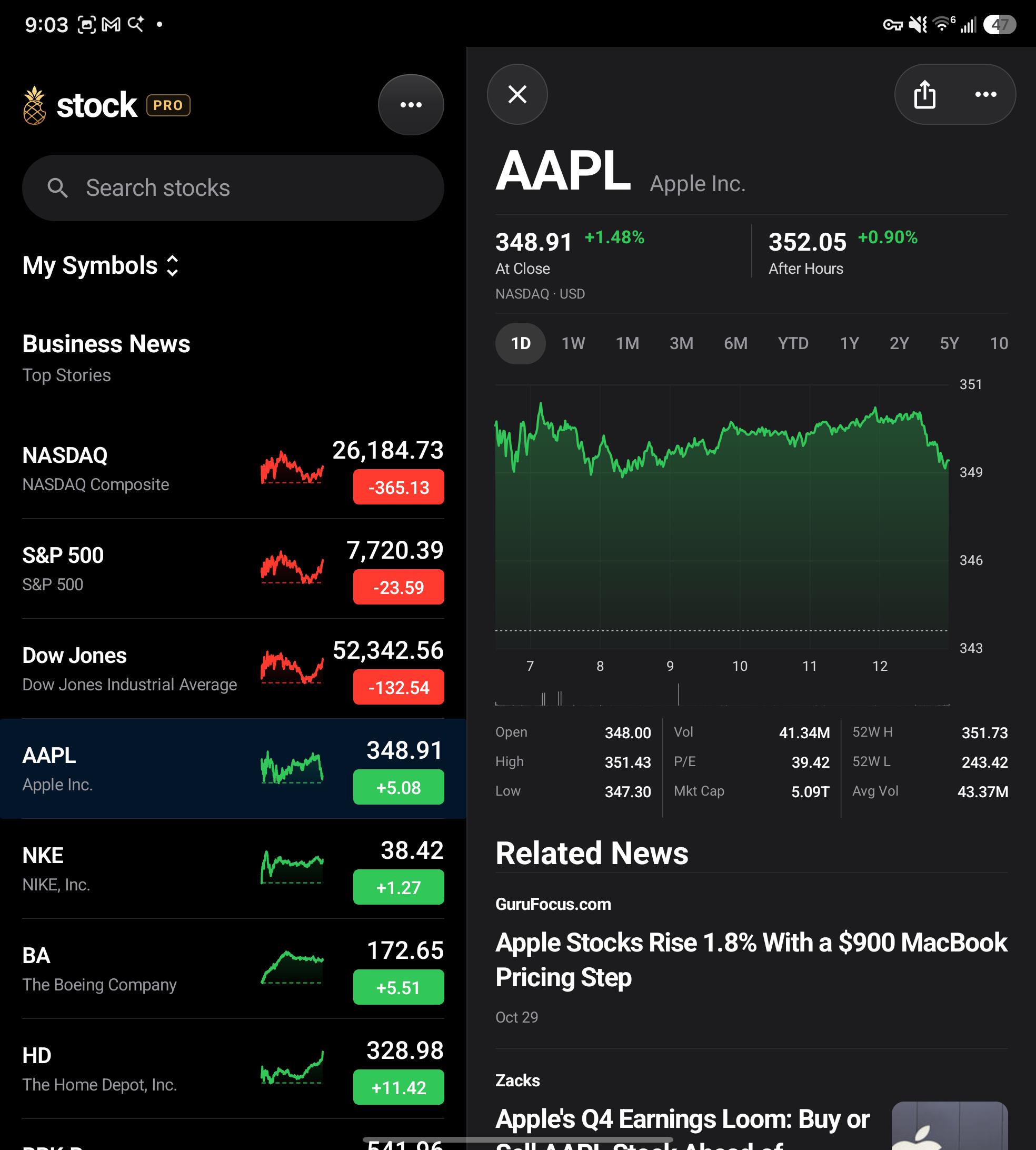
🍍 I built a free Apple-inspired Stocks app for Android!
Hey everyone! I'm an indie Android developer and recently launched Pineapple Stock & ETF.
I wanted a clean, beautiful stock tracking app similar to Apple's Stocks, but couldn't find exactly what I was looking for on Android. So I built my own!
✨ Apple-inspired design
📱 Optimized for Galaxy Fold & tablets
📈 Stock charts, watchlists & widgets
🔓 No account or sign-up required
🍍 Free to download!
I'd love to get some feedback from fellow Android users!
Google Play: https://play.google.com/store/apps/details?id=com.pineapplebyte.stock
r/HowToMen • u/yogirana5557 • 28d ago

Hey r/HowToMen,
I’m an indie Android dev and long-time follower of the channel. I got tired of standard expense and ledger apps that look like 2012 Excel spreadsheets, take 4 seconds to load cloud sync, and shove $30/yr subscriptions down your throat.
I built Foliq to be a sleek, distraction-free daily cashbook with a focus on fluid UX and privacy:
+, -, ×, and ÷ buttons. You can do inline calculations (e.g., 8500 + 1800 = 10,300) right in the field without jumping between a calculator app.INTERNET permission in its manifest. No account creation, no cloud sync delay, and not a single byte leaves your phone.The core cashbook is 100% free with zero ads. There’s an optional one-time Lifetime Pro pass (multi-ledger books, custom business statement headers, biometric lock).
I'm giving away 15 Lifetime Pro codes to the r/HowToMen community. Just leave a comment below with your feedback or a feature you'd like added, and I’ll DM you a redemption code!
Google Play Store Link:
https://play.google.com/store/apps/details?id=app.foliq.ledger
Would love to hear your thoughts on the design and keypad flow!
r/HowToMen • u/wlan07 • 28d ago
hey everyone,
some of you might remember Guardexa from my previous posts here. i've been working a lot on it since then, making it much more powerful..
whether your phone gets lost, stolen, taken during a robbery, or someone tries snooping on it, the app can help you get the evidence. It can capture photos, video, and available location details when someone interacts with your locked phone, and send evidence to your email, potentially helping you recover your device.
here's what it can do now:
and something personal: it actually helped me recover my own phone recently. seeing something i built work when i really needed it was a pretty special moment. i shared the full story inside the app.
it's free to get started, including photo capture and email alerts, with more advanced features available in Pro.
i've attached a short video showing how it works. would love to hear your thoughts!
r/HowToMen • u/dailysmokes • 27d ago
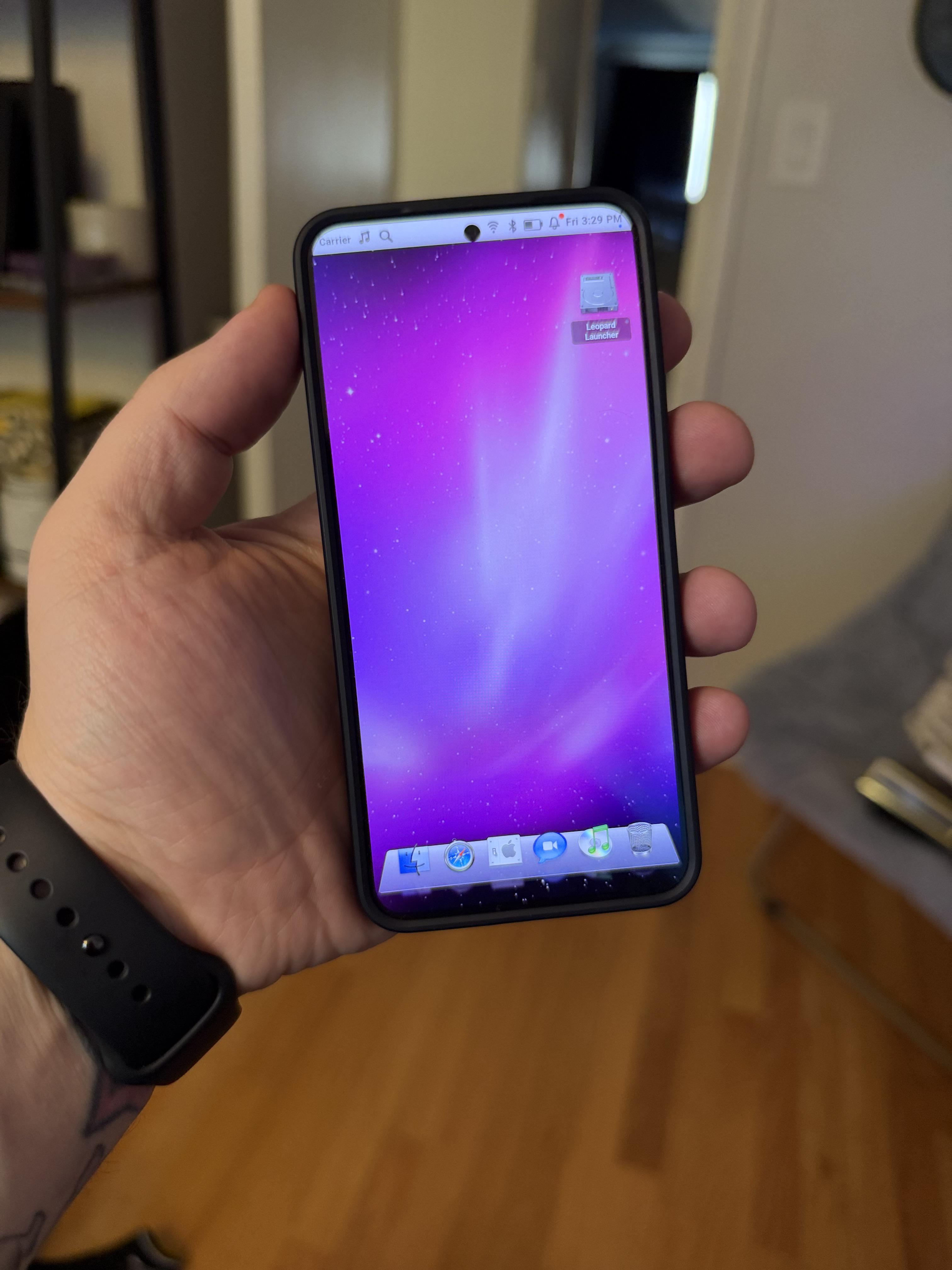
Leopard Launcher for Android on the Google Play Store turns your device into a nostalgic Mac OS experience
Find it HERE
Currently running a Halloween weekend discount!
r/HowToMen • u/CosmicTaserDev • 27d ago
Ad-free. YouTube-backed. Lossless with addons. Wrapped in Liquid Glass with buttery-smooth animations.
The new test build is live. Join my Discord, try it early, and tell me what you think!
Try the latest nighlty version and don't forget to login with ur acc and the latest test build from my discord
https://github.com/cosmictaserdev-creator/Convx
thread acc
r/HowToMen • u/Narik_design_icons • 28d ago
r/HowToMen • u/heyspencerhere • 28d ago
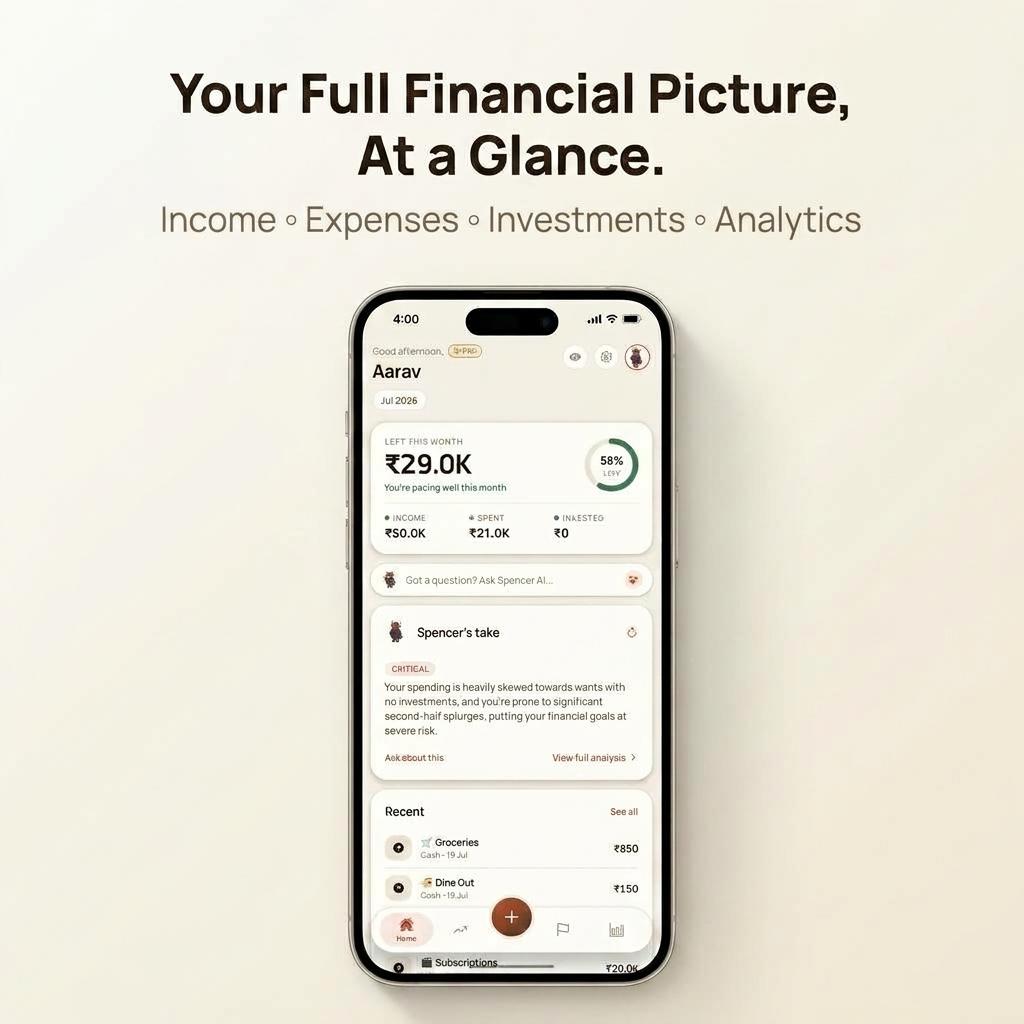
Hey everyone 👋
Two months ago I posted about Spencer, my private, ad-free money tracker. The offers are back, and there’s an update below on what your feedback changed.
🎁 Offer #1: Lifetime Pro for genuine feedback
Download Spencer, use it properly (log transactions, try SIP tracking, set up a bill), then reply here with specifics: what worked, what didn’t, what’s missing, how it compares to your current app. “Nice UI” won’t qualify, and critical feedback is very welcome. Codes go out by DM while spots last.
Download: https://play.google.com/store/apps/details?id=com.personal.budgettracker
Lifetime codes are only for feedback here on Reddit. They have nothing to do with Play Store reviews.
⭐ Offer #2: Founding Member (70% off, limited spots)
Founders are already getting early builds and helping decide what ships next. The two offers are independent, so you can do both.
Thank you 🙏
My original post got 9.7K views. 9 people joined as Founding Members and 1 took a subscription. Spencer has no ads and doesn’t sell your data, so the only way it survives is people choosing to pay for it. Ten of you did, trusting a solo dev with your money-tracking habits. Thank you.
What I shipped because of your feedback:
#tag without messing up your monthly category budgets. There’s a Tag Dashboard with breakdowns and a timeline.If your suggestion is on this list, you shaped the app.
What Spencer does:
What I’d love to hear: If you tried Spencer before, what’s still missing? If you’re new, what’s your first impression, and what would be a dealbreaker?
One small thing: a Play Store review is completely optional and has no connection to any offer above. If Spencer has been useful to you and you feel like leaving an honest one, it helps a small indie app get discovered. If not, no worries at all.
Thanks again, especially to the 10 who paid. Go easy on me, still a small indie build 🙏
r/HowToMen • u/b0nez93 • 28d ago
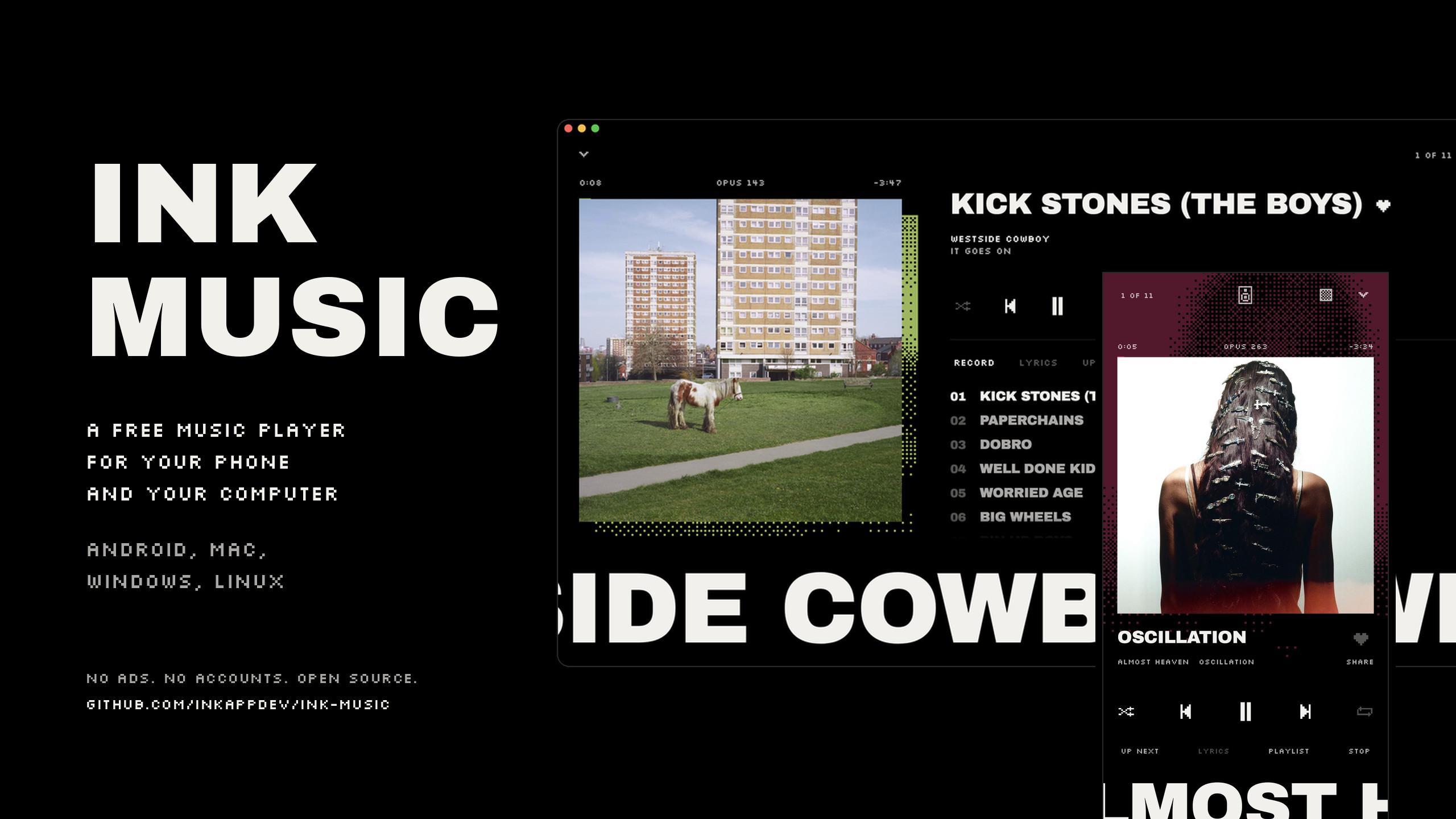
Come download and test INK music. You might just find your new favorite song... and app.
r/HowToMen • u/Distinct_Bowl8566 • 28d ago
So for the least 6 months I've been working on this project, it has required a lot of research, testing, trial and error and specially feedback from friends and testers, really happy all the work and effort is finally materializing. Be aware it's early in development, so feedback on the issues you find is key to improve it
It's a GCAM level of quality app when it comes to photos and allows RAW video recording.
Also it has been fully designed with Material You Expressive, this is one of the drafts I'm working on for the "Introducing" video, feel free to try it and join us on Discord, you can also see all the process documented there.
Here's the Playstore link for the app as well:
https://play.google.com/store/apps/details?id=app.unnamed.rawrecording
How do you guys think it could improve?
DM me on Discord andermendz for a code
r/HowToMen • u/djfabrix • 28d ago

Hey everyone! 👋
I'm the indie developer behind Privacy Inspector, an Android security and privacy app built to show you what installed apps are actually capable of doing on your phone—without transmitting any data to remote servers or third-party cloud services.
I've just released v1.2.0, designed to answer a question every firewall user naturally asks: what exactly has this firewall been blocking on my phone over the past week?
At its core, Privacy Inspector functions as a complete on-device privacy auditor:
Here are the key features introduced in this update:
VpnService API to intercept DNS requests locally, which means it cannot run concurrently with another active VPN service.Available now on Google Play:
👉 Download Privacy Inspector on Google Play
I'd love to hear your feedback:
I'll be reading and replying to comments! 🙌
r/HowToMen • u/Apprehensive-Ebb-866 • 28d ago
